> ## Documentation Index
> Fetch the complete documentation index at: https://notes.kodekloud.com/llms.txt
> Use this file to discover all available pages before exploring further.
# SGSecurity Groups for Pods
> Explains AWS EKS pod-level security groups using ENI trunking, operational tradeoffs, instance and IP constraints, and recommended alternatives like IRSA, NetworkPolicies, or node/cluster isolation.
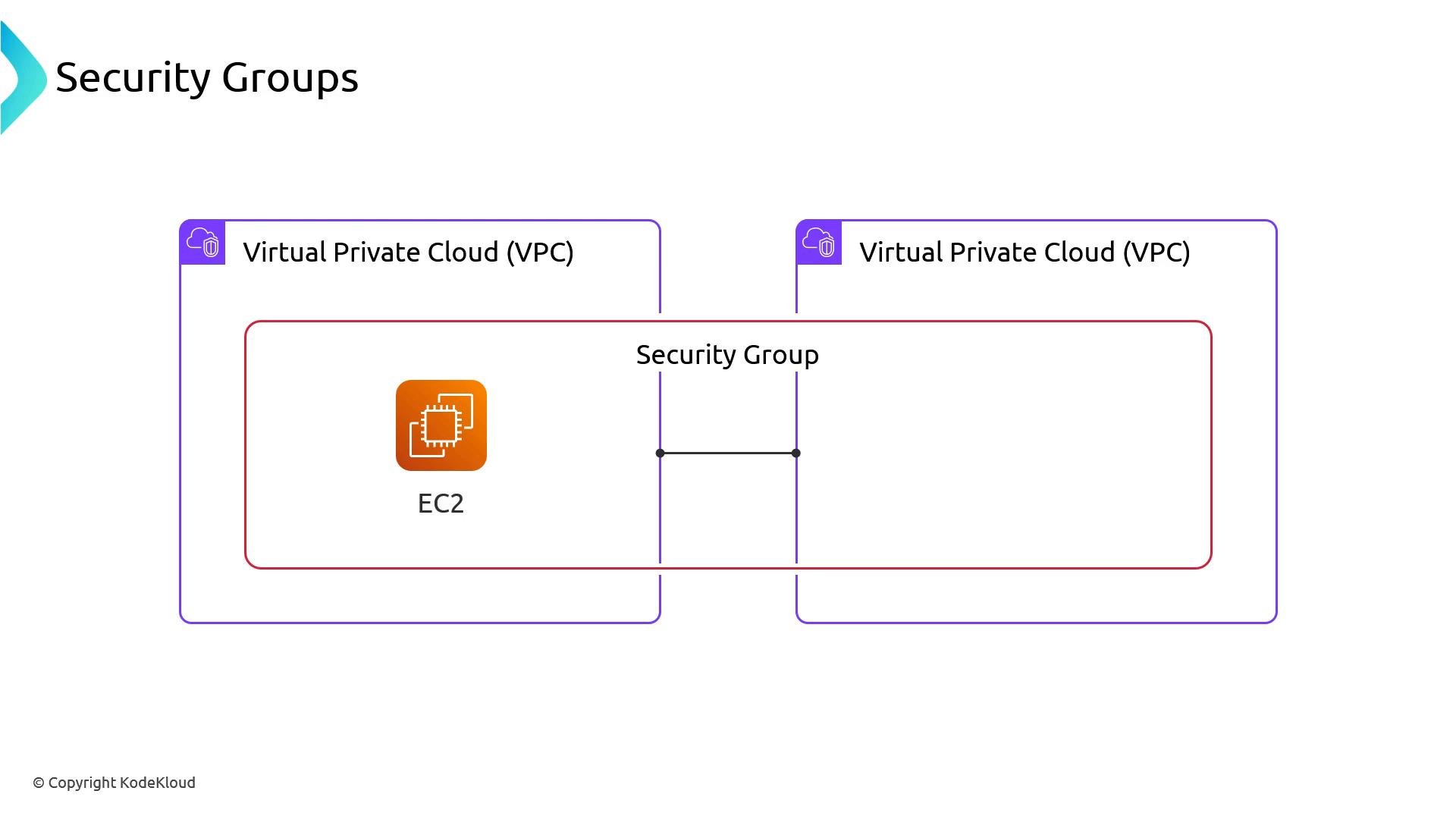
Security groups are the VPC-level firewall that control which endpoints can talk to each other. When running workloads in EKS, you can apply security groups at the node level (default) or, with additional configuration, at the pod level. Pod-level security groups provide fine-grained, per-pod network controls by leveraging ENI trunking, but they also add significant operational complexity.
 Overview
By default, the AWS VPC CNI (`aws-node`) assigns pod IPs from ENIs attached to each node. Node ENIs share the node’s security groups, so opening a port between nodes and an AWS resource (for example RDS) effectively allows any pod on those nodes to contact that resource at the network layer. Authentication and authorization must still be enforced with IAM, but the networking allowance is uniform for all pods on the node.
Overview
By default, the AWS VPC CNI (`aws-node`) assigns pod IPs from ENIs attached to each node. Node ENIs share the node’s security groups, so opening a port between nodes and an AWS resource (for example RDS) effectively allows any pod on those nodes to contact that resource at the network layer. Authentication and authorization must still be enforced with IAM, but the networking allowance is uniform for all pods on the node.
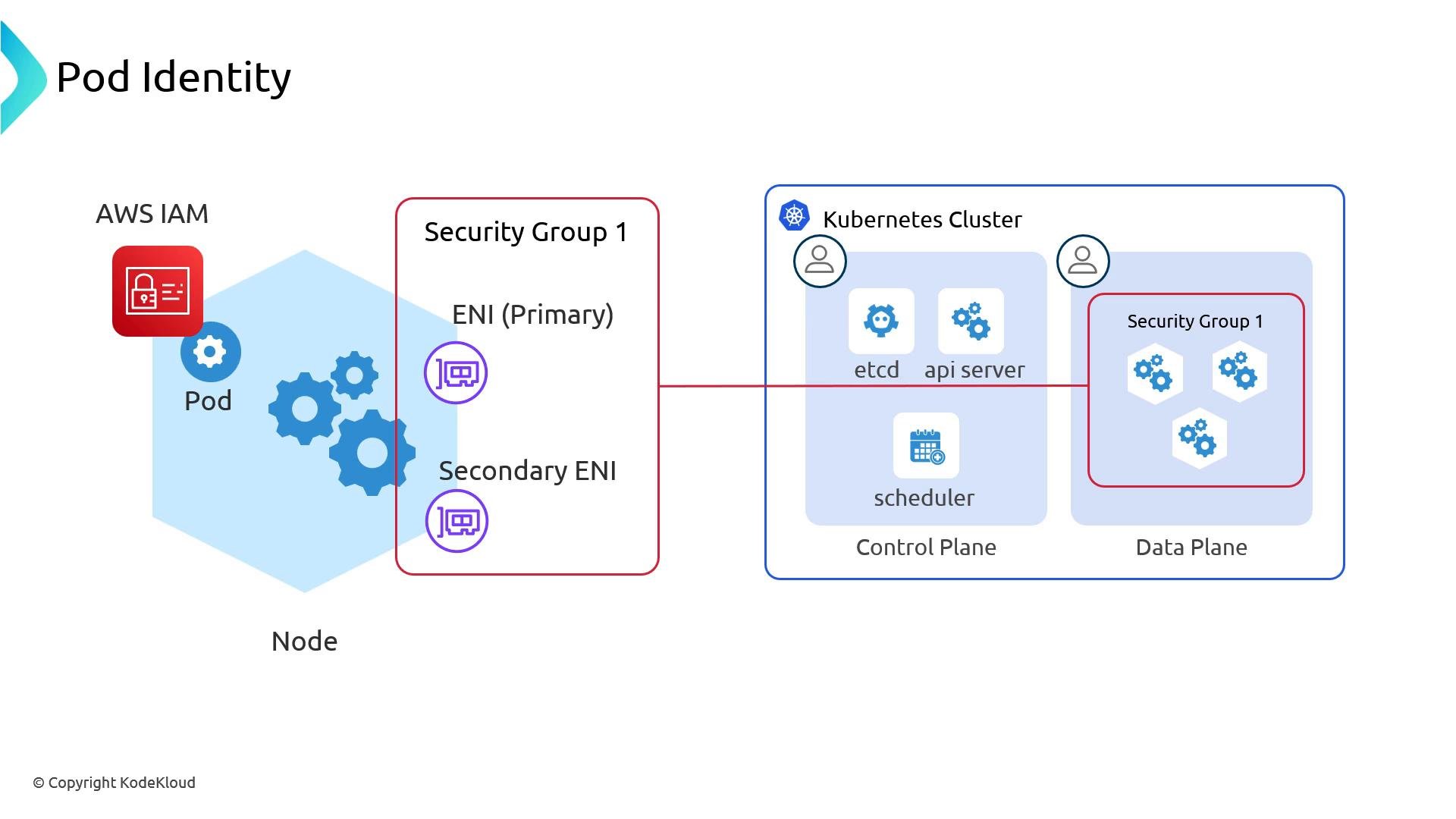 Security groups for pods add network-layer controls specific to individual workloads, but they increase operational surface area. Prefer pod-level IAM (IRSA) and Kubernetes NetworkPolicies for most use cases unless you require per-pod SGs.
How pod security groups work (high level)
* You must enable the AWS VPC CNI feature that supports security groups for pods and install the cluster-side controller (vpc-resource-controller). The controller coordinates with EC2 trunking APIs.
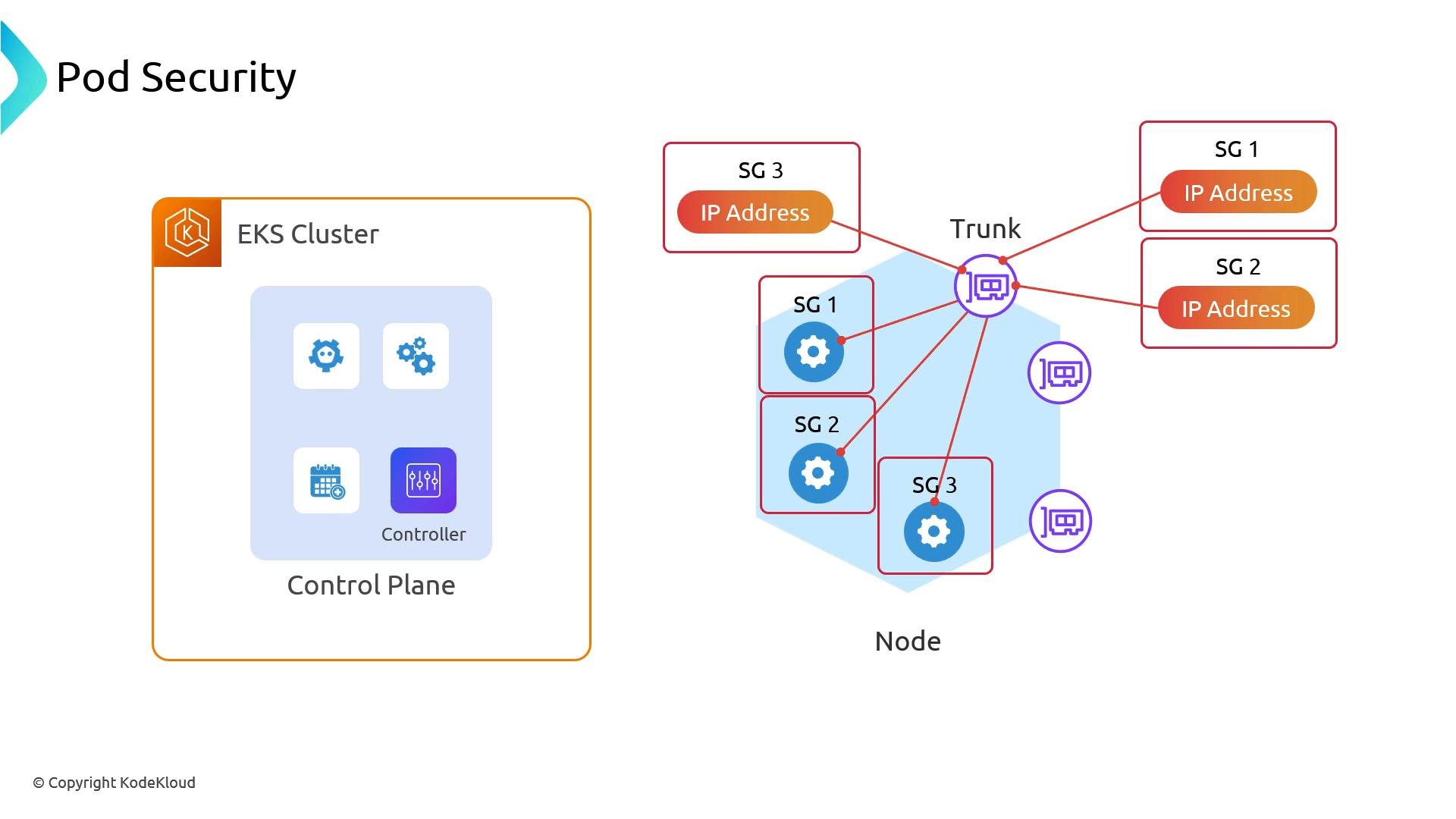
* AWS creates a trunk ENI on the node. Branch ENIs are attached to that trunk via trunking; branch ENIs can have independent security groups applied.
* Pods assigned IPs from branch ENIs effectively inherit the branch ENI’s security groups, enabling per‑pod network ACLs.
* This trunk/branch model makes per-pod security groups possible, but it changes how IPs are allocated and introduces additional operational considerations (ENI lifecycle, IP accounting, instance type compatibility).
Security groups for pods add network-layer controls specific to individual workloads, but they increase operational surface area. Prefer pod-level IAM (IRSA) and Kubernetes NetworkPolicies for most use cases unless you require per-pod SGs.
How pod security groups work (high level)
* You must enable the AWS VPC CNI feature that supports security groups for pods and install the cluster-side controller (vpc-resource-controller). The controller coordinates with EC2 trunking APIs.
* AWS creates a trunk ENI on the node. Branch ENIs are attached to that trunk via trunking; branch ENIs can have independent security groups applied.
* Pods assigned IPs from branch ENIs effectively inherit the branch ENI’s security groups, enabling per‑pod network ACLs.
* This trunk/branch model makes per-pod security groups possible, but it changes how IPs are allocated and introduces additional operational considerations (ENI lifecycle, IP accounting, instance type compatibility).
 Important caveats and operational details
1. Instance type support
* Not every EC2 instance type supports ENI trunking. Many Nitro-based instances do, but support is not universal.
* Check the VPC CNI docs and the maintained instance maps for trunking support:
* AWS VPC CNI: [https://github.com/aws/amazon-vpc-cni-k8s](https://github.com/aws/amazon-vpc-cni-k8s)
* Trunking docs & instance maps in the repo’s `docs` folder
2. IP and pod accounting (`maxPods`)
* `maxPods` determines how many pod IPs the VPC CNI expects to manage per node.
* Pods that receive IPs via branch ENIs for security groups may not follow the same allocation heuristics as standard ENIs, causing unexpected IP exhaustion if `maxPods` and node capacity are not planned accordingly.
* In managed node groups, `maxPods` is typically set per node group. To vary `maxPods` and ENI behavior you’ll need separate node groups, custom AMIs/kubelet config, or a scheduler/provisioner such as Karpenter to supply different node classes.
3. Replacing VPC CNI with other CNIs
* Using alternative CNIs (for example, Calico or Cilium) complicates pod security groups further. Those CNIs manage IPs and networking differently, so integrating ENI trunking/branch ENI behavior on top can be difficult to maintain and troubleshoot.
Trunking and branch ENI behavior depend on AWS-managed APIs and specific instance capabilities. Debugging network issues can be difficult—only adopt pod-level security groups if your team has tooling and experience to manage ENI lifecycle, IP accounting, and AWS trunking behavior.
Important caveats and operational details
1. Instance type support
* Not every EC2 instance type supports ENI trunking. Many Nitro-based instances do, but support is not universal.
* Check the VPC CNI docs and the maintained instance maps for trunking support:
* AWS VPC CNI: [https://github.com/aws/amazon-vpc-cni-k8s](https://github.com/aws/amazon-vpc-cni-k8s)
* Trunking docs & instance maps in the repo’s `docs` folder
2. IP and pod accounting (`maxPods`)
* `maxPods` determines how many pod IPs the VPC CNI expects to manage per node.
* Pods that receive IPs via branch ENIs for security groups may not follow the same allocation heuristics as standard ENIs, causing unexpected IP exhaustion if `maxPods` and node capacity are not planned accordingly.
* In managed node groups, `maxPods` is typically set per node group. To vary `maxPods` and ENI behavior you’ll need separate node groups, custom AMIs/kubelet config, or a scheduler/provisioner such as Karpenter to supply different node classes.
3. Replacing VPC CNI with other CNIs
* Using alternative CNIs (for example, Calico or Cilium) complicates pod security groups further. Those CNIs manage IPs and networking differently, so integrating ENI trunking/branch ENI behavior on top can be difficult to maintain and troubleshoot.
Trunking and branch ENI behavior depend on AWS-managed APIs and specific instance capabilities. Debugging network issues can be difficult—only adopt pod-level security groups if your team has tooling and experience to manage ENI lifecycle, IP accounting, and AWS trunking behavior.
 When to use pod security groups
* Use pod security groups if you require strict per‑pod network isolation that cannot be achieved with NetworkPolicies or IAM.
* Avoid pod security groups for teams without automated SG lifecycle management or visibility into ENI behavior.
Alternatives and recommended approaches
| Approach | When to use it | Why |
| - | -: | - |
| Pod IAM (IRSA) | To give pods least-privilege access to AWS APIs | Prevents unauthorized API access even if network access exists. See: [https://docs.aws.amazon.com/eks/latest/userguide/iam-roles-for-service-accounts.html](https://docs.aws.amazon.com/eks/latest/userguide/iam-roles-for-service-accounts.html) |
| Kubernetes NetworkPolicies | To restrict pod egress/ingress by IPs/CIDR | Lightweight, Kubernetes-native network control. Note: cannot reference AWS ARNs directly. |
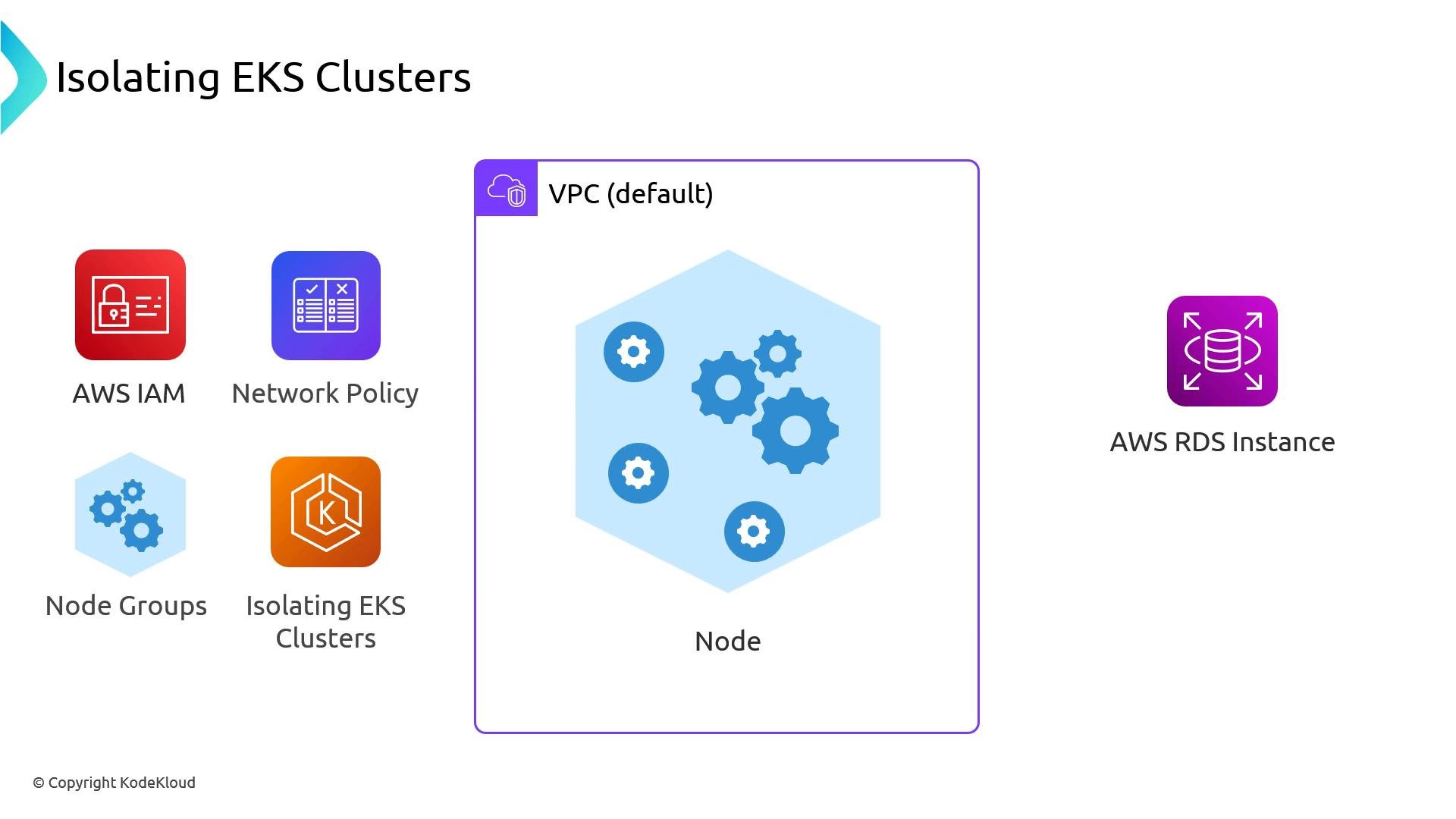
| Separate node groups / Karpenter node classes | When you need node-level network boundaries without per-pod ENI complexity | Allows different `maxPods` and SGs per node class; simpler than trunking everywhere. |
| Isolate by cluster | For highest assurance isolation | Use separate EKS clusters/VPCs when workloads require strict separation of network, IAM, and management plane. |
When to use pod security groups
* Use pod security groups if you require strict per‑pod network isolation that cannot be achieved with NetworkPolicies or IAM.
* Avoid pod security groups for teams without automated SG lifecycle management or visibility into ENI behavior.
Alternatives and recommended approaches
| Approach | When to use it | Why |
| - | -: | - |
| Pod IAM (IRSA) | To give pods least-privilege access to AWS APIs | Prevents unauthorized API access even if network access exists. See: [https://docs.aws.amazon.com/eks/latest/userguide/iam-roles-for-service-accounts.html](https://docs.aws.amazon.com/eks/latest/userguide/iam-roles-for-service-accounts.html) |
| Kubernetes NetworkPolicies | To restrict pod egress/ingress by IPs/CIDR | Lightweight, Kubernetes-native network control. Note: cannot reference AWS ARNs directly. |
| Separate node groups / Karpenter node classes | When you need node-level network boundaries without per-pod ENI complexity | Allows different `maxPods` and SGs per node class; simpler than trunking everywhere. |
| Isolate by cluster | For highest assurance isolation | Use separate EKS clusters/VPCs when workloads require strict separation of network, IAM, and management plane. |
 Operational checklist before enabling pod security groups
* Confirm instance types in your node pools support ENI trunking.
* Update cluster VPC CNI and install `vpc-resource-controller` per the release notes.
* Plan `maxPods` and node capacity to avoid IP address exhaustion.
* Automate security group lifecycle management (creation, tagging, cleanup) and monitoring.
* Test in a staging environment that mirrors production ENI/instance types.
Recap
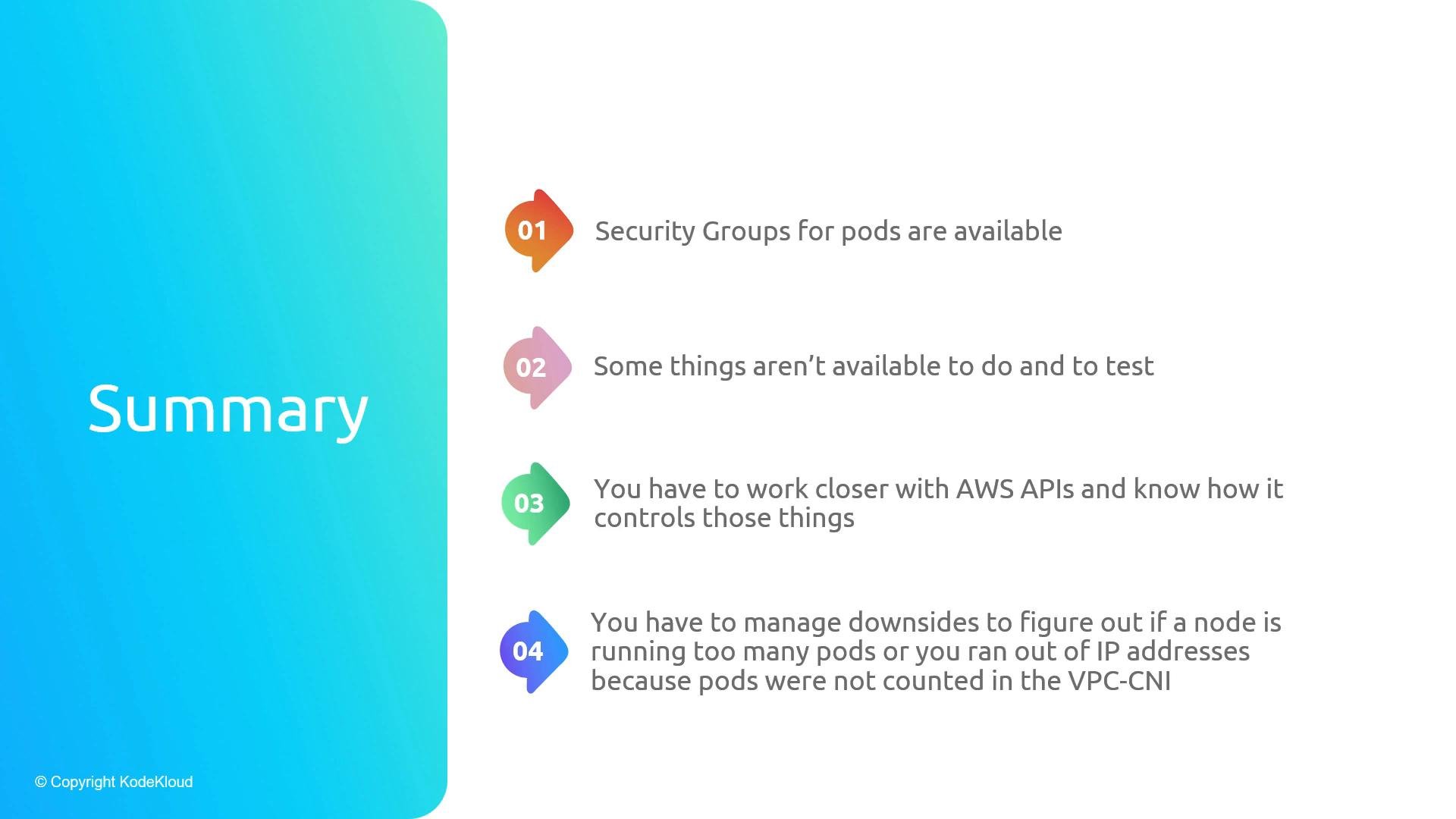
* Pod security groups enable per-pod network controls by using ENI trunking (trunk + branch ENIs), but they add operational complexity and require instance support.
* You must work closely with the VPC CNI and the EC2 trunking model and plan for IP accounting (`maxPods`) and node group design.
* Prefer IRSA (pod IAM), Kubernetes NetworkPolicies, separate node groups, or cluster isolation for most use cases unless you have automation and expertise to operate pod-level security groups.
Operational checklist before enabling pod security groups
* Confirm instance types in your node pools support ENI trunking.
* Update cluster VPC CNI and install `vpc-resource-controller` per the release notes.
* Plan `maxPods` and node capacity to avoid IP address exhaustion.
* Automate security group lifecycle management (creation, tagging, cleanup) and monitoring.
* Test in a staging environment that mirrors production ENI/instance types.
Recap
* Pod security groups enable per-pod network controls by using ENI trunking (trunk + branch ENIs), but they add operational complexity and require instance support.
* You must work closely with the VPC CNI and the EC2 trunking model and plan for IP accounting (`maxPods`) and node group design.
* Prefer IRSA (pod IAM), Kubernetes NetworkPolicies, separate node groups, or cluster isolation for most use cases unless you have automation and expertise to operate pod-level security groups.
 Links and references
* AWS VPC CNI (amazon-vpc-cni-k8s): [https://github.com/aws/amazon-vpc-cni-k8s](https://github.com/aws/amazon-vpc-cni-k8s)
* EKS IRSA (IAM Roles for Service Accounts): [https://docs.aws.amazon.com/eks/latest/userguide/iam-roles-for-service-accounts.html](https://docs.aws.amazon.com/eks/latest/userguide/iam-roles-for-service-accounts.html)
* Karpenter: [https://karpenter.sh/](https://karpenter.sh/)
* Calico: [https://docs.projectcalico.org/](https://docs.projectcalico.org/)
* Cilium: [https://cilium.io/](https://cilium.io/)
This documentation is built and hosted on [Mintlify](https://mintlify.com), a developer documentation platform.
Links and references
* AWS VPC CNI (amazon-vpc-cni-k8s): [https://github.com/aws/amazon-vpc-cni-k8s](https://github.com/aws/amazon-vpc-cni-k8s)
* EKS IRSA (IAM Roles for Service Accounts): [https://docs.aws.amazon.com/eks/latest/userguide/iam-roles-for-service-accounts.html](https://docs.aws.amazon.com/eks/latest/userguide/iam-roles-for-service-accounts.html)
* Karpenter: [https://karpenter.sh/](https://karpenter.sh/)
* Calico: [https://docs.projectcalico.org/](https://docs.projectcalico.org/)
* Cilium: [https://cilium.io/](https://cilium.io/)
This documentation is built and hosted on [Mintlify](https://mintlify.com), a developer documentation platform.