> ## Documentation Index
> Fetch the complete documentation index at: https://notes.kodekloud.com/llms.txt
> Use this file to discover all available pages before exploring further.
# AWS Resource Access Manager
> This guide explains how AWS Resource Access Manager enables secure sharing of AWS resources across accounts and within AWS Organizations.
In this guide, you’ll learn how AWS Resource Access Manager (AWS RAM) enables secure, scalable sharing of AWS resources across accounts and within AWS Organizations. By centralizing resource-sharing configurations, AWS RAM reduces operational overhead and enforces consistent access controls in multi-account environments.
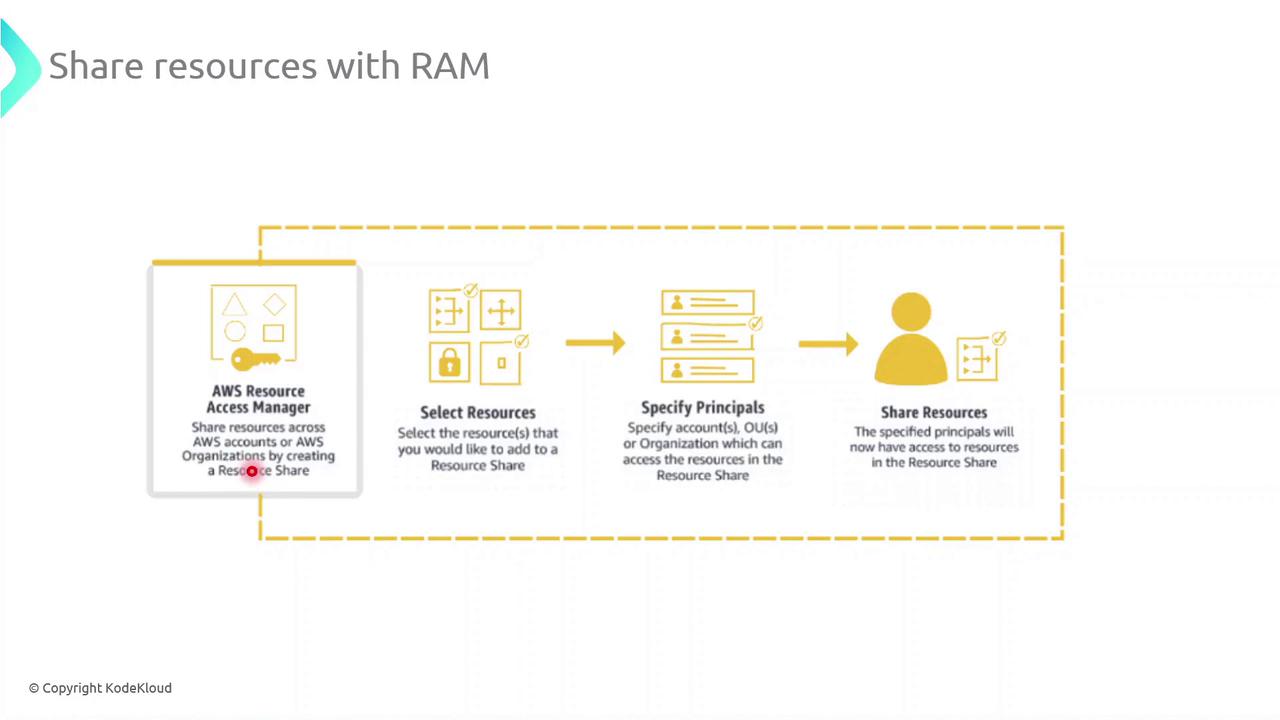
## Key Steps for Sharing Resources with AWS RAM
1. **Select Resources**\
Choose the resource types you want to share—such as subnets, transit gateways, or AWS License Manager configurations—and add them to a new resource share.
2. **Specify Principals**\
Grant access to AWS accounts, organizational units (OUs), or your entire AWS Organization. You can mix and match account IDs, OU IDs, or organization IDs as principals.
3. **Create the Resource Share**\
Review your configuration and create the share. AWS RAM will provision permissions automatically so that authorized principals see and use the resources in their own accounts.
Once a resource share is active, shared resources appear in the AWS Console of each authorized account under “Shared with me.” IAM policies and service-linked roles must be configured appropriately to allow full access.
## Common AWS RAM Resource Types
| Resource Type | Description | Example Use Case |
| ---------------------- | ------------------------------------------ | ------------------------------------------ |
| Amazon VPC Subnet | Share VPC subnets across multiple accounts | Deploy EC2 instances in a shared network |
| AWS Transit Gateway | Central hub for inter-VPC connectivity | Connect VPCs across different accounts |
| AWS License Manager | Distribute and manage software licenses | Centralize license pools organization-wide |
| Route 53 Resolver Rule | Share DNS resolution policies | Enforce DNS rules across environments |
## Best Practices
* Implement least-privilege IAM roles and policies for shared resources.
* Audit resource share activity using AWS CloudTrail.
* Tag shared resources for cost allocation and tracking.
## Links and References
* [AWS Resource Access Manager User Guide](https://docs.aws.amazon.com/ram/latest/userguide/)
* [AWS Organizations Documentation](https://docs.aws.amazon.com/organizations/latest/userguide/)
* [AWS License Manager Overview](https://docs.aws.amazon.com/license-manager/latest/userguide/)