> ## Documentation Index
> Fetch the complete documentation index at: https://notes.kodekloud.com/llms.txt
> Use this file to discover all available pages before exploring further.
# AWS CLI and SDK
> Learn to streamline AWS workflows using the AWS CLI and SDKs, covering IAM user creation, CLI configuration, SDK integration, and permission management.
In this lesson, you’ll learn how to streamline your AWS workflows using the AWS Command Line Interface (CLI) and AWS SDKs. We’ll cover:
1. Creating an IAM user with console and programmatic access
2. Configuring the AWS CLI on your local machine
3. Integrating AWS SDKs within your applications
4. Organizing permissions using IAM groups
For more details, refer to the [AWS CLI User Guide](https://docs.aws.amazon.com/cli/latest/userguide/cli-chap-welcome.html) and the [AWS SDKs & Tools](https://aws.amazon.com/tools/).
***
## 1. IAM User with Access Keys
To enable both console and programmatic access, create an IAM user (e.g., **John**) and generate an **Access Key ID** and **Secret Access Key**. These credentials allow John to authenticate with AWS services via CLI or SDKs.
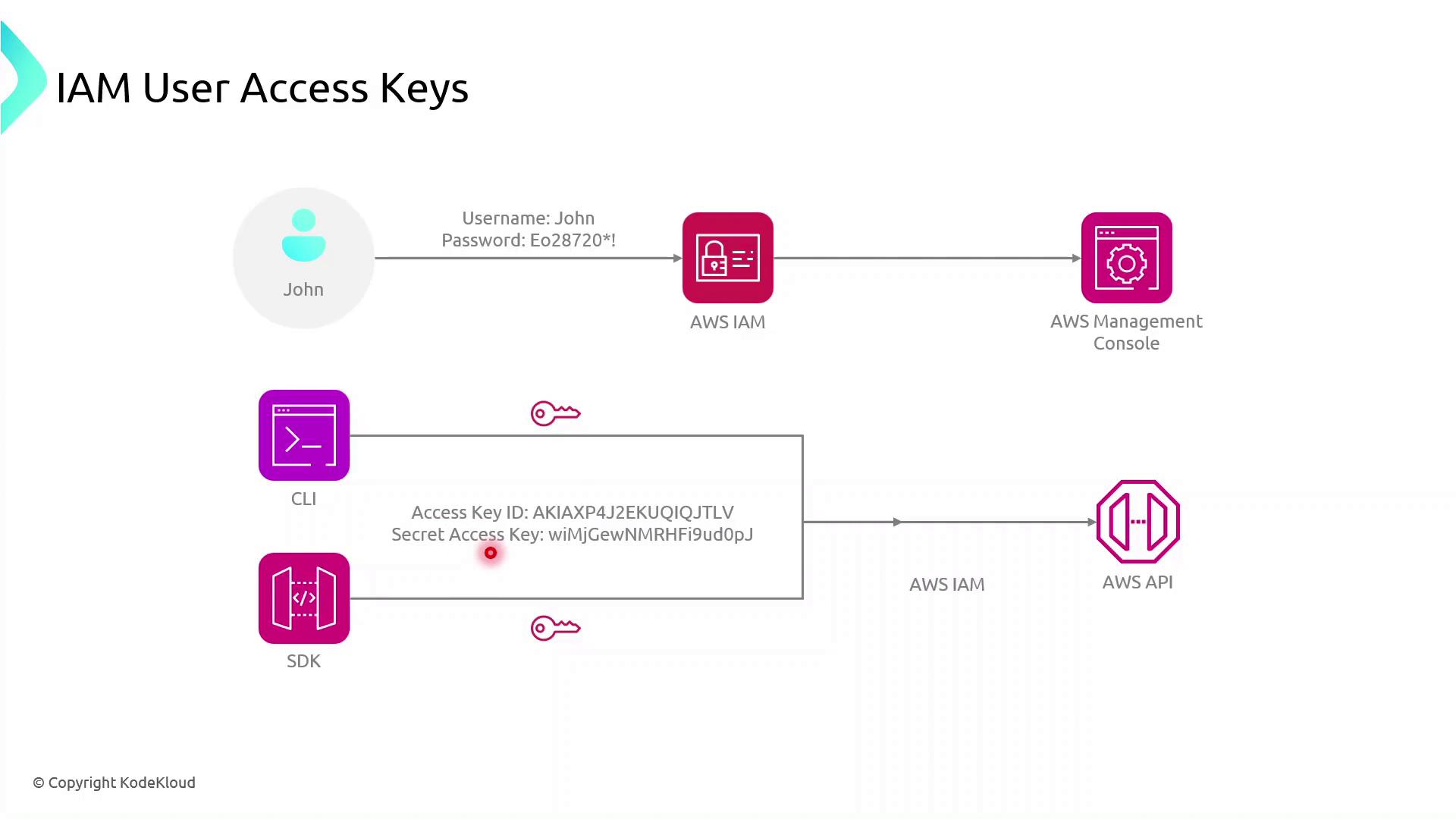
John can now:
* Execute AWS CLI commands
* Use AWS SDKs in applications to call AWS service APIs
Keep your Access Key ID and Secret Access Key secure. Never commit them to version control or expose them in client-side code.
***
## 2. Configuring the AWS CLI
Install the AWS CLI, then run:
```bash theme={null}
aws configure
```
You’ll be prompted for:
* **AWS Access Key ID**
* **AWS Secret Access Key**
* **Default region name** (e.g., `us-east-1`)
* **Default output format** (e.g., `json`)
Example:
```bash theme={null}
$ aws configure
AWS Access Key ID [None]: AKIAS7790KQGK63WUK6T5
AWS Secret Access Key [None]: kkQEiBjSKrDkWBLO9G/JJKQWIOKL/CpHjMGyoiJWW
Default region name [None]: us-east-1
Default output format [None]: json
```
Credentials and configuration are stored in:
* `~/.aws/credentials`
* `~/.aws/config`
These files are used by both AWS CLI and AWS SDKs.
Now, any AWS CLI command you execute uses John’s credentials, targets the specified region, and returns JSON output by default.
***
## 3. Using AWS SDKs in Applications
AWS SDKs enable you to interact with AWS services programmatically. Below is a high-level flow for a browser-based app using the AWS SDK for JavaScript:
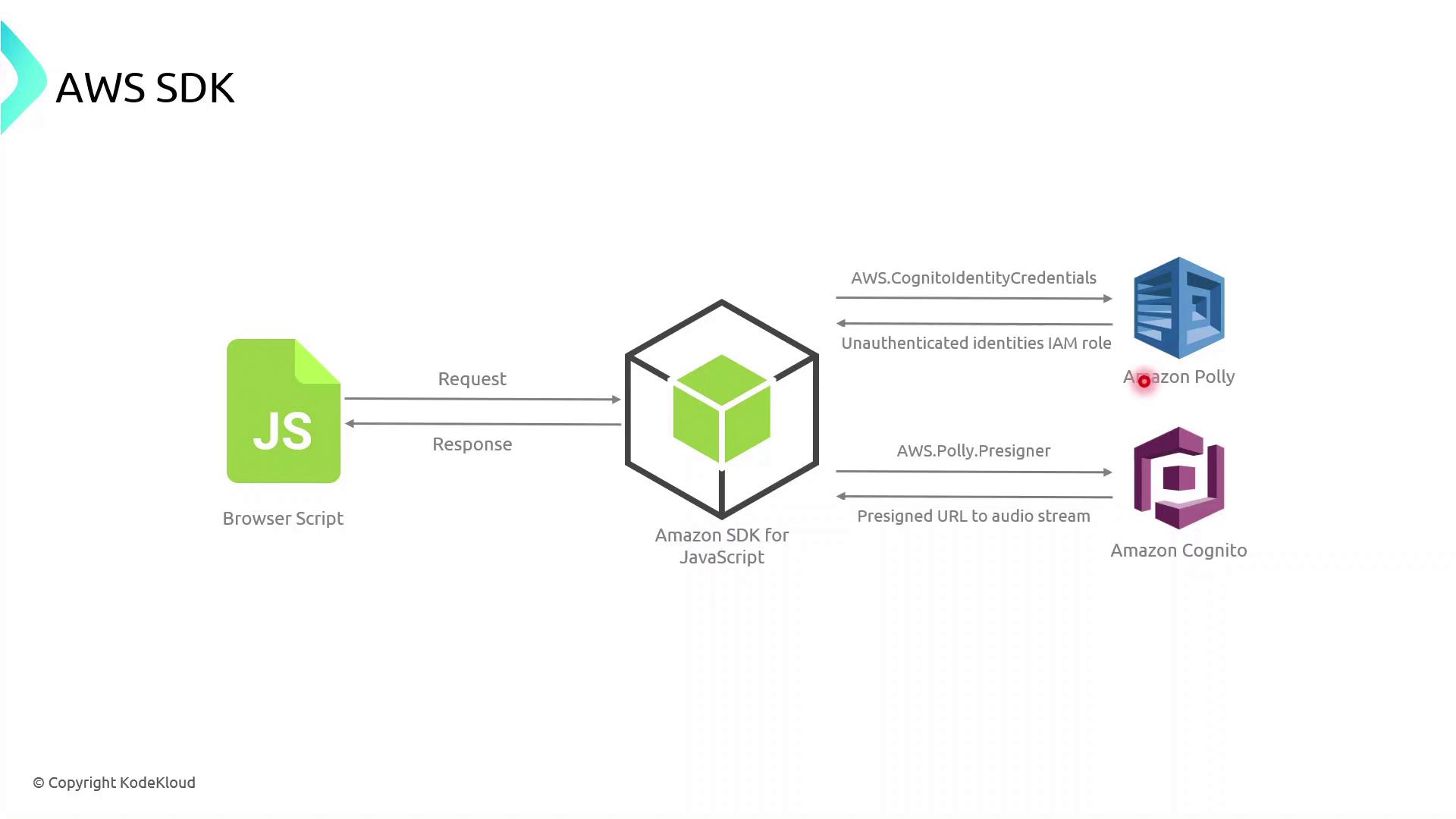
1. The browser script initializes the AWS SDK with temporary credentials (often retrieved via [Amazon Cognito](https://aws.amazon.com/cognito/)).
2. It calls an AWS service API (for example, Polly’s `SynthesizeSpeech`).
3. AWS processes the request and returns a response, which the application then handles and renders.
### Example: AWS SDK for JavaScript (v3)
```javascript theme={null}
import { CognitoIdentityClient } from "@aws-sdk/client-cognito-identity";
import { fromCognitoIdentityPool } from "@aws-sdk/credential-provider-cognito-identity";
import { PollyClient, SynthesizeSpeechCommand } from "@aws-sdk/client-polly";
const REGION = "us-east-1";
const IDENTITY_POOL_ID = "us-east-1:xxxxxxxx-xxxx-xxxx-xxxx-xxxxxxxxxxxx";
// Initialize credentials
const credentials = fromCognitoIdentityPool({
client: new CognitoIdentityClient({ region: REGION }),
identityPoolId: IDENTITY_POOL_ID,
});
// Create Polly client
const polly = new PollyClient({ region: REGION, credentials });
async function synthesizeText(text) {
const command = new SynthesizeSpeechCommand({
OutputFormat: "mp3",
Text: text,
VoiceId: "Joanna",
});
const response = await polly.send(command);
// Process response.AudioStream
}
```
***
## 4. Managing Permissions with IAM Groups
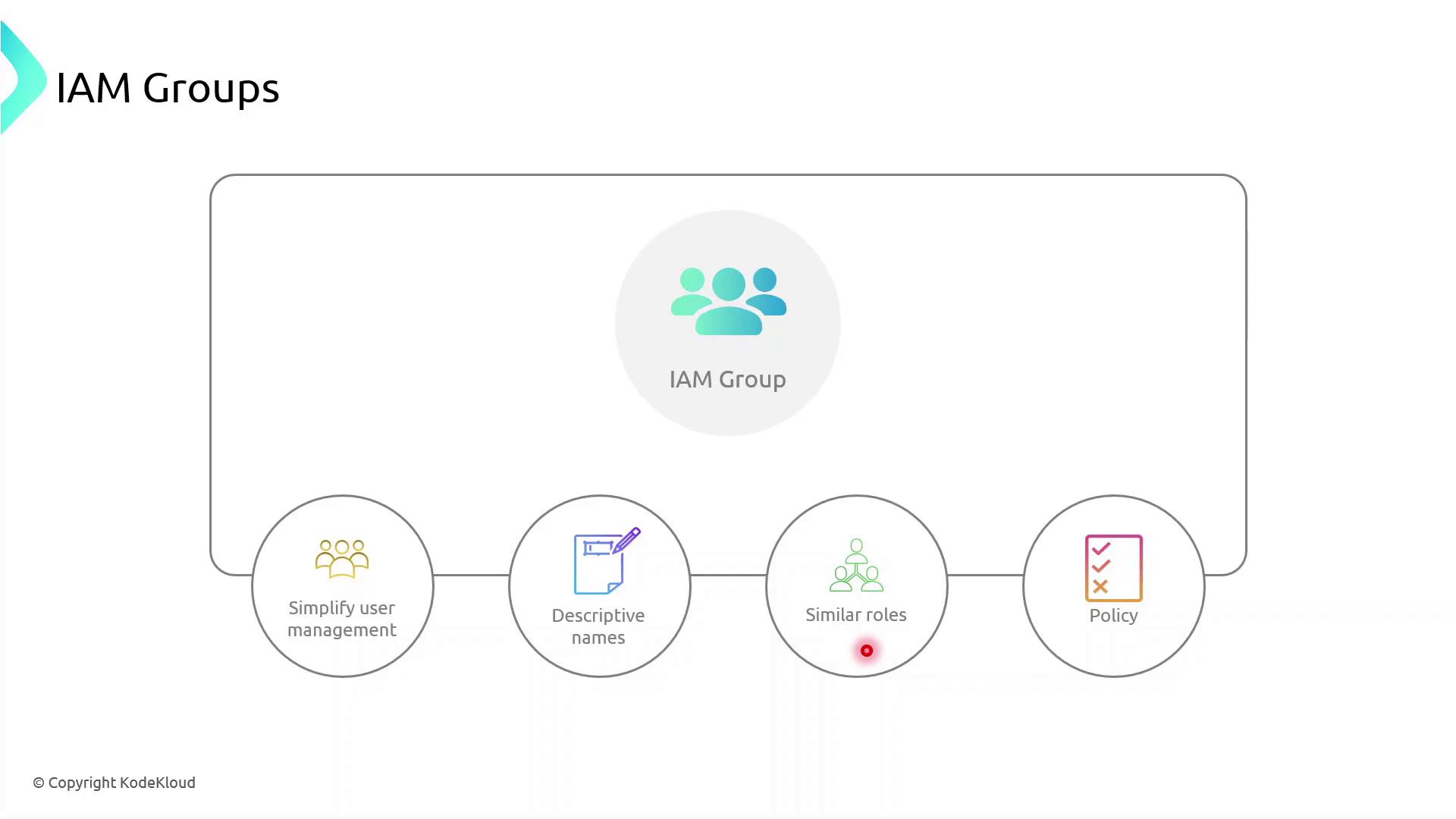
IAM groups simplify permission management by allowing you to assign policies to multiple users at once. Follow these best practices:
| Best Practice | Description | Example |
| ----------------- | ----------------------------------------- | ---------------------------------------- |
| Descriptive Names | Use clear, role-based group names | `Developers`, `DataScientists`, `Admins` |
| Granular Policies | Attach least-privilege policies to groups | `AmazonS3ReadOnlyAccess` |
| Role Similarity | Group users with similar responsibilities | Marketing, Engineering, Finance |
### Demo: Creating an IAM Group
1. Sign in to the AWS Management Console and open the **IAM** console.
2. In the navigation pane, choose **User groups** → **Create group**.
3. Enter a group name (e.g., `MarketingTeam`).
4. Attach one or more policies to grant required permissions.
5. Add existing users (like John) to the group.
Once created, every user in the group inherits the attached policies automatically.
***
## Additional Resources
* [AWS CLI Documentation](https://docs.aws.amazon.com/cli/latest/userguide/)
* [AWS SDK for JavaScript v3 Developer Guide](https://docs.aws.amazon.com/sdk-for-javascript/v3/developer-guide/)
* [Amazon Cognito Documentation](https://docs.aws.amazon.com/cognito/latest/developerguide/cognito-user-identity-pools.html)
* [Amazon Polly Documentation](https://docs.aws.amazon.com/polly/latest/dg/what-is.html)