> ## Documentation Index
> Fetch the complete documentation index at: https://notes.kodekloud.com/llms.txt
> Use this file to discover all available pages before exploring further.
# IAM Resource Based Policy
> This article explains IAM resource-based policies in AWS, focusing on S3 bucket policies and their key components.
In this lesson, we explore how IAM resource-based policies work in AWS, focusing on S3 bucket policies. Resource-based policies are attached directly to resources—such as S3 buckets—to specify which AWS principals can perform actions on them.
## Key Components of a Resource-Based Policy
| Element | Description |
| --------- | ------------------------------------------------------------------------------------- |
| Version | Defines the policy language version (e.g., `2012-10-17`). |
| Statement | Contains one or more permission statements. |
| Principal | Specifies the AWS entity (user, role, account, or group) to which the policy applies. |
| Effect | Indicates whether to `Allow` or `Deny` specified actions. |
| Action | Lists AWS operations (for example, `s3:DeleteObject`). |
| Resource | Defines the ARN(s) of the target resource(s). |
### Example: Explicit Deny in an S3 Bucket Policy
The following policy blocks the `accounting` group from deleting objects or the bucket itself in the `accounting1` S3 bucket:
```json theme={null}
{
"Version": "2012-10-17",
"Statement": [
{
"Effect": "Deny",
"Principal": {
"AWS": "arn:aws:iam::123456789:group/accounting"
},
"Action": [
"s3:DeleteBucket",
"s3:DeleteObject"
],
"Resource": [
"arn:aws:s3:::accounting1",
"arn:aws:s3:::accounting1/*"
]
}
]
}
```
Explicit denies always override any allows. Ensure you review all policies for unintended deny statements.
## IAM Policy Evaluation Logic
When multiple statements or policies apply to a request, AWS evaluates them in this order:
| Order | Evaluation Step | Outcome |
| ----- | ------------------------ | ------------------------------ |
| 1 | Explicit Deny present | Request is denied immediately. |
| 2 | Explicit Allow (no Deny) | Request is granted. |
| 3 | Neither Deny nor Allow | Request is implicitly denied. |
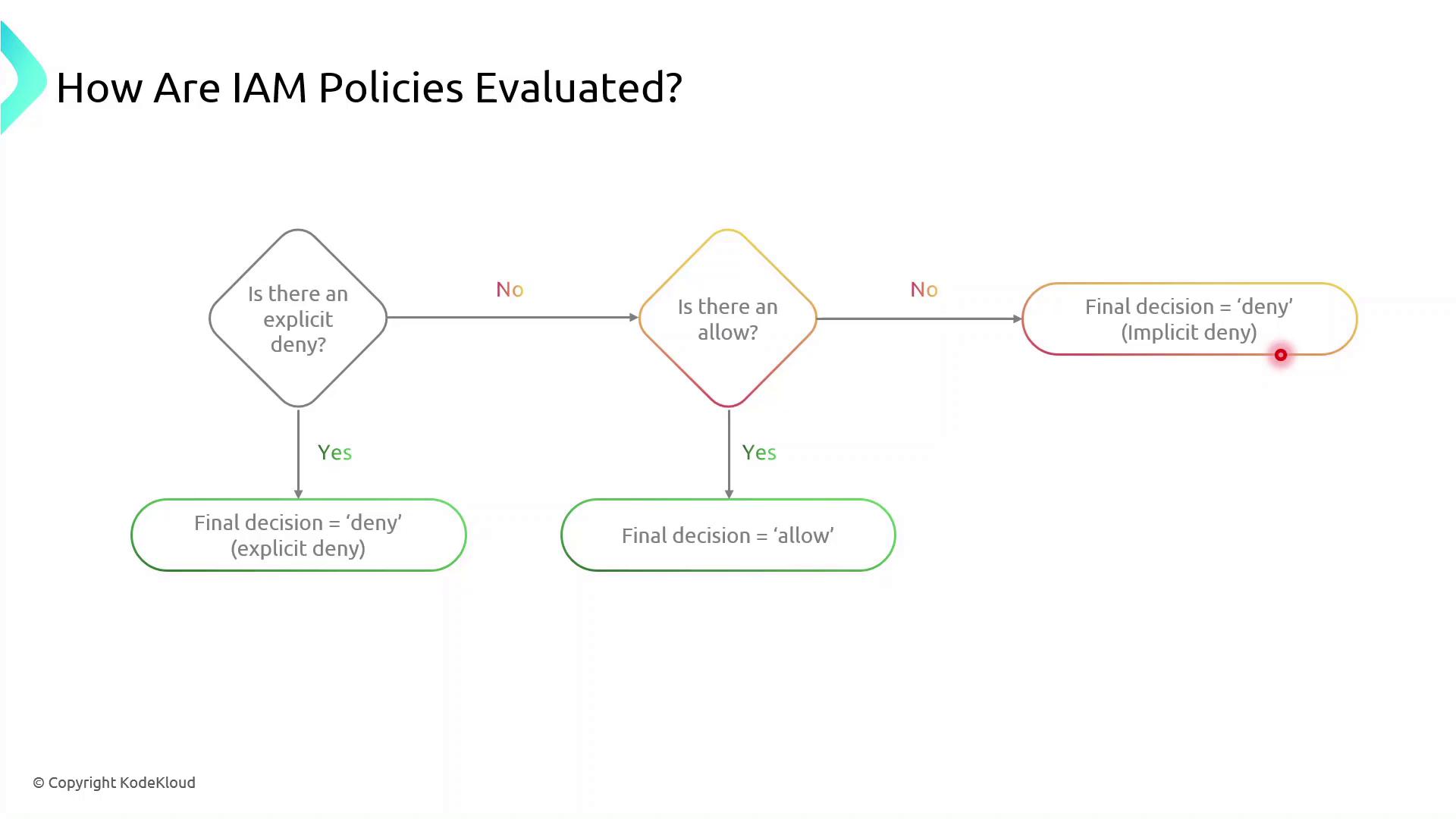
Implicit denies occur when no policy explicitly allows an action. You must explicitly allow all required operations.
## Creating and Attaching Your S3 Bucket Policy
Follow these steps to apply a resource-based policy to an S3 bucket:
1. Sign in to the AWS Management Console.
2. Open the IAM service and choose **Policies**.
3. Click **Create policy**, then select **JSON**.
4. Paste your policy document and review.
5. Attach the policy to the target S3 bucket under the **Permissions** tab.
Make sure you have the necessary IAM permissions to create and attach policies. Failure to do so will result in authorization errors.
## References
* [Amazon S3 Bucket Policies](https://docs.aws.amazon.com/AmazonS3/latest/userguide/example-bucket-policies.html)
* [AWS IAM Policy Documentation](https://docs.aws.amazon.com/IAM/latest/UserGuide/access_policies.html)