> ## Documentation Index
> Fetch the complete documentation index at: https://notes.kodekloud.com/llms.txt
> Use this file to discover all available pages before exploring further.
# Lambda Networking Demonstration Option 2
> This walkthrough explains how to connect a private VPC to AWS Lambda using an Interface Endpoint for secure resource access.
In this walkthrough, you’ll learn how to connect your private VPC to the AWS-managed Lambda service VPC by creating an **AWS Lambda Interface Endpoint**. This approach lets your functions remain in the default service VPC while securely accessing resources in your own network.
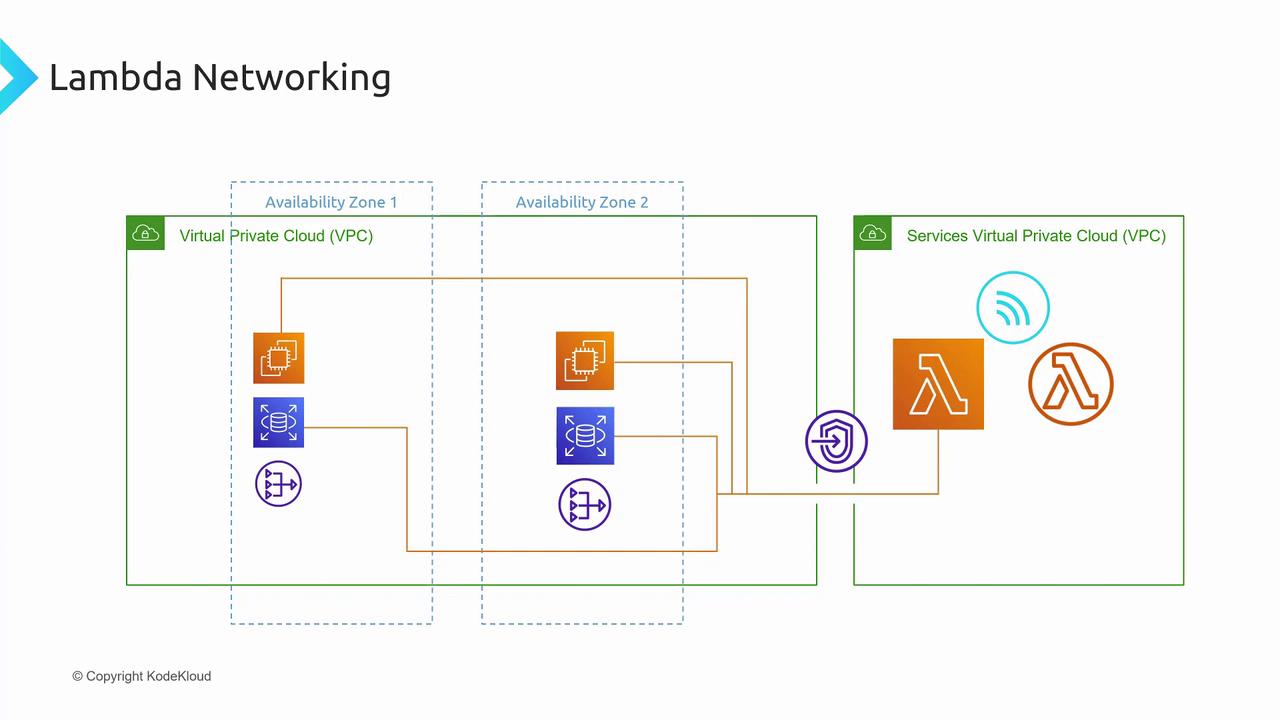
## Step 1: Create the Lambda Interface Endpoint
1. Sign in to the AWS Management Console.
2. Search for **VPC** and open the **VPC** dashboard.
3. In the left menu, choose **Endpoints** → **Create Endpoint**.
4. Verify the selected Region matches your Lambda function’s region.
### Configure Endpoint Basics
Use the table below to set up your interface endpoint:
| Parameter | Description | Example |
| ---------------- | ----------------------------------------- | ------------------------------ |
| Name | Friendly identifier for the endpoint | CodeCloud Lambda Demo Endpoint |
| Service category | Endpoint type grouping | AWS services |
| Service name | The AWS Lambda interface endpoint service | com.amazonaws.\.lambda |
| Endpoint type | Interface or Gateway | Interface |
Select at least two subnets in different Availability Zones to ensure that ENIs remain reachable even if one AZ experiences issues.
### Select VPC, Subnets & Security Groups
* **VPC**: Pick your private VPC (for example, `KodeKloud Demo VPC`).
* **Subnets**: Choose multiple subnets across AZs for redundancy.
* **Security Groups**: Attach security groups to control inbound/outbound traffic for the endpoint’s Elastic Network Interfaces (ENIs).
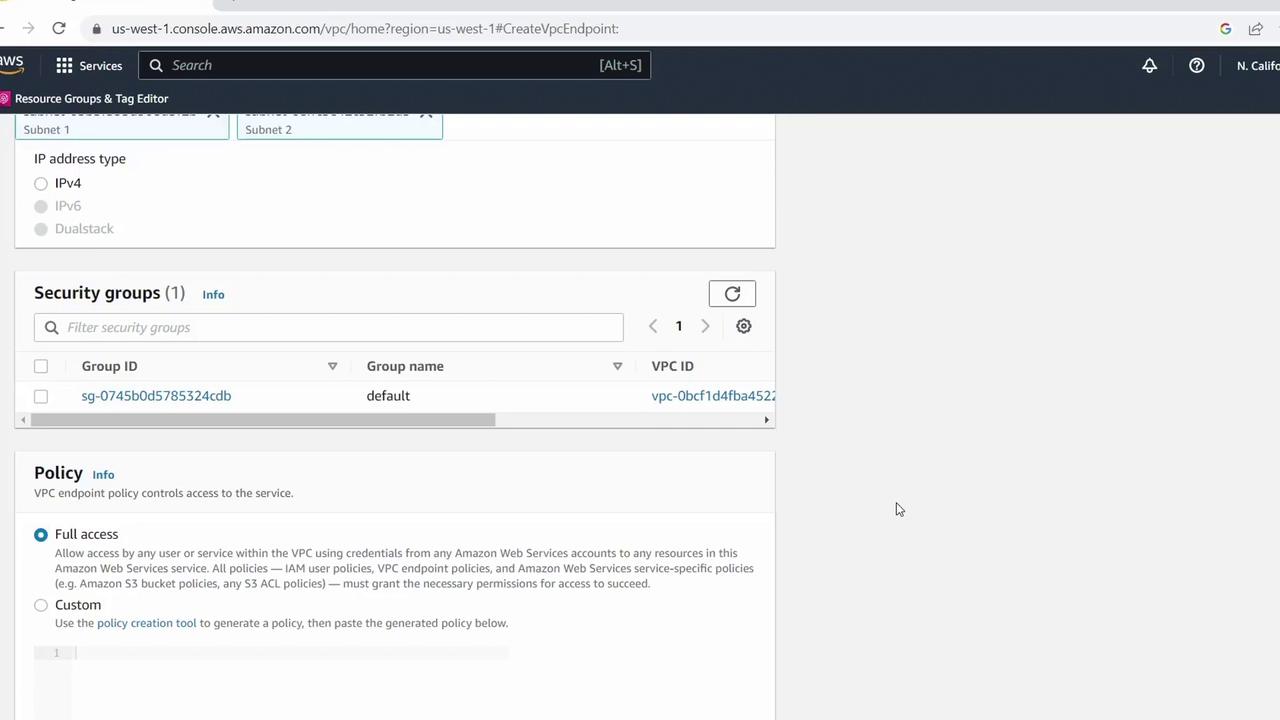
### Set Endpoint Policy
For testing or demos, you can allow all actions. In production, scope down permissions:
```json theme={null}
{
"Statement": [
{
"Action": "lambda:*",
"Effect": "Allow",
"Resource": "*"
}
]
}
```
Avoid using wildcard (`*`) permissions in production. Restrict the `Resource` field to specific Lambda functions or ARNs.
Finally, click **Create Endpoint**. The console will show the new endpoint in **pending** state as AWS provisions it.
***
## Step 2: Verify Endpoint Availability
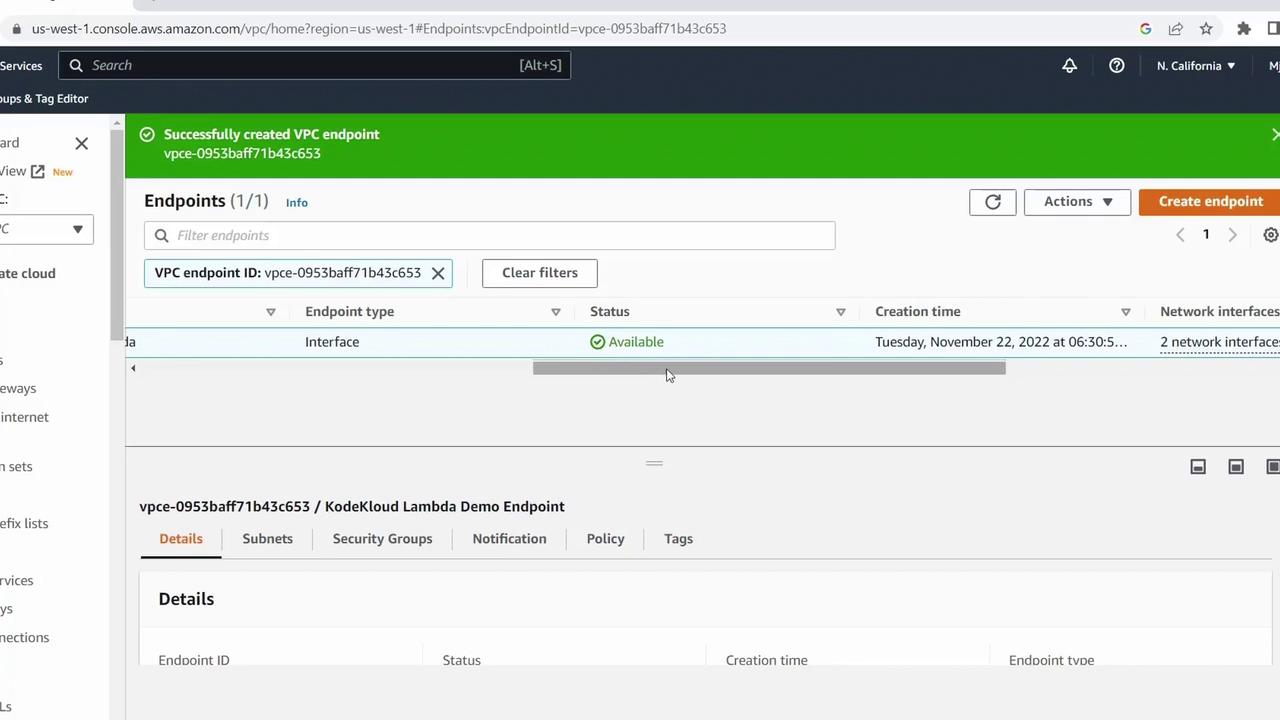
Once provisioning completes, the endpoint’s status changes to **Available**. Your private VPC is now linked to the AWS Lambda service VPC via the interface endpoint.
## Next Steps
* Test Lambda function connectivity to resources in your private VPC.
* Review [AWS VPC Endpoints Documentation](https://docs.aws.amazon.com/vpc/latest/privatelink/vpc-endpoints.html) for advanced policies.
* Explore Option 1 or dive deeper into Lambda networking optimizations in upcoming lessons.