> ## Documentation Index
> Fetch the complete documentation index at: https://notes.kodekloud.com/llms.txt
> Use this file to discover all available pages before exploring further.
# Reserved and Unreserved Concurrency
> This article explains managing concurrency in AWS Lambda, focusing on reserved and unreserved concurrency for optimal function performance.
Managing concurrency in AWS Lambda ensures that high-priority functions always have the capacity they need. By default, your account’s unreserved concurrency sets a soft limit on total parallel executions. For mission-critical workloads, you can allocate reserved concurrency to specific functions.
## What Is Concurrency?
Concurrency refers to how many Lambda function executions run in parallel. For example, 100 simultaneous invocations count as 100 concurrent executions.
## Viewing Concurrency Settings
To view or modify a function’s concurrency:
1. Open the AWS Lambda console and select your function.
2. Click **Configuration**.
3. In the left navigation pane, choose **Concurrency**.
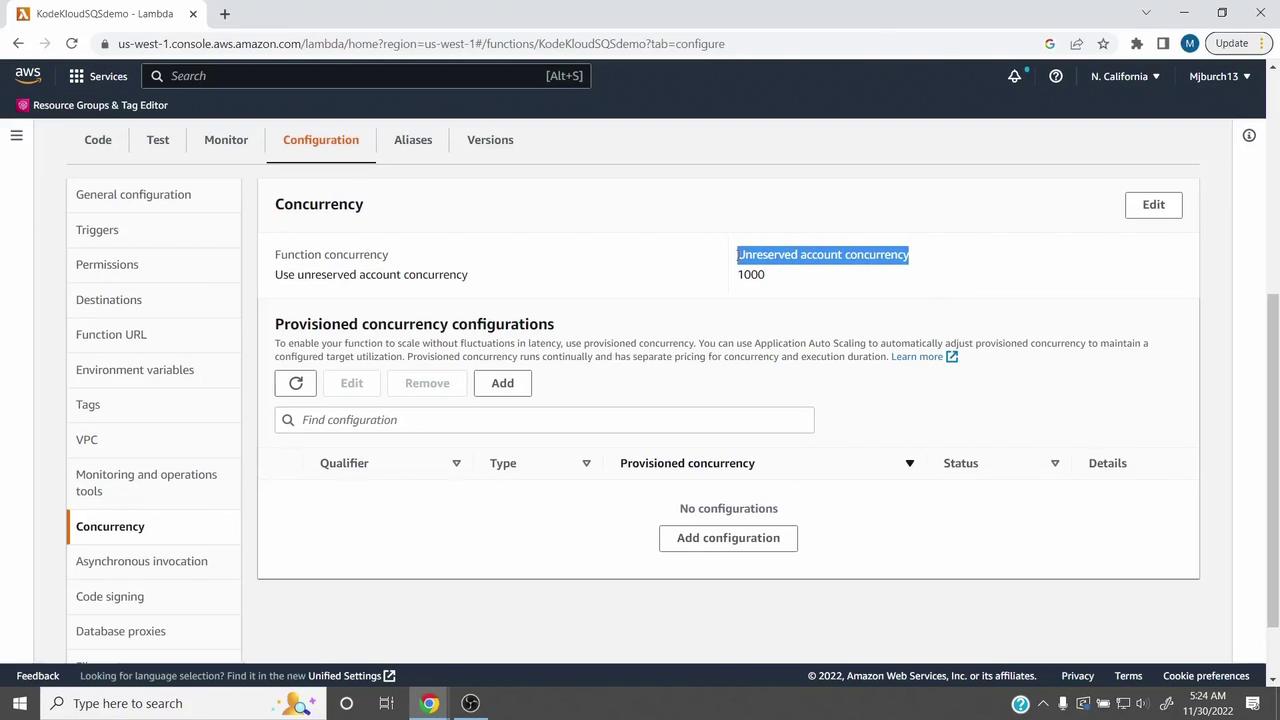
We use an SQS cold start demo here. Substitute your own function for real-world testing.
## Unreserved Concurrency
Unreserved (account) concurrency is the pool shared by all Lambda functions in an account. AWS sets a default soft limit of **1,000** concurrent executions per region.
* All functions combined cannot exceed this limit.
* To increase it, submit a [support request](https://aws.amazon.com/support).
## Reserving Concurrency for Critical Functions
Reserved concurrency guarantees a minimum number of concurrent executions for a specific function:
1. In the **Concurrency** page, click **Edit**.
2. Select **Reserve concurrency**.
3. Enter the reservation amount (e.g., `300`).
4. Click **Save**.
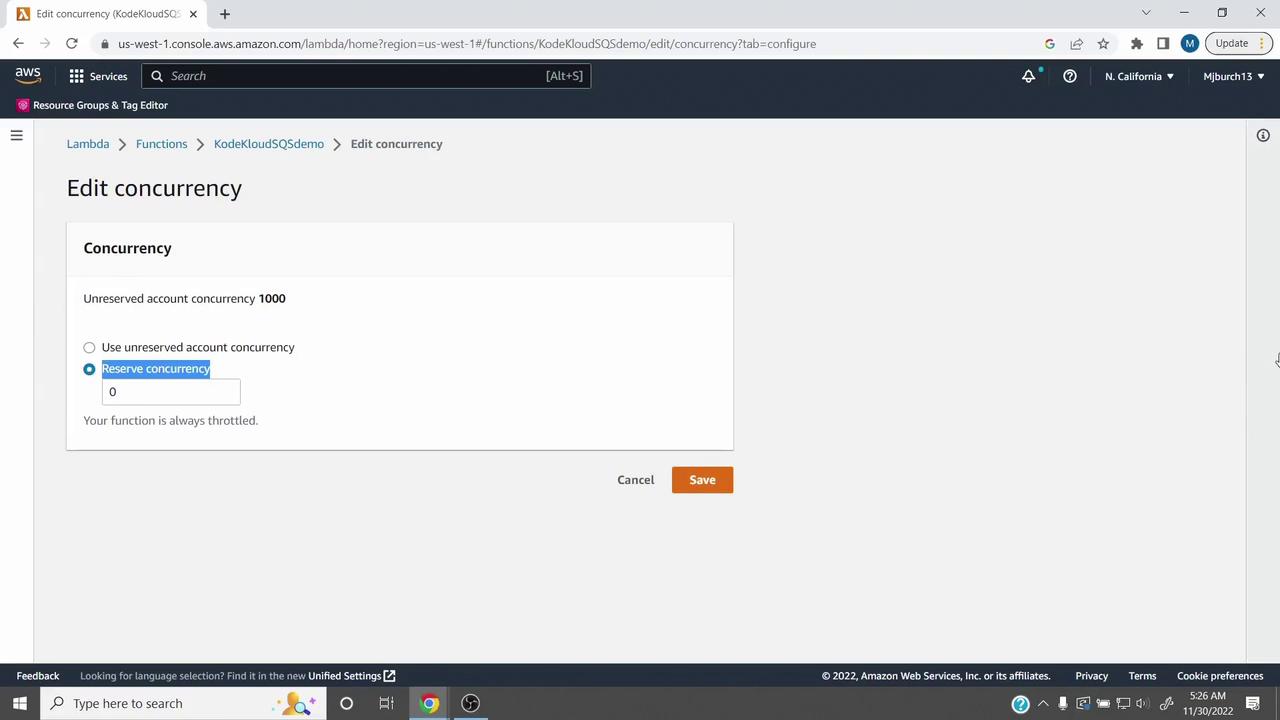
If your function exceeds its reserved concurrency, additional invocations are throttled with `429` errors.
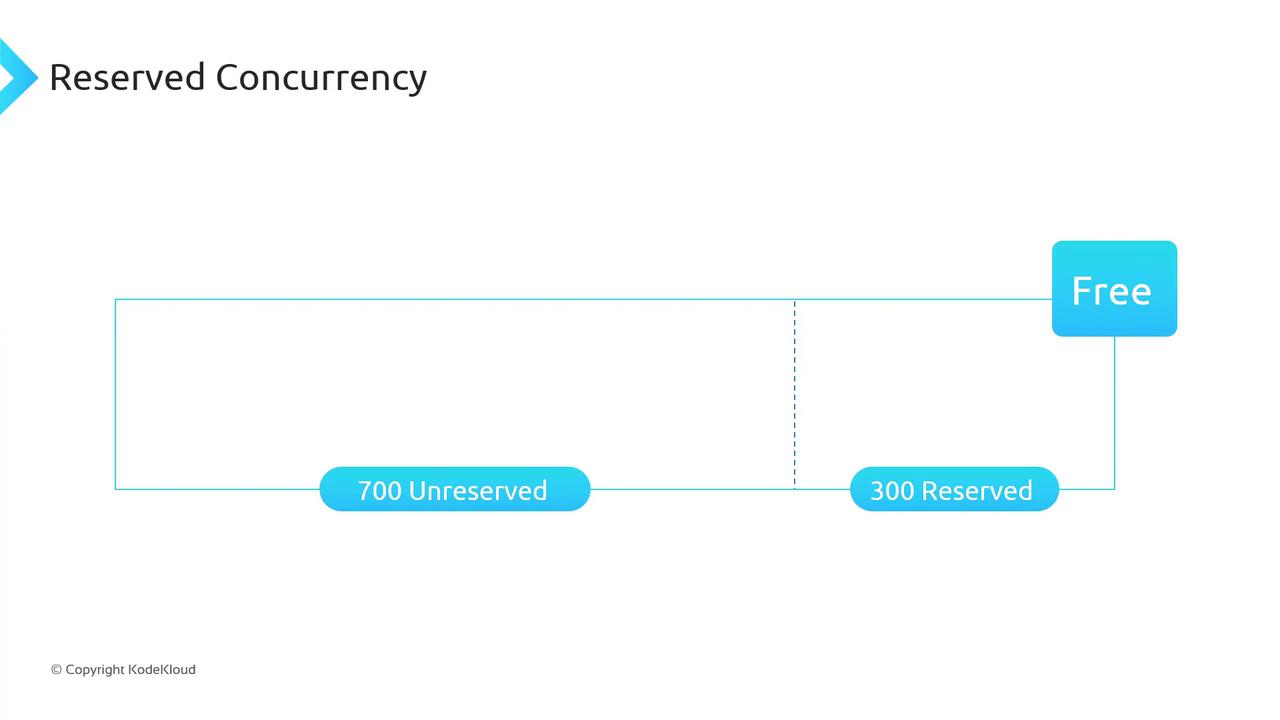
Reserving 300 concurrency reduces the unreserved pool from 1,000 to 700:
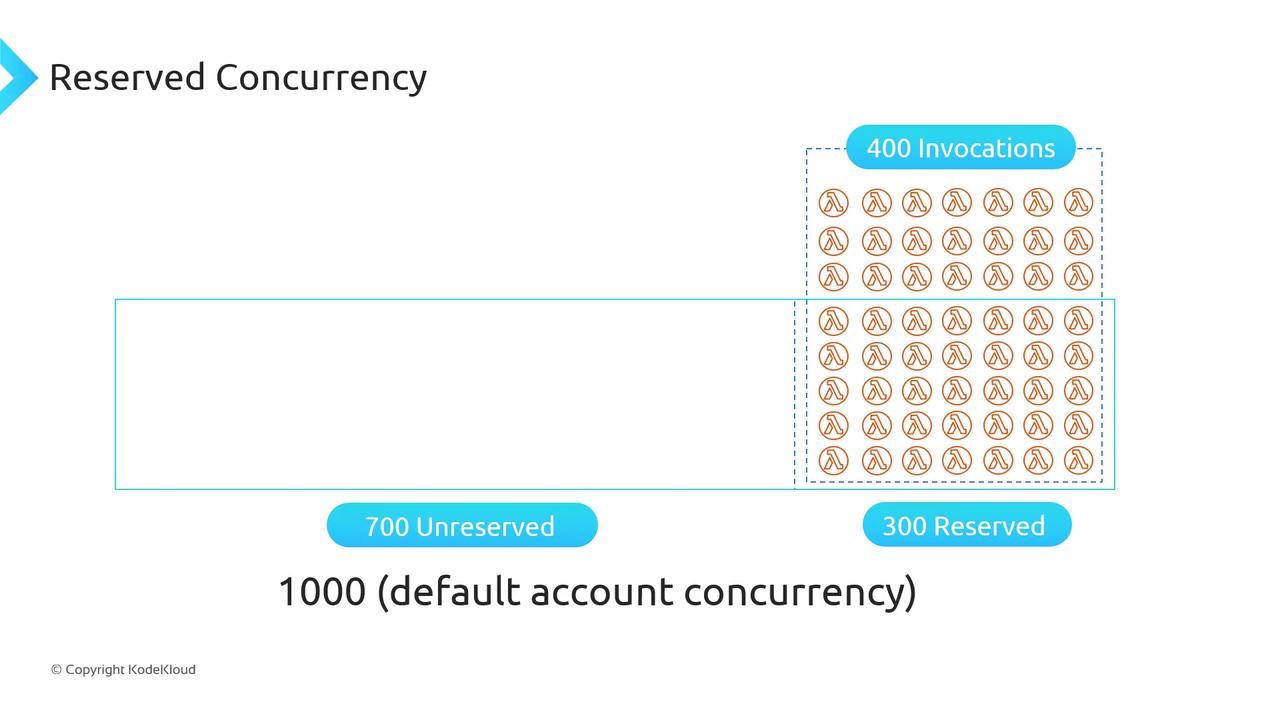
Use reserved concurrency to prevent downstream overload:
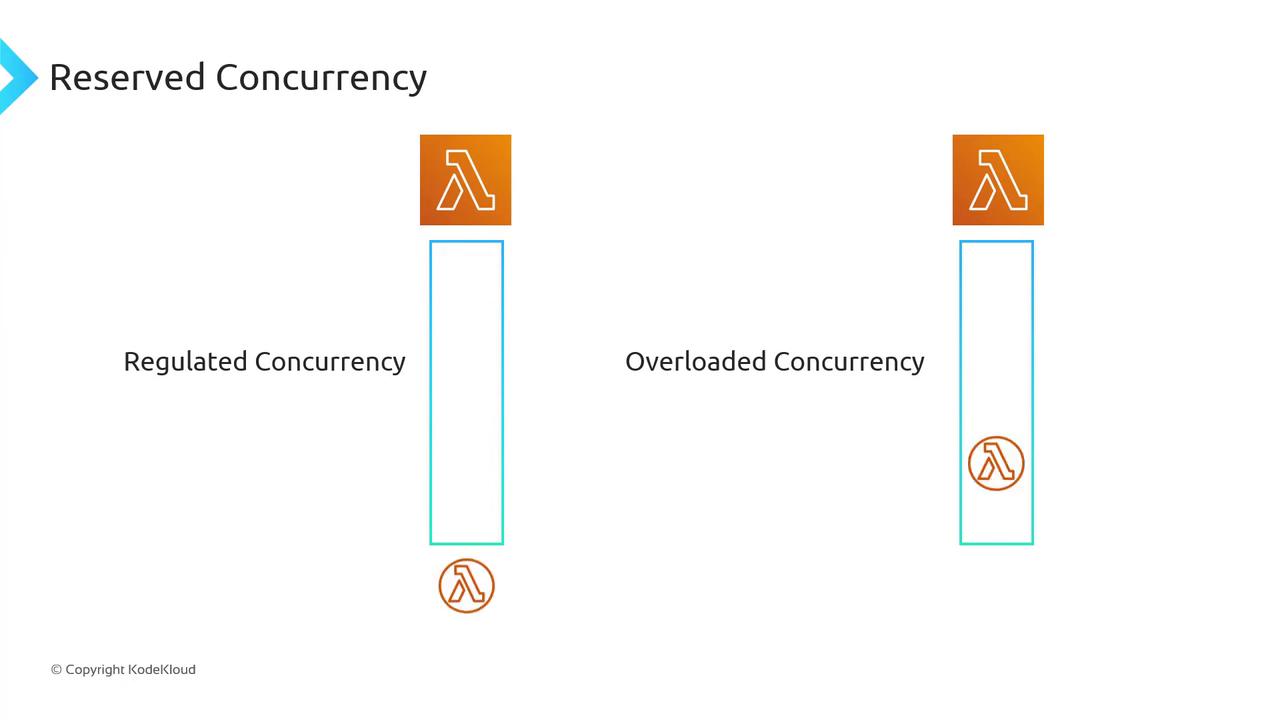
There is no additional cost for reserved concurrency.
## Unreserved Concurrency Limits
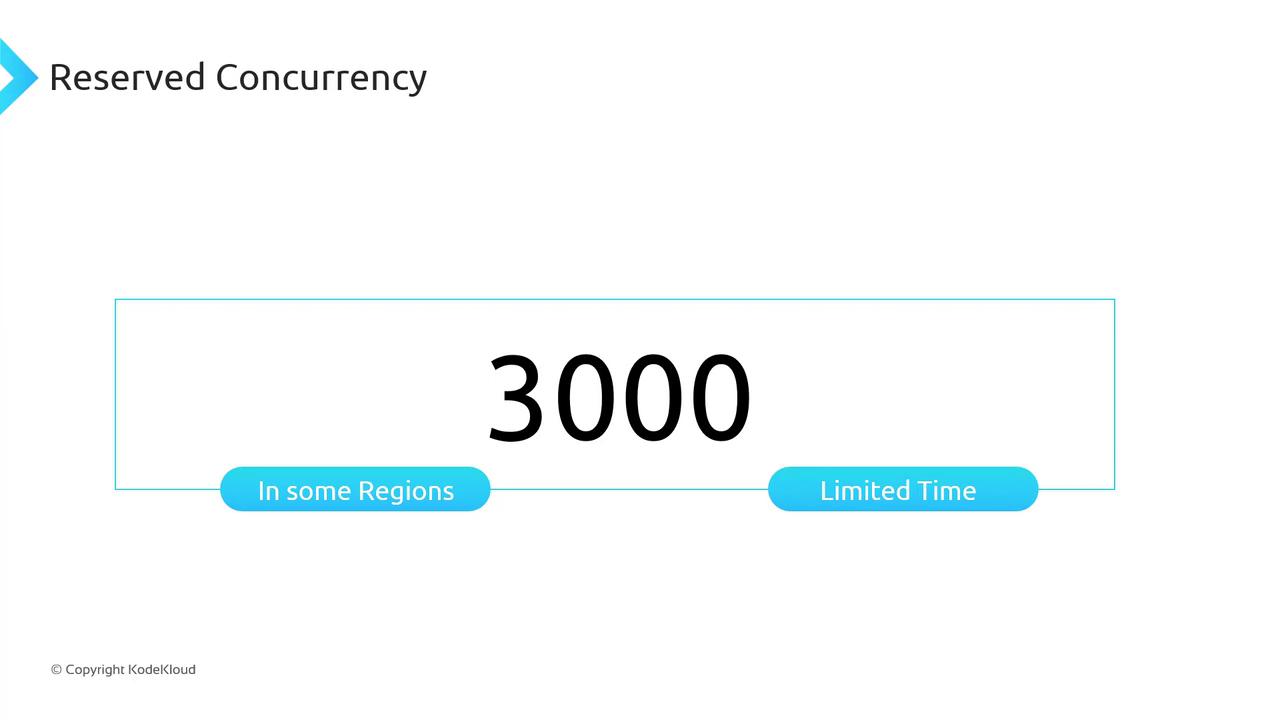
Your total unreserved concurrency is a per-account limit. In some regions, bursts up to 3,000 concurrent executions may occur temporarily, but sustained usage above the default requires a support request.
## Reserved vs Unreserved Concurrency Comparison
| Concurrency Type | Definition | Default Limit | Ideal Use Case |
| -------------------- | ------------------------------------------------- | ------------- | -------------------------------------- |
| Unreserved (Account) | Shared pool for all Lambda executions | 1,000 | General workloads |
| Reserved (Function) | Dedicated capacity for a single high-priority job | N/A | Traffic-sensitive or rate-limited APIs |
## Summary
* **Unreserved concurrency** sets the total pool for all functions.
* **Reserved concurrency** guarantees capacity for critical functions and avoids downstream throttling.
* No extra charge applies to reserved concurrency.
For advanced performance optimization and cold-start reduction, consider combining reserved concurrency with [provisioned concurrency](https://docs.aws.amazon.com/lambda/latest/dg/configuration-concurrency.html).
## References
* [AWS Lambda Concurrency](https://docs.aws.amazon.com/lambda/latest/dg/concurrent-executions.html)
* [AWS Lambda Developer Guide](https://docs.aws.amazon.com/lambda/latest/dg/welcome.html)
* [AWS Support Center](https://console.aws.amazon.com/support/home)