> ## Documentation Index
> Fetch the complete documentation index at: https://notes.kodekloud.com/llms.txt
> Use this file to discover all available pages before exploring further.
# Public vs Private Subnets
> This guide compares public and private subnets in Amazon VPC, helping you choose the right type for your application components and deployment patterns.
In this guide, we’ll compare public and private subnets in an Amazon VPC, help you decide which to choose for your application components, and demonstrate common deployment patterns.
## How to Choose Between Public and Private Subnets
Ask yourself:
> Should resources in this subnet be directly accessible from the internet?
* **Yes → Public subnet**
* **No → Private subnet**
## Public Subnets
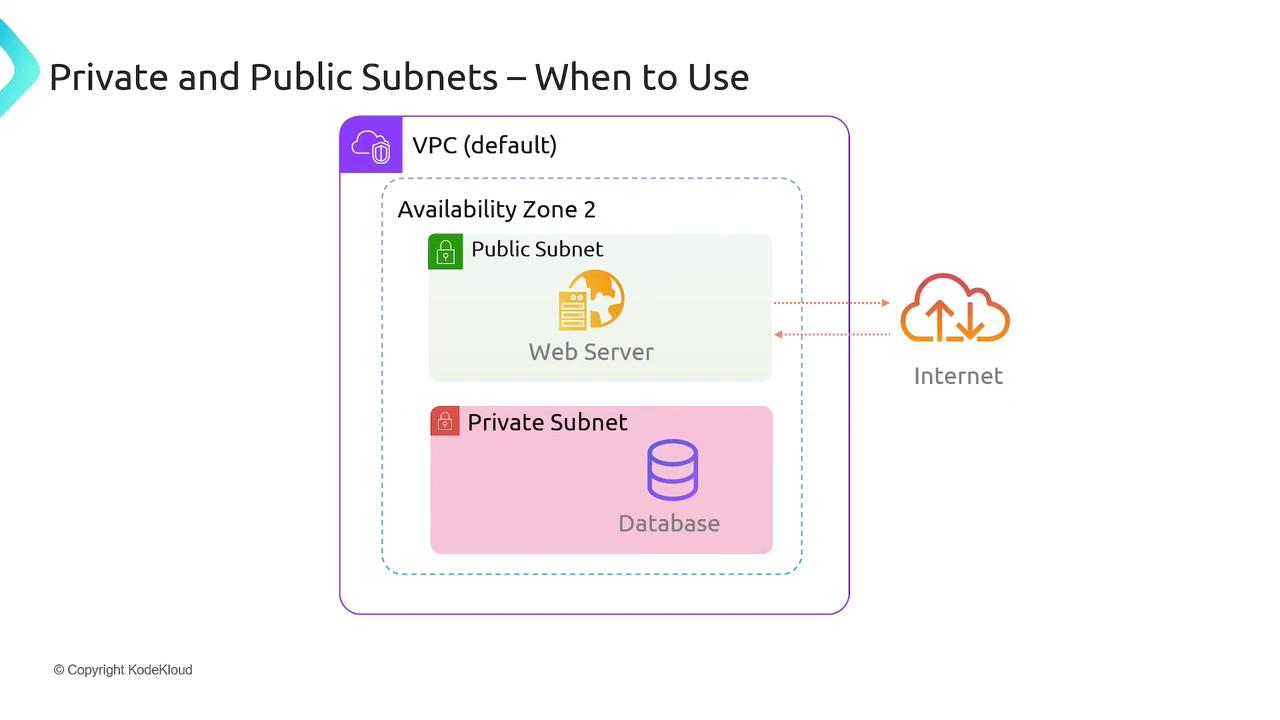
Public subnets host resources that must serve or receive traffic from the internet (for example, web servers, load balancers, or bastion hosts). These subnets have a route to an Internet Gateway (IGW) and a public IP assigned to each resource.
Key characteristics:
* **Route Table** includes a 0.0.0.0/0 route to the Internet Gateway
* **Inbound Traffic** allowed on specific ports (e.g., HTTP 80, HTTPS 443)
* **Outbound Traffic** to the internet for updates, API calls, etc.
Exposing resources in a public subnet means they are reachable over the internet. Always restrict inbound traffic with Security Groups and Network ACLs.
## Private Subnets
Private subnets host internal resources (databases, application servers, caches) that should not be accessible directly from the internet. They typically use a NAT Gateway or NAT Instance in a public subnet for outbound internet access (software updates, API calls).
Key characteristics:
* **Route Table** has no direct route to IGW
* **Outbound Internet** enabled via NAT Gateway in a public subnet
* **No Public IPs** assigned by default
### Typical Web Application Pattern
1. Clients connect to an Application Load Balancer or web server in a **public subnet**.
2. The web server in the public subnet communicates with a database in a **private subnet**.
This ensures:
* End users never access the database directly.
* All data flows through controlled application logic.
To allow your private subnet resources to fetch updates or reach external APIs, deploy a NAT Gateway in a public subnet and add the NAT’s Elastic IP to your private subnet’s route table.
## Extending an On-Premises Data Center
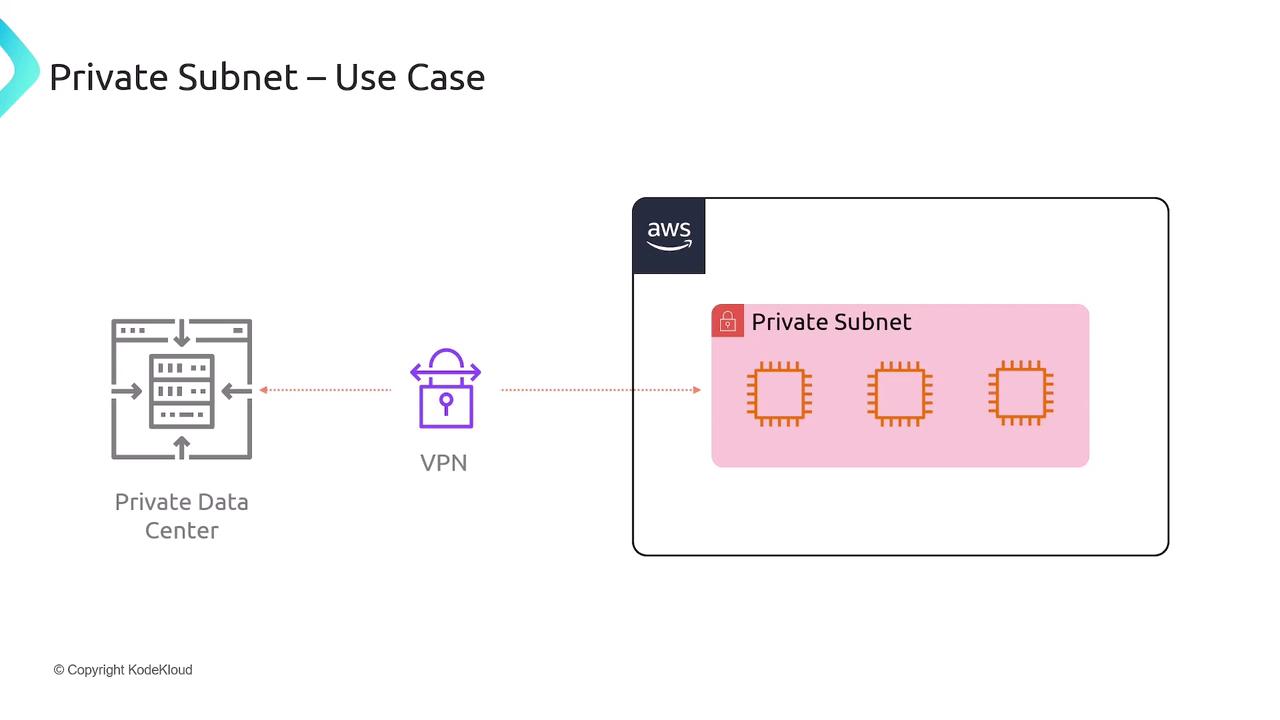
Organizations often extend their corporate networks into AWS using VPN or AWS Direct Connect. In this architecture, all AWS resources reside in private subnets, and traffic flows over a secure tunnel to on-premises infrastructure.
Benefits:
* No need for Internet Gateway exposure
* Full integration with existing security controls
* Centralized network management
## Subnet Comparison Table
| Feature | Public Subnet | Private Subnet |
| --------------------- | ----------------------------------------------- | ------------------------------------------------ |
| Internet Connectivity | Direct via Internet Gateway | Indirect via NAT Gateway/Instance |
| Public IP Assignment | Yes | No |
| Typical Use Cases | Web servers, Load Balancers, Bastion Hosts | Databases, Application Servers, Caches |
| Ingress Traffic | Allowed from the internet (port-based controls) | Managed via Security Groups from within VPC |
| Egress Traffic | Allowed freely | Routed through NAT Gateway for outbound internet |
## Summary
* **Public subnets**: Resources are reachable by—and can initiate connections with—the internet.
* **Private subnets**: Resources are hidden from direct internet access, using NAT Gateways or on-premises VPN for outbound traffic.
Choose your subnet type based on whether a component truly needs public connectivity:
## Links and References
* [AWS VPC Overview](https://docs.aws.amazon.com/vpc/latest/userguide/what-is-amazon-vpc.html)
* [AWS Subnets Documentation](https://docs.aws.amazon.com/vpc/latest/userguide/VPC_Subnets.html)
* [Best Practices for VPC Design](https://docs.aws.amazon.com/whitepapers/latest/aws-overview/)