> ## Documentation Index
> Fetch the complete documentation index at: https://notes.kodekloud.com/llms.txt
> Use this file to discover all available pages before exploring further.
# Route Table Demo
> This guide covers AWS VPC route tables, including inspection, creation, association, route editing, and resource cleanup.
In this guide, we walk through Amazon VPC route tables: inspecting the default table, creating custom tables, associating subnets, editing routes, and cleaning up resources.
## 1. Setting Up a Demo VPC and Subnets
First, create a new VPC using the AWS Console or CLI:
* **Name:** `vpcdemo`
* **IPv4 CIDR block:** `10.0.0.0/16`
* **Enable IPv6:** Yes
Next, add two subnets within `vpcdemo`:
| Subnet Name | IPv4 CIDR | IPv6 CIDR |
| ----------- | ----------- | ------------- |
| Subnet One | 10.0.1.0/24 | auto-assigned |
| Subnet Two | 10.0.2.0/24 | auto-assigned |
1. **Subnet One**
* IPv4 CIDR: `10.0.1.0/24`
* IPv6 CIDR: auto-assigned
2. **Subnet Two**
* IPv4 CIDR: `10.0.2.0/24`
* IPv6 CIDR: auto-assigned
## 2. Viewing the Default Route Table
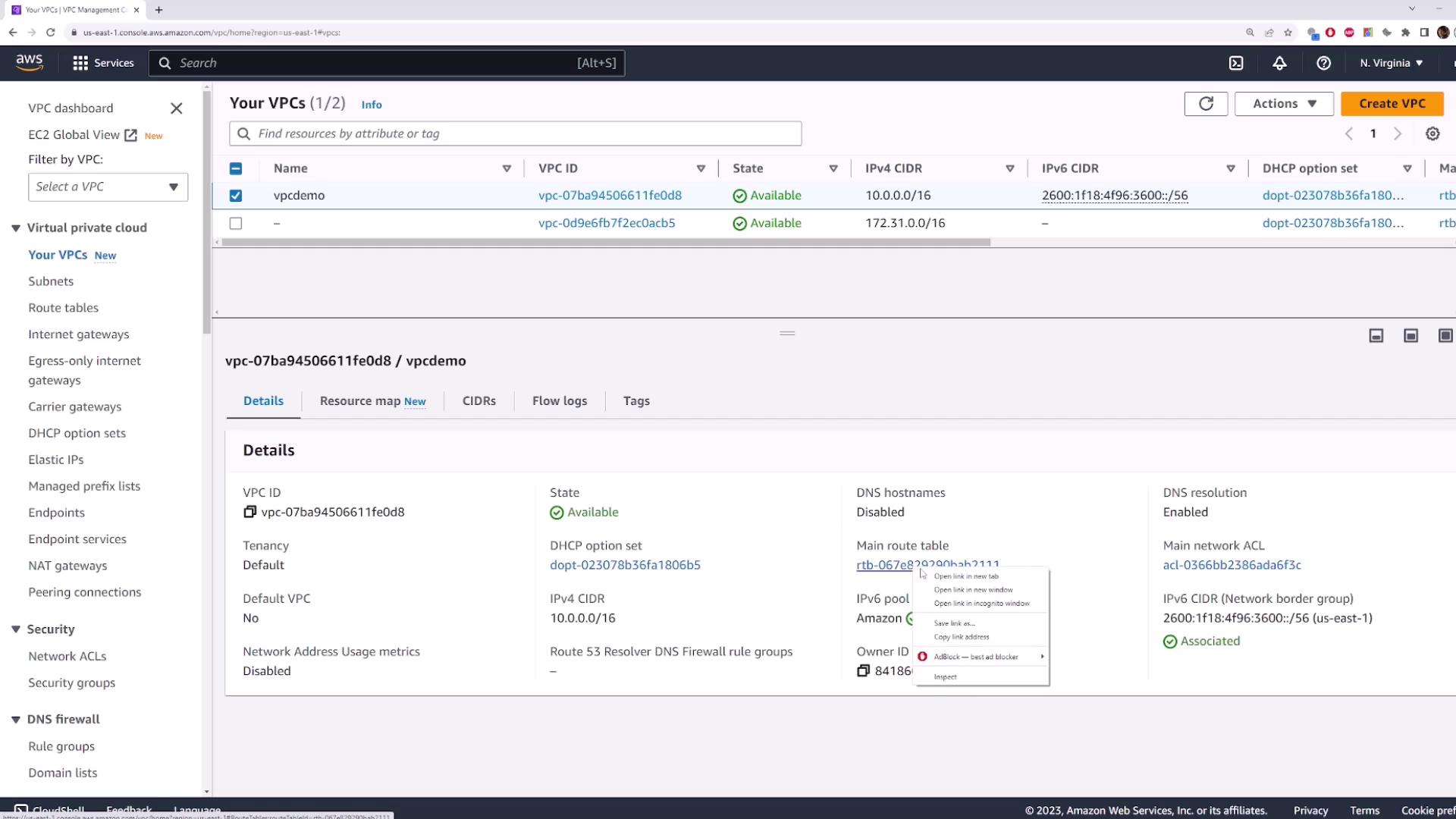
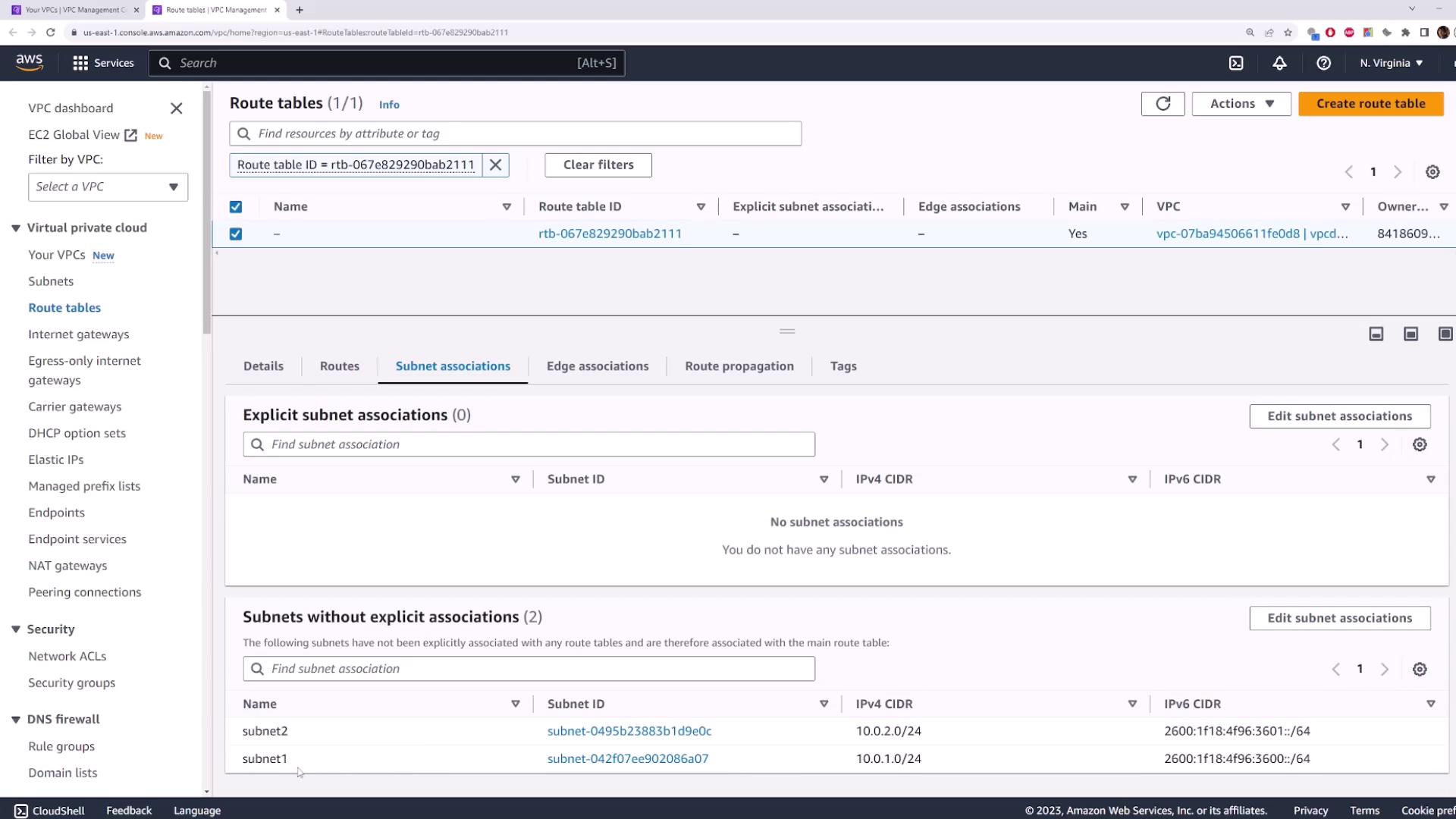
When you create a VPC, AWS automatically generates a **main** route table. Any subnet without an explicit association uses this default table.
A subnet with no custom association inherits the VPC’s main route table.
Open the **Route Tables** page and select the default entry:
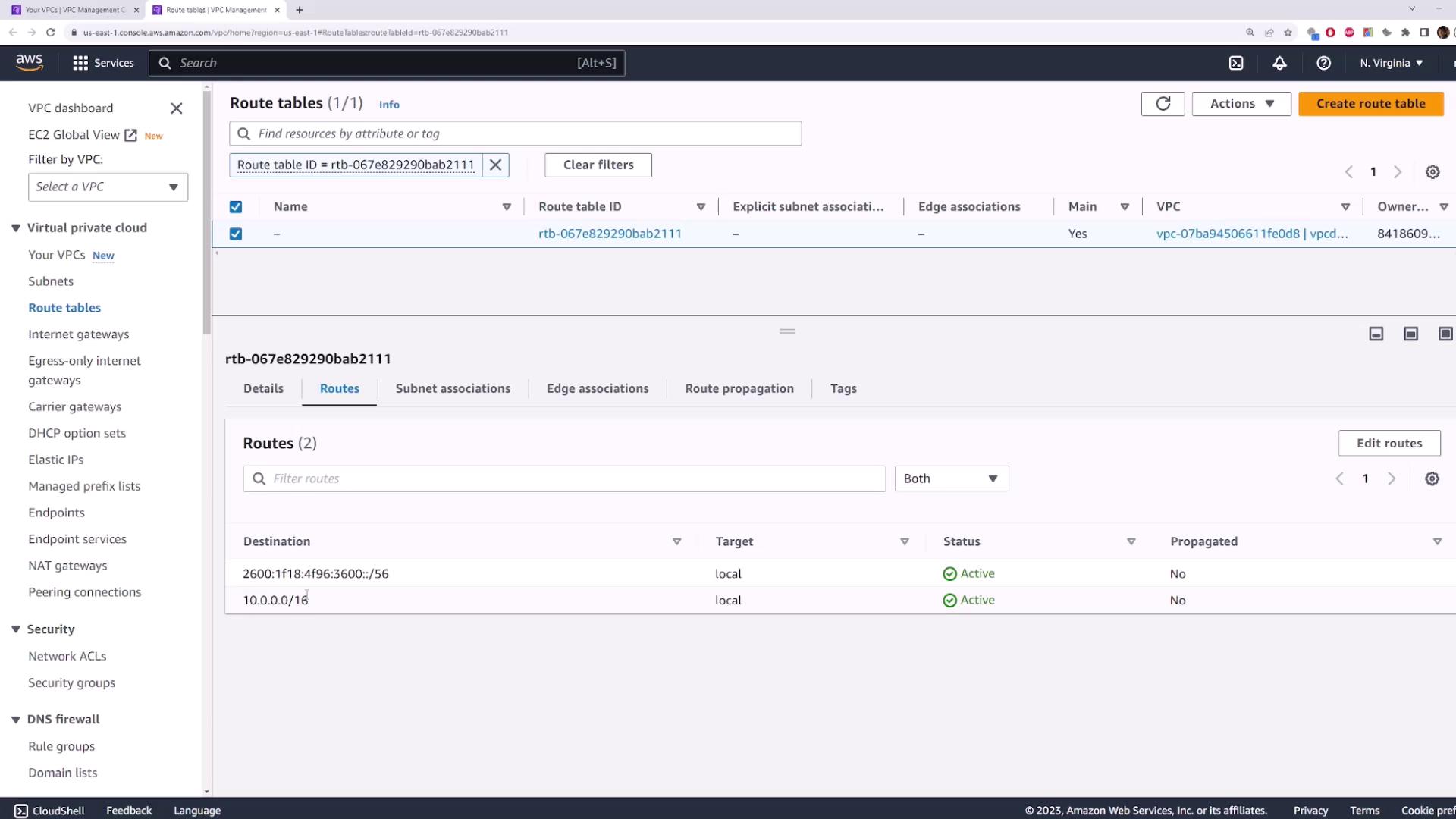
Here you’ll see two default routes:
* `10.0.0.0/16 → local` (IPv4 internal traffic)
* `::/0 → local` (IPv6 internal traffic)
Under **Subnet Associations**, subnets without explicit associations are listed:
## 3. Creating and Associating a Custom Route Table
### 3.1 Create Route Table One
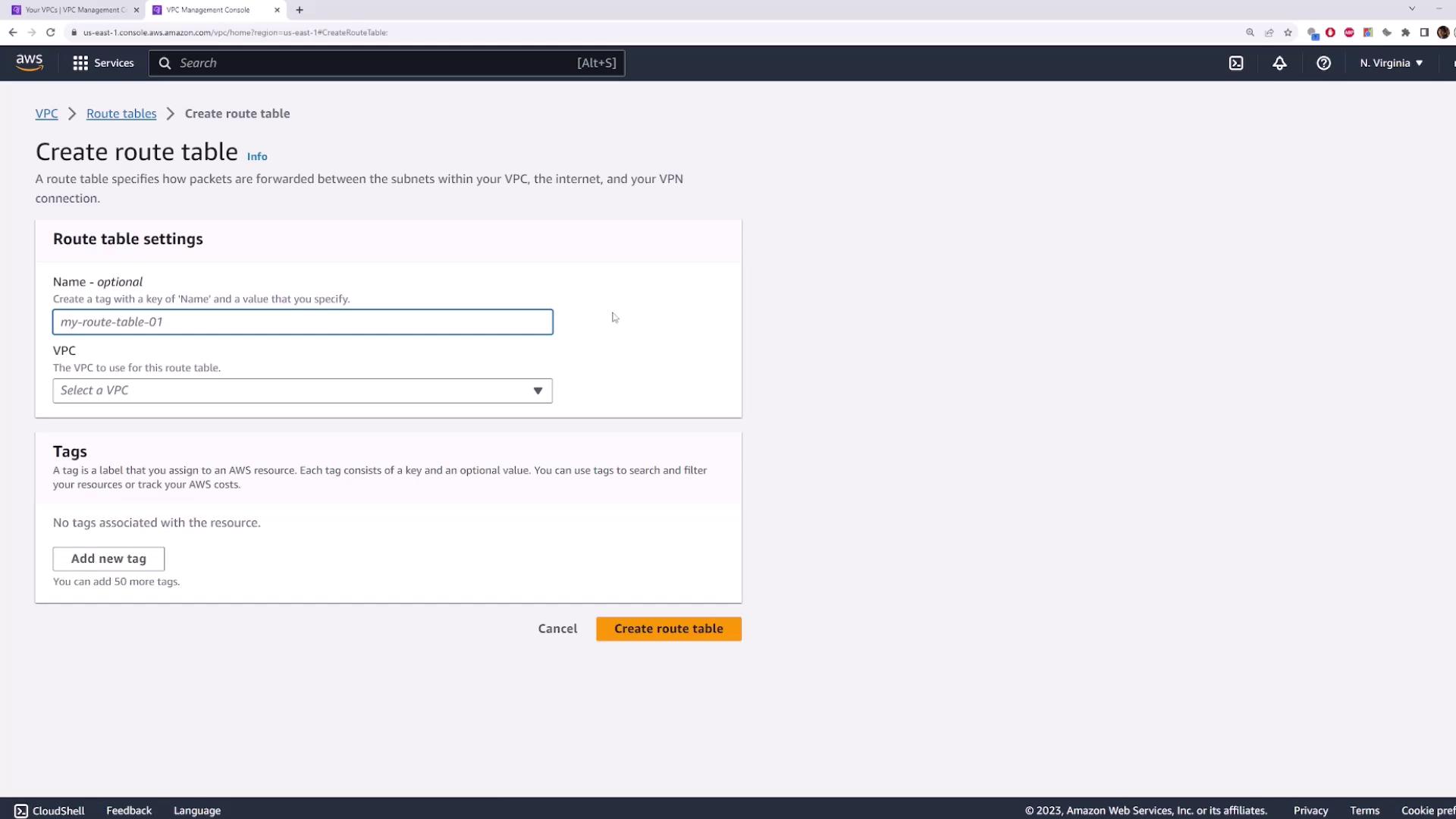
1. Navigate to **Route Tables** → **Create route table**.
2. **Name:** `route-table-one`
3. **VPC:** `vpcdemo`
### 3.2 Associate Subnet One
1. Select the `route-table-one` entry.
2. Click **Subnet Associations** → **Edit subnet associations**.
3. Check **Subnet One** → **Save**.
Traffic originating in Subnet One now follows the rules in `route-table-one`.
## 4. Adding a Second Custom Route Table
Repeat the process to isolate Subnet Two:
1. **Create route table** → **Name:** `route-table-two` → **VPC:** `vpcdemo`
2. Select `route-table-two` → **Subnet Associations** → **Edit** → Check **Subnet Two** → **Save**
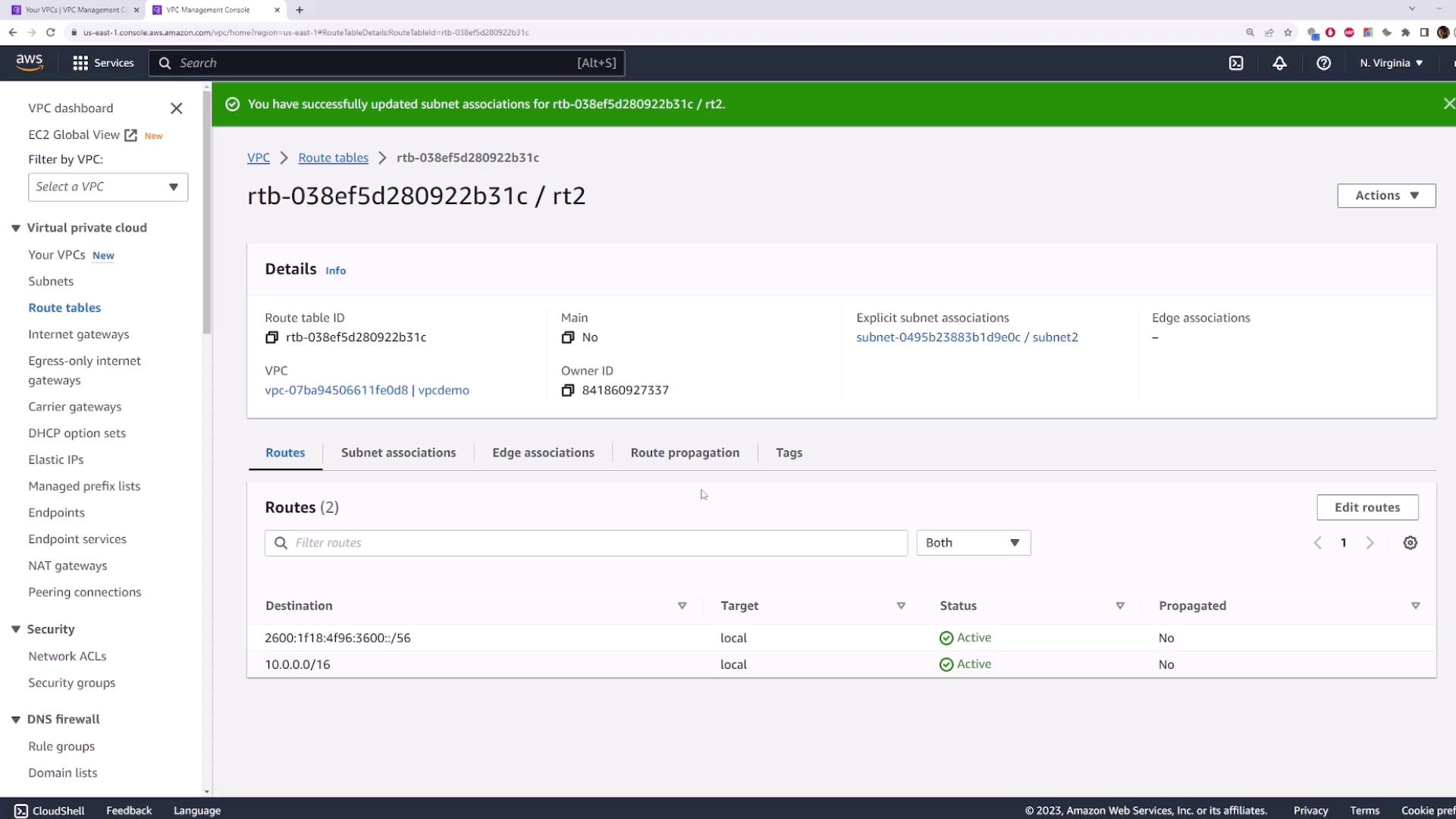
This setup illustrates how:
* Public subnets can route via an Internet Gateway
* Private subnets remain isolated
## 5. Editing Routes in a Route Table
To add or update routes:
1. Select a route table (e.g., `route-table-one`).
2. Go to **Routes** → **Edit routes**.
3. Click **Add route**:
* **Destination:** `0.0.0.0/0` (all IPv4 traffic)
* **Target:** select an Internet Gateway, NAT Gateway, etc.
4. Click **Save changes**.

Ensure that your destination CIDR block and target are correctly configured to avoid unintended internet exposure.
Routes are evaluated by the most specific matching prefix to determine the next hop.
## 6. Cleaning Up Resources
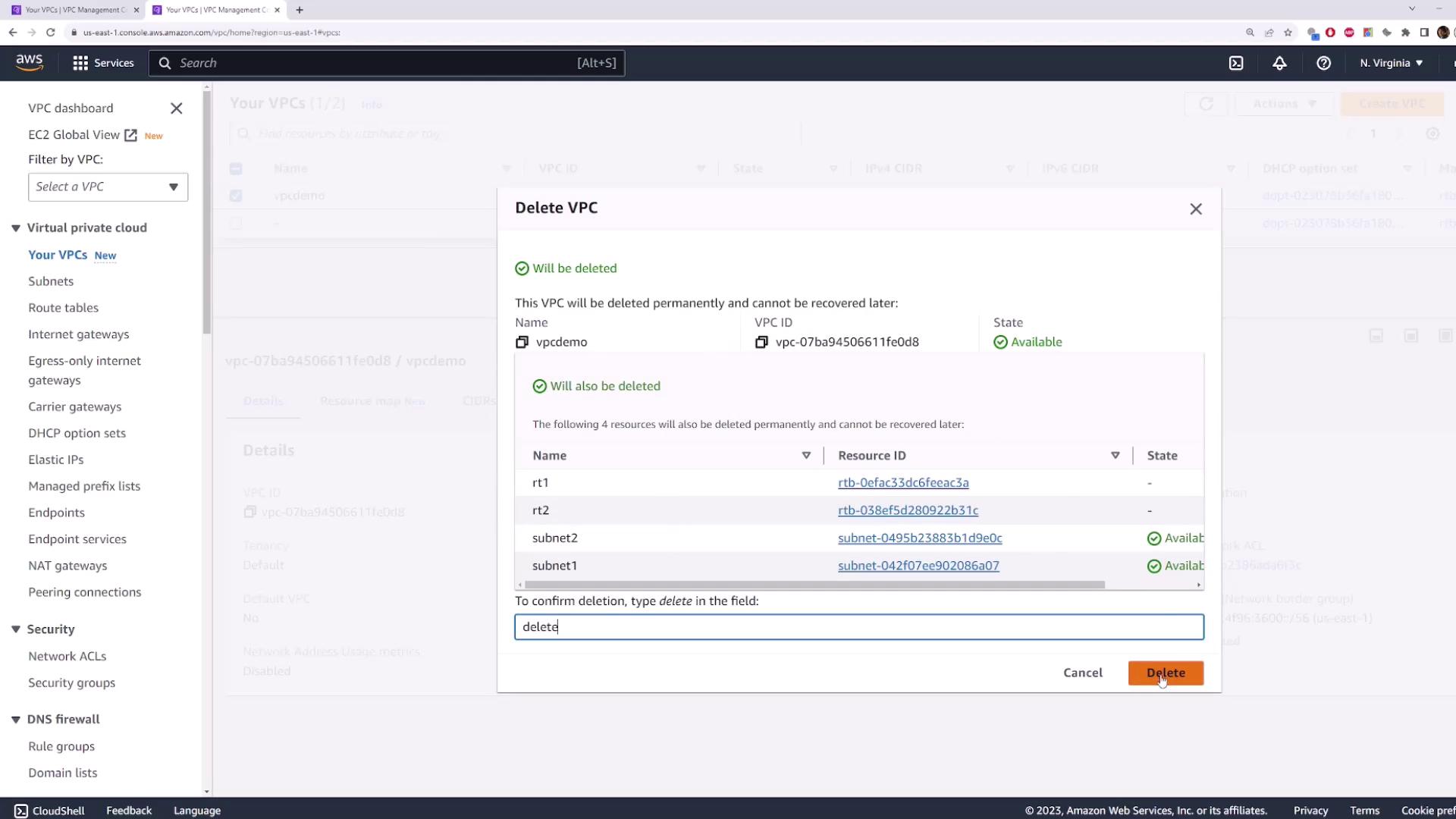
To avoid unnecessary charges, delete the `vpcdemo` VPC. AWS will automatically remove associated subnets and custom route tables.
1. Select **vpcdemo** → **Actions** → **Delete VPC**.
2. Confirm by typing **delete** → **Delete**.
***
In this tutorial, you learned how to inspect AWS VPC route tables, create custom tables, associate subnets, modify routes, and clean up.
## References
* [AWS VPC Documentation](https://docs.aws.amazon.com/vpc/latest/userguide/)
* [AWS Route Tables](https://docs.aws.amazon.com/vpc/latest/userguide/VPC_Route_Tables.html)
* [AWS IAM Best Practices](https://docs.aws.amazon.com/IAM/latest/UserGuide/best-practices.html)