> ## Documentation Index
> Fetch the complete documentation index at: https://notes.kodekloud.com/llms.txt
> Use this file to discover all available pages before exploring further.

# Security Groups NACLs

> This article explains the differences between AWS Security Groups and Network ACLs, including their configurations, behaviors, and best practices for securing a VPC.

In this lesson, we’ll cover how firewalls work, then explore AWS implementations: Network ACLs (NACLs) and Security Groups. You’ll learn the differences between stateless and stateful filtering, how to configure rules, and best practices for securing your VPC.

## Firewalls: Inbound and Outbound Traffic

A firewall monitors traffic flows and only allows connections matching predefined rules. Each rule controls:

* **Inbound**: Connections *to* your resource
* **Outbound**: Connections *from* your resource

## Stateless Firewalls

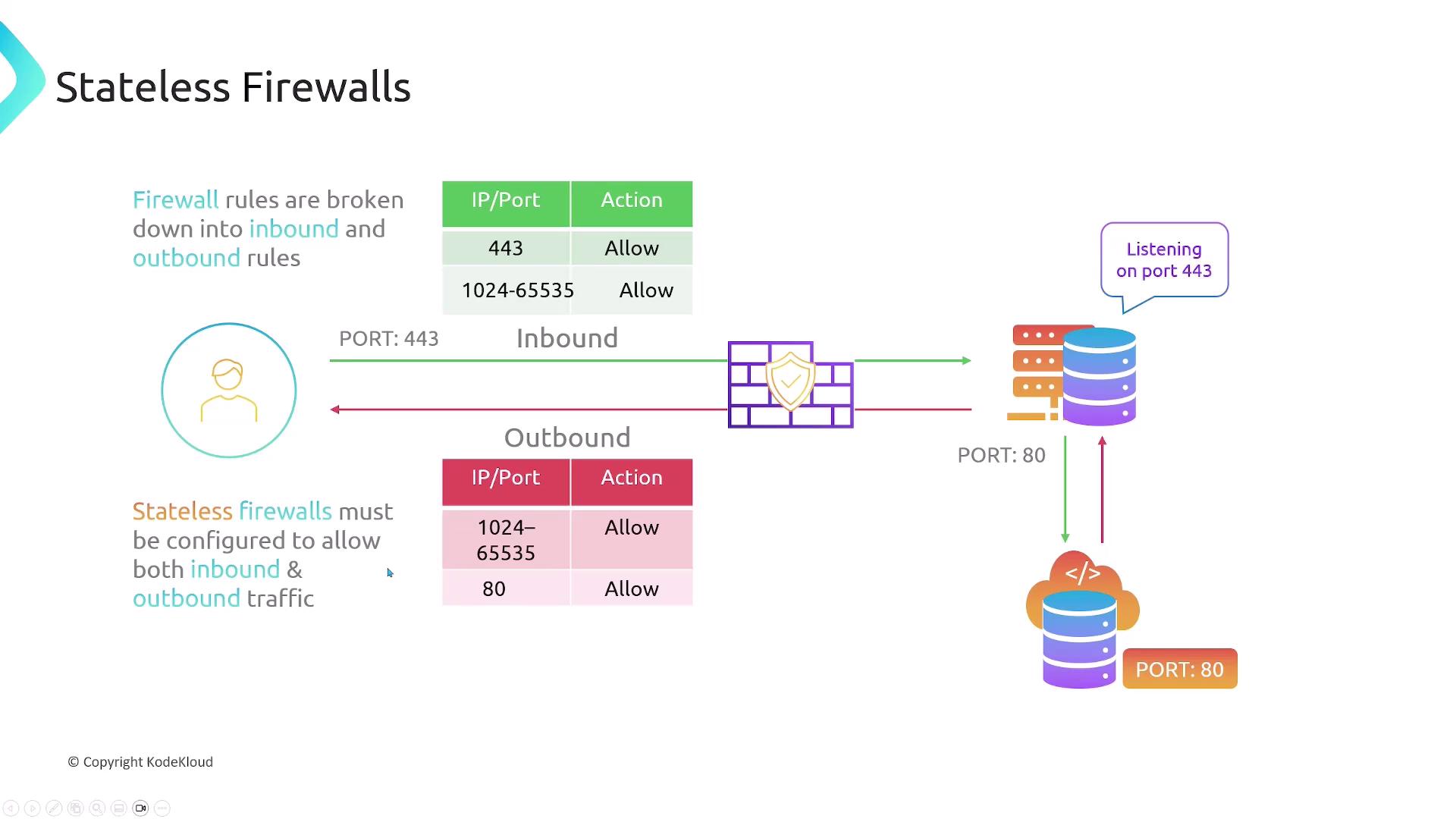
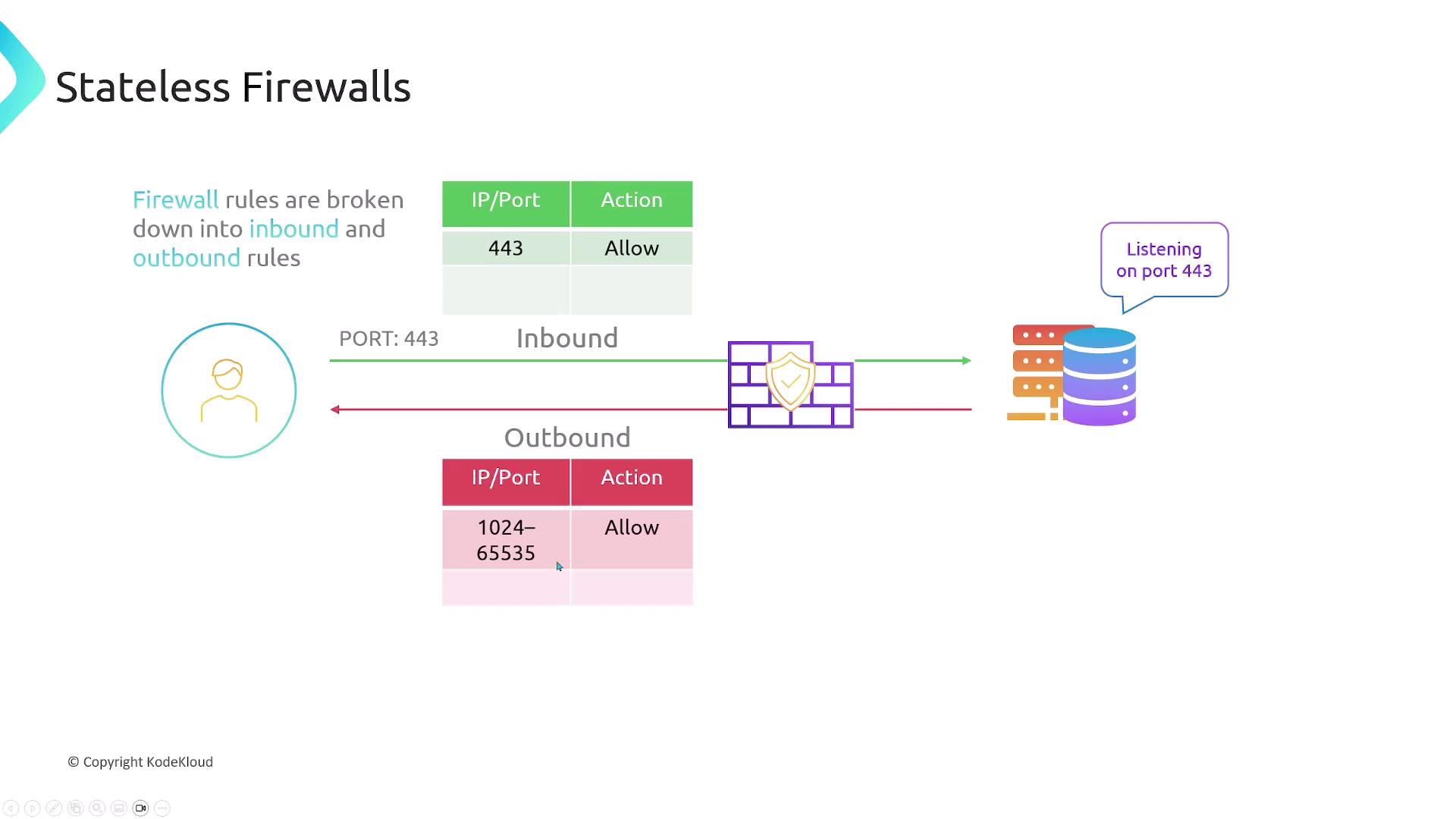
Stateless firewalls treat inbound and outbound traffic independently. You must explicitly allow both directions for every connection.

For example, a web server listening on HTTPS (port 443) needs:

1. **Ingress**: Allow TCP 443
2. **Egress**: Allow TCP 1024–65535 (ephemeral ports)

If the server also fetches updates over HTTP (port 80):

* **Egress**: Allow TCP 80
* **Ingress**: Allow TCP 1024–65535

<Callout icon="triangle-alert" color="#FF6B6B">
  Stateless firewalls *do not* track connection state. If you forget to permit the reply path, your traffic will be dropped.
</Callout>

<Frame>
  ![The image illustrates stateless firewalls, showing inbound and outbound rules with specific IP/Port actions, and a server listening on port 443.](https://kodekloud.com/kk-media/image/upload/v1752863343/notes-assets/images/AWS-Networking-Fundamentals-Security-Groups-NACLs/stateless-firewalls-inbound-outbound-rules.jpg)
</Frame>

<Frame>
  ![The image illustrates the concept of stateless firewalls, showing how firewall rules are divided into inbound and outbound rules, with specific ports and actions for each. It emphasizes the need for configuration to allow both inbound and outbound traffic.](https://kodekloud.com/kk-media/image/upload/v1752863344/notes-assets/images/AWS-Networking-Fundamentals-Security-Groups-NACLs/stateless-firewalls-inbound-outbound-rules-2.jpg)
</Frame>

## Stateful Firewalls

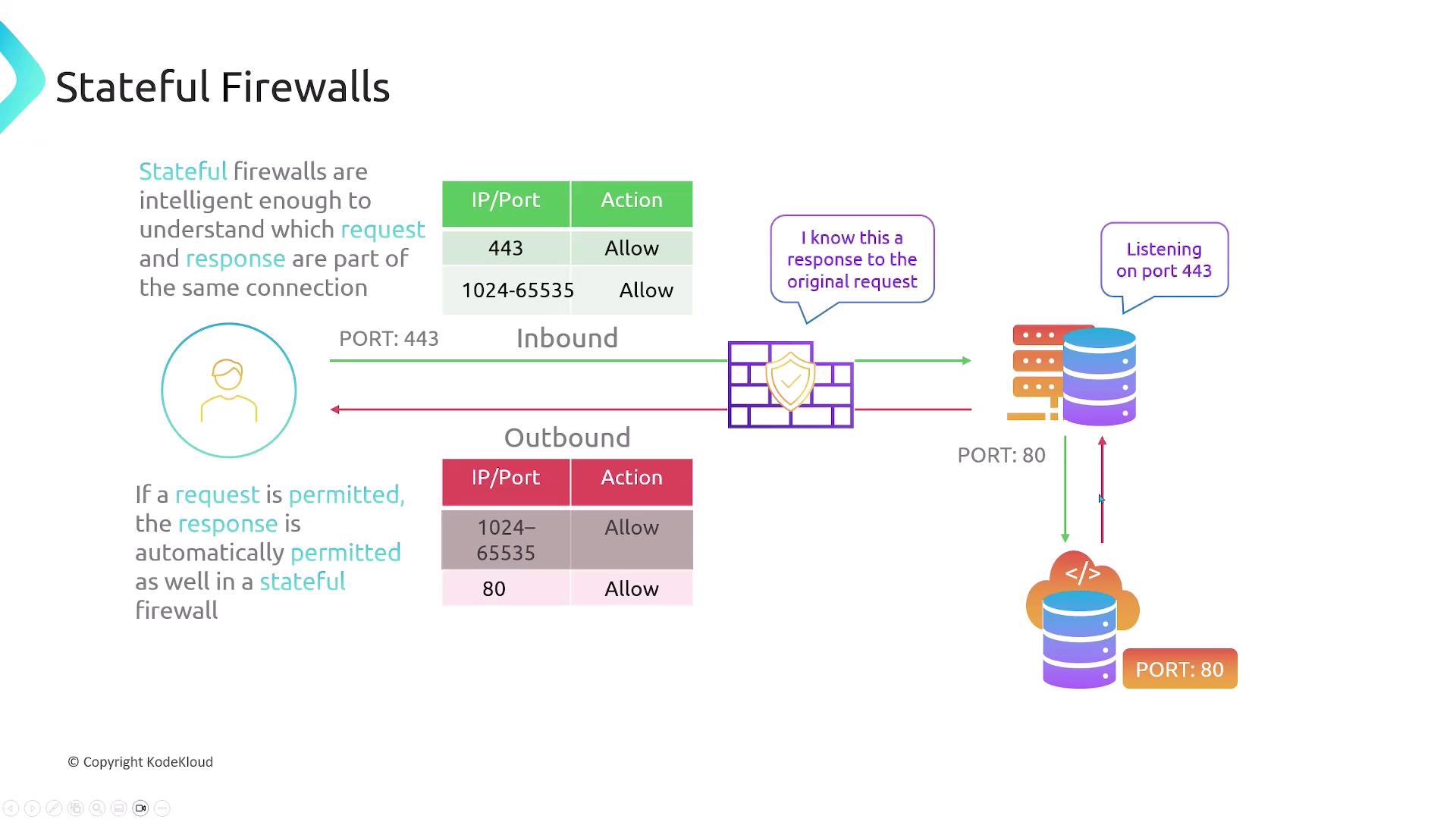
Stateful firewalls track connection state. Once you allow an incoming request, the outbound response is automatically permitted (and vice versa).

Using the same web server example:

* **Ingress**: Allow TCP 443
* **Egress**: *No rule needed* for ephemeral ports
* **Egress**: Allow TCP 80
* **Ingress**: *No rule needed* for ephemeral ports

<Callout icon="lightbulb" color="#1CB2FE">
  Stateful filtering simplifies rules management by automatically permitting return traffic.
</Callout>

<Frame>
  ![The image explains how stateful firewalls work, showing how they manage inbound and outbound requests and responses by allowing specific IP/port actions.](https://kodekloud.com/kk-media/image/upload/v1752863345/notes-assets/images/AWS-Networking-Fundamentals-Security-Groups-NACLs/stateful-firewalls-inbound-outbound-requests.jpg)
</Frame>

## AWS Network ACLs (NACLs)

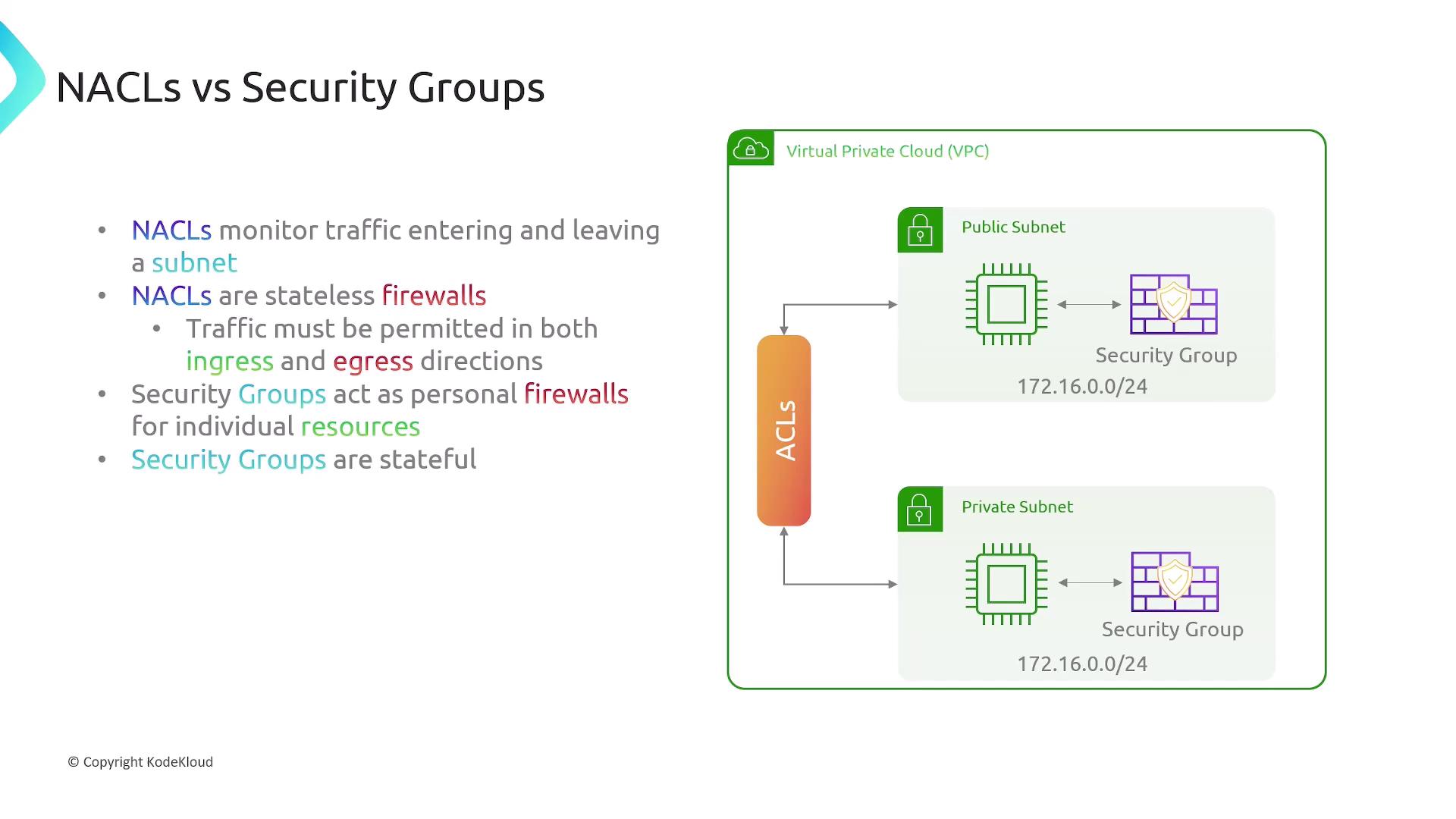
A Network ACL filters traffic *entering* and *leaving* subnets. Key points:

* Every subnet **must** be associated with exactly one NACL.
* A NACL can apply to multiple subnets.
* NACLs are **stateless**: separate ingress/egress rules.
* They do **not** filter intra-subnet traffic.

<Frame>
  ![The image explains Network Access Control Lists (NACLs) in a Virtual Private Cloud (VPC), showing how they filter traffic entering and leaving subnets but not within them. It includes a diagram with public and private subnets.](https://kodekloud.com/kk-media/image/upload/v1752863347/notes-assets/images/AWS-Networking-Fundamentals-Security-Groups-NACLs/nacl-vpc-traffic-filtering-diagram.jpg)
</Frame>

### Comparing NACLs vs. Security Groups

| Feature               | Network ACL (Stateless)           | Security Group (Stateful)                        |
| --------------------- | --------------------------------- | ------------------------------------------------ |
| Scope                 | Subnet-level                      | Instance/ENI-level                               |
| Direction             | Ingress & Egress rules (explicit) | Ingress rules only (egress auto for responses)   |
| Default Behavior      | Default rule: *Deny all*          | Default egress: *Allow all*; ingress: *Deny all* |
| Rule Actions          | Allow or Deny                     | Allow only (implicit deny)                       |
| Rule Evaluation Order | By rule number (lowest first)     | All rules are evaluated; no priority             |
| Stateful Tracking     | No                                | Yes                                              |

## AWS Security Groups

Security Groups act as **stateful** firewalls for individual resources (EC2, RDS, ENIs, etc.):

* Only the initiating direction is needed; return traffic is auto-allowed.
* Rules apply per resource, not per subnet.
<Frame>
  ![The image compares NACLs and Security Groups, explaining that NACLs are stateless firewalls monitoring traffic for subnets, while Security Groups are stateful and act as personal firewalls for individual resources. It includes a diagram of a Virtual Private Cloud (VPC) with public and private subnets.](https://kodekloud.com/kk-media/image/upload/v1752863348/notes-assets/images/AWS-Networking-Fundamentals-Security-Groups-NACLs/nacls-security-groups-vpc-diagram.jpg)
</Frame>

### Configuring Security Group Rules

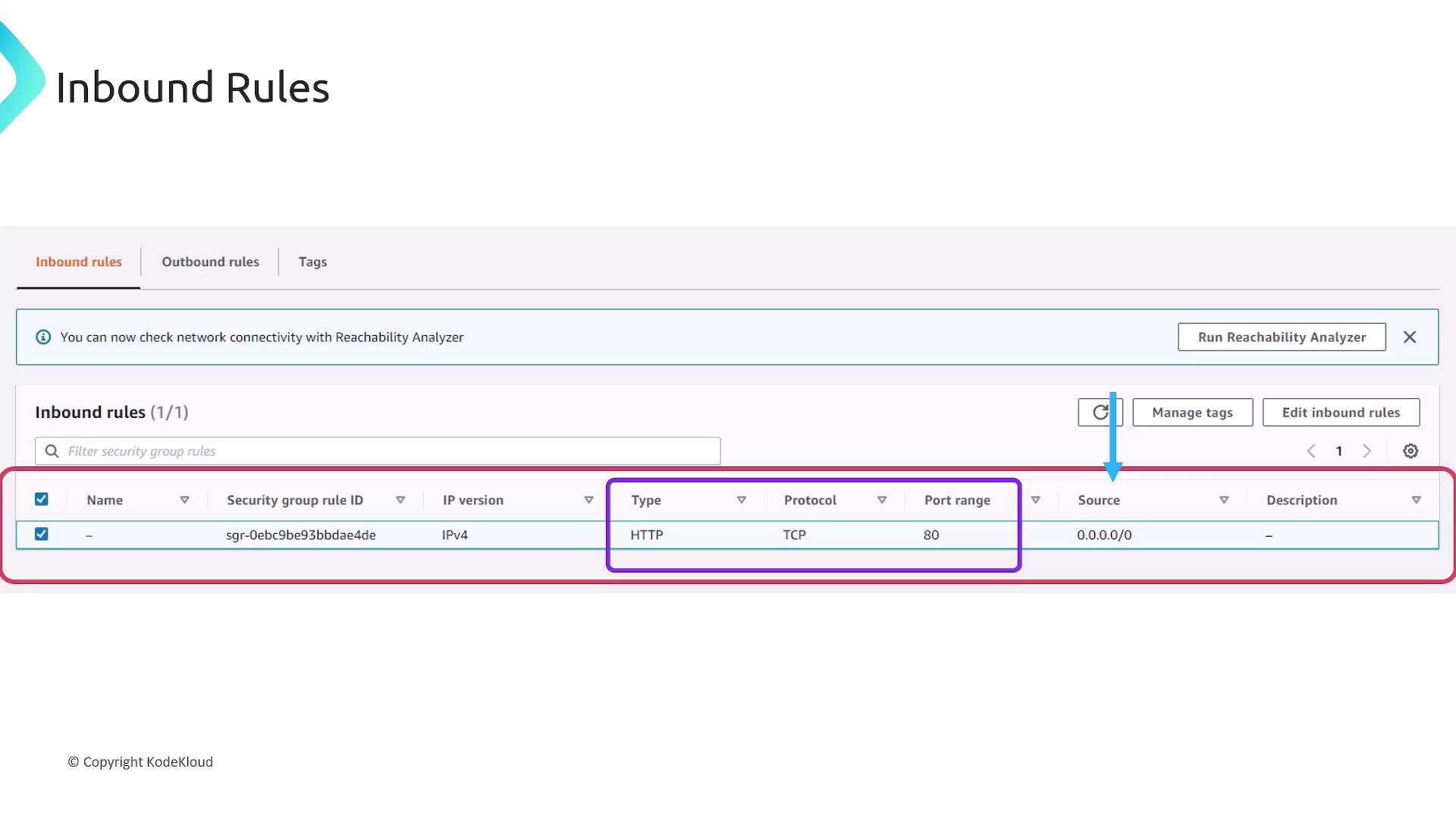
In the AWS Console, you define **Inbound** and **Outbound** rules separately. The fields are identical but apply in opposite directions.

```plaintext theme={null}
Inbound rules
┌─────────┬─────────┬───────────┬──────────────┬────────────┐
│ Type    │ Protocol│ Port Range│ Source       │ Description│
├─────────┼─────────┼───────────┼──────────────┼────────────┤
│ HTTP    │ TCP     │ 80        │ 0.0.0.0/0    │ (optional) │
└─────────┴─────────┴───────────┴──────────────┴────────────┘
```
<Frame>
  ![The image shows a screenshot of inbound rules for a security group, allowing HTTP traffic on port 80 from any source (0.0.0.0/0).](https://kodekloud.com/kk-media/image/upload/v1752863350/notes-assets/images/AWS-Networking-Fundamentals-Security-Groups-NACLs/inbound-rules-security-group-http-port-80.jpg)
</Frame>

Fields you’ll configure:

* **Type**: Predefined (HTTP, SSH) or *Custom*
* **Protocol**: TCP, UDP, ICMP, or *All*
* **Port Range**: Single port or port range
* **Source/Destination**: CIDR block or security group ID
* **Description**: Free-form text

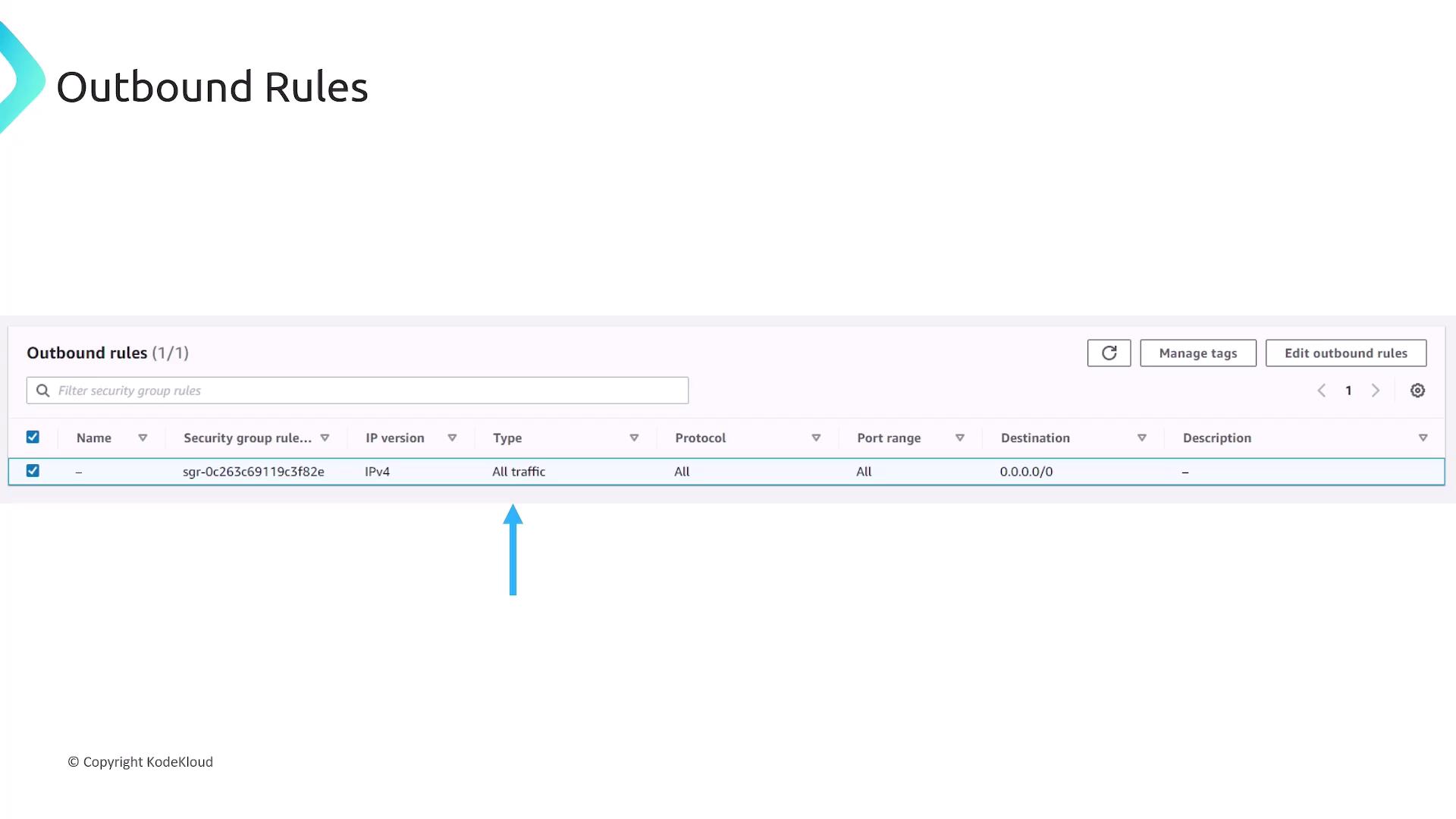
Outbound rules follow the same format:
<Frame>
  ![The image shows a table of outbound rules for a security group, allowing all traffic to all destinations (0.0.0.0/0) with IPv4.](https://kodekloud.com/kk-media/image/upload/v1752863351/notes-assets/images/AWS-Networking-Fundamentals-Security-Groups-NACLs/outbound-rules-security-group-ipv4.jpg)
</Frame>

<Callout icon="lightbulb" color="#1CB2FE">
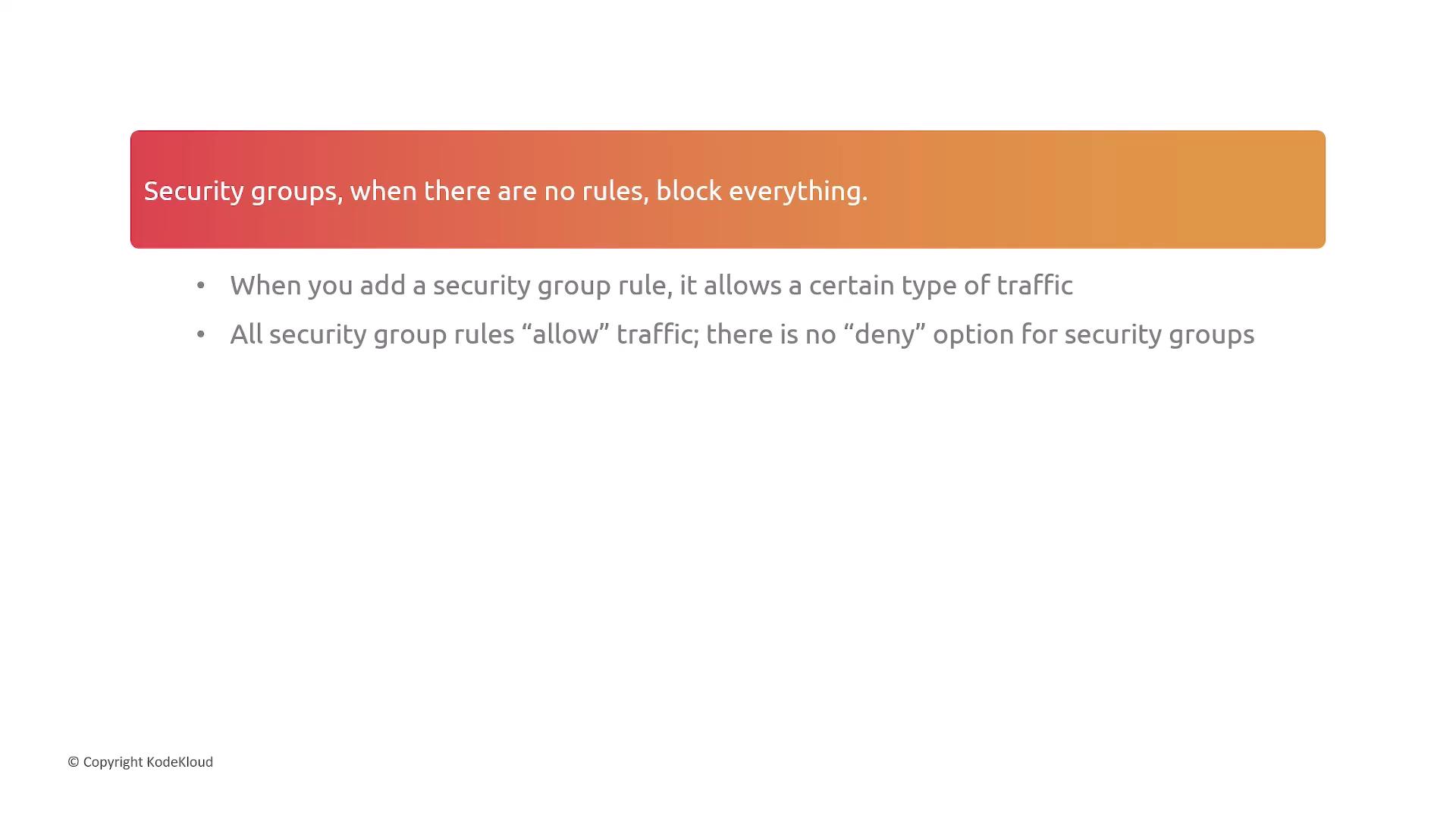
  If no outbound rules exist, *all* traffic is blocked by default. Security Groups can only **allow** traffic; there’s no explicit deny.
</Callout>

<Frame>
  ![The image contains text explaining that security groups block all traffic when no rules are set, and that rules only allow traffic without a deny option.](https://kodekloud.com/kk-media/image/upload/v1752863352/notes-assets/images/AWS-Networking-Fundamentals-Security-Groups-NACLs/security-groups-traffic-rules-explanation.jpg)
</Frame>

## NACL Rules Example

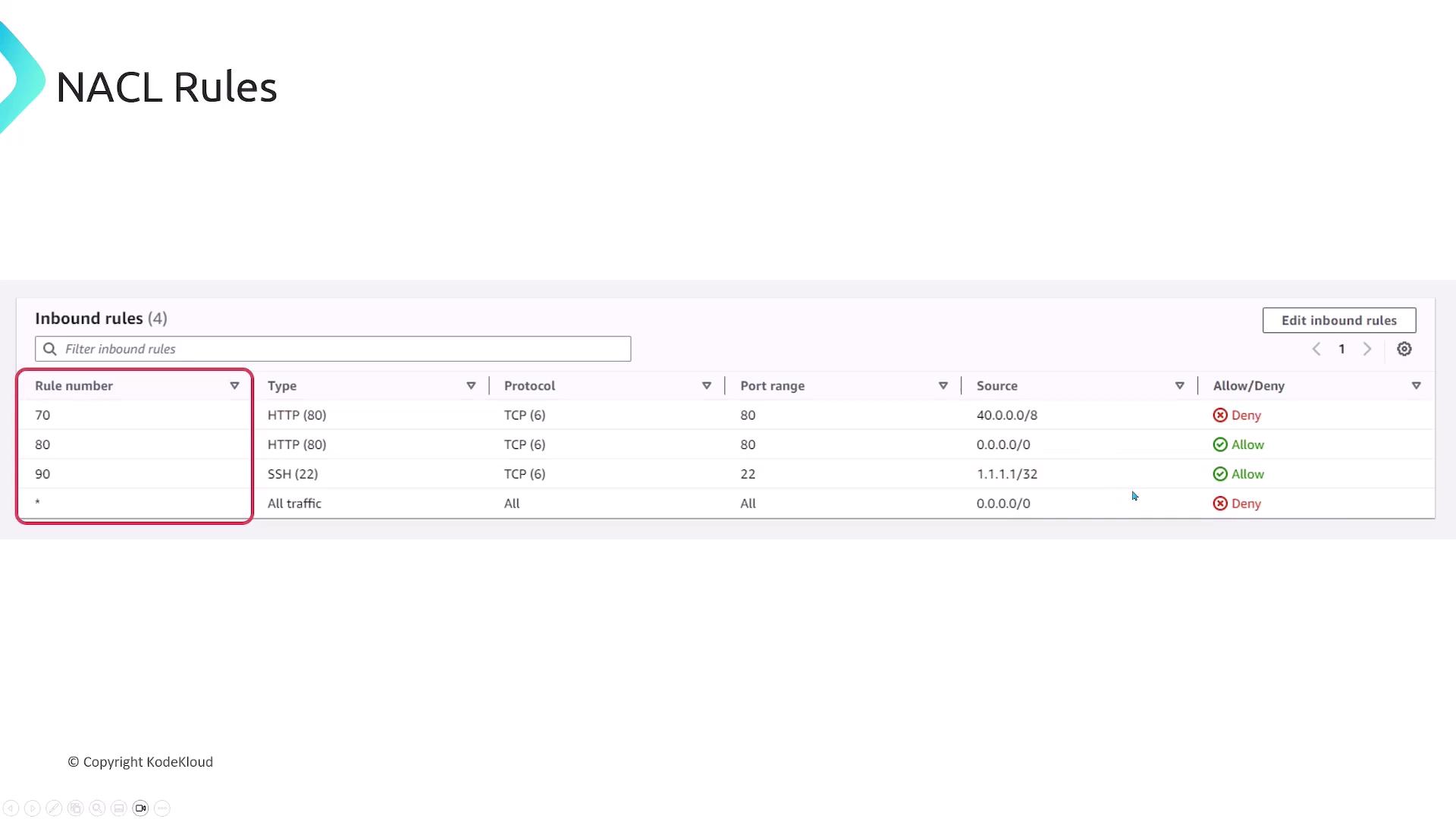
Every NACL rule includes a rule number (priority), type, protocol, port range, CIDR, and an Allow/Deny action. Rules are processed in ascending order.
<Frame>
  ![The image shows a table of network ACL (NACL) inbound rules, detailing rule numbers, types, protocols, port ranges, sources, and whether the traffic is allowed or denied.](https://kodekloud.com/kk-media/image/upload/v1752863353/notes-assets/images/AWS-Networking-Fundamentals-Security-Groups-NACLs/network-acl-inbound-rules-table.jpg)
</Frame>

## Multiple Security Groups per Resource

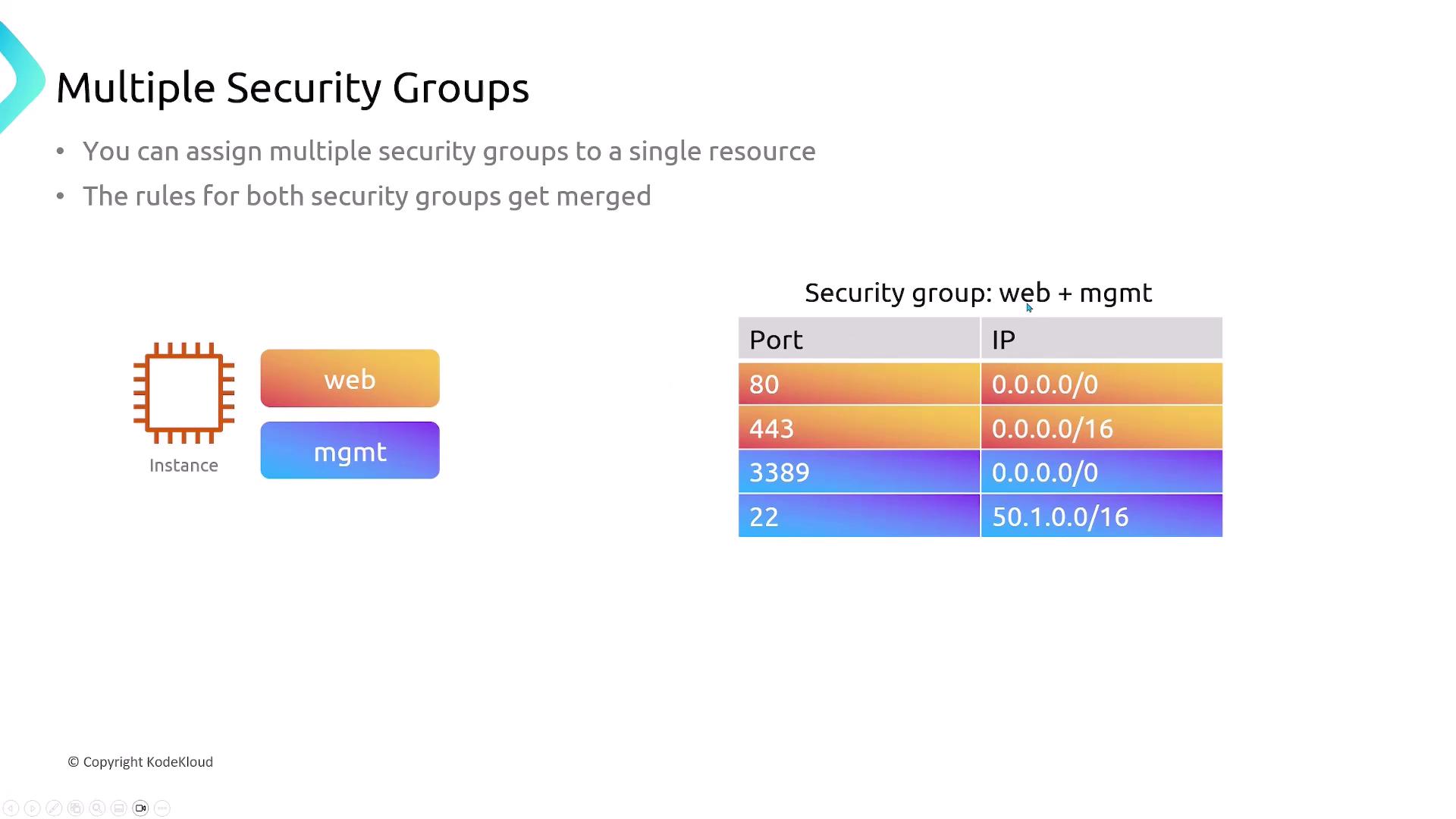
You can attach multiple Security Groups to a single resource. AWS merges all allow rules into one effective policy.
<Frame>
  ![The image explains the concept of multiple security groups, showing how they can be assigned to a single resource with merged rules, and includes a table of ports and IP ranges for a combined "web + mgmt" security group.](https://kodekloud.com/kk-media/image/upload/v1752863354/notes-assets/images/AWS-Networking-Fundamentals-Security-Groups-NACLs/multiple-security-groups-resource-rules.jpg)
</Frame>

## Default Behaviors and Associations
<Frame>
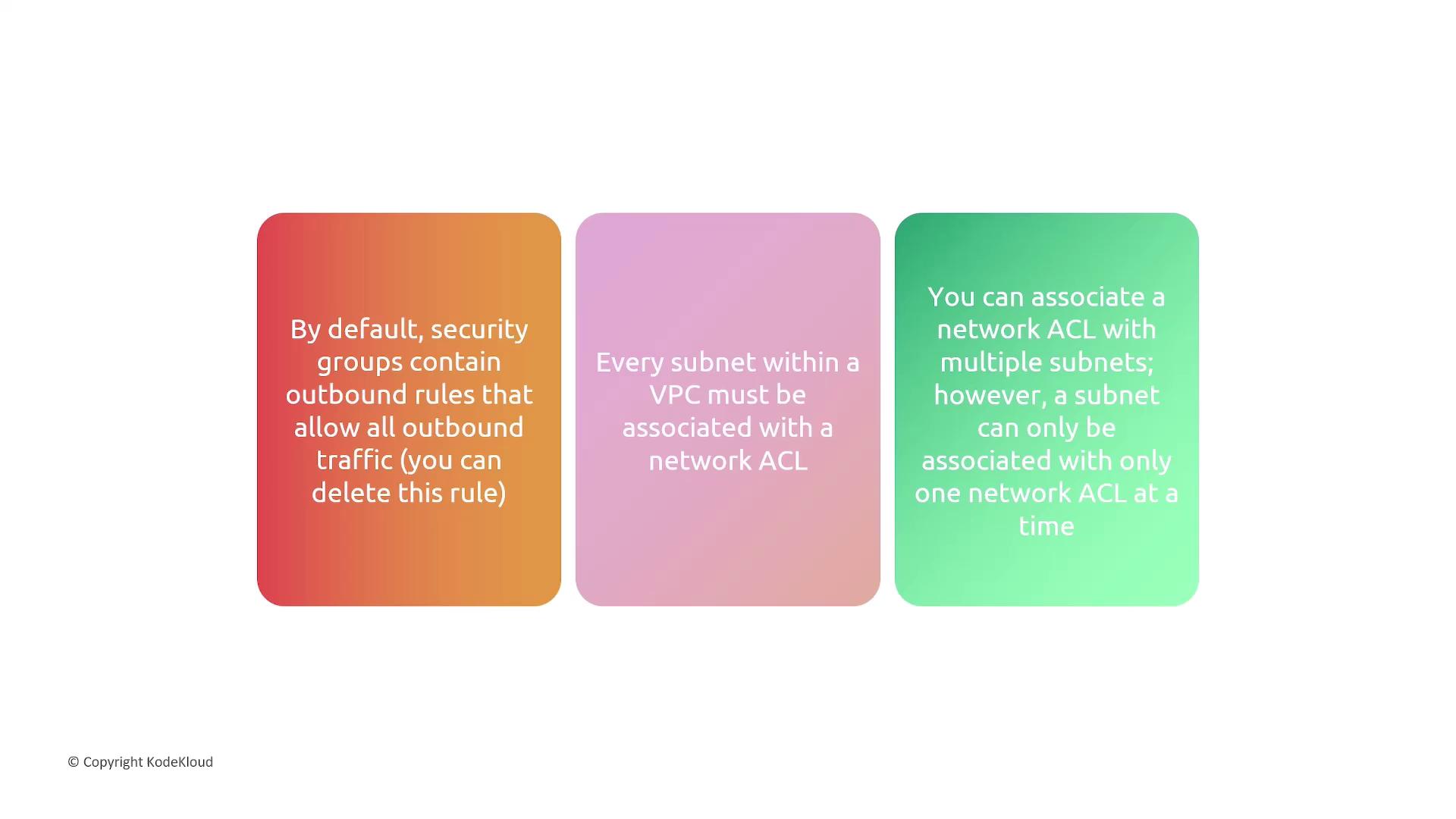
  ![The image contains three colored text boxes with information about security groups, subnets, and network ACLs in a VPC. Each box provides a specific detail about default outbound rules, subnet associations, and network ACL limitations.](https://kodekloud.com/kk-media/image/upload/v1752863355/notes-assets/images/AWS-Networking-Fundamentals-Security-Groups-NACLs/vpc-security-groups-subnets-acls.jpg)
</Frame>

* **Security Groups**: Default egress allows all traffic.
* **NACLs**: Each subnet needs one NACL; one-to-many relationship.
* **Associations**: Subnet ↔ one NACL; NACL ↔ many subnets.

## Traffic Exempt from NACL Filtering

Certain AWS control-plane and metadata endpoints bypass NACLs:

<Frame>
  ![The image lists services and endpoints that are not filtered by Network ACLs, including Amazon DNS, DHCP, EC2 instance metadata, ECS task metadata, Windows license activation, Amazon Time Sync Service, and reserved IP addresses for the default VPC router.](https://kodekloud.com/kk-media/image/upload/v1752863356/notes-assets/images/AWS-Networking-Fundamentals-Security-Groups-NACLs/unfiltered-services-endpoints-network-acls.jpg)
</Frame>

* Amazon DNS
* DHCP
* EC2 Instance Metadata
* ECS Task Metadata
* Windows License Activation
* Amazon Time Sync Service
* Reserved VPC Router IPs

## Summary
<Frame>
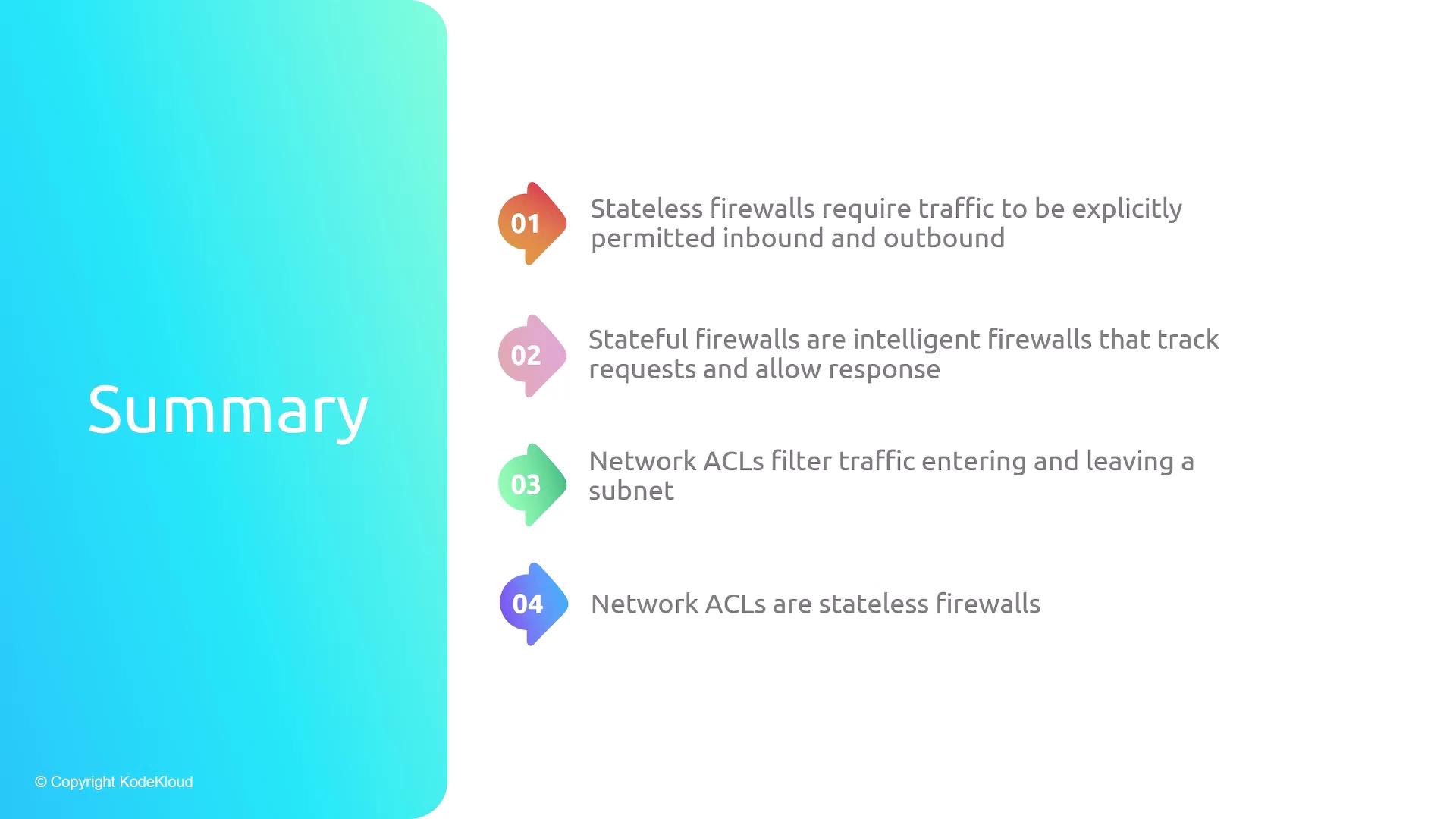
  ![The image is a summary slide describing different types of firewalls and network ACLs, highlighting their characteristics and functions. It includes four points about stateless and stateful firewalls and network ACLs.](https://kodekloud.com/kk-media/image/upload/v1752863357/notes-assets/images/AWS-Networking-Fundamentals-Security-Groups-NACLs/firewalls-network-acls-summary-slide.jpg)
</Frame>

* **Stateless Firewalls**: Require explicit ingress *and* egress rules.
* **Stateful Firewalls**: Automatically permit response traffic.
* **NACLs**: Stateless, subnet-level, Allow/Deny capabilities.
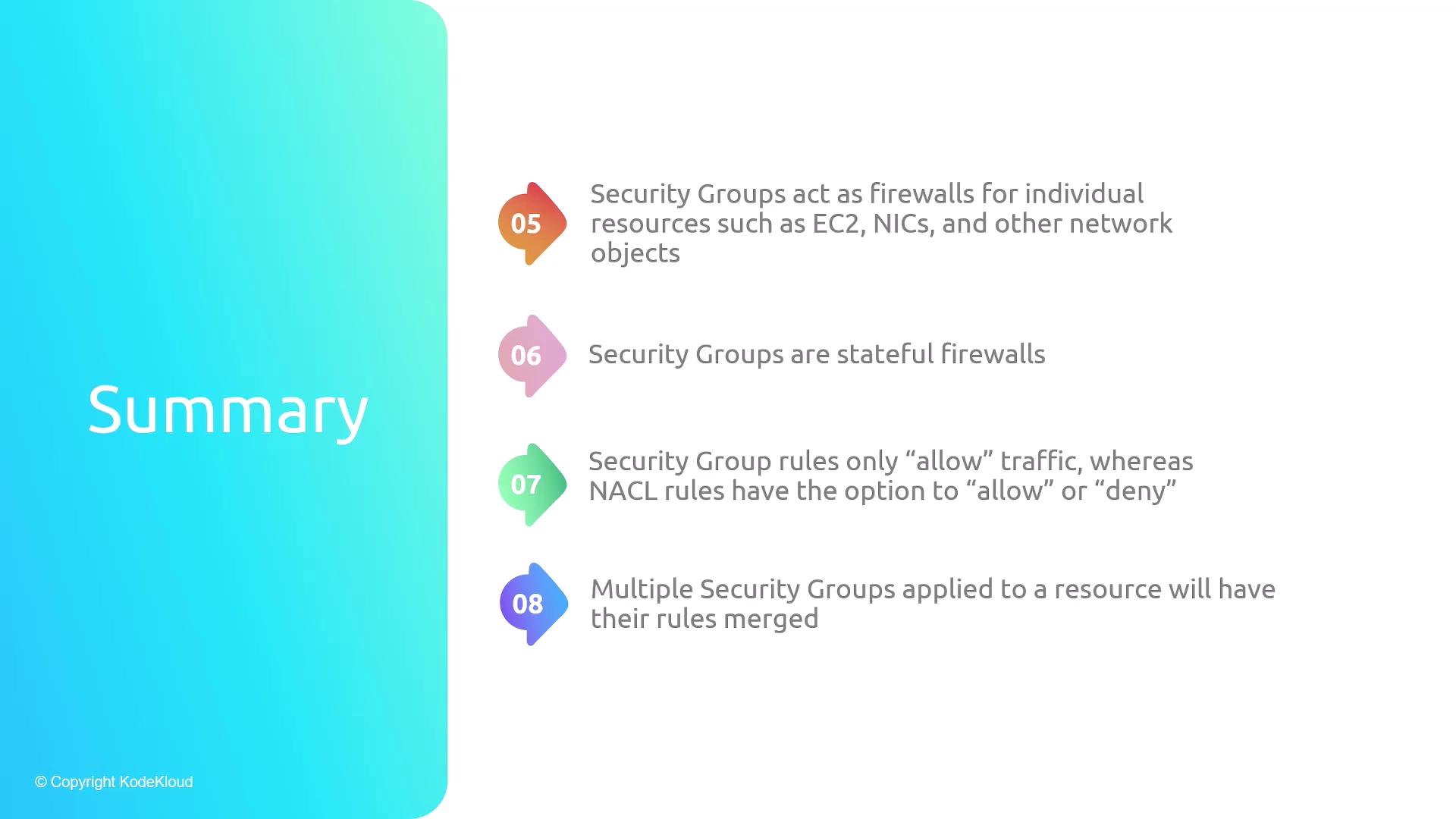
* **Security Groups**: Stateful, resource-level, Allow-only rules.
<Frame>
  ![The image is a summary slide about security groups, highlighting their role as firewalls, their stateful nature, and how their rules are applied and merged.](https://kodekloud.com/kk-media/image/upload/v1752863359/notes-assets/images/AWS-Networking-Fundamentals-Security-Groups-NACLs/security-groups-firewalls-stateful-rules.jpg)
</Frame>

* Applied per ENI/instance; rules are merged across groups.
* Outbound is wide-open by default.
<Frame>
  ![The image is a summary slide discussing network ACLs in a VPC, highlighting that every subnet must be associated with a network ACL and that a subnet can only be associated with one network ACL at a time.](https://kodekloud.com/kk-media/image/upload/v1752863360/notes-assets/images/AWS-Networking-Fundamentals-Security-Groups-NACLs/vpc-network-acls-subnet-summary.jpg)
</Frame>

* Each subnet requires exactly one NACL.
* Rules evaluated in numeric order, ending with a catch-all rule.

***

## Links and References

* [AWS Security Groups](https://docs.aws.amazon.com/vpc/latest/userguide/VPC_SecurityGroups.html)
* [AWS Network ACLs](https://docs.aws.amazon.com/vpc/latest/userguide/vpc-network-acls.html)
* [AWS VPC Overview](https://docs.aws.amazon.com/vpc/latest/userguide/)
* [AWS CLI EC2 Reference](https://docs.aws.amazon.com/cli/latest/reference/ec2/index.html)

<CardGroup>
  <Card title="Watch Video" icon="video" cta="Learn more" href="https://learn.kodekloud.com/user/courses/aws-networking-fundamentals/module/406e4440-01a6-45f6-ab45-e14485d333c3/lesson/751f0228-5579-4601-a711-7d0be0b25117" />
</CardGroup>