> ## Documentation Index
> Fetch the complete documentation index at: https://notes.kodekloud.com/llms.txt
> Use this file to discover all available pages before exploring further.
# Costing your RDS instance
> Explains AWS RDS pricing components, cost drivers, example estimates, common pitfalls, and best practices to estimate and optimize database costs.
Welcome back. This lesson explains how AWS RDS pricing is structured and which components most influence your monthly bill. Understanding these pieces helps you estimate costs, spot savings, and make better architecture choices when migrating or running databases on RDS.
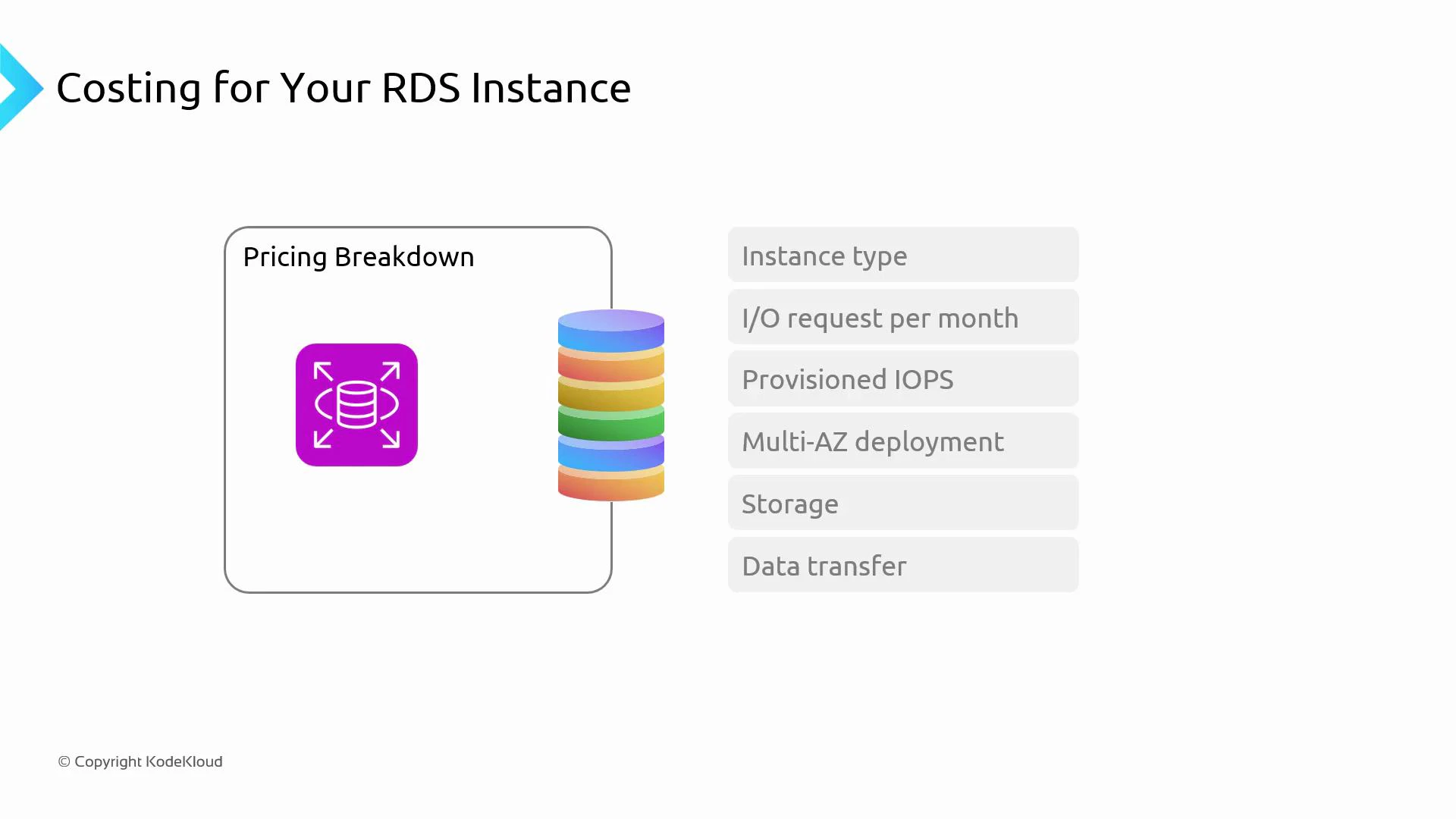
At a high level, RDS costs break down into these components that support your running database:
* Data transfer — e.g., traffic between read replicas, cross-region traffic, or data leaving the AWS network.
* Storage — provisioned database storage: capacity and storage type (gp2/gp3, io1/io2).
* Multi‑AZ deployment — additional infrastructure and standby replication for high availability.
* Provisioned IOPS — dedicated IOPS for high-performance workloads.
* I/O requests — the number of I/O operations performed by the database (when applicable).
* Instance type — DB instance class (compute/memory) and number of instances.
 ## Example estimate (illustrative)
Imagine migrating a large on‑premises application to RDS with the following production configuration:
* DB engine: PostgreSQL
* DB instance class: db.r5.large
* Multi‑AZ: enabled (primary + standby)
* Provisioned storage: 500 GB
* Region: US East (pricing varies by region and engine)
For this scenario, common monthly cost contributors are:
| Cost component | What influences it | Practical note |
| ---------------: | ------------------------------------------------------------------- | ---------------------------------------------------------------------------------- |
| Instance cost | Number of instances, DB instance class (compute/memory), and engine | Multi‑AZ doubles compute charges for primary + standby |
| Storage | Capacity (GB) and storage type (gp2/gp3, io1/io2) | io1/io2 and higher performance tiers cost more |
| Provisioned IOPS | IOPS rate you reserve (if using provisioned IOPS) | Can be a significant additional charge for high-throughput workloads |
| I/O requests | Number of I/O operations (for some storage types/pricing models) | Heavy workloads with many small requests increase cost |
| Backup storage | Snapshot size and retention period | Short retention typically low; long retention and frequent snapshots add up |
| Data transfer | Cross-region or public internet egress | Intra-region/AZ traffic may be free or minimal; cross-region and egress are billed |
A sample monthly breakdown (illustrative, not exact) will typically show instance compute and storage as the largest line items. Use the AWS Pricing Calculator to produce an exact estimate for your region/engine: [https://calculator.aws/](https://calculator.aws/)
Pricing examples here are illustrative. Always use the AWS Pricing Calculator ([https://calculator.aws/](https://calculator.aws/)) and set the correct region, DB engine, storage type, and IOPS to get accurate cost estimates for your scenario.
## Pitfalls to avoid
1. Right‑size the instance
* Avoid both over‑provisioning (wasted cost) and under‑provisioning (performance problems).
* Use monitoring and metrics — CPUUtilization, FreeableMemory, read/write IOPS, throughput, and latency — to guide sizing decisions.
* Perform load testing and re-evaluate instance sizing regularly as workload patterns change.
## Example estimate (illustrative)
Imagine migrating a large on‑premises application to RDS with the following production configuration:
* DB engine: PostgreSQL
* DB instance class: db.r5.large
* Multi‑AZ: enabled (primary + standby)
* Provisioned storage: 500 GB
* Region: US East (pricing varies by region and engine)
For this scenario, common monthly cost contributors are:
| Cost component | What influences it | Practical note |
| ---------------: | ------------------------------------------------------------------- | ---------------------------------------------------------------------------------- |
| Instance cost | Number of instances, DB instance class (compute/memory), and engine | Multi‑AZ doubles compute charges for primary + standby |
| Storage | Capacity (GB) and storage type (gp2/gp3, io1/io2) | io1/io2 and higher performance tiers cost more |
| Provisioned IOPS | IOPS rate you reserve (if using provisioned IOPS) | Can be a significant additional charge for high-throughput workloads |
| I/O requests | Number of I/O operations (for some storage types/pricing models) | Heavy workloads with many small requests increase cost |
| Backup storage | Snapshot size and retention period | Short retention typically low; long retention and frequent snapshots add up |
| Data transfer | Cross-region or public internet egress | Intra-region/AZ traffic may be free or minimal; cross-region and egress are billed |
A sample monthly breakdown (illustrative, not exact) will typically show instance compute and storage as the largest line items. Use the AWS Pricing Calculator to produce an exact estimate for your region/engine: [https://calculator.aws/](https://calculator.aws/)
Pricing examples here are illustrative. Always use the AWS Pricing Calculator ([https://calculator.aws/](https://calculator.aws/)) and set the correct region, DB engine, storage type, and IOPS to get accurate cost estimates for your scenario.
## Pitfalls to avoid
1. Right‑size the instance
* Avoid both over‑provisioning (wasted cost) and under‑provisioning (performance problems).
* Use monitoring and metrics — CPUUtilization, FreeableMemory, read/write IOPS, throughput, and latency — to guide sizing decisions.
* Perform load testing and re-evaluate instance sizing regularly as workload patterns change.
 2. Use Reserved Instances when appropriate
* For predictable, steady-state workloads (1+ year), Reserved Instances (RIs) can deliver substantial savings versus on‑demand pricing.
* Evaluate standard vs. convertible RIs and matching commitment terms to your operational plan.
* For short-lived test/QA environments, consider automation to spin up/down resources instead of reserving.
2. Use Reserved Instances when appropriate
* For predictable, steady-state workloads (1+ year), Reserved Instances (RIs) can deliver substantial savings versus on‑demand pricing.
* Evaluate standard vs. convertible RIs and matching commitment terms to your operational plan.
* For short-lived test/QA environments, consider automation to spin up/down resources instead of reserving.
 3. Optimize the database and queries
* Inefficient SQL, missing indexes, and full-table scans drive high CPU, memory, and I/O consumption.
* Before scaling up the instance class, profile and optimize slow queries, indexes, and schema design.
* Use slow query logs and Performance Insights to find and fix expensive queries; this reduces both resource usage and cost.
3. Optimize the database and queries
* Inefficient SQL, missing indexes, and full-table scans drive high CPU, memory, and I/O consumption.
* Before scaling up the instance class, profile and optimize slow queries, indexes, and schema design.
* Use slow query logs and Performance Insights to find and fix expensive queries; this reduces both resource usage and cost.
 ## Best practices checklist
* Monitor key metrics with CloudWatch to identify sizing and I/O issues.
* Prefer the smallest instance class that meets performance needs; scale horizontally (read replicas) where appropriate.
* Choose storage type aligned with performance requirements (gp3 often gives improved price/perf over gp2).
* Consider Reserved Instances for stable production workloads.
* Automate start/stop or teardown of non‑production instances to avoid idle charges.
* Limit cross‑region transfers and plan replication topology to minimize data transfer costs.
## Links and references
* AWS Pricing Calculator: [https://calculator.aws/](https://calculator.aws/)
* AWS RDS Pricing overview: [https://aws.amazon.com/rds/pricing/](https://aws.amazon.com/rds/pricing/)
* AWS CloudWatch: [https://docs.aws.amazon.com/cloudwatch/](https://docs.aws.amazon.com/cloudwatch/)
* RDS Performance Insights: [https://docs.aws.amazon.com/AmazonRDS/latest/UserGuide/USER\_PerfInsights.html](https://docs.aws.amazon.com/AmazonRDS/latest/UserGuide/USER_PerfInsights.html)
Summary
RDS cost is driven by instance sizing, storage and IOPS choices, replication (Multi‑AZ), and data transfer. Monitor and right‑size, reserve when usage is steady, and optimize queries to keep costs under control while maintaining performance and availability.
## Best practices checklist
* Monitor key metrics with CloudWatch to identify sizing and I/O issues.
* Prefer the smallest instance class that meets performance needs; scale horizontally (read replicas) where appropriate.
* Choose storage type aligned with performance requirements (gp3 often gives improved price/perf over gp2).
* Consider Reserved Instances for stable production workloads.
* Automate start/stop or teardown of non‑production instances to avoid idle charges.
* Limit cross‑region transfers and plan replication topology to minimize data transfer costs.
## Links and references
* AWS Pricing Calculator: [https://calculator.aws/](https://calculator.aws/)
* AWS RDS Pricing overview: [https://aws.amazon.com/rds/pricing/](https://aws.amazon.com/rds/pricing/)
* AWS CloudWatch: [https://docs.aws.amazon.com/cloudwatch/](https://docs.aws.amazon.com/cloudwatch/)
* RDS Performance Insights: [https://docs.aws.amazon.com/AmazonRDS/latest/UserGuide/USER\_PerfInsights.html](https://docs.aws.amazon.com/AmazonRDS/latest/UserGuide/USER_PerfInsights.html)
Summary
RDS cost is driven by instance sizing, storage and IOPS choices, replication (Multi‑AZ), and data transfer. Monitor and right‑size, reserve when usage is steady, and optimize queries to keep costs under control while maintaining performance and availability.