> ## Documentation Index
> Fetch the complete documentation index at: https://notes.kodekloud.com/llms.txt
> Use this file to discover all available pages before exploring further.
# Password management with Amazon RDS and AWS Secrets Manager
> Managing Amazon RDS database credentials securely using AWS Secrets Manager for centralized storage, IAM-based access, and automated rotation without embedding secrets in code.
In this lesson we'll cover a secure, maintainable approach for managing database credentials so you never have to store usernames or passwords in source code or a Git repository.
When an application connects to a database it needs credentials (username + password). Embedding those credentials in code or repos is insecure, hard to rotate, and difficult to audit. AWS Secrets Manager provides a centralized, secure vault for sensitive data such as database credentials, and RDS can integrate directly with it to simplify creation, storage, and rotation of those credentials.
Why this matters
* Security: Secrets are encrypted and only retrievable by authorized principals.
* Maintainability: Rotate secrets centrally without touching application code.
* Auditability: Access to secrets is logged and controlled via IAM.
How RDS and AWS Secrets Manager work together
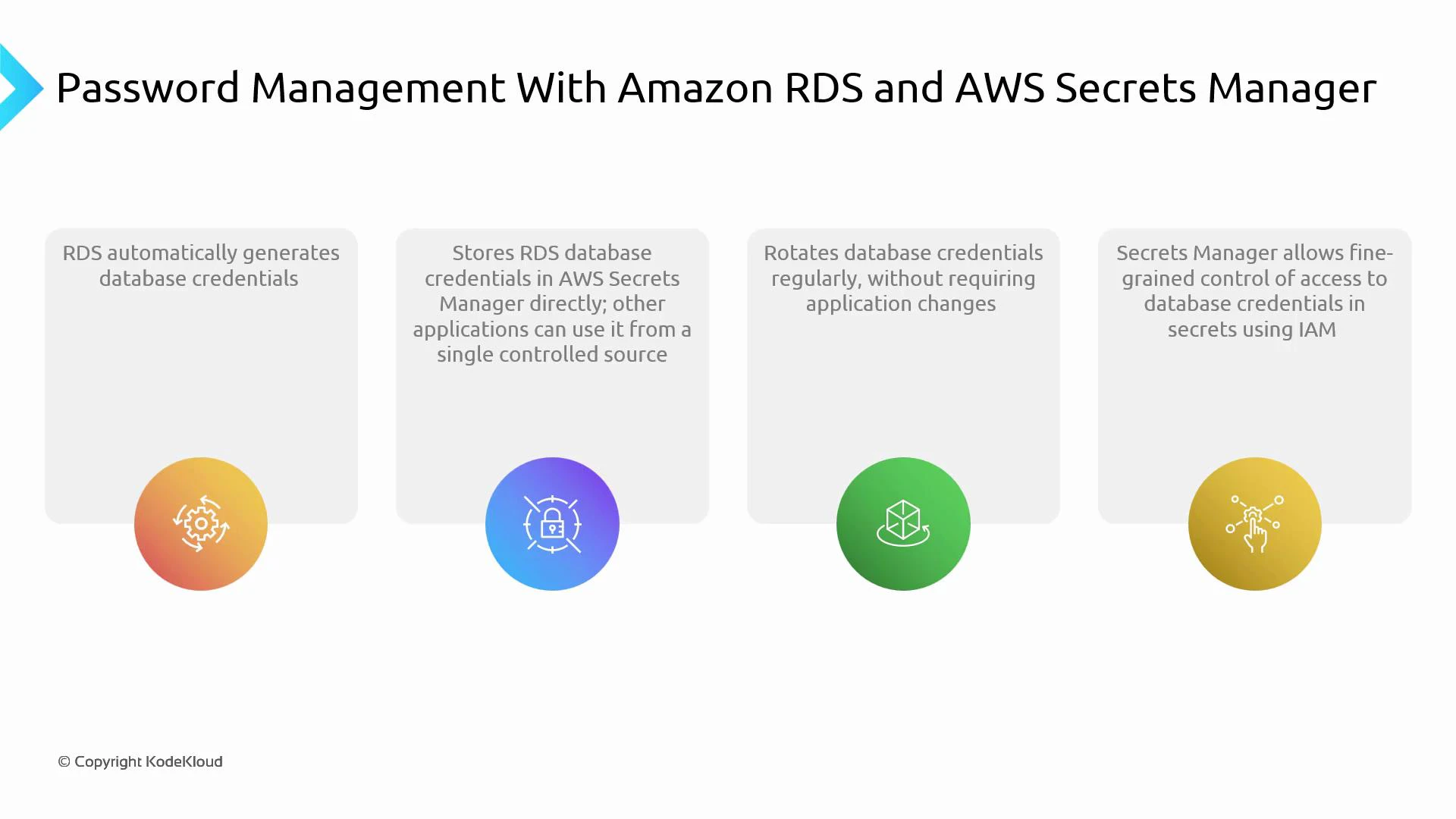
* RDS can auto-generate a strong password for the master (or any user) during DB creation.
* RDS can store that generated credential directly in AWS Secrets Manager.
* Applications fetch credentials from Secrets Manager at runtime using IAM-based access.
* Secrets Manager supports automatic rotation, so credentials can be changed regularly without modifying application code.
Store credentials in [AWS Secrets Manager](https://docs.aws.amazon.com/secretsmanager/latest/userguide/intro.html) so applications fetch them at runtime. Change or rotate a secret in one place — the application keeps working because it always reads the current secret from Secrets Manager.
 How it typically works at runtime
1. Application attempts to connect to the database.
2. The application calls AWS Secrets Manager to retrieve the secret (e.g., via AWS SDK).
3. Secrets Manager authenticates the request using IAM and returns the current credentials.
4. The application uses the credentials to establish a DB connection.
5. When Secrets Manager rotates the secret, the next retrieval returns updated credentials — no code changes required.
Implementation checklist
* Create an RDS instance and enable credential generation (or create user credentials and store them in Secrets Manager).
* Store the database username/password as a secret in AWS Secrets Manager.
* Configure automatic rotation in Secrets Manager if desired (Secrets Manager can use a Lambda rotation function).
* Grant the application an IAM role with least-privilege permissions to retrieve (and optionally decrypt) the secret.
* Instrument the application to fetch the secret at startup or when creating DB connections, using SDKs or environment-specific libraries.
Best practices and considerations
| Area | Recommendation | Example |
| ------------------ | ----------------------------------------------------------------------------------------------------- | ---------------------------------------------------------------------------------- |
| Access control | Use IAM roles and policies with least privilege to allow only required principals to GetSecretValue | Grant EC2/ECS/EKS role permission to retrieve secret ARN |
| Rotation | Enable automatic rotation for production secrets and test rotation in a staging environment first | Use Secrets Manager rotation with a Lambda that updates both the DB and the secret |
| Caching | Cache secrets locally for a short period to reduce API calls, but honor rotation and TTL | Use SDK cache or local memory with refresh interval |
| Monitoring & Audit | Enable CloudTrail and CloudWatch alarms for secret access, rotation failures, or unexpected API calls | Create CloudWatch alarms on rotation Lambda errors |
Use least-privilege IAM policies. Give applications only the permission to retrieve the secret (GetSecretValue) and avoid granting console-level access unless required. Test rotation to ensure the DB user and secret remain synchronized.
Benefits recap
* Centralized, secure storage of credentials (single source of truth).
* Automatic rotation of database credentials with no application code changes.
* Fine-grained access control using IAM.
* Easier compliance and operational simplicity for organizations with rotation policies.
Links and references
* [AWS Secrets Manager — Overview](https://docs.aws.amazon.com/secretsmanager/latest/userguide/intro.html)
* [Amazon RDS — Overview](https://aws.amazon.com/rds/)
* [AWS Identity and Access Management (IAM)](https://aws.amazon.com/iam/)
Summary
Using Amazon RDS together with AWS Secrets Manager lets you generate and store credentials during DB creation, centrally manage and rotate those credentials, enforce access with IAM, and keep applications unchanged during rotations because they always read the current secret from Secrets Manager.
That is it for this lesson.
How it typically works at runtime
1. Application attempts to connect to the database.
2. The application calls AWS Secrets Manager to retrieve the secret (e.g., via AWS SDK).
3. Secrets Manager authenticates the request using IAM and returns the current credentials.
4. The application uses the credentials to establish a DB connection.
5. When Secrets Manager rotates the secret, the next retrieval returns updated credentials — no code changes required.
Implementation checklist
* Create an RDS instance and enable credential generation (or create user credentials and store them in Secrets Manager).
* Store the database username/password as a secret in AWS Secrets Manager.
* Configure automatic rotation in Secrets Manager if desired (Secrets Manager can use a Lambda rotation function).
* Grant the application an IAM role with least-privilege permissions to retrieve (and optionally decrypt) the secret.
* Instrument the application to fetch the secret at startup or when creating DB connections, using SDKs or environment-specific libraries.
Best practices and considerations
| Area | Recommendation | Example |
| ------------------ | ----------------------------------------------------------------------------------------------------- | ---------------------------------------------------------------------------------- |
| Access control | Use IAM roles and policies with least privilege to allow only required principals to GetSecretValue | Grant EC2/ECS/EKS role permission to retrieve secret ARN |
| Rotation | Enable automatic rotation for production secrets and test rotation in a staging environment first | Use Secrets Manager rotation with a Lambda that updates both the DB and the secret |
| Caching | Cache secrets locally for a short period to reduce API calls, but honor rotation and TTL | Use SDK cache or local memory with refresh interval |
| Monitoring & Audit | Enable CloudTrail and CloudWatch alarms for secret access, rotation failures, or unexpected API calls | Create CloudWatch alarms on rotation Lambda errors |
Use least-privilege IAM policies. Give applications only the permission to retrieve the secret (GetSecretValue) and avoid granting console-level access unless required. Test rotation to ensure the DB user and secret remain synchronized.
Benefits recap
* Centralized, secure storage of credentials (single source of truth).
* Automatic rotation of database credentials with no application code changes.
* Fine-grained access control using IAM.
* Easier compliance and operational simplicity for organizations with rotation policies.
Links and references
* [AWS Secrets Manager — Overview](https://docs.aws.amazon.com/secretsmanager/latest/userguide/intro.html)
* [Amazon RDS — Overview](https://aws.amazon.com/rds/)
* [AWS Identity and Access Management (IAM)](https://aws.amazon.com/iam/)
Summary
Using Amazon RDS together with AWS Secrets Manager lets you generate and store credentials during DB creation, centrally manage and rotate those credentials, enforce access with IAM, and keep applications unchanged during rotations because they always read the current secret from Secrets Manager.
That is it for this lesson.