> ## Documentation Index
> Fetch the complete documentation index at: https://notes.kodekloud.com/llms.txt
> Use this file to discover all available pages before exploring further.
# Understanding RDS Networking and Securities
> Guide to Amazon RDS networking and security covering authentication, secrets management, network isolation, encryption, monitoring, and RDS Proxy for designing production ready secure database deployments
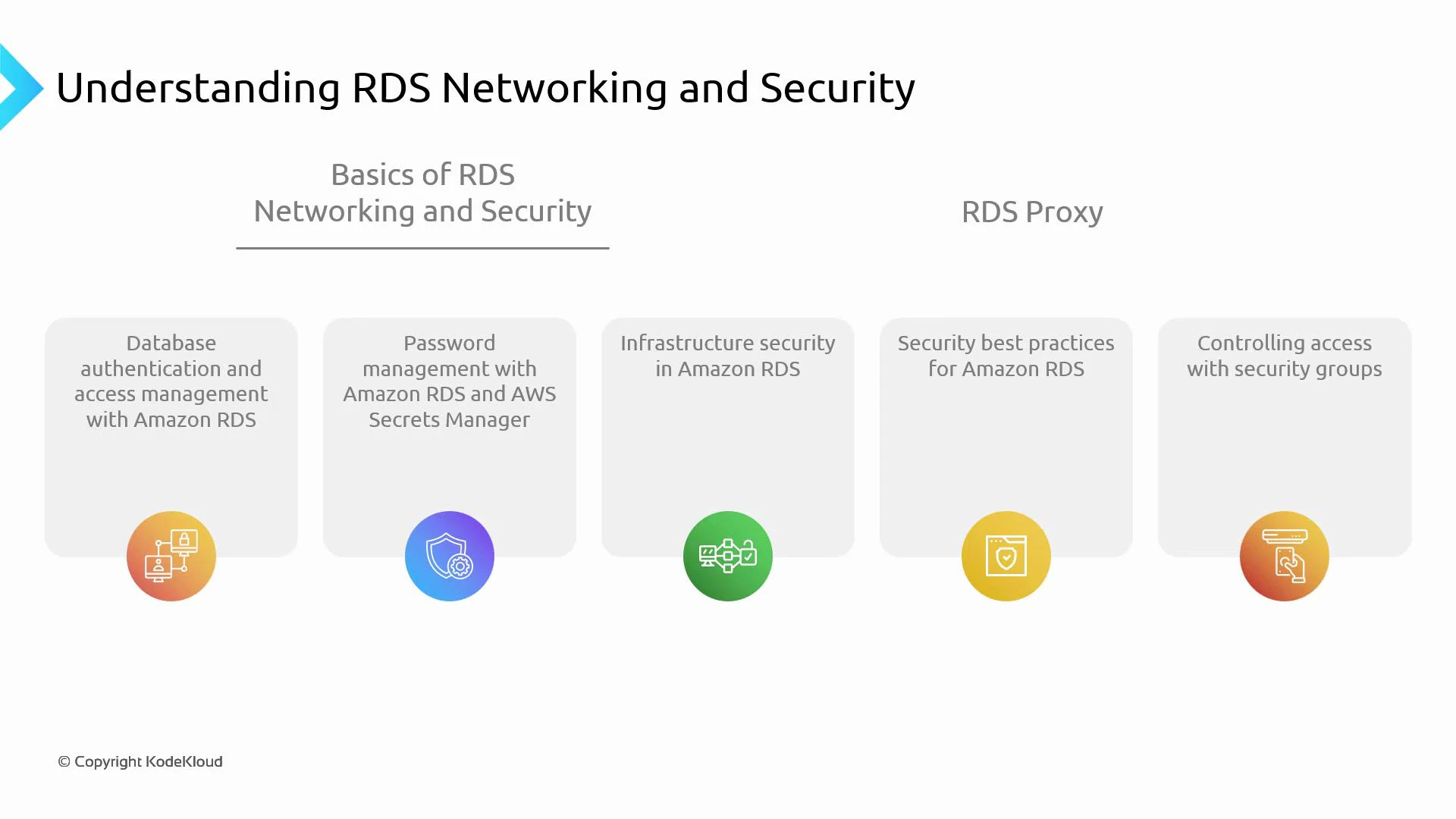
In this lesson we cover essential Amazon RDS networking and security concepts: why databases must be secured, what to protect, and which AWS RDS features help you enforce strong database security and network isolation. This article focuses on practical controls—authentication, secrets management, network isolation, encryption, monitoring, and RDS Proxy integration—so you can design production-ready, secure RDS deployments.
## Why secure the database?
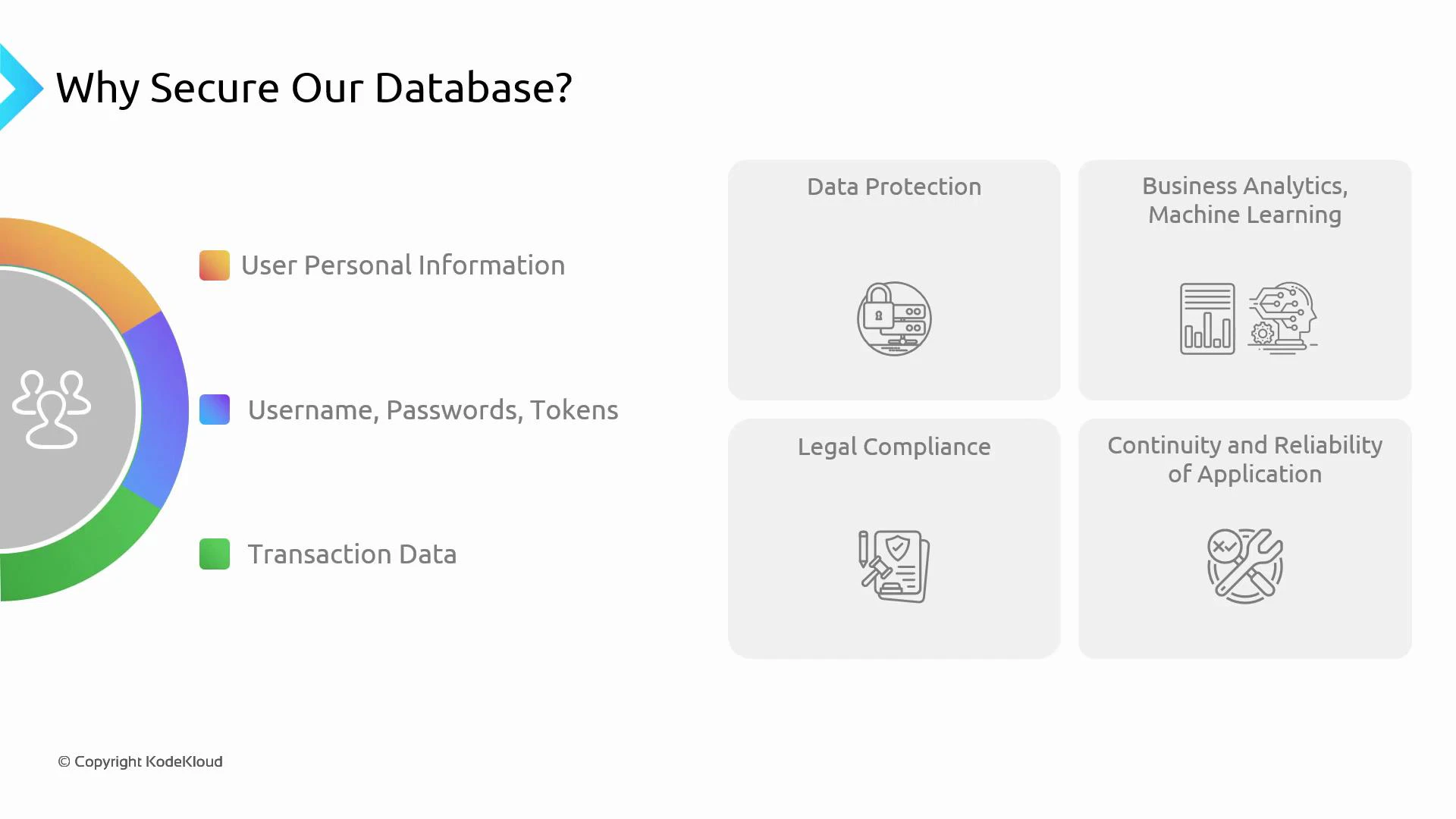
Databases often contain sensitive information such as personally identifiable information (PII), payment details, application credentials, and full transaction histories. This data supports user experience, business analytics, auditing, and regulatory compliance. Because of its sensitivity and importance, databases must be protected from unauthorized access, tampering, and loss.
Common categories of data that need protection:
* User personal information (PII)
* Application credentials and tokens
* Transaction and audit logs
* Data used for analytics and machine learning
* Data needed for business continuity and legal compliance
 To protect RDS databases effectively, apply a layered approach combining AWS-managed controls and your own configuration:
* Authentication: native DB credentials or AWS IAM database authentication.
* Secrets management: centralize and rotate credentials with AWS Secrets Manager.
* Network isolation: deploy DB instances in VPC private subnets and use security groups and network ACLs.
* Encryption: enable KMS-backed encryption for data at rest and TLS/SSL for data in transit.
* Infrastructure hardening and maintenance: rely on RDS for host-level maintenance while configuring backups and retention.
* Access control and least privilege: limit who and what can access the database using IAM roles and fine-grained DB accounts.
RDS Proxy can simplify secure, scalable connectivity by pooling connections, integrating with AWS Secrets Manager for credential rotation, and supporting IAM database authentication—reducing credential handling in application code and improving DB scalability for serverless and concurrent workloads. See the RDS Proxy docs for deployment details: [https://docs.aws.amazon.com/AmazonRDS/latest/UserGuide/rds-proxy.html](https://docs.aws.amazon.com/AmazonRDS/latest/UserGuide/rds-proxy.html)
To protect RDS databases effectively, apply a layered approach combining AWS-managed controls and your own configuration:
* Authentication: native DB credentials or AWS IAM database authentication.
* Secrets management: centralize and rotate credentials with AWS Secrets Manager.
* Network isolation: deploy DB instances in VPC private subnets and use security groups and network ACLs.
* Encryption: enable KMS-backed encryption for data at rest and TLS/SSL for data in transit.
* Infrastructure hardening and maintenance: rely on RDS for host-level maintenance while configuring backups and retention.
* Access control and least privilege: limit who and what can access the database using IAM roles and fine-grained DB accounts.
RDS Proxy can simplify secure, scalable connectivity by pooling connections, integrating with AWS Secrets Manager for credential rotation, and supporting IAM database authentication—reducing credential handling in application code and improving DB scalability for serverless and concurrent workloads. See the RDS Proxy docs for deployment details: [https://docs.aws.amazon.com/AmazonRDS/latest/UserGuide/rds-proxy.html](https://docs.aws.amazon.com/AmazonRDS/latest/UserGuide/rds-proxy.html)
 ## Mapping controls to goals
Below is a concise mapping of typical controls, where they apply, and short examples to get you started.
| Control | Purpose | Quick example / note |
| ---------------------------- | --------------------------------------- | -------------------------------------------------------------------- |
| Authentication | Verify identity of DB clients | Native username/password or IAM DB authentication (MySQL/PostgreSQL) |
| Secrets Management | Centralize and rotate DB credentials | AWS Secrets Manager for automatic rotation and IAM access |
| Network Isolation | Restrict network access to DB instances | Place DB in VPC private subnets; use security groups and NACLs |
| Encryption | Protect data at rest & in transit | KMS-backed encryption and TLS/SSL connections |
| Infrastructure & Maintenance | OS/host maintenance, backups, patching | RDS-managed maintenance, automated backups and snapshots |
| Monitoring & Auditing | Track performance and API changes | CloudWatch, Enhanced Monitoring, CloudTrail, RDS logs |
| Least Privilege | Limit privileges for users & services | IAM roles for management; DB accounts with minimal permissions |
| High Availability & Recovery | Ensure continuity and quick recovery | Multi-AZ deployments, automated backups, point-in-time recovery |
### Authentication examples
Enable IAM database authentication during DB creation or modification:
```bash theme={null}
aws rds create-db-instance \
--db-instance-identifier mydb \
--db-instance-class db.t3.medium \
--engine mysql \
--master-username admin \
--master-user-password "YourPassw0rd!" \
--enable-iam-database-authentication \
--allocated-storage 20
```
For an existing instance:
```bash theme={null}
aws rds modify-db-instance \
--db-instance-identifier mydb \
--enable-iam-database-authentication \
--apply-immediately
```
### Secrets Manager examples
Store and rotate DB credentials using Secrets Manager:
Create a secret:
```bash theme={null}
aws secretsmanager create-secret \
--name prod/rds/mydb/credentials \
--secret-string '{"username":"app_user","password":"P@ssw0rd!"}'
```
Retrieve a secret:
```bash theme={null}
aws secretsmanager get-secret-value --secret-id prod/rds/mydb/credentials
```
Use Secrets Manager with RDS Proxy to avoid embedding database passwords in application configuration.
### Network isolation and Security Groups
Best practice: run DB instances in private subnets and allow access only from application subnets or bastion hosts.
Example: add a security group rule to allow the application server subnet to access MySQL (3306):
```Expected Output: theme={null}
bash
aws ec2 authorize-security-group-ingress \
--group-id sg-0abc12345def67890 \
--protocol tcp --port 3306 --cidr 10.0.2.0/24
```
### Encryption
Create an encrypted DB instance using a KMS key:
```AWS CLI theme={null}
aws rds create-db-instance \
--db-instance-identifier mydb-encrypted \
--engine postgres \
--db-instance-class db.t3.medium \
--allocated-storage 20 \
--storage-encrypted \
--kms-key-id arn:aws:kms:us-west-2:123456789012:key/abcd-ef01-2345
```
For in-transit encryption, configure your client to use the RDS-provided TLS certificates (see AWS docs for your engine).
## RDS Proxy: why and how it fits
RDS Proxy operates between applications and the DB instance to pool connections and manage authentication:
* Reduces number of database connections and connection churn.
* Integrates with AWS Secrets Manager for credential retrieval and rotation.
* Supports IAM database authentication so applications can assume IAM roles and acquire short-lived credentials instead of long-lived database passwords.
* Improves application scalability for serverless (AWS Lambda) and highly concurrent architectures.
Quick CLI example to create a proxy (simplified):
```AWS CLI theme={null}
aws rds create-db-proxy \
--db-proxy-name my-proxy \
--engine-family MYSQL \
--auth "[{\"AuthScheme\":\"SECRETS\",\"SecretArn\":\"arn:aws:secretsmanager:...\",\"IAMAuth\":\"REQUIRED\"}]" \
--role-arn arn:aws:iam::123456789012:role/rds-proxy-role \
--vpc-subnet-ids subnet-abc,subnet-def \
--vpc-security-group-ids sg-0123456789abcdef0
```
Refer to the RDS Proxy documentation for full options and best practices.
Never make production databases publicly accessible. Avoid embedding long-lived DB credentials in application code or environment variables. Always restrict network access, rotate credentials, and use least-privilege IAM roles for management and applications.
## Best practices summary
* Use IAM DB authentication (where supported) and AWS Secrets Manager to reduce secret sprawl.
* Place DB instances in private VPC subnets and restrict access using security groups and NACLs.
* Enable storage encryption with KMS and enforce TLS/SSL for client connections.
* Use RDS Proxy to improve connection management and integrate with Secrets Manager for safer credential handling.
* Enable monitoring and auditing: CloudWatch, Enhanced Monitoring, RDS logs, and CloudTrail.
* Apply least-privilege principles for IAM and database accounts.
* Configure Multi-AZ for high availability and enable automated backups for point-in-time recovery.
## Links and references
* RDS Proxy: [https://docs.aws.amazon.com/AmazonRDS/latest/UserGuide/rds-proxy.html](https://docs.aws.amazon.com/AmazonRDS/latest/UserGuide/rds-proxy.html)
* IAM database authentication: [https://docs.aws.amazon.com/AmazonRDS/latest/UserGuide/UsingWithRDS.IAMDBAuth.html](https://docs.aws.amazon.com/AmazonRDS/latest/UserGuide/UsingWithRDS.IAMDBAuth.html)
* AWS Secrets Manager: [https://docs.aws.amazon.com/secretsmanager/latest/userguide/intro.html](https://docs.aws.amazon.com/secretsmanager/latest/userguide/intro.html)
* Amazon VPC: [https://docs.aws.amazon.com/vpc/latest/userguide/what-is-amazon-vpc.html](https://docs.aws.amazon.com/vpc/latest/userguide/what-is-amazon-vpc.html)
* Security groups: [https://docs.aws.amazon.com/vpc/latest/userguide/VPC\_SecurityGroups.html](https://docs.aws.amazon.com/vpc/latest/userguide/VPC_SecurityGroups.html)
* RDS encryption overview: [https://docs.aws.amazon.com/AmazonRDS/latest/UserGuide/Overview.Encryption.html](https://docs.aws.amazon.com/AmazonRDS/latest/UserGuide/Overview.Encryption.html)
* RDS SSL/TLS: [https://docs.aws.amazon.com/AmazonRDS/latest/UserGuide/UsingWithRDS.SSL.html](https://docs.aws.amazon.com/AmazonRDS/latest/UserGuide/UsingWithRDS.SSL.html)
* CloudWatch: [https://docs.aws.amazon.com/AmazonCloudWatch/latest/monitoring/WhatIsCloudWatch.html](https://docs.aws.amazon.com/AmazonCloudWatch/latest/monitoring/WhatIsCloudWatch.html)
* CloudTrail: [https://docs.aws.amazon.com/awscloudtrail/latest/userguide/cloudtrail-user-guide.html](https://docs.aws.amazon.com/awscloudtrail/latest/userguide/cloudtrail-user-guide.html)
This lesson provides the high-level concepts needed to design and operate secure RDS deployments. For hands-on implementation, follow the individual AWS service guides above and build configurations that reflect your security, availability, and compliance requirements.
## Mapping controls to goals
Below is a concise mapping of typical controls, where they apply, and short examples to get you started.
| Control | Purpose | Quick example / note |
| ---------------------------- | --------------------------------------- | -------------------------------------------------------------------- |
| Authentication | Verify identity of DB clients | Native username/password or IAM DB authentication (MySQL/PostgreSQL) |
| Secrets Management | Centralize and rotate DB credentials | AWS Secrets Manager for automatic rotation and IAM access |
| Network Isolation | Restrict network access to DB instances | Place DB in VPC private subnets; use security groups and NACLs |
| Encryption | Protect data at rest & in transit | KMS-backed encryption and TLS/SSL connections |
| Infrastructure & Maintenance | OS/host maintenance, backups, patching | RDS-managed maintenance, automated backups and snapshots |
| Monitoring & Auditing | Track performance and API changes | CloudWatch, Enhanced Monitoring, CloudTrail, RDS logs |
| Least Privilege | Limit privileges for users & services | IAM roles for management; DB accounts with minimal permissions |
| High Availability & Recovery | Ensure continuity and quick recovery | Multi-AZ deployments, automated backups, point-in-time recovery |
### Authentication examples
Enable IAM database authentication during DB creation or modification:
```bash theme={null}
aws rds create-db-instance \
--db-instance-identifier mydb \
--db-instance-class db.t3.medium \
--engine mysql \
--master-username admin \
--master-user-password "YourPassw0rd!" \
--enable-iam-database-authentication \
--allocated-storage 20
```
For an existing instance:
```bash theme={null}
aws rds modify-db-instance \
--db-instance-identifier mydb \
--enable-iam-database-authentication \
--apply-immediately
```
### Secrets Manager examples
Store and rotate DB credentials using Secrets Manager:
Create a secret:
```bash theme={null}
aws secretsmanager create-secret \
--name prod/rds/mydb/credentials \
--secret-string '{"username":"app_user","password":"P@ssw0rd!"}'
```
Retrieve a secret:
```bash theme={null}
aws secretsmanager get-secret-value --secret-id prod/rds/mydb/credentials
```
Use Secrets Manager with RDS Proxy to avoid embedding database passwords in application configuration.
### Network isolation and Security Groups
Best practice: run DB instances in private subnets and allow access only from application subnets or bastion hosts.
Example: add a security group rule to allow the application server subnet to access MySQL (3306):
```Expected Output: theme={null}
bash
aws ec2 authorize-security-group-ingress \
--group-id sg-0abc12345def67890 \
--protocol tcp --port 3306 --cidr 10.0.2.0/24
```
### Encryption
Create an encrypted DB instance using a KMS key:
```AWS CLI theme={null}
aws rds create-db-instance \
--db-instance-identifier mydb-encrypted \
--engine postgres \
--db-instance-class db.t3.medium \
--allocated-storage 20 \
--storage-encrypted \
--kms-key-id arn:aws:kms:us-west-2:123456789012:key/abcd-ef01-2345
```
For in-transit encryption, configure your client to use the RDS-provided TLS certificates (see AWS docs for your engine).
## RDS Proxy: why and how it fits
RDS Proxy operates between applications and the DB instance to pool connections and manage authentication:
* Reduces number of database connections and connection churn.
* Integrates with AWS Secrets Manager for credential retrieval and rotation.
* Supports IAM database authentication so applications can assume IAM roles and acquire short-lived credentials instead of long-lived database passwords.
* Improves application scalability for serverless (AWS Lambda) and highly concurrent architectures.
Quick CLI example to create a proxy (simplified):
```AWS CLI theme={null}
aws rds create-db-proxy \
--db-proxy-name my-proxy \
--engine-family MYSQL \
--auth "[{\"AuthScheme\":\"SECRETS\",\"SecretArn\":\"arn:aws:secretsmanager:...\",\"IAMAuth\":\"REQUIRED\"}]" \
--role-arn arn:aws:iam::123456789012:role/rds-proxy-role \
--vpc-subnet-ids subnet-abc,subnet-def \
--vpc-security-group-ids sg-0123456789abcdef0
```
Refer to the RDS Proxy documentation for full options and best practices.
Never make production databases publicly accessible. Avoid embedding long-lived DB credentials in application code or environment variables. Always restrict network access, rotate credentials, and use least-privilege IAM roles for management and applications.
## Best practices summary
* Use IAM DB authentication (where supported) and AWS Secrets Manager to reduce secret sprawl.
* Place DB instances in private VPC subnets and restrict access using security groups and NACLs.
* Enable storage encryption with KMS and enforce TLS/SSL for client connections.
* Use RDS Proxy to improve connection management and integrate with Secrets Manager for safer credential handling.
* Enable monitoring and auditing: CloudWatch, Enhanced Monitoring, RDS logs, and CloudTrail.
* Apply least-privilege principles for IAM and database accounts.
* Configure Multi-AZ for high availability and enable automated backups for point-in-time recovery.
## Links and references
* RDS Proxy: [https://docs.aws.amazon.com/AmazonRDS/latest/UserGuide/rds-proxy.html](https://docs.aws.amazon.com/AmazonRDS/latest/UserGuide/rds-proxy.html)
* IAM database authentication: [https://docs.aws.amazon.com/AmazonRDS/latest/UserGuide/UsingWithRDS.IAMDBAuth.html](https://docs.aws.amazon.com/AmazonRDS/latest/UserGuide/UsingWithRDS.IAMDBAuth.html)
* AWS Secrets Manager: [https://docs.aws.amazon.com/secretsmanager/latest/userguide/intro.html](https://docs.aws.amazon.com/secretsmanager/latest/userguide/intro.html)
* Amazon VPC: [https://docs.aws.amazon.com/vpc/latest/userguide/what-is-amazon-vpc.html](https://docs.aws.amazon.com/vpc/latest/userguide/what-is-amazon-vpc.html)
* Security groups: [https://docs.aws.amazon.com/vpc/latest/userguide/VPC\_SecurityGroups.html](https://docs.aws.amazon.com/vpc/latest/userguide/VPC_SecurityGroups.html)
* RDS encryption overview: [https://docs.aws.amazon.com/AmazonRDS/latest/UserGuide/Overview.Encryption.html](https://docs.aws.amazon.com/AmazonRDS/latest/UserGuide/Overview.Encryption.html)
* RDS SSL/TLS: [https://docs.aws.amazon.com/AmazonRDS/latest/UserGuide/UsingWithRDS.SSL.html](https://docs.aws.amazon.com/AmazonRDS/latest/UserGuide/UsingWithRDS.SSL.html)
* CloudWatch: [https://docs.aws.amazon.com/AmazonCloudWatch/latest/monitoring/WhatIsCloudWatch.html](https://docs.aws.amazon.com/AmazonCloudWatch/latest/monitoring/WhatIsCloudWatch.html)
* CloudTrail: [https://docs.aws.amazon.com/awscloudtrail/latest/userguide/cloudtrail-user-guide.html](https://docs.aws.amazon.com/awscloudtrail/latest/userguide/cloudtrail-user-guide.html)
This lesson provides the high-level concepts needed to design and operate secure RDS deployments. For hands-on implementation, follow the individual AWS service guides above and build configurations that reflect your security, availability, and compliance requirements.