> ## Documentation Index
> Fetch the complete documentation index at: https://notes.kodekloud.com/llms.txt
> Use this file to discover all available pages before exploring further.
# Automate ML Pipeline with SageMaker Pipeline
> Describes automating ML workflows with Amazon SageMaker Pipelines, using scripts and the Python SDK for reproducible, scalable pipelines integrated with CI/CD and AWS services
In this lesson we introduce Amazon SageMaker Pipelines — a native SageMaker feature that automates and orchestrates activities across an entire ML pipeline.
What you'll learn:
* Why automation matters for ML workflows
* How SageMaker Pipelines fits into an enterprise deployment lifecycle
* Options for running notebook code inside pipelines (notebooks vs. scripts)
* A concise SDK example showing how to build and run a pipeline
***
## Why automate ML workflows?
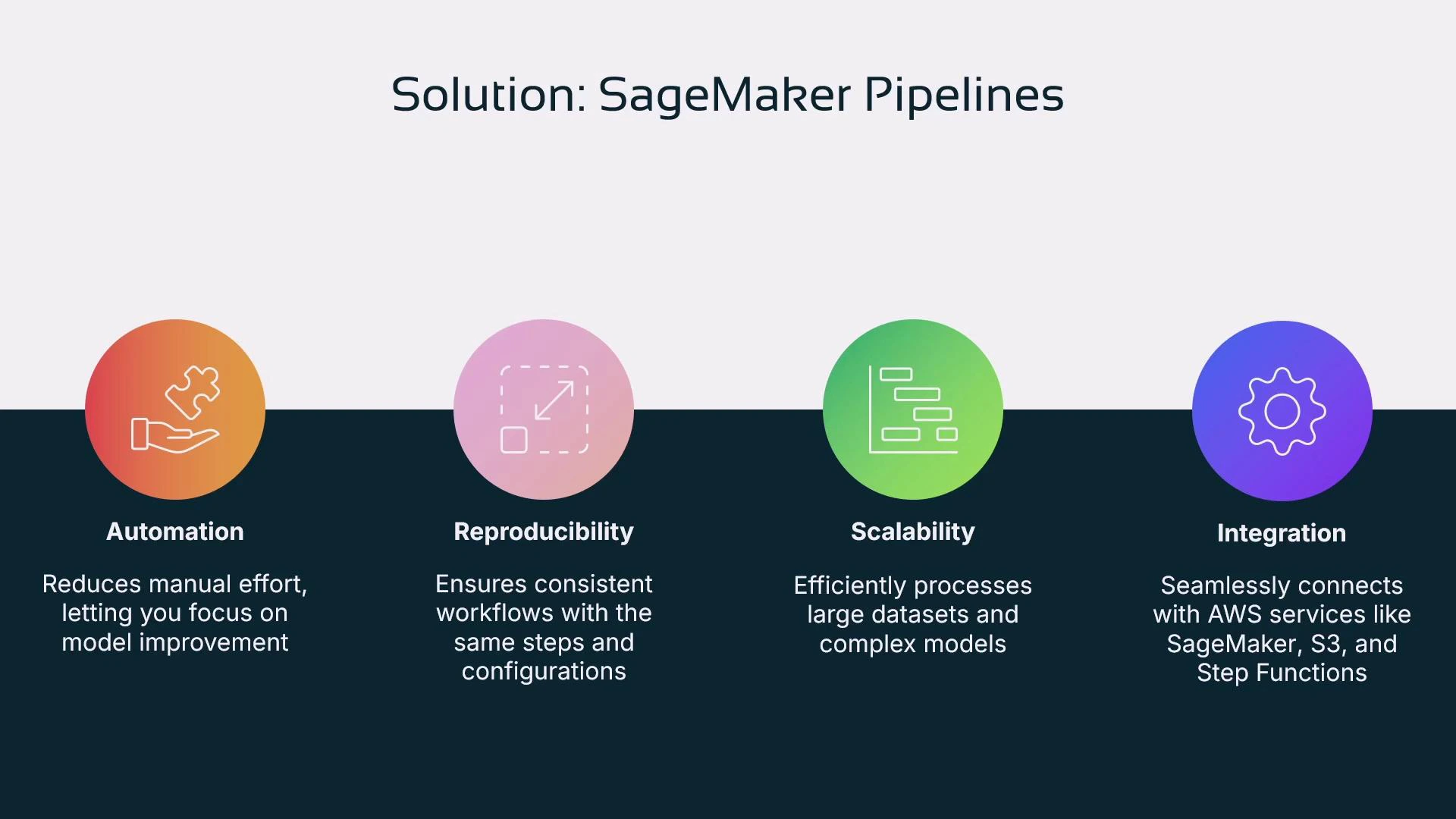
Manual notebook-driven experimentation (running cells by hand) is error-prone and difficult to reproduce. Automation provides:
* Reproducibility and lineage: with the same inputs (data version, algorithm version, scripts) you should reproduce the same model artifact.
* Scalability: automation enables large-scale experiments and workloads.
* Integration: pipelines connect natively with AWS services like S3, Lambda, Step Functions, and the SageMaker Model Registry.
Links and references:
* [S3 Overview](https://learn.kodekloud.com/user/courses/amazon-simple-storage-service-amazon-s3)
* [AWS Lambda Docs](https://learn.kodekloud.com/user/courses/aws-lambda)
* [AWS Step Functions](https://docs.aws.amazon.com/step-functions/latest/dg/welcome.html)
* [SageMaker Model Registry](https://docs.aws.amazon.com/sagemaker/latest/dg/model-registry.html)
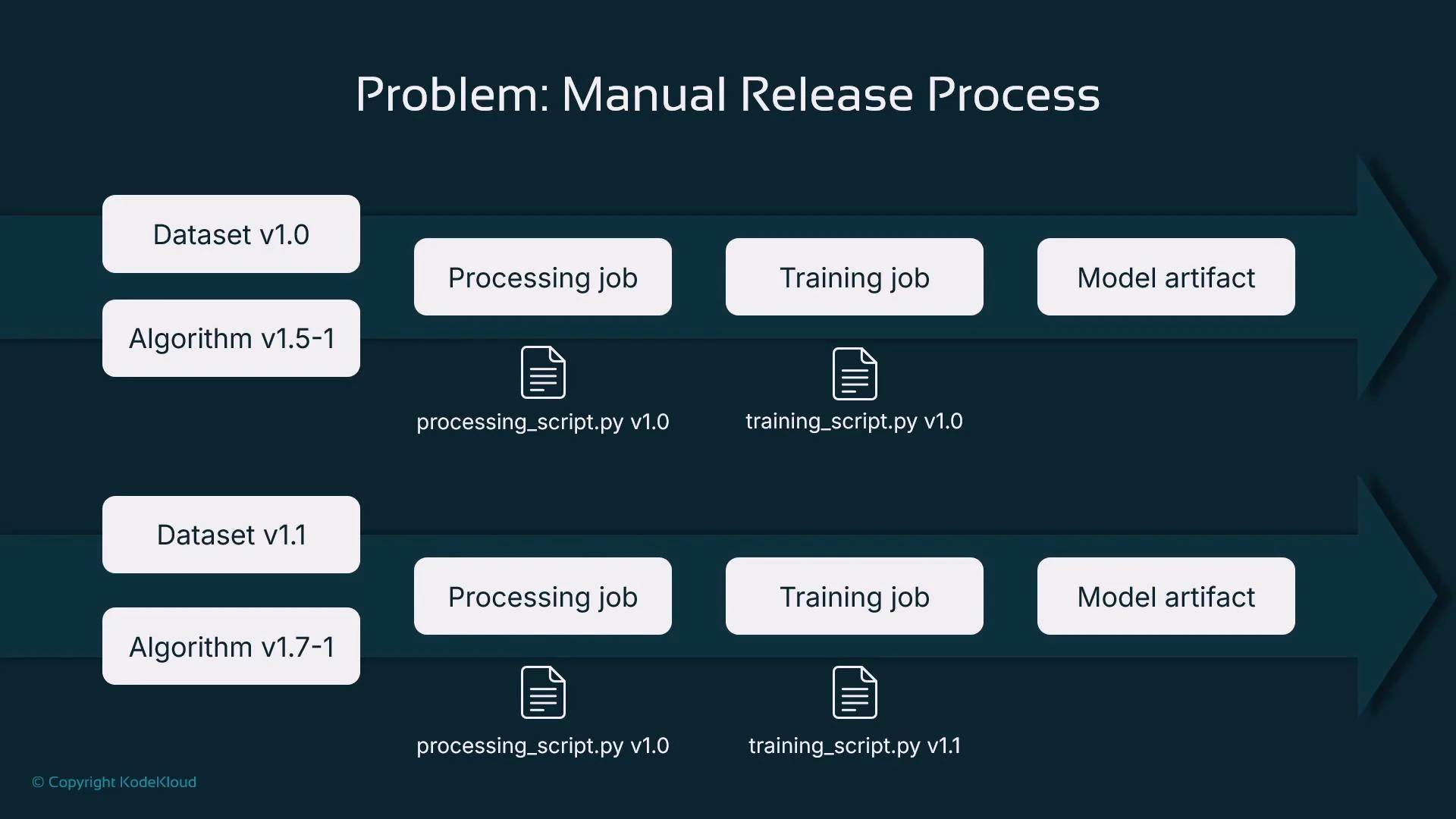 Typical manual flow:
* Choose a dataset (versioned)
* Pick an algorithm and its version
* Run data processing (scaling, encoding, imputation)
* Run a training job (possibly hyperparameter tuning)
* Store and register model artifacts
* Repeat when code, data, or algorithm versions change
Each component should be versioned to track model lineage and enable reproducibility. However, manually invoking these steps (for example, by running notebook cells) makes consistent, repeatable runs and scale-out difficult.
***
## Solution: SageMaker Pipelines
SageMaker Pipelines lets you declare a sequence of steps and run them deterministically:
* Define processing, training, evaluation, registration, and (optionally) deployment steps.
* Provide inputs such as dataset S3 paths, script locations, algorithm versions, and hyperparameters.
* Execute the pipeline programmatically or via orchestration systems (CI/CD, Step Functions, Airflow).
Benefits include automation, reproducibility, scalability, and native AWS integrations.
Typical manual flow:
* Choose a dataset (versioned)
* Pick an algorithm and its version
* Run data processing (scaling, encoding, imputation)
* Run a training job (possibly hyperparameter tuning)
* Store and register model artifacts
* Repeat when code, data, or algorithm versions change
Each component should be versioned to track model lineage and enable reproducibility. However, manually invoking these steps (for example, by running notebook cells) makes consistent, repeatable runs and scale-out difficult.
***
## Solution: SageMaker Pipelines
SageMaker Pipelines lets you declare a sequence of steps and run them deterministically:
* Define processing, training, evaluation, registration, and (optionally) deployment steps.
* Provide inputs such as dataset S3 paths, script locations, algorithm versions, and hyperparameters.
* Execute the pipeline programmatically or via orchestration systems (CI/CD, Step Functions, Airflow).
Benefits include automation, reproducibility, scalability, and native AWS integrations.
 ***
## How pipelines fit into an enterprise lifecycle
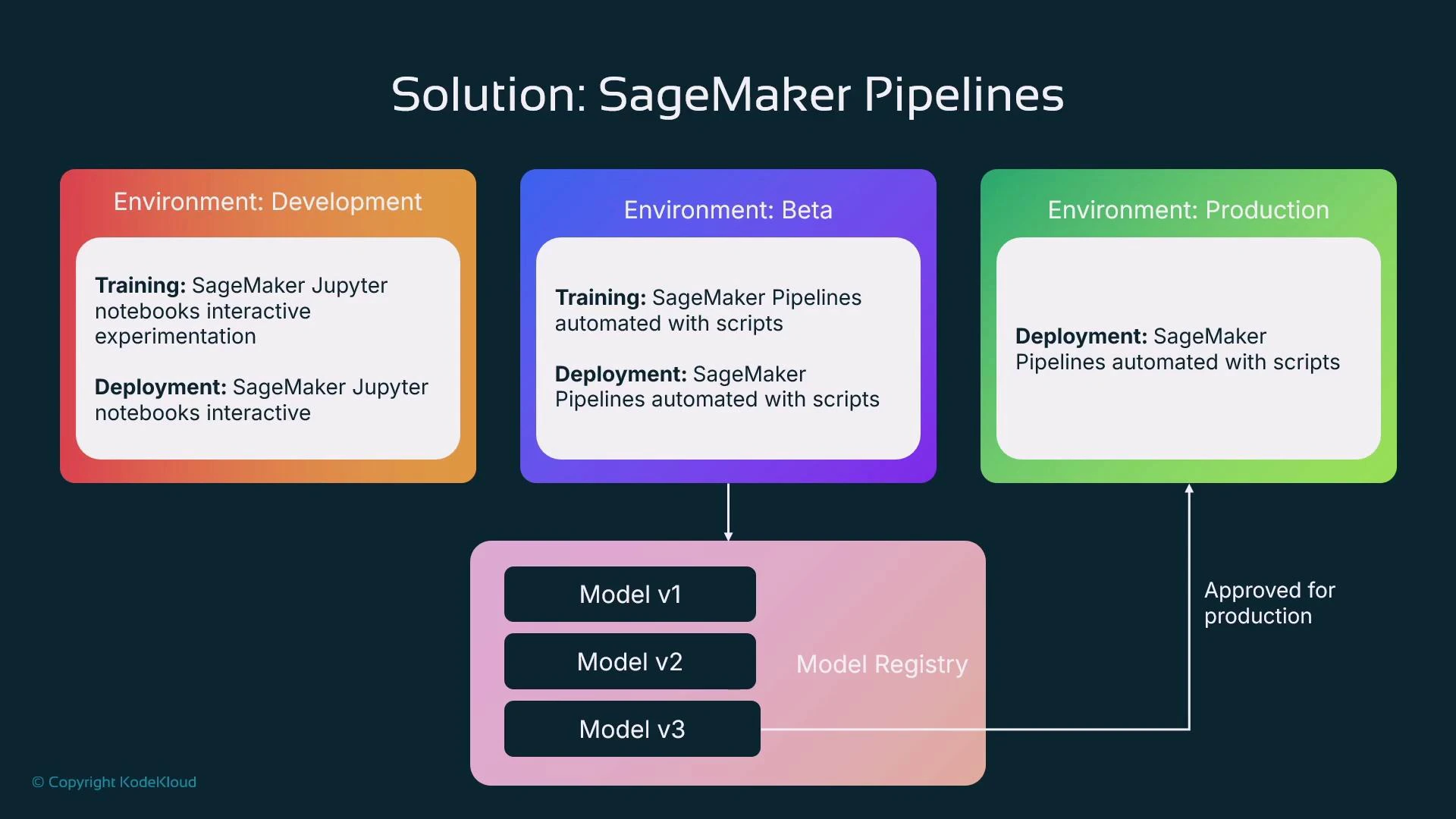
* Development: data scientists iterate interactively in notebooks (exploration, prototyping).
* Beta / Pre-production: start productionizing by replacing manual steps with automated pipelines for retraining, evaluation, and model registration in staging.
* Production: approved model versions in the Model Registry are promoted and deployed automatically. The registry approval can trigger a deployment pipeline.
Use separate pipelines for training and deployment for clearer responsibilities: training pipelines produce registered model versions; a deployment pipeline consumes approved versions.
***
## How pipelines fit into an enterprise lifecycle
* Development: data scientists iterate interactively in notebooks (exploration, prototyping).
* Beta / Pre-production: start productionizing by replacing manual steps with automated pipelines for retraining, evaluation, and model registration in staging.
* Production: approved model versions in the Model Registry are promoted and deployed automatically. The registry approval can trigger a deployment pipeline.
Use separate pipelines for training and deployment for clearer responsibilities: training pipelines produce registered model versions; a deployment pipeline consumes approved versions.
 ***
## Why use scripts (not notebooks) as pipeline steps?
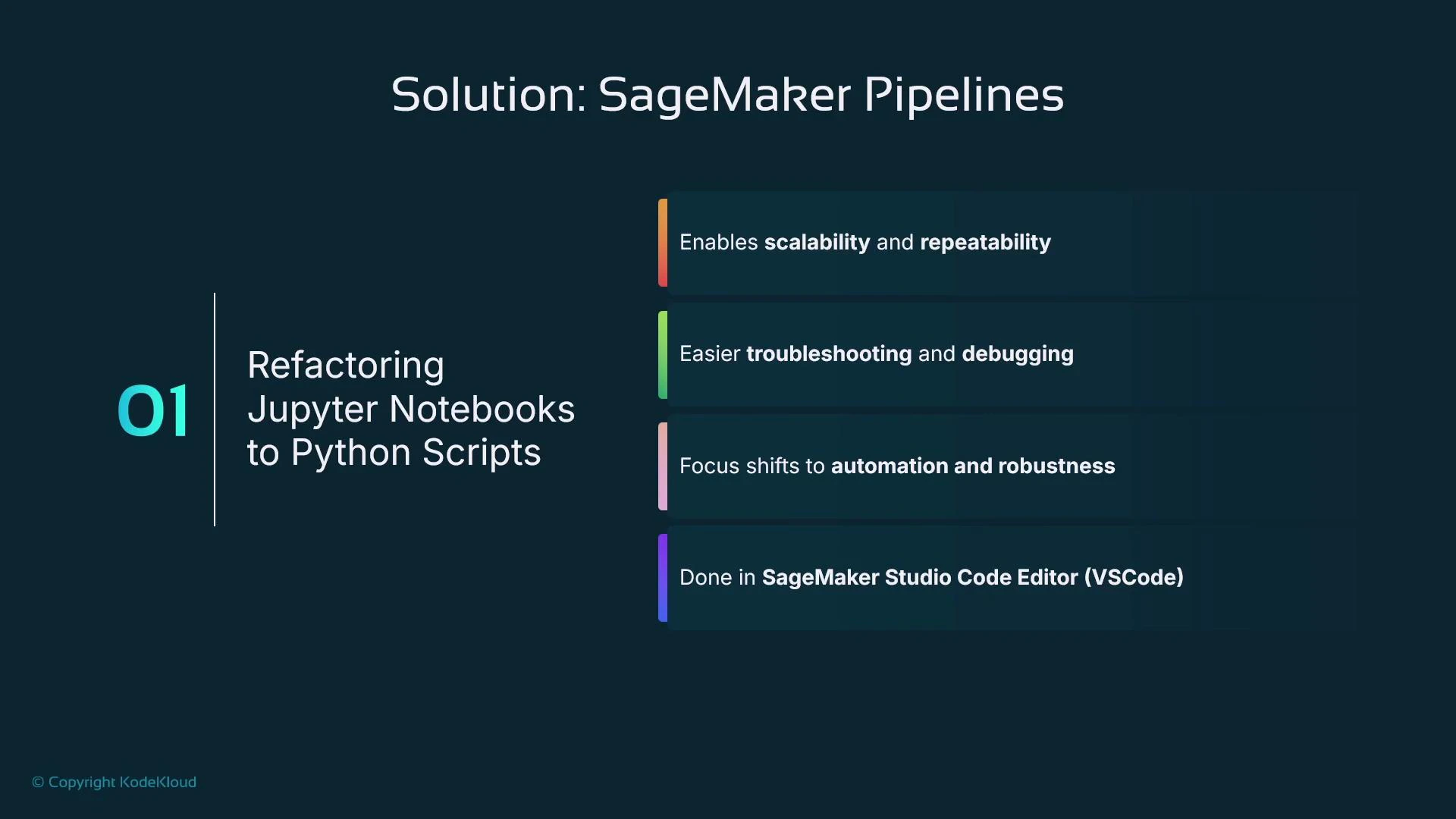
Each pipeline step usually maps to a standalone Python script, not an interactive notebook. Scripts are preferred because:
* Deterministic execution (no interactive prompts)
* Easier to add error handling, logging, and retries
* More robust for automation and production debugging
* Better suited for CI/CD and version control
Refactoring notebook code into well-defined Python scripts improves maintainability. Use an IDE like SageMaker Studio Code Editor or VS Code for development and debugging before integrating into pipelines.
***
## Why use scripts (not notebooks) as pipeline steps?
Each pipeline step usually maps to a standalone Python script, not an interactive notebook. Scripts are preferred because:
* Deterministic execution (no interactive prompts)
* Easier to add error handling, logging, and retries
* More robust for automation and production debugging
* Better suited for CI/CD and version control
Refactoring notebook code into well-defined Python scripts improves maintainability. Use an IDE like SageMaker Studio Code Editor or VS Code for development and debugging before integrating into pipelines.
 Alternative approaches for using notebook code inside pipelines:
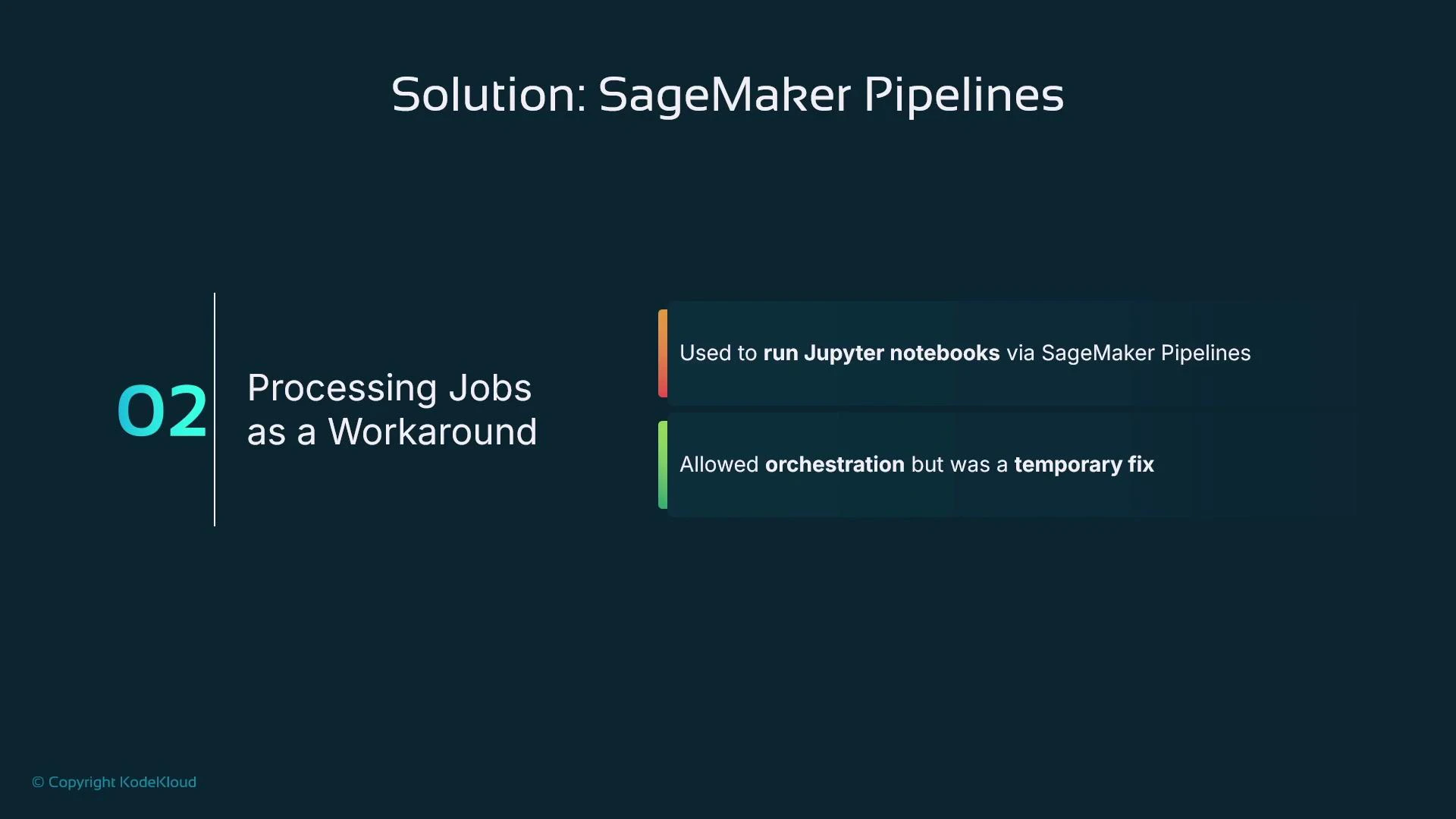
* Run notebooks via processing jobs with papermill (an orchestration workaround that still carries notebook limitations).
* Newer native support: SageMaker Pipelines can run Jupyter notebooks as steps in some regions — convenient but not always available and notebook code commonly lacks production-grade error handling.
Alternative approaches for using notebook code inside pipelines:
* Run notebooks via processing jobs with papermill (an orchestration workaround that still carries notebook limitations).
* Newer native support: SageMaker Pipelines can run Jupyter notebooks as steps in some regions — convenient but not always available and notebook code commonly lacks production-grade error handling.
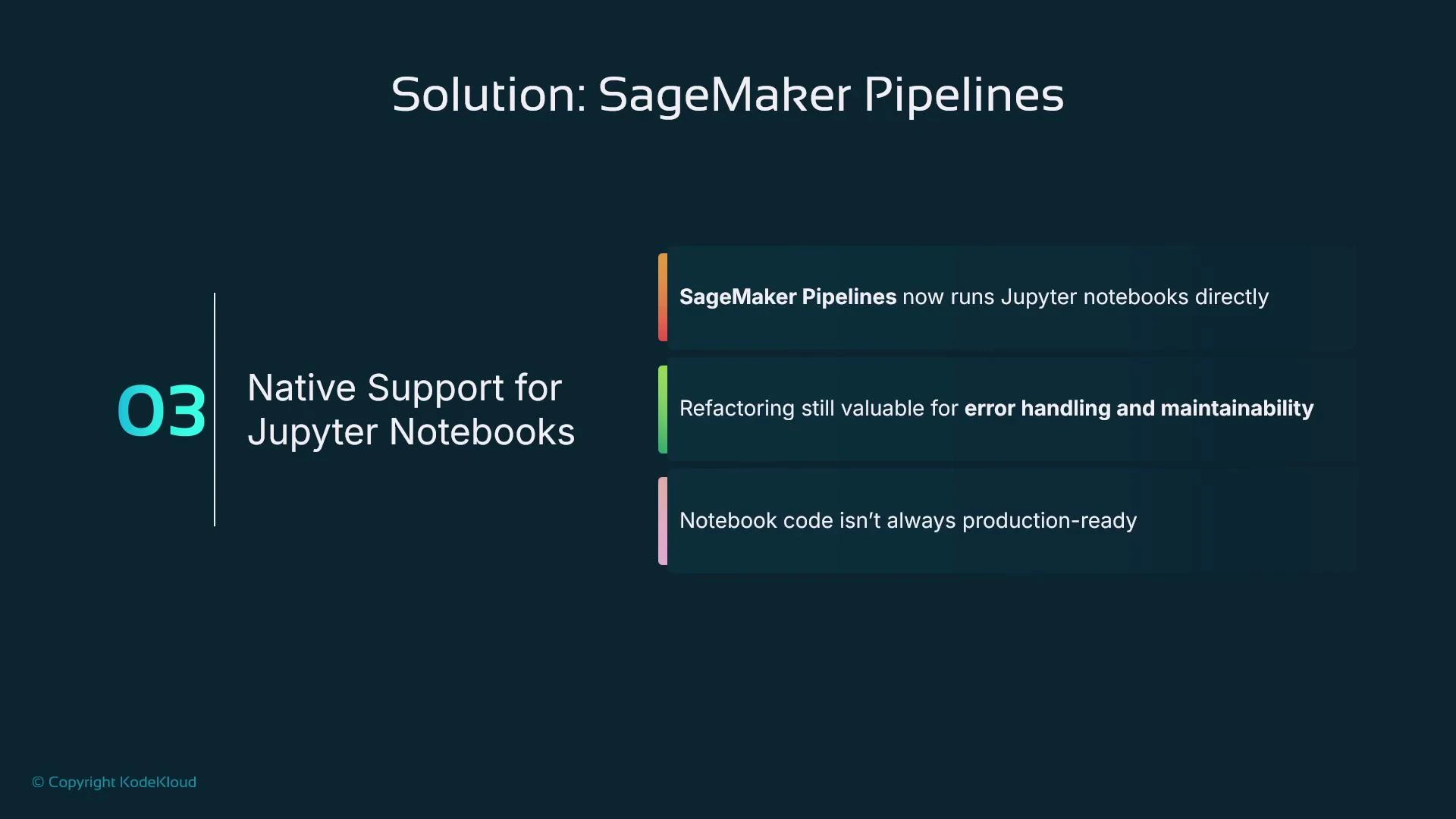 Notebooks can be executed by pipelines in some regions, but they often lack structured error handling and are less portable. For production pipelines, prefer dedicated scripts stored in a Git repository.
***
## Recommended script-to-step mapping
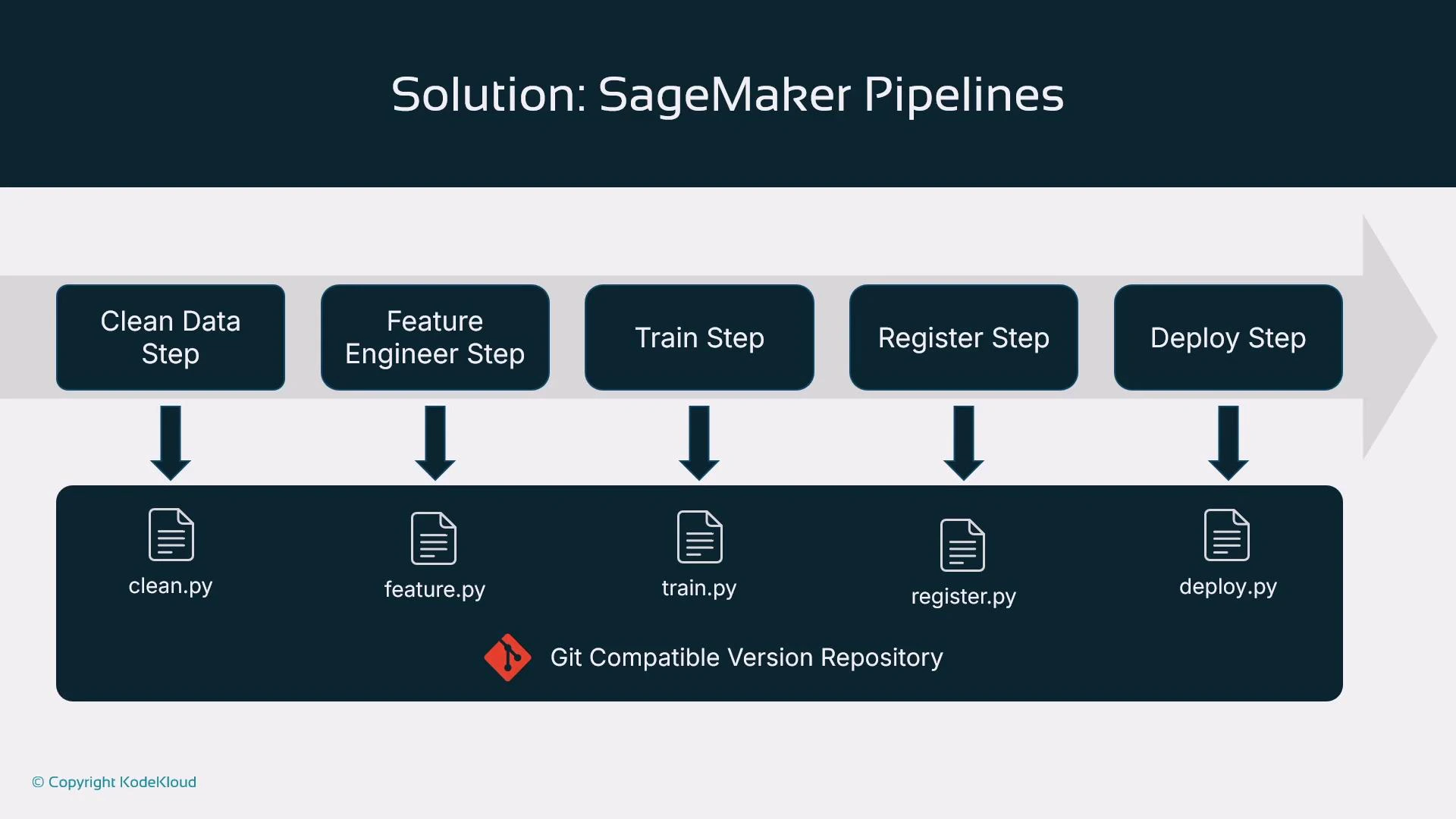
Store scripts in a Git repo and invoke them from pipeline steps. Example mapping:
| Pipeline Step | Typical Script Filename | Purpose |
| ------------------- | ----------------------- | ------------------------------------------- |
| Data cleaning | clean.py | Data validation and cleaning |
| Feature engineering | feature.py | Feature transforms and feature store writes |
| Training | train.py | Estimator creation and training logic |
| Evaluation | evaluation.py | Model scoring, metrics, and validation |
| Model registration | register.py | Register model in the Model Registry |
| Deployment | deploy.py | Deploy model to an endpoint (optional) |
Notebooks can be executed by pipelines in some regions, but they often lack structured error handling and are less portable. For production pipelines, prefer dedicated scripts stored in a Git repository.
***
## Recommended script-to-step mapping
Store scripts in a Git repo and invoke them from pipeline steps. Example mapping:
| Pipeline Step | Typical Script Filename | Purpose |
| ------------------- | ----------------------- | ------------------------------------------- |
| Data cleaning | clean.py | Data validation and cleaning |
| Feature engineering | feature.py | Feature transforms and feature store writes |
| Training | train.py | Estimator creation and training logic |
| Evaluation | evaluation.py | Model scoring, metrics, and validation |
| Model registration | register.py | Register model in the Model Registry |
| Deployment | deploy.py | Deploy model to an endpoint (optional) |
 ***
## Creating pipelines: Visual Editor vs. SDK
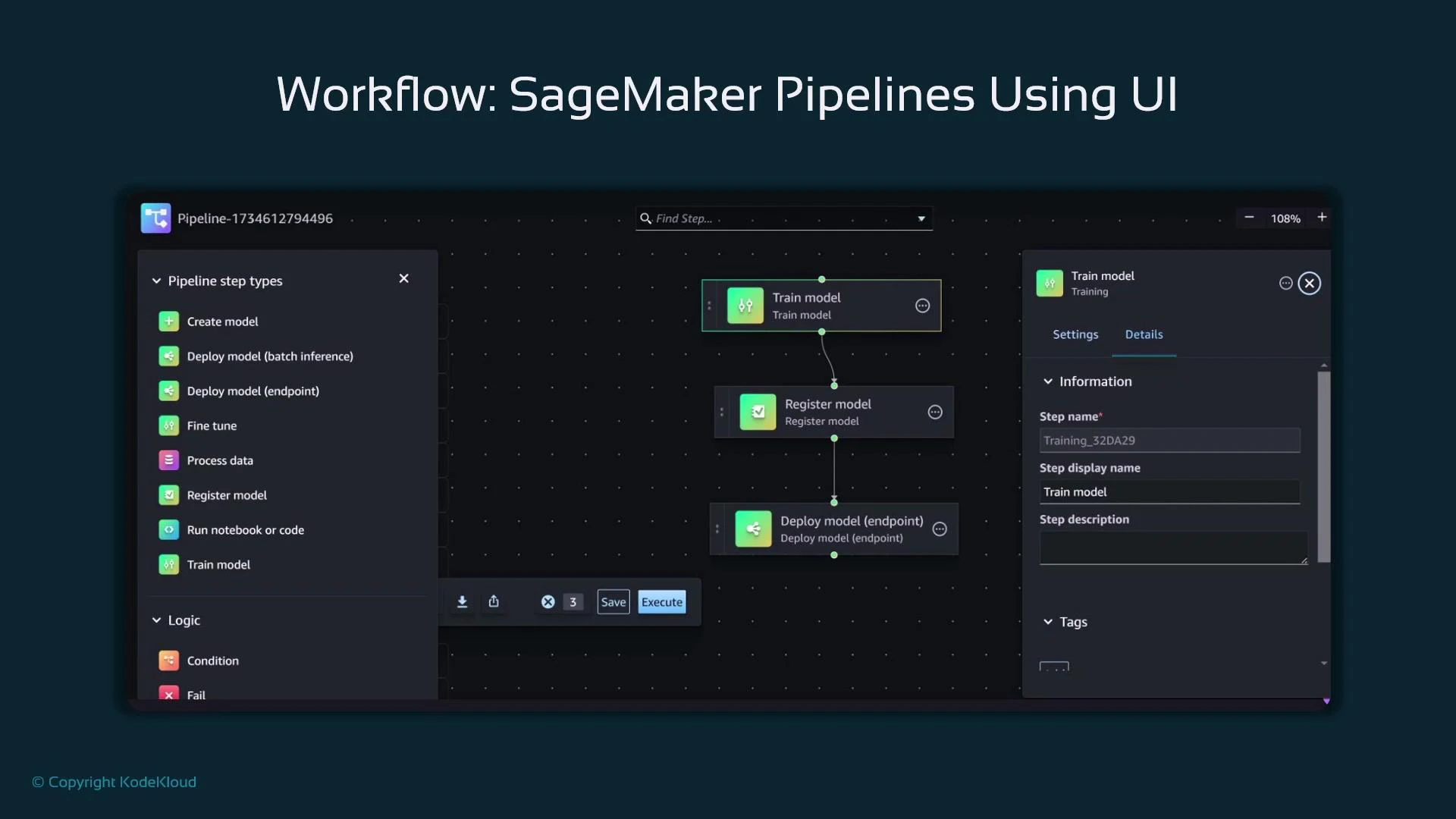
* Studio Visual Editor: drag-and-drop, low-code, quick visualization. Good for simple pipelines but limited customization and binding arbitrary scripts to arbitrary step types.
* SageMaker Python SDK (recommended): define ProcessingStep, TrainingStep, RegisterModel, etc., in code. This gives full control, versioning in code, parameterization, and reuse.
***
## Creating pipelines: Visual Editor vs. SDK
* Studio Visual Editor: drag-and-drop, low-code, quick visualization. Good for simple pipelines but limited customization and binding arbitrary scripts to arbitrary step types.
* SageMaker Python SDK (recommended): define ProcessingStep, TrainingStep, RegisterModel, etc., in code. This gives full control, versioning in code, parameterization, and reuse.
 ***
## Example: Build a SageMaker Pipeline using the SDK
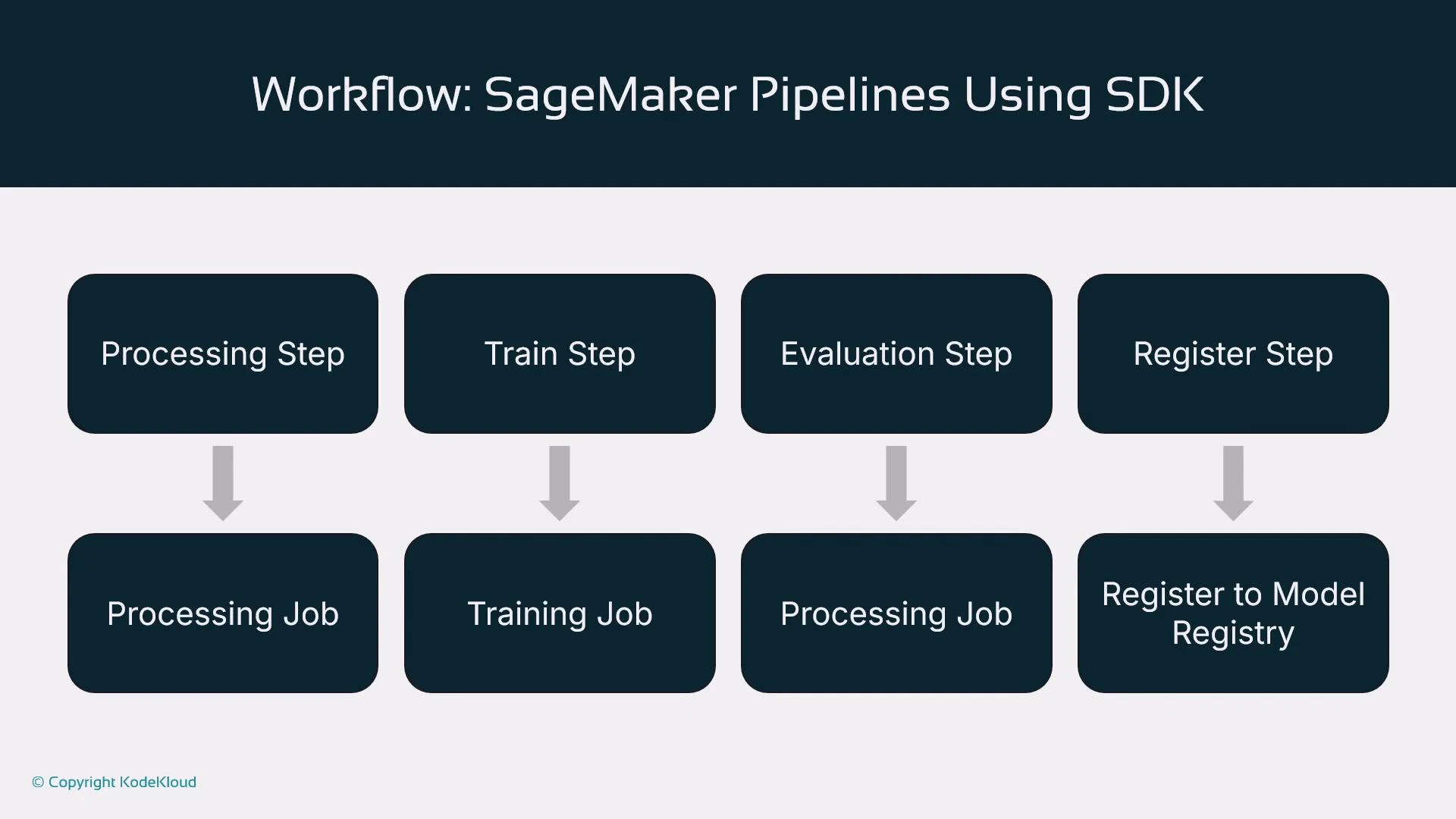
Below is a concise, complete example that defines a data preprocessing ProcessingStep, a TrainingStep, a model evaluation ProcessingStep, and a RegisterModel step. Finally, these steps are assembled into a Pipeline object and executed.
Assumptions:
* SDK imports, `role`, `pipeline_session`, `bucket`, `input_data`, `train_instance_type`, and `train_instance_count` are already defined and configured.
```python theme={null}
# Processing Step: Data Preprocessing
sklearn_processor = SKLearnProcessor(
framework_version="1.0-1",
role=role,
instance_type="ml.m5.xlarge",
instance_count=1,
sagemaker_session=pipeline_session,
)
processing_step = ProcessingStep(
name="DataPreprocessing",
processor=sklearn_processor,
inputs=[], # e.g., ProcessingInput(source=input_data, destination="/opt/ml/processing/input")
outputs=[], # e.g., ProcessingOutput(source="/opt/ml/processing/output", destination=f"s3://{bucket}/processed")
code="preprocessing.py",
)
# Training Step: Model Training
xgb_estimator = Estimator(
image_uri=sagemaker.image_uris.retrieve(
framework="xgboost",
region=boto3.Session().region_name,
version="1.5-1",
),
role=role,
instance_count=train_instance_count,
instance_type=train_instance_type,
output_path=f"s3://{bucket}/output",
sagemaker_session=pipeline_session,
)
training_step = TrainingStep(
name="ModelTraining",
estimator=xgb_estimator,
inputs={"train": TrainingInput(input_data, content_type="text/csv")},
)
# Model Evaluation Step (Processing job running evaluation.py)
evaluation_processor = ScriptProcessor(
image_uri="763104351884.dkr.ecr.us-west-2.amazonaws.com/sklearn-processing:1.0-1",
role=role,
instance_count=1,
instance_type="ml.m5.large",
command=["python3"],
sagemaker_session=pipeline_session,
)
evaluation_step = ProcessingStep(
name="ModelEvaluation",
processor=evaluation_processor,
inputs=[], # e.g., use training_step.outputs for model artifacts
outputs=[],
code="evaluation.py",
)
# Register Model Step
register_model_step = RegisterModel(
name="RegisterModel",
estimator=xgb_estimator,
model_data=training_step.properties.ModelArtifacts.S3ModelArtifacts,
content_types=["text/csv"],
response_types=["text/csv"],
)
# Create Pipeline (order defines execution sequence)
pipeline = Pipeline(
name="MySageMakerPipeline",
parameters=[input_data, train_instance_type, train_instance_count],
steps=[processing_step, training_step, evaluation_step, register_model_step],
)
# Create or update and start execution
pipeline.upsert(role_arn=role)
execution = pipeline.start()
print(execution.describe())
```
Key notes:
* Define steps first; the pipeline's step list dictates execution order.
* pipeline.upsert(...) creates or updates the pipeline resource in SageMaker.
* pipeline.start() launches an execution; use execution.describe() to inspect status.
* Parameterize S3 paths, instance types, and instance counts for flexible reuse.
***
## Example: Build a SageMaker Pipeline using the SDK
Below is a concise, complete example that defines a data preprocessing ProcessingStep, a TrainingStep, a model evaluation ProcessingStep, and a RegisterModel step. Finally, these steps are assembled into a Pipeline object and executed.
Assumptions:
* SDK imports, `role`, `pipeline_session`, `bucket`, `input_data`, `train_instance_type`, and `train_instance_count` are already defined and configured.
```python theme={null}
# Processing Step: Data Preprocessing
sklearn_processor = SKLearnProcessor(
framework_version="1.0-1",
role=role,
instance_type="ml.m5.xlarge",
instance_count=1,
sagemaker_session=pipeline_session,
)
processing_step = ProcessingStep(
name="DataPreprocessing",
processor=sklearn_processor,
inputs=[], # e.g., ProcessingInput(source=input_data, destination="/opt/ml/processing/input")
outputs=[], # e.g., ProcessingOutput(source="/opt/ml/processing/output", destination=f"s3://{bucket}/processed")
code="preprocessing.py",
)
# Training Step: Model Training
xgb_estimator = Estimator(
image_uri=sagemaker.image_uris.retrieve(
framework="xgboost",
region=boto3.Session().region_name,
version="1.5-1",
),
role=role,
instance_count=train_instance_count,
instance_type=train_instance_type,
output_path=f"s3://{bucket}/output",
sagemaker_session=pipeline_session,
)
training_step = TrainingStep(
name="ModelTraining",
estimator=xgb_estimator,
inputs={"train": TrainingInput(input_data, content_type="text/csv")},
)
# Model Evaluation Step (Processing job running evaluation.py)
evaluation_processor = ScriptProcessor(
image_uri="763104351884.dkr.ecr.us-west-2.amazonaws.com/sklearn-processing:1.0-1",
role=role,
instance_count=1,
instance_type="ml.m5.large",
command=["python3"],
sagemaker_session=pipeline_session,
)
evaluation_step = ProcessingStep(
name="ModelEvaluation",
processor=evaluation_processor,
inputs=[], # e.g., use training_step.outputs for model artifacts
outputs=[],
code="evaluation.py",
)
# Register Model Step
register_model_step = RegisterModel(
name="RegisterModel",
estimator=xgb_estimator,
model_data=training_step.properties.ModelArtifacts.S3ModelArtifacts,
content_types=["text/csv"],
response_types=["text/csv"],
)
# Create Pipeline (order defines execution sequence)
pipeline = Pipeline(
name="MySageMakerPipeline",
parameters=[input_data, train_instance_type, train_instance_count],
steps=[processing_step, training_step, evaluation_step, register_model_step],
)
# Create or update and start execution
pipeline.upsert(role_arn=role)
execution = pipeline.start()
print(execution.describe())
```
Key notes:
* Define steps first; the pipeline's step list dictates execution order.
* pipeline.upsert(...) creates or updates the pipeline resource in SageMaker.
* pipeline.start() launches an execution; use execution.describe() to inspect status.
* Parameterize S3 paths, instance types, and instance counts for flexible reuse.
 ***
## Triggers: how pipeline executions start
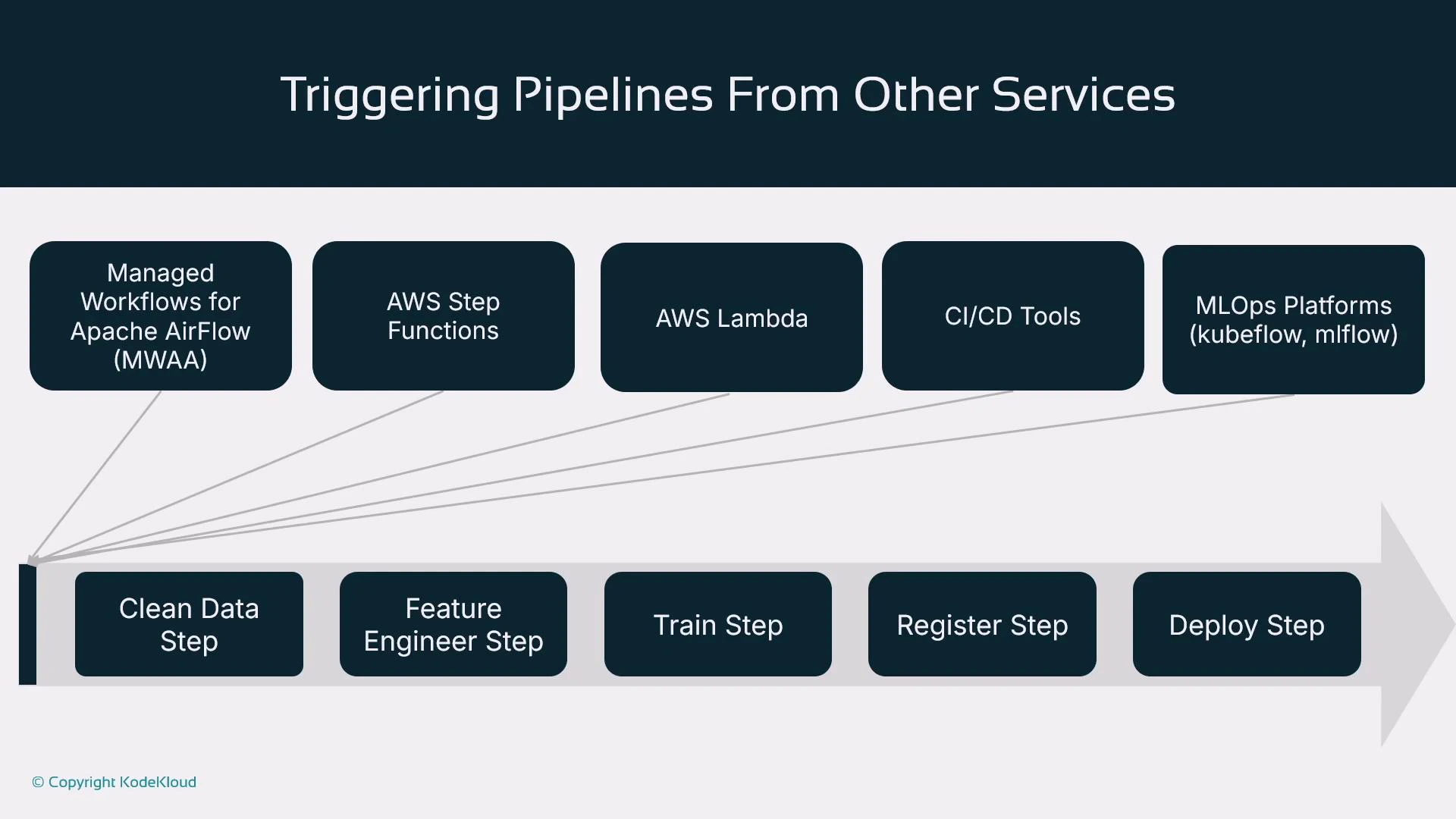
You can start a pipeline directly with pipeline.start(), but production pipelines are usually triggered by external systems:
| Trigger Type | Use Case / Notes |
| ----------------------------------------------------- | --------------------------------------------------------------- |
| Managed Workflows for Apache Airflow (MWAA) / Airflow | Orchestrate complex DAGs across environments |
| AWS Step Functions | Serverless orchestration and long-running workflows |
| AWS Lambda | Event-driven triggers (e.g., S3 object creation) |
| CI/CD systems (Jenkins, CodePipeline, GitHub Actions) | Commit/push → CI checks → start SageMaker pipeline |
| MLOps platforms (MLflow, Kubeflow) | Integrate pipeline runs with model tracking and lifecycle tools |
References:
* [MWAA Overview](https://docs.aws.amazon.com/mwaa/latest/userguide/what-is-mwaa.html)
* [AWS Step Functions](https://docs.aws.amazon.com/step-functions/latest/dg/welcome.html)
* [AWS Lambda](https://learn.kodekloud.com/user/courses/aws-lambda)
***
## Triggers: how pipeline executions start
You can start a pipeline directly with pipeline.start(), but production pipelines are usually triggered by external systems:
| Trigger Type | Use Case / Notes |
| ----------------------------------------------------- | --------------------------------------------------------------- |
| Managed Workflows for Apache Airflow (MWAA) / Airflow | Orchestrate complex DAGs across environments |
| AWS Step Functions | Serverless orchestration and long-running workflows |
| AWS Lambda | Event-driven triggers (e.g., S3 object creation) |
| CI/CD systems (Jenkins, CodePipeline, GitHub Actions) | Commit/push → CI checks → start SageMaker pipeline |
| MLOps platforms (MLflow, Kubeflow) | Integrate pipeline runs with model tracking and lifecycle tools |
References:
* [MWAA Overview](https://docs.aws.amazon.com/mwaa/latest/userguide/what-is-mwaa.html)
* [AWS Step Functions](https://docs.aws.amazon.com/step-functions/latest/dg/welcome.html)
* [AWS Lambda](https://learn.kodekloud.com/user/courses/aws-lambda)
 ***
## Summary
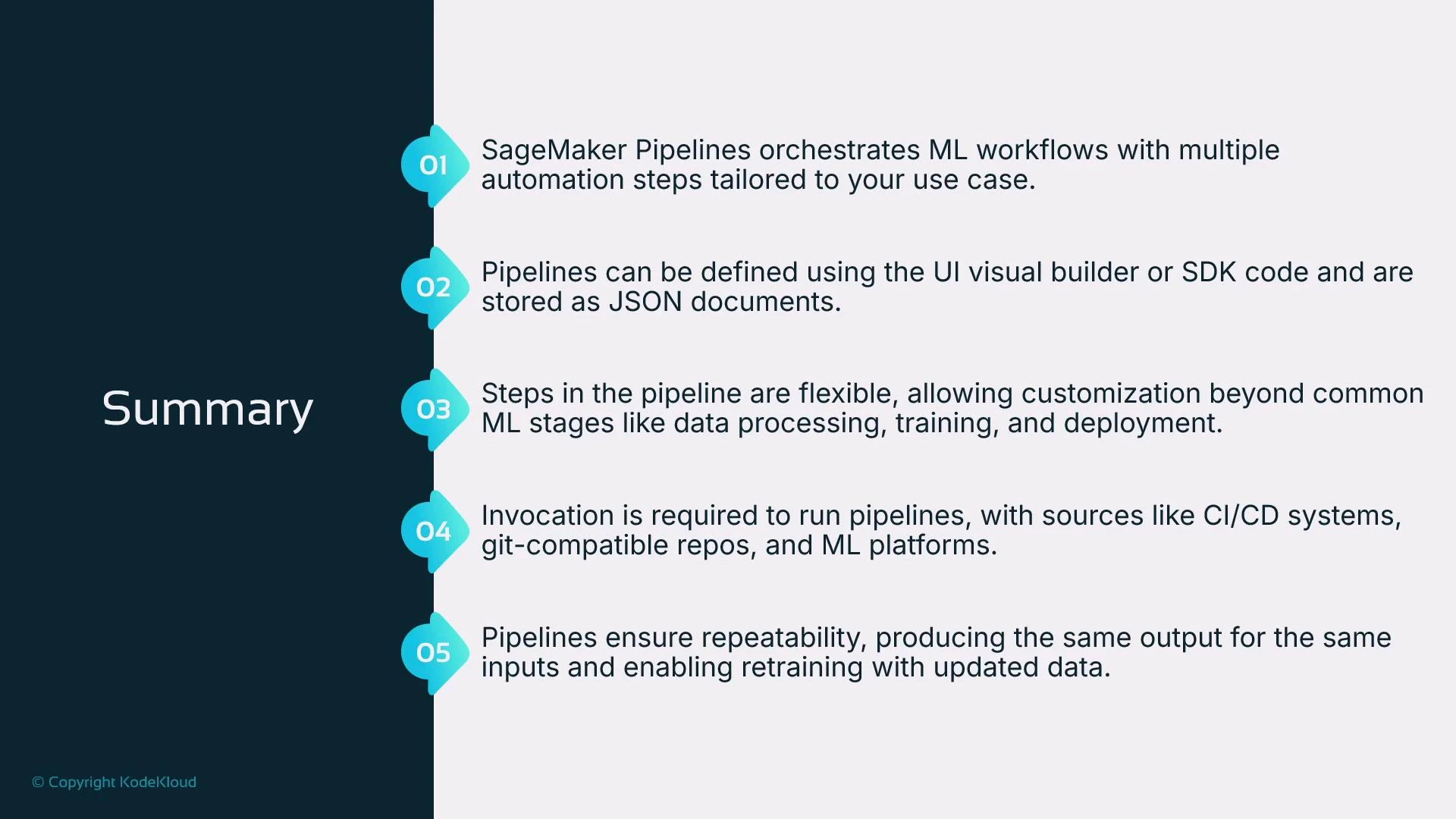
* SageMaker Pipelines orchestrates ML workflows and moves teams from manual notebook-driven experimentation to automated, reproducible pipelines.
* You can author pipelines via the Studio Visual Editor (low-code) or, preferably, via the SageMaker Python SDK for full control and version-in-code.
* Common steps include processing, training, evaluation, model registration, and deployment.
* Pipelines are typically triggered by external orchestrators (CI/CD, Step Functions, Airflow, MLOps platforms).
* The objective is repeatability: given the same inputs, pipelines produce consistent outputs and provide traceable lineage.
***
## Summary
* SageMaker Pipelines orchestrates ML workflows and moves teams from manual notebook-driven experimentation to automated, reproducible pipelines.
* You can author pipelines via the Studio Visual Editor (low-code) or, preferably, via the SageMaker Python SDK for full control and version-in-code.
* Common steps include processing, training, evaluation, model registration, and deployment.
* Pipelines are typically triggered by external orchestrators (CI/CD, Step Functions, Airflow, MLOps platforms).
* The objective is repeatability: given the same inputs, pipelines produce consistent outputs and provide traceable lineage.
 ***
## Next steps
Continue learning by exploring how to bootstrap new ML projects with predefined SageMaker pipelines that provide a reproducible starting point for experimentation and productionization. Consider creating a Git-backed project template that includes:
* Standardized scripts (clean.py, feature.py, train.py, evaluation.py, register.py)
* CI/CD pipeline definitions to validate and trigger SageMaker pipelines
* Terraform or CloudFormation templates for infrastructure reproducibility
For further reading and tutorials, refer to the official SageMaker documentation and AWS orchestration guides.
***
## Next steps
Continue learning by exploring how to bootstrap new ML projects with predefined SageMaker pipelines that provide a reproducible starting point for experimentation and productionization. Consider creating a Git-backed project template that includes:
* Standardized scripts (clean.py, feature.py, train.py, evaluation.py, register.py)
* CI/CD pipeline definitions to validate and trigger SageMaker pipelines
* Terraform or CloudFormation templates for infrastructure reproducibility
For further reading and tutorials, refer to the official SageMaker documentation and AWS orchestration guides.