> ## Documentation Index
> Fetch the complete documentation index at: https://notes.kodekloud.com/llms.txt
> Use this file to discover all available pages before exploring further.
# Security Groups and NACLs
> Explains AWS Security Groups versus Network ACLs, covering stateful versus stateless firewall behavior, rule processing, scope, configuration differences, and practical VPC usage.
This article explains how AWS Security Groups and Network Access Control Lists (NACLs) act as firewalls inside a VPC. First we cover general firewall concepts — inbound vs outbound rules, and the difference between stateless and stateful behavior — then map those concepts to NACLs and security groups in AWS.
## Firewall fundamentals
A firewall inspects network traffic and permits only traffic that matches a set of rules. Rules are categorized as:
* Inbound (ingress): controls traffic entering a resource.
* Outbound (egress): controls traffic leaving a resource.
Two common firewall behaviors:
* Stateless: evaluates each packet independently; the firewall does not track connection state.
* Stateful: tracks connection state (for example, TCP sessions) and implicitly allows return traffic for an established connection.
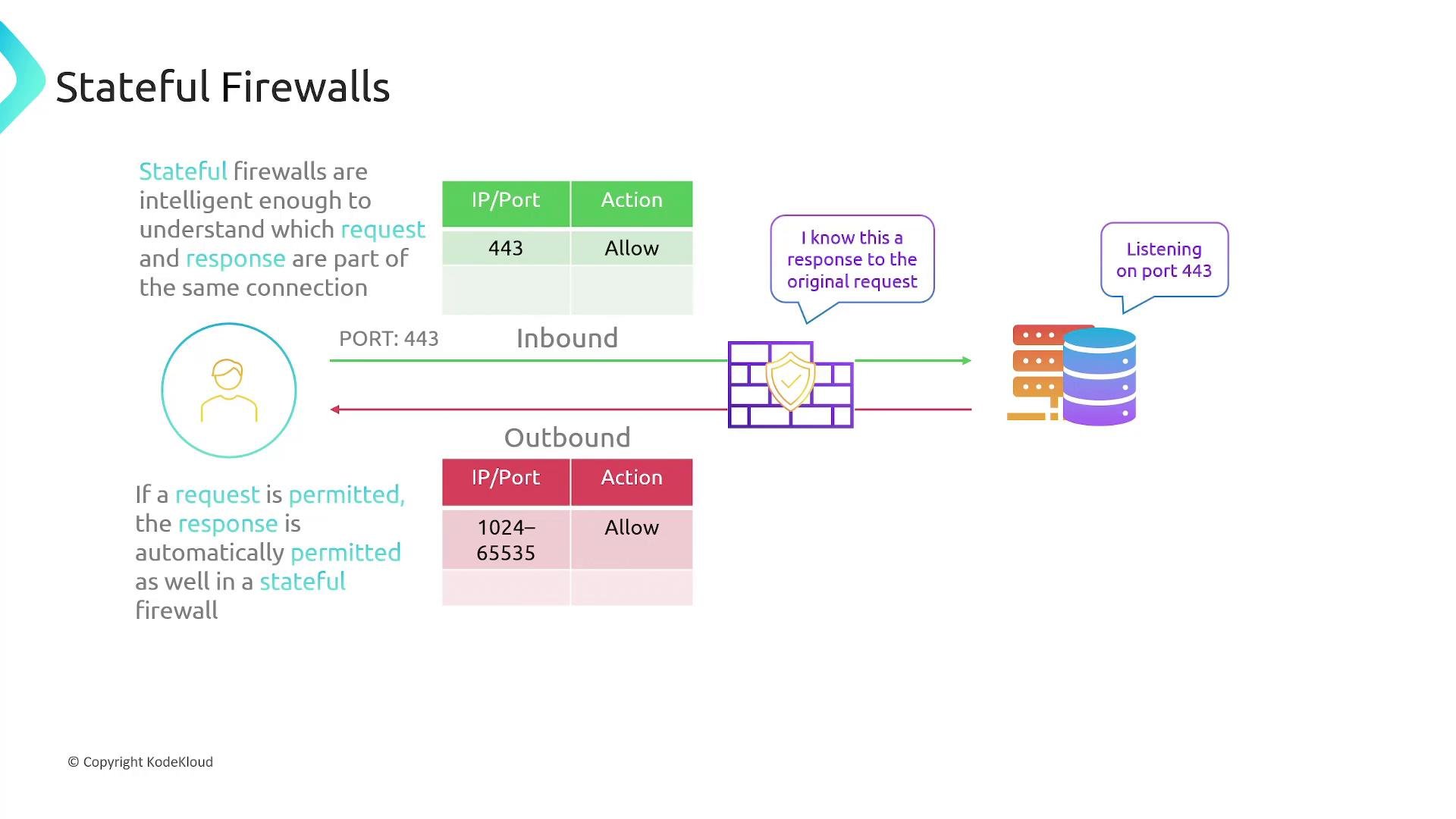
Example scenario — HTTPS web server:
* Client sends a request to the server with destination port 443.
* Server replies from source port 443 to the client's ephemeral source port (typically in the range 1024–65535).
Stateless firewall behavior:
* You must explicitly allow the inbound request (destination port 443) and also allow the outbound response (destination ephemeral port range).
* If the server initiates an outbound connection (for example, to an update server on port 80), you need rules allowing outbound port 80 and inbound ephemeral ports for the response.
* Key point: the firewall does not infer that a response should be allowed just because the request was allowed.
Stateful firewall behavior:
* Allowing inbound HTTPS (port 443) causes the firewall to track the TCP session and automatically permit the outbound response to the client’s ephemeral port.
* If the server initiates an outbound connection on port 80, only an outbound rule for port 80 is required; the corresponding inbound response is implicitly allowed.
 ## How this maps to AWS
AWS exposes two complementary firewall mechanisms within a VPC:
* Network Access Control Lists (NACLs): operate at the subnet level and are stateless.
* Security Groups: act at the resource level (ENIs, EC2, RDS, LBs) and are stateful.
Below we describe each service and practical configuration notes.
### Network Access Control Lists (NACLs)
Key characteristics:
* NACLs filter traffic entering and leaving a subnet in a VPC.
* Each subnet is associated with exactly one network ACL at a time, but a NACL can be associated with multiple subnets.
* NACLs are stateless — you must explicitly configure both inbound and outbound rules for each flow.
* NACLs do not evaluate traffic between instances within the same subnet.
## How this maps to AWS
AWS exposes two complementary firewall mechanisms within a VPC:
* Network Access Control Lists (NACLs): operate at the subnet level and are stateless.
* Security Groups: act at the resource level (ENIs, EC2, RDS, LBs) and are stateful.
Below we describe each service and practical configuration notes.
### Network Access Control Lists (NACLs)
Key characteristics:
* NACLs filter traffic entering and leaving a subnet in a VPC.
* Each subnet is associated with exactly one network ACL at a time, but a NACL can be associated with multiple subnets.
* NACLs are stateless — you must explicitly configure both inbound and outbound rules for each flow.
* NACLs do not evaluate traffic between instances within the same subnet.
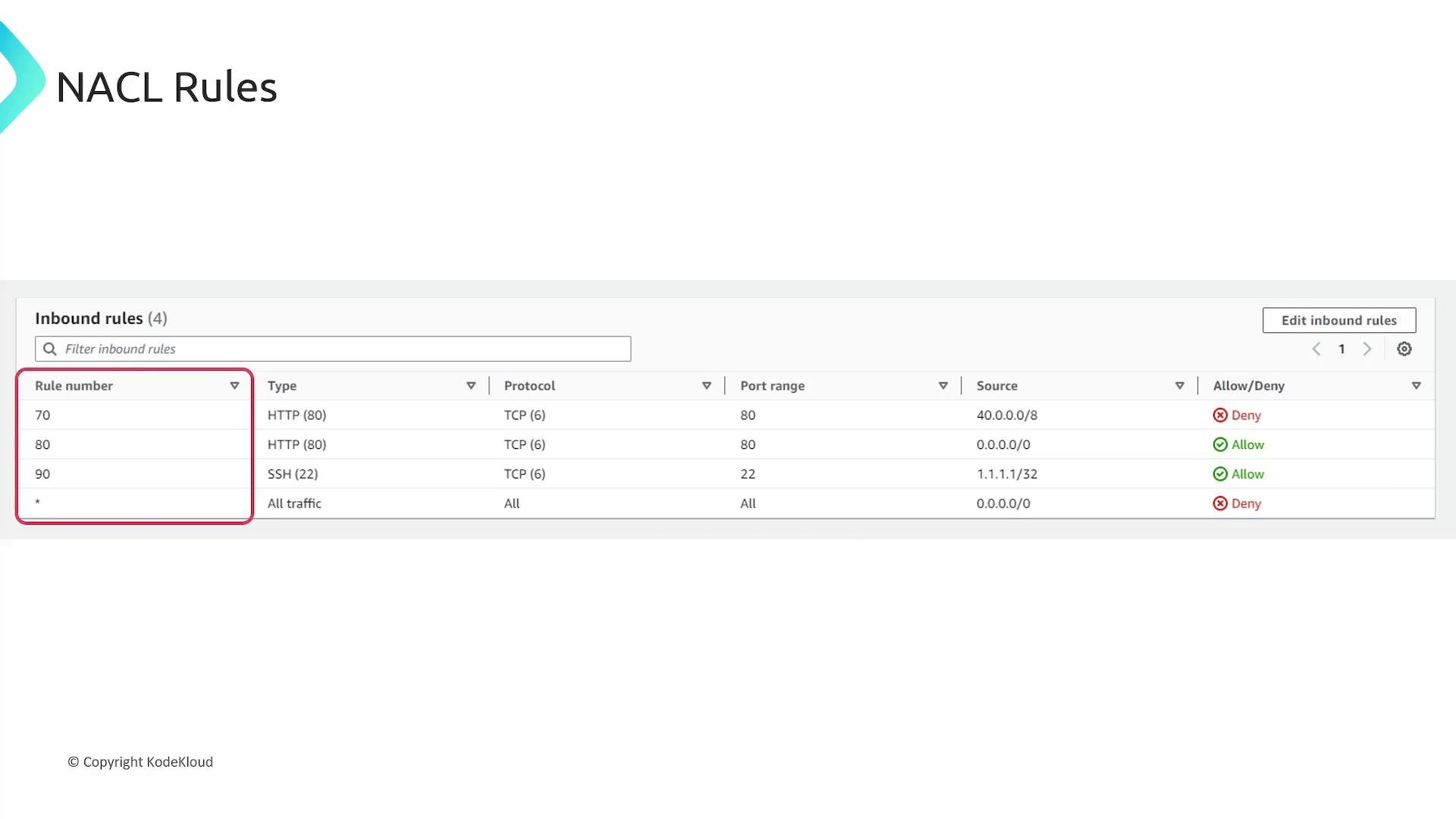
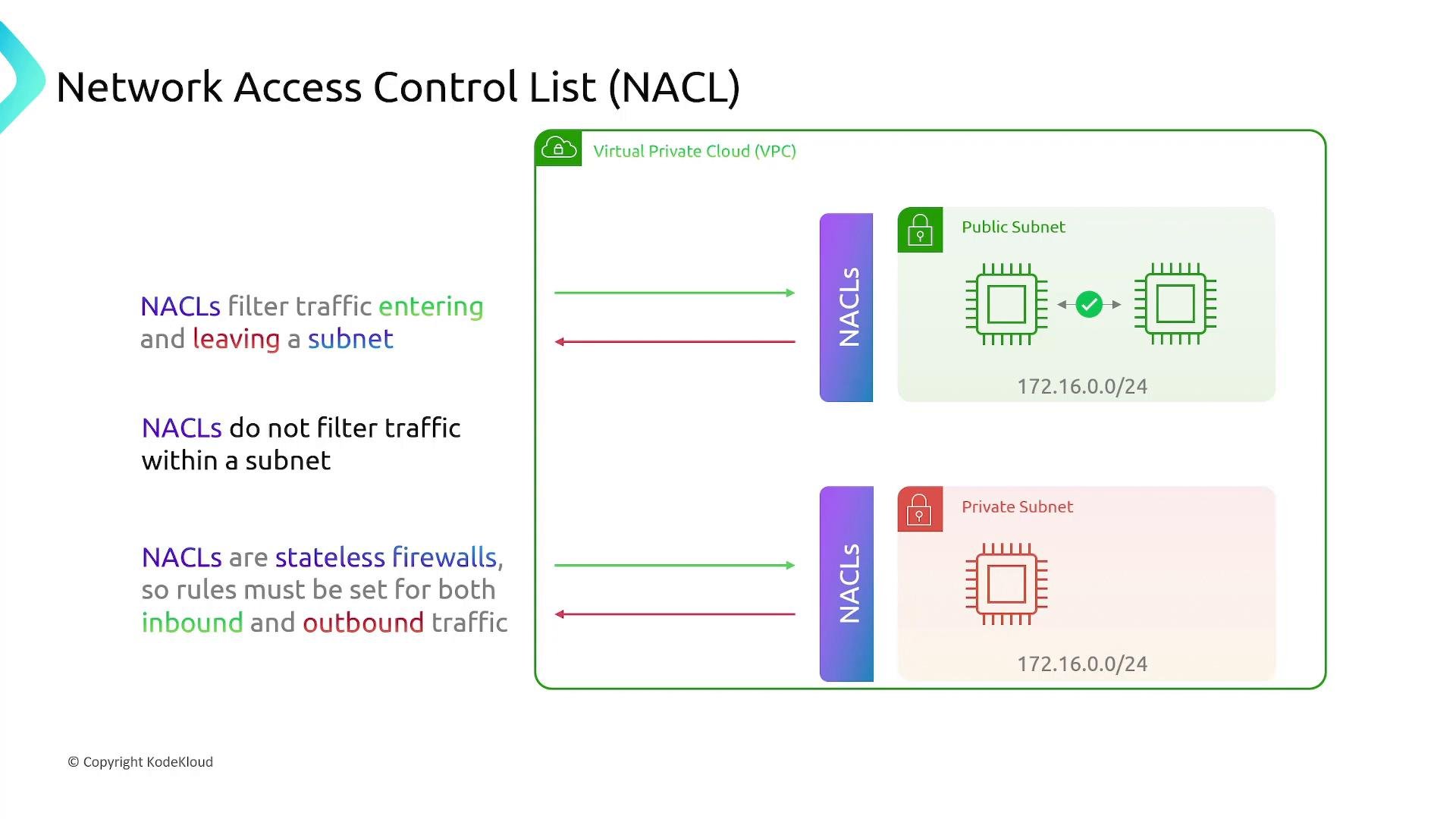 NACL rules are processed in ascending numeric order; the first matching rule is applied. Unlike security groups, NACL rules can explicitly `Allow` or `Deny` traffic.
### Security Groups
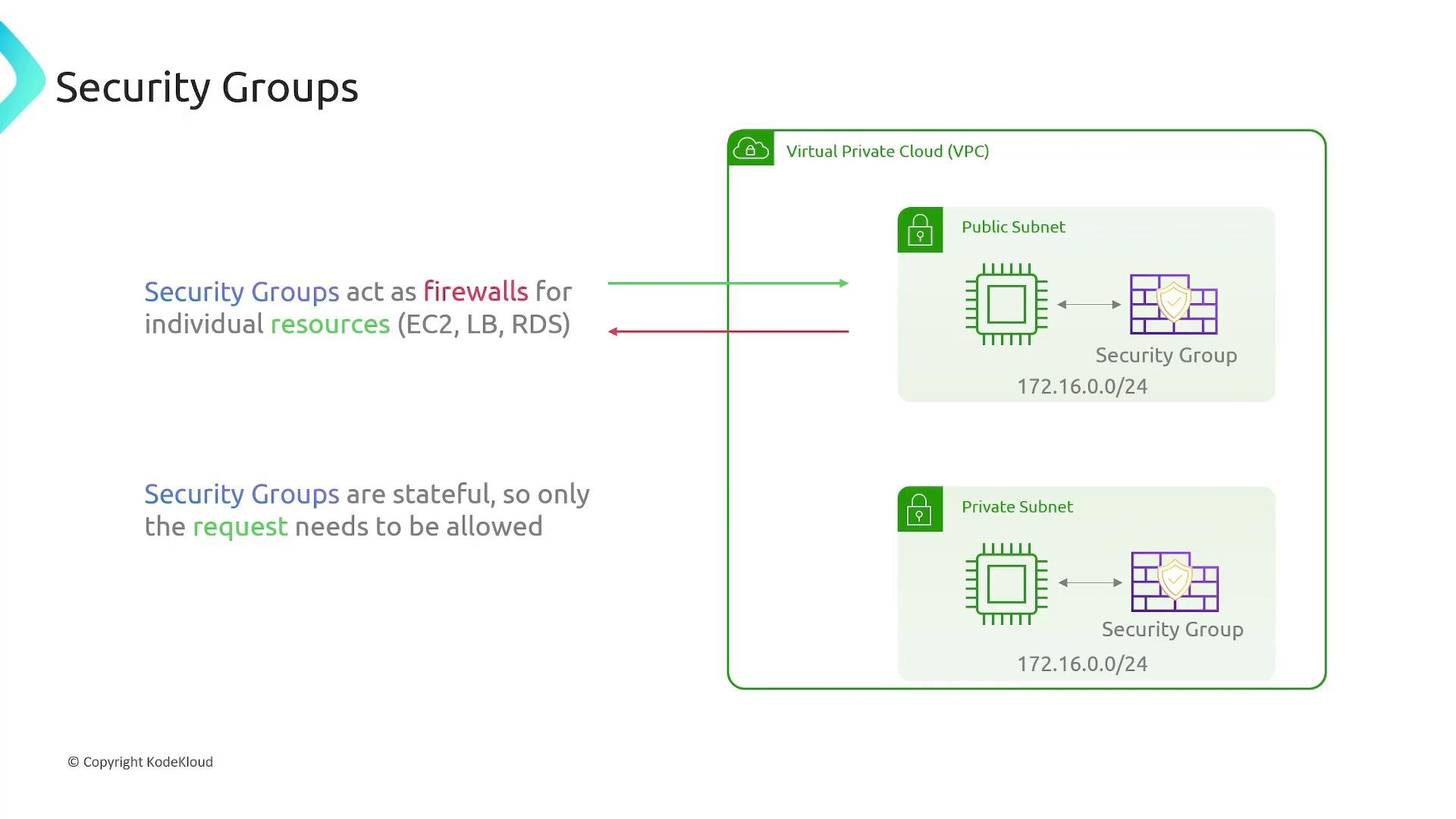
Key characteristics:
* Security groups act as virtual firewalls for individual resources (EC2 instances, ENIs, load balancers, RDS instances, etc.).
* Security groups are stateful: return traffic for an allowed request is automatically permitted.
* Security group rules are allow-only — there is no explicit deny rule. All traffic not explicitly allowed is implicitly denied.
NACL rules are processed in ascending numeric order; the first matching rule is applied. Unlike security groups, NACL rules can explicitly `Allow` or `Deny` traffic.
### Security Groups
Key characteristics:
* Security groups act as virtual firewalls for individual resources (EC2 instances, ENIs, load balancers, RDS instances, etc.).
* Security groups are stateful: return traffic for an allowed request is automatically permitted.
* Security group rules are allow-only — there is no explicit deny rule. All traffic not explicitly allowed is implicitly denied.
 ## Configuring Security Group rules (AWS Console)
Security groups show separate Inbound and Outbound sections; the rule fields look identical for both directions. Common rule fields:
* Name / description (optional) — human-friendly label.
* Rule ID (internal) — unique identifier.
* IP version — IPv4 or IPv6.
* Type / Protocol / Port range — e.g., HTTP → TCP port 80, HTTPS → TCP port 443, or a custom rule.
* Source (inbound) or Destination (outbound) — a CIDR range like `0.0.0.0/0` or a single IP like `1.1.1.1/32`.
Example: inbound rules that allow HTTP (TCP port 80) from everywhere and a custom TCP port 200 from a specific IP.
## Configuring Security Group rules (AWS Console)
Security groups show separate Inbound and Outbound sections; the rule fields look identical for both directions. Common rule fields:
* Name / description (optional) — human-friendly label.
* Rule ID (internal) — unique identifier.
* IP version — IPv4 or IPv6.
* Type / Protocol / Port range — e.g., HTTP → TCP port 80, HTTPS → TCP port 443, or a custom rule.
* Source (inbound) or Destination (outbound) — a CIDR range like `0.0.0.0/0` or a single IP like `1.1.1.1/32`.
Example: inbound rules that allow HTTP (TCP port 80) from everywhere and a custom TCP port 200 from a specific IP.
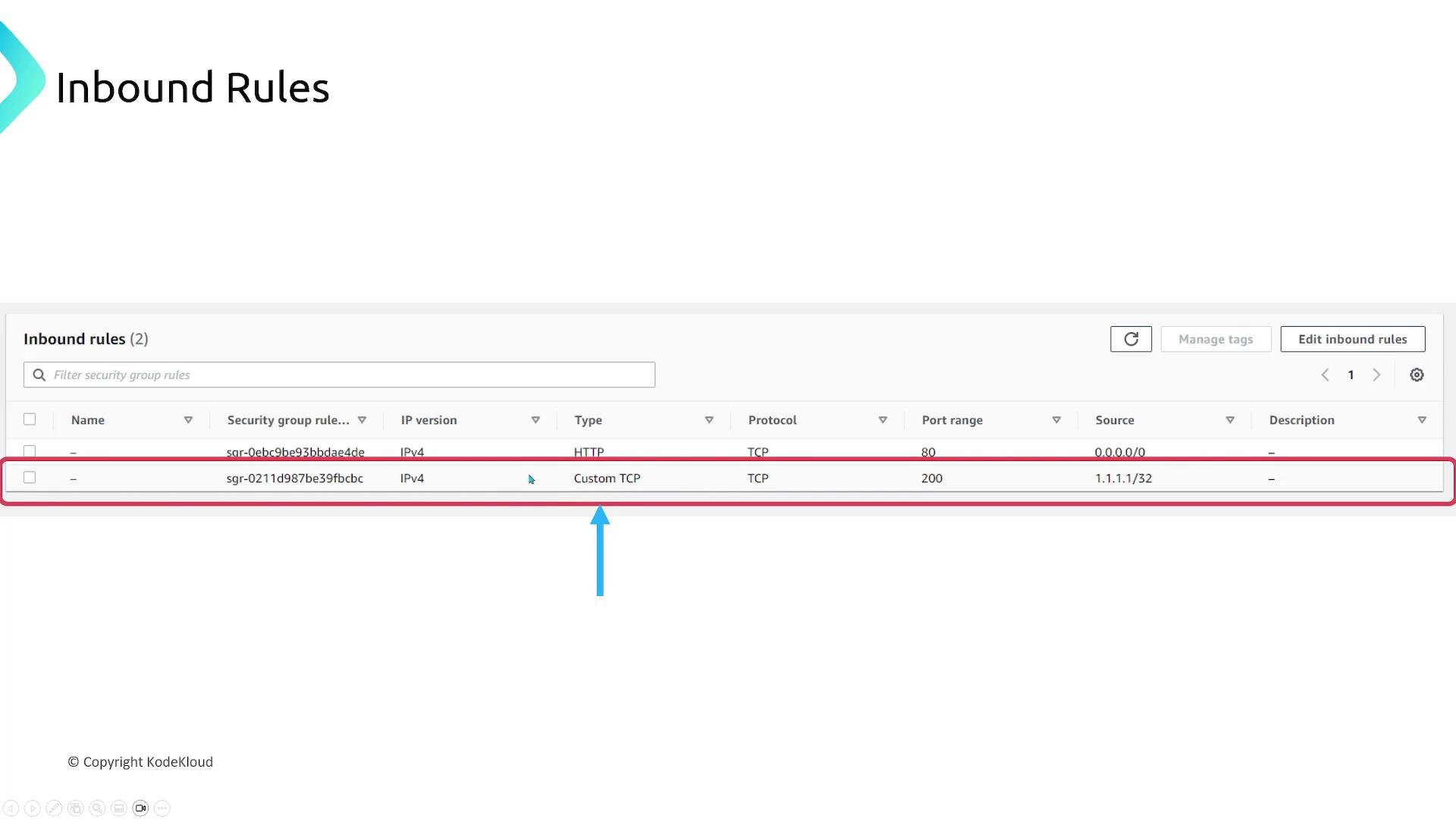 By default, a new security group includes an outbound rule that allows all outbound traffic (`0.0.0.0/0`). You can remove or tighten that rule depending on your security posture.
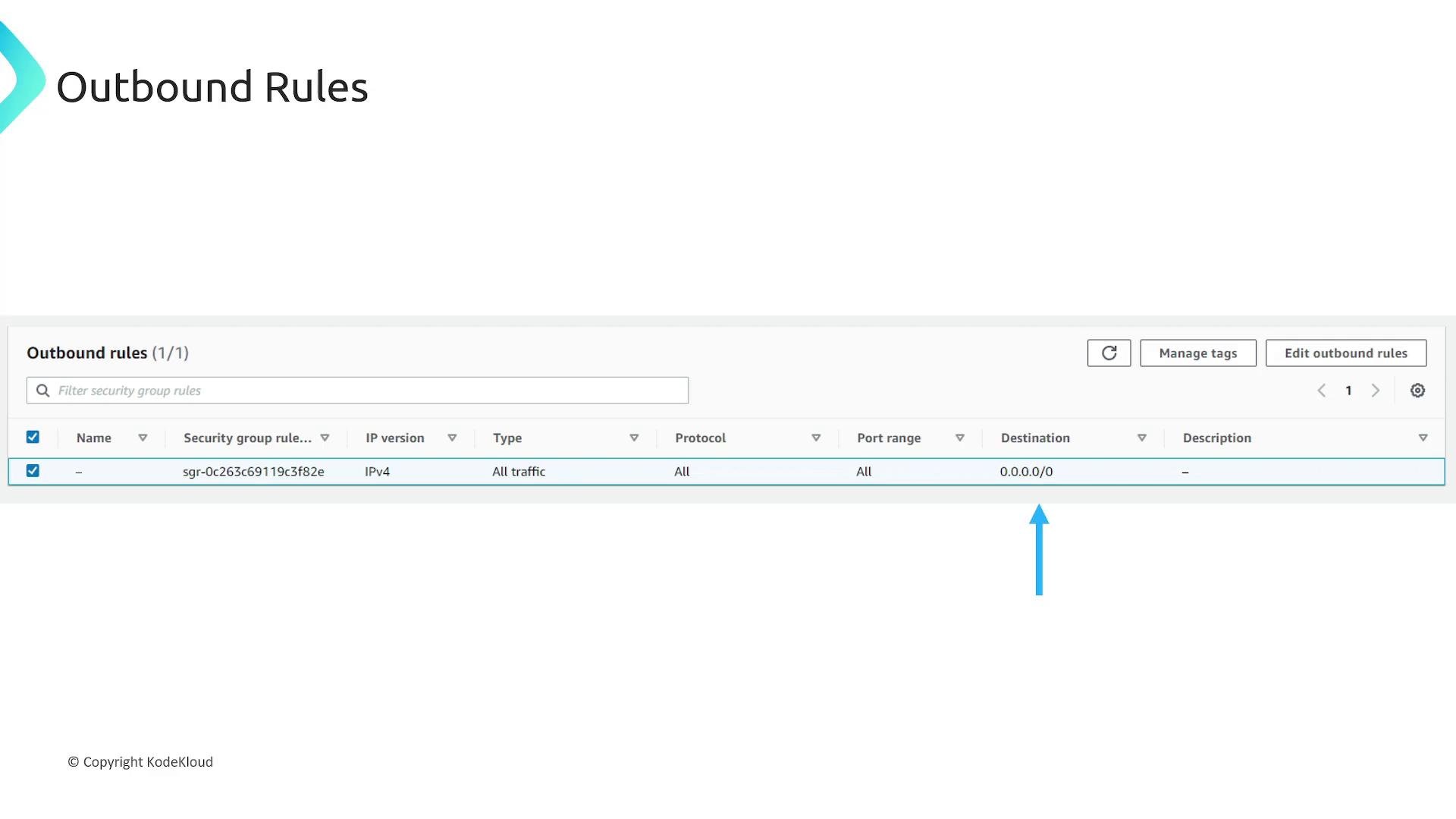 Security groups use allow-only rules; unspecified traffic is implicitly denied. Newly created security groups include a default outbound rule that allows all outbound traffic — remove or restrict it if you need tighter egress controls.
## NACL rule differences
* Rules are numbered and processed in ascending order; the first matching rule applies.
* NACLs can explicitly `Allow` or `Deny` traffic.
* Being stateless, NACLs require explicit, matching entries for both directions of a connection.
Security groups use allow-only rules; unspecified traffic is implicitly denied. Newly created security groups include a default outbound rule that allows all outbound traffic — remove or restrict it if you need tighter egress controls.
## NACL rule differences
* Rules are numbered and processed in ascending order; the first matching rule applies.
* NACLs can explicitly `Allow` or `Deny` traffic.
* Being stateless, NACLs require explicit, matching entries for both directions of a connection.
 ## Multiple security groups and effective ruleset
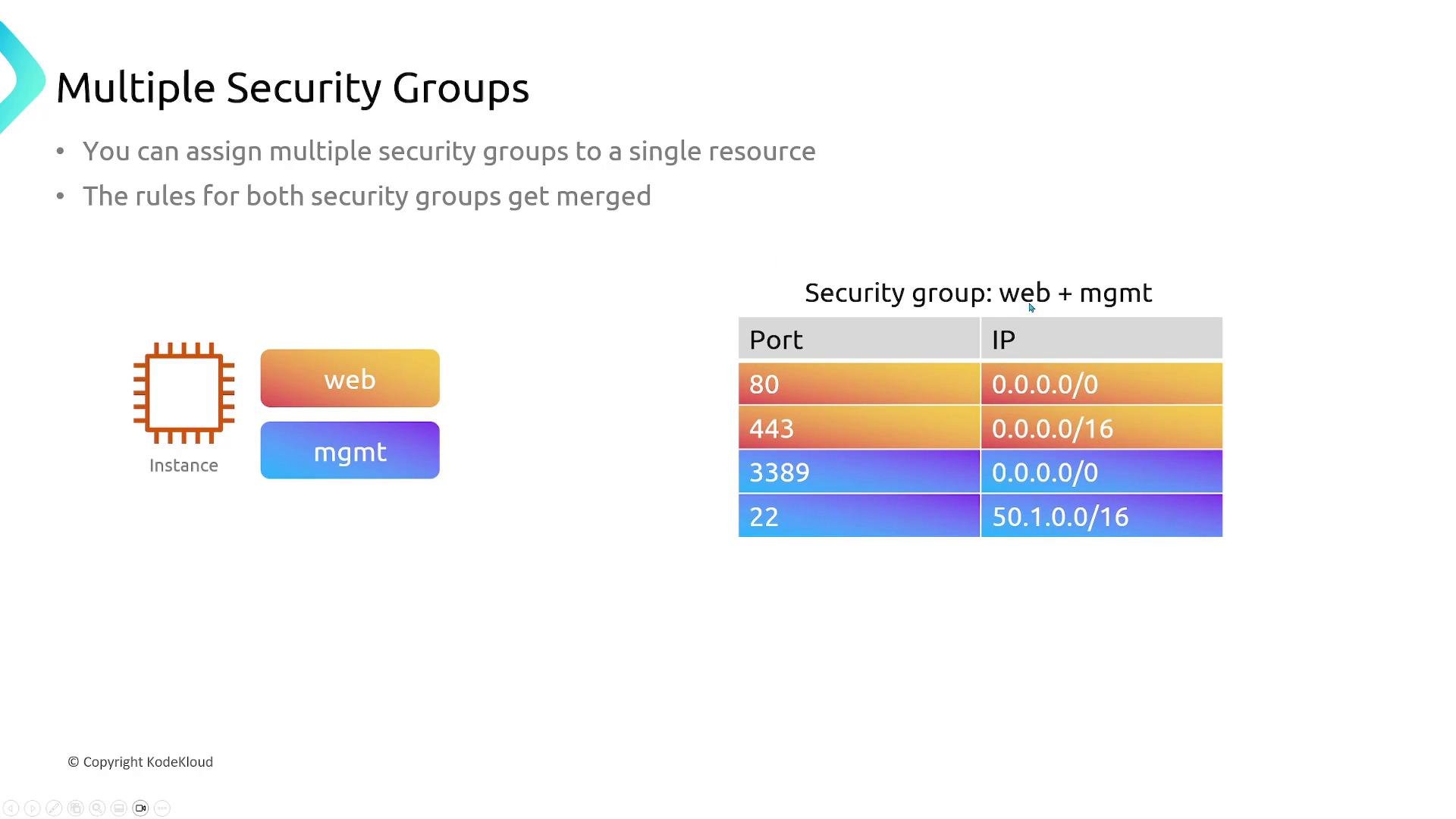
* You can attach multiple security groups to a resource (for example, an EC2 instance).
* The effective ruleset is the union of all rules from attached security groups. If any attached group permits a flow, it is allowed (subject to NACLs and routing).
## Multiple security groups and effective ruleset
* You can attach multiple security groups to a resource (for example, an EC2 instance).
* The effective ruleset is the union of all rules from attached security groups. If any attached group permits a flow, it is allowed (subject to NACLs and routing).
 ## Default behaviors, associations, and exceptions
* By default, security groups allow all outbound traffic until you change the outbound rules.
* Every subnet in a VPC must be associated with a network ACL.
* A network ACL can be associated with multiple subnets, but each subnet can only be associated with one NACL at a time.
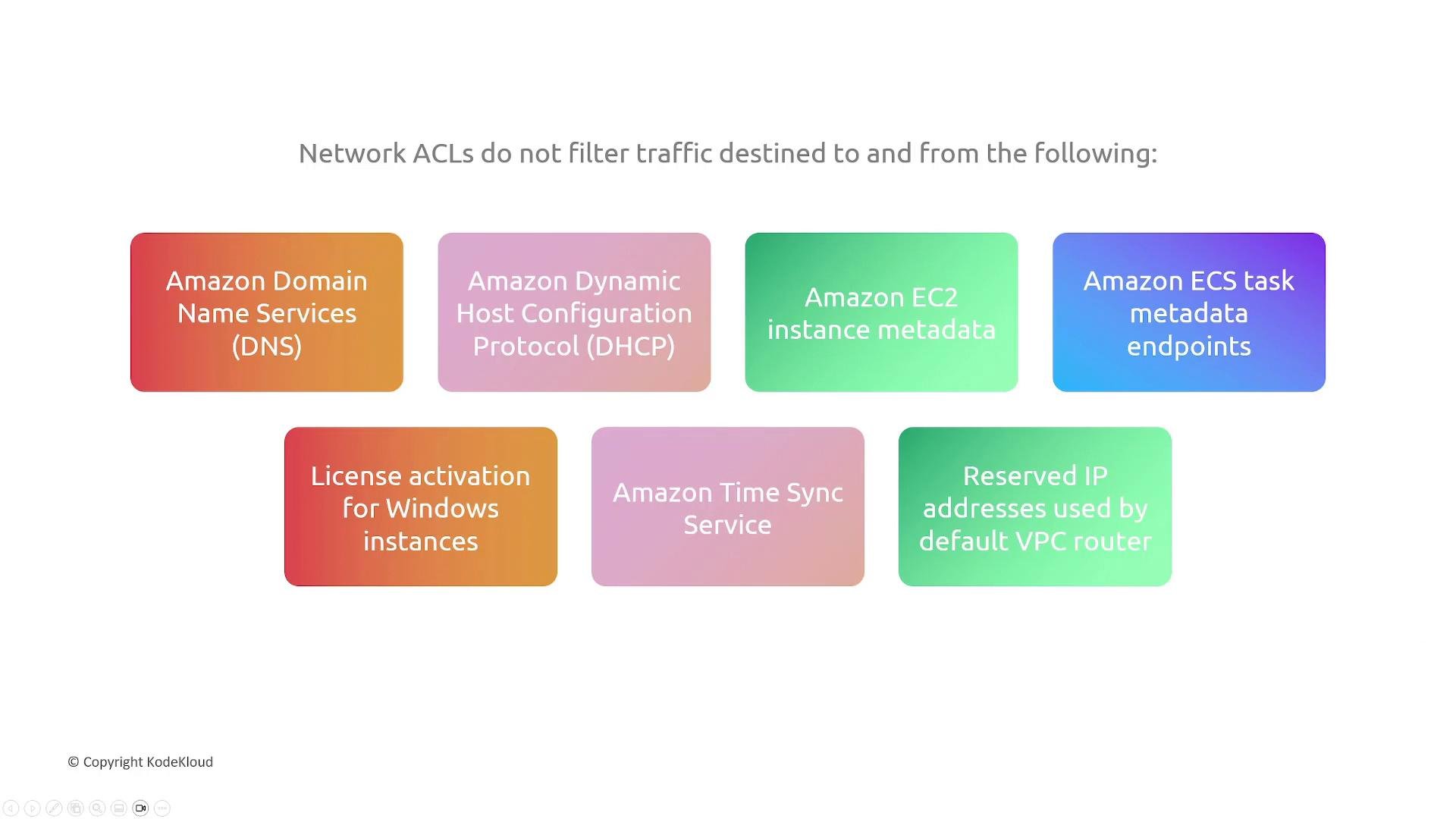
NACLs do not filter certain AWS-managed traffic that is required for core VPC functionality. Examples include:
* Amazon DNS
* DHCP traffic
* EC2 instance metadata and ECS task metadata endpoints
* Windows license activation
* Amazon Time Sync Service
* Reserved VPC router IP addresses
## Default behaviors, associations, and exceptions
* By default, security groups allow all outbound traffic until you change the outbound rules.
* Every subnet in a VPC must be associated with a network ACL.
* A network ACL can be associated with multiple subnets, but each subnet can only be associated with one NACL at a time.
NACLs do not filter certain AWS-managed traffic that is required for core VPC functionality. Examples include:
* Amazon DNS
* DHCP traffic
* EC2 instance metadata and ECS task metadata endpoints
* Windows license activation
* Amazon Time Sync Service
* Reserved VPC router IP addresses
 Because NACLs are stateless and can explicitly deny traffic, be careful when adding deny rules: rule order matters. If you add a deny that blocks legitimate return traffic, you must also add matching allow rules for the reverse flow.
## Quick comparison tables
| Feature | Network ACL (NACL) | Security Group |
| - | - | - |
| Scope | Subnet-level | Resource-level (ENI, EC2, LB, RDS) |
| Stateful? | No (stateless) | Yes (stateful) |
| Rule action | Allow or Deny | Allow only (implicit deny) |
| Rule processing | Numbered, earliest match applies | All rules evaluated; effective is union of allows |
| Default behavior | Custom NACLs may be restrictive | Default outbound allow for new SGs |
| Use case | Network-level filtering, cross-subnet policies | Host/resource-level security controls |
| Concept | Practical implication |
| - | - |
| Stateless | Must configure matching ingress + egress rules for return traffic |
| Stateful | Allowing one side of the flow permits return traffic automatically |
| Multiple SGs | The union of attached SG rules becomes the effective allowlist |
## Summary
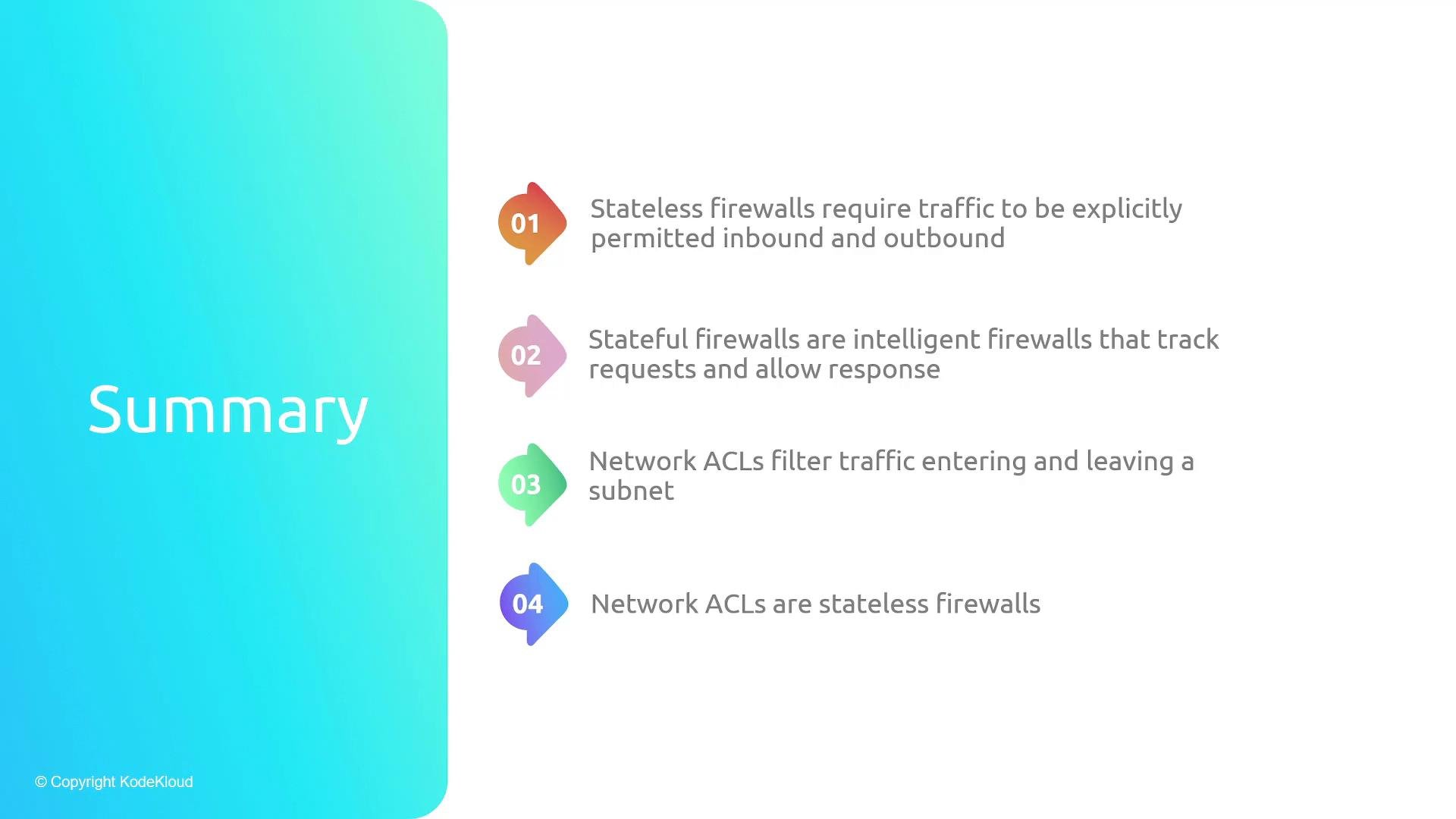
* Stateless firewalls (like NACLs) evaluate each packet independently and require explicit ingress and egress rules for a complete flow.
* Stateful firewalls (like Security Groups) track connections and automatically allow return traffic for established sessions.
* NACLs filter traffic at the subnet boundary, are stateless, and can explicitly allow or deny traffic (rule-number order matters).
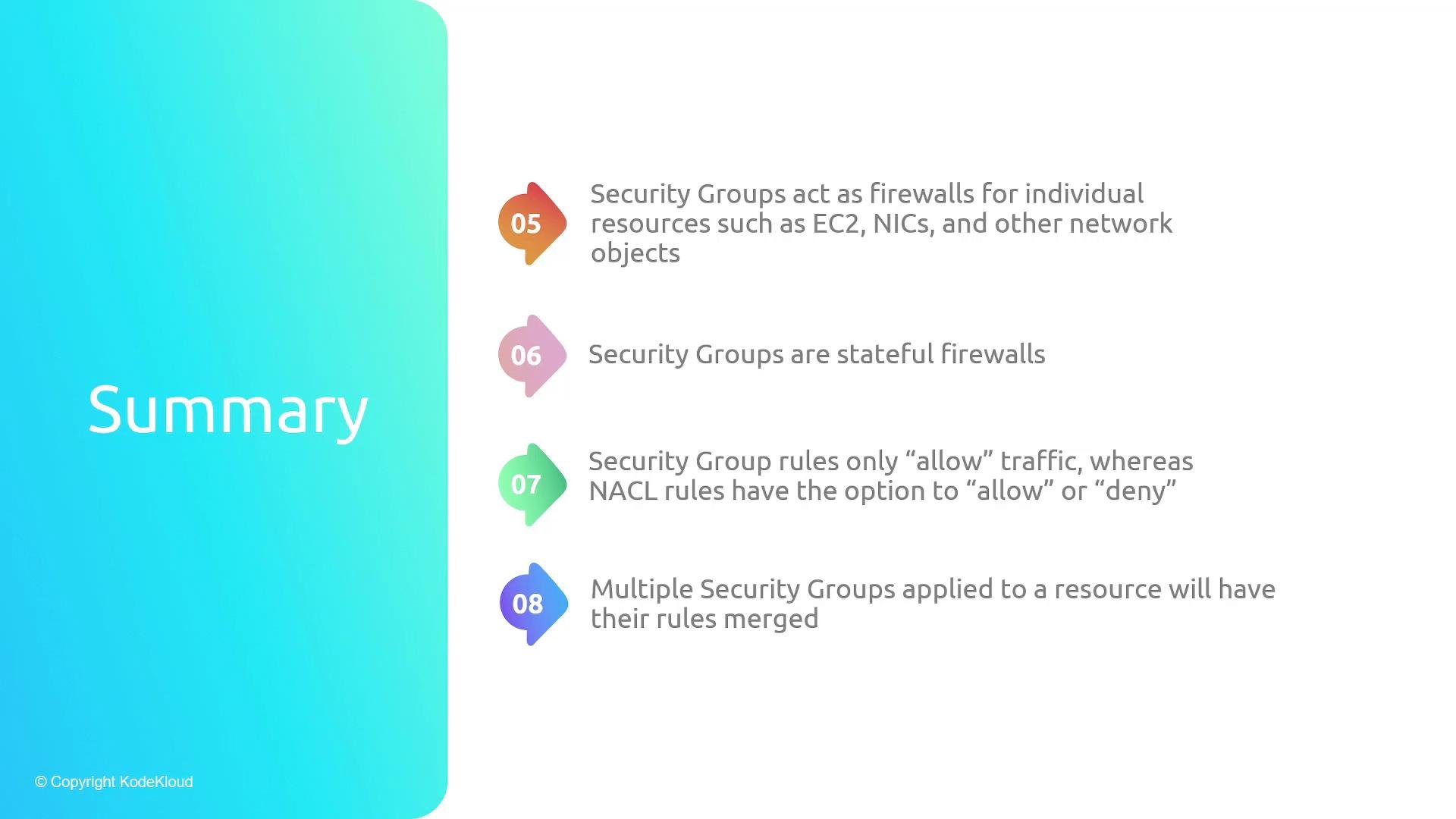
* Security Groups are stateful, attached to resources, and only contain allow rules; multiple security groups combine their rules into an effective allowlist.
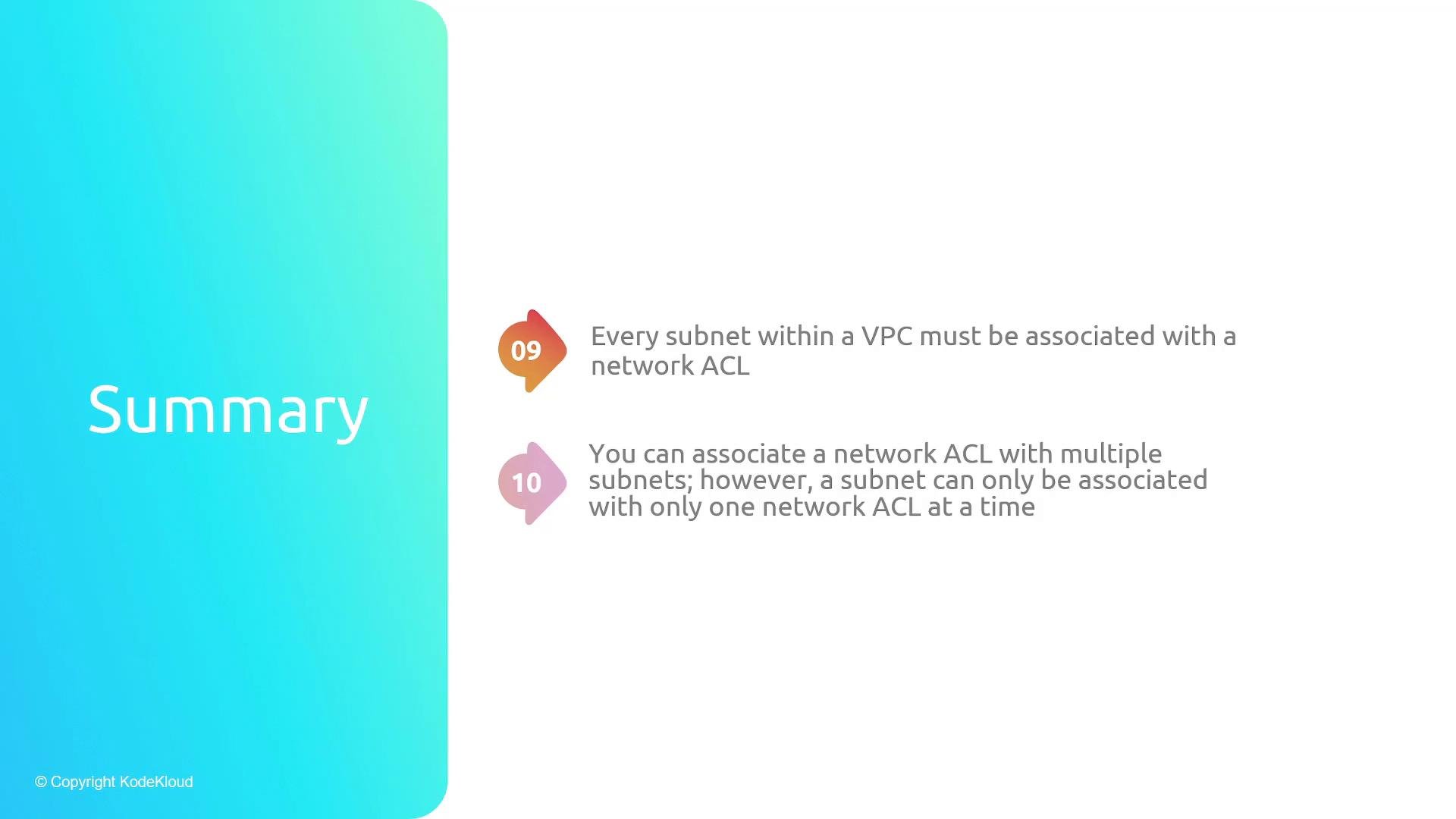
* Every subnet must be associated with a network ACL; a NACL can cover multiple subnets, but a subnet can only have one NACL association.
Because NACLs are stateless and can explicitly deny traffic, be careful when adding deny rules: rule order matters. If you add a deny that blocks legitimate return traffic, you must also add matching allow rules for the reverse flow.
## Quick comparison tables
| Feature | Network ACL (NACL) | Security Group |
| - | - | - |
| Scope | Subnet-level | Resource-level (ENI, EC2, LB, RDS) |
| Stateful? | No (stateless) | Yes (stateful) |
| Rule action | Allow or Deny | Allow only (implicit deny) |
| Rule processing | Numbered, earliest match applies | All rules evaluated; effective is union of allows |
| Default behavior | Custom NACLs may be restrictive | Default outbound allow for new SGs |
| Use case | Network-level filtering, cross-subnet policies | Host/resource-level security controls |
| Concept | Practical implication |
| - | - |
| Stateless | Must configure matching ingress + egress rules for return traffic |
| Stateful | Allowing one side of the flow permits return traffic automatically |
| Multiple SGs | The union of attached SG rules becomes the effective allowlist |
## Summary
* Stateless firewalls (like NACLs) evaluate each packet independently and require explicit ingress and egress rules for a complete flow.
* Stateful firewalls (like Security Groups) track connections and automatically allow return traffic for established sessions.
* NACLs filter traffic at the subnet boundary, are stateless, and can explicitly allow or deny traffic (rule-number order matters).
* Security Groups are stateful, attached to resources, and only contain allow rules; multiple security groups combine their rules into an effective allowlist.
* Every subnet must be associated with a network ACL; a NACL can cover multiple subnets, but a subnet can only have one NACL association.
 * Security groups act as stateful firewalls for resources, only allow traffic (no deny), and multiple security groups' rules are merged to form the effective allowlist.
 * Remember: every subnet in a VPC must be associated with a network ACL; an ACL can be used by multiple subnets, but a subnet may be associated with only one ACL at a time.
 ## Links and references
* AWS Security Groups — [https://docs.aws.amazon.com/vpc/latest/userguide/VPC\_SecurityGroups.html](https://docs.aws.amazon.com/vpc/latest/userguide/VPC_SecurityGroups.html)
* AWS Network ACLs — [https://docs.aws.amazon.com/vpc/latest/userguide/vpc-network-acls.html](https://docs.aws.amazon.com/vpc/latest/userguide/vpc-network-acls.html)
* TCP/IP ephemeral port ranges — (varies by OS; commonly 1024–65535)
This documentation is built and hosted on [Mintlify](https://mintlify.com), a developer documentation platform.
## Links and references
* AWS Security Groups — [https://docs.aws.amazon.com/vpc/latest/userguide/VPC\_SecurityGroups.html](https://docs.aws.amazon.com/vpc/latest/userguide/VPC_SecurityGroups.html)
* AWS Network ACLs — [https://docs.aws.amazon.com/vpc/latest/userguide/vpc-network-acls.html](https://docs.aws.amazon.com/vpc/latest/userguide/vpc-network-acls.html)
* TCP/IP ephemeral port ranges — (varies by OS; commonly 1024–65535)
This documentation is built and hosted on [Mintlify](https://mintlify.com), a developer documentation platform.