> ## Documentation Index
> Fetch the complete documentation index at: https://notes.kodekloud.com/llms.txt
> Use this file to discover all available pages before exploring further.
# Interacting With Azure Cache for Redis by Using NET
> Guide to using Azure Cache for Redis from .NET with StackExchange.Redis, covering connection, basic GET/SET with TTL, CLI verification, and common advanced methods like batching and transactions
This article shows how to connect to and interact with Azure Cache for Redis from a .NET application using the StackExchange.Redis client. You’ll learn how to:
* Create a connection to an Azure Cache for Redis instance
* Obtain an `IDatabase` instance
* Perform basic GET/SET operations with TTL (expiration)
* Verify behavior with the Redis CLI
* Review commonly used StackExchange.Redis methods for advanced scenarios
Useful links:
* Azure Cache for Redis: [https://learn.microsoft.com/azure/azure-cache-for-redis/](https://learn.microsoft.com/azure/azure-cache-for-redis/)
* StackExchange.Redis client: [https://github.com/StackExchange/StackExchange.Redis](https://github.com/StackExchange/StackExchange.Redis)
* Redis CLI documentation: [https://redis.io/docs/manual/cli/](https://redis.io/docs/manual/cli/)
Do not hard-code credentials or connection strings in production code. Use Azure Managed Identity, environment variables, or Azure Key Vault to manage secrets securely.
Prerequisites
* .NET SDK installed (3.1 / 5 / 6 / 7+)
* An Azure Cache for Redis instance (obtain its host name, port, and access key)
* Add the StackExchange.Redis package to your project:
```bash theme={null}
dotnet add package StackExchange.Redis
```
Connecting to Redis and basic GET/SET
The sample console application below demonstrates a complete flow:
* Connect to an Azure Cache for Redis instance.
* Obtain an `IDatabase` instance.
* Store a value with a TTL (expiration).
* Retrieve the value, wait for expiration, and confirm it is removed.
```csharp theme={null}
using System;
using System.Threading.Tasks;
using StackExchange.Redis;
class Program
{
static async Task Main(string[] args)
{
// Replace with your Azure Redis Cache connection string.
// Do not hard-code this in production—use environment variables or Azure Key Vault.
string redisConnectionString = "az204rediscache09.redis.cache.windows.net:6380,password=pQtZsgrxbqWwwIp9uh0xHG1gEuDjImDWzAzCaIkfKZU=,ssl=True,abortConnect=False";
// Establish an asynchronous connection to the Redis server.
ConnectionMultiplexer redisConnection = await ConnectionMultiplexer.ConnectAsync(redisConnectionString);
IDatabase db = redisConnection.GetDatabase();
Console.WriteLine("Welcome to Redis Console App!");
string key = Guid.NewGuid().ToString();
Console.WriteLine("Enter the value to store in Redis:");
string? value = Console.ReadLine();
// Store the value with a 30-second TTL
bool wasSet = await db.StringSetAsync(key, value ?? string.Empty, TimeSpan.FromSeconds(30));
if (wasSet)
{
Console.WriteLine($"Value '{value}' has been stored with key: {key} and TTL of 30 seconds.");
}
else
{
Console.WriteLine("Failed to store the value.");
}
// Retrieve the value
var retrievedValue = await db.StringGetAsync(key);
Console.WriteLine($"Retrieved value: {retrievedValue}");
Console.WriteLine("Waiting for 30 seconds to let the key expire...");
await Task.Delay(TimeSpan.FromSeconds(30));
// After TTL expires, the key should be gone
var expiredValue = await db.StringGetAsync(key);
Console.WriteLine($"Value after expiration: {expiredValue}"); // expected to be empty / nil
}
}
```
Basic Redis CLI interaction (example)
You can verify the same key/value from the Redis CLI (connect using TLS/SSL if your Azure Cache for Redis instance requires it). Example session:
```text theme={null}
az204rediscache09.redis.cache.windows.net:6380> keys *
1) "48db0c57-718a-4016-9f77-fda43ee31fbe"
az204rediscache09.redis.cache.windows.net:6380> get 48db0c57-718a-4016-9f77-fda43ee31fbe
"hello-all"
az204rediscache09.redis.cache.windows.net:6380> get 48db0c57-718a-4016-9f77-fda43ee31fbe
(nil)
```
Redis methods overview
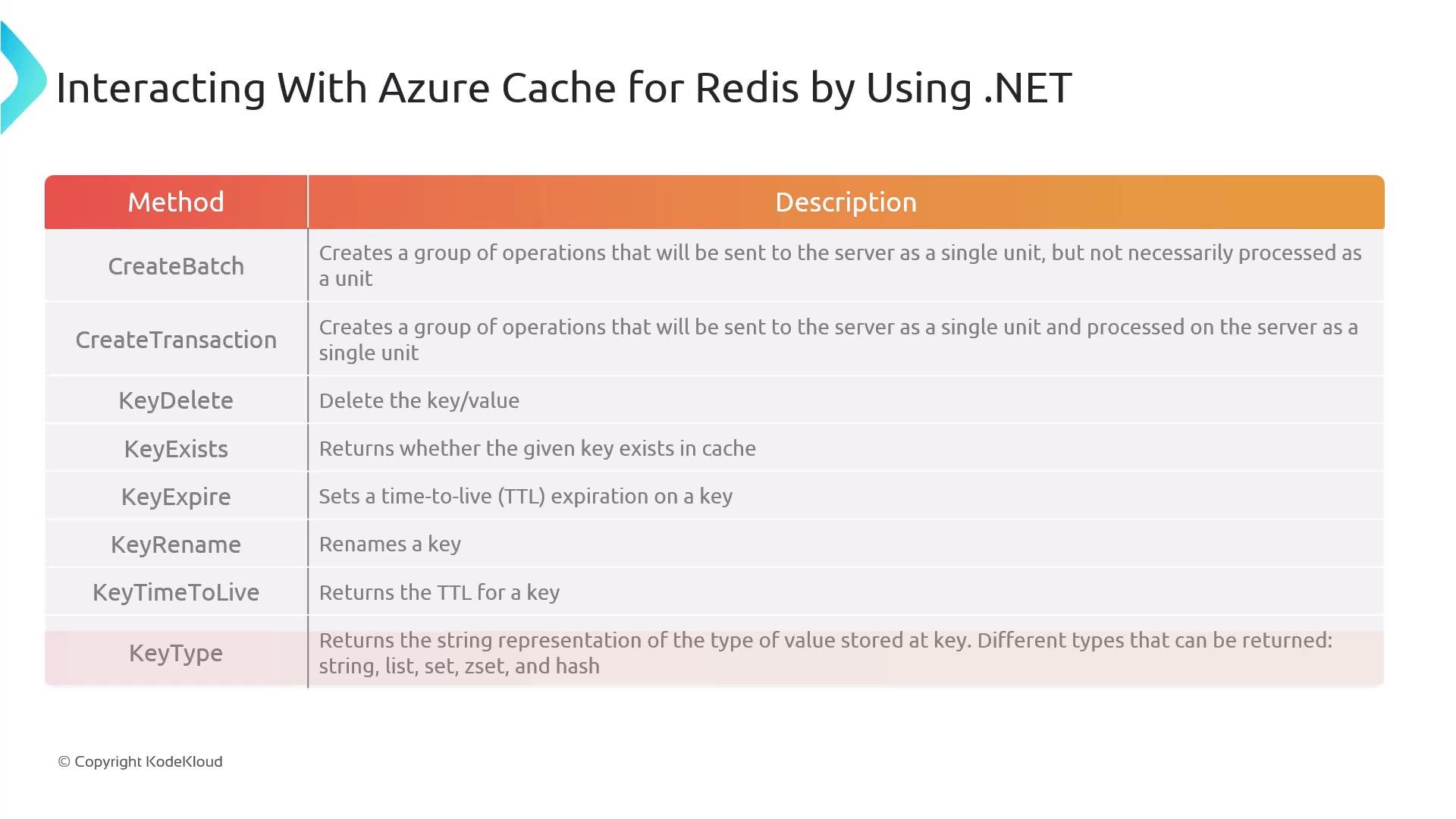
StackExchange.Redis exposes many methods for working with cached data beyond simple GET/SET. The table below summarizes commonly used methods and their purposes so you can choose the right primitive for your scenario.
| Method / API | Purpose |
| - | - |
| `CreateBatch` / `IBatch` | Queue a batch of operations locally and send them to the server together to improve throughput (pipelining). Note: not a transactional unit. |
| `CreateTransaction` / `ITransaction` | Create a Redis transaction (MULTI/EXEC). Commands queued on the transaction execute together when you call `Execute`/`ExecuteAsync`. Use `WATCH` for optimistic concurrency control. |
| `KeyDelete` | Remove a key from the cache. Returns `true` if the key was deleted. |
| `KeyExists` | Check whether a key exists. Returns `true` or `false`. |
| `KeyExpire` / `KeyExpireAsync` | Set a TTL (time-to-live) for a key. Returns `true` if a timeout was set. |
| `KeyRename` | Atomically rename a key without removing its value. |
| `KeyTimeToLive` | Returns the remaining TTL as a `TimeSpan?`. `null` if the key has no expiration or doesn't exist. |
| `KeyType` | Inspect the Redis type stored at a key (e.g., String, List, Set, Hash, ZSet). |
 Managing keys and cache lifecycle
Use the methods above to control the lifecycle of cached items:
* Set expirations for short-lived cached entries using `StringSet` with a `TimeSpan` or `KeyExpire`.
* Check existence with `KeyExists` before conditional updates.
* Remove stale entries with `KeyDelete`.
* Rename keys atomically with `KeyRename` when reorganizing data.
* Inspect `KeyType` to work appropriately with lists, sets, hashes, and sorted sets.
Choosing the right strategy (TTL, eviction policy, cache warming, and cache invalidation) helps ensure correctness and performance when using Redis as a distributed cache.
Summary
Using the StackExchange.Redis client, you can connect from .NET to Azure Cache for Redis, perform basic GET/SET operations, set expirations, and use advanced features such as batching and transactions to optimize throughput and concurrency. Follow best practices for secret management and connection handling in production.
An alternative caching solution is also commonly used.
Links and references
* [Azure Cache for Redis (Microsoft Docs)](https://learn.microsoft.com/azure/azure-cache-for-redis/)
* [StackExchange.Redis (GitHub)](https://github.com/StackExchange/StackExchange.Redis)
* [Redis CLI docs](https://redis.io/docs/manual/cli/)
* [Dotnet NuGet: StackExchange.Redis](https://www.nuget.org/packages/StackExchange.Redis)
This documentation is built and hosted on [Mintlify](https://mintlify.com), a developer documentation platform.
Managing keys and cache lifecycle
Use the methods above to control the lifecycle of cached items:
* Set expirations for short-lived cached entries using `StringSet` with a `TimeSpan` or `KeyExpire`.
* Check existence with `KeyExists` before conditional updates.
* Remove stale entries with `KeyDelete`.
* Rename keys atomically with `KeyRename` when reorganizing data.
* Inspect `KeyType` to work appropriately with lists, sets, hashes, and sorted sets.
Choosing the right strategy (TTL, eviction policy, cache warming, and cache invalidation) helps ensure correctness and performance when using Redis as a distributed cache.
Summary
Using the StackExchange.Redis client, you can connect from .NET to Azure Cache for Redis, perform basic GET/SET operations, set expirations, and use advanced features such as batching and transactions to optimize throughput and concurrency. Follow best practices for secret management and connection handling in production.
An alternative caching solution is also commonly used.
Links and references
* [Azure Cache for Redis (Microsoft Docs)](https://learn.microsoft.com/azure/azure-cache-for-redis/)
* [StackExchange.Redis (GitHub)](https://github.com/StackExchange/StackExchange.Redis)
* [Redis CLI docs](https://redis.io/docs/manual/cli/)
* [Dotnet NuGet: StackExchange.Redis](https://www.nuget.org/packages/StackExchange.Redis)
This documentation is built and hosted on [Mintlify](https://mintlify.com), a developer documentation platform.