> ## Documentation Index
> Fetch the complete documentation index at: https://notes.kodekloud.com/llms.txt
> Use this file to discover all available pages before exploring further.
# Design for Azure Storage Accounts
> This guide explores design considerations for Azure storage accounts, including types, key factors for deployment, and best practices for performance and compliance.
In this guide, we explore the design considerations for Azure storage accounts. Learn about the various types of storage accounts available in Azure and discover key factors to consider when deploying a storage solution.
## Storage Account Types
Azure offers four primary storage account types. Your selection will depend on the data you intend to store and your specific performance and capacity scenarios.
### General Purpose v2 (GPv2)
The GPv2 storage account is the recommended choice for most applications. While General Purpose v1 (GPv1) was used in the past, it is now deprecated. If you still rely on GPv1, Microsoft advises upgrading to GPv2. The GPv2 model includes features such as capacity reservations, lifecycle management, and enhanced cost optimization. It supports a variety of data types including blobs, Data Lake files, queues, files, and tables.

### Premium Page Blobs
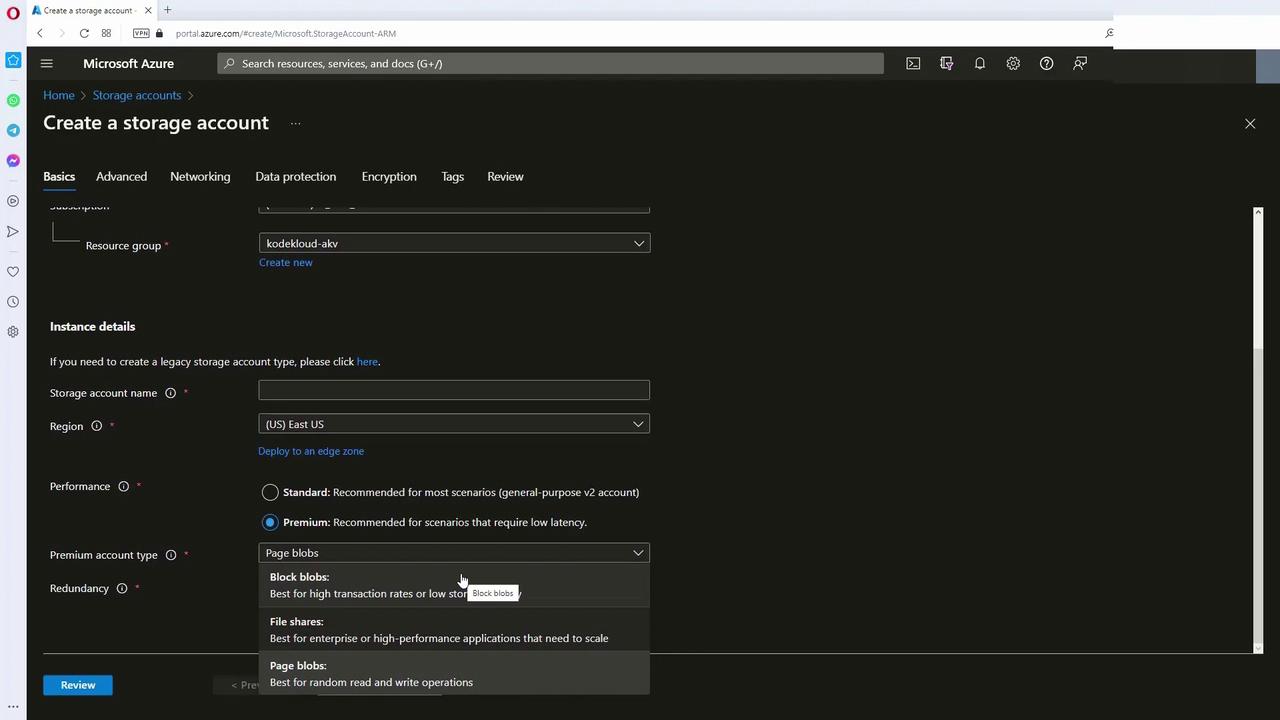
Premium page blob storage is engineered for high-performance scenarios. This option supports page blobs exclusively, making it ideal for storing Virtual Hard Disk (VHD) files and other workloads requiring fast, random read/write operations.
### Premium Block Blobs
Premium block blob storage combines high performance with Data Lake capabilities. Operating on SSDs, these accounts deliver low latency and high transaction rates, making them suitable when rapid data access by multiple users is required.
### Premium File Shares
Designed specifically for file-sharing scenarios, premium file share storage supports only file shares. It is intended for enterprise-scale applications that require robust performance via SMB and NFS protocols over SSD storage.
When configuring a storage account in the Azure portal, you will initially see the standard option (GPv2). Switching to premium reveals additional configuration options where you can select between page blobs, block blobs, or file shares.
## Key Considerations When Planning a Storage Account
Successful Azure storage design requires careful planning across several key areas:
### Location
* Not every storage SKU is available in all regions.
* Deploy storage accounts closer to your end users to reduce latency.
* For development or testing, while latency might not be critical, always consider data residency and regulatory compliance.
### Replication
* Azure offers replication options such as Locally Redundant Storage (LRS), Zone-Redundant Storage (ZRS), Geo-Redundant Storage (GRS), Read-Access Geo-Redundant Storage (RAGRS), and Geo-Consistent Replication Storage (GCRS).
* Select the appropriate replication strategy based on your application’s durability requirements and Service Level Agreement (SLA).
* Some replication methods may be region-specific.
### Compliance
* Ensure that your chosen region complies with organizational data residency guidelines and encryption standards.
* This is particularly crucial for industries like government or finance which operate under strict regulatory frameworks.
Ensure that your storage solution adheres to any legal or regulatory requirements related to data residency, encryption, and auditing.
### Management Overhead
* Although you can create thousands of storage accounts within an Azure subscription, managing them can quickly become complex.
* Consolidating data into fewer storage accounts can simplify administrative tasks and reduce overhead.
### Cost
* Analyze factors such as transaction volume, performance tier, replication method, and access tier.
* Optimize cost by selecting the right combination of performance and replication settings. Implement lifecycle management policies to automatically transition inactive data to lower-cost tiers.
### Security
* Develop a robust security strategy using Azure’s built-in access management tools.
* Utilize firewalls to restrict access based on allowed IP addresses.
* Consider private endpoints to ensure that your storage account communicates over a private network rather than the public internet.
* Choose the appropriate authentication method: storage account keys, Shared Access Signatures (SAS), or Azure Active Directory.
Always evaluate your security configuration and verify that access control policies are rigorously enforced to protect sensitive data.
| Factor | Considerations | Best Practices |
| ----------- | ----------------------------------------------------------------------------------- | ------------------------------------------------------------------- |
| Location | Regional availability; latency considerations | Deploy nearby users; confirm regulatory compliance |
| Replication | Options include LRS, ZRS, GRS, RAGRS, and GCRS | Align replication with durability needs and SLA |
| Compliance | Adherence to data residency, encryption, and regulatory standards | Select appropriate regions; employ robust encryption |
| Management | Operational complexity with numerous accounts | Consolidate storage accounts for simplified administration |
| Cost | Transaction volume, performance, replication method, and access tier considerations | Use lifecycle management policies to reduce overall costs |
| Security | Network access, authentication options, and firewalls | Utilize private endpoints; enforce strict firewall and IP filtering |
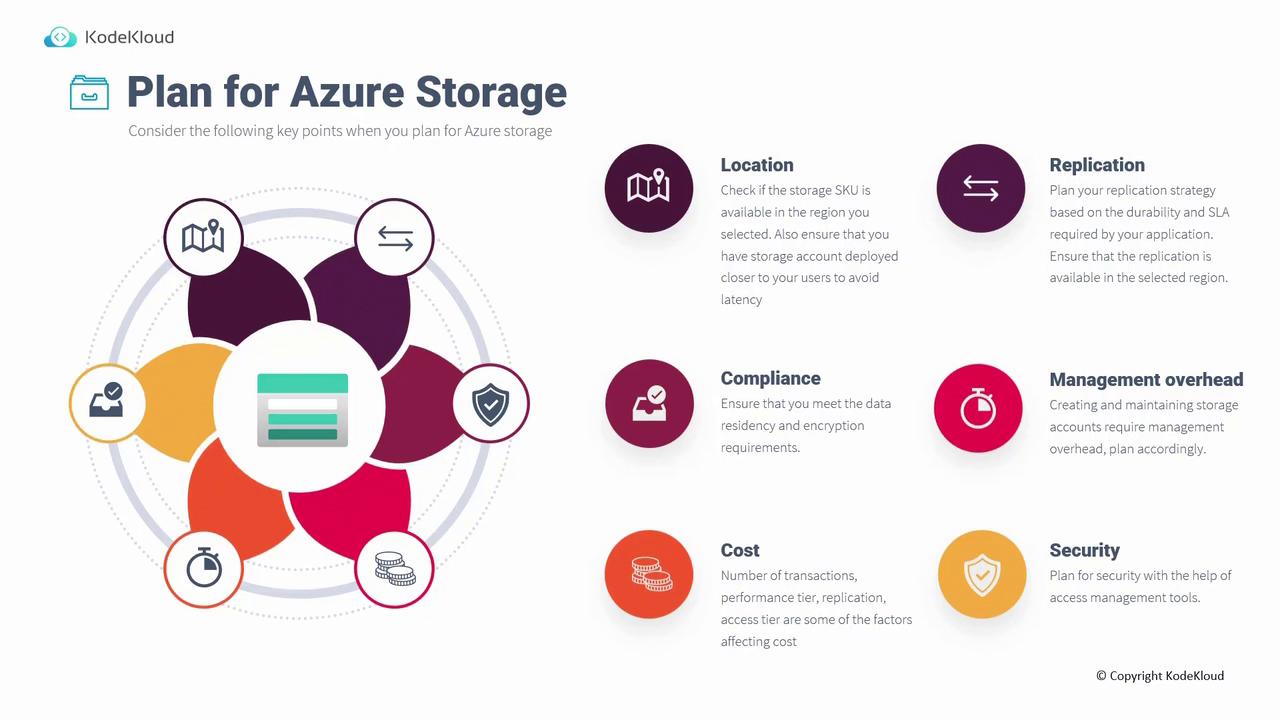
By carefully addressing these factors, you can design an Azure storage account that meets your performance, capacity, security, and compliance needs. For further details on Azure storage options, consult the [Azure Storage Documentation](https://docs.microsoft.com/azure/storage).
Happy designing!