> ## Documentation Index
> Fetch the complete documentation index at: https://notes.kodekloud.com/llms.txt
> Use this file to discover all available pages before exploring further.
# Design for Identity Protection
> This article explains designing for identity protection using Azure Identity Protection to detect, remediate, and export identity-based risks.
This article explains how to design for identity protection using Azure Identity Protection. With this service, you can achieve three primary objectives:
1. Detect identity-based risks.
2. Remediate detected risks by enforcing predefined policies.
3. Export risk detection data to third-party tools, such as SIEM, for additional investigation.
Below, we break down the workflow and key concepts that underscore Azure Identity Protection.
***
## How Identity Protection Works
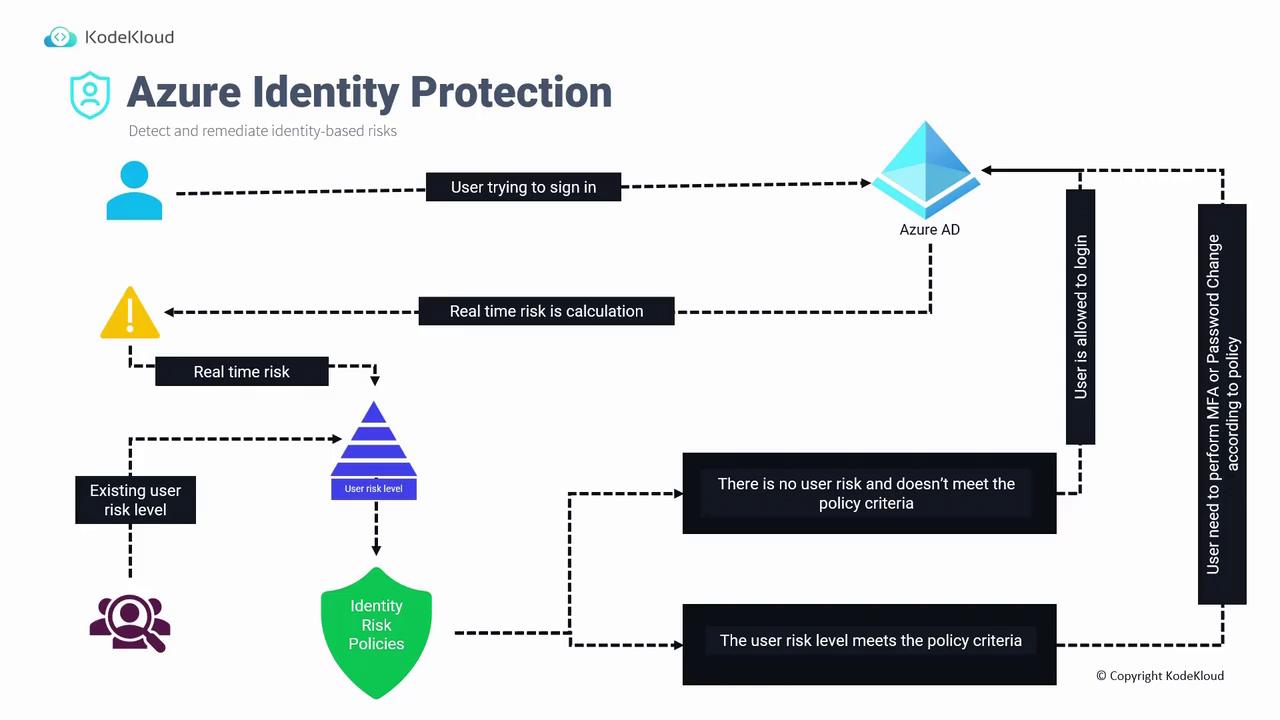
When a user attempts to sign in to Azure AD, the system performs a real-time risk calculation based on several factors, including:
* Location
* IP address
* Multi-Factor Authentication (MFA) usage
* Browser and device details
* Device status
These factors, which were previously only available in sign-in logs, now contribute to a dynamic risk score. This real-time risk score is then combined with historical risk data from earlier sign-in attempts. The cumulative risk level is compared against thresholds defined in your identity risk policies. Depending on where the risk falls relative to these thresholds, one of two outcomes occurs:
* If the risk level is below the threshold, the user is allowed to sign in.
* If the risk level meets or exceeds the threshold, additional security measures (such as MFA challenges or a prompt for a password change) are enforced through conditional access policies before the sign-in is completed.
There are two primary policy types in Azure Identity Protection:
* **User Risk Policy:** Evaluates the likelihood that an account is compromised by detecting factors such as exposed credentials, often sourced from dark web data breaches, and leveraging Azure AD threat intelligence.
* **Sign-In Risk Policy:** Analyzes sign-in-specific properties like IP address, location, and travel patterns (e.g., detecting atypical travel where a user signs in from two distant geographic locations within a short timeframe).
Below is an example diagram that summarizes these concepts:
### Examples of Risky Sign-In Behaviors
* **Anonymous IP Address:** A user typically signing in from Singapore suddenly uses a VPN or Tor browser, leading the system to flag the new IP address as anonymous.
* **Atypical Travel:** A sign-in attempt from Singapore followed by nearly simultaneous sign-in from Japan will trigger a warning.
* **Malware-Linked IP Address:** If the IP address is associated with known malware or botnet activity.
* **Password Spray Attacks:** When multiple sign-in attempts are made using common or compromised passwords.
When such risks are detected, the appropriate identity and sign-in risk policies are applied. If the overall risk exceeds the set threshold, a conditional access policy (e.g., enforcing MFA) is activated; otherwise, the user is allowed to access the system.
***
## Best Practices for Identity Protection
Before implementing Identity Protection, follow these best practices:
1. **License Acquisition:**
Azure Identity Protection is a premium service that requires a P2 license.
2. **Policy Setup and Review:**
* Configure user risk and sign-in risk policies.
* Regularly review policy outcomes to investigate potential false positives.
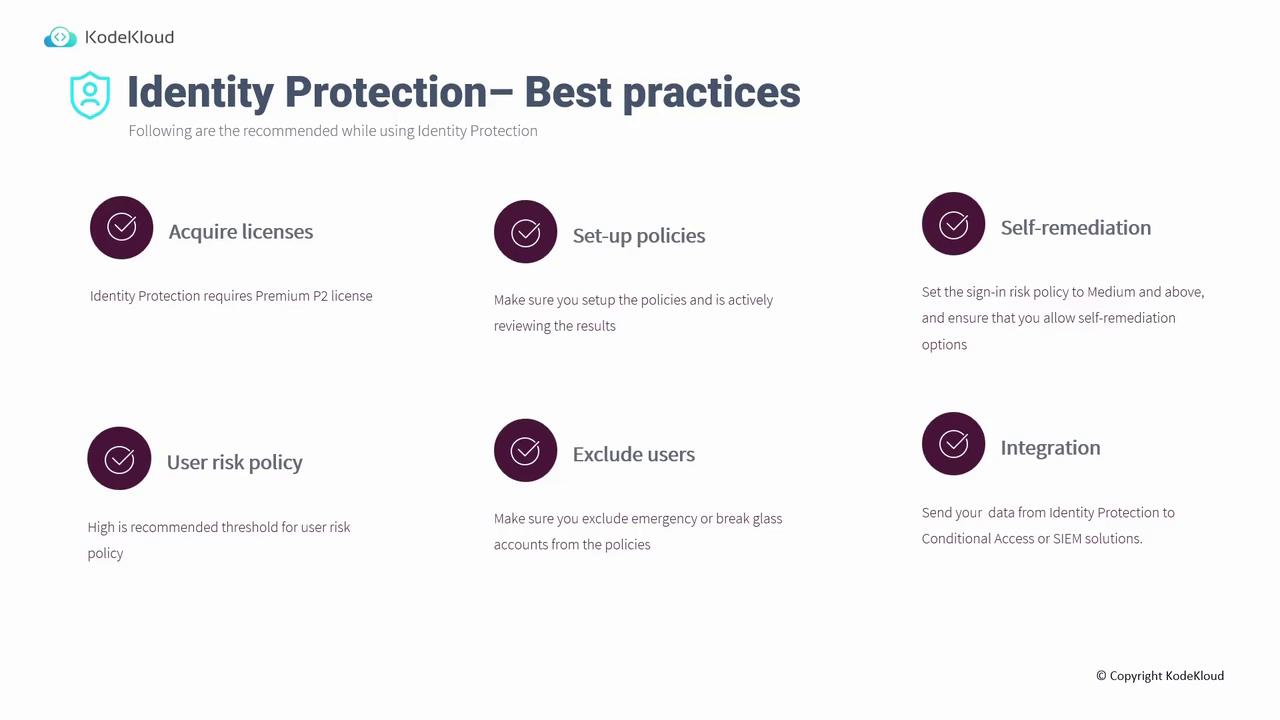
3. **Self-Remediation Options:**\
Configure sign-in risk policies to trigger self-remediation actions (e.g., enforcing MFA or prompting for a password change) for medium-risk events. For user risk policies where blocking is necessary, apply a higher threshold; allow self-remediation for medium-risk events.
4. **Exclude Critical Accounts:**
Exclude emergency or break-glass accounts from identity protection policies. Ensure these accounts have strong, securely stored passwords so they remain accessible if primary global administrator accounts face issues.
5. **Integration with Other Systems:**\
Integrate Identity Protection with Conditional Access, Azure Sentinel, Splunk, and other tools to enhance risk analysis and response.
***
## Setting Up Identity Protection in the Azure Portal
When you access the Azure portal and navigate to Identity Protection, the dashboard provides an overview of risk events, which includes:
* Risky users and risky sign-ins.
* Trends detailing successful sign-ins with varying risk levels.
* Options to configure user risk and sign-in risk policies directly.
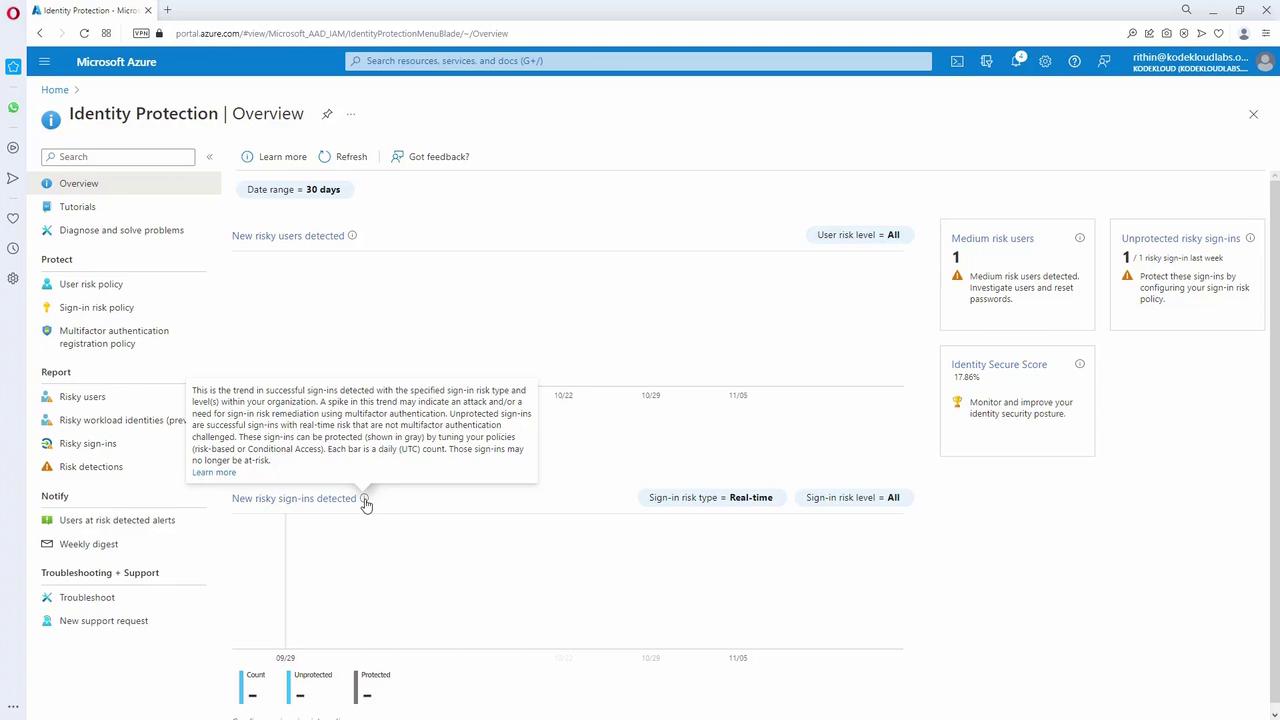
For example, you can set a policy such as "if risk is medium or above, require a password change." Similarly, within Conditional Access, you can configure conditions to enforce MFA for high user risk levels or manage sign-in risks effectively. Here, the user risk policy assesses the likelihood of account compromise, while the sign-in risk policy evaluates the details of the individual sign-in attempts.
***
Azure Identity Protection is an essential tool for mitigating identity-based risks. Additionally, incorporating regular access reviews into your identity governance strategy further strengthens your security posture.
For more comprehensive insights on cloud security strategies, refer to related resources:
* [Azure Identity Protection Documentation](https://docs.microsoft.com/en-us/azure/active-directory/identity-protection/)
* [Microsoft Secure](https://www.microsoft.com/en-us/security/)
By following best practices and configuring the appropriate policies and integrations, organizations can create a robust defense against identity-based threats while ensuring secure and seamless access for users.