> ## Documentation Index
> Fetch the complete documentation index at: https://notes.kodekloud.com/llms.txt
> Use this file to discover all available pages before exploring further.
# Demo Repository Integration with Azure Boards
> Learn to link commits and pull requests to Azure Boards work items for better tracking and visibility.
Learn how to link commits and pull requests directly to Azure Boards work items for seamless tracking and enhanced visibility.
## Prerequisites
* An existing Azure DevOps project with Azure Boards enabled
* A Git repository named **Customer Portal** in the same project
* Git CLI and an IDE (e.g., Visual Studio Code)
***
## Step 1: Identify the Work Item
Navigate to **Azure Boards** and locate the work item you need to address. For this demo, our target is:
* Work Item ID: **69**
* Title: *“Add a sentence to the README file.”*
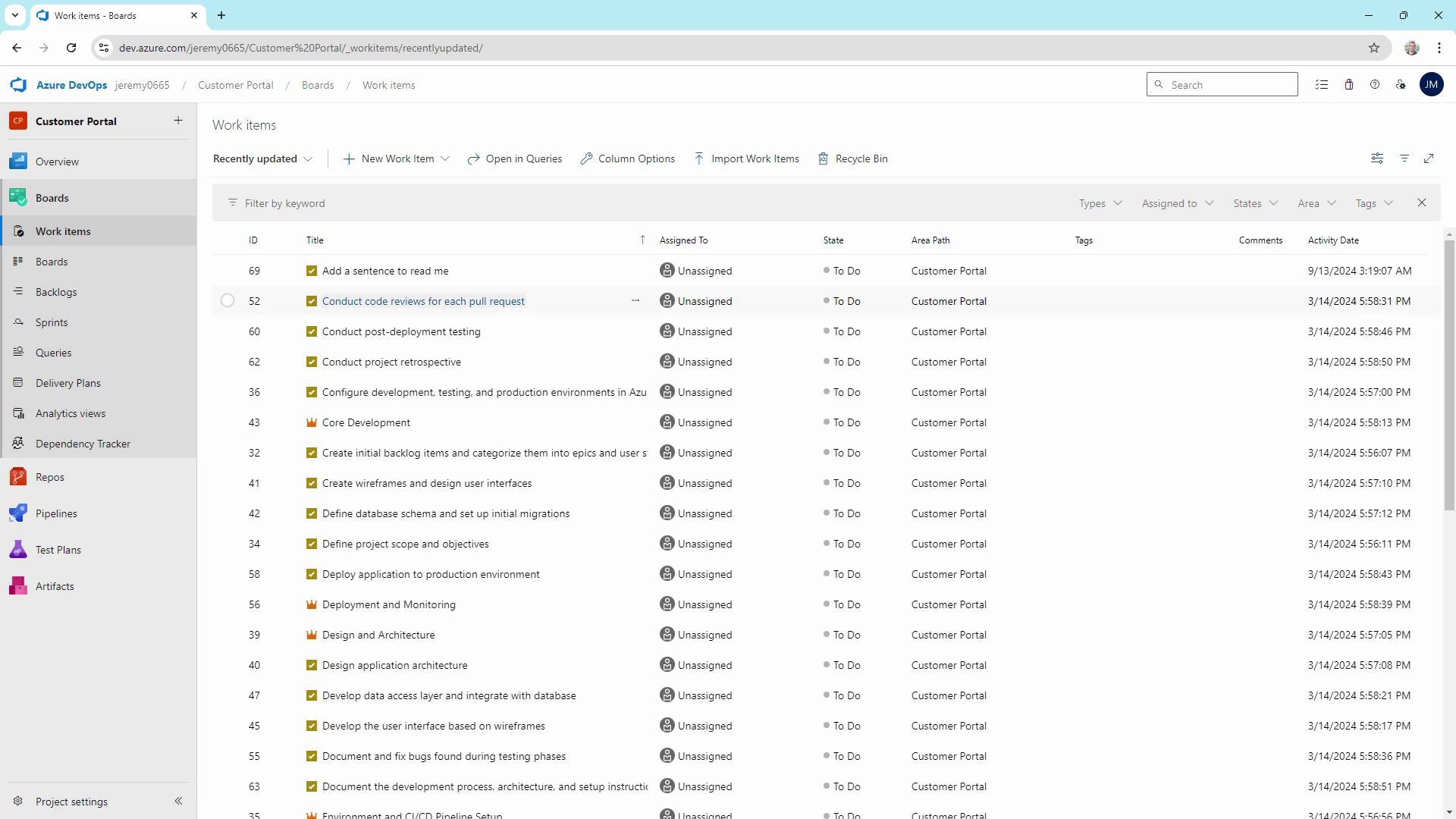
Make note of this ID—you’ll need it when linking your commit or pull request.
***
## Step 2: Apply the Code Change
1. Open the **Customer Portal** repo in your editor.
2. Edit `README.md` to add the required sentence.
3. Stage your change:
```bash theme={null}
git add README.md
```
***
## Step 3: Commit with a Work Item Reference
When committing changes, include one of these keywords followed by the work item ID (`#69`):
* fixes
* resolves
* closes
```bash theme={null}
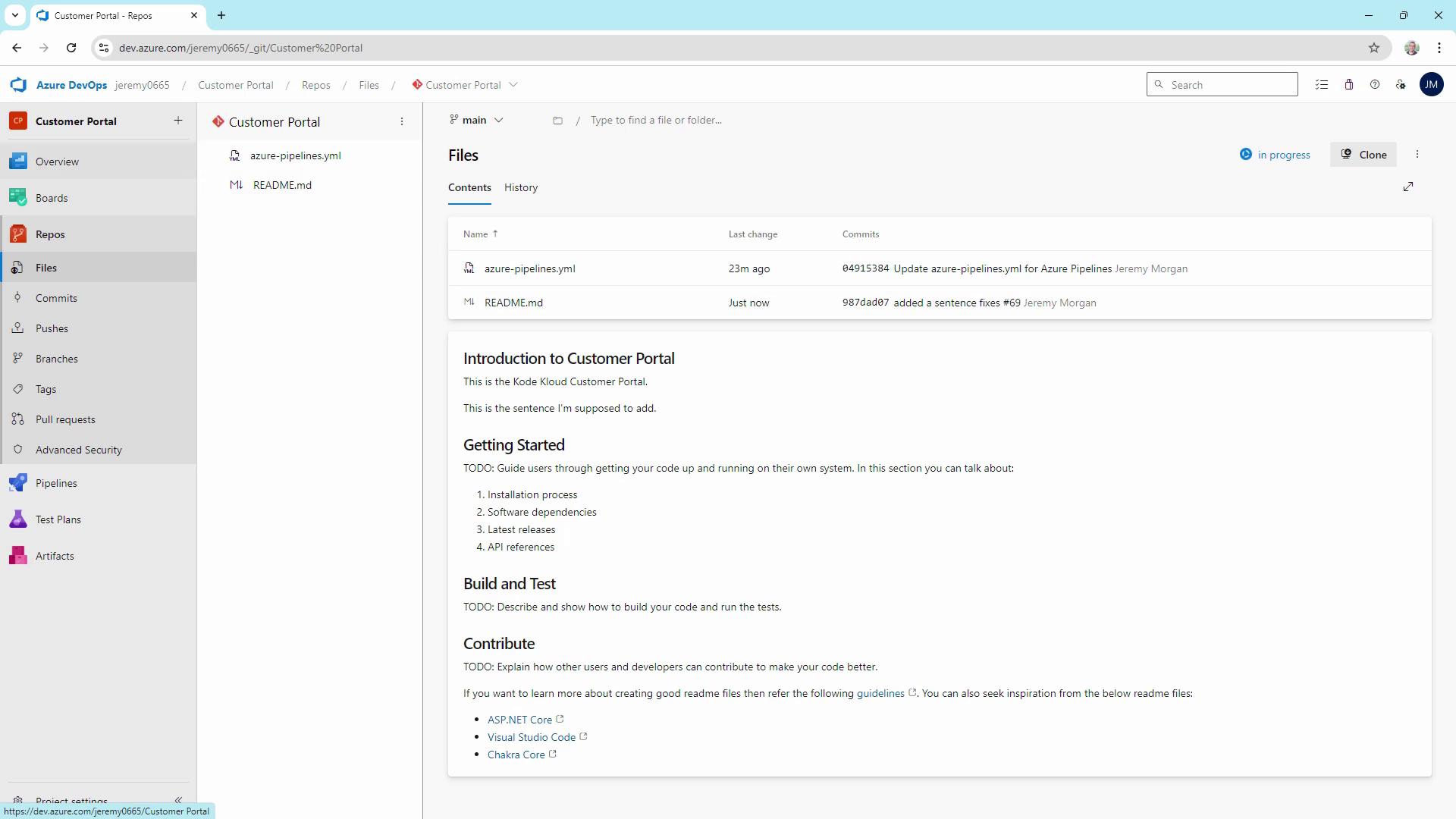
git commit -m "Add README sentence (fixes #69)"
git push origin main
```
You can also use the `AB#` format in commit messages or PR descriptions to link work items.\
Example: `git commit -m "Update docs AB#69"`.
Ensure your repository is connected to Azure Boards and that you have the correct permissions. Missing the `#` or using an unsupported keyword will prevent the link from forming.
***
## Step 4: Verify the Link in Azure Boards
Return to the work item in Azure Boards (ID 69). In the **Development** section, you should see the linked commit and any associated pull requests.
***
## Quick Reference: Commit Keyword Table
| Keyword | Effect | Example |
| -------- | --------------------------------------- | -------------- |
| fixes | Closes work item when the commit merges | `fixes #69` |
| resolves | Same as `fixes` | `resolves #69` |
| closes | Alternative close keyword | `closes #69` |
| AB# | Direct link without auto-close behavior | `AB#69` |
***
## Best Practices
* Always reference work item IDs in both commit messages and pull request descriptions for clear traceability.
* Write concise, descriptive commit messages that reflect the scope of the change.
* Regularly review the **Development** section in Azure Boards to confirm that links are up to date.
* Encourage your team to follow this process to maintain project transparency.
***
## Links and References
* [Azure Boards Documentation](https://learn.microsoft.com/azure/devops/boards/)
* [Linking Work Items to Code](https://learn.microsoft.com/azure/devops/boards/add-work-items-to-code)
* [Git Commit Best Practices](https://www.atlassian.com/git/tutorials/saving-changes)
* [Azure DevOps Git Integration](https://learn.microsoft.com/azure/devops/repos/git/)