> ## Documentation Index
> Fetch the complete documentation index at: https://notes.kodekloud.com/llms.txt
> Use this file to discover all available pages before exploring further.
# Flow of Work Agile
> This guide explores the end-to-end Agile flow of work, detailing core work units, their lifecycle states, and collaboration steps for iterative delivery.
In this guide, we’ll explore the end-to-end Agile flow of work, detailing each core work unit, their lifecycle states, and the collaboration steps that drive iterative delivery.
## 1. Work Item Hierarchy
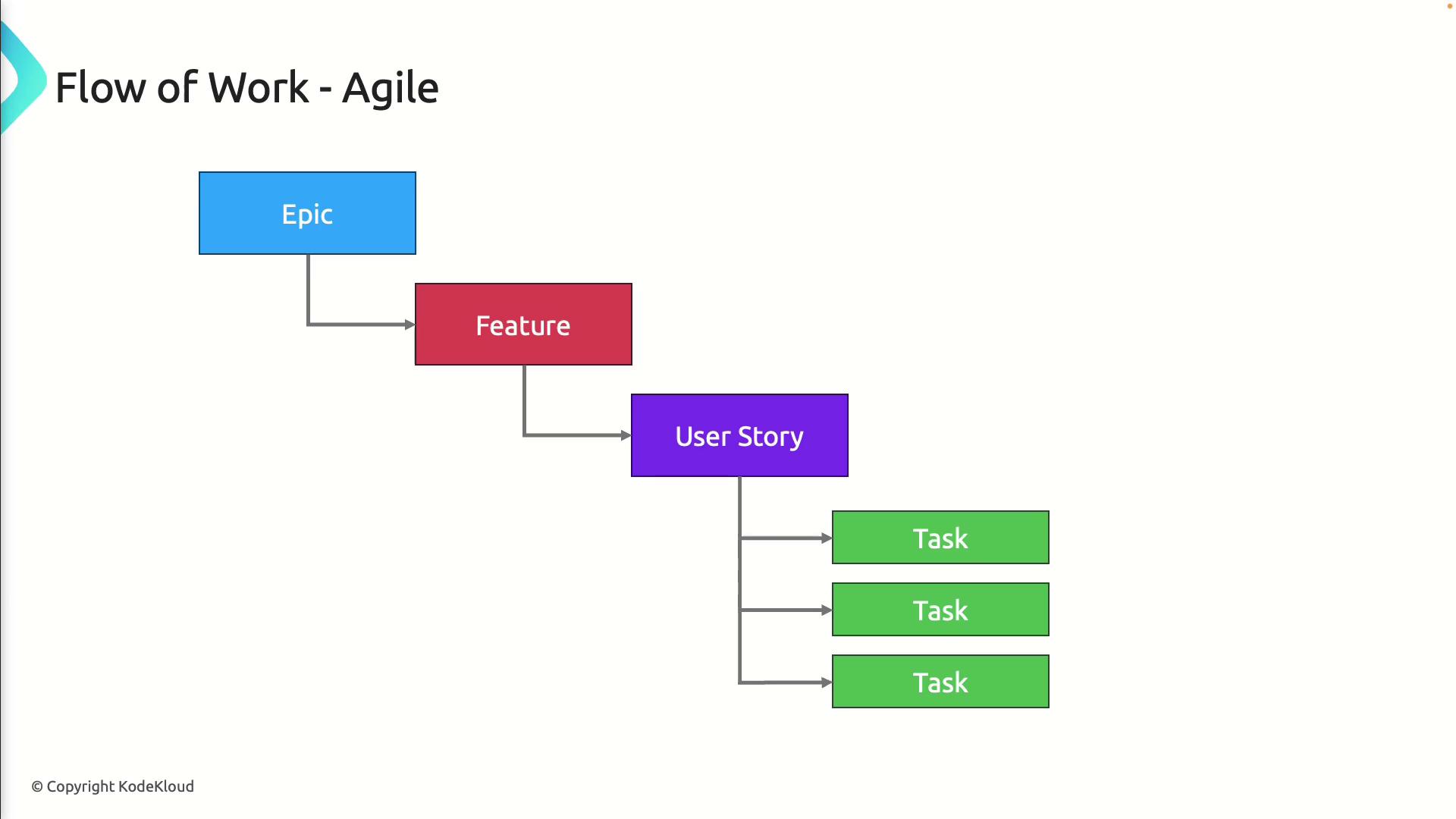
At the highest level, Agile work is organized into backlog items:
1. **Epic**\
Captures a large business goal or feature set, managed in the Portfolio Backlog.
2. **Feature**\
Breaks an Epic into smaller, demonstrable capabilities.
3. **User Story**\
Defines a user-centric requirement in the Product Backlog.
4. **Task**\
Specifies individual development or testing actions.
## 2. Feedback and Code Review Process
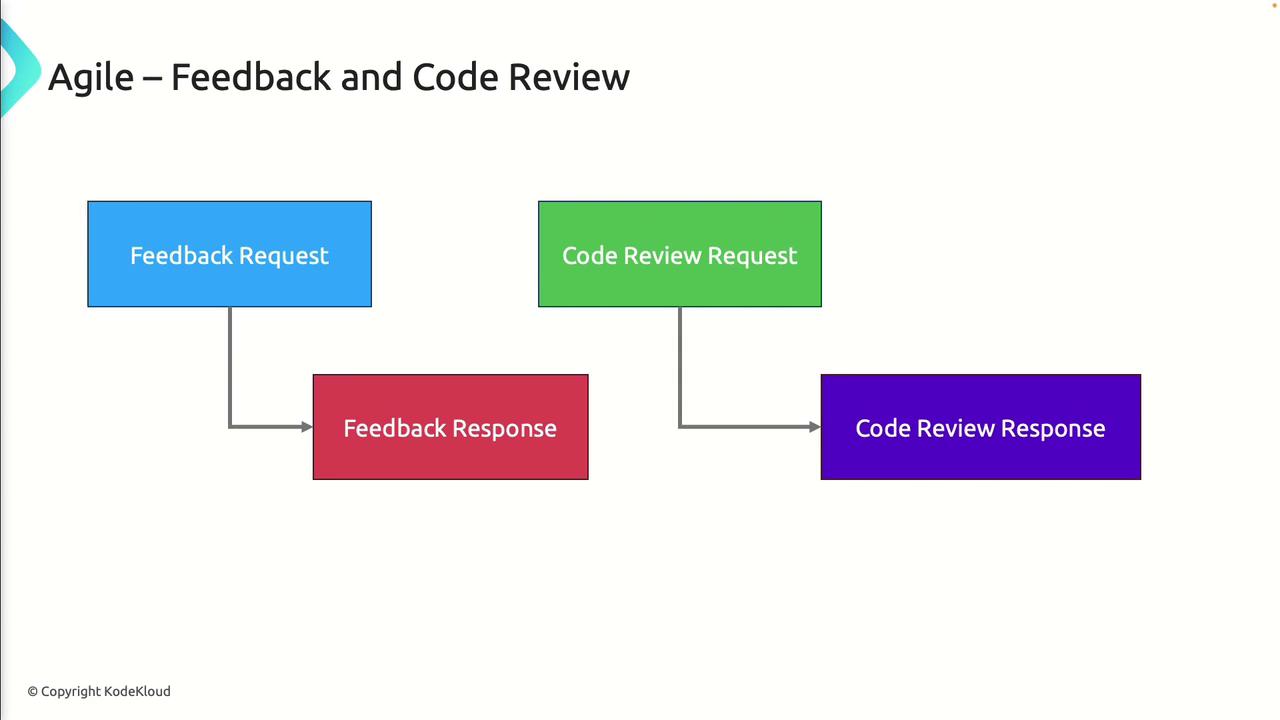
Agile emphasizes continuous feedback. The typical sequence is:
* **Feedback Request**: Developer asks stakeholders to validate functionality.
* **Feedback Response**: Stakeholders provide comments or approvals.
* **Code Review Request**: Developer submits a pull request or merge request.
* **Code Review Response**: Peers review, comment, approve, or request changes.
Regular code reviews not only catch defects early but also promote shared knowledge and consistency across the codebase.
## 3. Testing Structure
Agile testing is layered to ensure coverage from strategy down to individual scenarios:
| Level | Definition | Example |
| ---------- | -------------------------------------------------- | ------------------------------- |
| Test Plan | Overall scope, objectives, and entry/exit criteria | Regression and performance plan |
| Test Suite | Group of related test cases | Authentication suite |
| Test Case | Detailed steps, inputs, and expected results | Login with valid credentials |
Shared Steps enable reuse of common actions (e.g., “Login") across multiple test cases, reducing maintenance overhead.
Failing to update shared steps when workflows change can cause multiple tests to break simultaneously. Review shared steps regularly.

## 4. Issue and Bug Tracking
Work items for defects and tasks help teams triage and resolve problems efficiently:
| Work Item Type | Purpose | Typical Workflow |
| -------------- | --------------------------- | -------------------------------- |
| Issue | General task or improvement | New → Active → Resolved → Closed |
| Bug | Defect needing a fix | New → Active → Resolved → Closed |
Use [Azure Boards](https://docs.microsoft.com/azure/devops/boards/) or similar tools to categorize and prioritize these items.
## 5. Work Item States
All Agile work items move through these standard states:
* **New**: Item is created and awaiting grooming.
* **Active**: Work is in progress.
* **Resolved**: Development or testing is complete—pending review.
* **Closed**: Item is accepted and done.
* **Removed**: Item is discarded or deemed obsolete.

## 6. End-to-End Workflow
1. **Planning**\
Define User Stories, acceptance criteria, and test strategy.
2. **Backlog Management**\
Prioritize Epics and Features, estimate effort, and assign items.
3. **Development & Review**\
Implement Tasks, request feedback, submit pull requests, and address review comments.
4. **Testing**\
Execute test cases, reuse shared steps, and update test suites.
5. **Bug/Issue Resolution**\
Triage reported defects, assign to developers, and verify fixes.
6. **Closure**\
Move completed items to Closed or remove obsolete ones.
Each sprint cycle reinforces continuous delivery and feedback loops, ensuring that teams adapt quickly to change.
## Links and References
* [Agile Manifesto](https://agilemanifesto.org/)
* [Scrum Guide](https://scrumguides.org/)
* [Azure DevOps Boards](https://docs.microsoft.com/azure/devops/boards/)
* [Atlassian Agile vs Scrum](https://www.atlassian.com/agile)