> ## Documentation Index
> Fetch the complete documentation index at: https://notes.kodekloud.com/llms.txt
> Use this file to discover all available pages before exploring further.
# Demo Creating a Wiki
> This guide explains how to set up and secure a project wiki in Azure DevOps for a .NET application called Turkey Time.
## Overview
In this guide, you’ll learn how to set up and secure a project wiki in Azure DevOps for your .NET application, **Turkey Time**. We’ll cover both the built-in Project Wiki and the Publish Code as Wiki approaches, ensuring your documentation is versioned alongside your code.
## 1. Creating a Project Wiki in Azure DevOps
### a. Accessing the Wiki Feature
1. In your Azure DevOps project, go to **Project Overview** → **Wiki**.
2. You’ll see two options:
* **Create Project Wiki**
* **Publish Code as Wiki**
Creating a **Project Wiki** lets you quickly start documenting without touching your code repository. Ideal for high-level docs and team onboarding.
### b. Creating the Wiki
1. Click **Create Project Wiki**.
2. Enter a title, for example: **Turkey Time Wiki**.
3. Rename the default page to **About This Project**.
4. Add your content using Markdown:
* Headings (`#`, `##`, `###`)
* Lists (`-`, `*`)
* Links (`[text](url)`)
5. Click **Save** when you’re done.
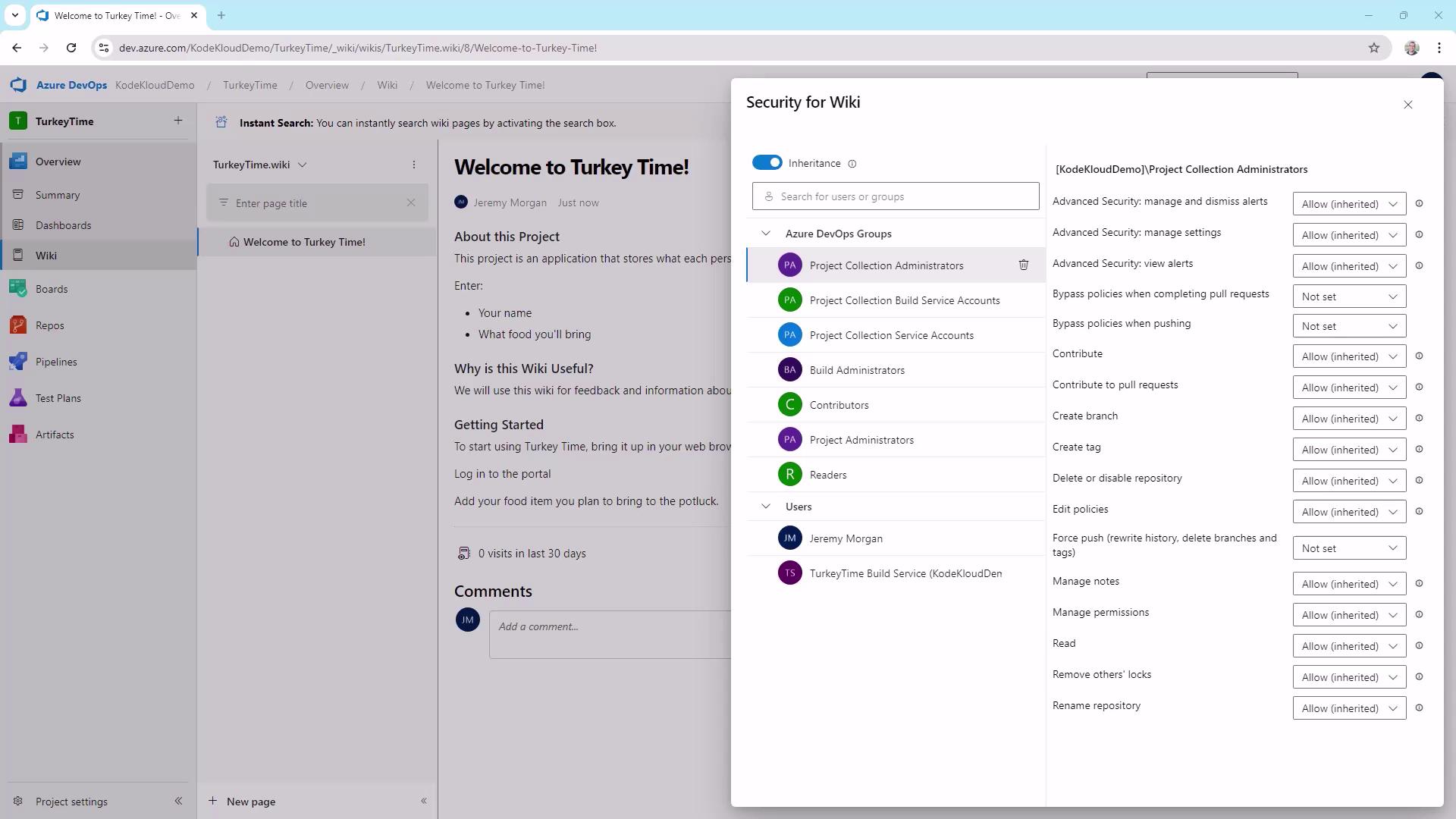
### c. Managing Wiki Security
To control who can view or edit your wiki:
1. Click the **...** menu at the top right of the wiki page.
2. Select **Wiki security**.
3. Add users or groups and assign permissions.
| Permission | Description |
| ---------- | --------------------------------- |
| Read | View all wiki pages |
| Contribute | Edit and create wiki content |
| Delete | Remove pages or sections |
| Administer | Modify wiki settings and security |
Follow the principle of least privilege—only grant the minimum permissions each user or group needs.
***
## 2. Publishing Code as a Wiki
Versioning your documentation alongside your source code ensures every change is tracked.
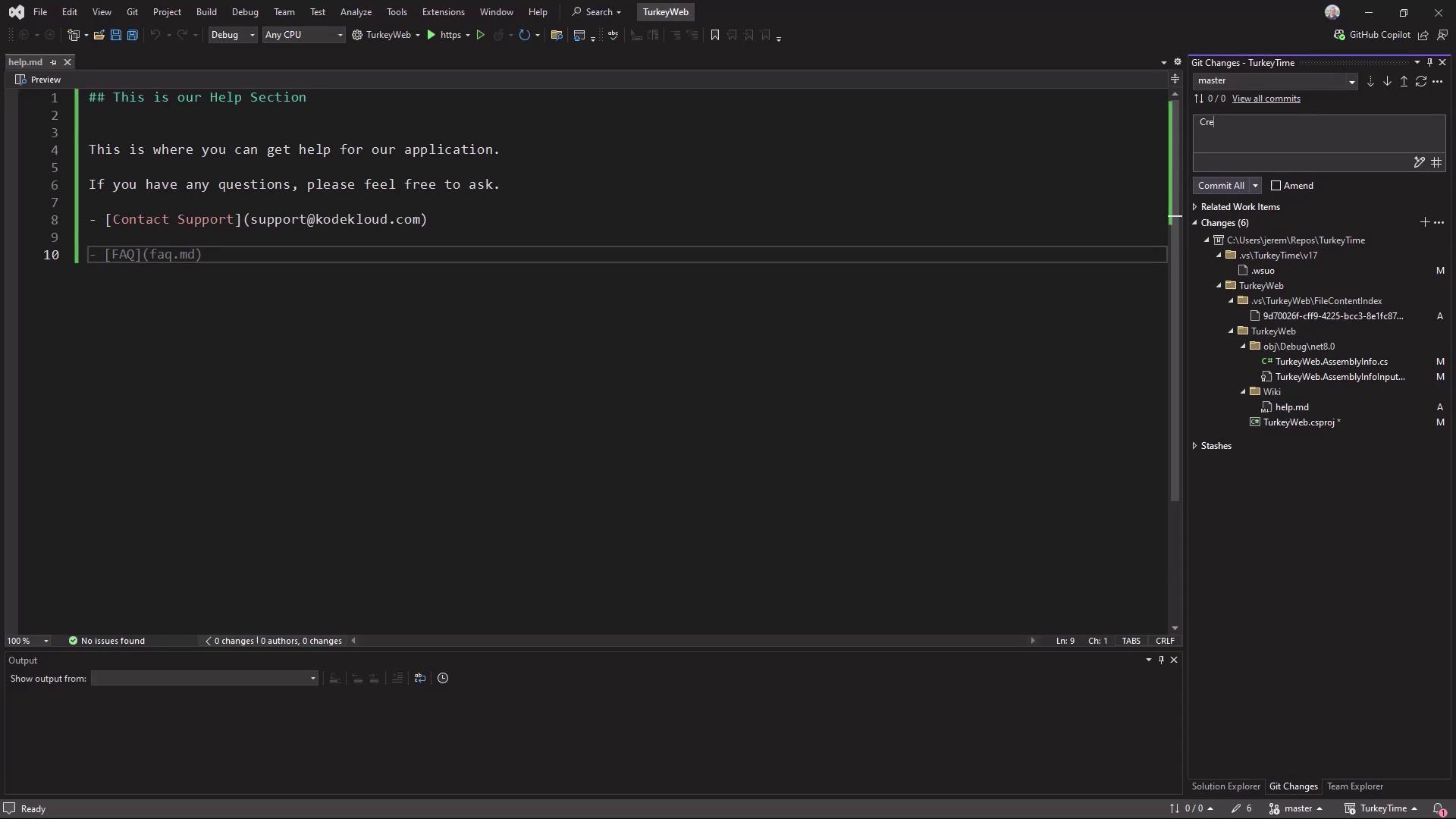
### a. Prepare Your Repository
1. In your local repo or IDE, create a `Wiki` folder:
```bash theme={null}
mkdir Wiki
```
2. Inside `Wiki`, create a Markdown file (e.g., `HelpPage.md`) and write your documentation.
3. Stage and commit your changes:
```bash theme={null}
git add Wiki/HelpPage.md
git commit -m "Add HelpPage documentation for Turkey Time"
git push origin main
```
### b. Publish Code as Wiki
1. In Azure DevOps, navigate back to **Project Overview** → **Wiki**.
2. Select **Publish Code as Wiki**.
3. Choose the `Wiki` folder in your repository.
4. Enter a wiki name (e.g., **Help Page**).
5. Click **Publish**.
Your Markdown files will now appear as versioned wiki pages in Azure DevOps.
***
## What’s Next?
In our next article, we’ll explore **Azure Boards** and show you how to build a **custom dashboard** for tracking work items and sprints in Azure DevOps.
## Links and References
* [Azure DevOps Wiki Documentation](https://docs.microsoft.com/azure/devops/project/wiki/overview)
* [Markdown Guide](https://www.markdownguide.org/basic-syntax/)
* [Git Basics](https://git-scm.com/book/en/v2/Getting-Started-Git-Basics)