> ## Documentation Index
> Fetch the complete documentation index at: https://notes.kodekloud.com/llms.txt
> Use this file to discover all available pages before exploring further.
# Documentation with Azure Wikis
> Azure Wikis in Azure DevOps provide a version-controlled documentation solution for project documentation and integration with code.
Azure Wikis in Azure DevOps deliver an integrated, version-controlled documentation solution. Whether you need a blank canvas for project docs or want to publish existing Markdown alongside your code, Azure Wikis ensure your documentation stays aligned with development.
## Overview
| Wiki Type | Hosted Location | Versioning | Ideal Use Case |
| ---------------- | ---------------------- | ------------------ | ----------------------------------------------- |
| Provisioned Wiki | Azure DevOps (managed) | Built-in revisions | Quick-start docs, team collaboration |
| Code-Published | Git repository | Git branches/tags | Docs-as-code, CI/CD integration, versioned docs |
## Creating a New Wiki
1. In your Azure DevOps project, select **Wiki** under **Overview**.
2. Choose one of the following:
* **Create a project wiki** (provisioned wiki)
* **Publish code as wiki**
Selecting **Publish code as wiki** requires a repository with Markdown files and a supported branch.
***
## Provisioned Wiki
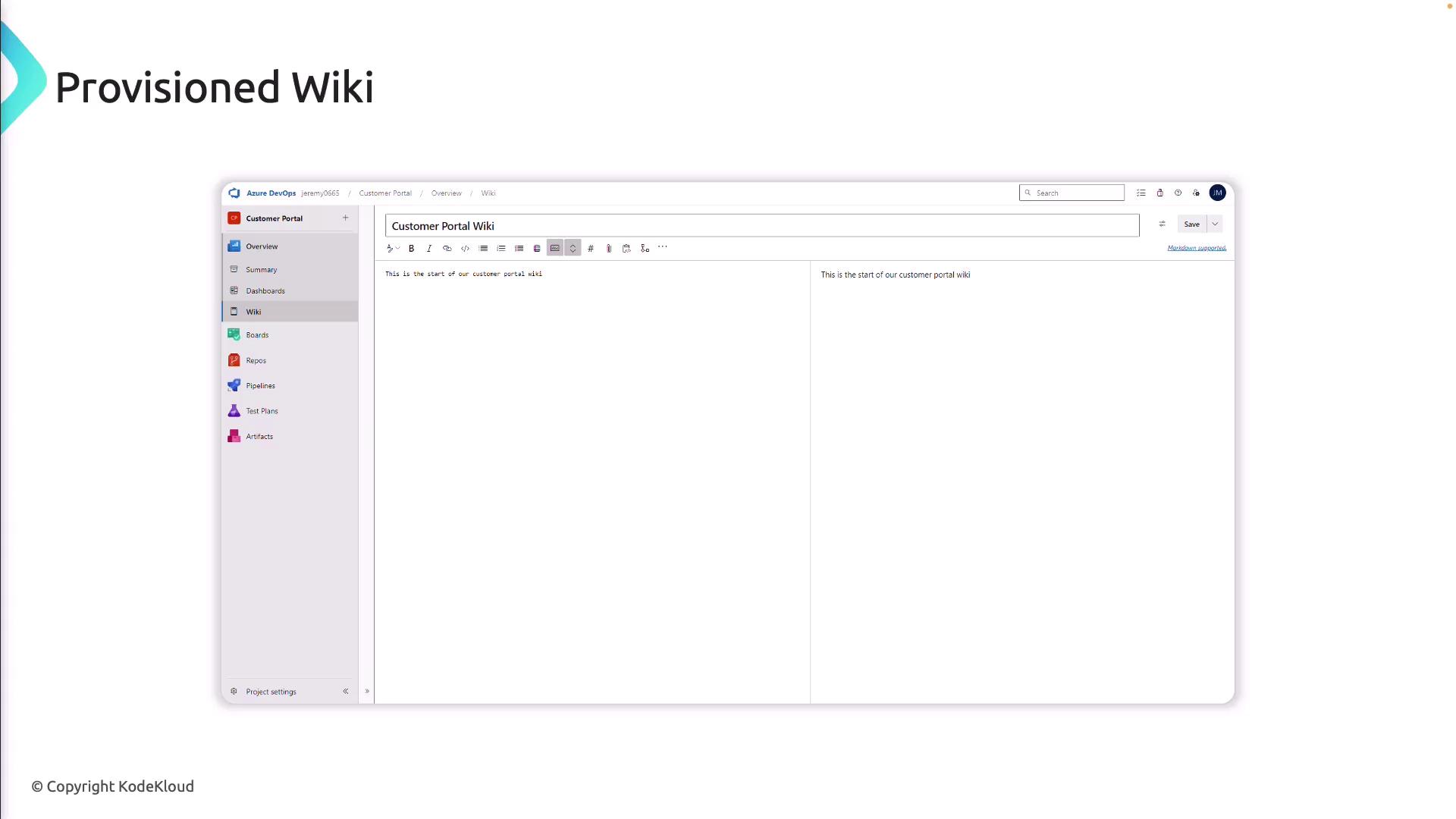
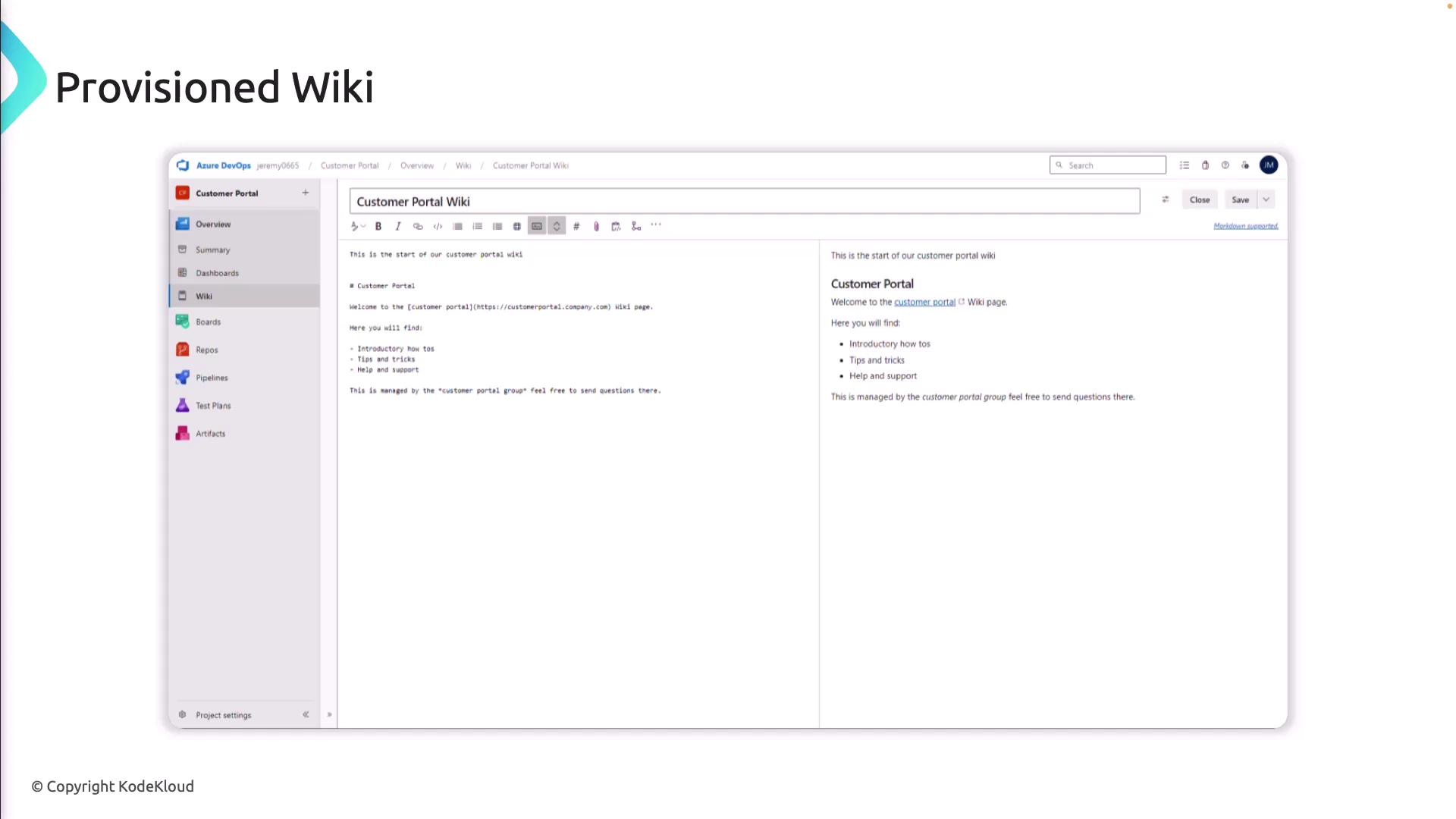
A provisioned wiki provides a built-in, managed wiki experience. After creation, you can immediately add content via the Azure DevOps editor.
### Key Features
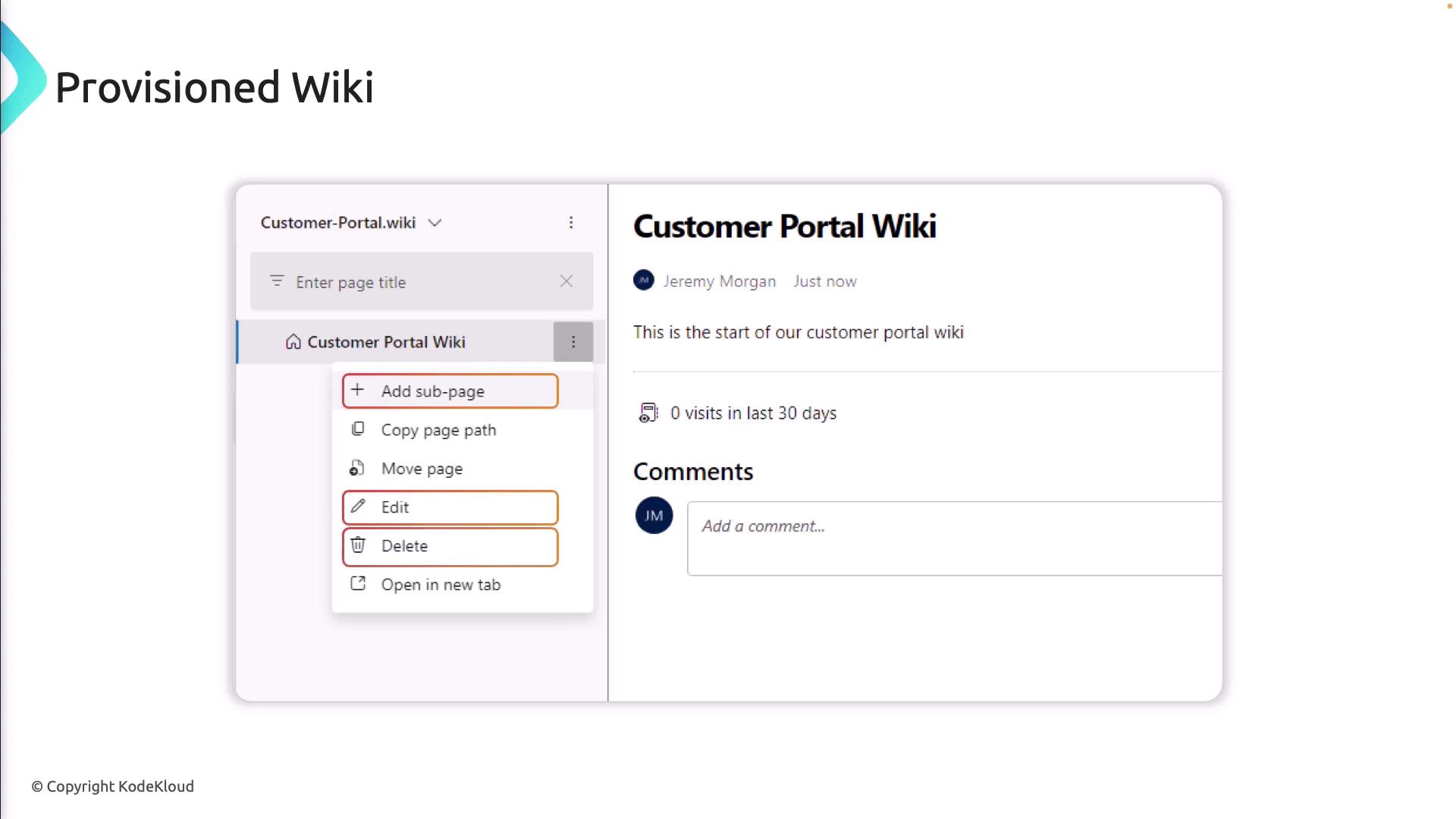
* **Page hierarchy**: Add, move, or nest sub-pages
* **Rich editor**: Markdown or HTML with image resizing
* **Attachments**: Upload files directly to pages
* **Inline comments**: Collaborate and discuss changes
### Navigation & Management
* Left pane for quick access to pages and sub-pages
* Print pages for offline distribution
* Link work items to documentation
* View and revert revision history
* Option to delete the entire wiki
***
## Publishing Code as a Wiki
With the code-published approach, your documentation lives in a Git repository, enabling full source-control workflows.
1. Create a folder (e.g., `/docs`) in your repo and add `.md` files.
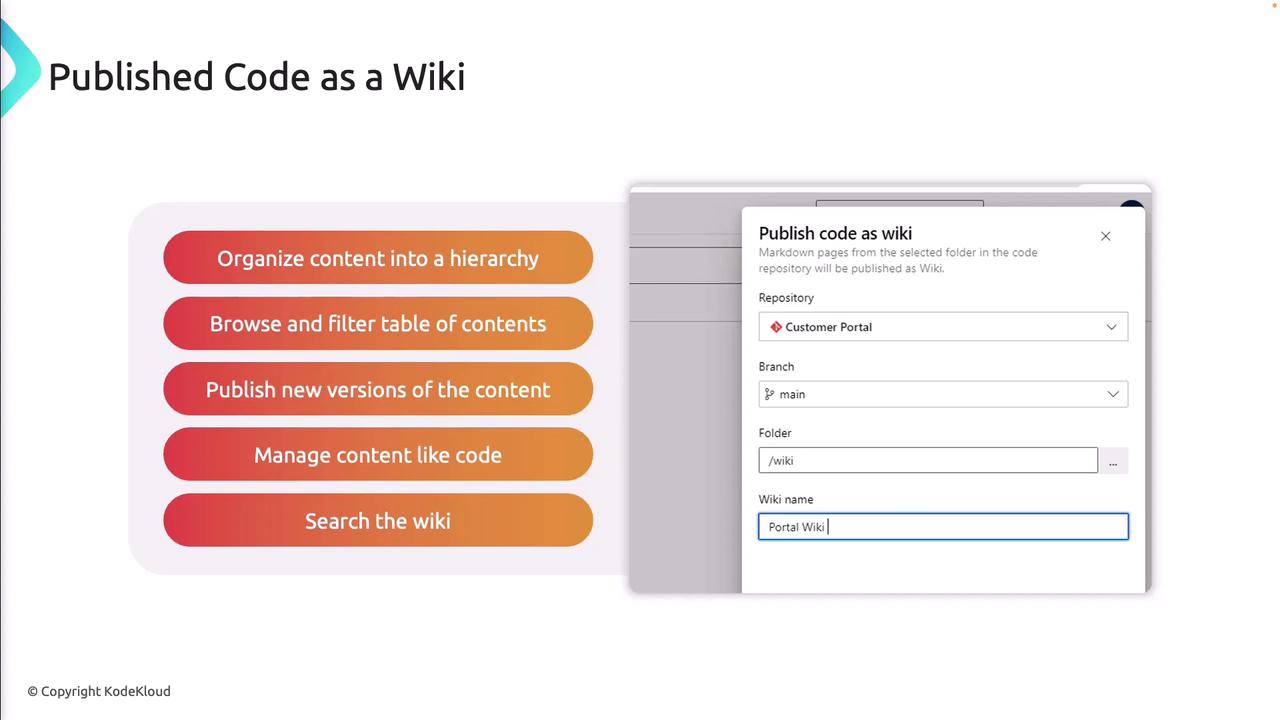
2. In **Wiki** settings, select **Publish code as wiki**.
3. Choose the repository and branch.
4. Save to generate the wiki from your Markdown.
Editing content directly in the provisioned wiki editor won’t update your Git repository. For changes, commit to your repo branch.
### Benefits
* **Folder-based hierarchy** and auto-generated table of contents
* **Versioned releases** tied to code deployments
* **Pull request reviews** for doc updates
* **Searchable, filterable content**
***
## Links and References
* [Azure DevOps Wiki Documentation](https://docs.microsoft.com/azure/devops/project/wiki/wiki-overview)
* [Markdown Guide](https://www.markdownguide.org/)
* [Git Version Control](https://git-scm.com/)
* [Azure DevOps Services](https://azure.microsoft.com/services/devops/)