> ## Documentation Index
> Fetch the complete documentation index at: https://notes.kodekloud.com/llms.txt
> Use this file to discover all available pages before exploring further.
# Introduction Designing and Implementing Deployments
> This lesson covers techniques for designing and implementing reliable deployments in Azure DevOps, preparing for the AZ-400 exam.
In this lesson we cover the essential techniques for designing and implementing reliable deployments in Azure DevOps, preparing you for the AZ-400 exam. You’ll discover strategies to minimize downtime, manage database changes, and adopt advanced release patterns to ensure production stability.
## Lesson Roadmap
1. Deployment Strategies
2. Designing and Implementing Resiliency
3. Implementing Deployments with Database Tasks
4. Dependency Deployments and Pipelines
5. Minimizing Downtime During Deployments
6. Designing a Hotfix Path Plan
7. Load Balancer and Traffic Manager Releases
8. Implementing Feature Flags
9. Application Deployment Techniques
***
## 1. Deployment Strategies in Azure DevOps
Modern applications require flexible release approaches to reduce risk and improve agility. Azure DevOps supports several deployment patterns:
| Strategy | Description | Use Case |
| -------------------- | ------------------------------------------------------------------- | ------------------------------------------------ |
| Blue/Green | Maintain two parallel environments; switch traffic post-validation. | Instant rollback and zero-downtime updates |
| Canary | Gradually roll out changes to a small subset of users. | Early feedback and limited blast radius |
| Ring | Define deployment rings (e.g., internal → pilot → production). | Controlled, phased rollouts |
| Progressive Exposure | Automate traffic shifts based on metrics and health checks. | Data-driven release automation |
| Feature Flags | Toggle features on/off at runtime without redeploying code. | Decouple deployments from releases |
| A/B Testing | Route user segments to different feature variants. | Comparative analysis and user experience testing |
Using these strategies, you can align deployments with your organization’s risk tolerance and user expectations.
***
## 2. Designing and Implementing Resiliency
Building resilient systems helps maintain availability during failures:
* Define Recovery Time Objectives (RTO) and Recovery Point Objectives (RPO).
* Apply resiliency patterns: retry, circuit breaker, and bulkhead isolation.
* Use Azure services like Traffic Manager, Front Door, and Availability Zones to distribute risk.
* Automate health checks, alerting, and rollback workflows.
Implement circuit breakers and retries at both application and service levels to handle transient failures effectively.
***
## 3. Implementing Deployments with Database Tasks
Coordinating application and database updates is critical for schema changes and migrations:
Key best practices:
* Use migration frameworks (Entity Framework Migrations, Flyway, Liquibase).
* Automate pre-deployment schema validation and post-deployment data verification.
* Ensure backward-compatible changes to minimize service interruptions.
* Provide rollback scripts or leverage transactional deployments when supported.
***
## 4. Dependency Deployments and Pipelines
Large solutions often span multiple services and environments:
* Map inter-service dependencies and determine deployment order.
* Break pipelines into stages: build, test, deploy, validate.
* Implement manual or automated approvals in Azure Pipelines.
* Manage infrastructure with code (ARM templates, Bicep, Terraform) for consistency and versioning.
***
## 5. Minimizing Downtime During Deployments
High-availability applications must remain online during updates:
Adopt these approaches:
* Rolling updates across instances to avoid full service outages.
* Blue/Green and Canary for zero-downtime switches.
* Azure Deployment Slots: swap staging and production environments in seconds.
* Leverage health probes and automated rollbacks on failure.
Always validate slot configurations and connection strings after a swap to avoid environment mismatches.
***
## 6. Designing a Hotfix Path Plan
A streamlined hotfix process enables rapid responses:
* Differentiate hotfixes from standard releases in your branching strategy (Git flow, GitHub flow).
* Automate build, test, and deployment pipelines for hotfix branches.
* Define approval gates and ensure full traceability from commit to production.
* Include rollback capabilities and clear versioning for hotfix packages.
***
## 7. Load Balancer and Traffic Manager Releases
Ensure traffic distribution and global fault tolerance:
| Service | Layer | Purpose |
| --------------------- | ------- | --------------------------------------------- |
| Azure Load Balancer | Layer 4 | Distribute traffic across VMs and scale sets. |
| Azure Traffic Manager | DNS | Route users based on performance or priority. |
* Configure health probes, routing methods, and endpoint priorities.
* Integrate with Azure Pipelines for automated deployment and validation.
***
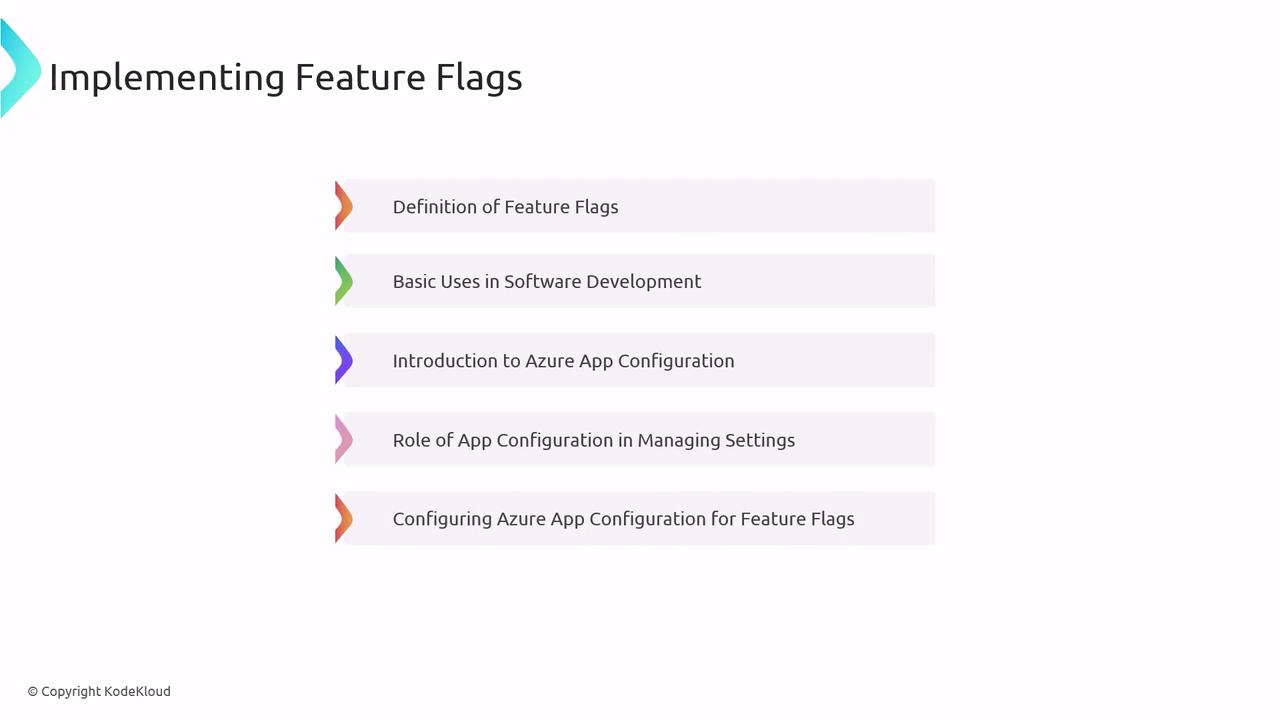
## 8. Implementing Feature Flags
Feature flags empower controlled rollouts and rapid rollbacks:
Implementation steps:
* Define feature flags and their lifecycle.
* Use cases: gradual rollouts, A/B testing, kill switches.
* Centralize flag management with Azure App Configuration.
* Integrate client SDKs to read and act on flag values at runtime.
***
## 9. Application Deployment Techniques
Choose the right packaging and delivery method for your application:
* Container-based: Docker, Kubernetes, Azure Container Instances.
* Binary archives: ZIP, WAR with Web Deploy or MsDeploy.
* Scripted pipelines: Azure CLI, PowerShell, and Azure DevOps tasks.
* End-to-end Azure Pipelines: orchestrate build, test, and release jobs seamlessly.
**Example: Deploy a Web App using Azure CLI**
```bash theme={null}
az webapp up \
--name MyWebApp \
--resource-group MyResourceGroup \
--runtime "DOTNET:6.0" \
--sku F1
```
***
## Links and References
* [Azure DevOps Documentation](https://docs.microsoft.com/azure/devops/)
* [Azure App Configuration](https://docs.microsoft.com/azure/azure-app-configuration/)
* [Entity Framework Migrations](https://docs.microsoft.com/ef/core/managing-schemas/migrations/)
* [Flyway](https://flywaydb.org/)
* [Terraform Registry](https://registry.terraform.io/)