> ## Documentation Index
> Fetch the complete documentation index at: https://notes.kodekloud.com/llms.txt
> Use this file to discover all available pages before exploring further.
# Integration of automated tests into pipelines
> Learn to integrate MSTest-based automated tests into Azure DevOps pipelines for a C# application, ensuring code changes are verified before deployment.
In this guide, you’ll learn how to integrate MSTest-based automated tests into an Azure DevOps pipeline for a simple C# application. By enforcing tests in CI, every code change is verified and any failures block deployment before reaching production.
## Converter Class Library
We start with a basic C# class library containing conversion methods:
```csharp theme={null}
namespace ConverterLib
{
public class Converter
{
public double CelsiusToFahrenheit(double celsius)
{
return (celsius * (9.0 / 5.0)) + 32;
}
public double MetersToFeet(double meters)
{
return meters * 3.28004;
}
public double KilogramsToPounds(double kilograms)
{
return kilograms * 2.20462;
}
}
}
```
You can verify outputs locally with a small console runner.
### Conversion Methods at a Glance
| Conversion | Method Signature | Formula |
| -------------------- | ------------------------------------ | ---------------------- |
| Celsius → Fahrenheit | `double CelsiusToFahrenheit(double)` | `(celsius * 9/5) + 32` |
| Meters → Feet | `double MetersToFeet(double)` | `meters * 3.28004` |
| Kilograms → Pounds | `double KilogramsToPounds(double)` | `kilograms * 2.20462` |
***
## Setting Up the Azure DevOps Pipeline
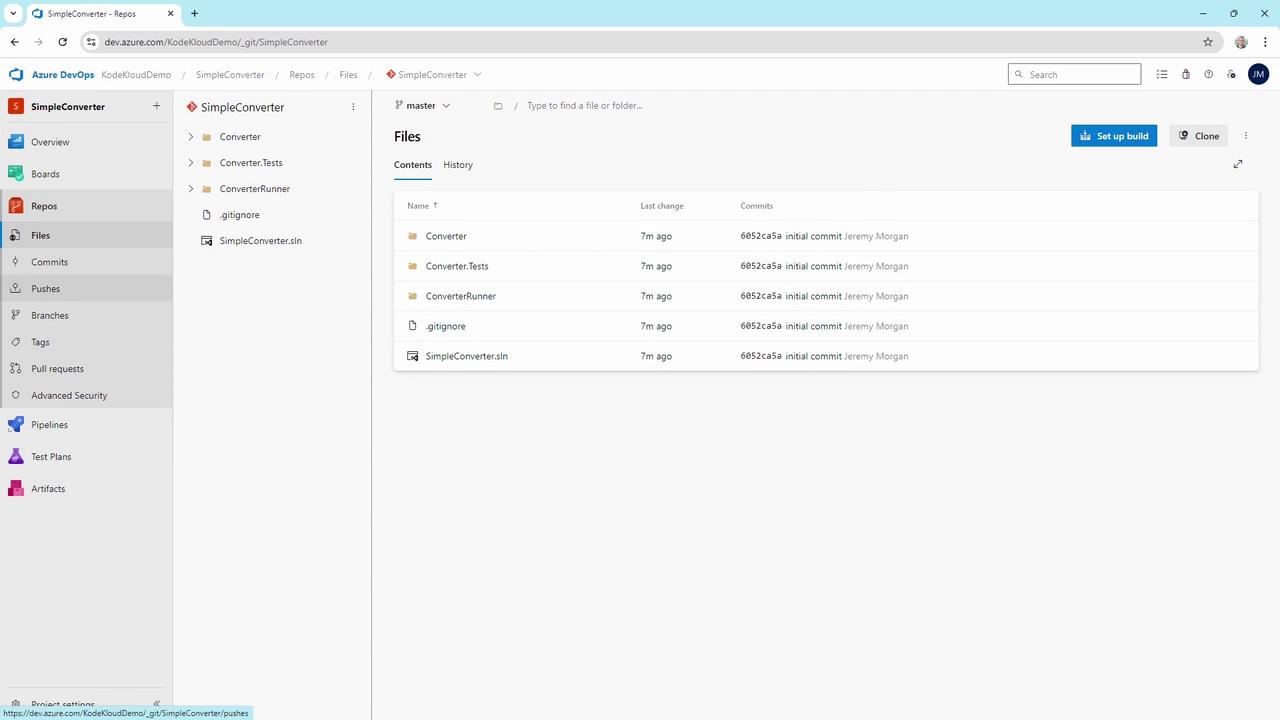
In Azure DevOps, select **Azure Repos Git** as the source and point to the `SimpleConverter` repository:
Choose the **.NET Desktop** template to match our class library:

Here’s the initial `azure-pipelines.yml` for CI:
```yaml theme={null}
trigger:
- master
pool:
vmImage: 'windows-latest'
variables:
solution: '**/*.sln'
buildPlatform: 'Any CPU'
buildConfiguration: 'Release'
steps:
- task: NuGetToolInstaller@1
- task: NuGetCommand@2
inputs:
restoreSolution: '$(solution)'
- task: VSBuild@1
inputs:
solution: '$(solution)'
platform: '$(buildPlatform)'
configuration: '$(buildConfiguration)'
- task: VSTest@2
inputs:
platform: '$(buildPlatform)'
configuration: '$(buildConfiguration)'
```
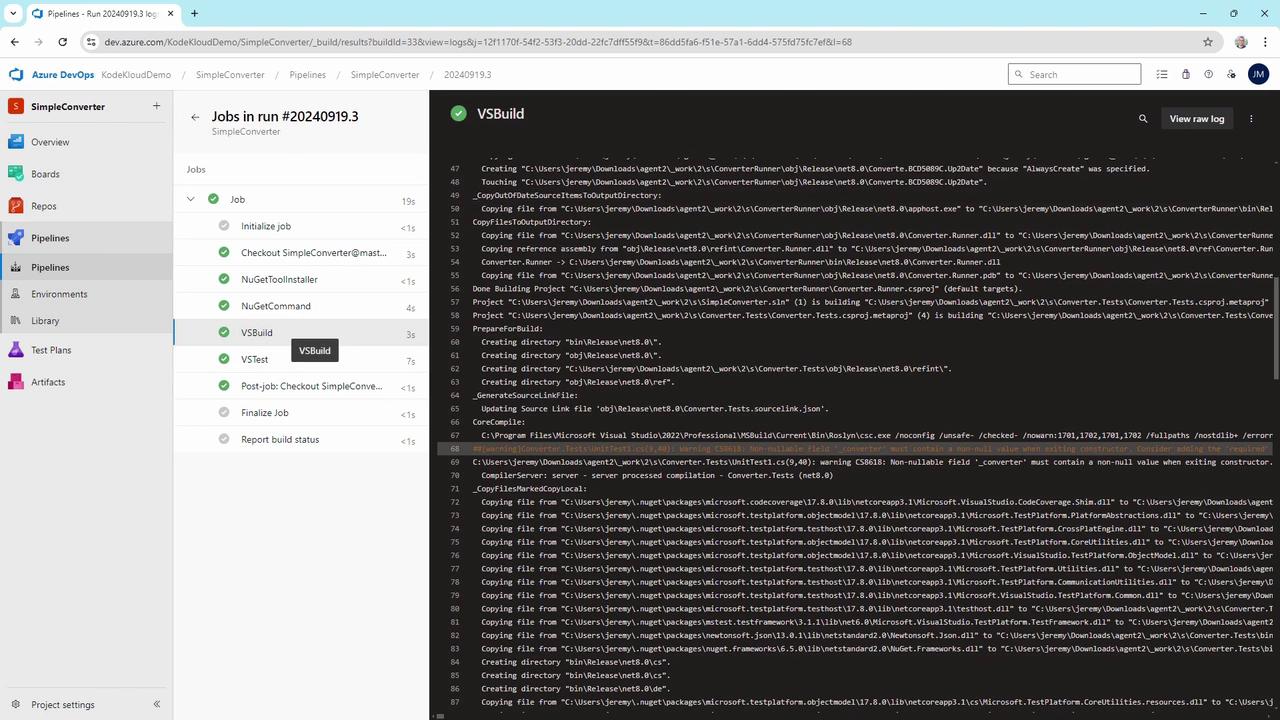
After committing, the pipeline runs successfully:
### Pipeline Task Overview
| Task | Purpose | YAML Snippet |
| --------------------- | ----------------------- | ------------------------------ |
| NuGetToolInstaller\@1 | Installs NuGet CLI | `- task: NuGetToolInstaller@1` |
| NuGetCommand\@2 | Restores NuGet packages | `- task: NuGetCommand@2` |
| VSBuild\@1 | Builds the solution | `- task: VSBuild@1` |
| VSTest\@2 | Runs unit tests | `- task: VSTest@2` |
***
## Adding MSTest Unit Tests
Create a new MSTest project that references `ConverterLib`. Here’s a complete test class:
```csharp theme={null}
using ConverterLib;
using Microsoft.VisualStudio.TestTools.UnitTesting;
namespace Converter.Tests
{
[TestClass]
public class ConverterTests
{
private Converter _converter;
[TestInitialize]
public void Setup()
{
_converter = new Converter();
}
[TestMethod]
public void TestCelsiusToFahrenheit()
{
Assert.AreEqual(32, _converter.CelsiusToFahrenheit(0), 0.001, "0°C should be 32°F");
Assert.AreEqual(212, _converter.CelsiusToFahrenheit(100), 0.001, "100°C should be 212°F");
}
[TestMethod]
public void TestMetersToFeet()
{
Assert.AreEqual(3.28084, _converter.MetersToFeet(1), 0.00001, "1 meter ≈ 3.28084 feet");
}
[TestMethod]
public void TestKilogramsToPounds()
{
Assert.AreEqual(22.0462, _converter.KilogramsToPounds(10), 0.001, "10 kg ≈ 22.0462 lb");
}
}
}
```
Run the tests locally to confirm they pass, then commit and push. The pipeline’s VSTest task will verify them in CI.
***
## Demonstrating a Pipeline Failure
Introduce a faulty implementation for demonstration:
```csharp theme={null}
public double CelsiusToFahrenheit(double celsius)
{
// Faulty return for demonstration
return 4;
// return (celsius * (9.0 / 5.0)) + 32;
}
```
A local build succeeds, but the console runner shows incorrect output:
```plaintext theme={null}
Hello, World!
The temperature is 30 degrees, or 4 degrees Fahrenheit
```
When pushed, the VSTest step fails in Azure DevOps:
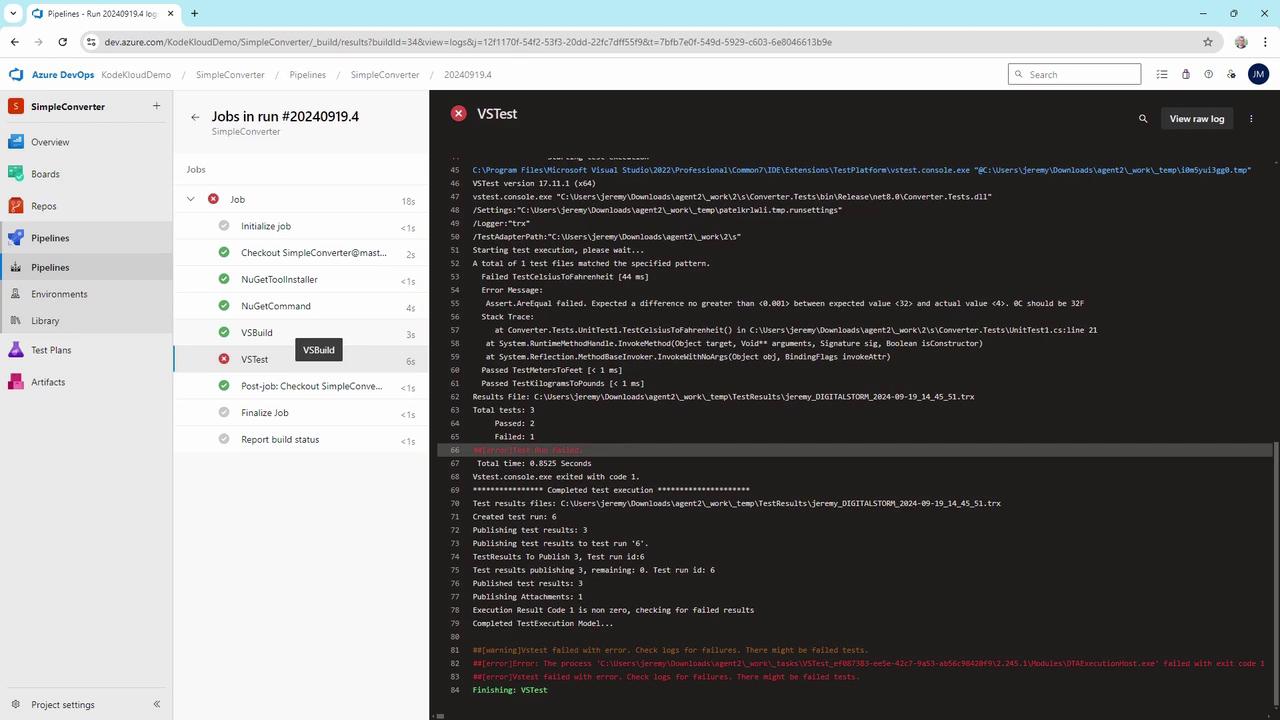
This enforcement blocks deployment until the logic error is fixed.
Never omit the VSTest task in your pipeline. Without it, logic errors slip through and can reach production.
***
## Avoiding Accidental Omissions
A pipeline without tests might look like:
```yaml theme={null}
trigger:
- master
pool:
vmImage: 'windows-latest'
variables:
solution: '**/*.sln'
buildPlatform: 'Any CPU'
buildConfiguration: 'Release'
steps:
- task: NuGetToolInstaller@1
- task: NuGetCommand@2
inputs:
restoreSolution: '$(solution)'
- task: VSBuild@1
inputs:
solution: '$(solution)'
platform: '$(buildPlatform)'
configuration: '$(buildConfiguration)'
# VSTest task removed -> logic errors go unchecked
```
Always include the `VSTest@2` task to enforce your unit tests:
```yaml theme={null}
- task: VSTest@2
inputs:
platform: '$(buildPlatform)'
configuration: '$(buildConfiguration)'
```
***
## Conclusion
By integrating MSTest unit tests into your Azure DevOps YAML pipeline, you establish a robust CI process that catches logic errors early. This simple setup increases confidence in code quality and ensures that only tested code is deployed.
***
## References
* [Azure DevOps Pipelines YAML schema](https://docs.microsoft.com/azure/devops/pipelines/yaml-schema)
* [MSTest Unit Testing Framework](https://docs.microsoft.com/visualstudio/test/mstest-unit-test-framework)
* [Azure Repos Git](https://docs.microsoft.com/azure/devops/repos/git)
* [Continuous Integration (CI) in Azure DevOps](https://docs.microsoft.com/azure/devops/learn/what-is-continuous-integration)