> ## Documentation Index
> Fetch the complete documentation index at: https://notes.kodekloud.com/llms.txt
> Use this file to discover all available pages before exploring further.
# Deployment Automation with GitHub Actions
> This guide explains how to automate deployment of a Node.js app to Azure App Service using GitHub Actions.
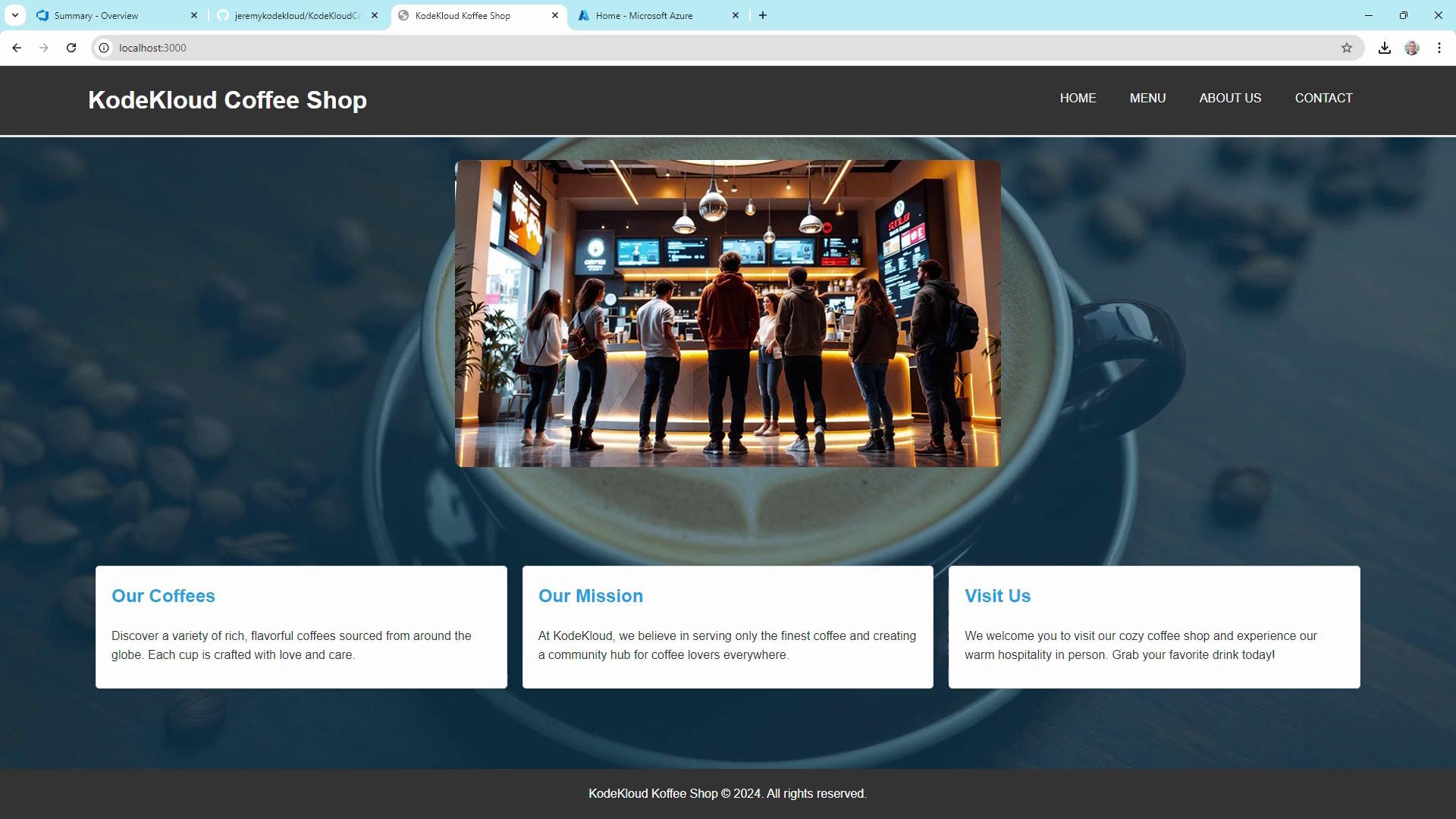
Automating your deployment pipeline is essential for delivering fast, reliable updates. In this guide, we’ll build a CI/CD workflow using **GitHub Actions** to deploy a Node.js app—the KodeKloud Coffee Shop website—to **Azure App Service**. This end-to-end example covers:
* Defining workflows in `.github/workflows`
* Provisioning an App Service
* Splitting build and deploy jobs
* Securing credentials with GitHub Secrets
## 1. Setting Up GitHub Actions
Workflows live in the `.github/workflows` folder. They can compile code, run tests, build artifacts, and deploy—all triggered by GitHub events or manual dispatch.
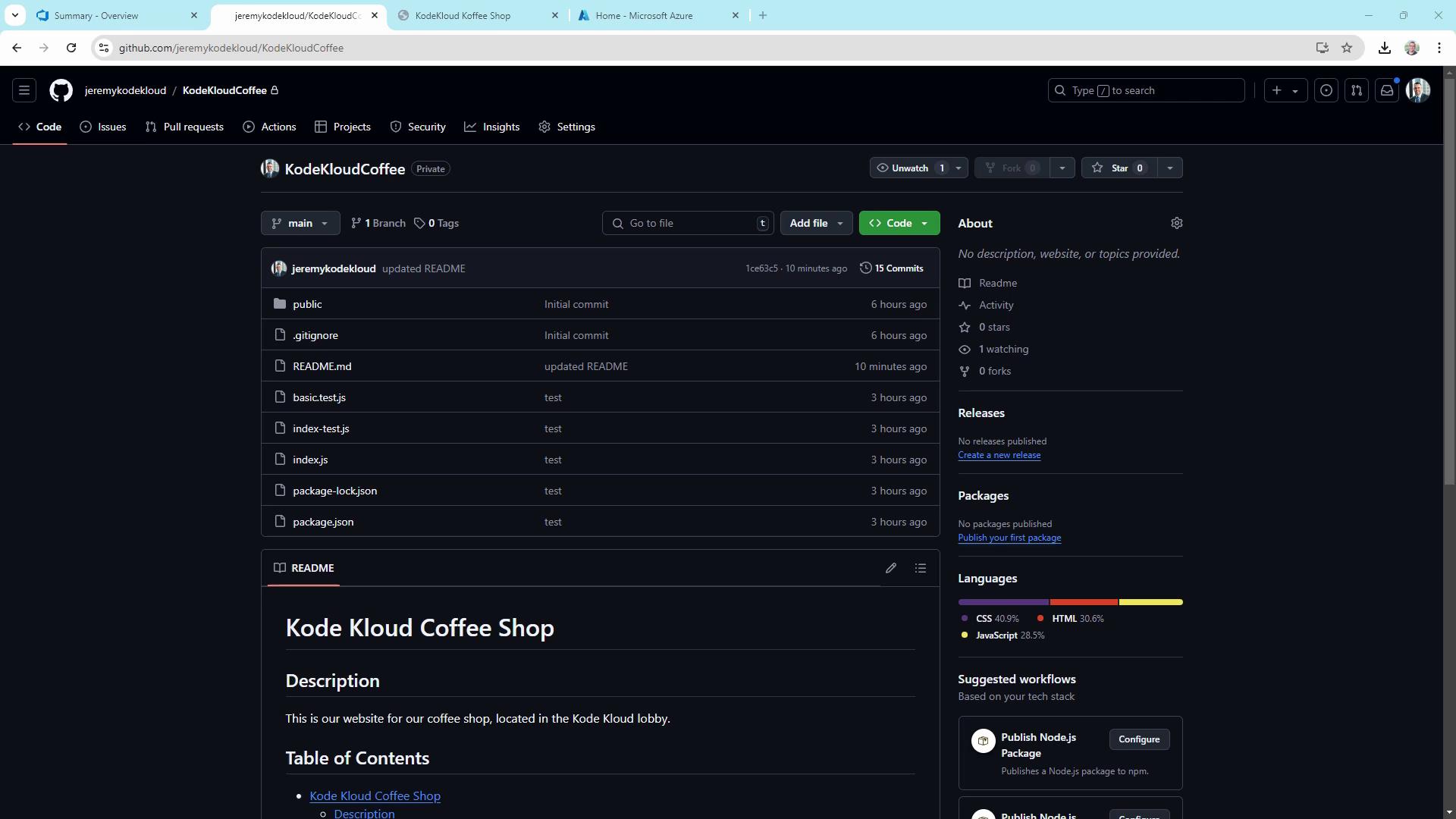
Here’s our sample repo structure for **KodeKloudCoffee**:
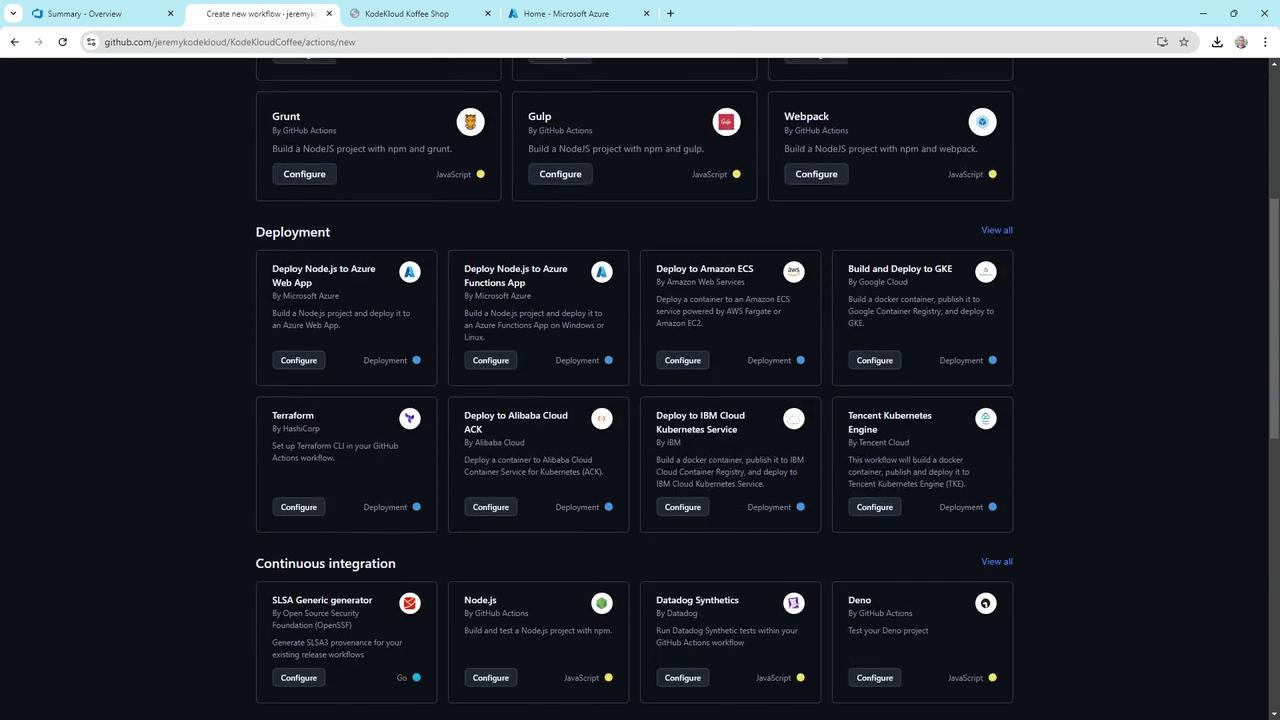
You can start from scratch or pick a template in the Actions UI:
### 1.1 Simple Deploy-to-Azure Workflow
This minimal workflow runs on every push to `main`, sets up Node.js, builds, and tests your app.
```yaml theme={null}
name: Deploy to Azure
on:
push:
branches: [ main ]
jobs:
build-and-deploy:
runs-on: ubuntu-latest
steps:
- uses: actions/checkout@v2
- name: Set up Node.js
uses: actions/setup-node@v2
with:
node-version: '14.x'
- run: npm install
- run: npm run build --if-present
- run: npm test --if-present
```
Key concepts:
| Trigger | Runner | Actions vs. Commands |
| --------- | --------------- | -------------------------------------------- |
| `on.push` | `ubuntu-latest` | `uses:` pre-built actions; `run:` shell code |
## 2. Provisioning an Azure Web App
Create an Azure App Service to host your Node.js site. In the Azure portal:
1. Go to **App Services** > **Create**.
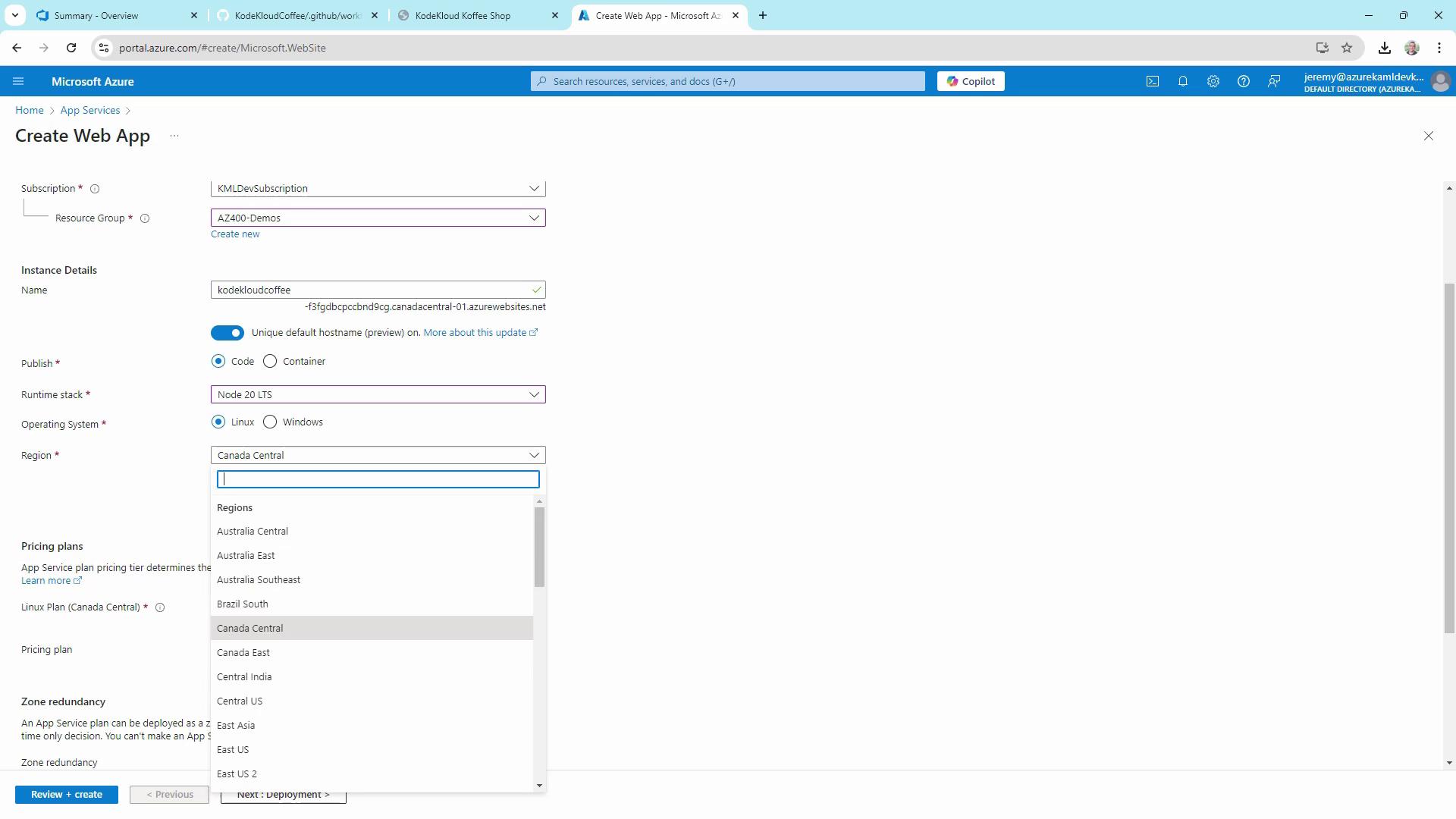
2. Configure basics:
| Setting | Recommended Value |
| -------------- | ----------------------- |
| Subscription | Your Azure subscription |
| Resource group | Create or select one |
| Name | `kodekloudcoffee` |
| Publish | Code |
| Runtime stack | Node.js |
| Region | Central US |
| OS | Linux |
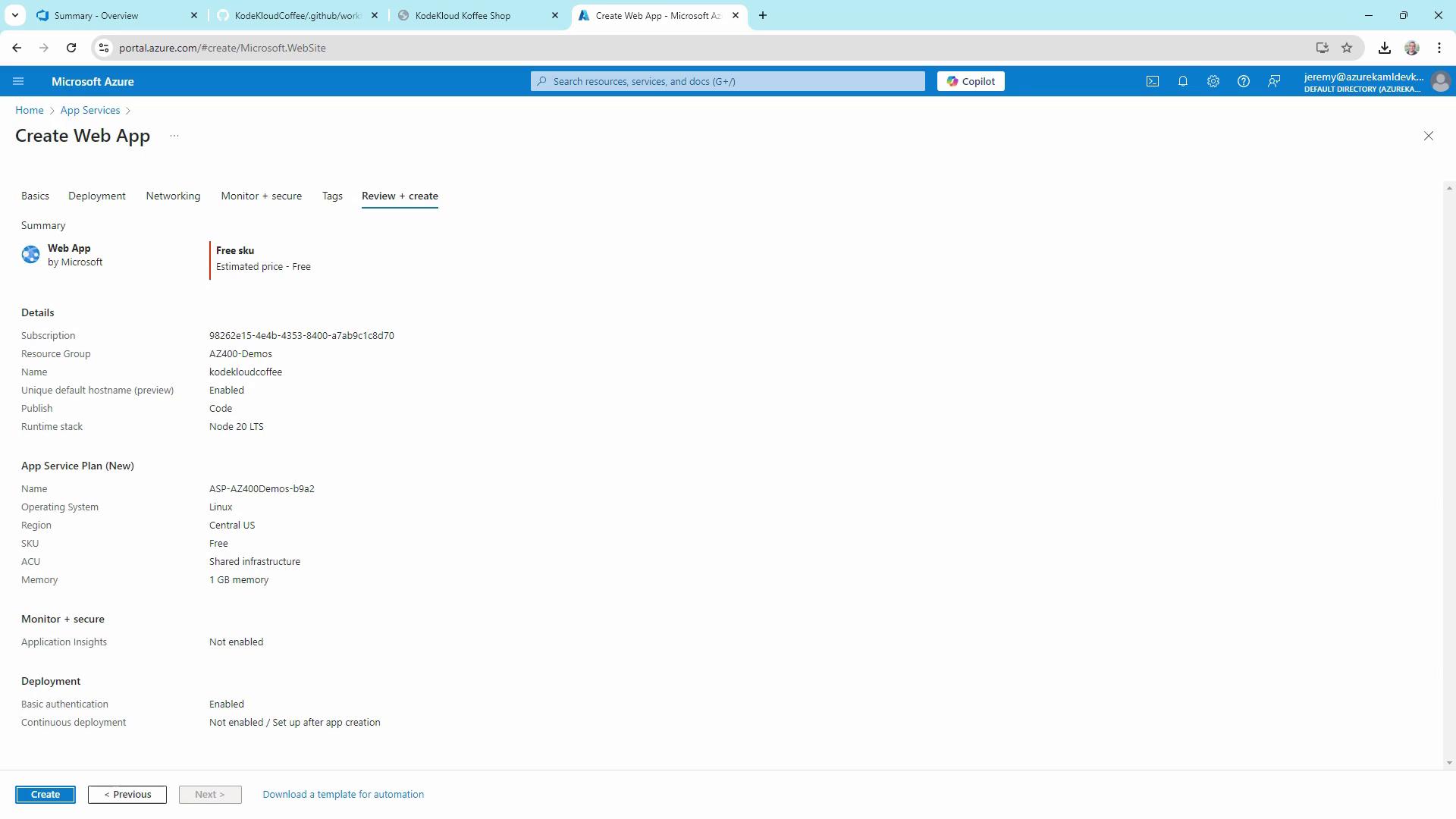
3. Choose a pricing plan (Free tier is fine) and click **Review + create**:
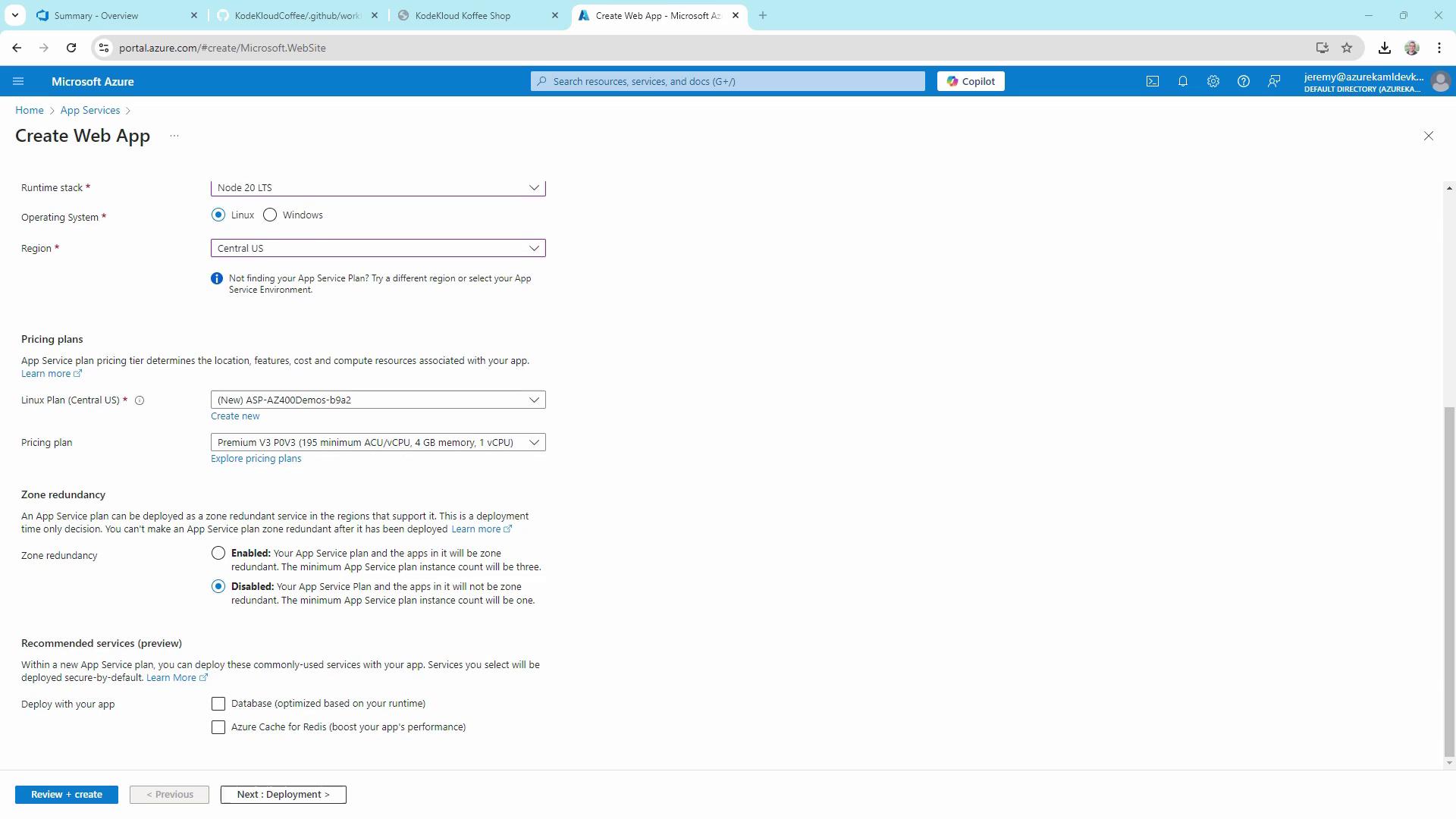
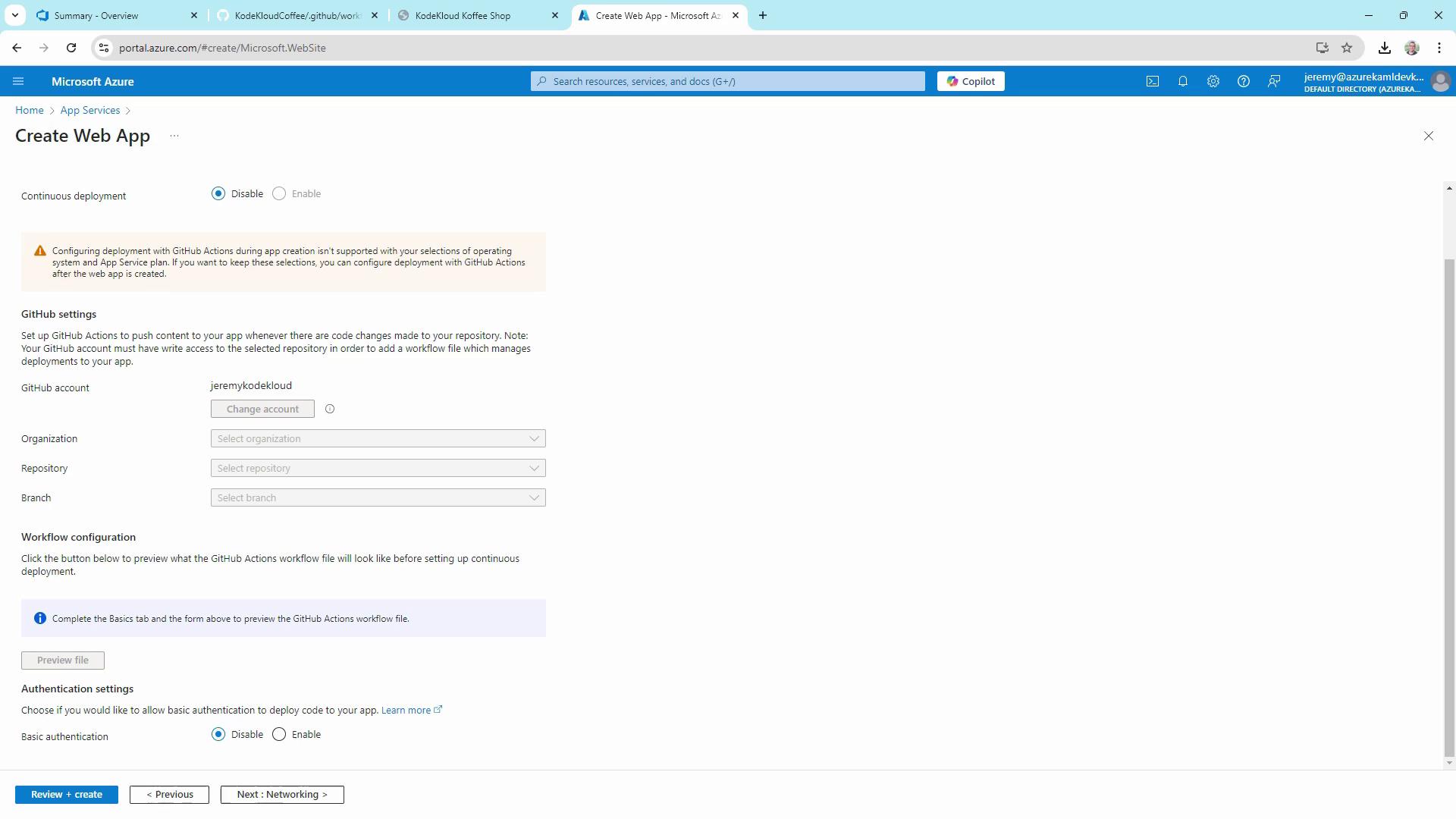
Linux apps don’t support automatic GitHub Actions setup in the portal. We’ll configure our CI/CD workflow manually below.
4. Skip the “Get GitHub Actions” prompt and click **Create**:
5. Once provisioning completes, download the **Publish Profile** (XML). Store this file securely outside your repo.
## 3. Extending the Workflow for Azure Deployment
Enhance the workflow to split build and deploy, add manual triggers, environment variables, and use the Azure Deploy action.
```yaml theme={null}
name: Deploy to Azure
on:
push:
branches: [ main ]
workflow_dispatch:
env:
AZURE_WEBAPP_NAME: kodekloudcoffee
AZURE_WEBAPP_PACKAGE_PATH: '.'
NODE_VERSION: '20.x'
permissions:
contents: read
jobs:
build:
runs-on: ubuntu-latest
steps:
- uses: actions/checkout@v4
- name: Setup Node.js
uses: actions/setup-node@v4
with:
node-version: ${{ env.NODE_VERSION }}
cache: npm
- name: Install, Build & Test
run: |
npm install
npm run build --if-present
npm test --if-present
- name: Upload Artifact
uses: actions/upload-artifact@v3
with:
name: node-app
path: .
deploy:
needs: build
runs-on: ubuntu-latest
permissions:
contents: none
environment:
name: Development
url: ${{ steps.deploy-to-webapp.outputs.webapp-url }}
steps:
- name: Download Artifact
uses: actions/download-artifact@v3
- name: Deploy to Azure WebApp
id: deploy-to-webapp
uses: azure/webapps-deploy@v2
with:
app-name: ${{ env.AZURE_WEBAPP_NAME }}
publish-profile: ${{ secrets.AZURE_WEBAPP_PUBLISH_PROFILE }}
package: ${{ env.AZURE_WEBAPP_PACKAGE_PATH }}
```
## 4. Configuring GitHub Secrets
1. In your repo, navigate to **Settings** > **Secrets and variables** > **Actions**.
2. Click **New repository secret**:
* **Name**: `AZURE_WEBAPP_PUBLISH_PROFILE`
* **Value**: Paste the contents of your downloaded publish profile XML
3. Commit your updated workflow file (`main.yml`). This triggers the pipeline.
## 5. Observing the Pipeline
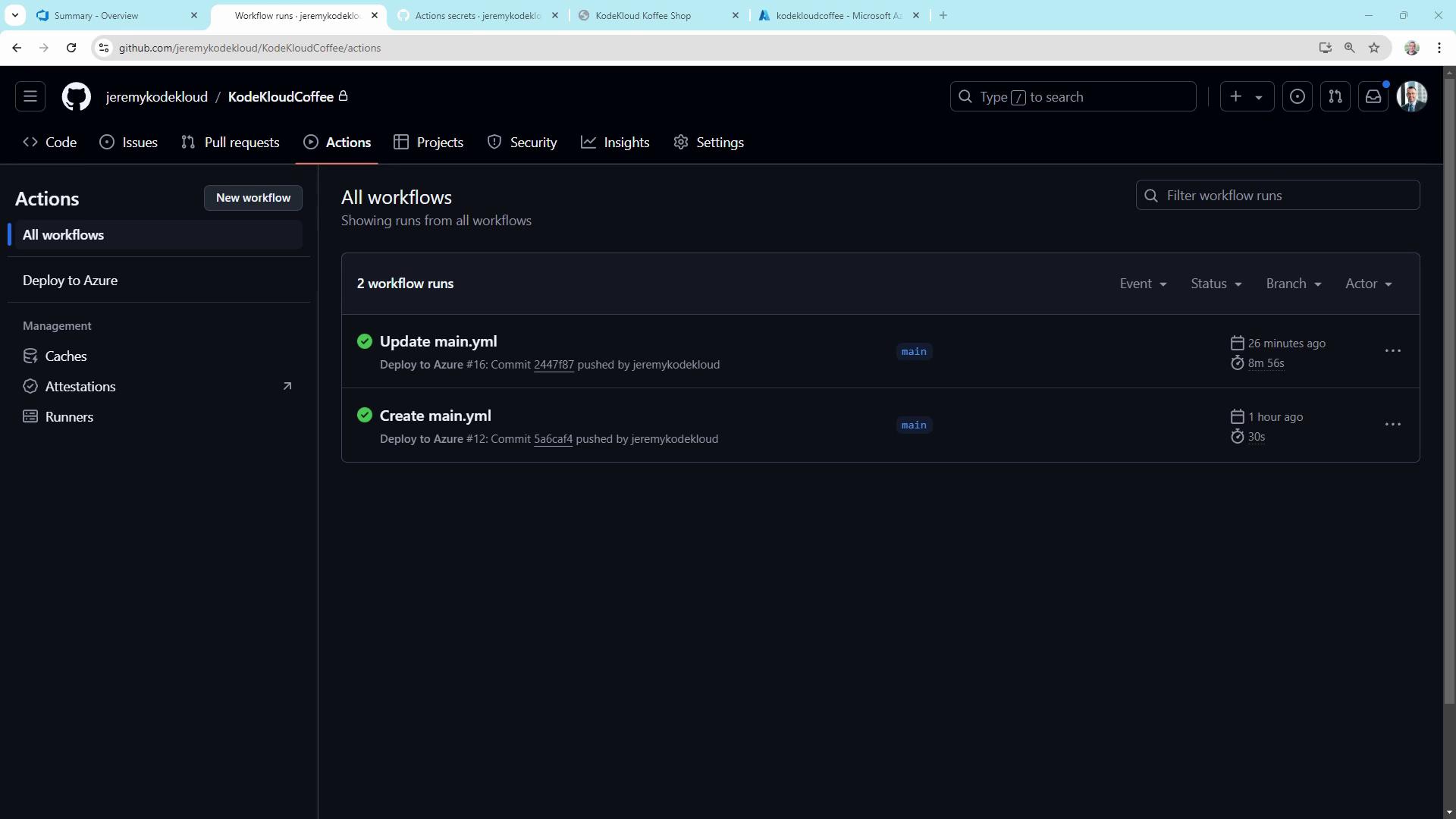
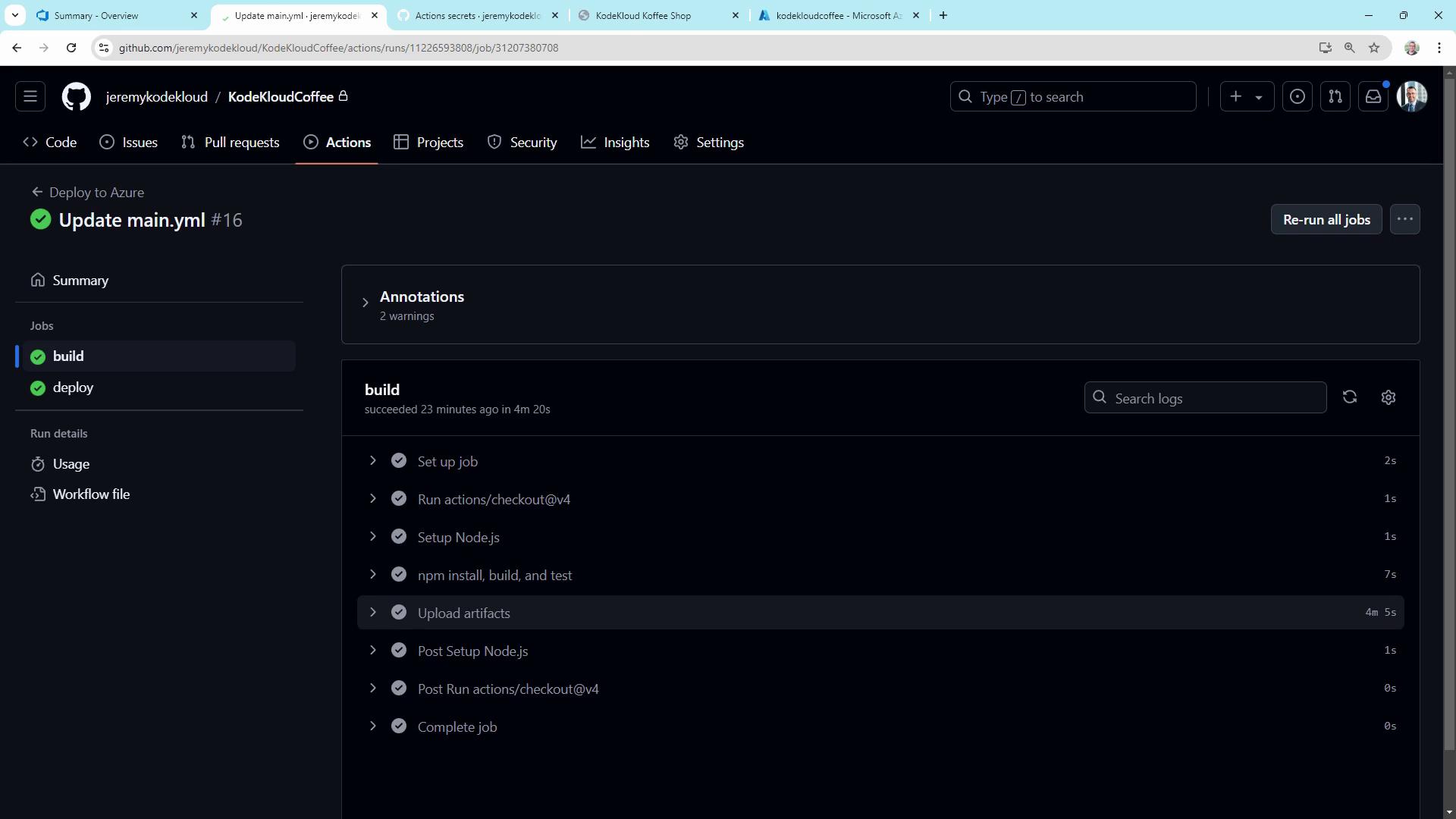
After you push, open the **Actions** tab to view your workflow runs. You’ll see two jobs—**build** and **deploy**—linked by the `needs` dependency:
Drill into the **build** job to review each step and the uploaded artifact:
## 6. Verifying in Azure
In the Azure portal, open your App Service and check **Deployment Center** or **Logs** to confirm a successful release:
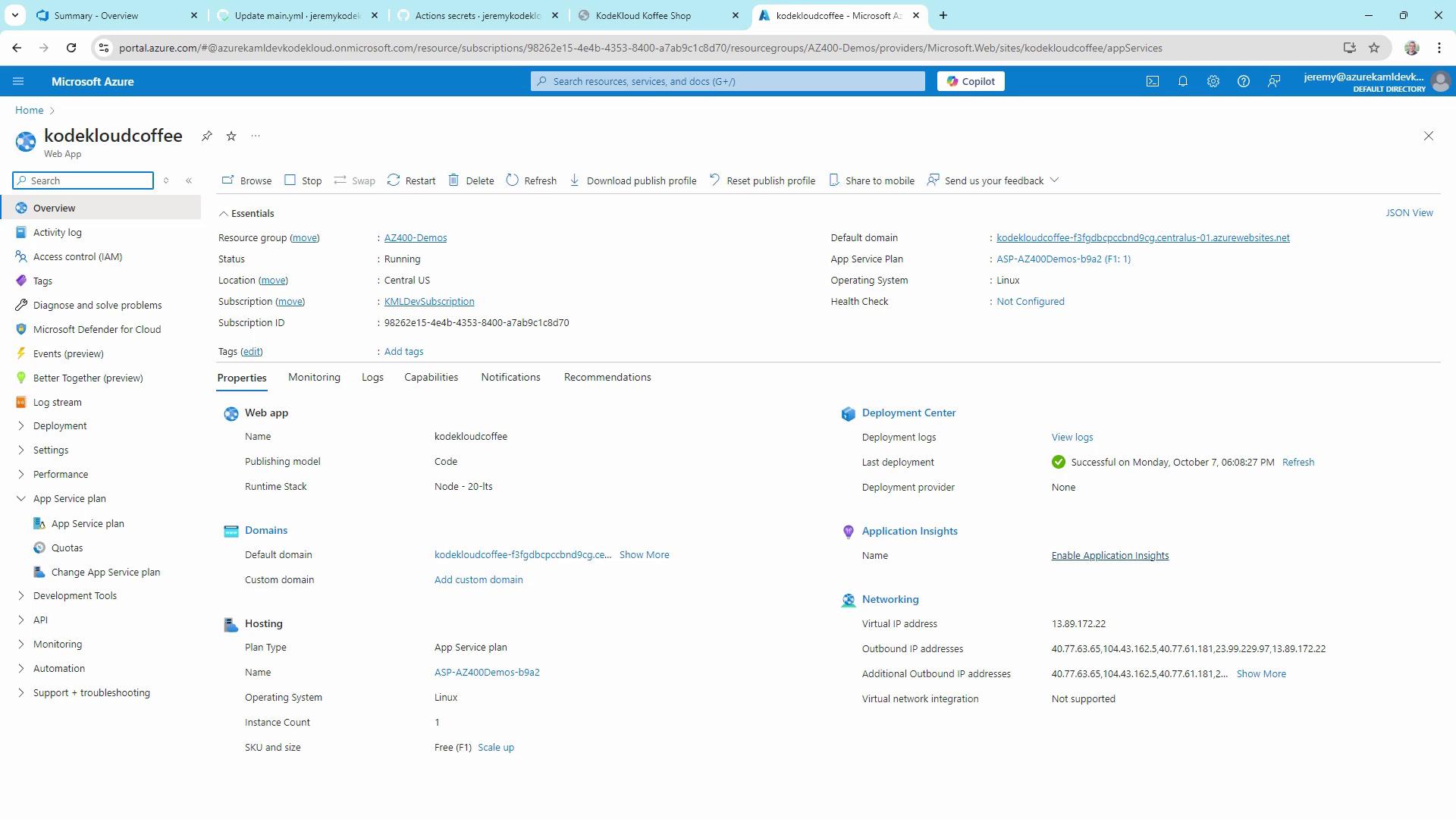
Your **KodeKloud Coffee Shop** is now live, updating automatically on every push to `main`.
## Recap
* Defined multi-trigger GitHub Actions workflow with `push` and `workflow_dispatch`.
* Separated **build** and **deploy** jobs for clarity and efficiency.
* Cached dependencies, ran tests, and uploaded build artifacts.
* Deployed to Azure App Service using `azure/webapps-deploy` and a publish profile stored in GitHub Secrets.
This CI/CD pipeline demonstrates the fundamentals of **GitHub Actions** and **Azure deployment**, paving the way for advanced practices like infrastructure as code, staging environments, and multi-stage releases.
## Links and References
* [GitHub Actions Documentation][gh-actions-docs]
* [Azure App Service Documentation][azure-app-service]
* [actions/setup-node][setup-node-action]
* [azure/webapps-deploy][azure-webapps-deploy]
[gh-actions-docs]: https://docs.github.com/actions
[azure-app-service]: https://docs.microsoft.com/azure/app-service/
[setup-node-action]: https://github.com/actions/setup-node
[azure-webapps-deploy]: https://github.com/Azure/webapps-deploy