> ## Documentation Index
> Fetch the complete documentation index at: https://notes.kodekloud.com/llms.txt
> Use this file to discover all available pages before exploring further.
# Exploring Self Hosted Build Agents
> This article covers the setup and best practices for self-hosted Azure DevOps build agents.
Self-hosted build agents let you run Azure DevOps pipelines on machines you control. Unlike Microsoft-hosted agents, you can install custom software, configure security policies, and optimize hardware for your specific workloads. By managing your own infrastructure, you can reduce costs, improve performance, and ensure every tool or SDK you need is available on the agent.
## 1. Create a Personal Access Token (PAT)
Before registering an agent, you must generate a PAT in Azure DevOps.
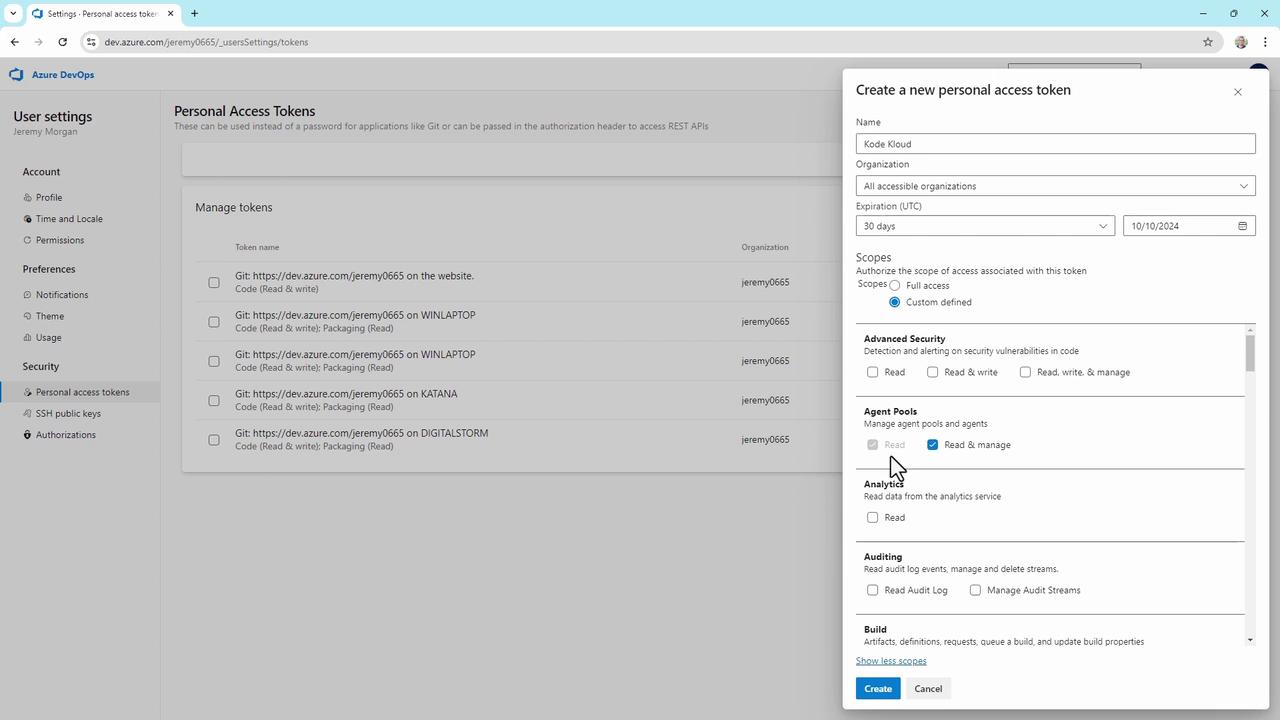
1. Click the **Settings** (gear) icon near your avatar, then select **Personal access tokens**.
2. Choose **New Token**.
3. Enter a descriptive **Name** and set an **Expiration** date.
4. Under **Scopes**, grant only the minimum permissions:
* Agent Pools: **read & manage**
* Build: **read & execute**
Always restrict your PAT to the least-privilege scopes required. Avoid selecting **Full Access** unless absolutely necessary.
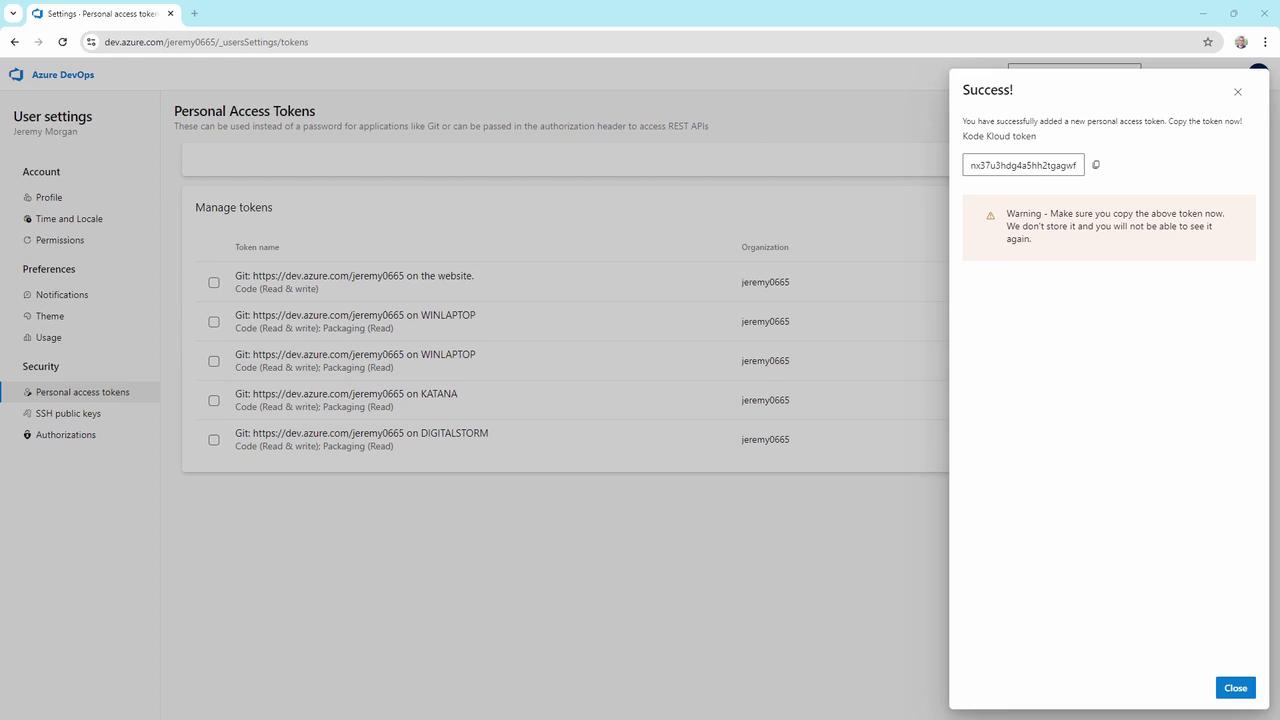
5. Click **Create**, then immediately **Copy** the token—this is the only time it will be displayed.
## 2. Add a Self-Hosted Agent Pool
Now create a dedicated pool to organize your self-hosted agents.
1. In your project, open **Project settings** (bottom-left).
2. Select **Agent pools**.
3. Click **Add pool**, choose **Self-hosted**, and fill in:
* **Pool name:** `KodeKloudCustomer`
* Optionally, check **Grant access permission to all pipelines**
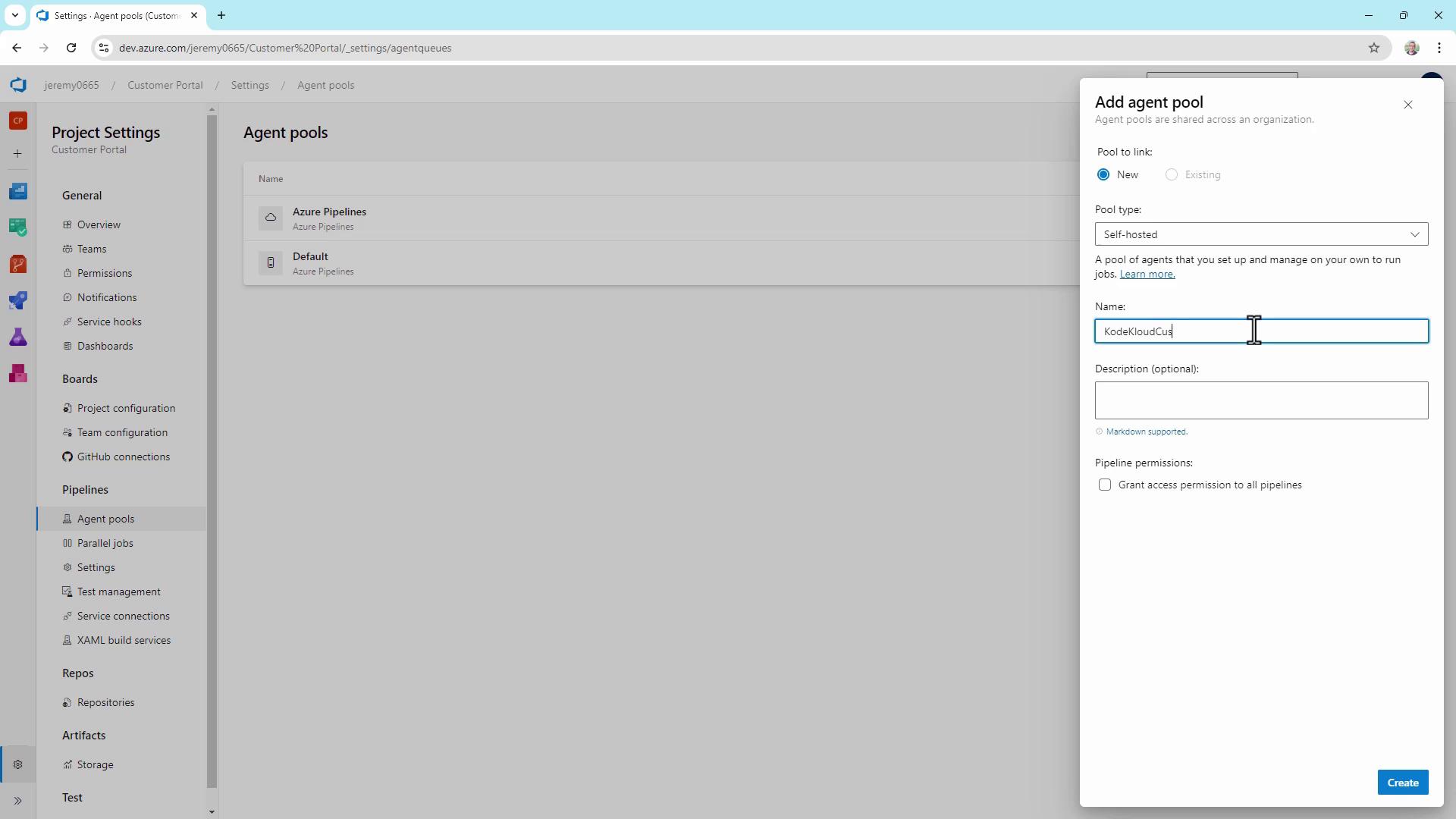
4. Click **Create**.
## 3. Download, Configure & Run the Agent
Select the agent package for your OS and follow these steps:
### Windows PowerShell
```powershell theme={null}
PS C:\> mkdir agent; cd agent
PS C:\agent> Add-Type -AssemblyName System.IO.Compression.FileSystem
PS C:\agent> [System.IO.Compression.ZipFile]::ExtractToDirectory("$HOME\Downloads\vsts-agent-win-x64-3.243.1.zip", "$PWD")
PS C:\agent> .\config.cmd
PS C:\agent> .\run.cmd
```
### Linux Bash
```bash theme={null}
$ mkdir myagent && cd myagent
$ tar zxvf ~/Downloads/vsts-agent-linux-x64-3.243.1.tar.gz
$ ./config.sh
$ ./run.sh
```
During configuration, you will be prompted for:
* **Server URL**: e.g., `https://dev.azure.com/yourOrg/`
* **Authentication type**: press Enter for PAT
* **Personal access token**: paste your PAT
* **Agent pool**: press Enter for `KodeKloudCustomer`
* **Agent name**: accept the default or enter a custom name
* **Work folder**: default is `_work`
* **Run as service**: choose Yes/No
#### Sample Interactive Session on Windows
```powershell theme={null}
PS C:\agent> .\config.cmd
AzurePipelines agent v3.243.1 (commit 3bb22cd)
>> Connect:
Enter server URL > https://dev.azure.com/jeremy0665/
Enter authentication type (press enter for PAT)
Enter personal access token > ***********************************************************************
Connecting to server ...
>> Register Agent:
Enter agent pool (press enter for default) > KodeKloudCustomer
Enter agent name (press enter for DIGITALSTORM) > KodeKloudAgent1
Enter work folder (press enter for _work) >
Run agent as service? (Y/N) > N
```
If you choose to run the agent as a service (`Y`), it will automatically start on machine reboot.
### Starting the Agent
```powershell theme={null}
PS C:\agent> .\run.cmd
2024-09-11 05:24:11Z: Listening for Jobs
```
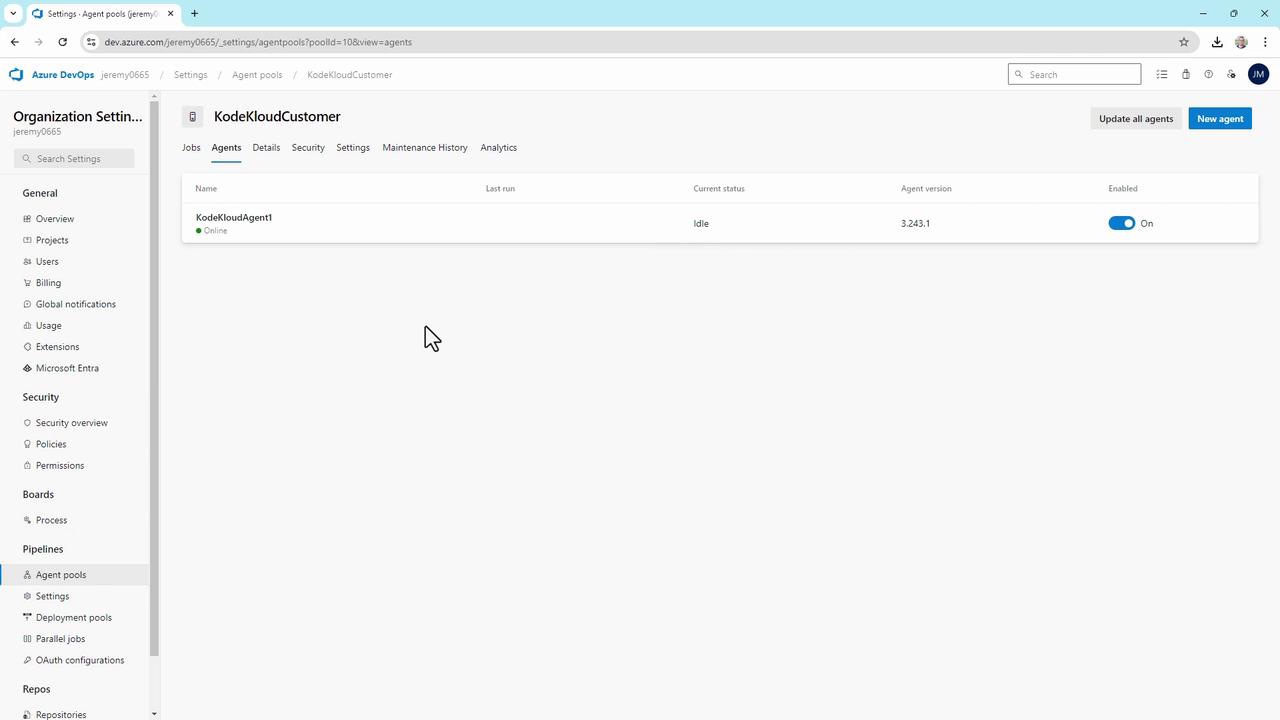
Your agent should now appear **Online** and **Idle** in the `KodeKloudCustomer` pool, ready to process pipeline jobs.
## 4. Troubleshooting & Best Practices
| Issue | Recommendation |
| ----------------------- | ------------------------------------------------------------ |
| Connection failures | Ensure firewall allows outbound traffic to `*.dev.azure.com` |
| Authentication errors | Double-check PAT validity and assigned scopes |
| Dependency issues | Install and update required SDKs, CLIs, or packages |
| Monitoring agent health | Review agent logs under `_diag` folder |
| Security hardening | Patch OS regularly; use containers for isolation |
Consider using containerized agents if you need rapid scaling and tighter isolation between builds.
Regularly update your agent binaries, monitor performance metrics, and audit access to maintain a secure and reliable build environment.
## References
* [Azure DevOps Agent Pools](https://docs.microsoft.com/azure/devops/pipelines/agents/agents)
* [Create and Use Personal Access Tokens](https://docs.microsoft.com/azure/devops/organizations/accounts/use-personal-access-tokens-to-authenticate)