> ## Documentation Index
> Fetch the complete documentation index at: https://notes.kodekloud.com/llms.txt
> Use this file to discover all available pages before exploring further.
# Exploring YAML Pipelines
> This guide explores YAML pipelines in Azure DevOps, covering their benefits, syntax, and best practices for continuous integration and delivery.
In this guide, we’ll dive into YAML pipelines for [Azure Pipelines](https://learn.microsoft.com/azure/devops/pipelines/?view=azure-devops). YAML (YAML Ain’t Markup Language) is a human-friendly data serialization format used to define CI/CD workflows. You’ll discover why YAML pipelines are crucial for continuous integration and delivery, how they differ from classic builds, and best practices to streamline your DevOps process.
## What Is YAML?
[YAML (YAML Ain’t Markup Language)](https://yaml.org/) is a lightweight, human-readable format for configuration files and data exchange. Since 2001, YAML has powered many DevOps tools—[Kubernetes](https://kubernetes.io/) resources, for instance, are declared in YAML. Its syntax emphasizes readability and simplicity, making it ideal for defining complex pipeline logic.
### Simple Azure Pipelines Example
```yaml theme={null}
trigger:
- main
pool:
vmImage: 'ubuntu-latest'
steps:
- task: NodeTool@0
inputs:
versionSpec: '14.x'
displayName: 'Install Node.js'
- script: |
npm install
npm run build
displayName: 'Install dependencies and build'
```
## Benefits of YAML Pipelines
* Version Control: Keep your pipeline definitions alongside application code.
* Reusability: Share pipeline snippets across multiple repositories.
* Flexibility: Customize each stage, job, and step to fit team needs.
* Collaboration: Your entire team can review and update the pipeline file.
## Basic YAML Syntax
Before building pipelines, master these core YAML rules:
* Indentation: Use spaces only (no tabs) to denote hierarchy.
* Key-Value Pairs: Written as `key: value`.
* Lists: Each item starts with `- `.
* Mappings: Nest key-value pairs under parent keys.
* Multiline Strings:
* Literal block (`|`): preserves newlines.
* Folded block (`>`): folds newlines into spaces.
Always validate your YAML with an online linter or `yamllint` to catch indentation and formatting errors before committing.
### Example: Dictionaries, Lists, and Variables
```yaml theme={null}
stages:
- stage: Build
displayName: "Build Stage"
jobs:
- job: BuildJob
displayName: "Build Job"
pool:
vmImage: "ubuntu-latest"
steps:
- script: |
echo "Building the project..."
echo "Environment: ${{ variables.environment }}"
echo "Packages:"
for pkg in "${{ variables.packages }}"; do
echo "- $pkg"
done
```
## Core Pipeline Concepts
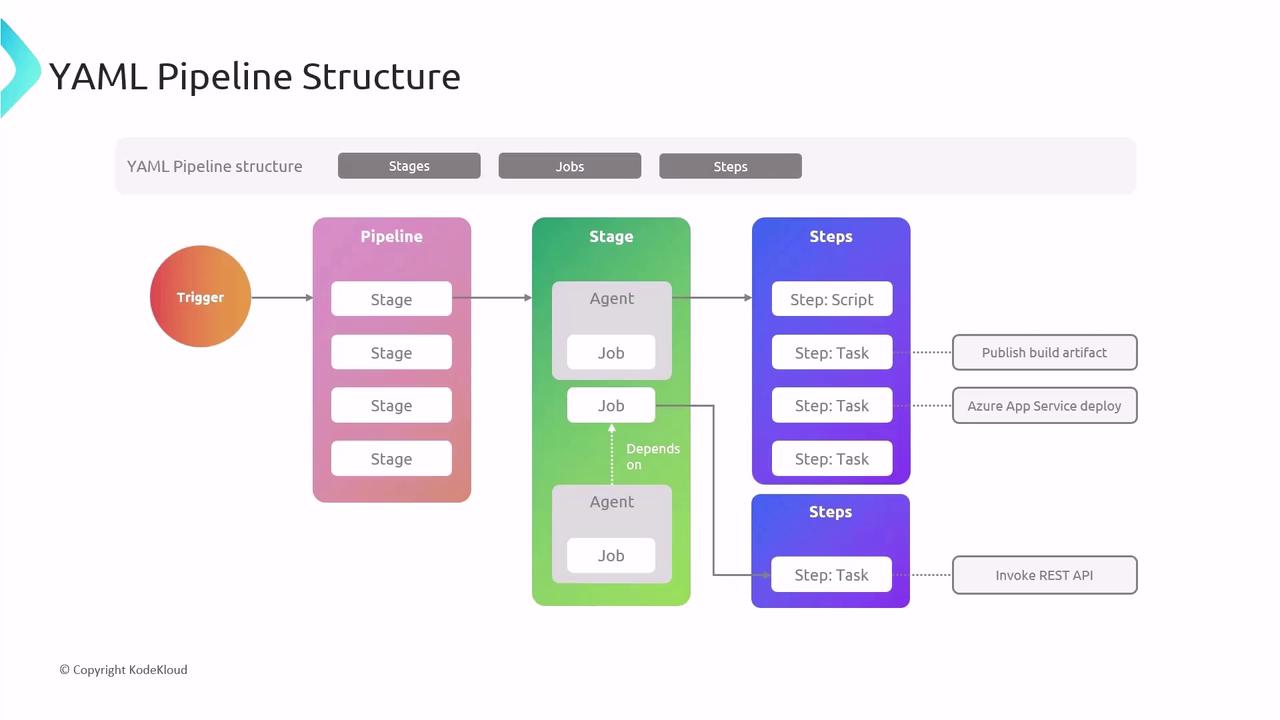
* **Stages**: Logical sections (e.g., Build, Test, Deploy).
* **Jobs**: Units of work that run in parallel or sequentially.
* **Steps**: Individual tasks or scripts executed in a job.
### Minimal Pipeline Example
```yaml theme={null}
trigger:
- main
pool:
vmImage: 'ubuntu-latest'
stages:
- stage: Build
jobs:
- job: BuildJob
steps:
- script: echo "Hello, world!"
- task: PublishBuildArtifacts@1
```
## Creating Your First YAML Pipeline
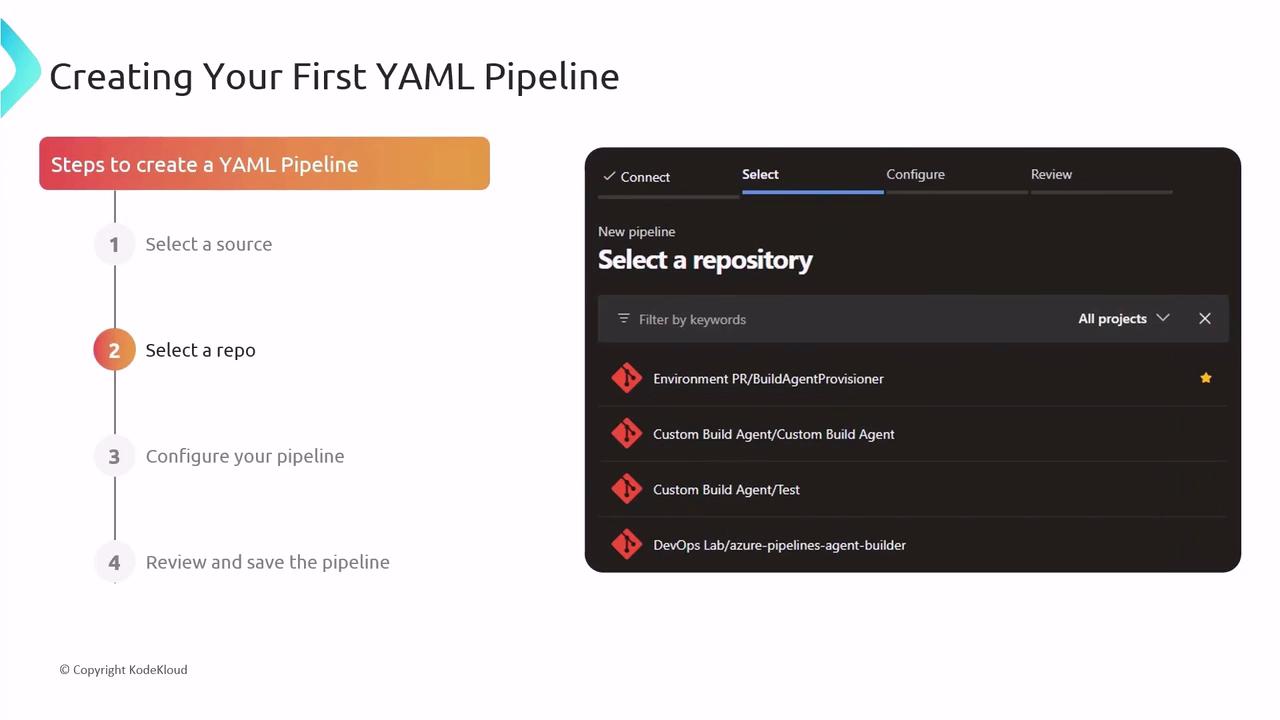
1. Select your code repository (GitHub, Azure Repos, Bitbucket, etc.).
2. In Azure DevOps, choose **Pipelines** → **Create Pipeline**.
3. Let the wizard scaffold a starter YAML file.
4. Review, customize, and commit the YAML—your pipeline runs on every push.
## Automating with Triggers
Azure Pipelines supports multiple trigger types:
| Trigger Type | Description |
| ------------------ | ------------------------------------- |
| CI Triggers | Build when code is pushed to a branch |
| PR Triggers | Validate pull requests before merge |
| Scheduled Triggers | Run pipelines at defined intervals |
```yaml theme={null}
trigger:
- main
pr:
- develop
schedules:
- cron: "0 2 * * *"
displayName: Daily midnight build
branches:
include:
- main
```
## Continuous Deployment
Automate deployments by defining environments and stages:
1. Create stages for **Testing**, **Staging**, and **Production**.
2. Add deployment jobs targeting each environment.
3. Chain stages so a successful build or approval triggers the next stage.
This end-to-end flow ensures rapid, reliable delivery from code to users.
## Advanced Features
Leverage these techniques for more sophisticated pipelines:
* Multi-stage Pipelines: Combine build, test, and deploy in one YAML.
* Templates: Share and reuse common steps across multiple pipelines.
* Conditions & Dependencies: Control execution with `dependsOn`, `condition`, and runtime expressions.

## Best Practices
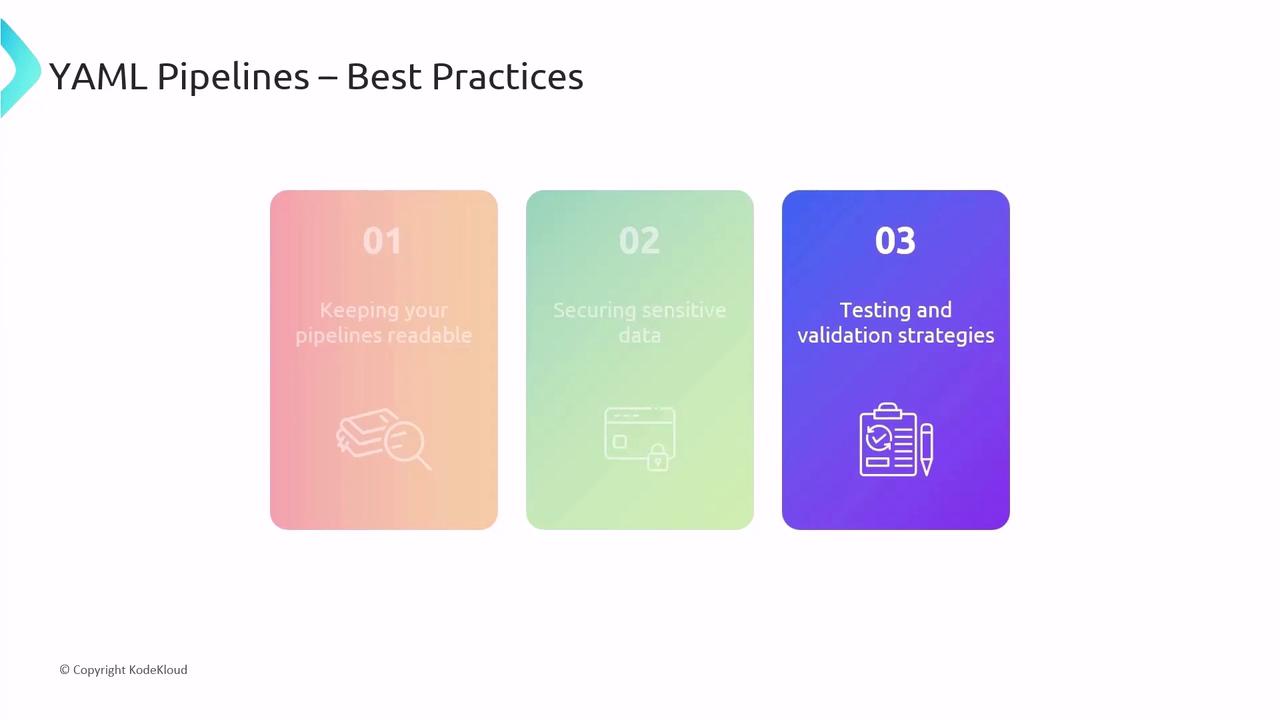
* Keep YAML files tidy with clear comments and consistent indentation.
* Store secrets securely using [Azure Key Vault](https://azure.microsoft.com/services/key-vault/) or pipeline variables.
* Test pipeline changes in a feature branch before merging to `main`.
Never commit plain-text credentials or secrets in your YAML. Always use secured variables and secret scopes.
## Links and References
* [Azure Pipelines Documentation](https://learn.microsoft.com/azure/devops/pipelines/)
* [YAML Official Site](https://yaml.org/)
* [Kubernetes Concepts](https://kubernetes.io/docs/concepts/overview/what-is-kubernetes/)
* [Azure Key Vault](https://azure.microsoft.com/services/key-vault/)