> ## Documentation Index
> Fetch the complete documentation index at: https://notes.kodekloud.com/llms.txt
> Use this file to discover all available pages before exploring further.
# Licensing
> This article covers Azure DevOps licensing, including types, pricing tiers, assignment strategies, and best practices for effective resource management.
In this lesson, we examine how Azure DevOps licensing controls access and resource management—essential topics for the AZ-400 exam. You’ll learn about license types, pricing tiers, assignment strategies, and best practices to keep your DevOps environment both secure and cost-effective.
## License Types
Azure DevOps offers various licenses tailored to different roles and requirements:

| License Type | Access & Features | Ideal For |
| ---------------------------------- | -------------------------------------------- | ----------------------------- |
| Basic | Boards, Repos, Pipelines, Test Plans | Developers, Project Managers |
| Stakeholder | View and modify work items and boards | Executives, Customers |
| Visual Studio Subscriber Benefits | Full Azure DevOps access via VS subscription | Visual Studio license holders |
| Enterprise | Analytics, Code Search, Test Insights | Large organizations |
| MSDN Platforms Subscriber Benefits | IDE integration and advanced collaboration | MSDN subscription holders |
Advanced Test Plans features require a separate Azure Test Plans extension license.
Selecting the right license involves balancing team roles, required features, and budget constraints.
## Pricing Tiers
Azure Pipelines supports both free and paid tiers. Review the [Azure pricing page](https://azure.microsoft.com/pricing/) for the latest details.
| Tier | Features | Limits |
| ----------- | ------------------------------------------ | ----------------------------------------- |
| Free | Microsoft-hosted CI/CD jobs | 1 parallel job, 1,800 minutes/month |
| Paid | Additional parallel jobs and build minutes | Variable rates for hosted vs. self-hosted |
| Grant-based | Included with certain Visual Studio subs | Governed by subscription level |
Enterprise organizations pay per user beyond the first five, based on the selected plan.
Azure DevOps also offers a special deal for public open-source projects:
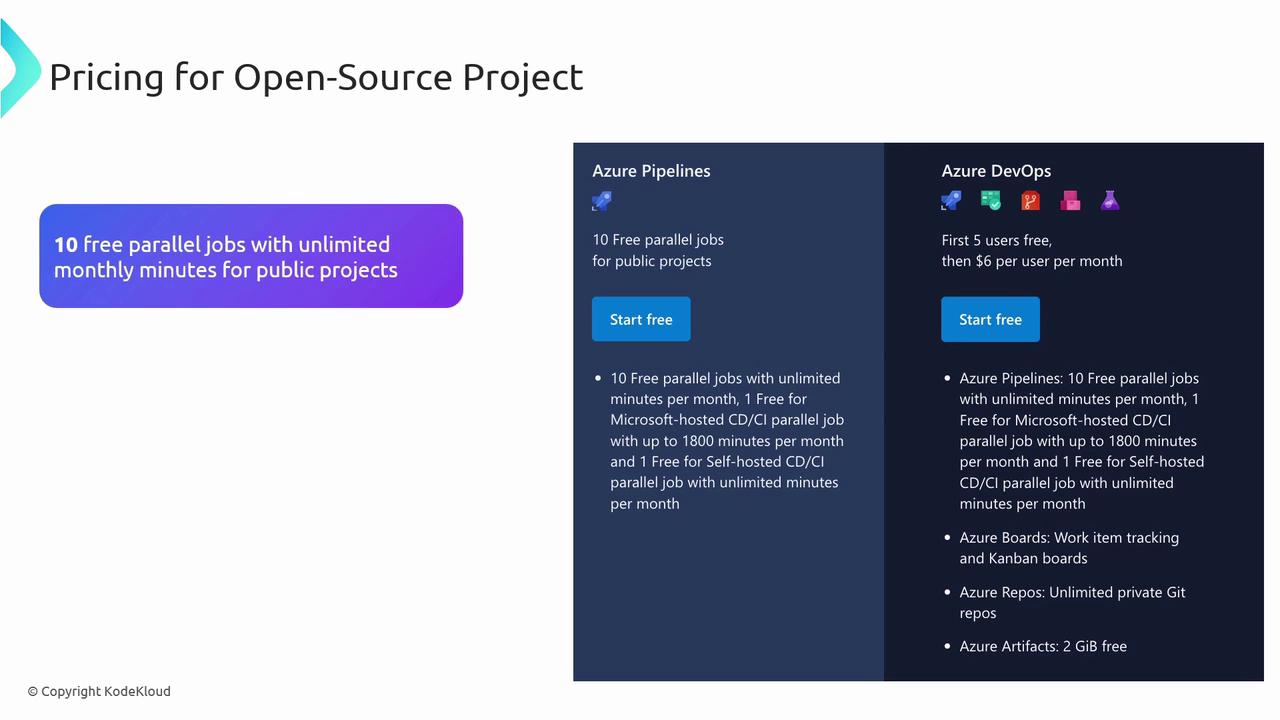
* 10 free parallel jobs
* Unlimited monthly minutes for public repositories
## Managing and Assigning Licenses
To maintain security and efficiency:
* Assign licenses according to team roles.
* Audit allocations frequently and adjust as projects evolve.
* Monitor build minutes and parallel jobs to prevent over-provisioning.
## Best Practices for License Compliance
* Audit license usage quarterly to identify unused seats.
* Optimize pipeline triggers and retention policies to cut down on billing minutes.
Overspending on idle parallel jobs can quickly inflate your monthly bill. Review utilization metrics before adding capacity.
* Set budgets and alerts in [Azure Cost Management](https://azure.microsoft.com/services/cost-management/).
* Leverage built-in analytics to forecast future licensing requirements.
## Links and References
* [Azure DevOps Documentation](https://docs.microsoft.com/azure/devops/)
* [Azure Pipelines Overview](https://docs.microsoft.com/azure/devops/pipelines/)
* [Azure Pricing Calculator](https://azure.microsoft.com/pricing/calculator/)