> ## Documentation Index
> Fetch the complete documentation index at: https://notes.kodekloud.com/llms.txt
> Use this file to discover all available pages before exploring further.
# Exploring GitHub Packages
> This guide covers publishing a .NET class library to GitHub Packages and using it in a Blazor WebAssembly app.
GitHub Packages enables you to host and manage code dependencies alongside your repositories. In this guide, we’ll walk through publishing a .NET class library to GitHub Packages and consuming it in a Blazor WebAssembly app.
In this tutorial, you will:
1. Scaffold a .NET class library (`KodeKonvert`).
2. Configure NuGet package metadata in Visual Studio.
3. Build and pack the library.
4. Generate a GitHub Personal Access Token (PAT).
5. Register GitHub Packages as a NuGet source.
6. Push your `.nupkg` to GitHub Packages.
7. Consume the package in a new Blazor WASM project.
***
## 1. Scaffold the .NET Class Library
1. Open Visual Studio.
2. Create a new **Class Library** project.
3. Rename the project to **KodeKonvert**.
4. Target .NET 8.0 and confirm a successful build:
```bash theme={null}
dotnet build
# success: 1 succeeded
```
***
## 2. Configure NuGet Package Metadata
In **Solution Explorer**, right-click **KodeKonvert** → **Properties** → **Package**. Set the following values:
| Property | Value |
| ------------------------------- | ------------------------------------- |
| Package ID | KodeKonvert |
| Version | 1.0.0 |
| Authors | KodeKloud |
| Description | Simple library to convert temperature |
| Generate NuGet package on build | ✔ Enabled |
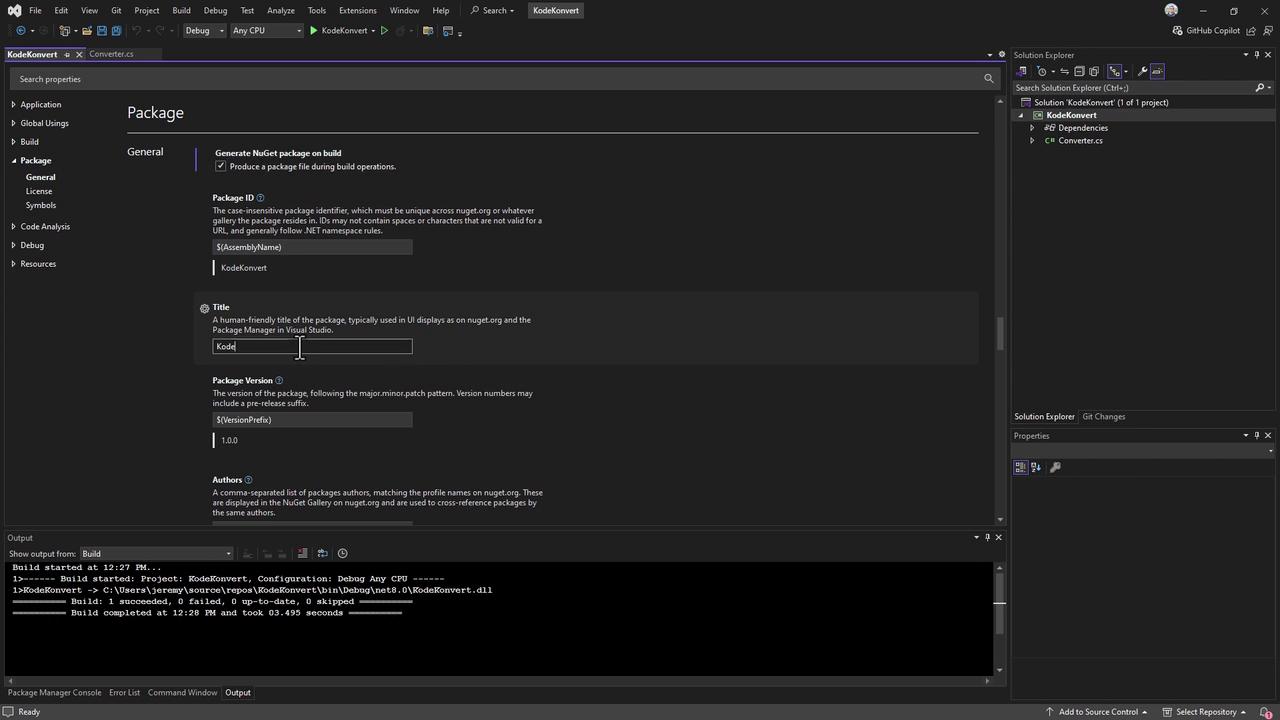
Save and close the Properties pane.
***
## 3. Build and Pack the Library
From your terminal:
```bash theme={null}
dotnet build --configuration Release
dotnet pack --configuration Release
```
You should see:
```bash theme={null}
Successfully created package "bin/Release/KodeKonvert.1.0.0.nupkg".
```
Remember the full path to the generated `.nupkg` file for later steps.
***
## 4. Generate a GitHub Personal Access Token
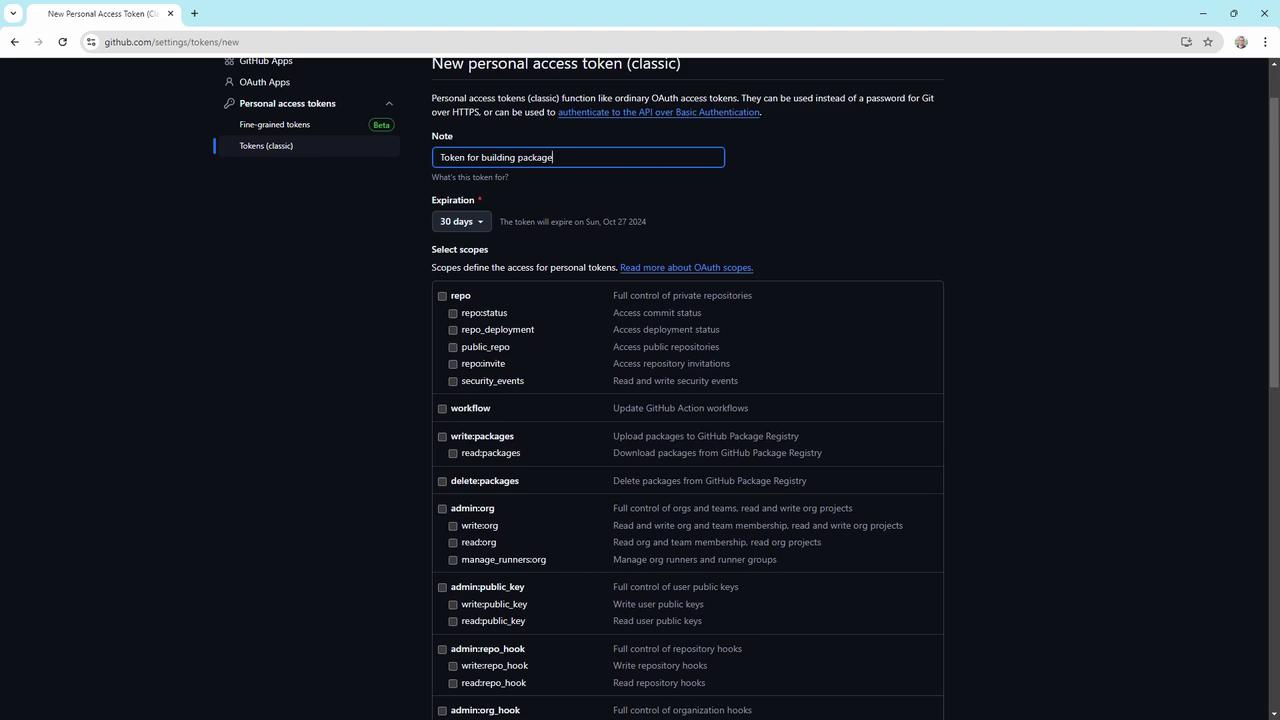
1. In GitHub, navigate to **Settings > Developer settings > Personal access tokens**.
2. Click **Generate new token** (classic or fine-grained).
3. Assign minimal scopes:
* `read:packages`
* `write:packages`
* `repo` (only if you publish from a private repo)
4. Copy the token **once** when presented.
Store your PAT securely; you’ll need it to authenticate your NuGet source and to push packages.
***
## 5. Register GitHub Packages as a NuGet Source
Add the GitHub Packages feed to your NuGet configuration:
```bash theme={null}
dotnet nuget add source \
--username YOUR_GITHUB_USERNAME \
--password YOUR_PERSONAL_ACCESS_TOKEN \
--store-password-in-clear-text \
--name github \
https://nuget.pkg.github.com/YOUR_GITHUB_USERNAME/index.json
```
Using `--store-password-in-clear-text` will save your PAT in plain text. Ensure your machine is secure.
Verify the source:
```bash theme={null}
dotnet nuget list source
```
***
## 6. Publish the Package
Push the `.nupkg` to your GitHub Packages feed:
```bash theme={null}
dotnet nuget push bin/Release/KodeKonvert.1.0.0.nupkg \
--source github \
--api-key YOUR_PERSONAL_ACCESS_TOKEN
```
Expected output:
```bash theme={null}
Pushing KodeKonvert.1.0.0.nupkg to 'https://nuget.pkg.github.com/YOUR_GITHUB_USERNAME'...
OK https://nuget.pkg.github.com/YOUR_GITHUB_USERNAME/ 380ms
Your package was pushed.
```
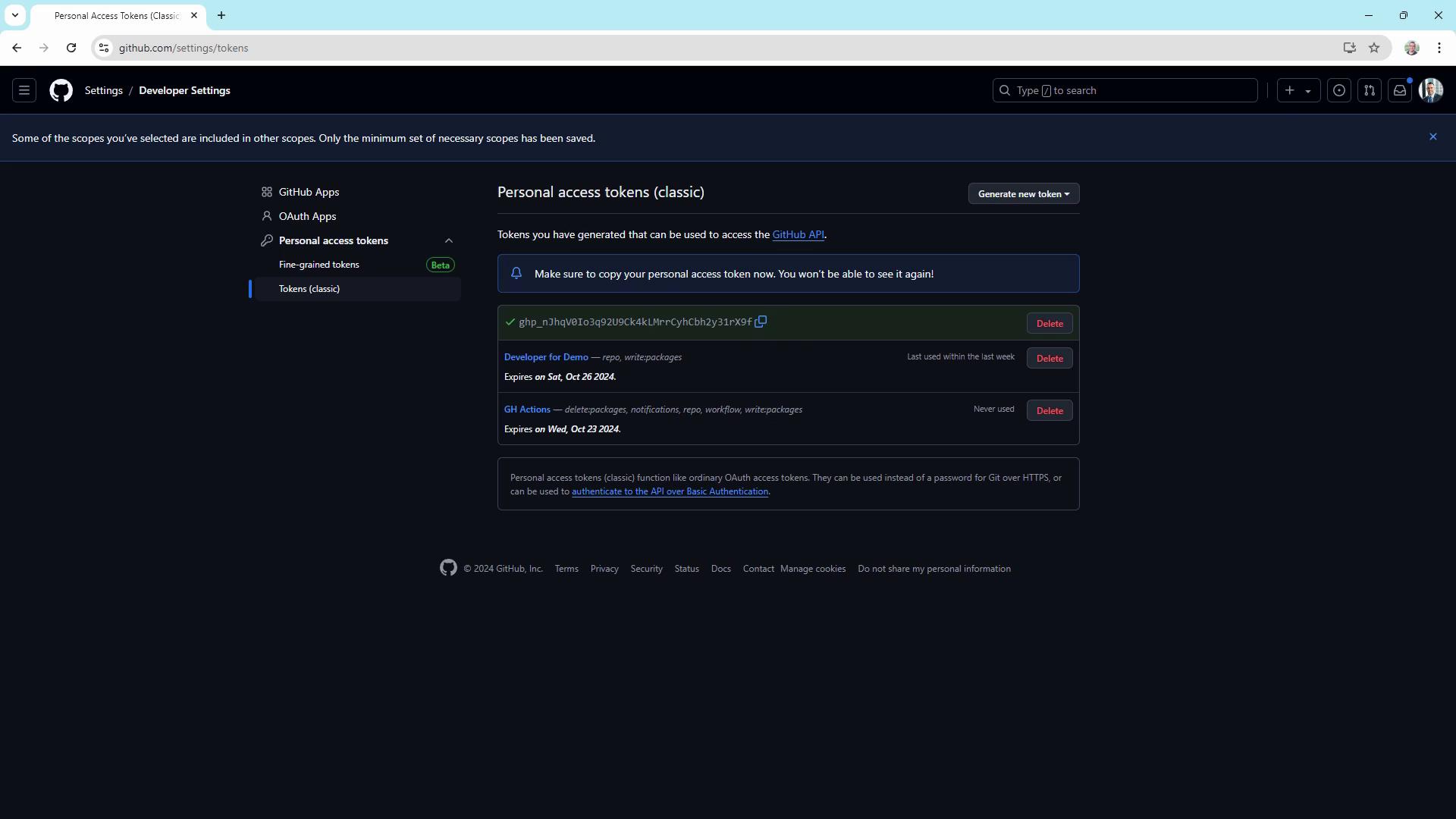
Head over to your repository’s **Packages** section to confirm that `KodeKonvert` v1.0.0 is listed.
***
## 7. Consume the Package in a Blazor WASM App
1. Create a Blazor WebAssembly project:
```bash theme={null}
dotnet new blazorwasm -o testweb
cd testweb
```
2. Ensure the GitHub NuGet source is available:
```bash theme={null}
dotnet nuget list source
```
3. Add your package:
```bash theme={null}
dotnet add package KodeKonvert --version 1.0.0
```
Sample output:
```bash theme={null}
info : Adding PackageReference for package 'KodeKonvert' into project 'testweb.csproj'.
info : Installed KodeKonvert 1.0.0 from https://nuget.pkg.github.com/YOUR_GITHUB_USERNAME/...
```
You can now call `KodeKonvert` APIs in your Blazor components.
***
## References
* [GitHub Packages Documentation](https://docs.github.com/packages)
* [NuGet CLI Reference](https://learn.microsoft.com/nuget/reference/cli-reference/overview)
* [ASP.NET Core Blazor](https://docs.microsoft.com/aspnet/core/blazor/)