> ## Documentation Index
> Fetch the complete documentation index at: https://notes.kodekloud.com/llms.txt
> Use this file to discover all available pages before exploring further.
# Navigating CodeQL on GitHub
> This guide explains how to use CodeQL for vulnerability detection and quality checks in your GitHub workflow.
CodeQL is a powerful semantic code analysis engine that treats your source code as data, enabling deep vulnerability detection and quality checks beyond conventional static analysis. In this guide, you’ll learn how CodeQL works, how to run it locally, and how to integrate it seamlessly into your GitHub workflow for continuous code scanning.
## What Is CodeQL?
* **Code as Data**: Parses your application into a queryable database of functions, variables, types, and control flows.
* **Custom Queries**: Use built-in or bespoke QL queries to find patterns such as SQL injections, cross-site scripting, and buffer overruns.
* **Actionable Results**: Highlights precise file locations, explains risks, and suggests remediation steps.
For an in-depth overview of CodeQL’s query language, visit the [CodeQL QL Reference](https://codeql.github.com/docs/codeql-querying/ql-reference/).
## How CodeQL Works
1. **Create a CodeQL Database**\
Index your code into a database for lightning-fast analysis.
```bash theme={null}
# JavaScript example: generate a CodeQL database
codeql database create my-js-db \
--language=javascript \
--source-root=.
```
2. **Run Security Queries**\
Execute predefined or custom queries to uncover vulnerabilities.
```bash theme={null}
# Run all official JavaScript security queries
codeql query run \
--database=my-js-db \
--search-path=ql/javascript/ql/src/Security
```
3. **Review Findings**\
Inspect the output table—each entry includes the file path, line number, and a detailed description. Fix or dismiss alerts as needed.
## Tools for Using CodeQL
| Tool | Ideal For | Key Features |
| ---------------------------- | ----------------------------------- | ------------------------------------------------- |
| Command-Line Interface (CLI) | Automation & CI/CD pipelines | Scriptable batch analysis, multi-language support |
| VS Code Extension | Interactive development & debugging | Inline annotations, query editing, DB management |
## Integrating CodeQL into Your GitHub Workflow
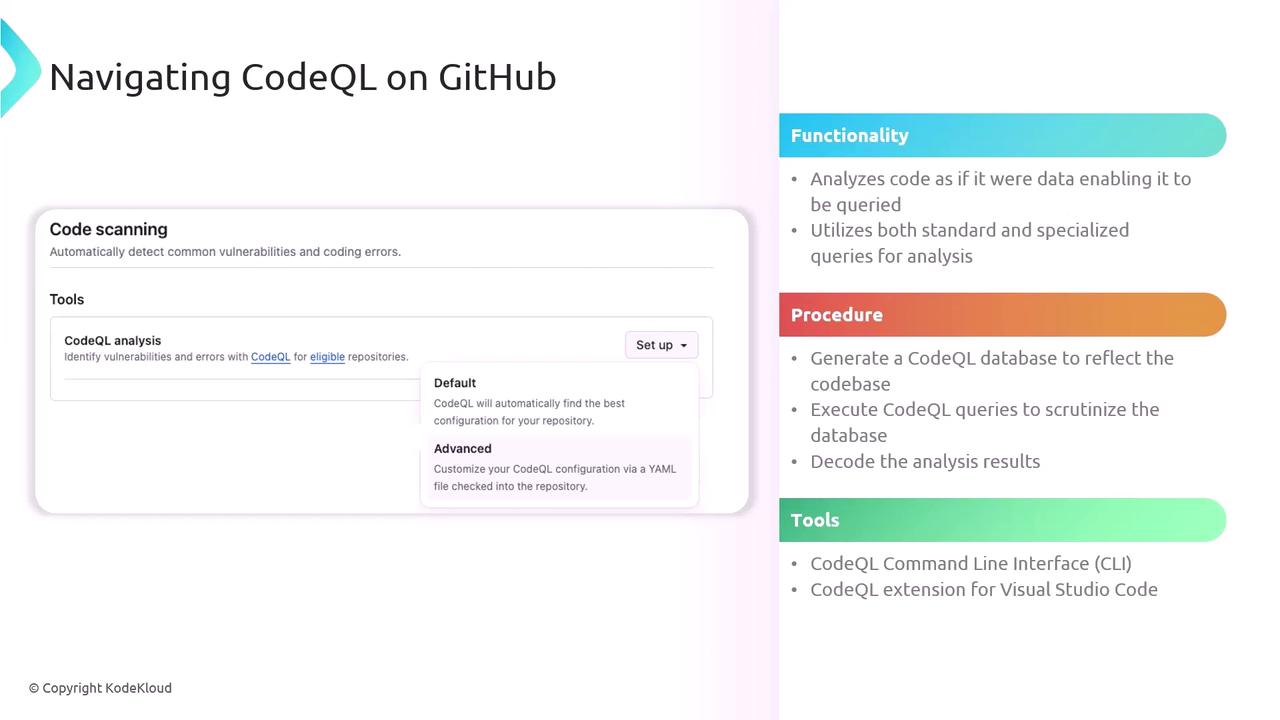
1. **Enable Code Scanning**
* Navigate to your repo’s **Security** → **Code scanning**.
* Click **Set up code scanning** and select **CodeQL analysis**.
2. **Choose a Workflow Template**
* **Default**: Covers common languages and queries.
* **Advanced**: Customize triggers, languages, and query sets.
```yaml theme={null}
# .github/workflows/codeql.yml
name: "CodeQL Analysis"
on:
push:
branches: [ main ]
pull_request:
paths: [ 'src/**/*.js', 'src/**/*.ts' ]
jobs:
analyze:
runs-on: ubuntu-latest
steps:
- uses: actions/checkout@v3
- uses: github/codeql-action/init@v2
with:
languages: javascript, typescript
- uses: github/codeql-action/autobuild@v2
- uses: github/codeql-action/analyze@v2
```
Be cautious when excluding query packs or paths—omitting critical scans can leave gaps in your security posture.
3. **Monitor & Triage Alerts**
* Check the **Security** tab for warnings and errors.
* Assign issues to team members, dismiss false positives, or mark fixes directly in the GitHub UI.
* Iterate on your workflow and queries to enhance coverage and accuracy.
## Further Reading & References
* [CodeQL Documentation](https://codeql.github.com/docs/)
* [GitHub Code Scanning](https://docs.github.com/en/code-security/secure-coding)
* [QL Query Quickstart](https://codeql.github.com/docs/codeql-cli/using-the-codeql-cli/)