> ## Documentation Index
> Fetch the complete documentation index at: https://notes.kodekloud.com/llms.txt
> Use this file to discover all available pages before exploring further.
# Deploying NAT Gateway
> Guide to deploying Azure NAT Gateway for predictable, secure outbound internet access from subnet resources without public IPs, including setup, configuration, and verification steps.
Deploying an Azure NAT Gateway to provide predictable, secure outbound internet access for resources that do not have their own public IP addresses.
In this guide you'll learn what a NAT gateway is, when to use it, how to create and attach one in the Azure portal, and how to verify outbound IP behavior from VMs.
Overview
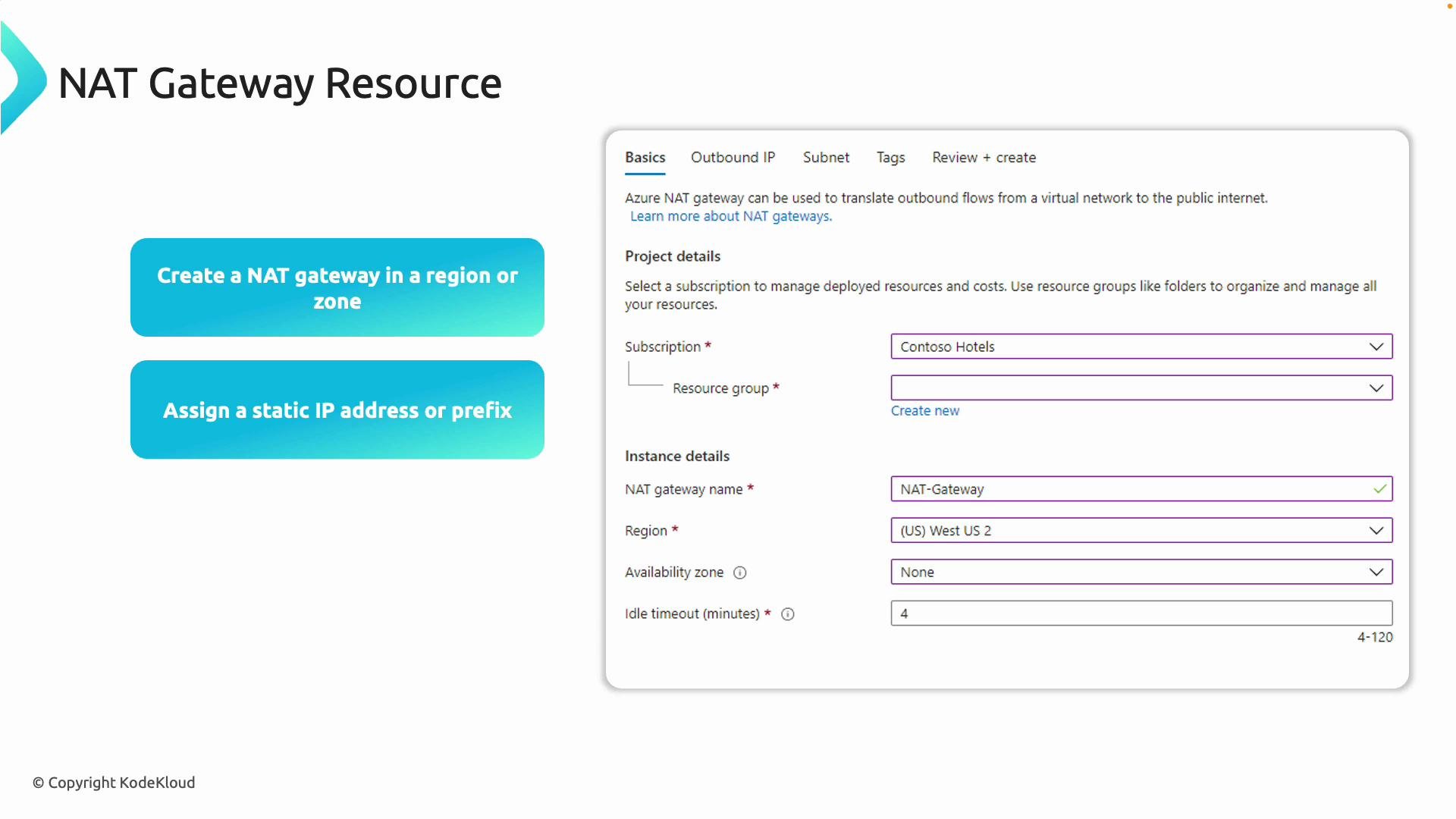
* Create an Azure NAT Gateway in your chosen region — it becomes the outbound gateway for all resources in attached subnets. (NAT gateways are regional resources; assigned public IPs can be zonal or zone-redundant.)
* Assign either a static Public IP or a Public IP Prefix so outbound connections use a predictable public IP range.
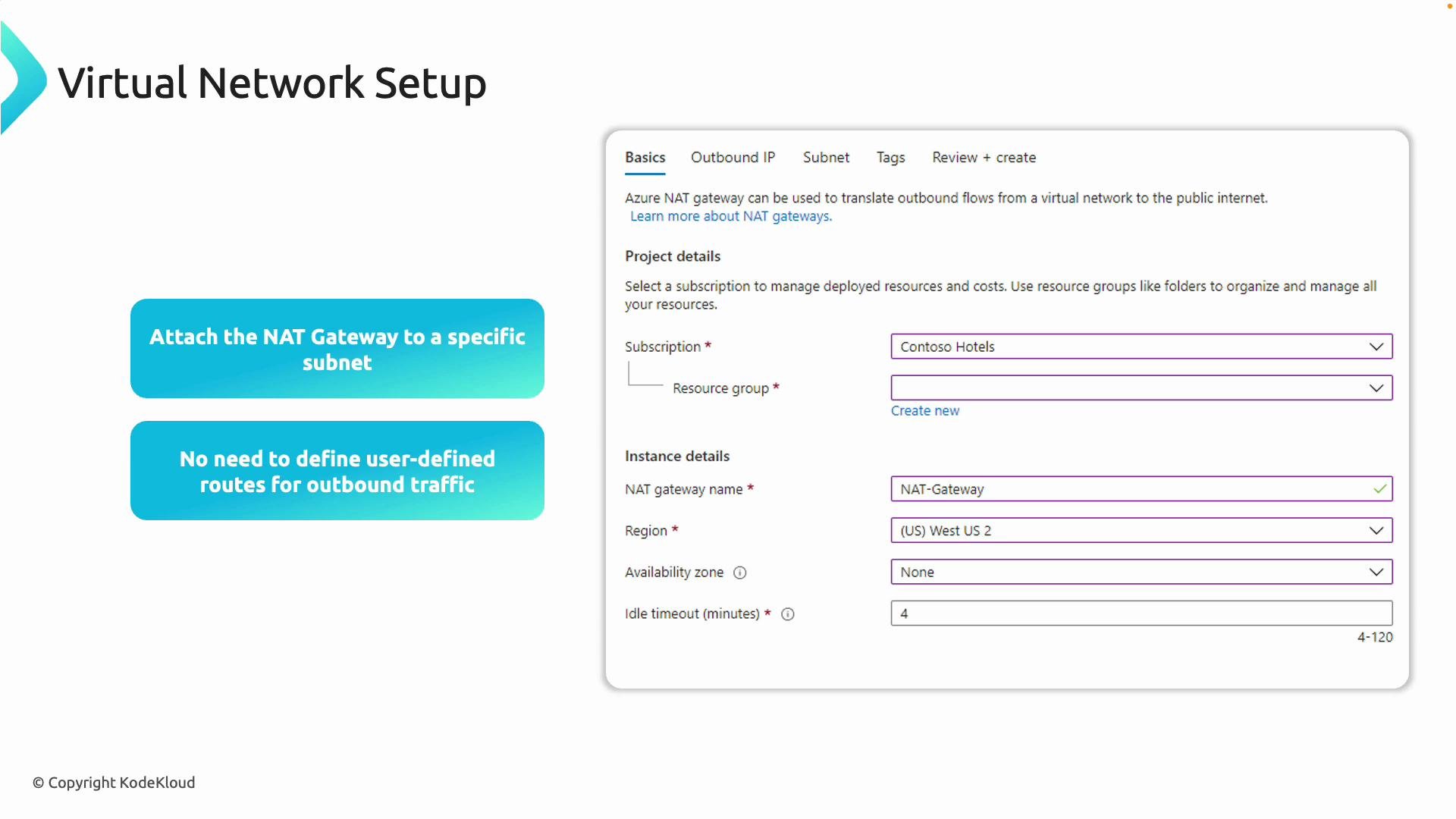
* Attach the NAT gateway to one or more subnets in a virtual network. Resources in those subnets without public IPs will egress through the NAT gateway.
* Azure manages outbound routing automatically for subnets with a NAT gateway attached — you do not need user-defined routes (UDRs) unless you have explicit routing requirements.
 Key configuration details
| Setting | What it controls | Recommendation |
| ----------------------------- | ------------------------------------------------------------------------------------------------------------ | ----------------------------------------------------------------------------------------------------------------------------------------- |
| Public IP vs Public IP Prefix | A single `Public IP` gives one outbound IP. A `Public IP Prefix` is a contiguous range (multiple addresses). | Use a `Public IP` for small-medium workloads. Use multiple `Public IP`s or a `Public IP Prefix` when you need many concurrent SNAT ports. |
| SNAT ports | Number of ephemeral ports available per public IP (affects concurrent outbound connections). | One public IP ≈ 64k SNAT ports. If you expect very high concurrent outbound connections, add more public IPs or use a prefix. |
| TCP idle timeout | How long Azure keeps idle TCP SNAT mappings. Range: `4`–`120` minutes (default `4`). | Increase for long-lived, idle connections (e.g., long polling). Default is fine for short-lived HTTP calls. |
| Scope | NAT gateway is regional and attached to subnets in the same VNet. | Attach to subnets that should share the deterministic egress IP. |
NAT gateways are regional resources. Public IPs assigned to them can be zonal or zone-redundant — choose based on availability needs.
Subnet attachment rules
* A NAT gateway can be associated with multiple subnets within the same virtual network.
* A single subnet can have at most one NAT gateway attached (you cannot attach multiple NAT gateways to the same subnet).
* Virtual machines with their own assigned public IP will still egress using that VM public IP; NAT gateway affects only resources without their own public IPs.
Key configuration details
| Setting | What it controls | Recommendation |
| ----------------------------- | ------------------------------------------------------------------------------------------------------------ | ----------------------------------------------------------------------------------------------------------------------------------------- |
| Public IP vs Public IP Prefix | A single `Public IP` gives one outbound IP. A `Public IP Prefix` is a contiguous range (multiple addresses). | Use a `Public IP` for small-medium workloads. Use multiple `Public IP`s or a `Public IP Prefix` when you need many concurrent SNAT ports. |
| SNAT ports | Number of ephemeral ports available per public IP (affects concurrent outbound connections). | One public IP ≈ 64k SNAT ports. If you expect very high concurrent outbound connections, add more public IPs or use a prefix. |
| TCP idle timeout | How long Azure keeps idle TCP SNAT mappings. Range: `4`–`120` minutes (default `4`). | Increase for long-lived, idle connections (e.g., long polling). Default is fine for short-lived HTTP calls. |
| Scope | NAT gateway is regional and attached to subnets in the same VNet. | Attach to subnets that should share the deterministic egress IP. |
NAT gateways are regional resources. Public IPs assigned to them can be zonal or zone-redundant — choose based on availability needs.
Subnet attachment rules
* A NAT gateway can be associated with multiple subnets within the same virtual network.
* A single subnet can have at most one NAT gateway attached (you cannot attach multiple NAT gateways to the same subnet).
* Virtual machines with their own assigned public IP will still egress using that VM public IP; NAT gateway affects only resources without their own public IPs.
 Practical demo: management and app VMs
Scenario
* Two VMs in the same VNet:
* Management VM has a public IP (used as a jump host for SSH).
* App VM does not have a public IP (initially uses dynamic Azure egress IP).
* Goal: Attach a NAT gateway to the app subnet so the app VM uses a deterministic outbound public IP.
Steps (using the management VM as a jump host)
1. SSH from your workstation to the management VM (replace the IP with your management VM public IP):
```bash theme={null}
ssh kodekloud@52.172.37.47
```
2. From the management VM, confirm its outbound public IP:
```bash theme={null}
curl https://ifconfig.me
# Example output:
# 52.172.37.47
```
3. From the management VM, SSH to the app VM using its private IP (example: `10.80.2.4`):
```bash theme={null}
ssh kodekloud@10.80.2.4
# If prompted:
# The authenticity of host '10.80.2.4' can't be established.
# ED25519 key fingerprint is SHA256:...
# Are you sure you want to continue connecting (yes/no)? yes
# kodekloud@10.80.2.4's password:
```
4. On the app VM, check the outbound IP before NAT gateway attachment (this is dynamic and can change):
```bash theme={null}
curl https://ifconfig.me
# Example output:
# 172.191.1.94
```
Create and attach the NAT gateway in the Azure Portal
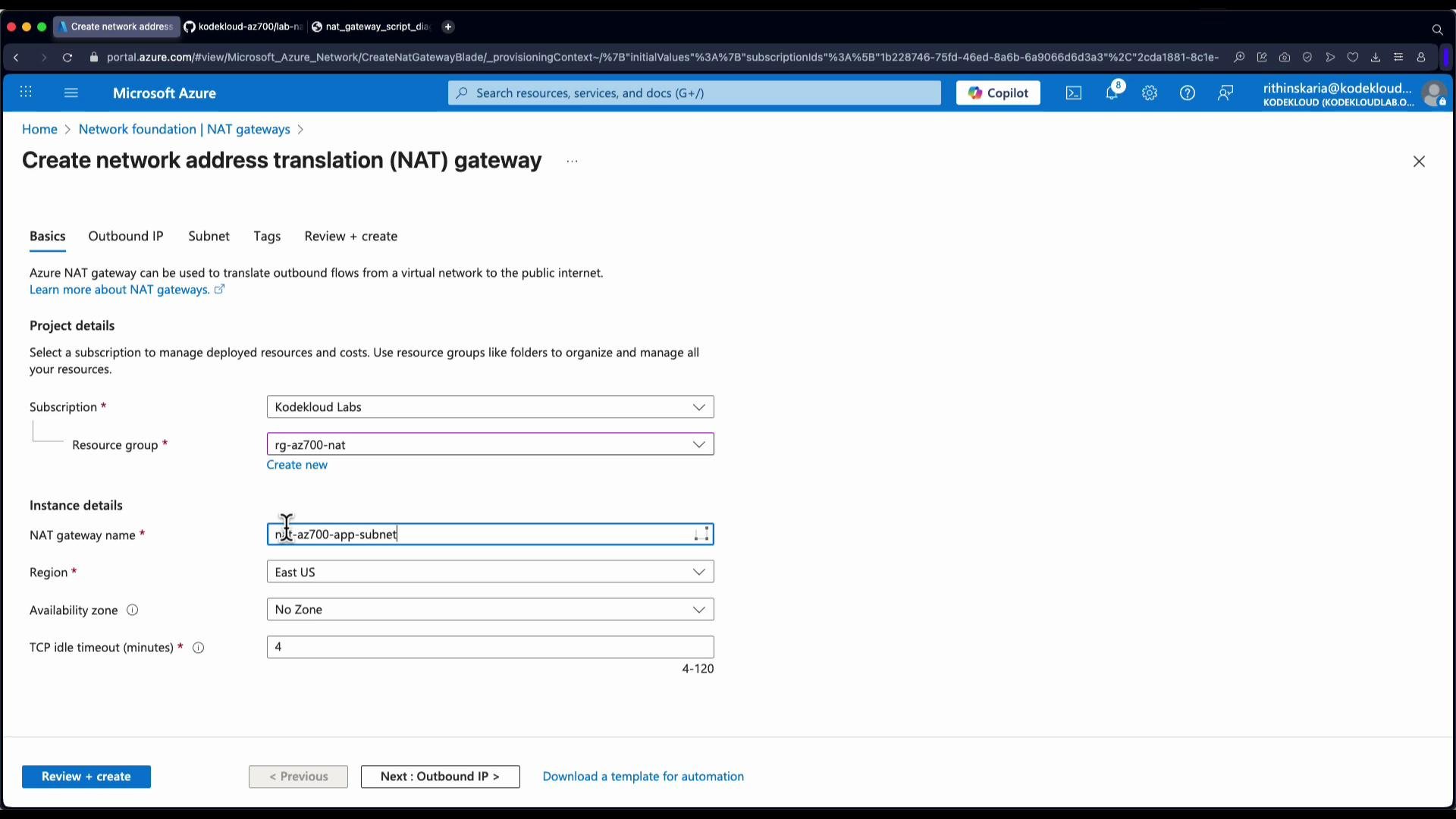
* In the Azure portal, create a new NAT gateway resource in the appropriate subscription, resource group, and region.
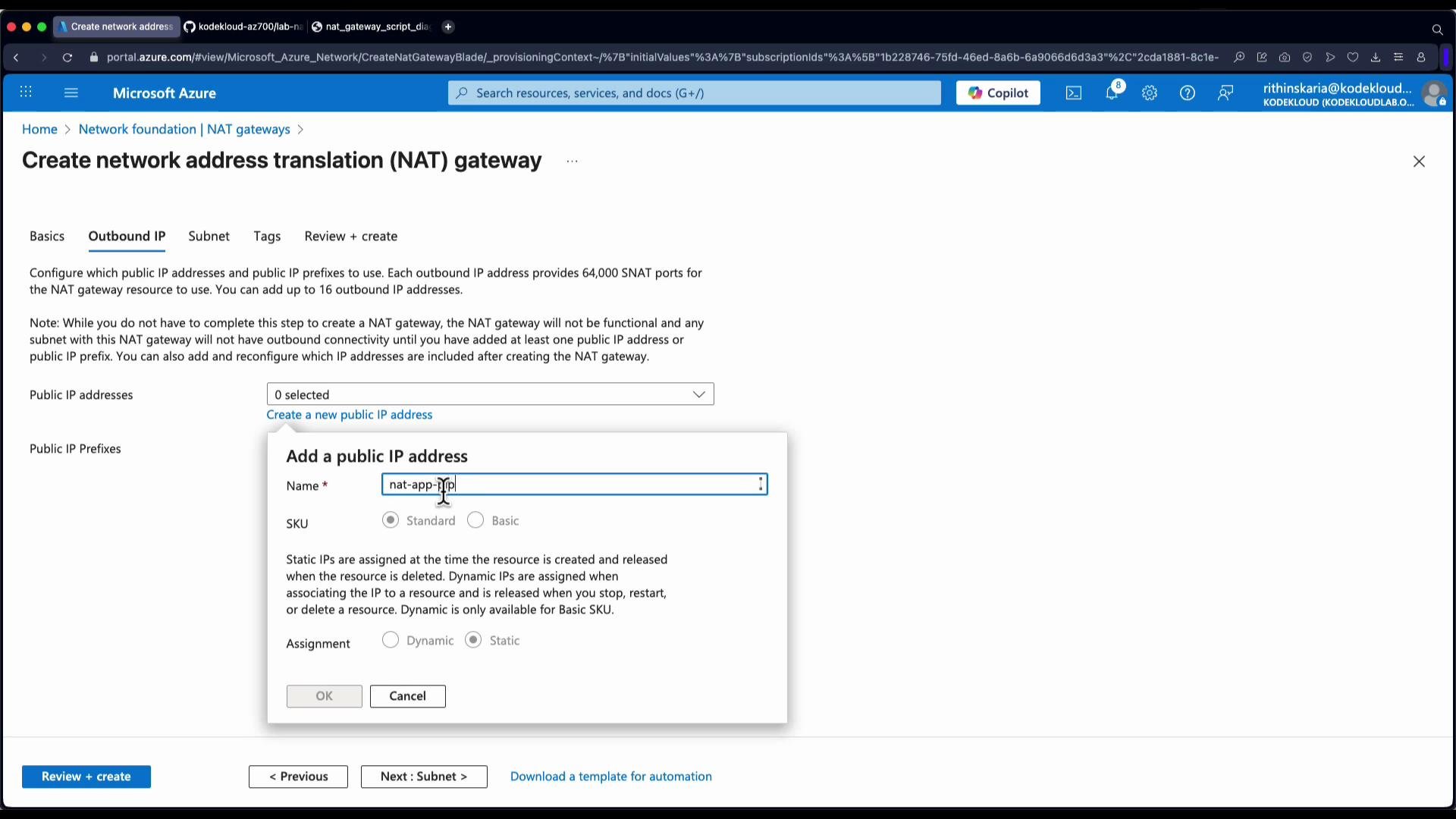
* Choose outbound IP addresses: select either a single Public IP or a Public IP Prefix. For this demo we create a single Public IP (named `NAT app PIP`).
* You can attach the NAT gateway to a subnet during creation or attach it afterwards. In this walkthrough we create the NAT gateway first and then attach it to the app subnet.
Practical demo: management and app VMs
Scenario
* Two VMs in the same VNet:
* Management VM has a public IP (used as a jump host for SSH).
* App VM does not have a public IP (initially uses dynamic Azure egress IP).
* Goal: Attach a NAT gateway to the app subnet so the app VM uses a deterministic outbound public IP.
Steps (using the management VM as a jump host)
1. SSH from your workstation to the management VM (replace the IP with your management VM public IP):
```bash theme={null}
ssh kodekloud@52.172.37.47
```
2. From the management VM, confirm its outbound public IP:
```bash theme={null}
curl https://ifconfig.me
# Example output:
# 52.172.37.47
```
3. From the management VM, SSH to the app VM using its private IP (example: `10.80.2.4`):
```bash theme={null}
ssh kodekloud@10.80.2.4
# If prompted:
# The authenticity of host '10.80.2.4' can't be established.
# ED25519 key fingerprint is SHA256:...
# Are you sure you want to continue connecting (yes/no)? yes
# kodekloud@10.80.2.4's password:
```
4. On the app VM, check the outbound IP before NAT gateway attachment (this is dynamic and can change):
```bash theme={null}
curl https://ifconfig.me
# Example output:
# 172.191.1.94
```
Create and attach the NAT gateway in the Azure Portal
* In the Azure portal, create a new NAT gateway resource in the appropriate subscription, resource group, and region.
* Choose outbound IP addresses: select either a single Public IP or a Public IP Prefix. For this demo we create a single Public IP (named `NAT app PIP`).
* You can attach the NAT gateway to a subnet during creation or attach it afterwards. In this walkthrough we create the NAT gateway first and then attach it to the app subnet.
 * After the NAT gateway resource is deployed, open it in the portal, go to the Subnets blade, select the app subnet, and click Save to attach the NAT gateway to that subnet.
* After attachment, most outbound traffic from VMs in that subnet will egress using the NAT gateway’s public IP(s).
* Note: VMs that already have their own public IPs will continue to egress using their assigned public IPs instead of the NAT gateway.
* After the NAT gateway resource is deployed, open it in the portal, go to the Subnets blade, select the app subnet, and click Save to attach the NAT gateway to that subnet.
* After attachment, most outbound traffic from VMs in that subnet will egress using the NAT gateway’s public IP(s).
* Note: VMs that already have their own public IPs will continue to egress using their assigned public IPs instead of the NAT gateway.
 Verify the outbound IP from the app VM
* Back on the app VM, re-run the outbound IP check after NAT gateway attachment:
```bash theme={null}
curl https://ifconfig.me
# Example output after NAT attachment:
# 172.191.1.202
```
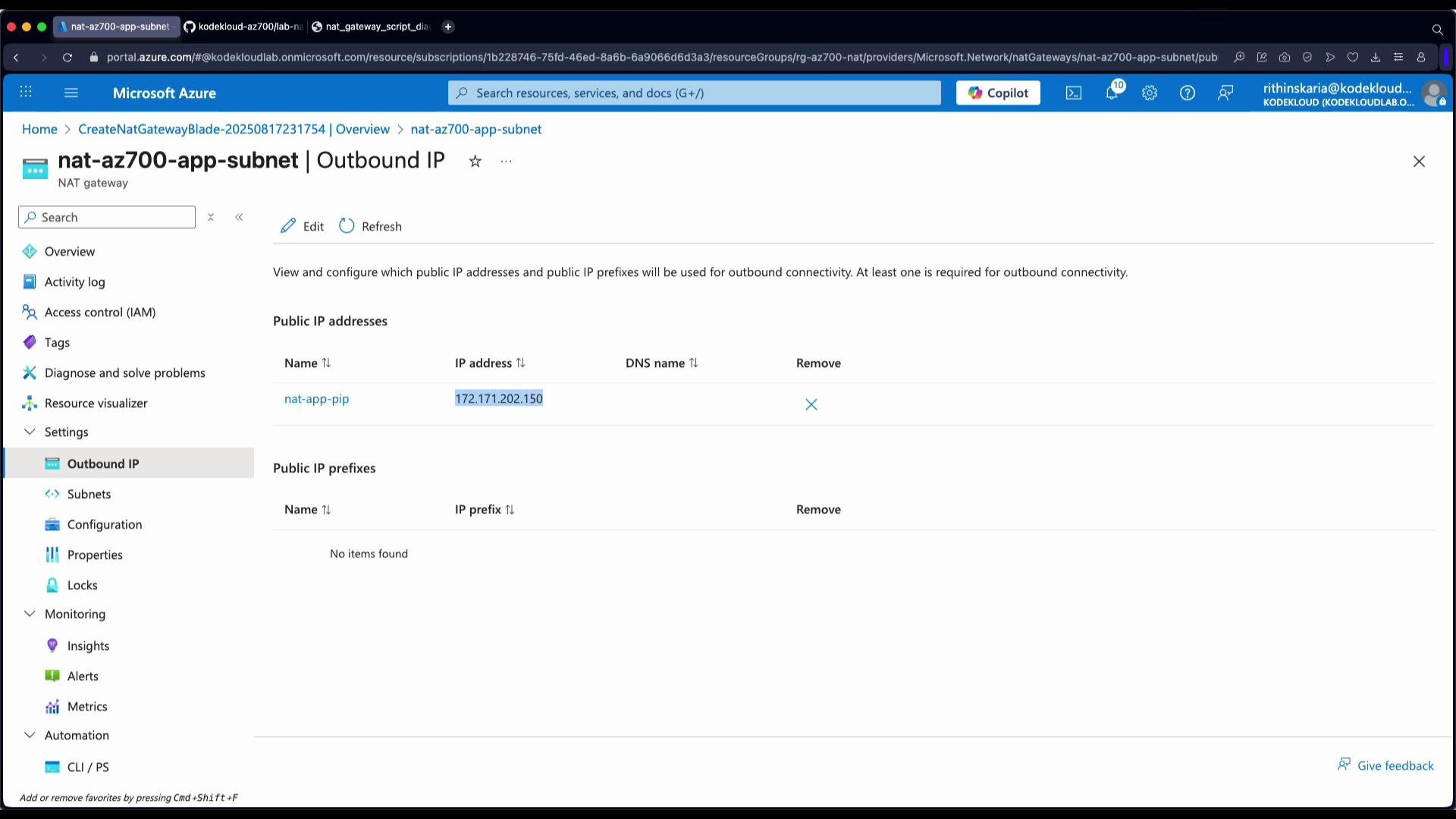
* In the Azure portal, open the NAT gateway resource and view the associated public IP(s). Confirm the NAT gateway public IP matches the app VM's observed outbound IP.
Verify the outbound IP from the app VM
* Back on the app VM, re-run the outbound IP check after NAT gateway attachment:
```bash theme={null}
curl https://ifconfig.me
# Example output after NAT attachment:
# 172.191.1.202
```
* In the Azure portal, open the NAT gateway resource and view the associated public IP(s). Confirm the NAT gateway public IP matches the app VM's observed outbound IP.
 Summary
* Deploying a NAT gateway and attaching it to your subnet provides predictable, centrally managed, and scalable outbound connectivity for resources without public IPs.
* It eliminates the need for custom outbound routes for normal egress scenarios and simplifies SNAT IP management.
* If your workload needs very high concurrent outbound connections, plan for multiple public IPs or a public IP prefix to avoid SNAT port exhaustion.
A single public IP provides approximately 64k SNAT ports. If your workload opens many concurrent outbound connections, use multiple public IPs or a public IP prefix on the NAT gateway to avoid SNAT port exhaustion.
Further reading and references
* Azure NAT gateway documentation: [https://learn.microsoft.com/azure/virtual-network/nat-gateway](https://learn.microsoft.com/azure/virtual-network/nat-gateway)
* Public IP and Public IP Prefix overview: [https://learn.microsoft.com/azure/virtual-network/public-ip-address](https://learn.microsoft.com/azure/virtual-network/public-ip-address)
* Azure networking concepts: [https://learn.microsoft.com/azure/virtual-network/virtual-networks-overview](https://learn.microsoft.com/azure/virtual-network/virtual-networks-overview)
Related topics to explore: VPN gateway, User-Defined Routes (UDRs), Azure Firewall, and Azure Load Balancer outbound rules.
Summary
* Deploying a NAT gateway and attaching it to your subnet provides predictable, centrally managed, and scalable outbound connectivity for resources without public IPs.
* It eliminates the need for custom outbound routes for normal egress scenarios and simplifies SNAT IP management.
* If your workload needs very high concurrent outbound connections, plan for multiple public IPs or a public IP prefix to avoid SNAT port exhaustion.
A single public IP provides approximately 64k SNAT ports. If your workload opens many concurrent outbound connections, use multiple public IPs or a public IP prefix on the NAT gateway to avoid SNAT port exhaustion.
Further reading and references
* Azure NAT gateway documentation: [https://learn.microsoft.com/azure/virtual-network/nat-gateway](https://learn.microsoft.com/azure/virtual-network/nat-gateway)
* Public IP and Public IP Prefix overview: [https://learn.microsoft.com/azure/virtual-network/public-ip-address](https://learn.microsoft.com/azure/virtual-network/public-ip-address)
* Azure networking concepts: [https://learn.microsoft.com/azure/virtual-network/virtual-networks-overview](https://learn.microsoft.com/azure/virtual-network/virtual-networks-overview)
Related topics to explore: VPN gateway, User-Defined Routes (UDRs), Azure Firewall, and Azure Load Balancer outbound rules.