> ## Documentation Index
> Fetch the complete documentation index at: https://notes.kodekloud.com/llms.txt
> Use this file to discover all available pages before exploring further.
# Routing Redirection and Rewrite Policies
> Practical guide to Azure Application Gateway routing, URL redirection, rewrite policies and a portal walkthrough for path based routing and backend configuration
This article explains how Azure Application Gateway handles three core responsibilities for web front-ends: request routing, URL redirection, and rewrite policies. These features help you build secure, scalable, and high-performance application delivery in Azure.
This guide focuses on practical configuration patterns—basic vs path-based routing, common redirection scenarios, and rewrite rules—plus a step-by-step Azure Portal walkthrough to create an Application Gateway that routes /api and /images paths to separate backend pools.
## 1. Request routing rules
Routing rules determine how incoming HTTP(S) requests are mapped to backend pools. Every routing rule must be associated with a listener (the listener accepts traffic on a specific protocol, port, and hostname) and HTTP settings.
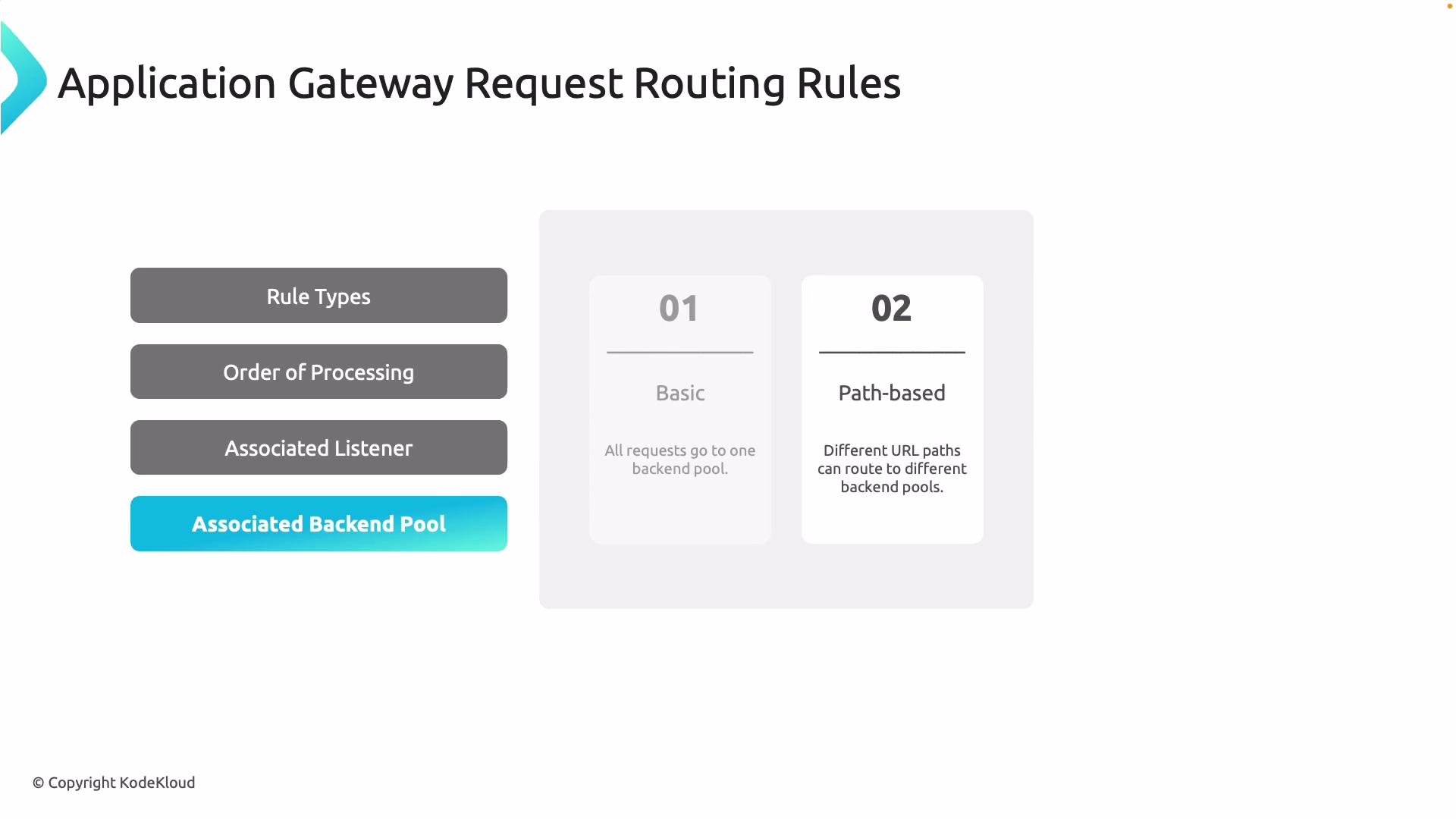
Two primary rule types:
| Rule type | When to use | Behavior / Example |
| ------------------ | -------------------------------------------------- | ----------------------------------------------------------------------------------------------- |
| Basic | Single backend for all traffic matching a listener | All traffic on the listener goes to one backend pool (simplest setup) |
| Path-based routing | Multiple backends depending on request URL path | Route `/api/*` → API backend, `/images/*` → Image backend; the most specific path match applies |
Path-based routing selects the most specific matching path pattern for a request. When designing path patterns, be deliberate about ordering and specificity—within a single routing rule, the gateway applies the first matching pattern.
 Path-based routing is especially useful to separate workloads (for example, static assets vs APIs), enabling independent scaling, deployment, and optimization for each service.
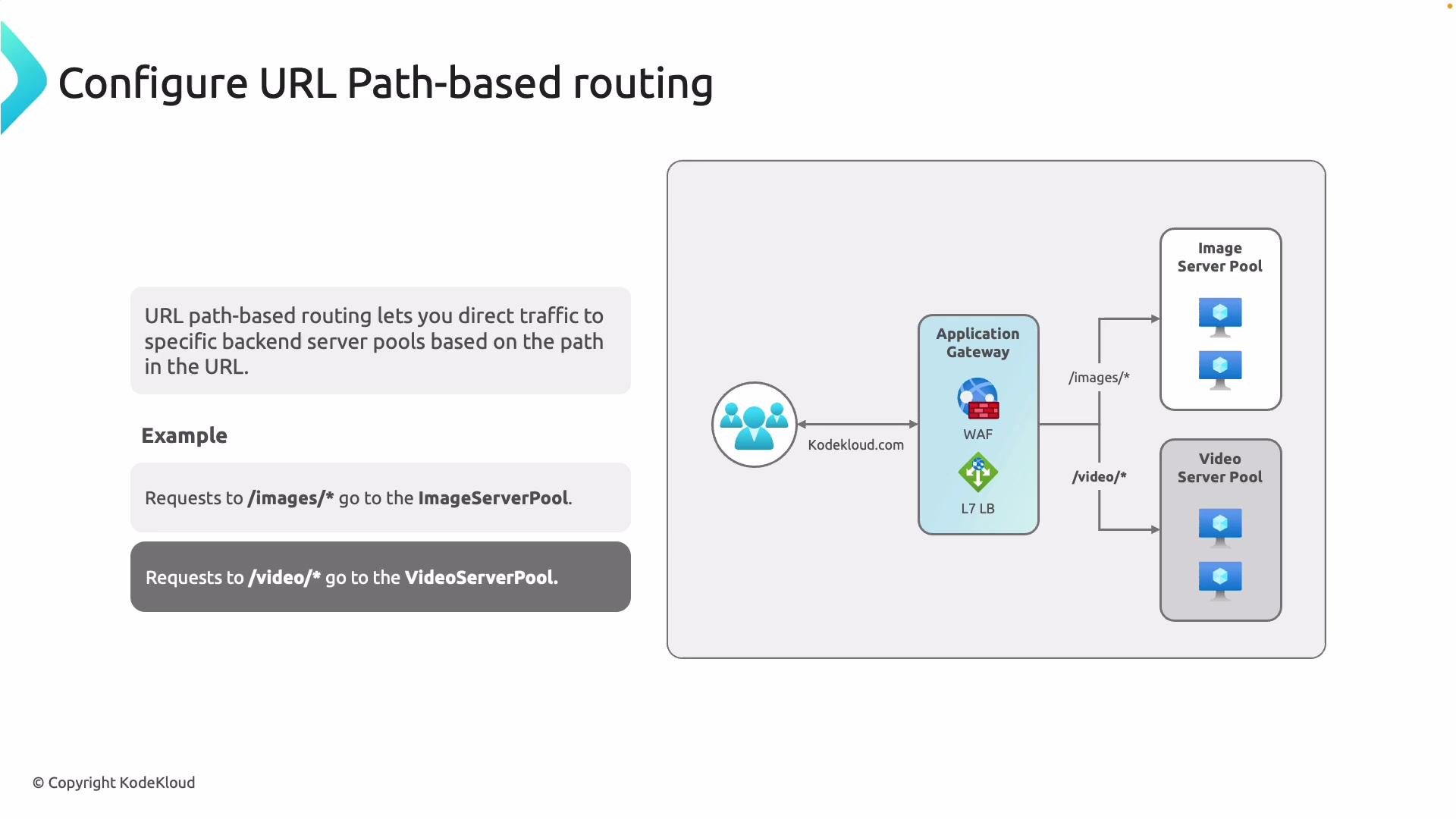 Benefits of path-based routing:
* Scalability: scale image servers independently from APIs.
* Performance: route static content to optimized servers or CDN frontends.
* Operational separation: different teams can own different backends.
## 2. URL Redirection
Redirection rules forward clients to different URLs or protocols based on conditions. Common scenarios include upgrading HTTP to HTTPS and migrating or consolidating endpoints.
Redirection types:
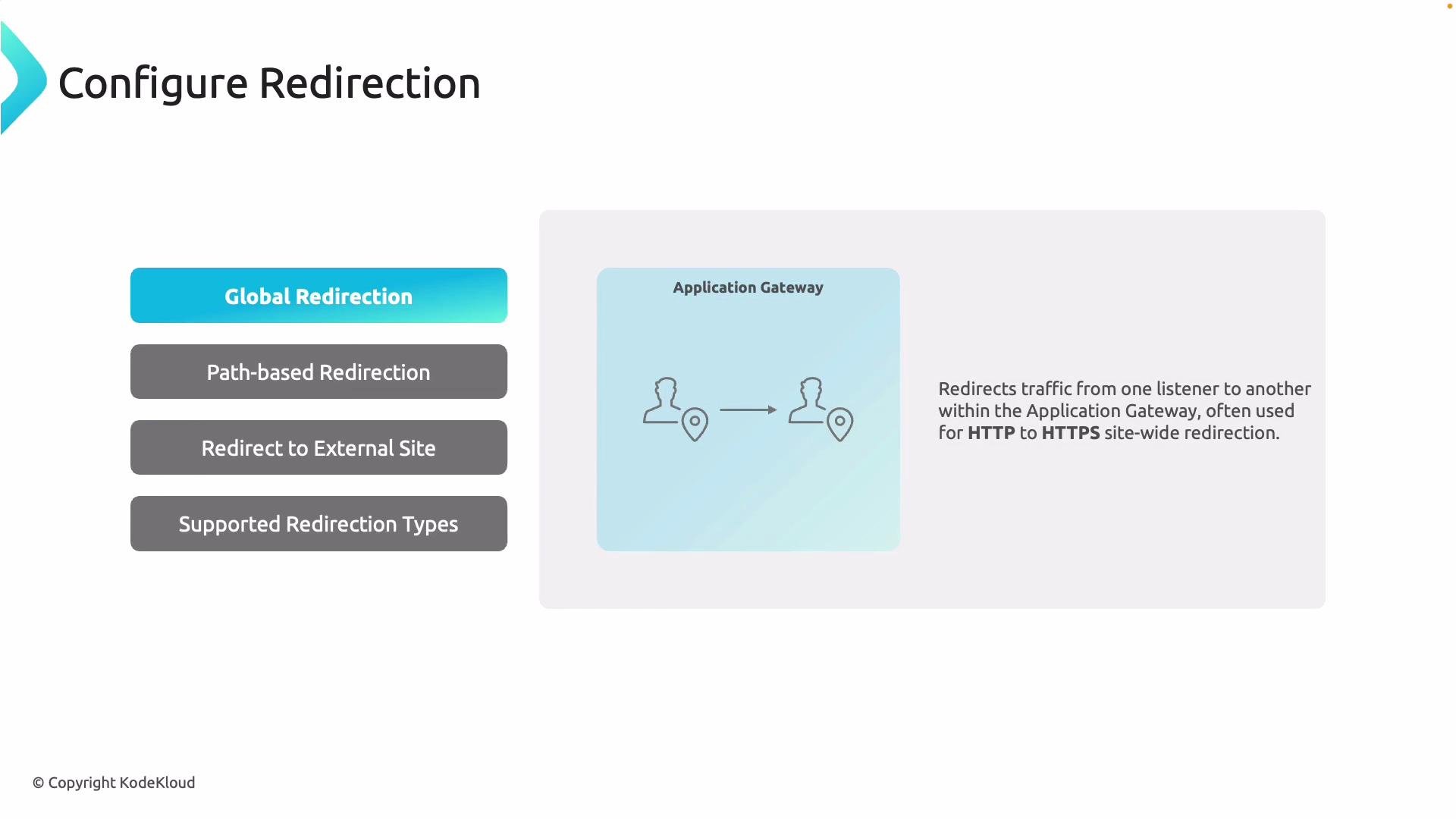
* Global redirection: redirect all requests from one listener to another (typical HTTP → HTTPS).
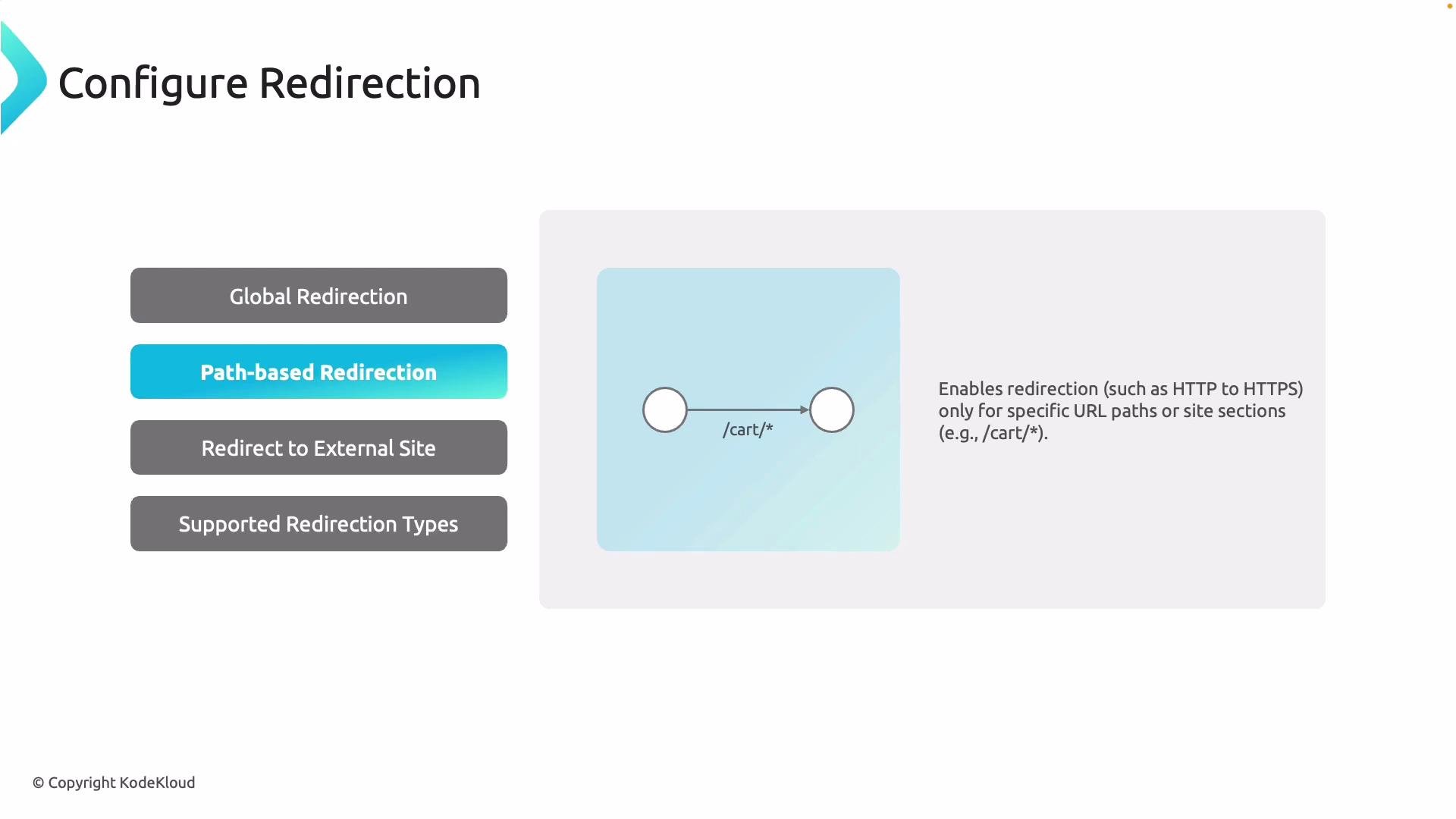
* Path-based redirection: redirect only requests that match certain paths (for example, `/cart/*`).
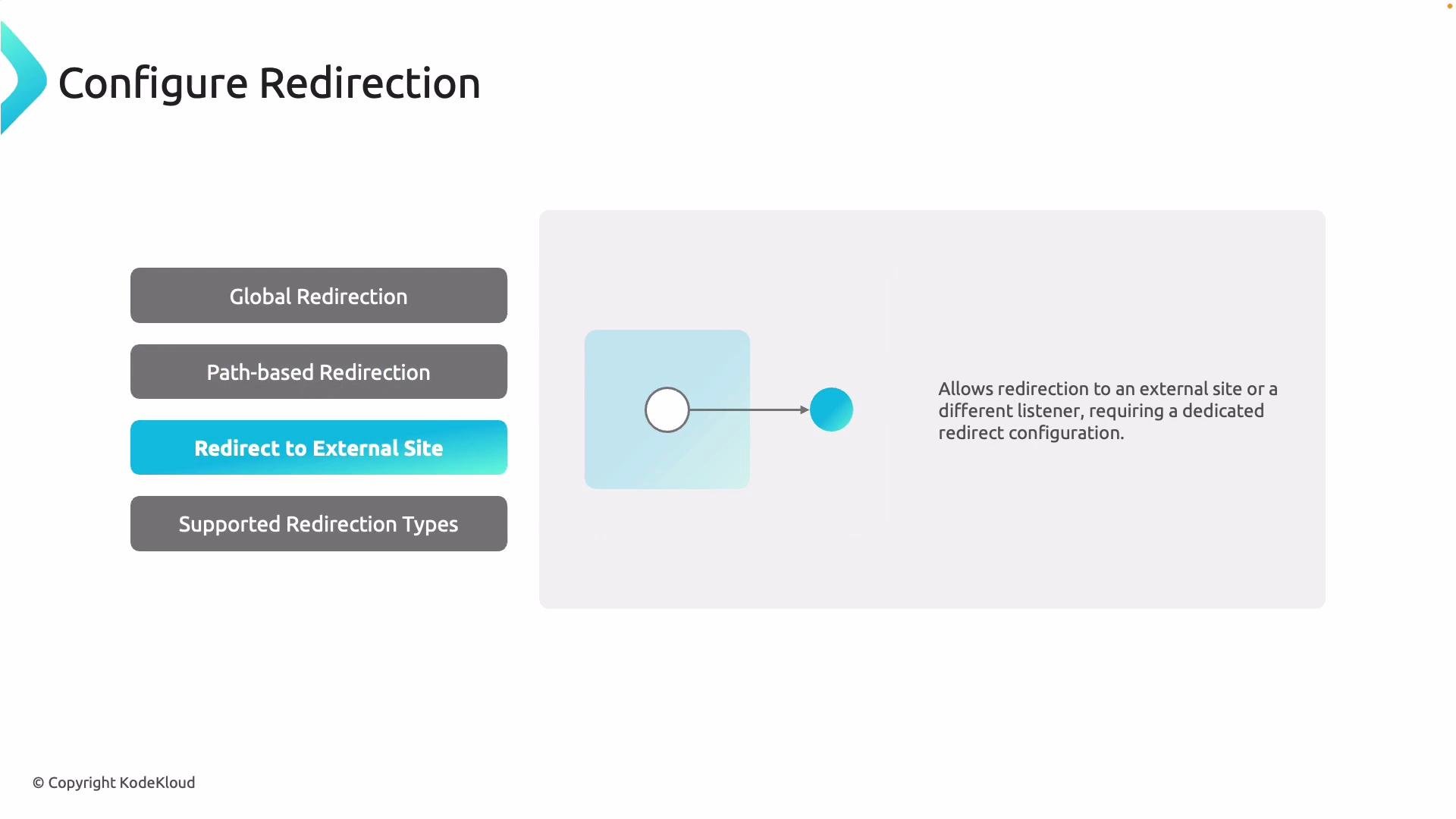
* Redirect to external site: send traffic to an external URL (configured with a dedicated redirect setting).
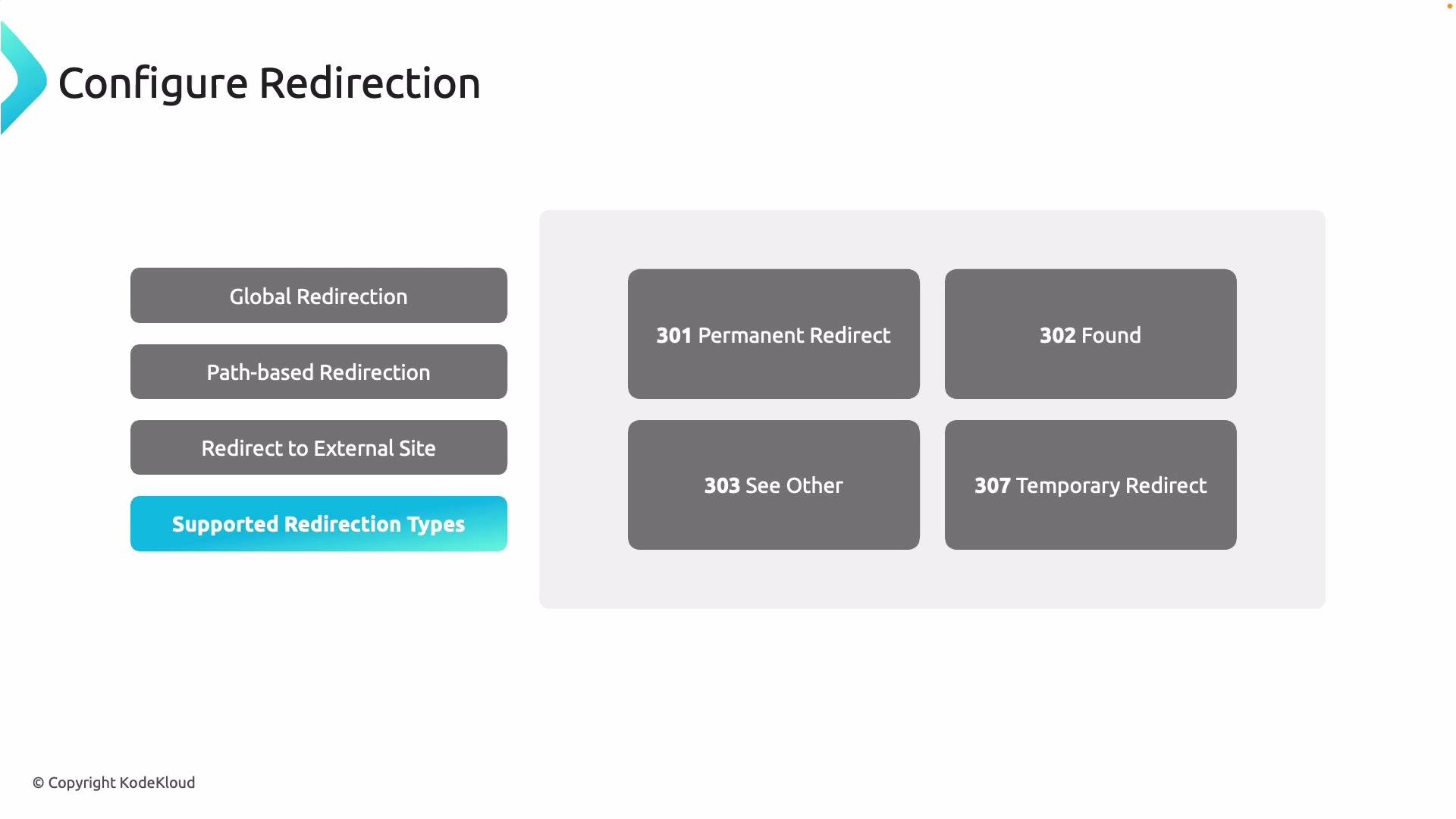
Supported HTTP redirect status codes:
| Status code | Meaning |
| ----------- | ------------------------------------- |
| 301 | Permanent redirect |
| 302 | Temporary redirect (Found) |
| 303 | See Other |
| 307 | Temporary Redirect (preserves method) |
Benefits of path-based routing:
* Scalability: scale image servers independently from APIs.
* Performance: route static content to optimized servers or CDN frontends.
* Operational separation: different teams can own different backends.
## 2. URL Redirection
Redirection rules forward clients to different URLs or protocols based on conditions. Common scenarios include upgrading HTTP to HTTPS and migrating or consolidating endpoints.
Redirection types:
* Global redirection: redirect all requests from one listener to another (typical HTTP → HTTPS).
* Path-based redirection: redirect only requests that match certain paths (for example, `/cart/*`).
* Redirect to external site: send traffic to an external URL (configured with a dedicated redirect setting).
Supported HTTP redirect status codes:
| Status code | Meaning |
| ----------- | ------------------------------------- |
| 301 | Permanent redirect |
| 302 | Temporary redirect (Found) |
| 303 | See Other |
| 307 | Temporary Redirect (preserves method) |
 When to choose which redirect code:
* Use 301 for permanent URL changes (search engines update indexes).
* Use 302/307 for temporary redirection (clients should continue to request the original URL later).
* Use 307 instead of 302 when you must preserve the original HTTP method (e.g., POST).
## 3. Rewrite policies
Rewrite rules let you modify HTTP requests/responses that flow through Application Gateway:
* Add, remove, or modify request and response headers (useful for security headers, or injecting tracing headers).
* Change URL path or query string values.
* Re-evaluate path-based routing after rewriting the path (re-route).
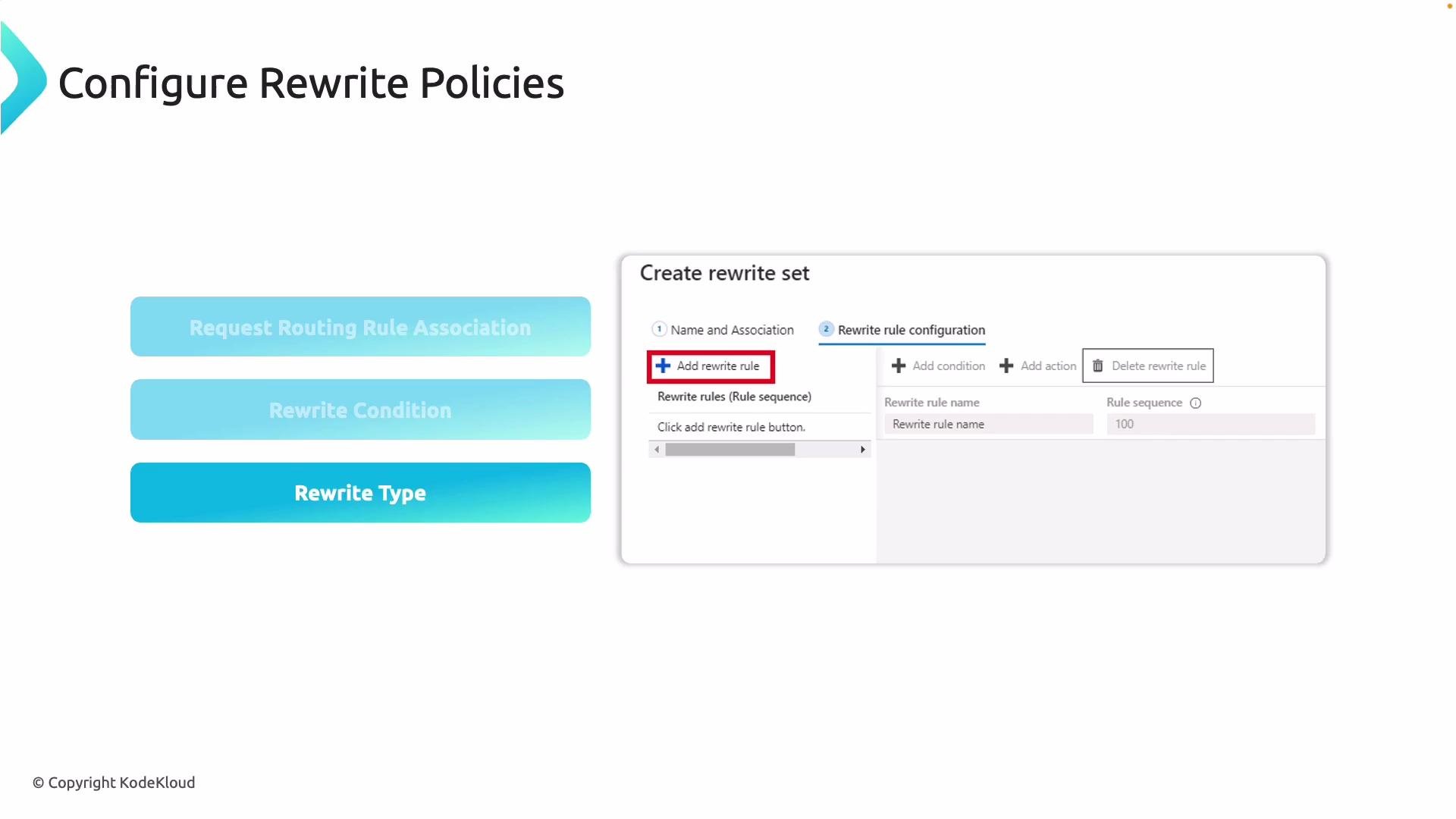
Rewrite sets are created independently and then associated with routing rules. You can add conditions so a rewrite only applies when specific criteria are met (for example, a header value or path pattern).
When to choose which redirect code:
* Use 301 for permanent URL changes (search engines update indexes).
* Use 302/307 for temporary redirection (clients should continue to request the original URL later).
* Use 307 instead of 302 when you must preserve the original HTTP method (e.g., POST).
## 3. Rewrite policies
Rewrite rules let you modify HTTP requests/responses that flow through Application Gateway:
* Add, remove, or modify request and response headers (useful for security headers, or injecting tracing headers).
* Change URL path or query string values.
* Re-evaluate path-based routing after rewriting the path (re-route).
Rewrite sets are created independently and then associated with routing rules. You can add conditions so a rewrite only applies when specific criteria are met (for example, a header value or path pattern).
 Example rewrite use cases:
* Add `Strict-Transport-Security` header to responses.
* Strip internal path prefixes (`/internal-api/*` → `/api/*`) and then re-route.
* Inject A/B test headers for specific user cohorts.
## 4. Portal walkthrough: create an Application Gateway with path-based routing
This walkthrough demonstrates creating an Application Gateway in the Azure Portal that routes `/api` requests to an API backend and `/images` requests to an image backend.
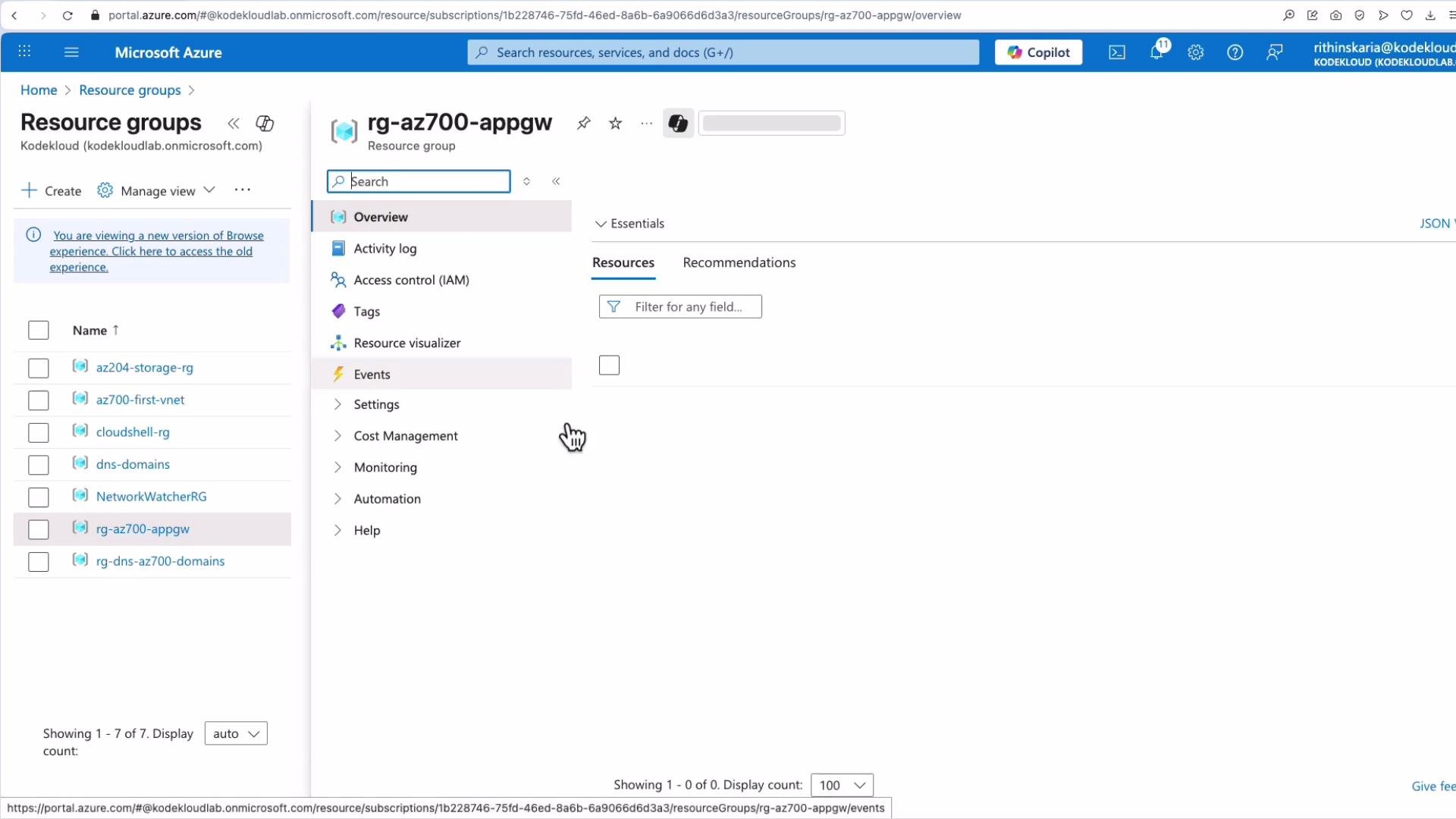
Start from your Resource Group (example: `rg-az700-appgw`) that contains your backend virtual machines.
Example rewrite use cases:
* Add `Strict-Transport-Security` header to responses.
* Strip internal path prefixes (`/internal-api/*` → `/api/*`) and then re-route.
* Inject A/B test headers for specific user cohorts.
## 4. Portal walkthrough: create an Application Gateway with path-based routing
This walkthrough demonstrates creating an Application Gateway in the Azure Portal that routes `/api` requests to an API backend and `/images` requests to an image backend.
Start from your Resource Group (example: `rg-az700-appgw`) that contains your backend virtual machines.
 Step-by-step summary:
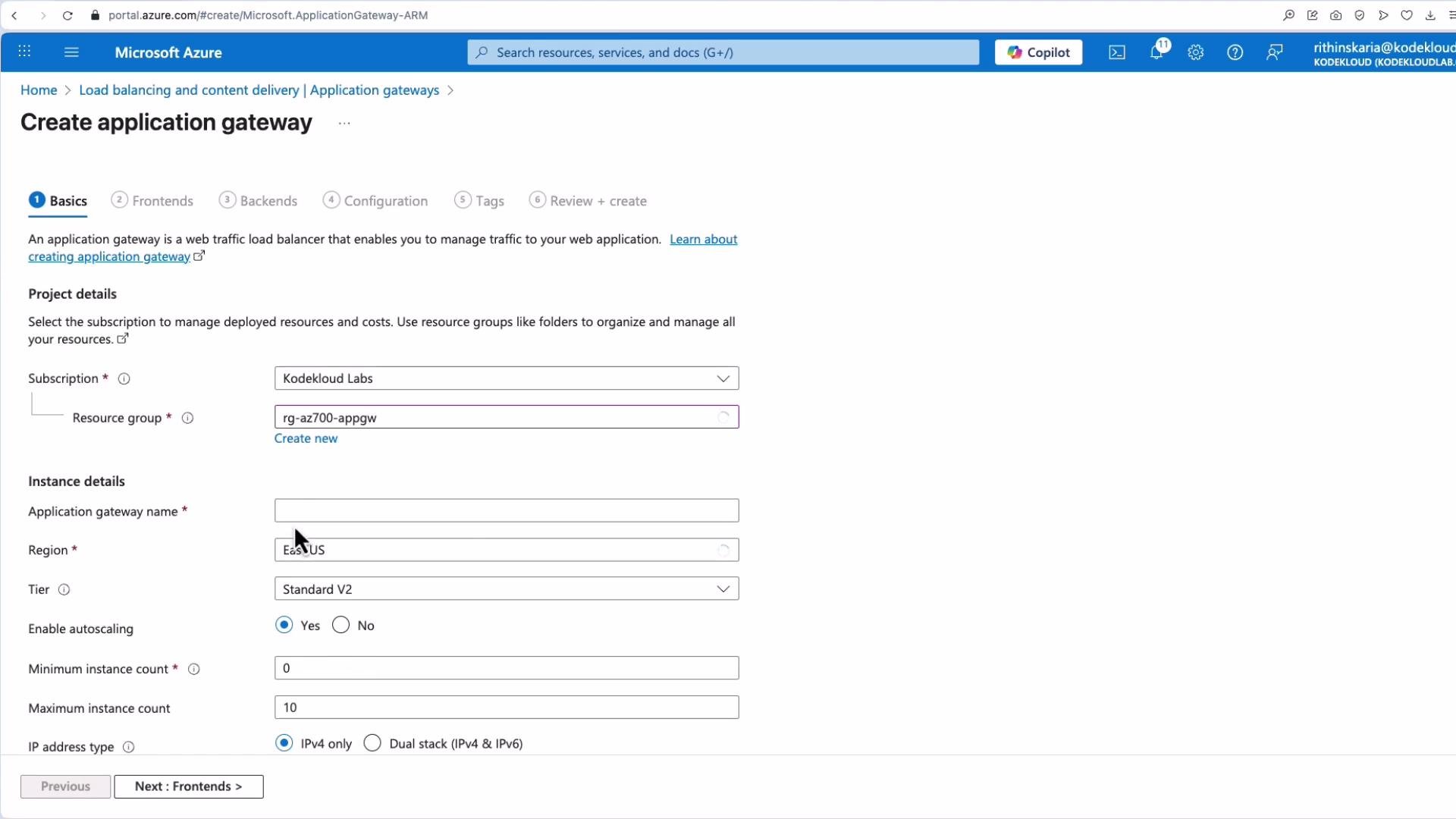
1. Create Application Gateway resource:
* Name: e.g., `AZ70001`
* Region: match the VMs
* Tier: `Standard_v2` (choose `WAF_v2` if you need a managed Web Application Firewall)
* Scale: choose instance count or enable autoscaling
* IP type: IPv4 or dual-stack as required
Step-by-step summary:
1. Create Application Gateway resource:
* Name: e.g., `AZ70001`
* Region: match the VMs
* Tier: `Standard_v2` (choose `WAF_v2` if you need a managed Web Application Firewall)
* Scale: choose instance count or enable autoscaling
* IP type: IPv4 or dual-stack as required
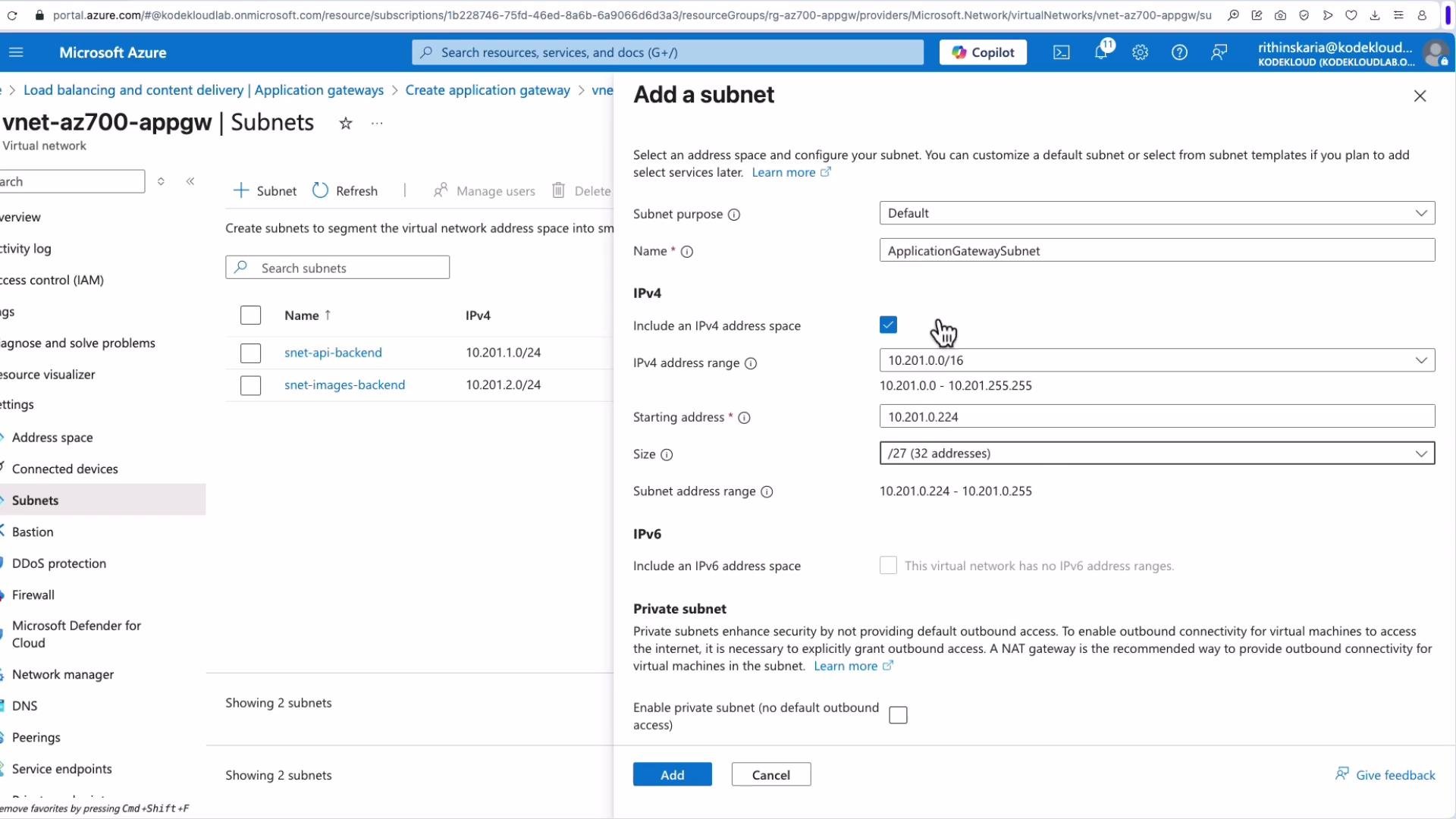
 2. Configure the Application Gateway subnet:
* Application Gateway requires a dedicated subnet, typically named `ApplicationGatewaySubnet`.
* Choose an address range sized for your expected scale (e.g., `/27` if not using autoscaling).
2. Configure the Application Gateway subnet:
* Application Gateway requires a dedicated subnet, typically named `ApplicationGatewaySubnet`.
* Choose an address range sized for your expected scale (e.g., `/27` if not using autoscaling).
 3. Frontend configuration:
* Create or select a public IP (e.g., `AppGateway-AZ700-PIP`) for internet-facing access, or configure private frontend IP for internal scenarios.
4. Create backend pools:
* Example names: `AppGW-AZ-700-BEP-API` and `AppGW-AZ-700-BEP-IMG`.
* Targets: virtual machines, VMSS, NICs, IP addresses, or FQDNs.
5. Configure listeners and HTTP settings:
* Listener: protocol (HTTP/HTTPS), port (e.g., 80 or 443), and hostname.
* HTTP settings: backend port, protocol, cookie-based affinity (session stickiness), and health probe association.
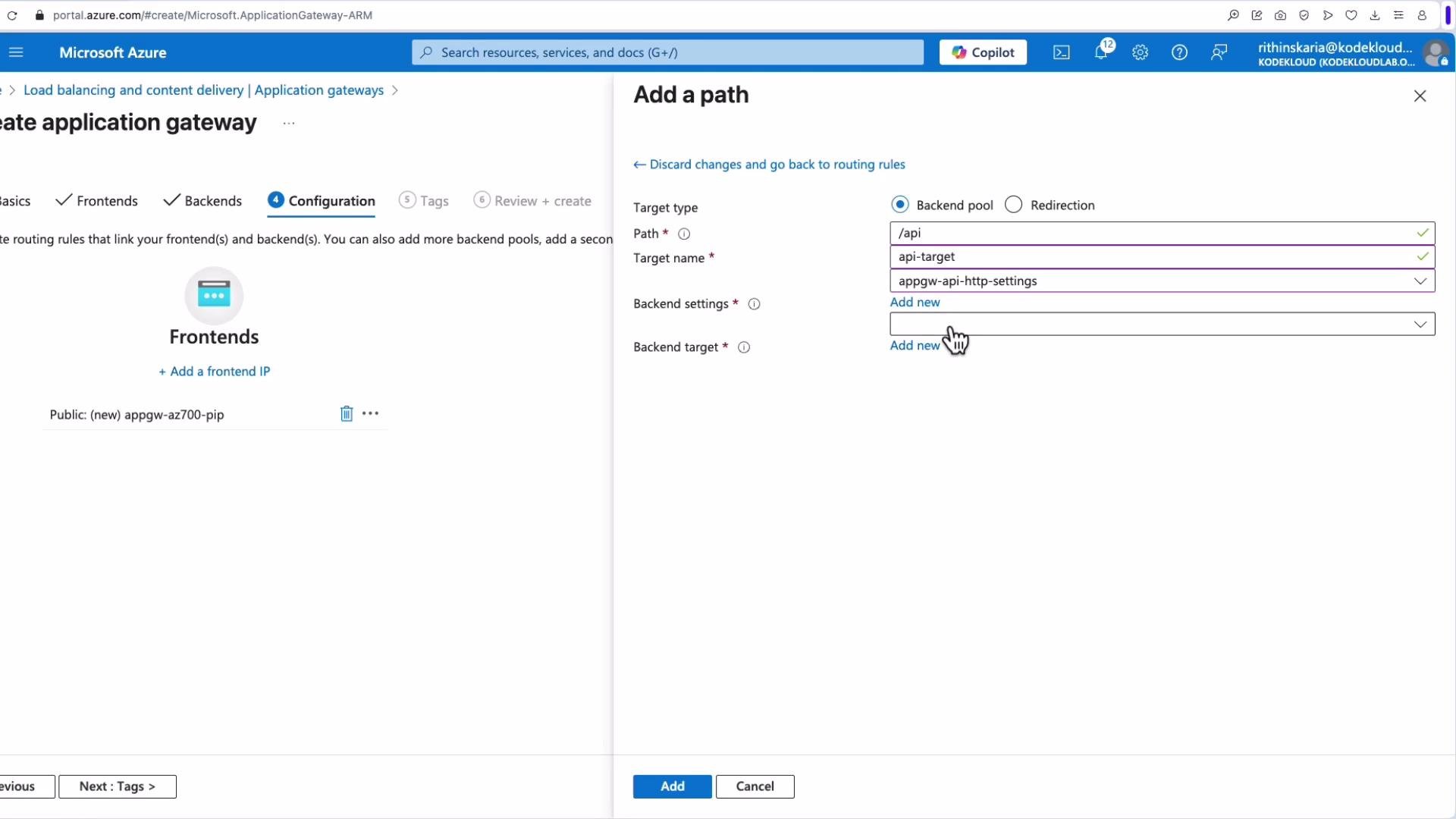
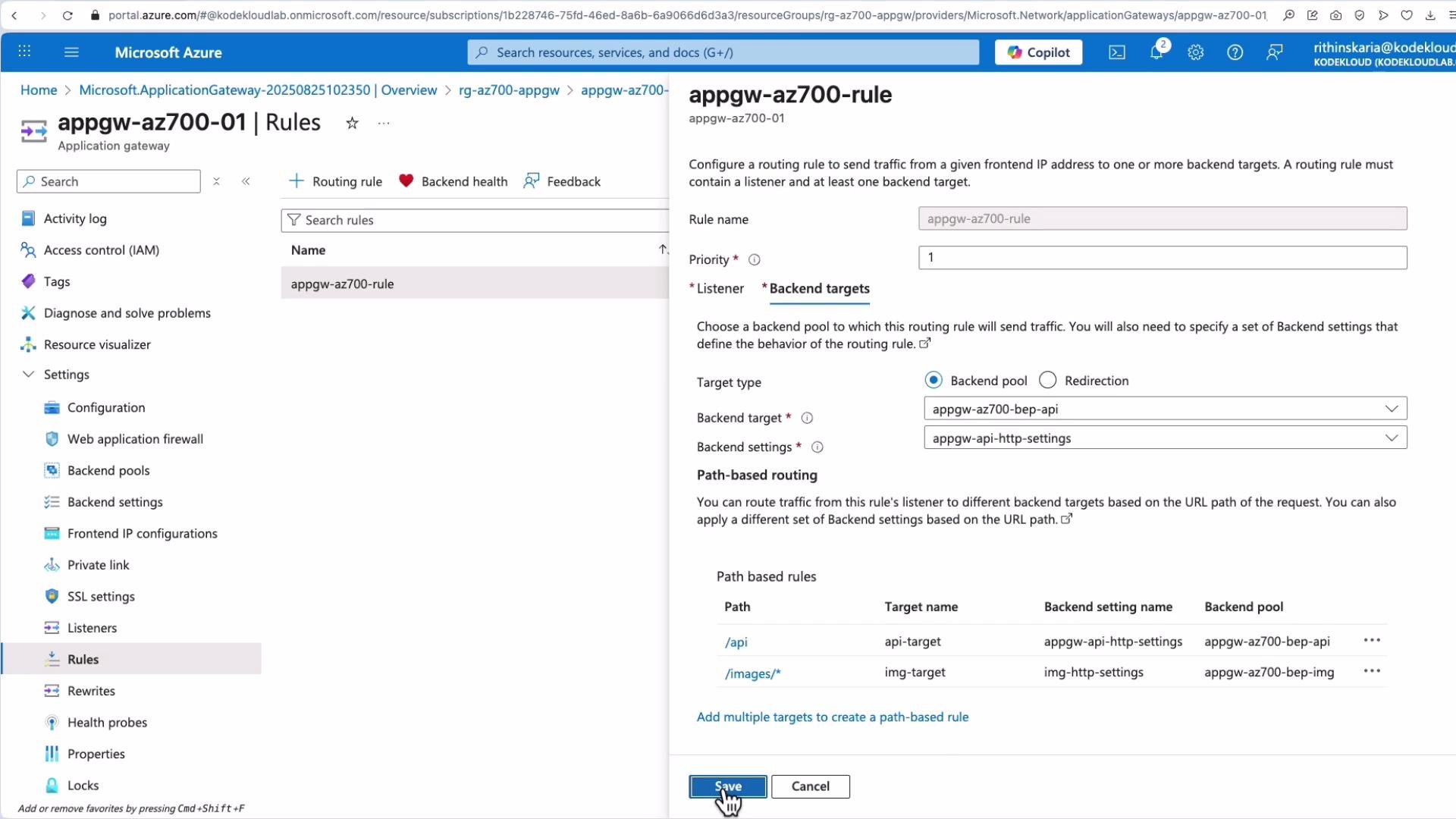
6. Add path-based routing rules:
* Example path mappings:
| Path pattern | Backend pool | HTTP setting |
| ------------ | ---------------------- | --------------------- |
| `/api/*` | `AppGW-AZ-700-BEP-API` | API HTTP settings |
| `/images/*` | `AppGW-AZ-700-BEP-IMG` | IMG HTTP settings |
| default | default backend | default HTTP settings |
When adding a path-based rule, bind each pattern to the appropriate backend target and HTTP setting; define a default backend for unmatched paths.
3. Frontend configuration:
* Create or select a public IP (e.g., `AppGateway-AZ700-PIP`) for internet-facing access, or configure private frontend IP for internal scenarios.
4. Create backend pools:
* Example names: `AppGW-AZ-700-BEP-API` and `AppGW-AZ-700-BEP-IMG`.
* Targets: virtual machines, VMSS, NICs, IP addresses, or FQDNs.
5. Configure listeners and HTTP settings:
* Listener: protocol (HTTP/HTTPS), port (e.g., 80 or 443), and hostname.
* HTTP settings: backend port, protocol, cookie-based affinity (session stickiness), and health probe association.
6. Add path-based routing rules:
* Example path mappings:
| Path pattern | Backend pool | HTTP setting |
| ------------ | ---------------------- | --------------------- |
| `/api/*` | `AppGW-AZ-700-BEP-API` | API HTTP settings |
| `/images/*` | `AppGW-AZ-700-BEP-IMG` | IMG HTTP settings |
| default | default backend | default HTTP settings |
When adding a path-based rule, bind each pattern to the appropriate backend target and HTTP setting; define a default backend for unmatched paths.
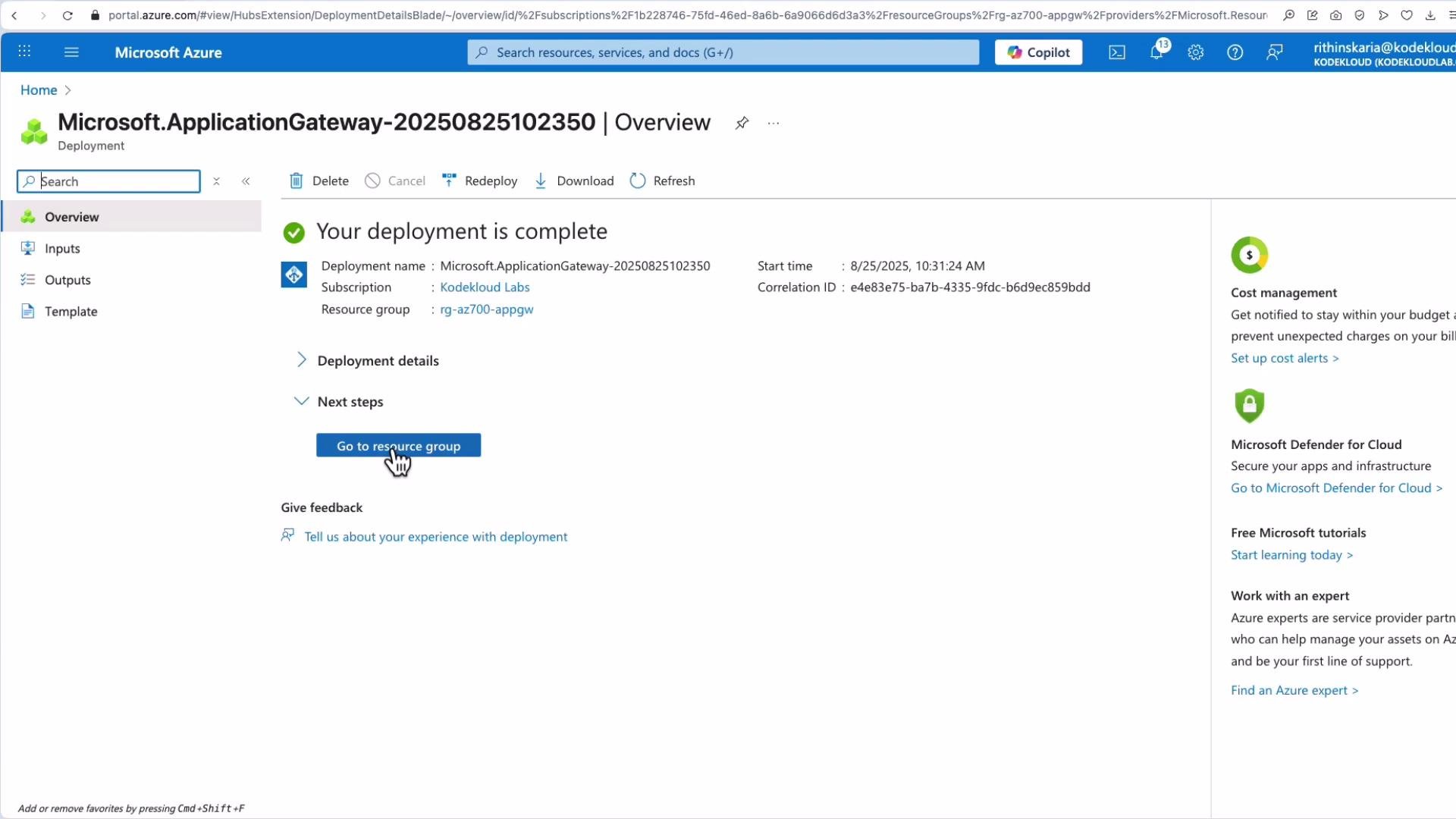
 7. Review and create. Deployment may take several minutes.
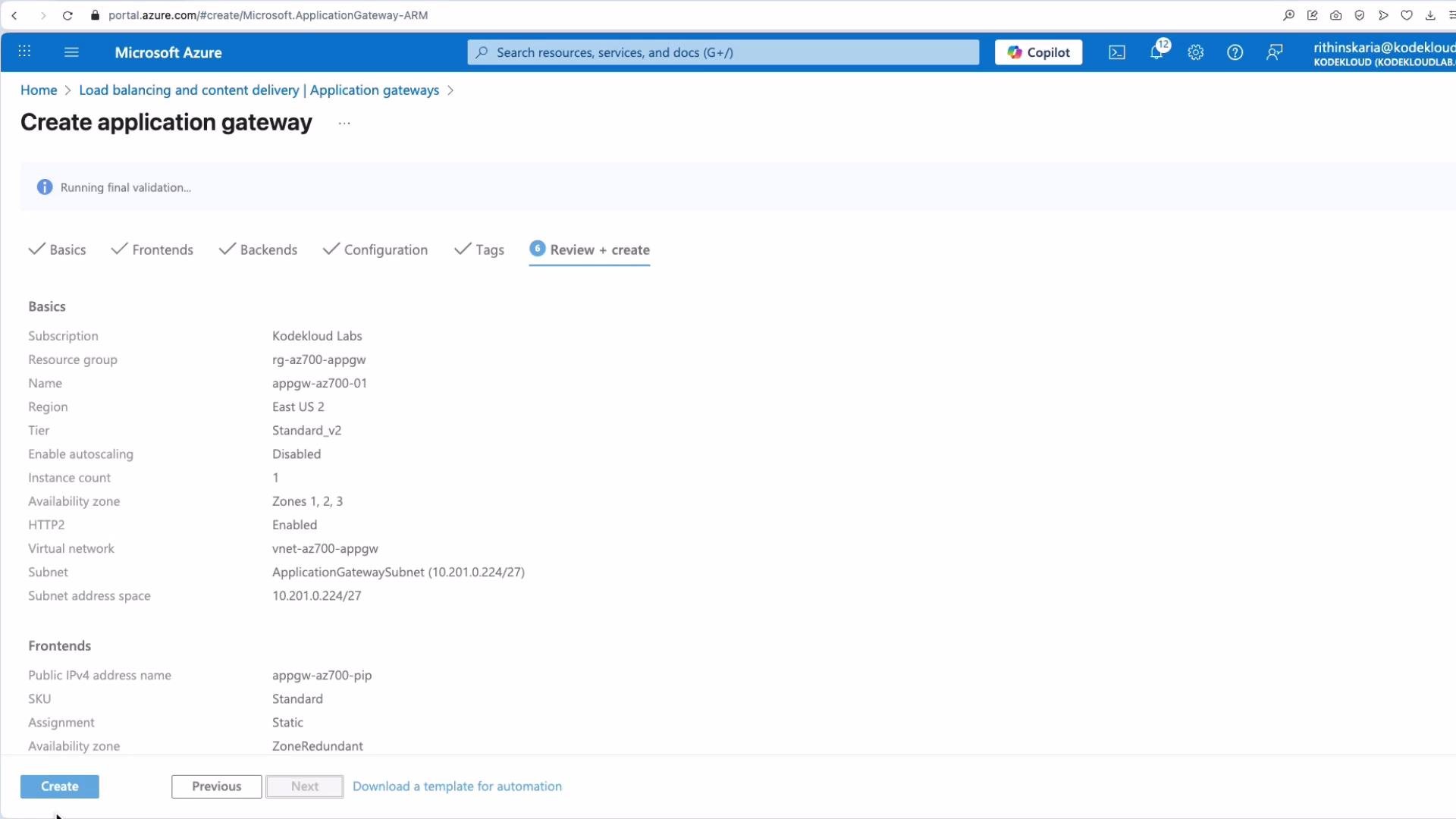 After deployment completes, open the Application Gateway resource from your Resource Group.
 ## 5. Post-deployment management
In the Application Gateway blade you can view and manage:
* Web Application Firewall (if enabled)
* Backend pools
* Backend HTTP settings
* Frontend IP configurations
* Private link and SSL settings
* Listeners
* Rules (basic & path-based)
* Rewrite sets
* Health probes
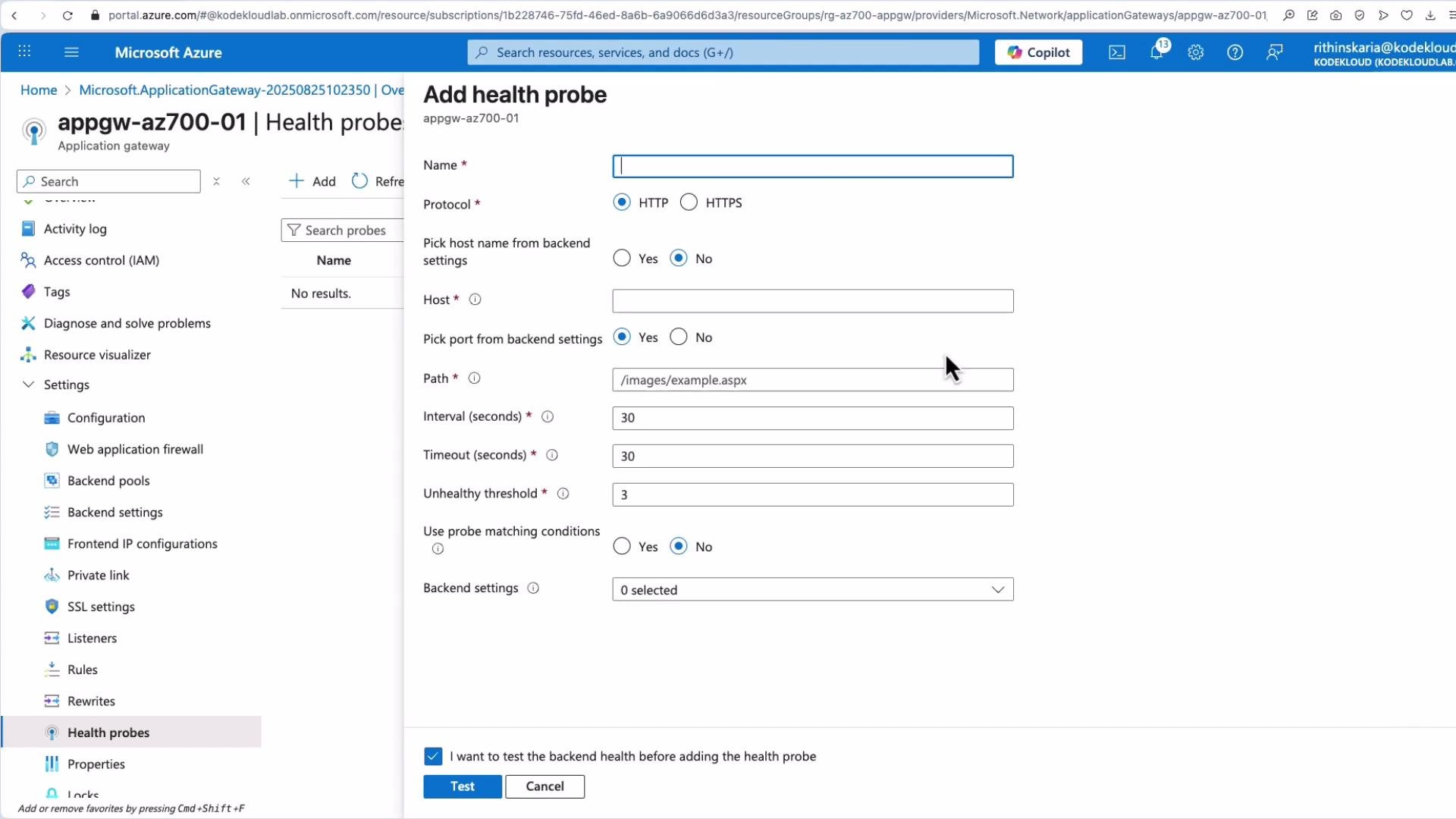
If you did not create a custom health probe during initial configuration, add one and associate it with the HTTP settings to gain precise control over health checks.
## 5. Post-deployment management
In the Application Gateway blade you can view and manage:
* Web Application Firewall (if enabled)
* Backend pools
* Backend HTTP settings
* Frontend IP configurations
* Private link and SSL settings
* Listeners
* Rules (basic & path-based)
* Rewrite sets
* Health probes
If you did not create a custom health probe during initial configuration, add one and associate it with the HTTP settings to gain precise control over health checks.
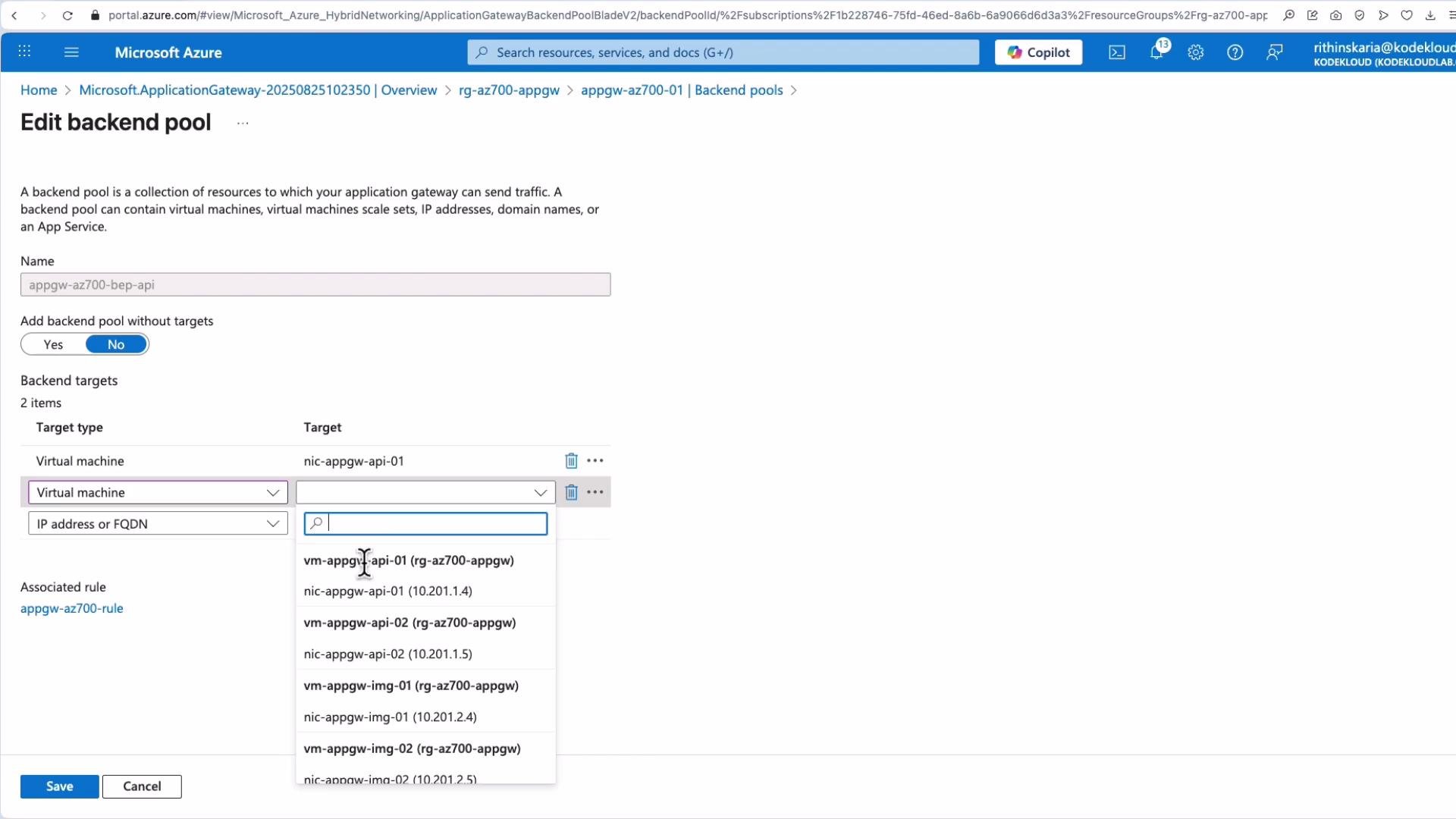
 Link backend targets to your pools (select VMs, IPs, or FQDN). After saving, the backend pool displays configured targets and their IPs.
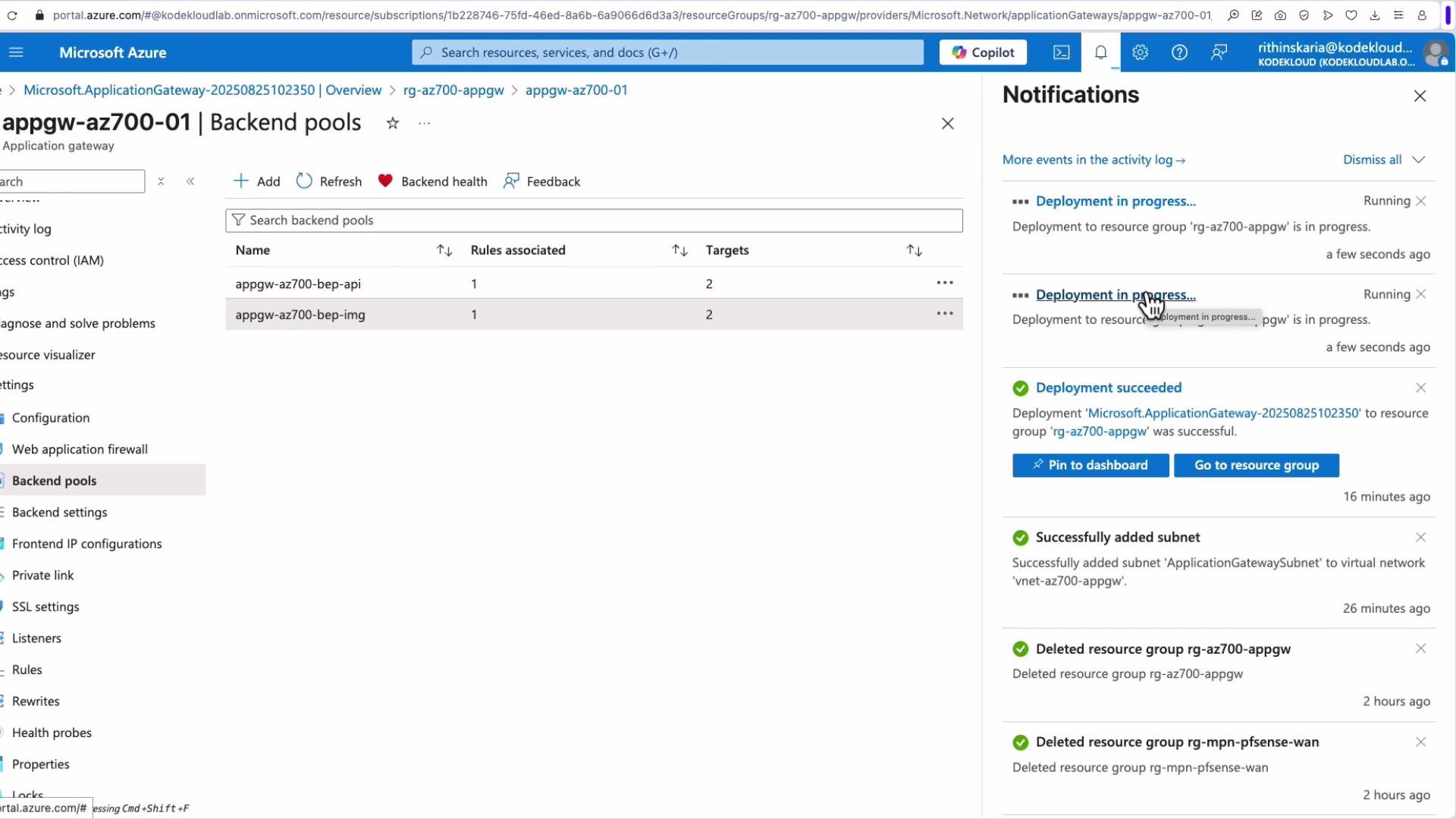
 Updates to configuration may take a short time to propagate. Portal notifications show deployment progress and status.
 Once running, copy the Application Gateway public IP and test in a browser. Requests should be routed according to your path rules (for example, `/api` returns API responses).
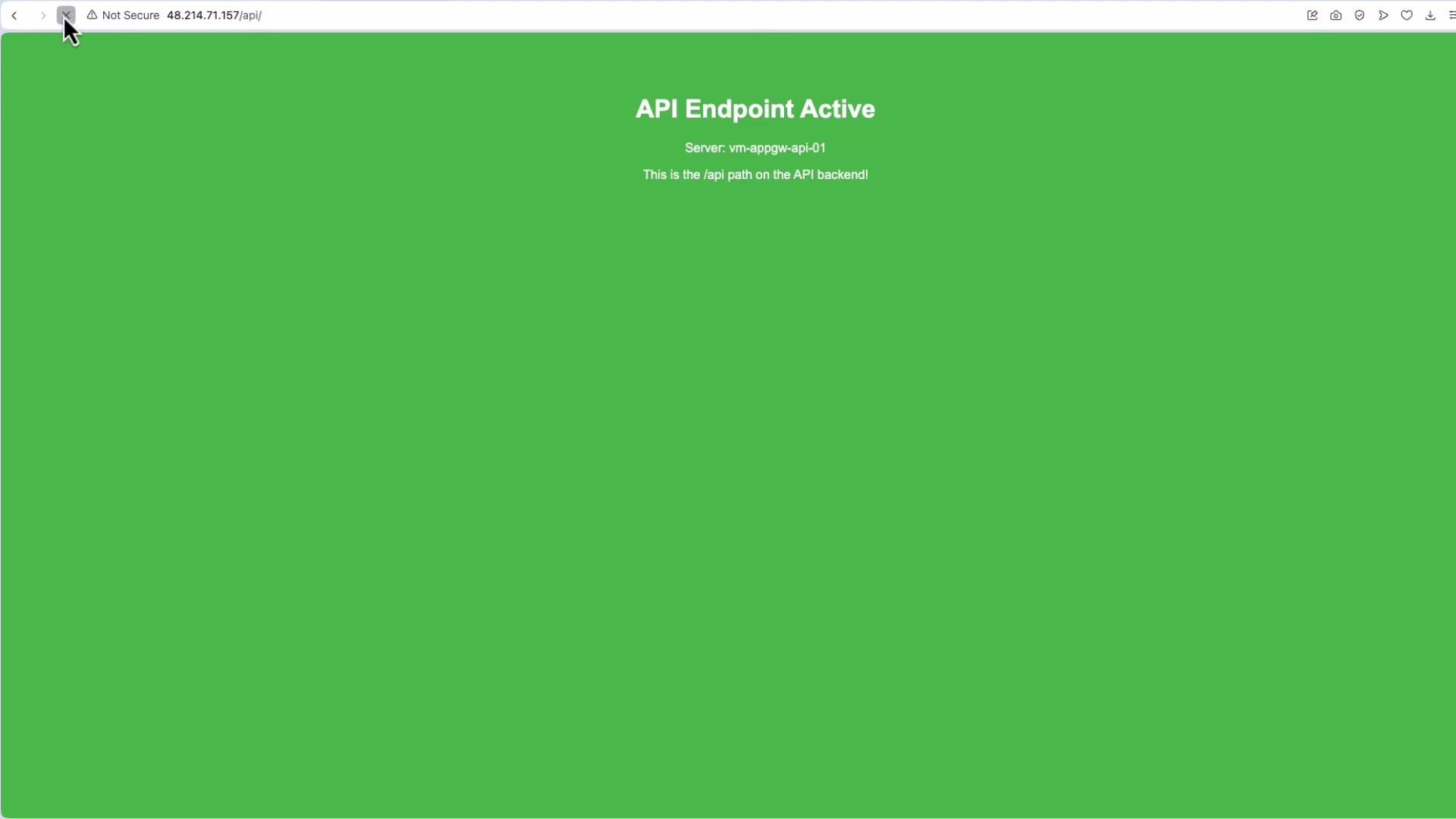 Load distribution is typically round-robin across backend instances. Enable cookie-based affinity in HTTP settings if you require session persistence (sticky sessions).
If you see 404s on a path, verify:
* Path mappings in the routing rule.
* Backend content (for example, `index.html` exists in the images folder).
* Health probe results and logs.
Load distribution is typically round-robin across backend instances. Enable cookie-based affinity in HTTP settings if you require session persistence (sticky sessions).
If you see 404s on a path, verify:
* Path mappings in the routing rule.
* Backend content (for example, `index.html` exists in the images folder).
* Health probe results and logs.
 ## 6. Configuring rewrite rules in the portal
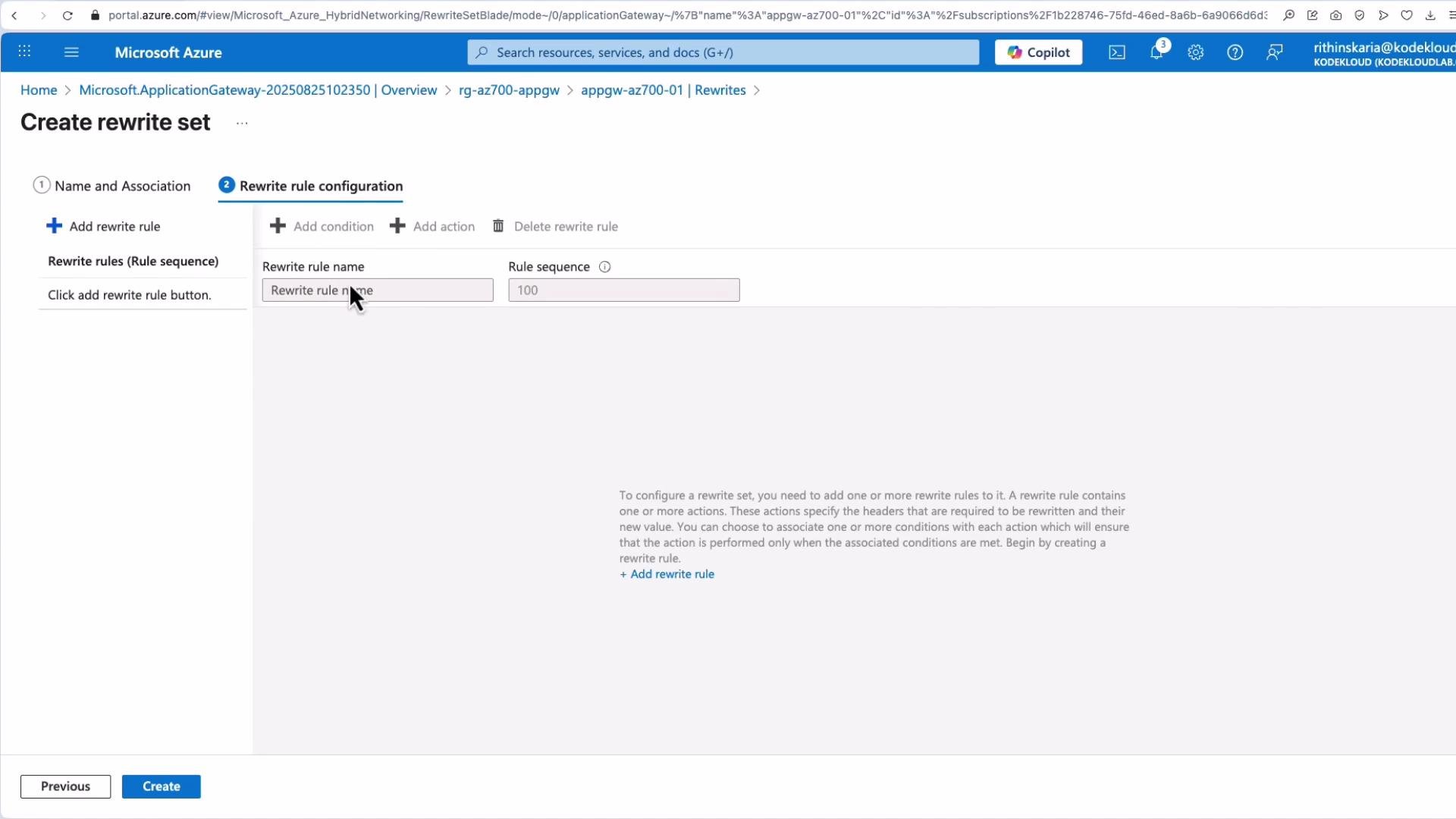
Create a rewrite set, add ordered rewrite rules with conditions and actions (modify headers, paths, queries), and then associate the rewrite set with the appropriate routing rule.
## 6. Configuring rewrite rules in the portal
Create a rewrite set, add ordered rewrite rules with conditions and actions (modify headers, paths, queries), and then associate the rewrite set with the appropriate routing rule.
 ## 7. Health checks and backend health
Application Gateway exposes backend health status showing each instance, probe response codes (for example `200 OK`), and failing backends for troubleshooting. If you need custom health behavior, create and associate custom probes.
## 7. Health checks and backend health
Application Gateway exposes backend health status showing each instance, probe response codes (for example `200 OK`), and failing backends for troubleshooting. If you need custom health behavior, create and associate custom probes.
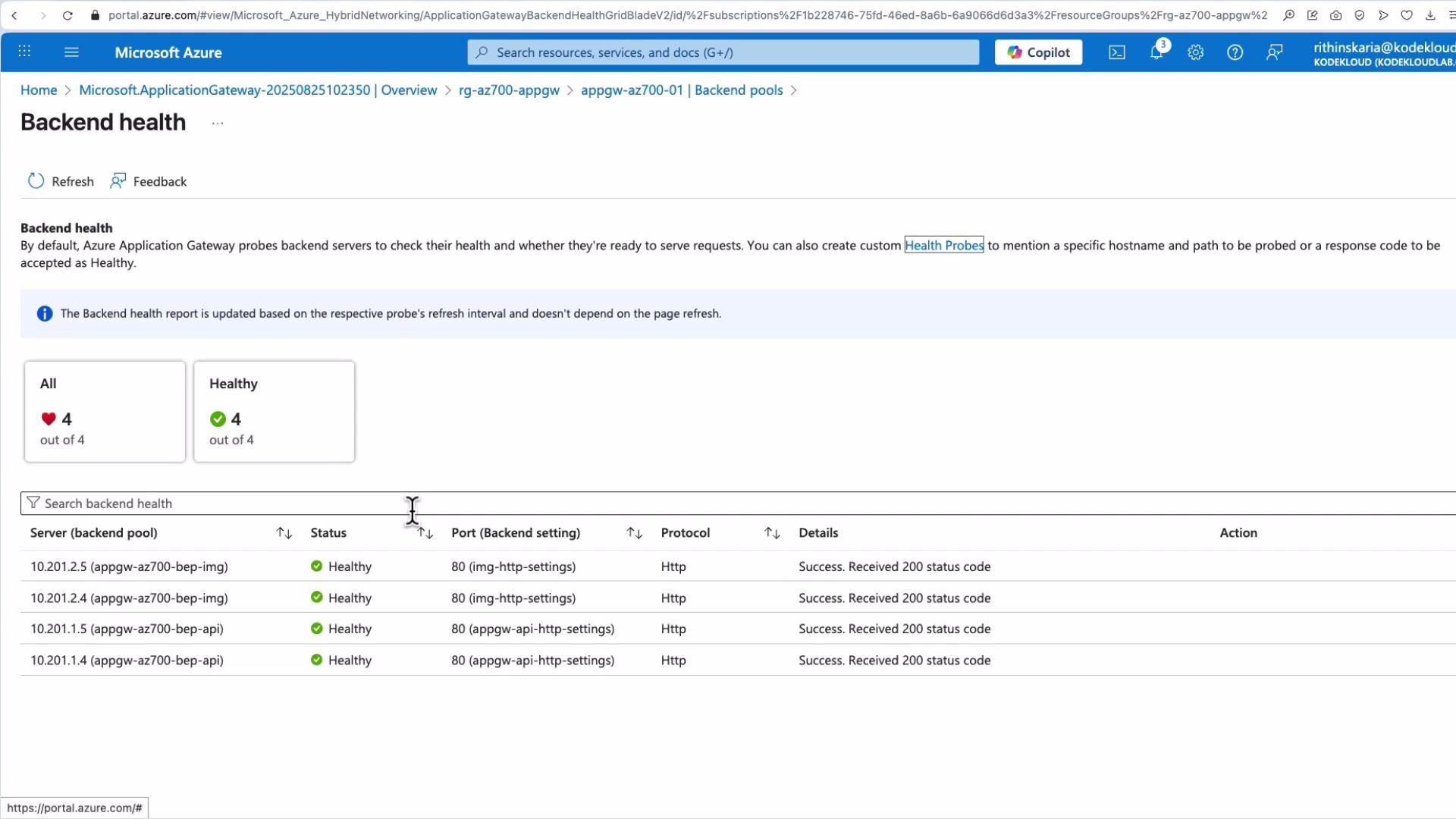 If you need more control over health checks, create and associate custom health probes with the HTTP settings. Custom probes let you define host, path, interval, and success thresholds.
## Quick reference
| Component | Purpose |
| ------------- | ------------------------------------------------------------------------- |
| Listener | Accepts incoming traffic on a protocol, port, and optionally hostname |
| Routing rule | Binds a listener to backend pools and HTTP settings (basic or path-based) |
| Backend pool | Group of targets (VMs, VMSS, IPs, FQDN) serving requests |
| HTTP settings | Configure backend port, protocol, affinity, and health probe |
| Rewrite set | Collection of rewrite rules to alter headers, paths, or queries |
| Health probe | Checks backend health (default or custom) |
## Links and references
* Azure Application Gateway documentation: [https://learn.microsoft.com/azure/application-gateway/](https://learn.microsoft.com/azure/application-gateway/)
* Application Gateway configuration samples and how-to guides: [https://learn.microsoft.com/azure/application-gateway/configuration-overview](https://learn.microsoft.com/azure/application-gateway/configuration-overview)
This covers the core concepts of Application Gateway request routing, redirection types, rewrite policies, and a practical portal walkthrough for path-based routing.
If you need more control over health checks, create and associate custom health probes with the HTTP settings. Custom probes let you define host, path, interval, and success thresholds.
## Quick reference
| Component | Purpose |
| ------------- | ------------------------------------------------------------------------- |
| Listener | Accepts incoming traffic on a protocol, port, and optionally hostname |
| Routing rule | Binds a listener to backend pools and HTTP settings (basic or path-based) |
| Backend pool | Group of targets (VMs, VMSS, IPs, FQDN) serving requests |
| HTTP settings | Configure backend port, protocol, affinity, and health probe |
| Rewrite set | Collection of rewrite rules to alter headers, paths, or queries |
| Health probe | Checks backend health (default or custom) |
## Links and references
* Azure Application Gateway documentation: [https://learn.microsoft.com/azure/application-gateway/](https://learn.microsoft.com/azure/application-gateway/)
* Application Gateway configuration samples and how-to guides: [https://learn.microsoft.com/azure/application-gateway/configuration-overview](https://learn.microsoft.com/azure/application-gateway/configuration-overview)
This covers the core concepts of Application Gateway request routing, redirection types, rewrite policies, and a practical portal walkthrough for path-based routing.