> ## Documentation Index
> Fetch the complete documentation index at: https://notes.kodekloud.com/llms.txt
> Use this file to discover all available pages before exploring further.
# Public DNS
> Overview of Azure Public DNS, explaining domain hosting, DNS resolution process, common record types, and operational benefits like low latency, high availability, and fully managed authoritative name servers
Welcome to the Public DNS section. This article explains how Azure DNS manages public domain names so your services are discoverable across the Internet. Learn how Azure acts as the authoritative service for your domain, the common DNS record types you’ll use, and the operational benefits of hosting public DNS zones in Azure.
How Azure public DNS resolution works
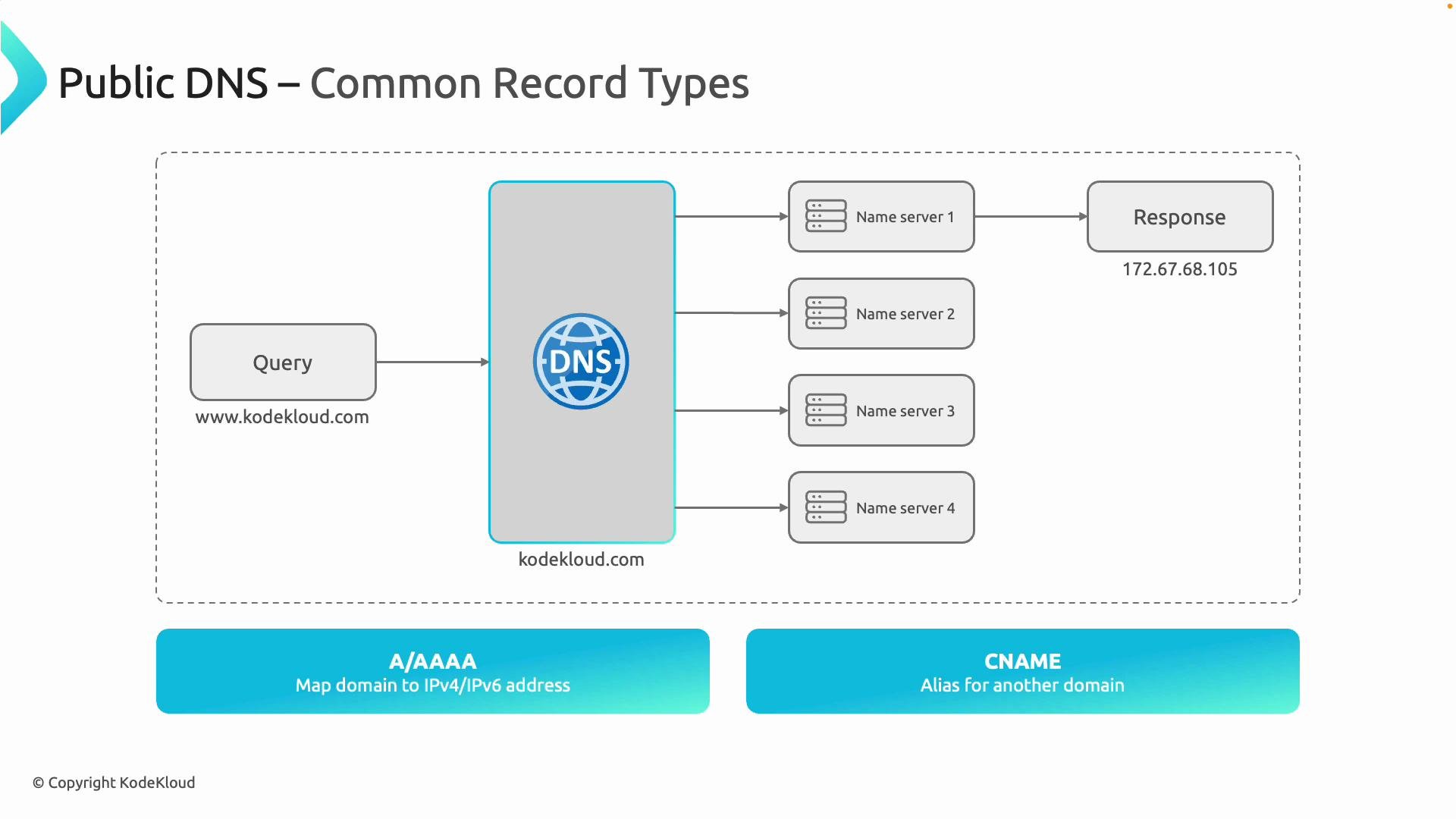
When a user types a domain such as `www.kodekloud.com` into a browser, a DNS resolution process begins. The user’s device typically queries a recursive resolver (for example, an ISP resolver), which then asks the authoritative name servers for the domain. If Azure DNS hosts your zone, Azure’s authoritative name servers receive the query and return the IP address—allowing the browser to connect to the service.
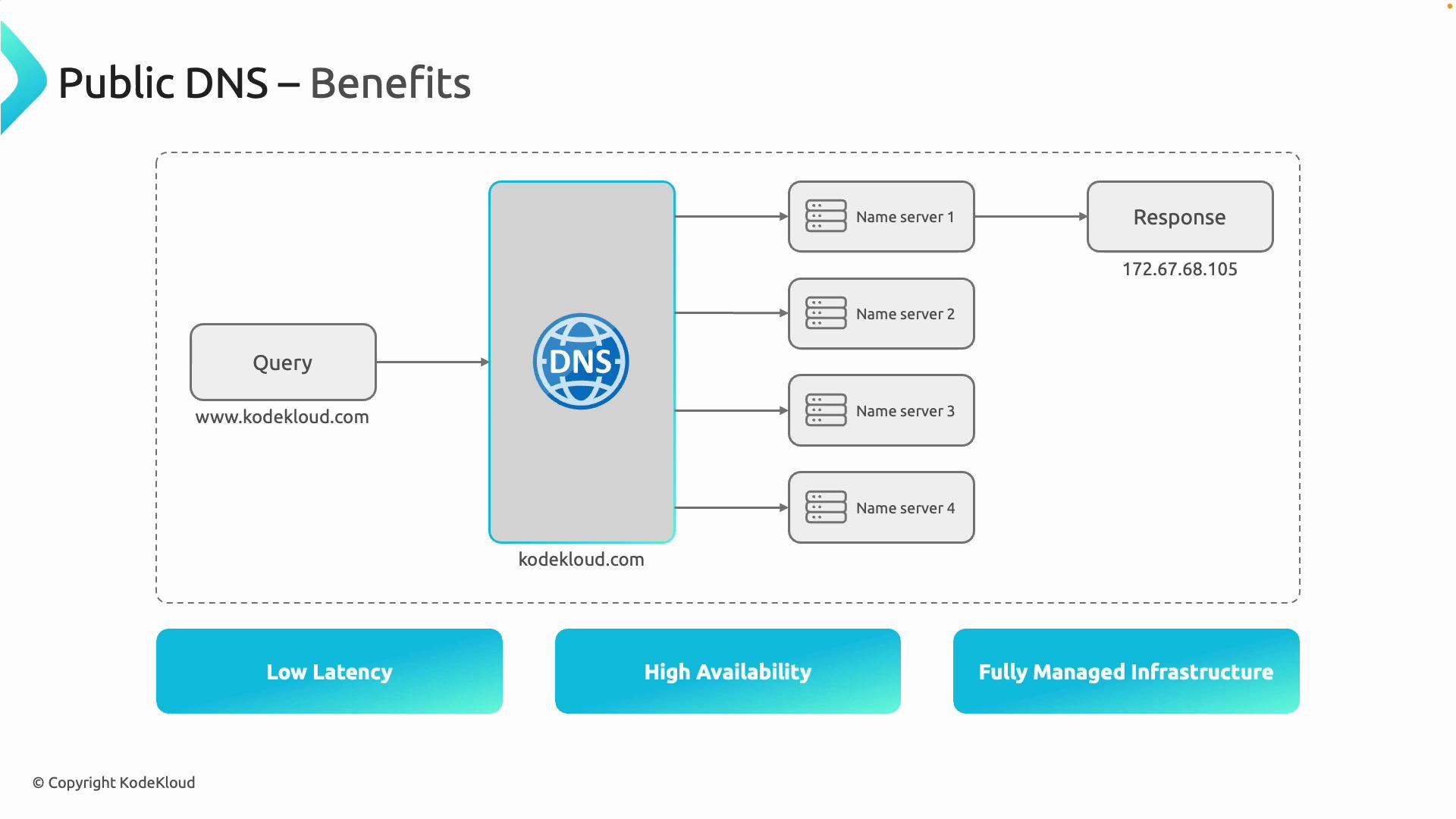
The diagram below visualizes this end-to-end process, showing multiple Azure name servers for redundancy and high availability. In this example, one name server responds with the correct IPv4 address `172.67.68.105`, enabling access to the Azure-hosted service.
 Why DNS matters
DNS (Domain Name System) translates human-friendly domain names into numeric IP addresses that computers understand. Without DNS, users would need to memorize and enter IP addresses for every website and service. Using Azure DNS lets you centrally manage how your application hostnames resolve on the public Internet.
Common DNS record types
Below are the most frequently used public DNS record types and when to use them.
| Record Type | Purpose | Example |
| ----------- | -------------------------------------------------------------------------------------------------------------------------------------------------------------------------------------------------------------------------------- | ----------------------------------------- |
| A | Maps a domain name to an IPv4 address. | `www.kodekloud.com` → `172.67.68.105` |
| AAAA | Maps a domain name to an IPv6 address (use for IPv6-enabled endpoints). | `api.kodekloud.com` → `2001:db8::1` |
| CNAME | Creates an alias from one domain name to another. Useful for pointing subdomains to canonical hostnames. Note: a CNAME cannot coexist with other records at the same name and should not be used at the zone apex in most cases. | `app.kodekloud.com` → `www.kodekloud.com` |
Example: Create a public A record using Azure CLI
```bash theme={null}
az network dns record-set a add-record \
--resource-group MyResourceGroup \
--zone-name kodekloud.com \
--record-set-name www \
--ipv4-address 172.67.68.105
```
Benefits of using Azure DNS
* Low latency: Azure DNS is globally distributed, serving queries from locations close to the requester to reduce response times.
* High availability: Each DNS zone gets multiple authoritative name servers to maintain resolution availability even if some servers are unreachable.
* Fully managed: Microsoft operates the DNS infrastructure, removing the need to deploy or maintain public DNS servers.
* Reliability and resiliency: Public DNS zones in Azure benefit from Microsoft’s global network, redundancy, and operational practices.
Why DNS matters
DNS (Domain Name System) translates human-friendly domain names into numeric IP addresses that computers understand. Without DNS, users would need to memorize and enter IP addresses for every website and service. Using Azure DNS lets you centrally manage how your application hostnames resolve on the public Internet.
Common DNS record types
Below are the most frequently used public DNS record types and when to use them.
| Record Type | Purpose | Example |
| ----------- | -------------------------------------------------------------------------------------------------------------------------------------------------------------------------------------------------------------------------------- | ----------------------------------------- |
| A | Maps a domain name to an IPv4 address. | `www.kodekloud.com` → `172.67.68.105` |
| AAAA | Maps a domain name to an IPv6 address (use for IPv6-enabled endpoints). | `api.kodekloud.com` → `2001:db8::1` |
| CNAME | Creates an alias from one domain name to another. Useful for pointing subdomains to canonical hostnames. Note: a CNAME cannot coexist with other records at the same name and should not be used at the zone apex in most cases. | `app.kodekloud.com` → `www.kodekloud.com` |
Example: Create a public A record using Azure CLI
```bash theme={null}
az network dns record-set a add-record \
--resource-group MyResourceGroup \
--zone-name kodekloud.com \
--record-set-name www \
--ipv4-address 172.67.68.105
```
Benefits of using Azure DNS
* Low latency: Azure DNS is globally distributed, serving queries from locations close to the requester to reduce response times.
* High availability: Each DNS zone gets multiple authoritative name servers to maintain resolution availability even if some servers are unreachable.
* Fully managed: Microsoft operates the DNS infrastructure, removing the need to deploy or maintain public DNS servers.
* Reliability and resiliency: Public DNS zones in Azure benefit from Microsoft’s global network, redundancy, and operational practices.
 Azure DNS provides authoritative DNS hosting but does not register domain names. Register your domain with a domain registrar, then configure the registrar’s name server settings to use the Azure DNS name servers for your zone.
Next steps
* Learn how to create and manage public DNS zones and records in the Azure portal: [Azure DNS documentation](https://learn.microsoft.com/azure/dns/).
* For automation, see the Azure CLI and ARM template guides: [Create DNS records with Azure CLI](https://learn.microsoft.com/azure/dns/dns-using-cli) and [Deploy DNS with ARM templates](https://learn.microsoft.com/azure/azure-resource-manager/templates/).
* For advanced scenarios (traffic management, alias records, and private DNS integration), review the Azure DNS features and best practices in the Azure networking documentation.
Azure DNS provides authoritative DNS hosting but does not register domain names. Register your domain with a domain registrar, then configure the registrar’s name server settings to use the Azure DNS name servers for your zone.
Next steps
* Learn how to create and manage public DNS zones and records in the Azure portal: [Azure DNS documentation](https://learn.microsoft.com/azure/dns/).
* For automation, see the Azure CLI and ARM template guides: [Create DNS records with Azure CLI](https://learn.microsoft.com/azure/dns/dns-using-cli) and [Deploy DNS with ARM templates](https://learn.microsoft.com/azure/azure-resource-manager/templates/).
* For advanced scenarios (traffic management, alias records, and private DNS integration), review the Azure DNS features and best practices in the Azure networking documentation.