> ## Documentation Index
> Fetch the complete documentation index at: https://notes.kodekloud.com/llms.txt
> Use this file to discover all available pages before exploring further.
# What is Service Endpoint
> Azure service endpoints provide secure direct VNet connectivity to Azure services, routing traffic over Microsoft backbone and enabling subnet level access control versus public internet
[Service endpoints](https://learn.microsoft.com/en-us/azure/virtual-network/virtual-network-service-endpoints-overview) provide secure, direct connectivity between your virtual network (VNet) and supported Azure services. Instead of routing traffic over the public internet, requests travel across the Microsoft backbone network — improving performance and security. Service endpoints also let the target service see requests as originating from your subnet's identity, so you can restrict access at the VNet or subnet level rather than by individual VM private IPs.
For example, when a VM in your subnet accesses an Azure Storage account, packets do not leave Microsoft's network.
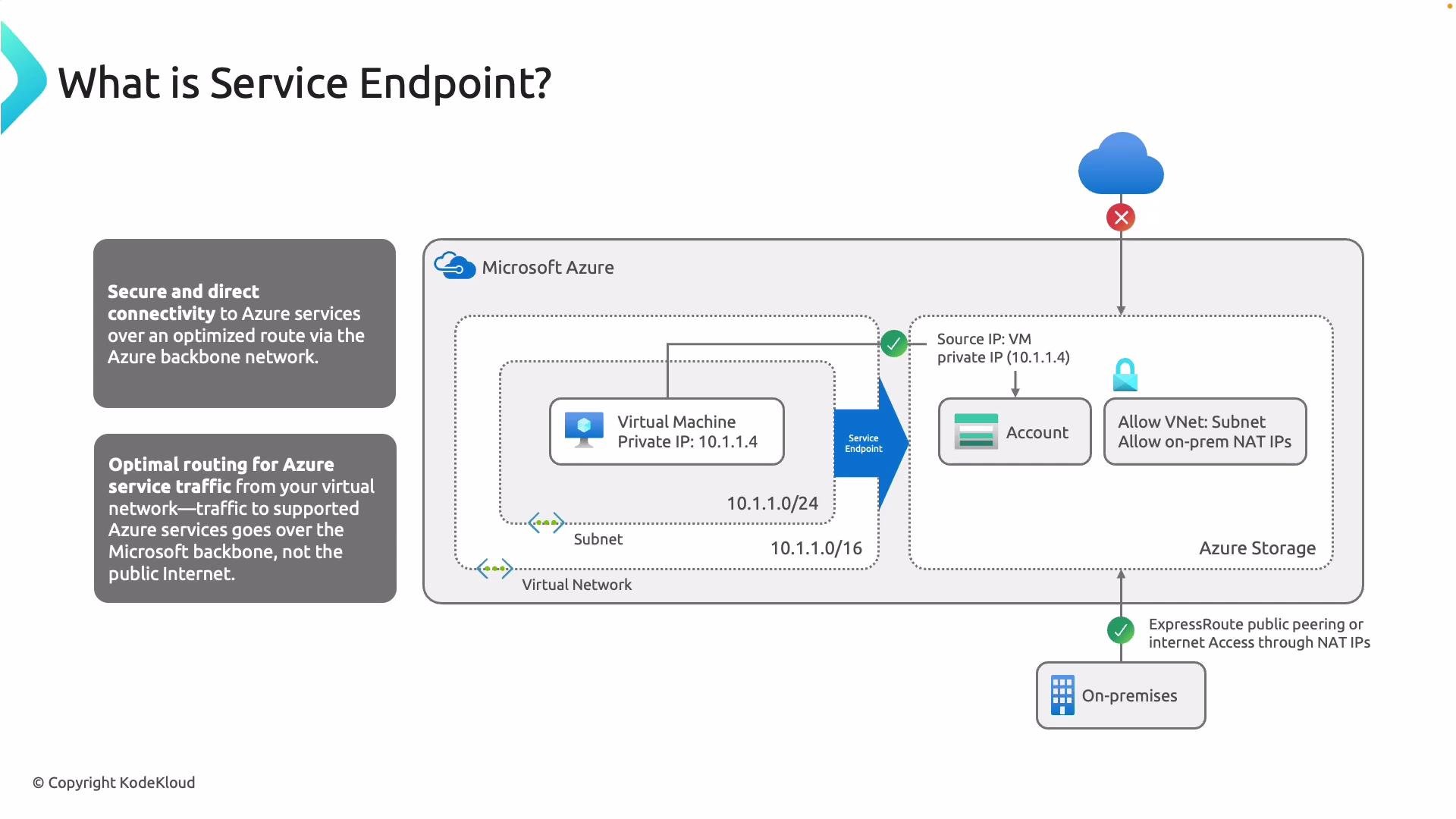 In the diagram above a VM (10.1.1.4) accesses a Storage account. With a configured service endpoint, traffic to the Azure service is routed over the Microsoft backbone. The Storage account’s firewall can be configured to allow only the VNet, a specific subnet, or on-premises NAT IPs — because you authorize the virtual network or subnet, not the VM’s private IP — and you can block internet access completely.
Below is a step-by-step demonstration of adding a service endpoint and verifying the result.
## Test environment (portal resources)
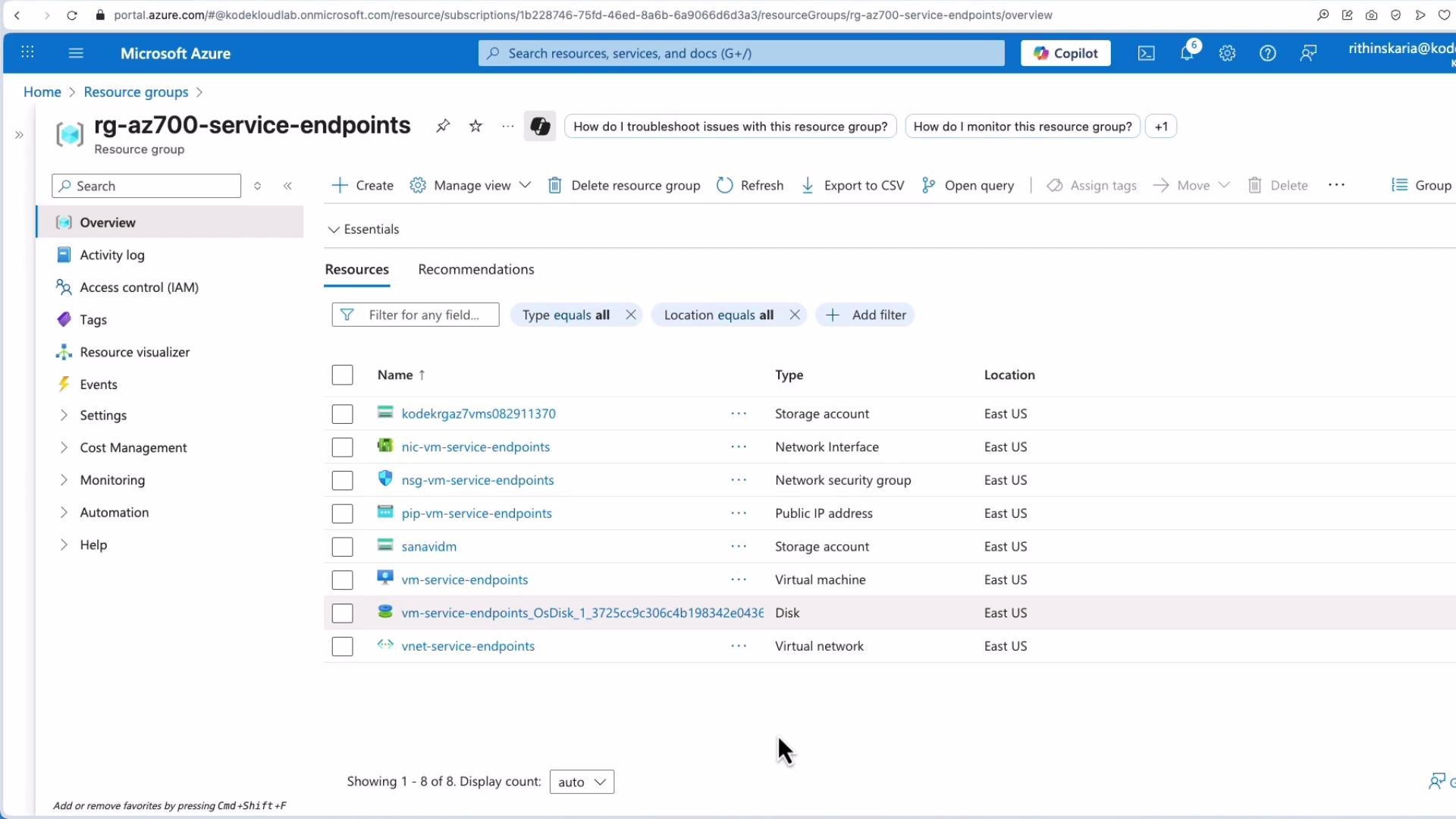
I used the Azure portal to deploy a VM and a Storage account. The resource group lists both resources and related networking components.
In the diagram above a VM (10.1.1.4) accesses a Storage account. With a configured service endpoint, traffic to the Azure service is routed over the Microsoft backbone. The Storage account’s firewall can be configured to allow only the VNet, a specific subnet, or on-premises NAT IPs — because you authorize the virtual network or subnet, not the VM’s private IP — and you can block internet access completely.
Below is a step-by-step demonstration of adding a service endpoint and verifying the result.
## Test environment (portal resources)
I used the Azure portal to deploy a VM and a Storage account. The resource group lists both resources and related networking components.
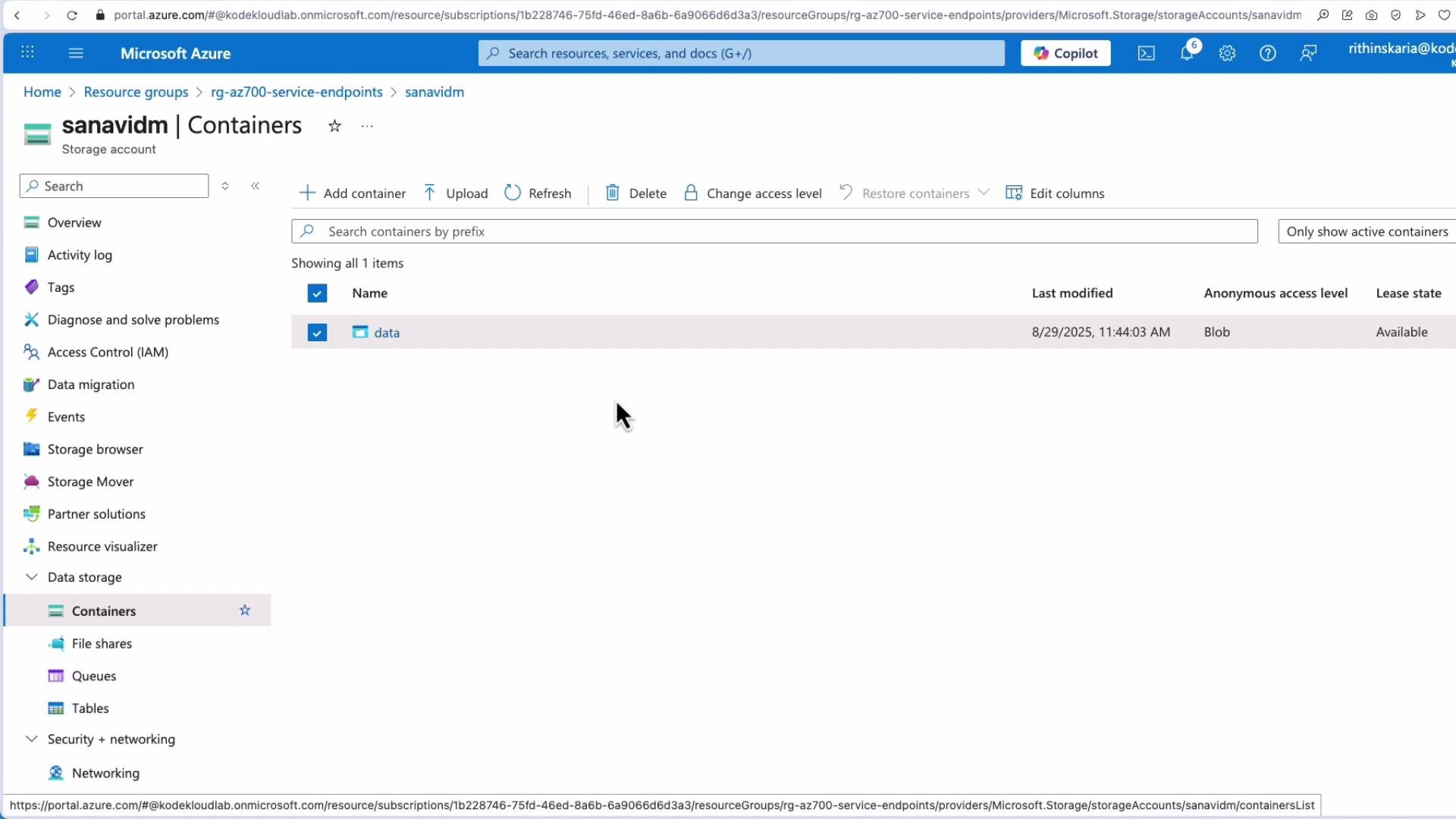
 The Storage container named `data` currently allows anonymous (public) access. I uploaded images to that container and can access a blob directly via its URL.
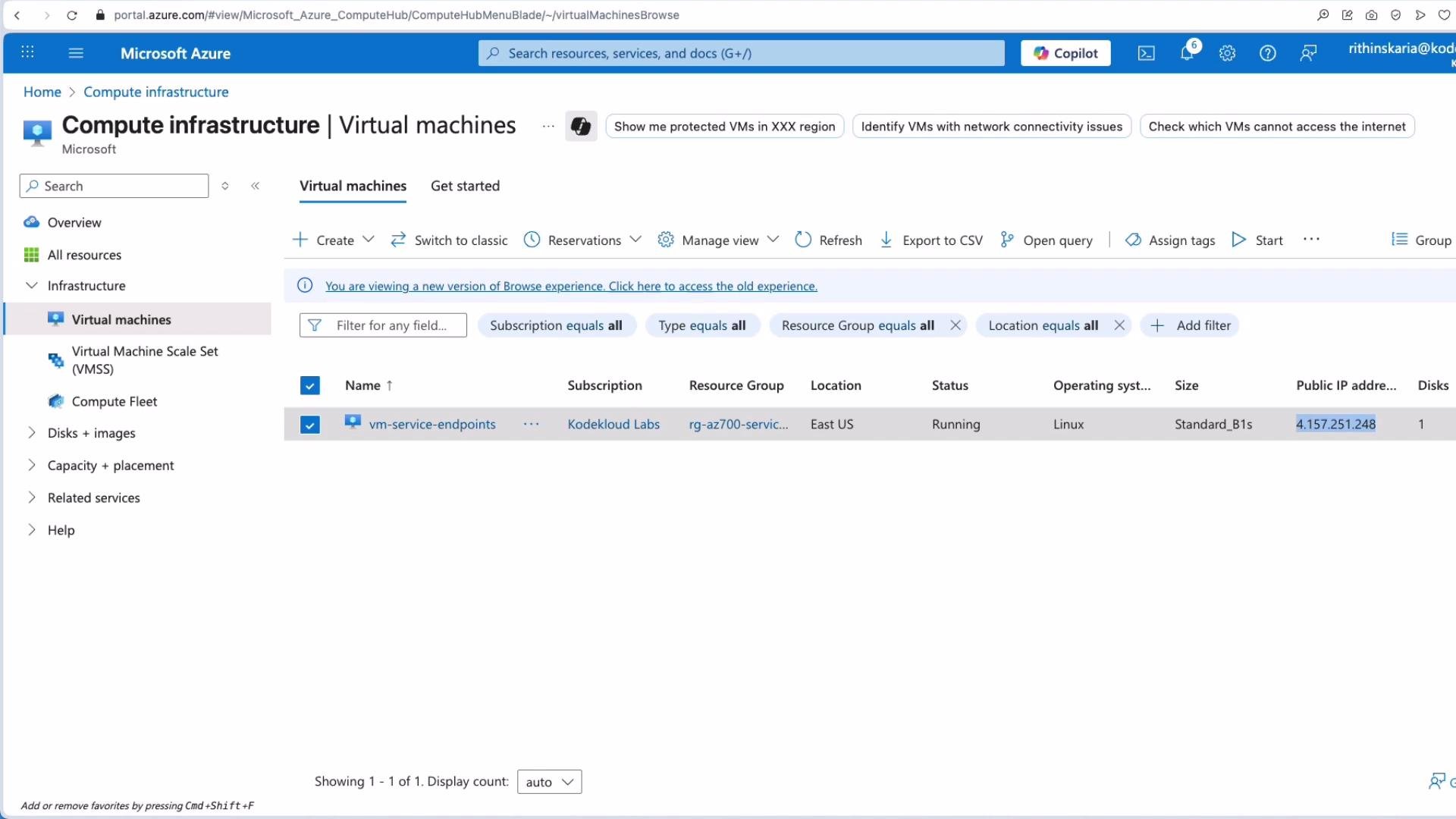
 To verify connectivity from inside the VNet, I SSH into the VM and curl the blob URL. This demonstrates access before applying any network restrictions.
 ```bash theme={null}
kodekloude@vm-service-endpoints:~$ curl https://sanavidm.blob.core.windows.net/data/gl2.jpeg
Warning: Binary output can mess up your terminal. Use "--output -" to tell
Warning: curl to output it to your terminal anyway, or consider "--output `FILE`"
Warning: to save to a file.
kodekloude@vm-service-endpoints:~$
```
## Restricting the Storage account to a VNet/subnet (enable service endpoint)
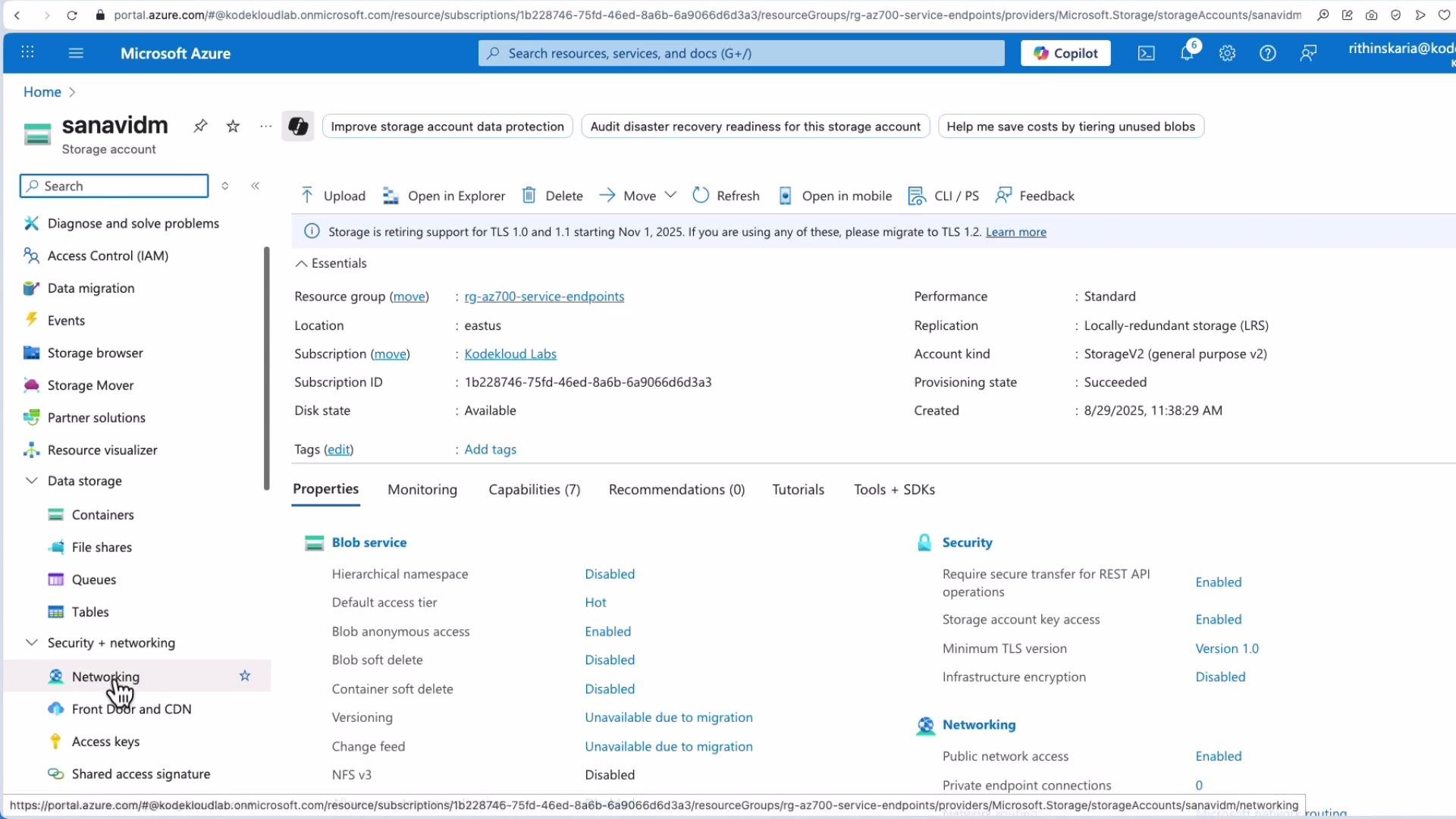
1. Open the Storage account in the Azure portal and go to Networking.
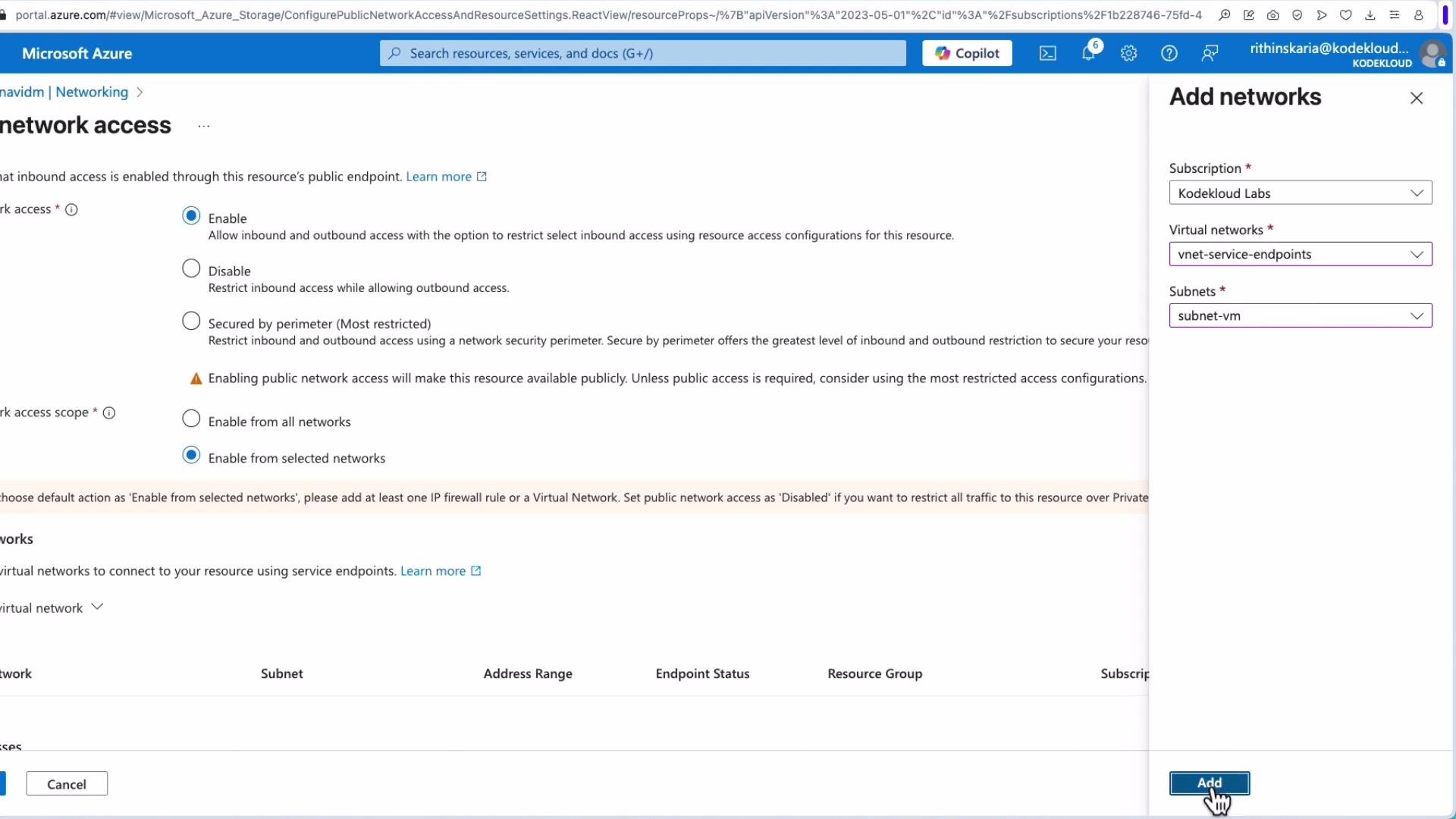
2. Change **Public network access** from “All networks” to **Selected networks**.
3. Under Virtual networks, click **Add existing virtual network** (or Add), then choose:
* Subscription
* Virtual network
* Specific subnet where your VM runs
4. Save the configuration.
When you add the subnet, the Azure portal often enables the `Microsoft.Storage` service endpoint for that subnet automatically. You can also enable service endpoints directly on the virtual network > Subnets blade.
```bash theme={null}
kodekloude@vm-service-endpoints:~$ curl https://sanavidm.blob.core.windows.net/data/gl2.jpeg
Warning: Binary output can mess up your terminal. Use "--output -" to tell
Warning: curl to output it to your terminal anyway, or consider "--output `FILE`"
Warning: to save to a file.
kodekloude@vm-service-endpoints:~$
```
## Restricting the Storage account to a VNet/subnet (enable service endpoint)
1. Open the Storage account in the Azure portal and go to Networking.
2. Change **Public network access** from “All networks” to **Selected networks**.
3. Under Virtual networks, click **Add existing virtual network** (or Add), then choose:
* Subscription
* Virtual network
* Specific subnet where your VM runs
4. Save the configuration.
When you add the subnet, the Azure portal often enables the `Microsoft.Storage` service endpoint for that subnet automatically. You can also enable service endpoints directly on the virtual network > Subnets blade.
 Choose your subscription, the virtual network, and the specific subnet where the VM runs; then click Add and Save.
 After enabling a service endpoint, propagation can take up to 15 minutes. During this time access behavior may not change immediately.
## Verify access after applying the restriction
After saving and waiting for propagation, public (browser) access to the blob will be denied (authorization failure). However, a VM in the authorized subnet will continue to reach the Storage account over the Microsoft backbone.
From the same VM after enabling the Storage account to allow only the selected VNet/subnet:
```bash theme={null}
# From the same VM after enabling the storage account to allow only the selected VNet/subnet
kodekloude@vm-service-endpoints:~$ curl https://sanavidm.blob.core.windows.net/data/gl2.jpeg
Warning: Binary output can mess up your terminal. Use "--output -" to tell
Warning: curl to output it to your terminal anyway, or consider "--output `FILE`"
Warning: to save to a file.
kodekloude@vm-service-endpoints:~$
```
This confirms the Storage account sees the request as coming from your VNet/subnet and that traffic stays on Microsoft’s internal network.
## Implementation notes and caveats
* Enabling a service endpoint injects system routes and configures Azure’s internal routing so traffic to the supported service is routed over the Microsoft backbone instead of the public internet.
* DNS resolution for the service FQDN still returns a Microsoft public IP. The VM uses its private IP to connect, but the destination IP is a Microsoft-owned public IP; on-premises clients will still see a public endpoint unless you supplement with NAT/DNS or more advanced routing.
* Service endpoints authorize a VNet/subnet identity to the service — you do not authorize individual VM private IPs.
* For strict private connectivity (FQDN resolves to a private IP within your VNet) and full private-to-private resolution, use Azure Private Endpoint (Private Link). Private Endpoints assign private IPs in your VNet and integrate with private DNS.
## Quick comparison
| Feature | Service Endpoint | Private Endpoint (Private Link) |
| ---------------------------------------------- | ---------------- | -------------------------------- |
| Traffic stays on Microsoft backbone | Yes | Yes |
| Service FQDN resolves to public IP | Yes | No — resolves to private IP |
| Requires subnet/VNet authorization | Yes | Yes — plus private IP assignment |
| Best for strict private access and private DNS | No | Yes |
Service endpoints are a simple and effective way to secure PaaS access from VNets. For scenarios that require full private addressing and private DNS resolution, prefer Private Endpoint.
## Links and references
* [Azure Virtual Network service endpoints overview](https://learn.microsoft.com/en-us/azure/virtual-network/virtual-network-service-endpoints-overview)
* [Azure Storage network security (service endpoints)](https://learn.microsoft.com/en-us/azure/storage/common/storage-network-security?tabs=azure-portal#service-endpoints)
* [Azure Private Link / Private Endpoint overview](https://learn.microsoft.com/en-us/azure/private-link/private-endpoint-overview)
After enabling a service endpoint, propagation can take up to 15 minutes. During this time access behavior may not change immediately.
## Verify access after applying the restriction
After saving and waiting for propagation, public (browser) access to the blob will be denied (authorization failure). However, a VM in the authorized subnet will continue to reach the Storage account over the Microsoft backbone.
From the same VM after enabling the Storage account to allow only the selected VNet/subnet:
```bash theme={null}
# From the same VM after enabling the storage account to allow only the selected VNet/subnet
kodekloude@vm-service-endpoints:~$ curl https://sanavidm.blob.core.windows.net/data/gl2.jpeg
Warning: Binary output can mess up your terminal. Use "--output -" to tell
Warning: curl to output it to your terminal anyway, or consider "--output `FILE`"
Warning: to save to a file.
kodekloude@vm-service-endpoints:~$
```
This confirms the Storage account sees the request as coming from your VNet/subnet and that traffic stays on Microsoft’s internal network.
## Implementation notes and caveats
* Enabling a service endpoint injects system routes and configures Azure’s internal routing so traffic to the supported service is routed over the Microsoft backbone instead of the public internet.
* DNS resolution for the service FQDN still returns a Microsoft public IP. The VM uses its private IP to connect, but the destination IP is a Microsoft-owned public IP; on-premises clients will still see a public endpoint unless you supplement with NAT/DNS or more advanced routing.
* Service endpoints authorize a VNet/subnet identity to the service — you do not authorize individual VM private IPs.
* For strict private connectivity (FQDN resolves to a private IP within your VNet) and full private-to-private resolution, use Azure Private Endpoint (Private Link). Private Endpoints assign private IPs in your VNet and integrate with private DNS.
## Quick comparison
| Feature | Service Endpoint | Private Endpoint (Private Link) |
| ---------------------------------------------- | ---------------- | -------------------------------- |
| Traffic stays on Microsoft backbone | Yes | Yes |
| Service FQDN resolves to public IP | Yes | No — resolves to private IP |
| Requires subnet/VNet authorization | Yes | Yes — plus private IP assignment |
| Best for strict private access and private DNS | No | Yes |
Service endpoints are a simple and effective way to secure PaaS access from VNets. For scenarios that require full private addressing and private DNS resolution, prefer Private Endpoint.
## Links and references
* [Azure Virtual Network service endpoints overview](https://learn.microsoft.com/en-us/azure/virtual-network/virtual-network-service-endpoints-overview)
* [Azure Storage network security (service endpoints)](https://learn.microsoft.com/en-us/azure/storage/common/storage-network-security?tabs=azure-portal#service-endpoints)
* [Azure Private Link / Private Endpoint overview](https://learn.microsoft.com/en-us/azure/private-link/private-endpoint-overview)