> ## Documentation Index
> Fetch the complete documentation index at: https://notes.kodekloud.com/llms.txt
> Use this file to discover all available pages before exploring further.
# Validate ARP
> Guidance for validating ARP mappings and troubleshooting Layer 2 MAC-to-IP issues affecting Microsoft Azure ExpressRoute peering, including verification steps, commands, and common remedies.
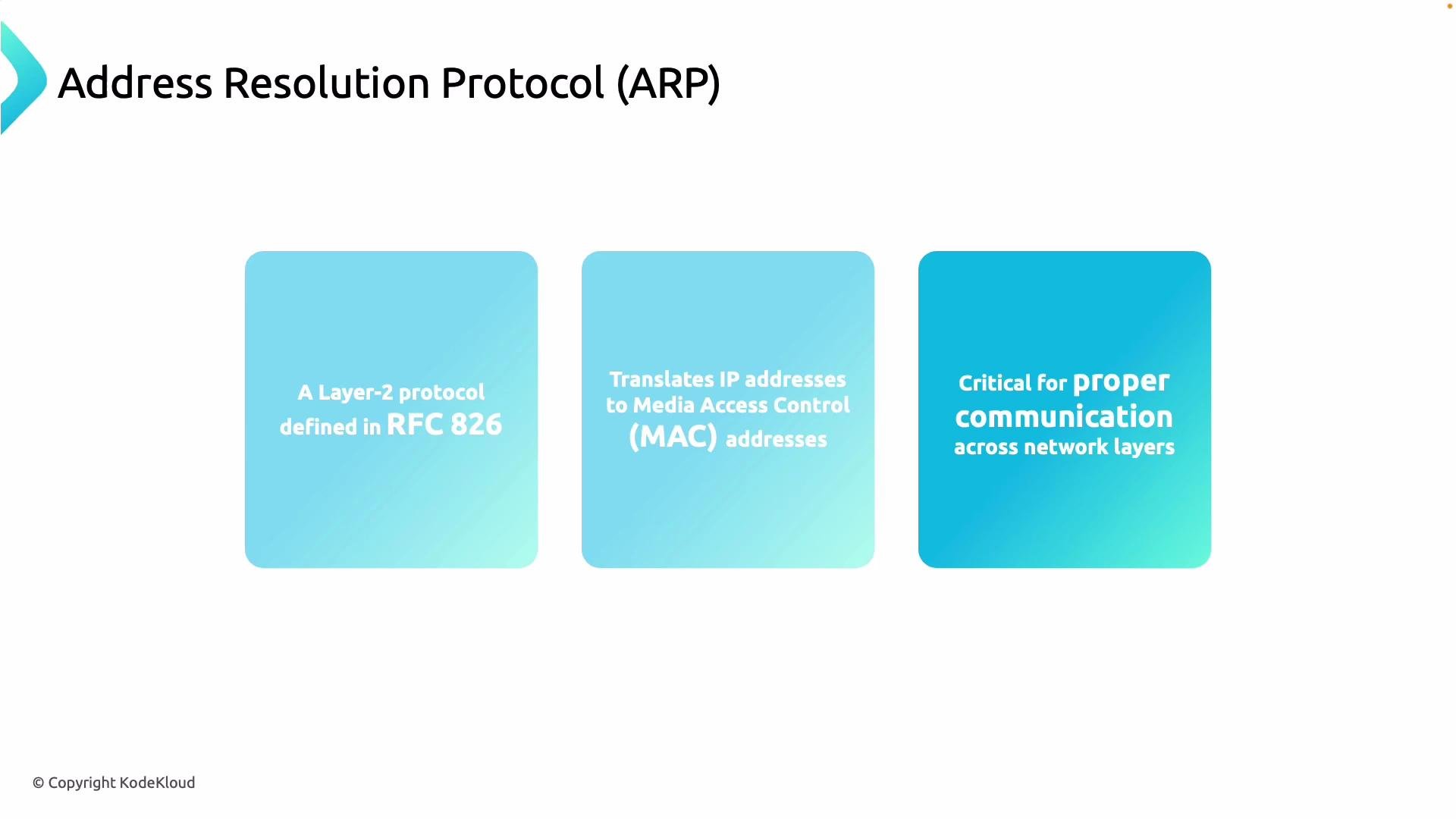
Validating the ARP table is a critical troubleshooting step for ExpressRoute peering. ExpressRoute peering exchanges MAC information between your on-premises router and Microsoft's edge, so correct ARP behavior is essential for packet delivery and overall connectivity. See ExpressRoute fundamentals for background on peering and routing.
ARP (Address Resolution Protocol) maps IPv4 addresses (Layer 3) to MAC addresses (Layer 2). ARP operation is required so hosts on the same broadcast domain can deliver Ethernet frames to the correct destination. For IPv6, Neighbor Discovery Protocol (NDP) provides the equivalent functionality.
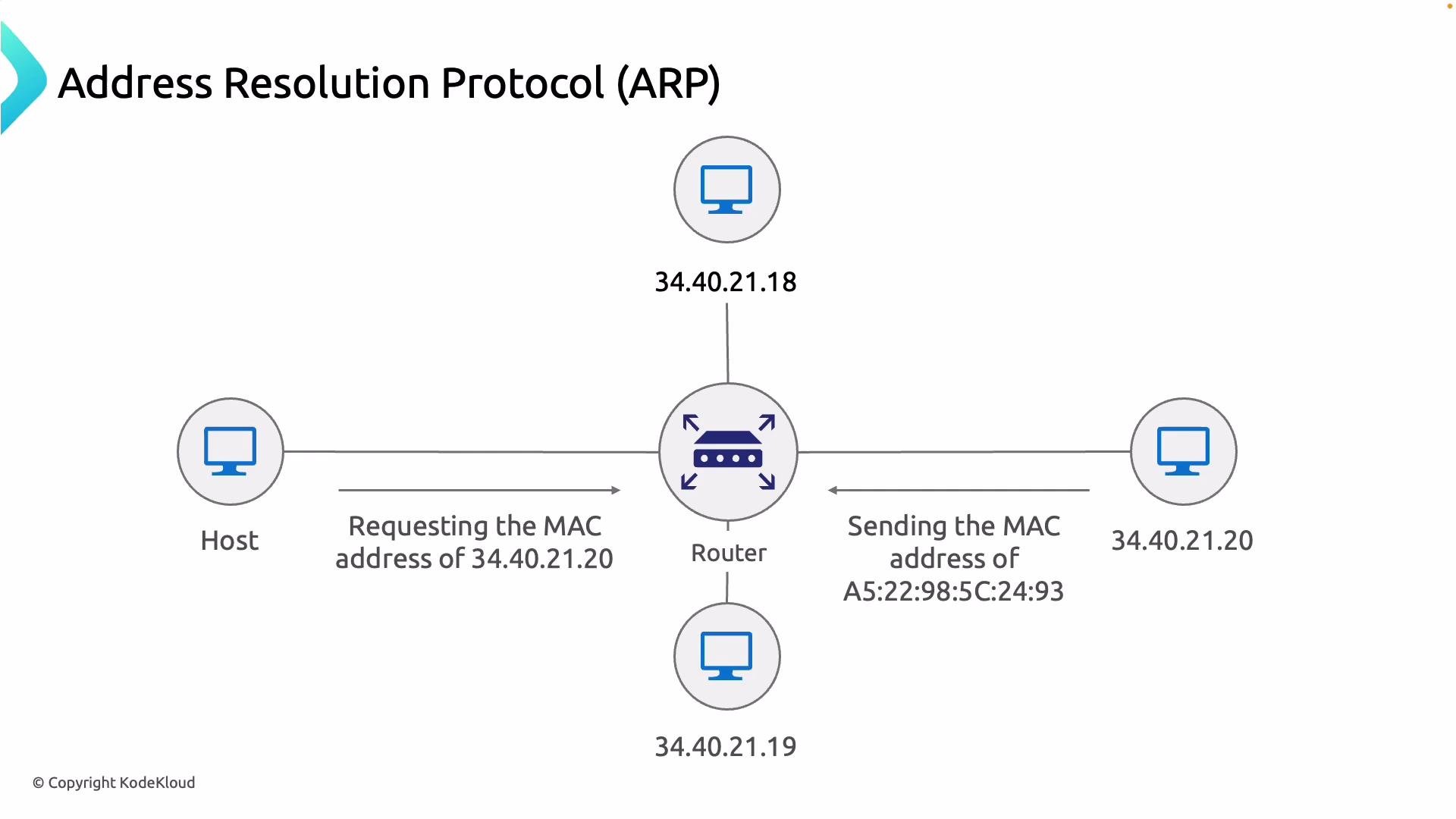 ARP is a Layer 2 protocol defined in [RFC 826](https://datatracker.ietf.org/doc/html/rfc826). When troubleshooting ExpressRoute, confirm that both sides of the peering can resolve each other's MAC addresses and that ARP table entries are present and current. Incorrect or missing ARP entries commonly indicate Layer 2 issues that will prevent traffic flow even when BGP appears up.
 ## Key verification steps
* Confirm ARP entries on your on-prem router/switch match the expected Microsoft peer IPs for the ExpressRoute session.
* Ensure your device resolves the Microsoft-side MAC address for the ExpressRoute peer IP.
* Look for stale, incomplete, or missing ARP entries — these point to Layer 2 problems.
* Detect duplicate IP-to-MAC mappings (possible misconfiguration or MAC spoofing).
* Verify VLAN tagging, subinterfaces, and physical cabling between your edge and the ExpressRoute port.
* Check intermediate switches for security features (port-security, DHCP snooping, dynamic ARP inspection) that may block ARP.
* Ensure BGP session stability — while ARP is Layer 2, BGP problems can obscure ARP symptoms and vice versa.
### Quick checklist
| Check | How to verify | Notes |
| ----------------------------------------- | --------------------------------------------------- | ---------------------------------------------------------- |
| ARP mapping on on-prem device | View ARP entries for the ExpressRoute peer IPs | Confirm MACs match Microsoft documentation/expected values |
| Microsoft MAC resolution (from your side) | Inspect ARP entry learned for the Microsoft peer IP | If missing, investigate trunk/VLAN and physical link |
| Duplicate mappings | Scan ARP table for repeated IPs or MACs | Could indicate misconfiguration or spoofing |
| Stale entries | Check entry age/timeouts | Clear cache and re-observe ARP exchanges |
## Useful commands to inspect and clear ARP entries
Commands vary by platform — examples:
| Platform | Show ARP | Clear ARP |
| --------- | ----------------------- | -------------------------------------------------- |
| Linux | `bash\nip neigh show\n` | `bash\nsudo ip neigh flush all\n` |
| Windows | `powershell\narp -a\n` | `powershell\nnetsh interface ip delete arpcache\n` |
| Cisco IOS | `text\nshow ip arp\n` | `text\nclear arp\n` |
| Junos | `text\nshow arp\n` | (Platform-specific; clear ARP entries via CLI) |
If you cannot see Microsoft's internal ARP table, validate the MAC address that your on‑prem device learns for the ExpressRoute peer IP. That effective mapping—visible on your device—helps determine whether the problem originates upstream (Microsoft) or locally (your network).
## Key verification steps
* Confirm ARP entries on your on-prem router/switch match the expected Microsoft peer IPs for the ExpressRoute session.
* Ensure your device resolves the Microsoft-side MAC address for the ExpressRoute peer IP.
* Look for stale, incomplete, or missing ARP entries — these point to Layer 2 problems.
* Detect duplicate IP-to-MAC mappings (possible misconfiguration or MAC spoofing).
* Verify VLAN tagging, subinterfaces, and physical cabling between your edge and the ExpressRoute port.
* Check intermediate switches for security features (port-security, DHCP snooping, dynamic ARP inspection) that may block ARP.
* Ensure BGP session stability — while ARP is Layer 2, BGP problems can obscure ARP symptoms and vice versa.
### Quick checklist
| Check | How to verify | Notes |
| ----------------------------------------- | --------------------------------------------------- | ---------------------------------------------------------- |
| ARP mapping on on-prem device | View ARP entries for the ExpressRoute peer IPs | Confirm MACs match Microsoft documentation/expected values |
| Microsoft MAC resolution (from your side) | Inspect ARP entry learned for the Microsoft peer IP | If missing, investigate trunk/VLAN and physical link |
| Duplicate mappings | Scan ARP table for repeated IPs or MACs | Could indicate misconfiguration or spoofing |
| Stale entries | Check entry age/timeouts | Clear cache and re-observe ARP exchanges |
## Useful commands to inspect and clear ARP entries
Commands vary by platform — examples:
| Platform | Show ARP | Clear ARP |
| --------- | ----------------------- | -------------------------------------------------- |
| Linux | `bash\nip neigh show\n` | `bash\nsudo ip neigh flush all\n` |
| Windows | `powershell\narp -a\n` | `powershell\nnetsh interface ip delete arpcache\n` |
| Cisco IOS | `text\nshow ip arp\n` | `text\nclear arp\n` |
| Junos | `text\nshow arp\n` | (Platform-specific; clear ARP entries via CLI) |
If you cannot see Microsoft's internal ARP table, validate the MAC address that your on‑prem device learns for the ExpressRoute peer IP. That effective mapping—visible on your device—helps determine whether the problem originates upstream (Microsoft) or locally (your network).
 ## Common problems and recommended next steps
| Problem | Likely cause | Next steps |
| ----------------------------------------------- | -------------------------------------------------- | ------------------------------------------------------------------------------------------------------- |
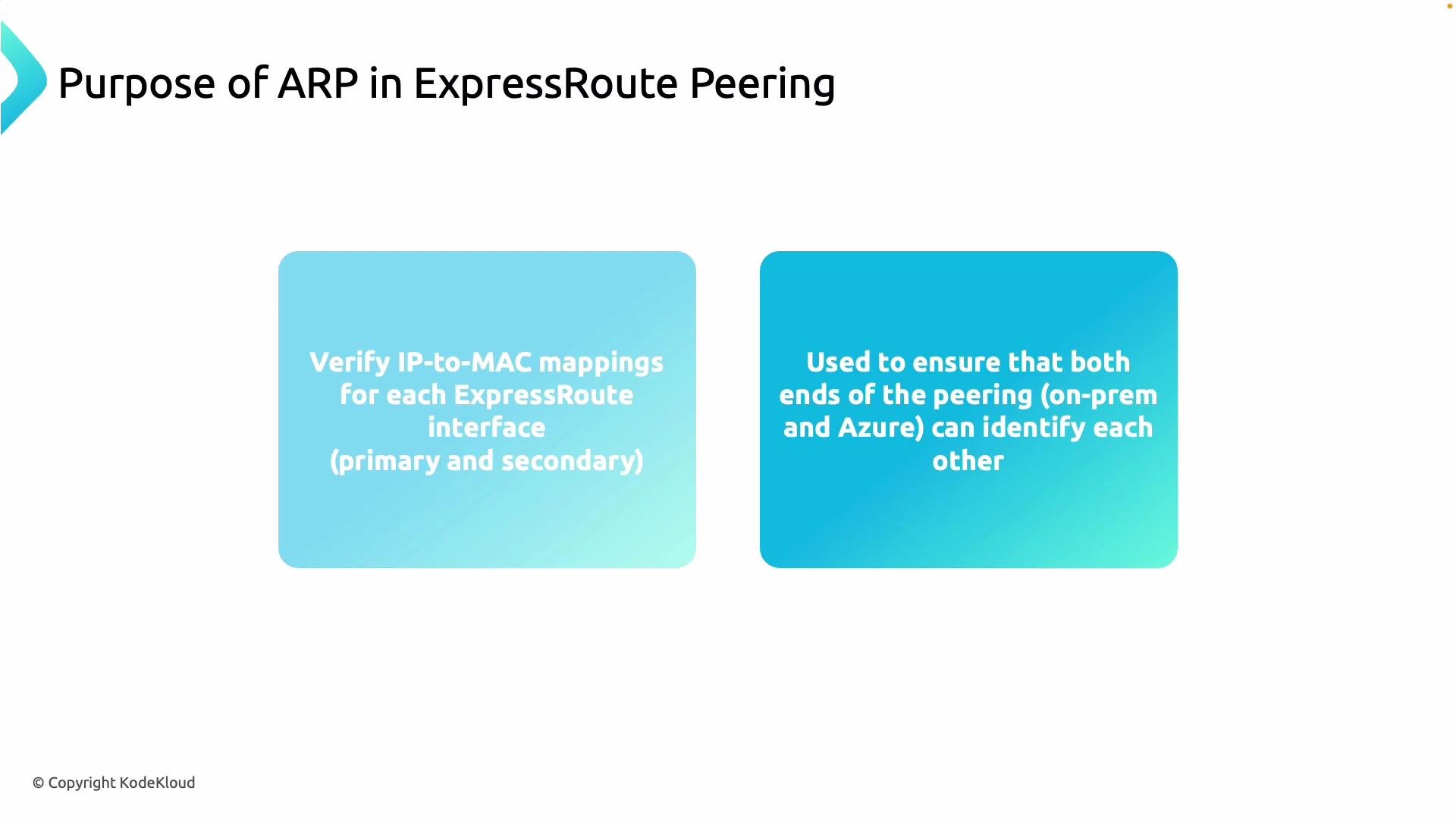
| Incomplete MAC resolution for on-prem IPs | Link down, VLAN mismatch, wrong subinterface | Verify link-state, VLAN/subinterface config, switchports; check SFPs/cables |
| Missing Microsoft router entries (from on-prem) | Incorrect VLAN, provisioning issue, physical layer | Confirm circuit provisioning in Azure portal, validate S-tag/CVLAN settings, test physical connectivity |
| Stale ARP entries | Misconfigured timeouts or caching | Clear ARP cache on affected devices and observe fresh ARP requests/replies |
| Duplicate IP-to-MAC mappings | Misconfiguration, MAC spoofing | Audit device configs and topology; isolate and remediate offending device |
| ARP filtered or blocked | Security features on intermediate switches | Check port-security, DHCP snooping, dynamic ARP inspection rules |
If ARP mappings remain missing or stale after clearing caches, escalate the investigation into the physical layer (cables, optics), VLAN trunk/access settings, and switch-level security that could filter ARP traffic. Also ensure the ExpressRoute circuit and its peerings are provisioned correctly and that BGP peering is stable.
## Common problems and recommended next steps
| Problem | Likely cause | Next steps |
| ----------------------------------------------- | -------------------------------------------------- | ------------------------------------------------------------------------------------------------------- |
| Incomplete MAC resolution for on-prem IPs | Link down, VLAN mismatch, wrong subinterface | Verify link-state, VLAN/subinterface config, switchports; check SFPs/cables |
| Missing Microsoft router entries (from on-prem) | Incorrect VLAN, provisioning issue, physical layer | Confirm circuit provisioning in Azure portal, validate S-tag/CVLAN settings, test physical connectivity |
| Stale ARP entries | Misconfigured timeouts or caching | Clear ARP cache on affected devices and observe fresh ARP requests/replies |
| Duplicate IP-to-MAC mappings | Misconfiguration, MAC spoofing | Audit device configs and topology; isolate and remediate offending device |
| ARP filtered or blocked | Security features on intermediate switches | Check port-security, DHCP snooping, dynamic ARP inspection rules |
If ARP mappings remain missing or stale after clearing caches, escalate the investigation into the physical layer (cables, optics), VLAN trunk/access settings, and switch-level security that could filter ARP traffic. Also ensure the ExpressRoute circuit and its peerings are provisioned correctly and that BGP peering is stable.
 ## References and further reading
* ExpressRoute overview: [https://learn.microsoft.com/en-us/azure/expressroute/expressroute-introduction/](https://learn.microsoft.com/en-us/azure/expressroute/expressroute-introduction/)
* RFC 826 — ARP: [https://datatracker.ietf.org/doc/html/rfc826](https://datatracker.ietf.org/doc/html/rfc826)
* RFC 4861 — IPv6 Neighbor Discovery (NDP): [https://datatracker.ietf.org/doc/html/rfc4861](https://datatracker.ietf.org/doc/html/rfc4861)
* Azure troubleshooting guidance for ExpressRoute: [https://learn.microsoft.com/en-us/azure/expressroute/](https://learn.microsoft.com/en-us/azure/expressroute/)
Keep these checks as part of your ExpressRoute troubleshooting workflow to quickly isolate Layer 2 issues and restore correct IP-to-MAC mappings for reliable connectivity.
## References and further reading
* ExpressRoute overview: [https://learn.microsoft.com/en-us/azure/expressroute/expressroute-introduction/](https://learn.microsoft.com/en-us/azure/expressroute/expressroute-introduction/)
* RFC 826 — ARP: [https://datatracker.ietf.org/doc/html/rfc826](https://datatracker.ietf.org/doc/html/rfc826)
* RFC 4861 — IPv6 Neighbor Discovery (NDP): [https://datatracker.ietf.org/doc/html/rfc4861](https://datatracker.ietf.org/doc/html/rfc4861)
* Azure troubleshooting guidance for ExpressRoute: [https://learn.microsoft.com/en-us/azure/expressroute/](https://learn.microsoft.com/en-us/azure/expressroute/)
Keep these checks as part of your ExpressRoute troubleshooting workflow to quickly isolate Layer 2 issues and restore correct IP-to-MAC mappings for reliable connectivity.