> ## Documentation Index
> Fetch the complete documentation index at: https://notes.kodekloud.com/llms.txt
> Use this file to discover all available pages before exploring further.
# Verify Circuit Provisioning and State
> Guide to verify Azure ExpressRoute circuit provisioning and operational state using Azure PowerShell and the Azure portal, with checks and troubleshooting steps.
Verifying circuit provisioning and operational state is an essential first step when troubleshooting [ExpressRoute](https://learn.microsoft.com/azure/expressroute/). This guide shows how to check the provisioning status with [Azure PowerShell](https://learn.microsoft.com/azure/developer/powershell/) and how to confirm the same information in the [Azure portal](https://portal.azure.com).
Prerequisites:
* You must have the Az PowerShell module installed and be authenticated (`Connect-AzAccount`).
* Confirm you have permission to read the ExpressRoute circuit resource in the target subscription and resource group.
Use the `Get-AzExpressRouteCircuit` command and specify the resource group and circuit name:
```powershell theme={null}
Get-AzExpressRouteCircuit `
-ResourceGroupName "Lab-Network-RG" `
-Name "Lab-ER-Circuit"
```
Key properties to inspect in the command output:
| Property | Expected value | Notes |
| ---------------------------------- | -------------- | -------------------------------------------------------------------------------------------------- |
| `ProvisioningState` | `Succeeded` | Confirms the resource deployment completed successfully. |
| `CircuitProvisioningState` | `Enabled` | Indicates the ExpressRoute circuit is enabled on the Azure side. |
| `ServiceProviderProvisioningState` | `Provisioned` | Shows the service provider has completed their provisioning (only relevant when using a provider). |
If any of the above states do not match the expected values, the problem is likely at provisioning or with the service provider. Typical next steps are to check the provider's provisioning console/status, verify ordering/billing, and if needed, open a support request with the provider or Microsoft.
Example output (values redacted where appropriate):
```powershell theme={null}
Name : Lab-ER-Circuit
ResourceGroupName : Lab-Network-RG
Location : westus
Id : /subscriptions/3e45ff24-22aa-56ea-d219-0b/resourceGroups/Lab-Network-RG/providers/Microsoft.Network/expressRouteCircuits/Lab-ER-Circuit
Etag : W/"#############################"
ProvisioningState : Succeeded
Sku : {
"Name": "Standard_UnlimitedData",
"Tier": "Standard",
"Family": "UnlimitedData"
}
CircuitProvisioningState : Enabled
ServiceProviderProvisioningState: Provisioned
ServiceProviderNotes :
ServiceProviderProperties : {
"ServiceProviderName": "*****",
"PeeringLocation": "******",
"BandwidthInMbps": 200
}
ServiceKey : ****************
Peerings : []
Authorizations : []
```
If any of these states are not as expected, the issue is likely at the provisioning or service-provider level. Common next steps are to verify the provider's provisioning status, confirm billing/ordering, and open a support request with the provider or Microsoft if needed.
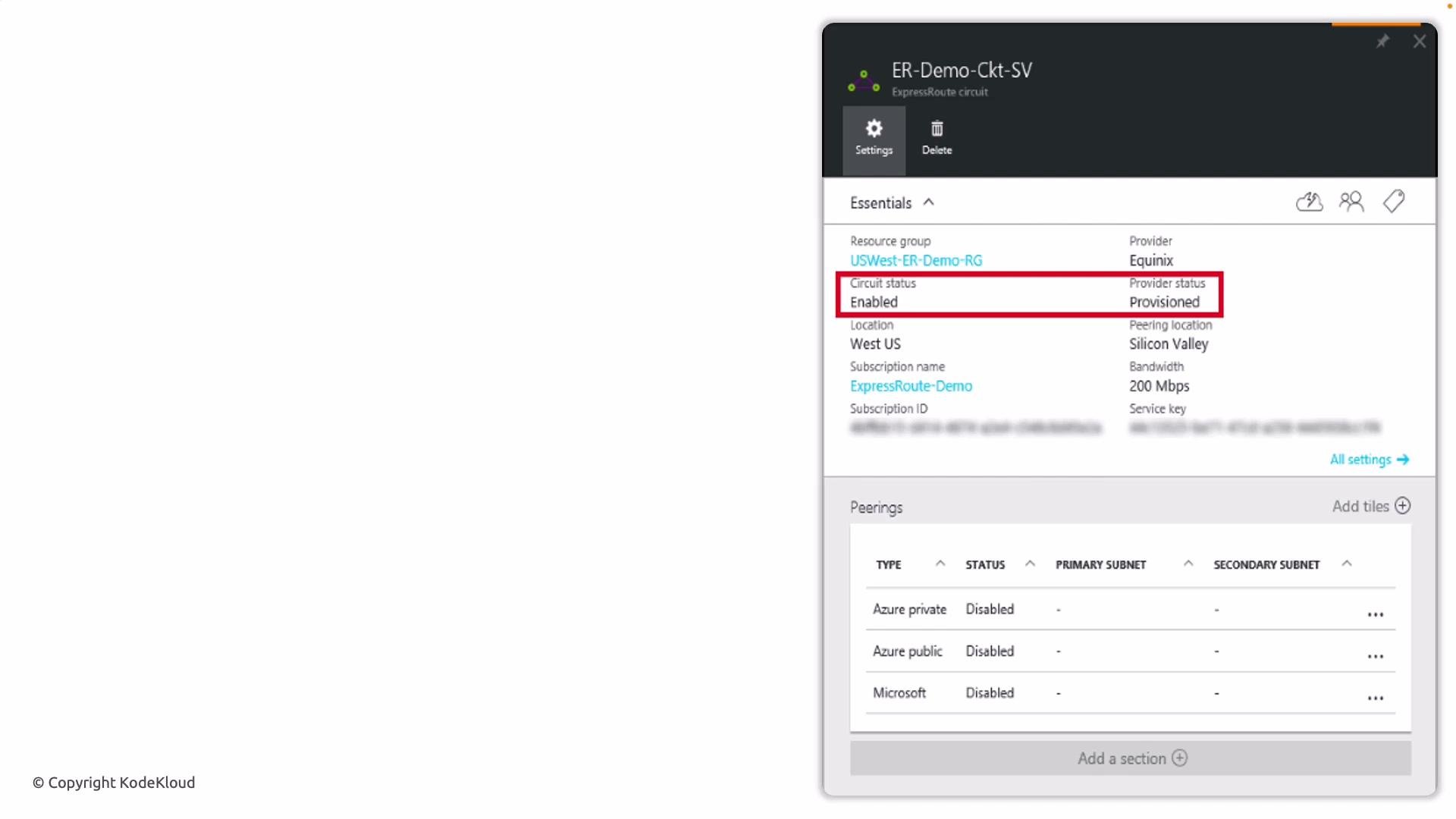
Portal verification
* Open the Azure portal and navigate to your ExpressRoute circuit resource.
* On the Overview blade you will see the circuit’s Provisioning and service provider status.
* If the portal shows mismatched states, capture screenshots and correlate timestamps with your provider’s status information before escalating.
 Troubleshooting checklist
* Confirm the Azure-side states (`ProvisioningState`, `CircuitProvisioningState`) are as expected.
* Verify the service provider’s provisioning and circuit activation status.
* Ensure the circuit’s `ServiceKey` and peering details match what the provider has on record.
* Check for any pending authorizations or missing peering configurations.
* If everything appears correct and traffic still isn't flowing, open a support request with Microsoft and/or your service provider and provide the command output and portal screenshots.
Links and references
* [ExpressRoute overview (Microsoft Docs)](https://learn.microsoft.com/azure/expressroute/)
* [Get-AzExpressRouteCircuit (PowerShell)](https://learn.microsoft.com/powershell/module/az.network/get-azexpressroutecircuit)
* [Azure PowerShell documentation](https://learn.microsoft.com/azure/developer/powershell/)
* [Azure portal](https://portal.azure.com/)
Troubleshooting checklist
* Confirm the Azure-side states (`ProvisioningState`, `CircuitProvisioningState`) are as expected.
* Verify the service provider’s provisioning and circuit activation status.
* Ensure the circuit’s `ServiceKey` and peering details match what the provider has on record.
* Check for any pending authorizations or missing peering configurations.
* If everything appears correct and traffic still isn't flowing, open a support request with Microsoft and/or your service provider and provide the command output and portal screenshots.
Links and references
* [ExpressRoute overview (Microsoft Docs)](https://learn.microsoft.com/azure/expressroute/)
* [Get-AzExpressRouteCircuit (PowerShell)](https://learn.microsoft.com/powershell/module/az.network/get-azexpressroutecircuit)
* [Azure PowerShell documentation](https://learn.microsoft.com/azure/developer/powershell/)
* [Azure portal](https://portal.azure.com/)