> ## Documentation Index
> Fetch the complete documentation index at: https://notes.kodekloud.com/llms.txt
> Use this file to discover all available pages before exploring further.
# Globs Question Mark
> This article explains the use of the `?` wildcard in glob patterns for precise file selection in Bash and other shells.
In this lesson, we dive into how the `?` wildcard works in glob patterns. In Bash and most shells, `?` matches exactly one character, so the filenames must align in length with your pattern. This enables precise control over file selection by combining fixed text and single-character placeholders.
***
## `?` Wildcard Basics
* `?` replaces exactly one character.
* Does not match zero characters.
* Treats the dot (`.`) as an actual character (unless `dotglob` is enabled).
The `?` wildcard differs from `*`, which matches zero or more characters. Use `?` when you need strict length matching.
***
## Example 1: Single Character Prefix Before “ail”
Assume the directory contains:\
rail, Document.doc, fail, hail, bar, sail, foo, mail, 4ail, foobar.

Use `?ail` to match any single-character prefix followed by `ail`:
```bash theme={null}
$ ls
rail Document.doc fail hail bar sail foo mail 4ail foobar
$ ls ?ail
rail fail hail sail mail 4ail
```
* `?` matches one character (`r`, `f`, `h`, `s`, `m`, `4`).
* `ail` anchors the suffix.
***
## Example 2: “tes” + Two Characters + “.txt”
Directory listing:\
test.sh, file.txt, tes1t.txt, test2.txt, file1.txt.
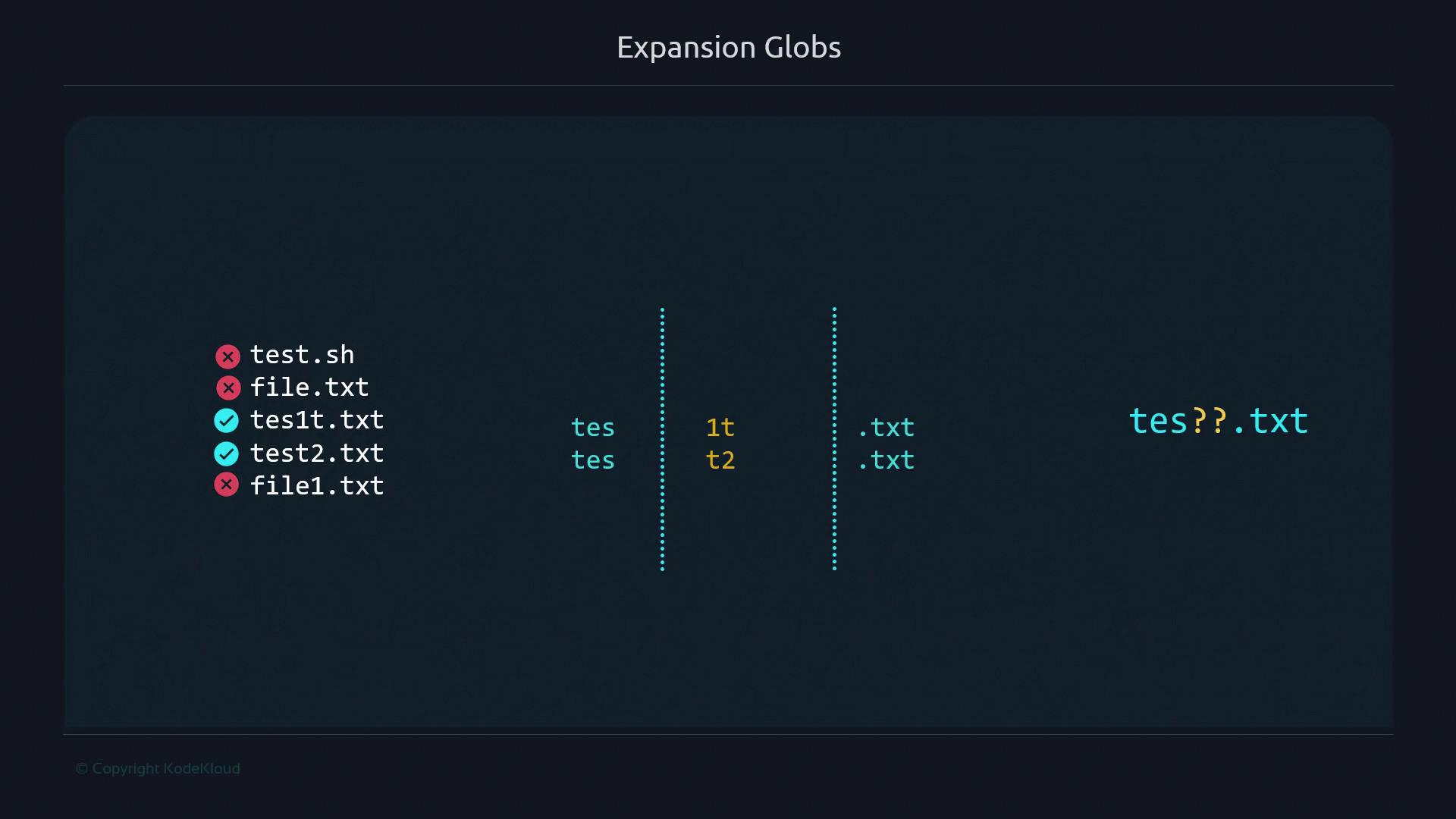
With the pattern `tes??.txt`:
```bash theme={null}
$ ls
test.sh file.txt tes1t.txt test2.txt file1.txt
$ ls tes??.txt
tes1t.txt test2.txt
```
* `tes` fixes the first three letters.
* `??` matches exactly two characters (`1t`, `2.`).
* `.txt` matches the file extension.
***
## Example 3: “test” + One Character + “.txt”
Consider these files:\
test1-2.txt, tes1t.txt, test2.txt, test3.sh, test1.txt, file1.txt.
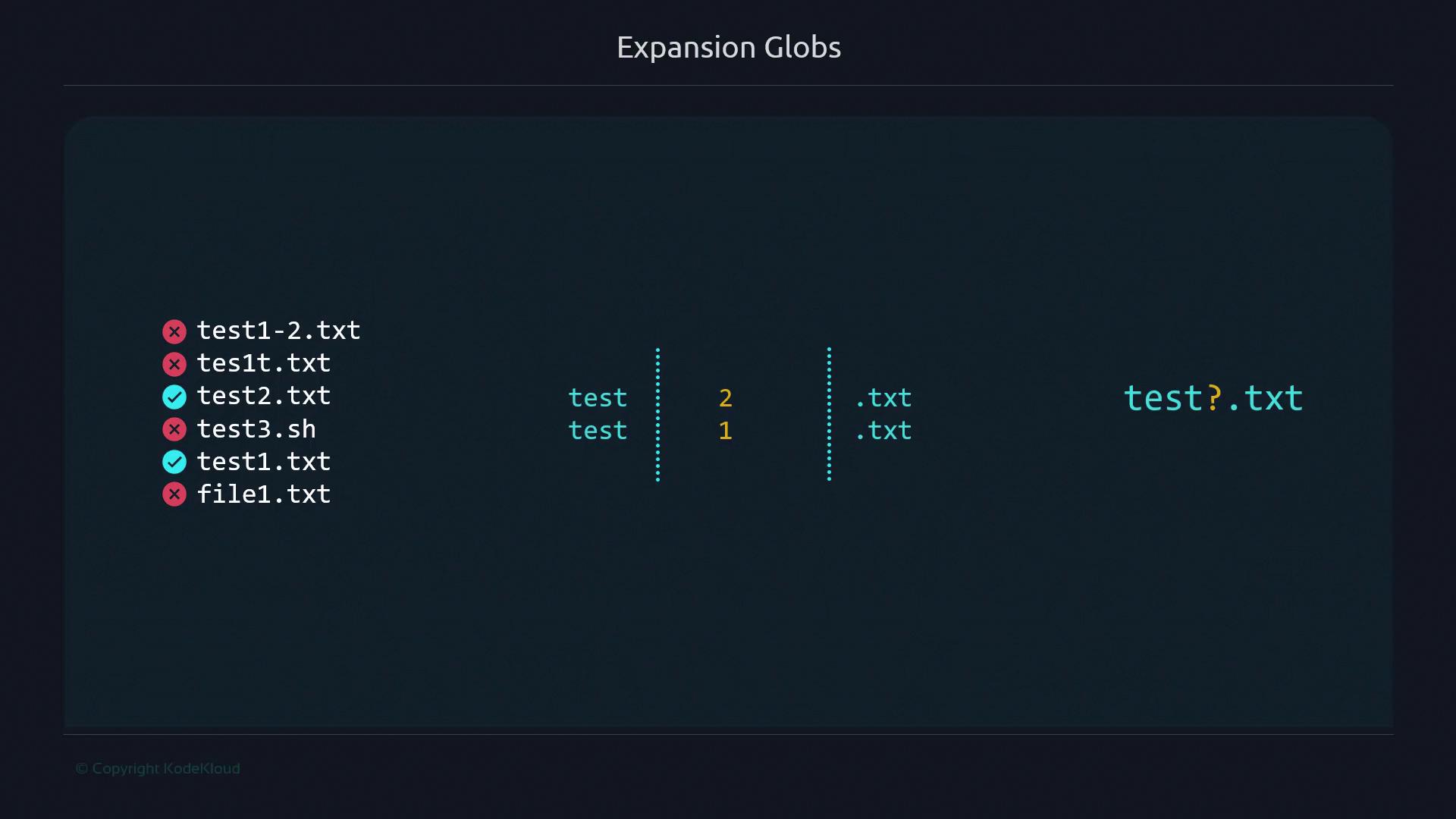
Use `test?.txt` to find files with a single character after `test` and before `.txt`:
```bash theme={null}
$ ls
test1-2.txt tes1t.txt test2.txt test3.sh test1.txt file1.txt
$ ls test?.txt
test1.txt test2.txt
```
* `test` anchors the prefix.
* `?` matches one character (`1`, `2`).
* `.txt` ensures the extension.
***
## Example 4: One Character + “est.” + Three Characters
Matching pattern `?est.???` to include any one-character prefix, `est.`, and exactly three characters as the extension:
```bash theme={null}
$ ls
test.txt vest.txt test.jpg file.sh rest.txt west.doc
$ ls ?est.???
test.txt vest.txt test.jpg rest.txt west.doc
```
* `?est` allows any single first character.
* The `.` after `est` is literal.
* `???` requires exactly three-character extension.
***
## Example 5: Exactly Four-Character Filenames
Directory content:\
1234, abcd, kei5, some\_file.txt, x0f4p, 90c1, dir, keio5, touch, x0fp.
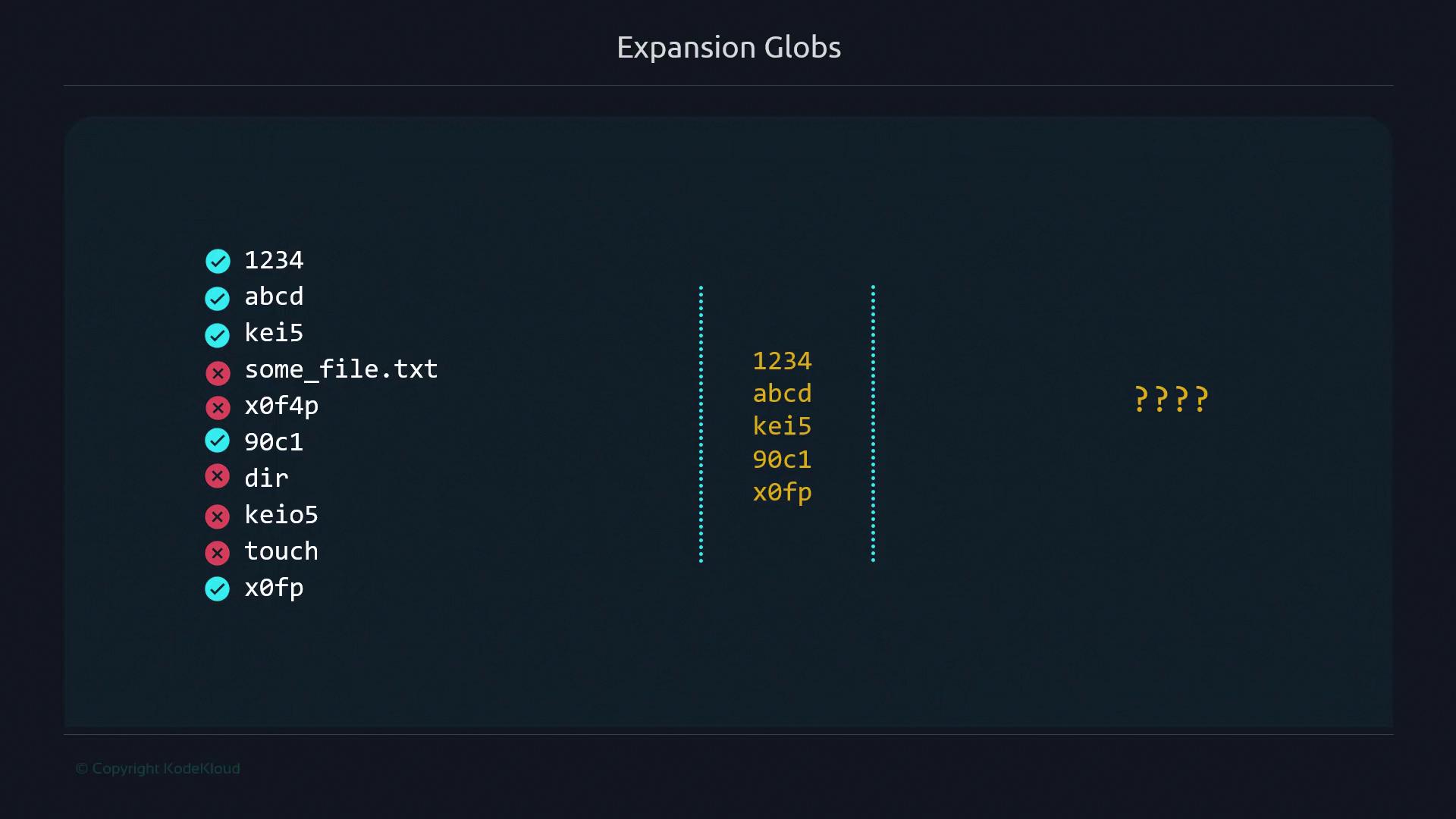
Pattern `????` finds names exactly four characters long:
```bash theme={null}
$ ls
1234 abcd kei5 some_file.txt x0f4p 90c1 dir keio5 touch x0fp
$ ls ????
1234 abcd kei5 90c1 x0fp
```
* Four `?` must each match one character.
* Filters out any name not exactly four characters.
***
## Conclusion
Using the `?` wildcard in your glob patterns helps you precisely filter filenames by length and content. Combine fixed text with `?` placeholders to tailor your matches exactly.
***
## Links and References
* [Bash Pattern Matching](https://www.gnu.org/software/bash/manual/html_node/Pattern-Matching.html)
* [Advanced Bash-Scripting Guide](https://tldp.org/LDP/abs/html/)
* [Shell Globbing on Wikipedia](https://en.wikipedia.org/wiki/Glob_\(programming\))
Ensure you enable `dotglob` if you want to include hidden files in matches:
```bash theme={null}
shopt -s dotglob
```