> ## Documentation Index
> Fetch the complete documentation index at: https://notes.kodekloud.com/llms.txt
> Use this file to discover all available pages before exploring further.
# Substitute
> The `s` command in `sed` enables powerful search-and-replace operations on text streams for various tasks like updating files and automating processes.
The `s` (substitute) command in `sed` is a powerful tool for search-and-replace operations on text streams. Whether you’re updating configuration files, automating code refactoring, or cleaning log files, mastering `sed` substitution will streamline your workflow.
By default, `sed` reads from `stdin` or an input file and writes to `stdout`. Use the `-i` option for in-place editing.
***
## Table of Contents
1. [Basic Syntax](#basic-syntax)
2. [Quick Reference Commands](#quick-reference-commands)
3. [Practical Example: Updating a Salary](#practical-example-updating-a-salary)
4. [Substitution Scope](#substitution-scope)
5. [Targeting Specific Occurrences](#targeting-specific-occurrences)
6. [Line Addressing](#line-addressing)
7. [In-Place Editing (`-i`)](#in-place-editing-i)
8. [Inserting Text with `i`](#inserting-text-with-i)
9. [Conclusion](#conclusion)
10. [References](#references)
***
## Basic Syntax
Use the following pattern to substitute `old_string` with `new_string`:
```bash theme={null}
sed 's/old_string/new_string/' input-file
```
* `s` — substitute command
* `old_string` — search pattern (regular expression supported)
* `new_string` — replacement text
* `/` — delimiters (can be any character)
* By default, only the first match per line is replaced.
***
## Quick Reference Commands
| Command | Description | Example |
| ------------------------- | ----------------------------------- | ----------------------------------- |
| `s/original/replacement/` | Substitute first match on each line | `sed 's/foo/bar/' file.txt` |
| `-n '/pattern/p'` | Print only lines matching a pattern | `sed -n '/Error/p' /var/log/syslog` |
| `/pattern/d` | Delete lines matching a pattern | `sed '/^#/d' config.conf` |
***
## Practical Example: Updating a Salary
Given an `employees.txt` file:
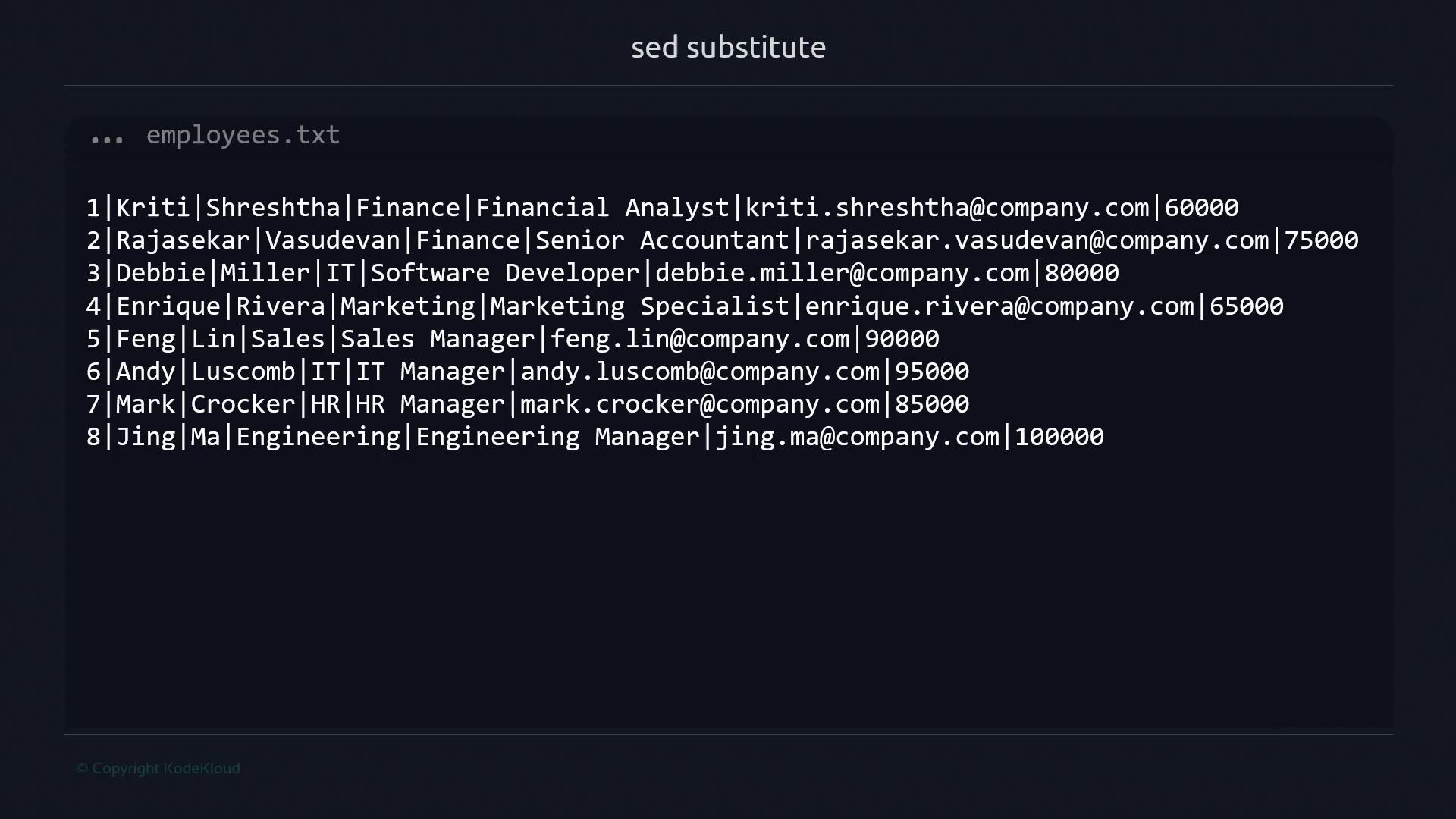
To update Enrique Rivera’s salary from `65000` to `85000`, run:
```bash theme={null}
sed 's/65000/85000/' employees.txt
```
This command replaces the first occurrence of `65000` on each line and prints the result to stdout.
***
## Substitution Scope
### Global Replacement
Append the `g` flag to replace *all* matches in each line:
```bash theme={null}
sed 's/\bIT\b/Information Technology/g' employees.txt
```
### First-Match Only
Without `g`, only the first match is replaced:
```bash theme={null}
sed 's/\bIT\b/Information Technology/' employees.txt
```
***
## Targeting Specific Occurrences
You can replace only the *n*th occurrence on each line by specifying a number:
```bash theme={null}
sed 's/\bIT\b/Information Technology/2' employees.txt
```
The above replaces only the second `IT` per line.
***
## Line Addressing
Limit substitutions to certain lines or ranges:
* **Single line** (line 7):
```bash theme={null}
sed '7 s/\bHR\b/Human Resources/' employees.txt
```
* **Line range** (lines 1–3):
```bash theme={null}
sed '1,3 s/Finance/Taxes/' employees.txt
```
* **Another single line** (line 5):
```bash theme={null}
sed '5 s/\bSales\b/Transactions/' employees.txt
```
***
## In-Place Editing (`-i`)
Modify the file directly using `-i`:
```bash theme={null}
sed -i 's/\bcompany\b/KodeKloud/g' employees.txt
```
This updates all instances of `company` in `employees.txt`.
When using `-i`, changes are irreversible unless you create a backup:
```bash theme={null}
sed -i.bak 's/old/new/g' file.txt
```
This creates `file.txt.bak` before editing.
***
## Inserting Text with `i`
The `i` command inserts lines *before* the current pattern space or at a specified line:
```bash theme={null}
sed '1iID|Name|FirstName|LastName|Job|Department|Email|Salary' employees.txt
```
**Output:**
```text theme={null}
ID|Name|FirstName|LastName|Job|Department|Email|Salary
1|Kriti|Shreshtha|Finance|Financial Analyst|kriti.shreshtha@KodeKloud.com|60000
2|Rajasekar|Vasudevan|Finance|Senior Accountant|rajasekar.vasudevan@KodeKloud.com|75000
...
```
If you omit the text after `i`, `sed` throws an error:
```bash theme={null}
$ sed 'i' employees.txt
sed: -e expression #1, char 1: expected \ after 'a', 'c' or 'i'
```
***
## Conclusion
In this guide, you learned how to:
* Use `s/old/new/` for basic substitution
* Leverage `g` and numeric flags for global or specific replacements
* Address lines and ranges for targeted edits
* Apply in-place editing with `-i` (and backups)
* Insert new lines using the `i` command
Together, these techniques form the foundation of efficient text processing with `sed`.
***
## References
* [GNU sed Manual](https://www.gnu.org/software/sed/manual/sed.html)
* [Linux `sed` Cheat Sheet](https://devhints.io/sed)
* [Regular Expressions in `sed`](https://www.gnu.org/software/sed/manual/html_node/Regular-Expressions.html)