> ## Documentation Index
> Fetch the complete documentation index at: https://notes.kodekloud.com/llms.txt
> Use this file to discover all available pages before exploring further.
# Creating an API server
> This guide explains how to build a RESTful API server using Go, covering project setup, HTTP package exploration, handler registration, and server initialization.
In this guide, we will build a RESTful API server using Go. Follow along as we create a simple server, register endpoints, and serve HTTP requests using Go's built-in "net/http" package.
## Step 1: Setting Up the Project
Start by creating a file named `main.go`. Define your package and main function as shown below:
```go theme={null}
package main
func main() {
}
```
A quick terminal prompt may look like:
```plaintext theme={null}
Desktop/kodekloud/learn via 🐹 v1.19.3
```
## Step 2: Exploring the HTTP Package
To familiarize yourself with the HTTP package, you can use a command-line utility (in our case, "KodeKloud http") to locate relevant documentation:
```plaintext theme={null}
Desktop/codeccloud/learn via 🐱 v1.19.3
> go doc
```
The HTTP package provides both client and server implementations. For example, it includes helper functions:
```go theme={null}
resp, err := http.Get("http://example.com/")
...
resp, err := http.Post("http://example.com/upload", "image/jpeg", &buf)
```
The `ListenAndServe` method initializes an HTTP server. It listens on a specified TCP address and uses a handler to process incoming requests.
## Step 3: Registering Handlers
Below is a sample code snippet that demonstrates how to register handlers for different URL patterns:
```go theme={null}
package main
import (
"fmt"
"html"
"net/http"
)
func main() {
// Register a handler for the /foo endpoint
http.Handle("/foo", fooHandler)
// Register a handler inline for the /bar endpoint
http.HandleFunc("/bar", func(w http.ResponseWriter, r *http.Request) {
fmt.Fprintf(w, "Hello, %q", html.EscapeString(r.URL.Path))
})
}
```
You can see detailed documentation for the `ListenAndServe` function by running:
```bash theme={null}
go doc http ListenAndServe
```
This shows that `ListenAndServe` listens on the specified TCP network address and invokes the given handler to serve incoming requests. In cases where the handler is `nil`, the `DefaultServeMux` is used:
```bash theme={null}
go doc http DefaultServeMux
```
The `DefaultServeMux` is an HTTP request multiplexer that matches incoming request URLs against registered patterns and invokes the appropriate handler.
## Step 4: Starting the HTTP Server
Initially, set up your HTTP server with a default address (using `localhost` on port `10000`) and a nil handler. Later, you will register your custom endpoints. The basic server code looks like this:
```go theme={null}
import "net/http"
func main() {
http.ListenAndServe("localhost:10000", nil)
}
```
## Step 5: Creating the Homepage Endpoint
To serve a homepage, register a function via `HandleFunc` that handles requests to the root URL. According to the documentation, `HandleFunc` registers the handler function within the `DefaultServeMux`.
```go theme={null}
import "net/http"
func main() {
http.HandleFunc("/", homepage)
http.ListenAndServe("localhost:10000", nil)
}
```
Now, define the `homepage` function. This function accepts an `http.ResponseWriter` and an `*http.Request`. It uses `fmt.Fprintf` to write a formatted response back to the client:
```go theme={null}
func homepage(w http.ResponseWriter, r *http.Request) {
fmt.Fprintf(w, "Welcome to homepage")
fmt.Println("Endpoint hit: homepage")
}
func main() {
http.HandleFunc("/", homepage)
http.ListenAndServe("localhost:10000", nil)
}
```
The `fmt.Fprintf` function writes formatted output to a given writer (`w` in this case). It returns the number of bytes written along with any error encountered.
When you run the program using:
```bash theme={null}
go run main.go
```
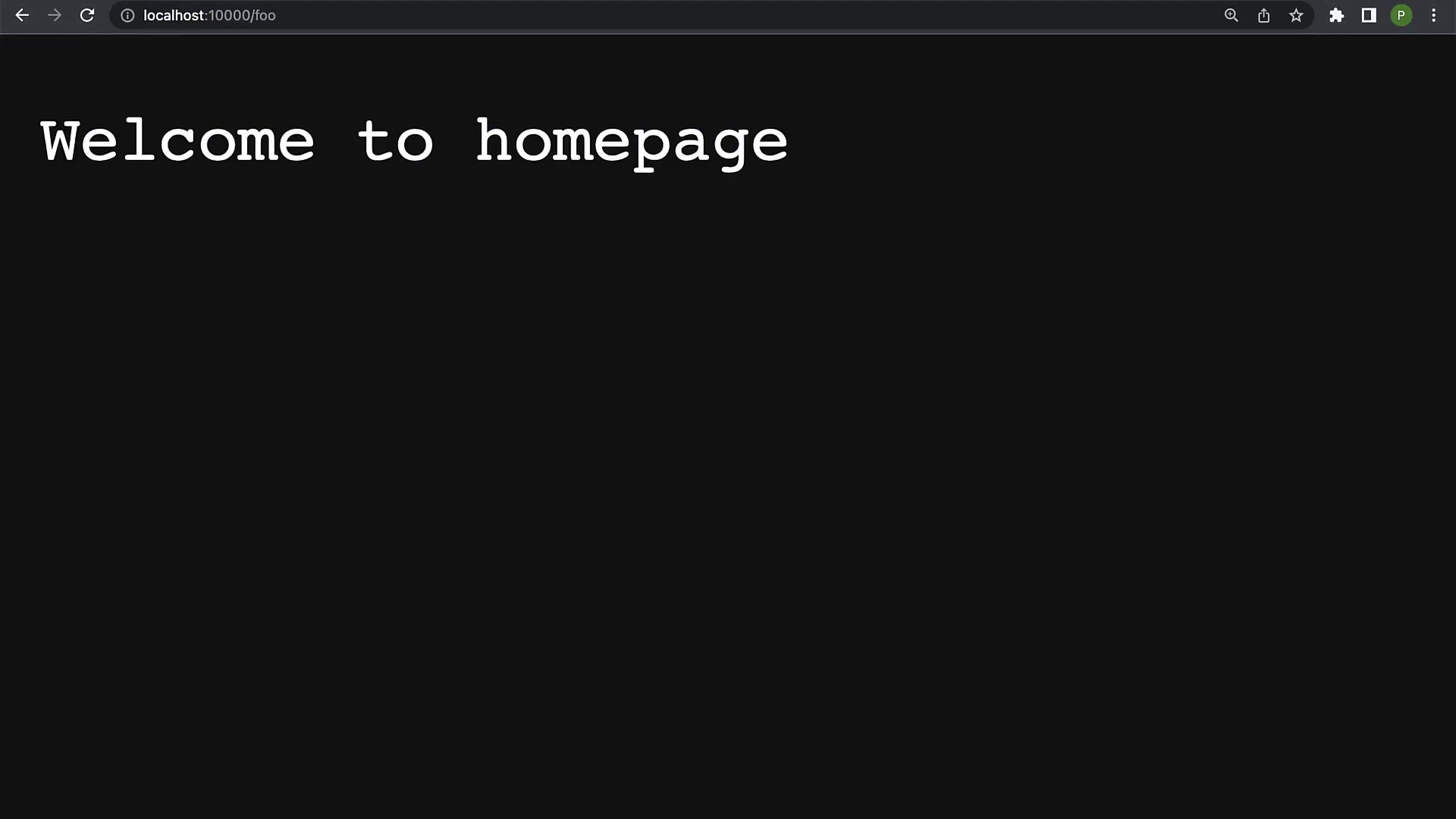
The HTTP server will start on `localhost:10000`. Accessing the homepage in a web browser will display "Welcome to homepage", and the server console logs:
```plaintext theme={null}
Endpoint hit: homepage
```
If you later change the endpoint registration from `/` to `/foo`, only the `/foo` endpoint will be active, demonstrating that only registered endpoints produce an output.
## Complete Example
Below is the full example of a simple API server with a registered homepage endpoint:
```go theme={null}
package main
import (
"fmt"
"net/http"
)
func homepage(w http.ResponseWriter, r *http.Request) {
fmt.Fprintf(w, "Welcome to homepage")
fmt.Println("Endpoint hit: homepage")
}
func main() {
// Register the homepage handler at the "/foo" endpoint
http.HandleFunc("/foo", homepage)
http.ListenAndServe("localhost:10000", nil)
}
```
Run the server with:
```bash theme={null}
go run main.go
```
Expected console output upon hitting the endpoint:
```plaintext theme={null}
Endpoint hit: homepage
```
## Conclusion
You have successfully set up a basic RESTful API server in Go. You now know how to register handlers, serve endpoints, and use Go's HTTP package effectively.
In future lessons, we will add more functionalities and expand our API by introducing additional endpoints and middleware.