> ## Documentation Index
> Fetch the complete documentation index at: https://notes.kodekloud.com/llms.txt
> Use this file to discover all available pages before exploring further.
# CICD pipeline for Go app with Github actions and docker
> This guide demonstrates publishing an API module and establishing a CI/CD pipeline for a Go application using GitHub Actions and Docker.
In this guide, we will demonstrate how to publish your API module and establish a continuous integration pipeline using GitHub Actions. We begin by handling an API request, initializing our Git repository, and then creating and configuring a workflow for your CI/CD pipeline.
***
## API Module Implementation
Assuming your API server is ready, let's publish the module. When a request is received, the JSON payload is decoded into a product structure, the product is updated in the database, and a response is sent. The following Go code illustrates this logic:
```go theme={null}
var p product
err = json.NewDecoder(r.Body).Decode(&p)
if err != nil {
sendError(w, http.StatusBadRequest, err:="Invalid request payload")
return
}
p.ID = key
err = p.updateProduct(app.DB)
if err != nil {
sendError(w, http.StatusInternalServerError, err.Error())
return
}
sendResponse(w, http.StatusOK, p)
```
This code ran successfully as indicated by the following output from our Go environment:
```bash theme={null}
Desktop/kodek loud/my-inventory via 🐹 v1.19.3
```
***
## Initializing the Git Repository
After verifying that your API server is functioning correctly, the next step is to create a new repository on GitHub. In our example, the repository is named "my-inventory". The screenshot below shows the GitHub interface when creating a new repository:
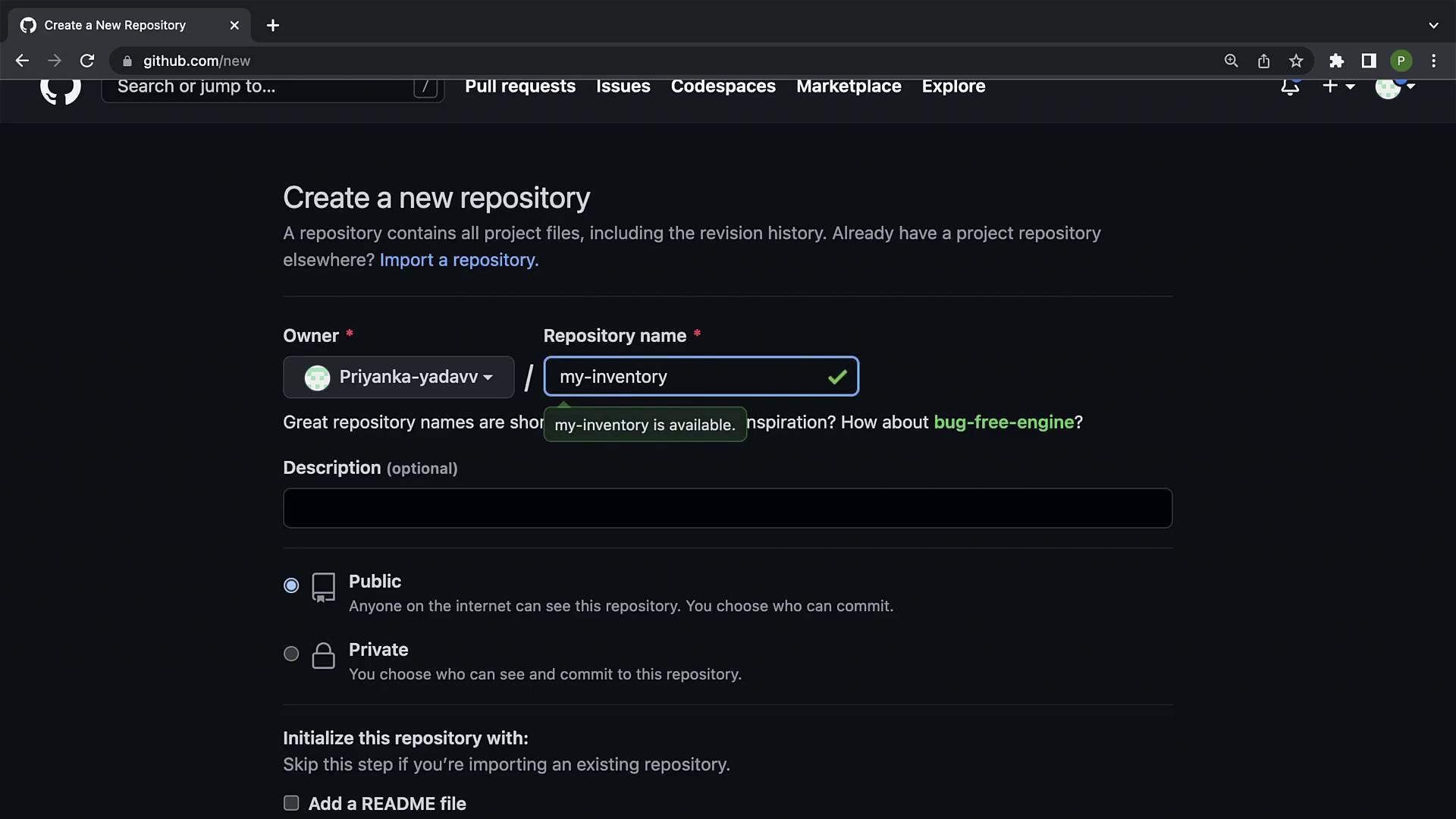
For this demonstration, set the repository to public and copy its URL. Then, open the terminal and execute the following commands to initialize the repository locally:
```bash theme={null}
echo "# my-inventory" >> README.md
git init
git add README.md
git commit -m "first commit"
git branch -M main
git remote add origin https://github.com/Priyanka-yadavv/my-inventory.git
git push -u origin main
```
The successful initialization of the repository is confirmed by output similar to:
```plaintext theme={null}
Initialized empty Git repository in /Users/priyanka/Desktop/kodeKloud/my-inventory/.git/
```
After adding the remote origin URL, check your repository status with:
```bash theme={null}
git status
```
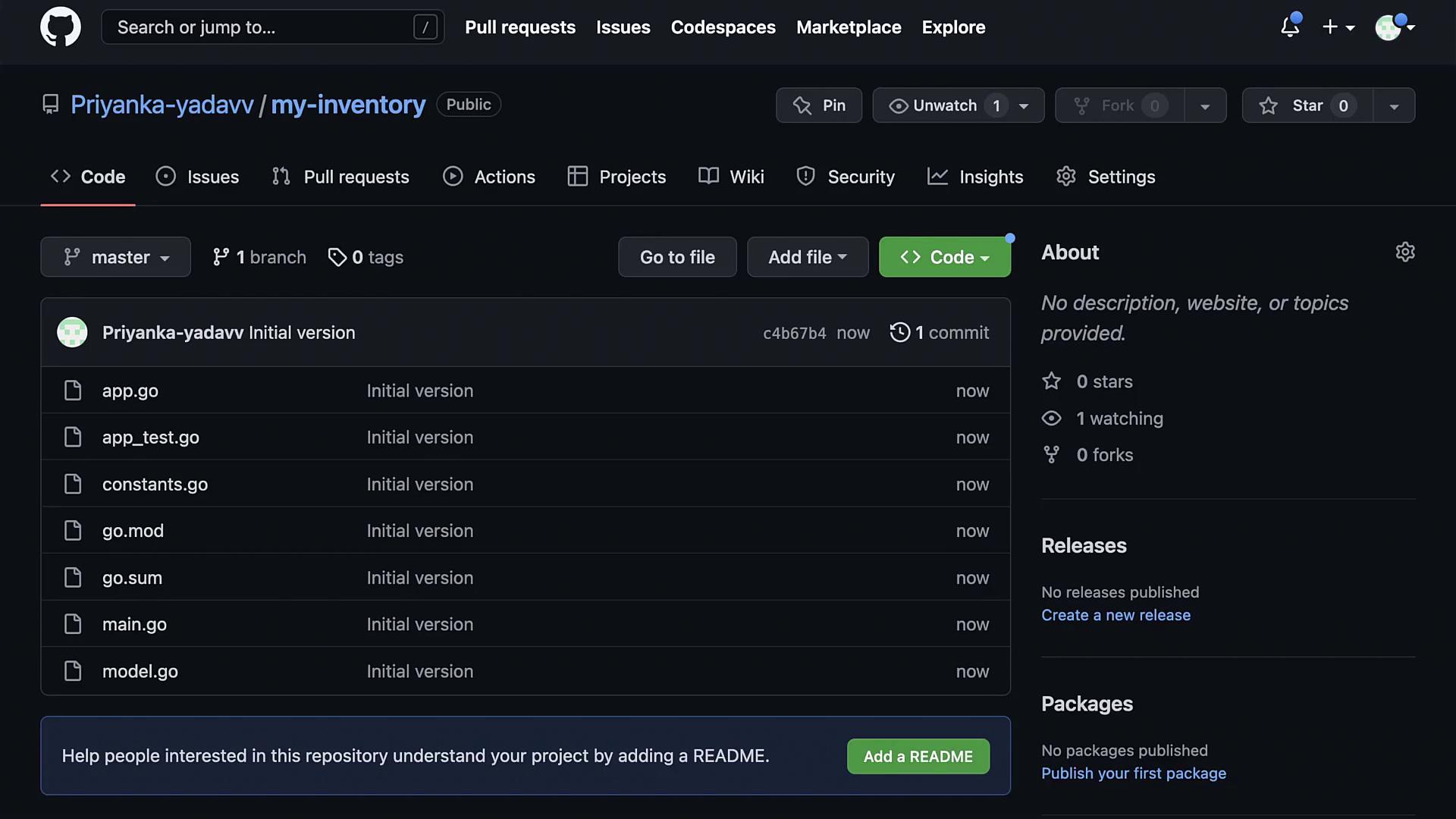
You'll see your untracked Go and test files, such as app.go, app\_test.go, constants.go, go.mod, go.sum, main.go, and model.go. Add and commit these files using:
```bash theme={null}
git add .
git commit -m "Initial version"
```
The commit log might appear as follows:
```bash theme={null}
[master (root-commit) c4b67b4] Initial version
7 files changed, 386 insertions(+)
create mode 100644 app.go
create mode 100644 app_test.go
create mode 100644 constants.go
create mode 100644 go.mod
create mode 100644 go.sum
create mode 100644 main.go
create mode 100644 model.go
```
Finally, push your commits to the remote repository with:
```bash theme={null}
git push origin master
```
View the repository on GitHub using the following screenshot:
***
## Configuring GitHub Actions for CI/CD
Our objective is to automate linting and testing every time new changes are pushed to the repository or when pull requests are created. This section outlines the process of setting up a GitHub Actions workflow for continuous integration.
### Setting Up the Workflow File
Create a directory named `.github` in your project root, and within it, create a `workflows` directory. Inside the `workflows` directory, create a file named `ci.yaml`:
```bash theme={null}
mkdir -p .github/workflows
touch .github/workflows/ci.yaml
```
Open `ci.yaml` using your preferred editor, and begin by defining the workflow name along with the trigger events.
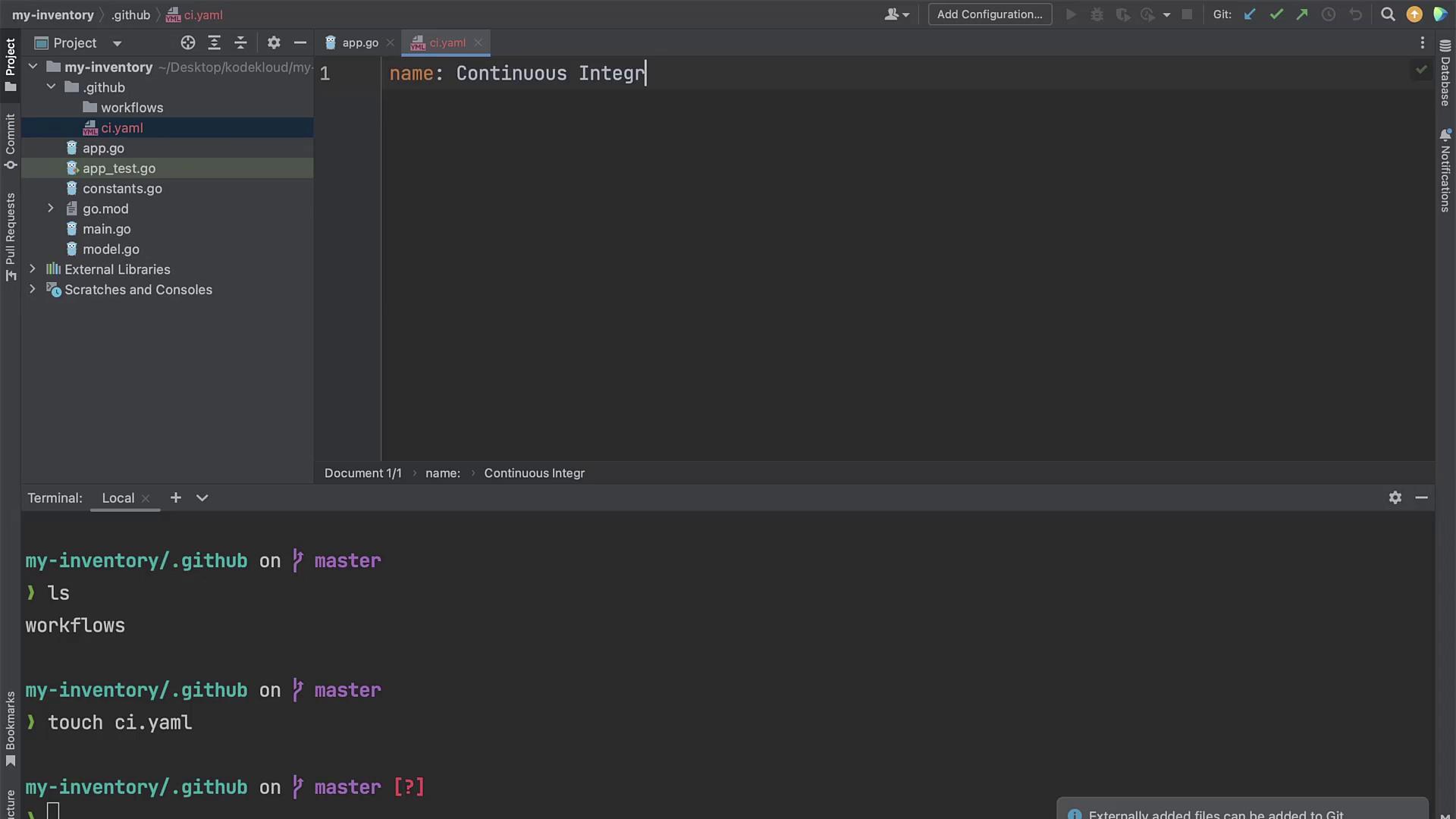
Below is an example workflow configuration file that sets up MySQL, checks out your repository code, sets up Go, performs linting, and runs tests:
```yaml theme={null}
name: Continuous Integration
on: push
env:
DB_NAME: test
DB_USER: root
DB_PASSWORD: Priyanka#123
jobs:
run_code_checks:
runs-on: ubuntu-latest
steps:
- name: Set up MySQL
run: |
sudo /etc/init.d/mysql start
sudo mysql -e "ALTER USER '${{ env.DB_USER }}'@'localhost' IDENTIFIED BY '${{ env.DB_PASSWORD }}';" -uroot -proot
sudo mysql -e "CREATE DATABASE ${{ env.DB_NAME }};" -u${{ env.DB_USER }} -p${{ env.DB_PASSWORD }}
- name: Checkout Repo Code
uses: actions/checkout@v2
- name: Set Up Go
uses: actions/setup-go@v2
with:
go-version: 1.19
- name: Run linting
run: |
go fmt ./...
go vet ./...
- name: Run tests
run: go test
```
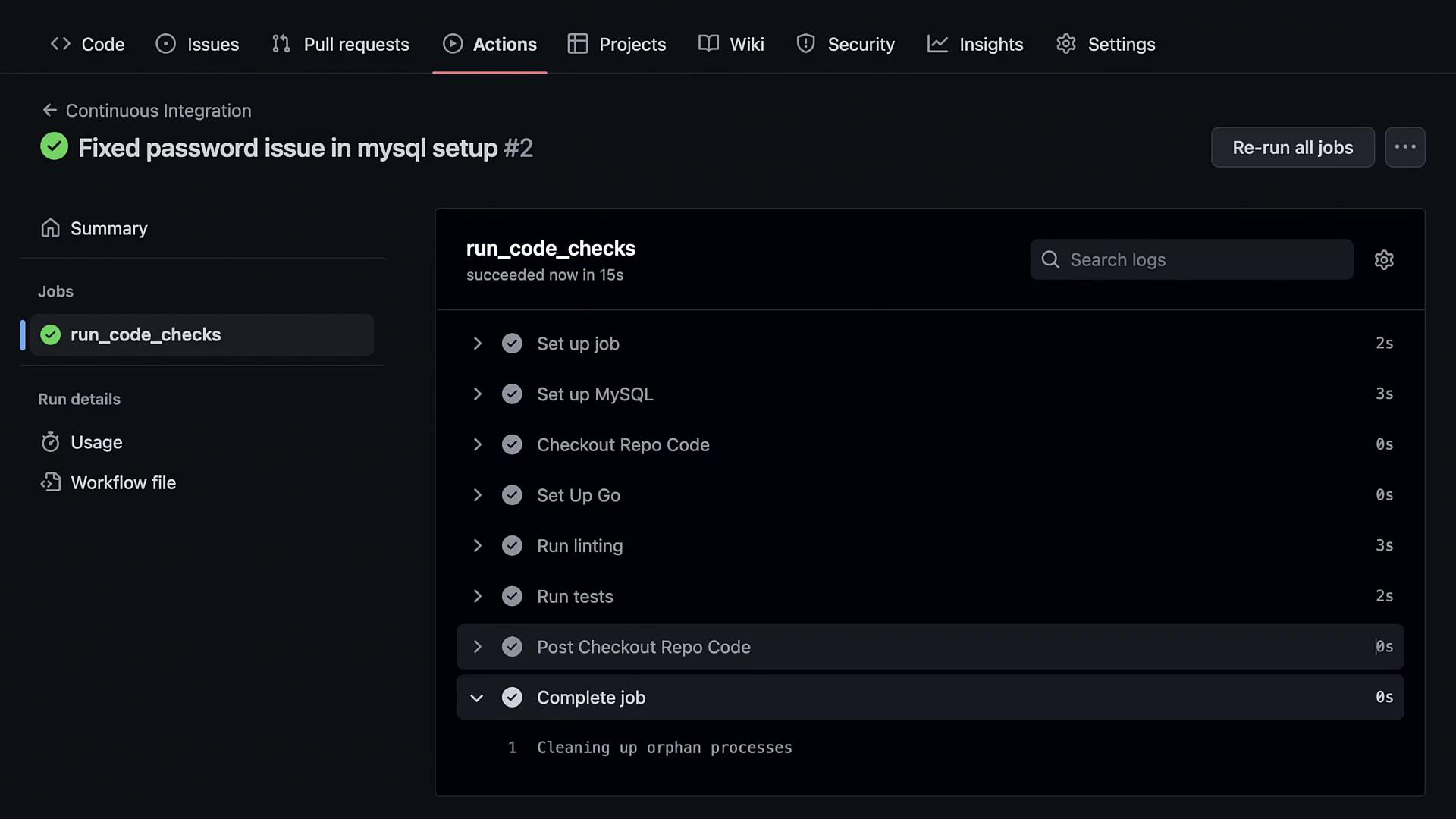
This workflow is triggered on every push. It initiates by starting MySQL, modifying the root user's password, and creating a "test" database. It then checks out the repository code, sets up Go (version 1.19), performs linting using `go fmt` and `go vet`, and finally runs the tests with `go test`.
After adding the workflow file, stage and commit the changes using:
```bash theme={null}
git add .github/
git commit -m "Integrated GitHub workflow"
git push origin master
```
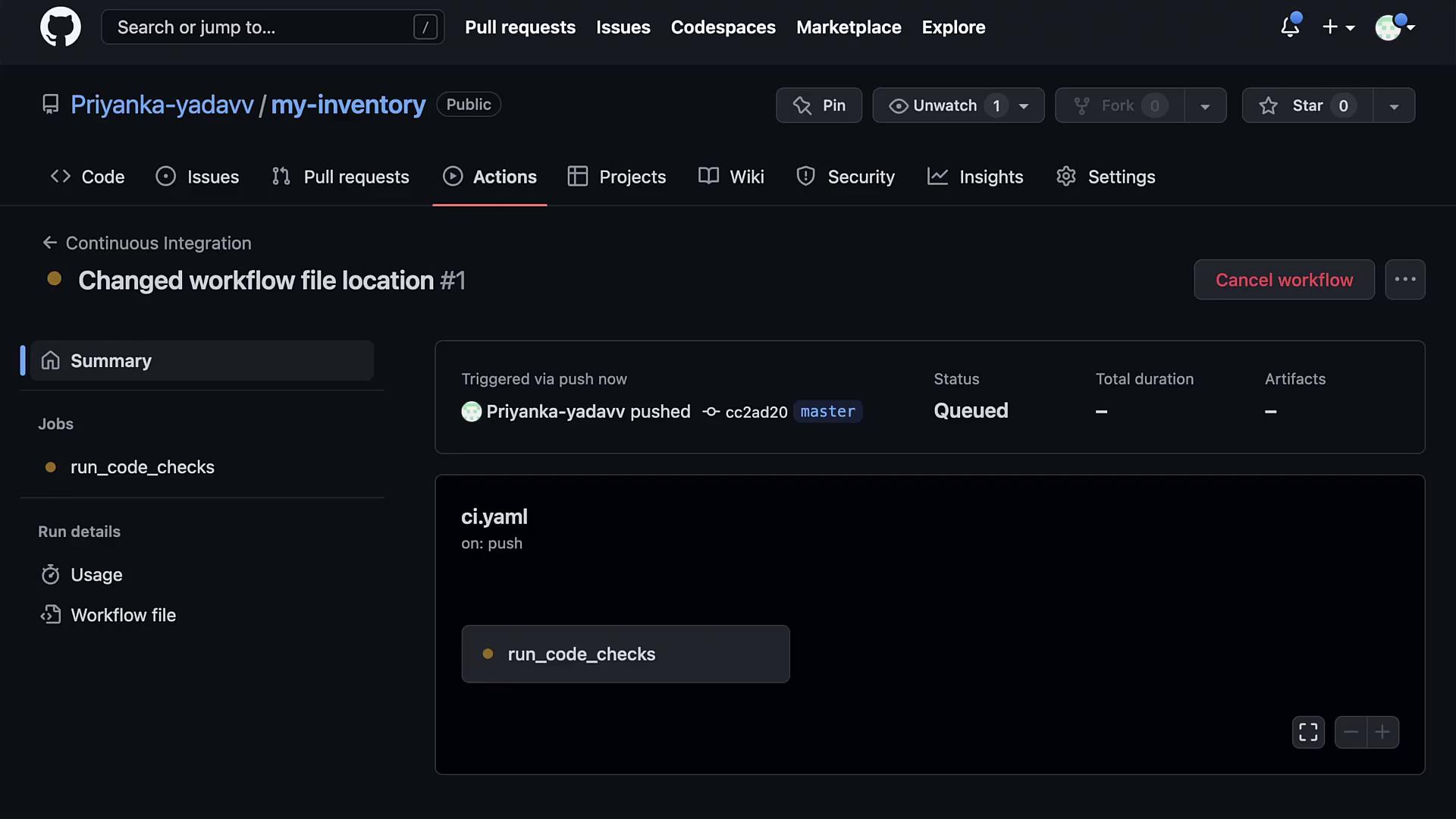
Next, navigate to your repository's "Actions" tab on GitHub to see the workflow running. If the workflow is not detected, ensure that the `ci.yaml` file is placed exactly within the `.github/workflows` directory.
The commit output may appear like this:
```bash theme={null}
$ git commit -m "Changed workflow file location"
[master cc2ad20] Changed workflow file location
1 file changed, 28 insertions(+)
create mode 100644 .github/workflows/ci.yaml
$ git push origin master
```
***
## Troubleshooting the MySQL Setup in the Workflow
If you experience issues with the MySQL setup step in your workflow, it may be due to improper quote usage in the command that alters the user password. Ensure you are using matching quotes.
The corrected commands should look like this:
```bash theme={null}
sudo /etc/init.d/mysql start
sudo mysql -e "ALTER USER 'root'@'localhost' IDENTIFIED BY 'Priyanka#123';" -uroot -proot
sudo mysql -e "CREATE DATABASE test;" -uroot -pPriyanka#123
```
After making these adjustments and pushing the changes, the workflow steps should execute successfully. A successful run is confirmed by logs indicating:
* MySQL was properly started and configured.
* The repository code was checked out.
* Go was correctly set up.
* Linting and tests were executed as expected.
For example, a successful test run might display:
```plaintext theme={null}
Run go test
2023/01/06 17:06:43 clearTable
2023/01/06 17:06:43 clearTable
2023/01/06 17:06:43 clearTable
2023/01/06 17:06:43 clearTable
PASS
ok example.com/my-inventory 0.046s
```
***
## Conclusion
In this guide, we established a CI/CD pipeline to automate the linting and testing of a Go application using GitHub Actions. The key steps in this workflow include:
* Starting and configuring MySQL.
* Checking out the repository code.
* Setting up Go on an Ubuntu container.
* Running linting via `go fmt` and `go vet`.
* Executing tests with `go test`.
Automating these processes helps maintain code quality and ensures consistent functionality throughout your development cycles. Congratulations on setting up your continuous integration pipeline for your Go application!