> ## Documentation Index
> Fetch the complete documentation index at: https://notes.kodekloud.com/llms.txt
> Use this file to discover all available pages before exploring further.
# Types of Agents
> Overview of Jenkins agent types, their uses, and Declarative Pipeline agent declarations with examples and best practices for choosing between permanent, Docker, cloud, and label-based agents.
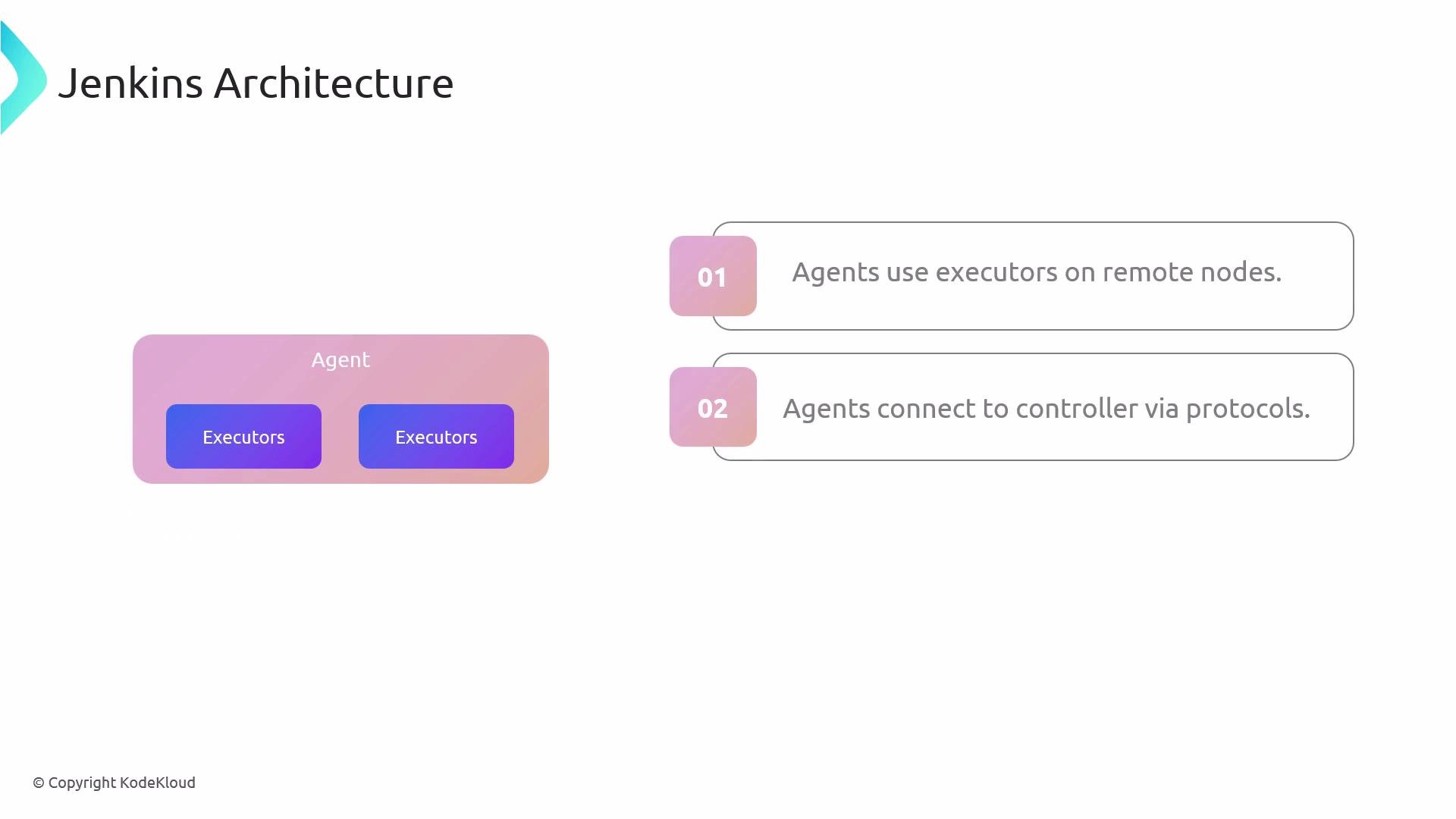
Let's review common Jenkins agent types and how to declare them in a Jenkinsfile. Agents extend the Jenkins controller by running executors on remote nodes and provide the execution environment for pipeline steps. An agent defines how a node connects to the controller — including the communication protocol and authentication method (for example, JNLP or SSH) — and the node where build tools and dependencies must be installed.
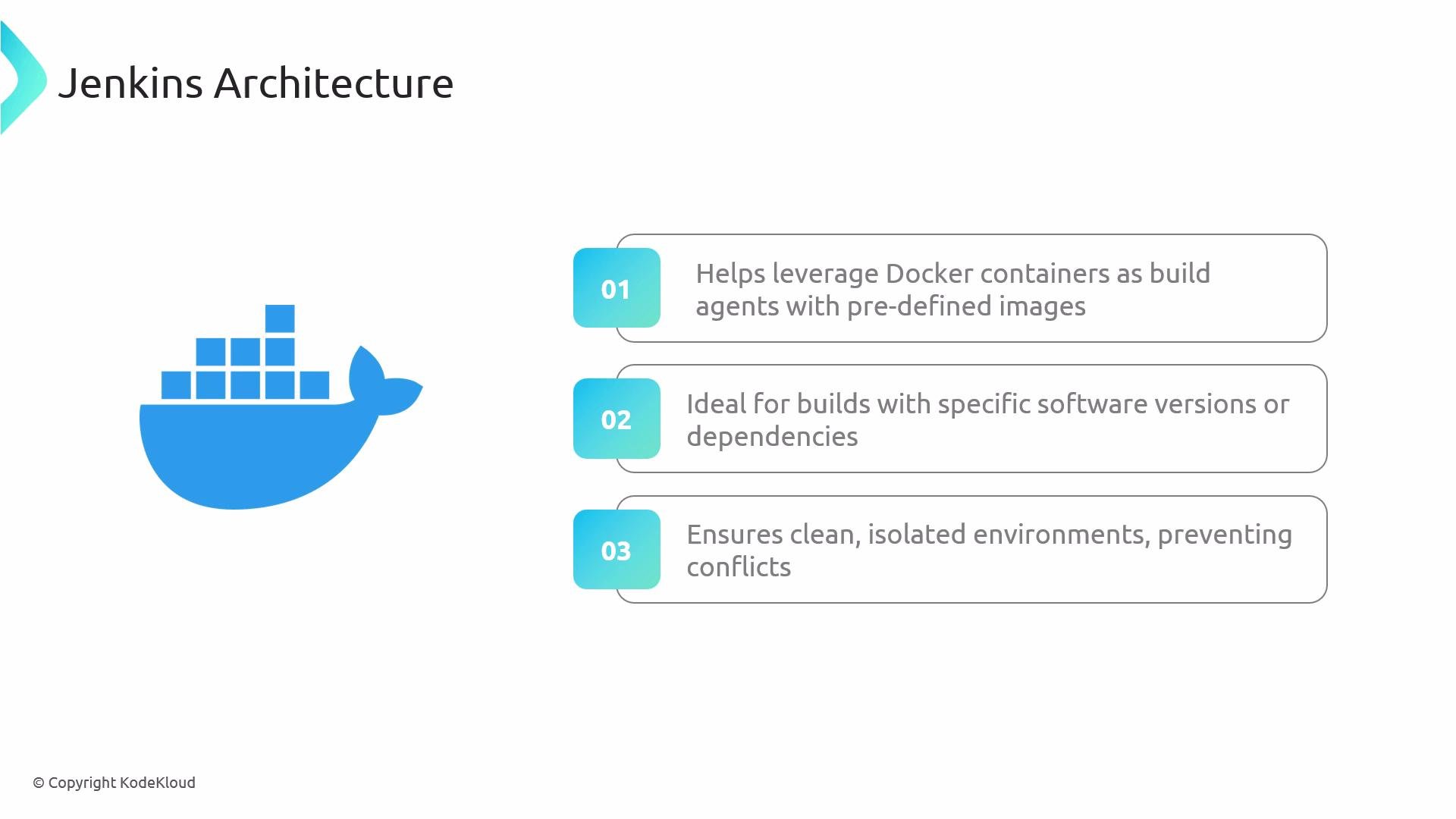
 In addition to long-lived (static) agents, Jenkins supports container- and cloud-based agents that spawn ephemeral environments. Docker-based agents run each job in a fresh container built from a specified image, which is ideal when jobs require precise software versions or complex dependencies. This isolation ensures reproducible builds and prevents dependency conflicts between projects.
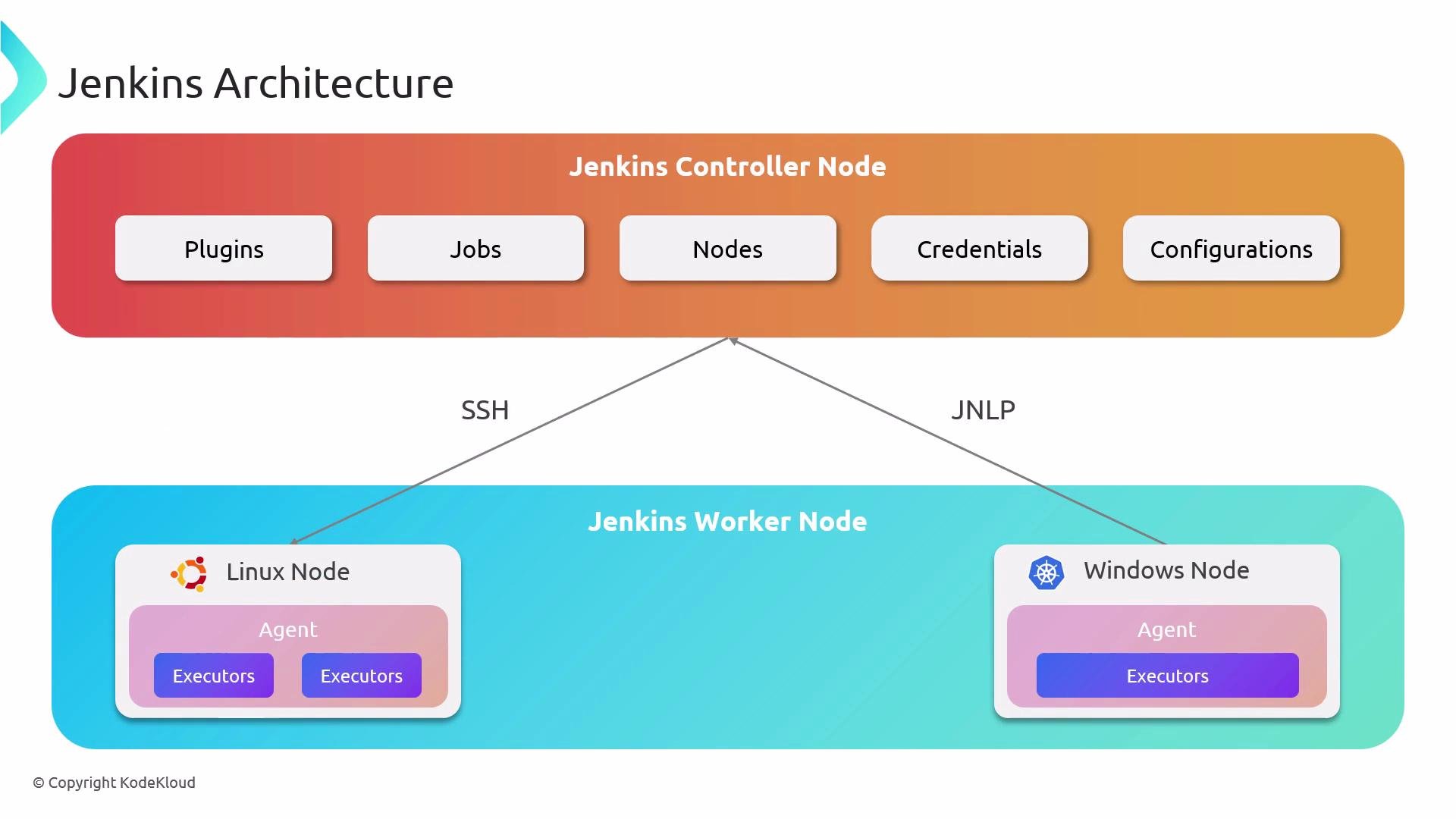 Agents are simply worker machines — physical, virtual, or containerized — that connect to the Jenkins controller and execute pipeline steps. Choosing the right agent type helps you balance cost, performance, and reproducibility for your CI/CD workloads.
 Common agent types and when to use them:
| Agent Type | When to use | Notes / Example |
| ----------------------------------------- | ------------------------------------------------------------------------------------------------------------------------------- | ------------------------------------------------------------------------------------------- |
| Permanent (dedicated) agents | When you need stable, long-lived machines with preinstalled tools (for example, corporate build servers with licensed software) | Use when consistency is more important than elasticity; can be resource-intensive if idle |
| Docker agents | When builds need specific tool versions or isolated environments (for example, Node.js or Python builds) | Each job runs in a fresh container based on a Docker image; ideal for reproducible builds |
| Cloud-based agents (including Kubernetes) | For on-demand scaling and pay-as-you-go CI/CD (for example, AWS EC2, Azure, or K8s pods) | Jenkins provisions ephemeral VMs or pods and terminates them after the job completes |
| Label-based agents | When you want flexible assignment based on capabilities (for example, `java`, `windows`, `nodejs`) | Pipelines request a label and Jenkins matches the job to an available agent with that label |
Below are Declarative Pipeline examples showing common agent declarations inside a Jenkinsfile.
Example 1 — Run the pipeline on any available agent:
```groovy theme={null}
pipeline {
agent any // Use any available agent
stages {
stage('Build') {
steps {
sh 'echo "Running on $NODE_NAME"'
}
}
}
}
```
Example 2 — Run the pipeline on an agent with a specific label:
```groovy theme={null}
pipeline {
agent {
label 'my-agent' // Run on an agent labeled "my-agent"
}
stages {
stage('Build') {
steps {
sh 'echo "Running on $NODE_NAME"'
}
}
}
}
```
Example 3 — Use a Docker image as the agent:
```groovy theme={null}
pipeline {
agent {
docker {
image 'node:latest' // Use a Docker image with Node.js
args '-v $HOME/.npm:/root/.npm' // Optional: mount npm cache
}
}
stages {
stage('Build') {
steps {
sh 'node --version'
sh 'npm --version'
}
}
}
}
```
Example 4 — Default (root-level) agent with a stage-level override:
```groovy theme={null}
pipeline {
agent {
label 'MyAgent' // Default agent used by stages unless overridden
}
stages {
stage('Build') {
agent { label 'nodejs-agent' } // This stage uses a different agent
steps {
sh 'echo "Running build on $NODE_NAME"'
sh 'node --version'
}
}
stage('Test') {
steps {
sh 'echo "Running tests on $NODE_NAME"' // Uses default MyAgent
}
}
}
}
```
Best practice: set a root-level agent to provide sensible defaults for most stages, and override at the stage level when a specific environment is required (for example, a `nodejs` Docker image or a `windows` agent). When using shell steps, reference the agent name with `"$NODE_NAME"` (or `$NODE_NAME` in POSIX shells) so the job output clearly indicates which node executed the step.
See also: [Jenkins Agents Documentation](https://www.jenkins.io/doc/book/system-administration/agents/) and [Using Docker with Jenkins](https://www.jenkins.io/doc/book/pipeline/docker/).
Common agent types and when to use them:
| Agent Type | When to use | Notes / Example |
| ----------------------------------------- | ------------------------------------------------------------------------------------------------------------------------------- | ------------------------------------------------------------------------------------------- |
| Permanent (dedicated) agents | When you need stable, long-lived machines with preinstalled tools (for example, corporate build servers with licensed software) | Use when consistency is more important than elasticity; can be resource-intensive if idle |
| Docker agents | When builds need specific tool versions or isolated environments (for example, Node.js or Python builds) | Each job runs in a fresh container based on a Docker image; ideal for reproducible builds |
| Cloud-based agents (including Kubernetes) | For on-demand scaling and pay-as-you-go CI/CD (for example, AWS EC2, Azure, or K8s pods) | Jenkins provisions ephemeral VMs or pods and terminates them after the job completes |
| Label-based agents | When you want flexible assignment based on capabilities (for example, `java`, `windows`, `nodejs`) | Pipelines request a label and Jenkins matches the job to an available agent with that label |
Below are Declarative Pipeline examples showing common agent declarations inside a Jenkinsfile.
Example 1 — Run the pipeline on any available agent:
```groovy theme={null}
pipeline {
agent any // Use any available agent
stages {
stage('Build') {
steps {
sh 'echo "Running on $NODE_NAME"'
}
}
}
}
```
Example 2 — Run the pipeline on an agent with a specific label:
```groovy theme={null}
pipeline {
agent {
label 'my-agent' // Run on an agent labeled "my-agent"
}
stages {
stage('Build') {
steps {
sh 'echo "Running on $NODE_NAME"'
}
}
}
}
```
Example 3 — Use a Docker image as the agent:
```groovy theme={null}
pipeline {
agent {
docker {
image 'node:latest' // Use a Docker image with Node.js
args '-v $HOME/.npm:/root/.npm' // Optional: mount npm cache
}
}
stages {
stage('Build') {
steps {
sh 'node --version'
sh 'npm --version'
}
}
}
}
```
Example 4 — Default (root-level) agent with a stage-level override:
```groovy theme={null}
pipeline {
agent {
label 'MyAgent' // Default agent used by stages unless overridden
}
stages {
stage('Build') {
agent { label 'nodejs-agent' } // This stage uses a different agent
steps {
sh 'echo "Running build on $NODE_NAME"'
sh 'node --version'
}
}
stage('Test') {
steps {
sh 'echo "Running tests on $NODE_NAME"' // Uses default MyAgent
}
}
}
}
```
Best practice: set a root-level agent to provide sensible defaults for most stages, and override at the stage level when a specific environment is required (for example, a `nodejs` Docker image or a `windows` agent). When using shell steps, reference the agent name with `"$NODE_NAME"` (or `$NODE_NAME` in POSIX shells) so the job output clearly indicates which node executed the step.
See also: [Jenkins Agents Documentation](https://www.jenkins.io/doc/book/system-administration/agents/) and [Using Docker with Jenkins](https://www.jenkins.io/doc/book/pipeline/docker/).