> ## Documentation Index
> Fetch the complete documentation index at: https://notes.kodekloud.com/llms.txt
> Use this file to discover all available pages before exploring further.
# Migrating Jenkins Pipeline to GitHub Action
> Guide to migrating declarative Jenkins pipelines and many freestyle jobs to GitHub Actions using the gh-actions-importer, covering installation, authentication, dry-run conversions, PR creation, and workflow adjustments.
This guide shows how to migrate declarative Jenkins pipelines (and many freestyle jobs) to GitHub Actions using the GitHub Actions Importer (`gh-actions-importer`). The importer automates most conversion steps and can open a pull request in your repository with the generated workflow.
What you'll accomplish
* Configure the importer to authenticate to both Jenkins and GitHub.
* Preview conversions with `dry-run`.
* Create a branch and pull request in GitHub with `migrate`.
* Review and adjust the workflow, then run it in GitHub Actions.
## Prerequisites
| Requirement | Purpose / Notes |
| -------------------------------------- | ----------------------------------------------------------------------------------------------------------- |
| Jenkins account/organization | Source of pipelines/jobs to migrate. |
| Jenkins user with API access | Needed to create a Jenkins API token (for `JENKINS_ACCESS_TOKEN`). |
| GitHub account with repo permissions | Required to push branches, create PRs, and create workflows in the target repository. |
| Container runtime (Docker or Podman) | The importer runs in a container when invoked by the `gh` extension. |
| GitHub CLI (`gh`) | Install from [https://cli.github.com/](https://cli.github.com/) and use to install the importer. |
| GitHub Personal Access Token (classic) | Token must include `workflow` scope and `repo` as needed so the importer can create workflow files and PRs. |
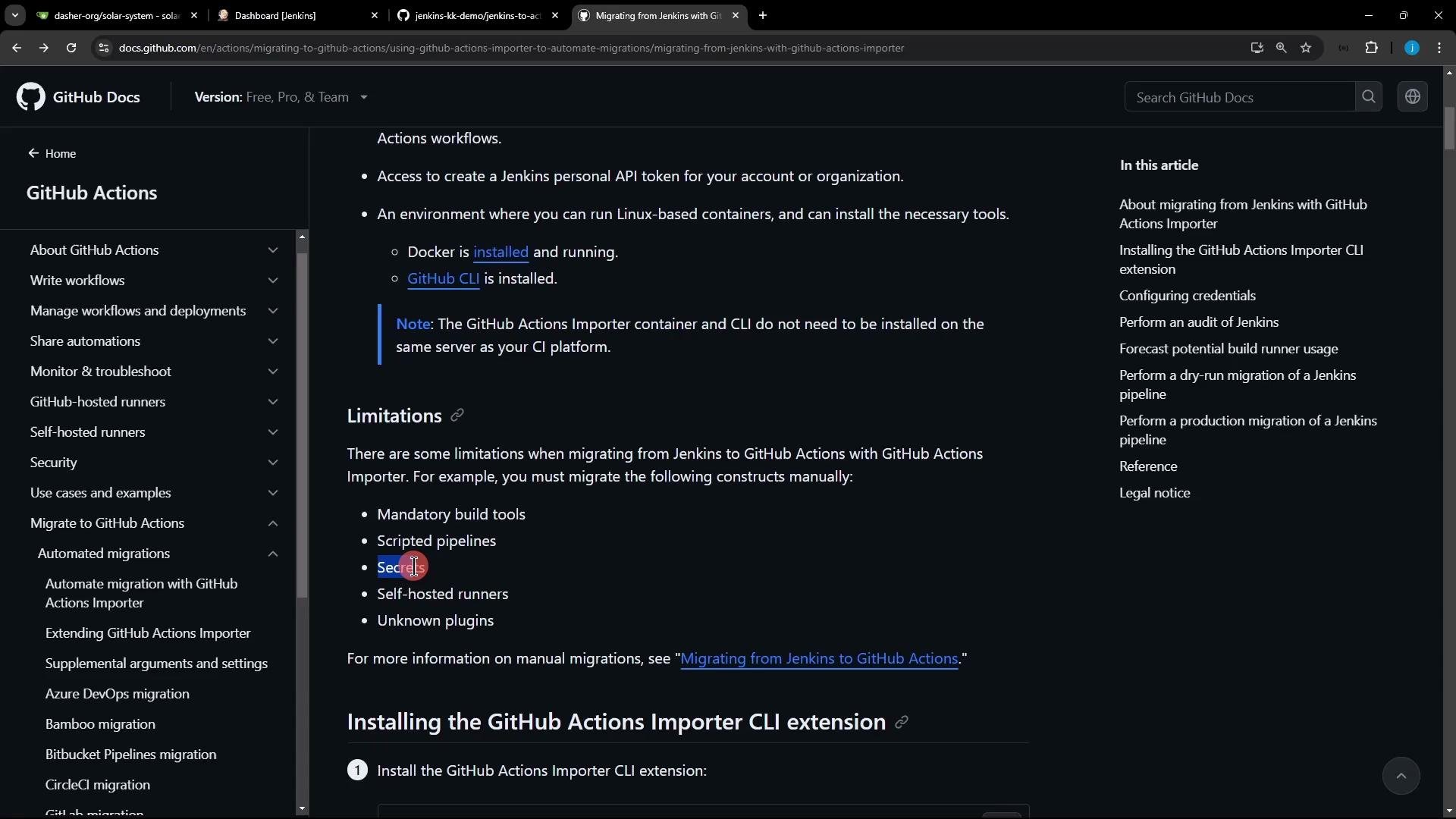
## Limitations
| Limitation | Impact |
| ------------------------------ | -------------------------------------------------------------------------------------- |
| Scripted Jenkins pipelines | Not supported — only declarative pipelines and many freestyle jobs are convertible. |
| Jenkins credentials/secrets | Not migrated; create corresponding GitHub Secrets manually. |
| Custom/unknown Jenkins plugins | Steps reliant on such plugins may not convert correctly and require manual adjustment. |
 Note: Keep access tokens secure — store them in a secrets manager or environment variables, not in plaintext inside repositories.
You will use the GitHub CLI (`gh`) plus the `gh-actions-importer` extension. The importer runs locally and calls both Jenkins and GitHub APIs, so it requires credentials for both systems (`JENKINS_USERNAME`, `JENKINS_ACCESS_TOKEN`, and a GitHub Personal Access Token with `workflow` scope).
## Install GitHub CLI and the Importer extension
Install GitHub CLI on Debian/Ubuntu (run as root or with `sudo`):
```bash theme={null}
# Install GitHub CLI on Debian/Ubuntu
(type -p wget >/dev/null || (sudo apt update && sudo apt-get install wget -y)) \
&& sudo mkdir -p -m 755 /etc/apt/keyrings \
&& wget -qO- https://cli.github.com/packages/githubcli-archive-keyring.gpg | sudo tee /etc/apt/keyrings/githubcli-archive-keyring.gpg \
&& sudo chmod go+r /etc/apt/keyrings/githubcli-archive-keyring.gpg \
&& echo "deb [arch=$(dpkg --print-architecture) signed-by=/etc/apt/keyrings/githubcli-archive-keyring.gpg] https://cli.github.com/packages stable main" | sudo tee /etc/apt/sources.list.d/github-cli.list > /dev/null \
&& sudo apt update \
&& sudo apt install gh -y
```
Install the GitHub Actions Importer extension:
```bash theme={null}
gh extension install github/gh-actions-importer
```
View the importer help:
```bash theme={null}
gh actions-importer -h
```
Sample (truncated) output:
```text theme={null}
Options:
-?, -h, --help Show help and usage information
Commands:
update Update to the latest version of GitHub Actions Importer.
version Display the version of GitHub Actions Importer.
configure Start an interactive prompt to configure credentials used to authenticate with your CI server(s).
audit Plan your CI/CD migration by analyzing your current CI/CD footprint.
forecast Forecast GitHub Actions usage from historical pipeline utilization.
dry-run Convert a pipeline to a GitHub Actions workflow and output its yaml file.
migrate Convert a pipeline and push a branch + create a pull request (see docs).
```
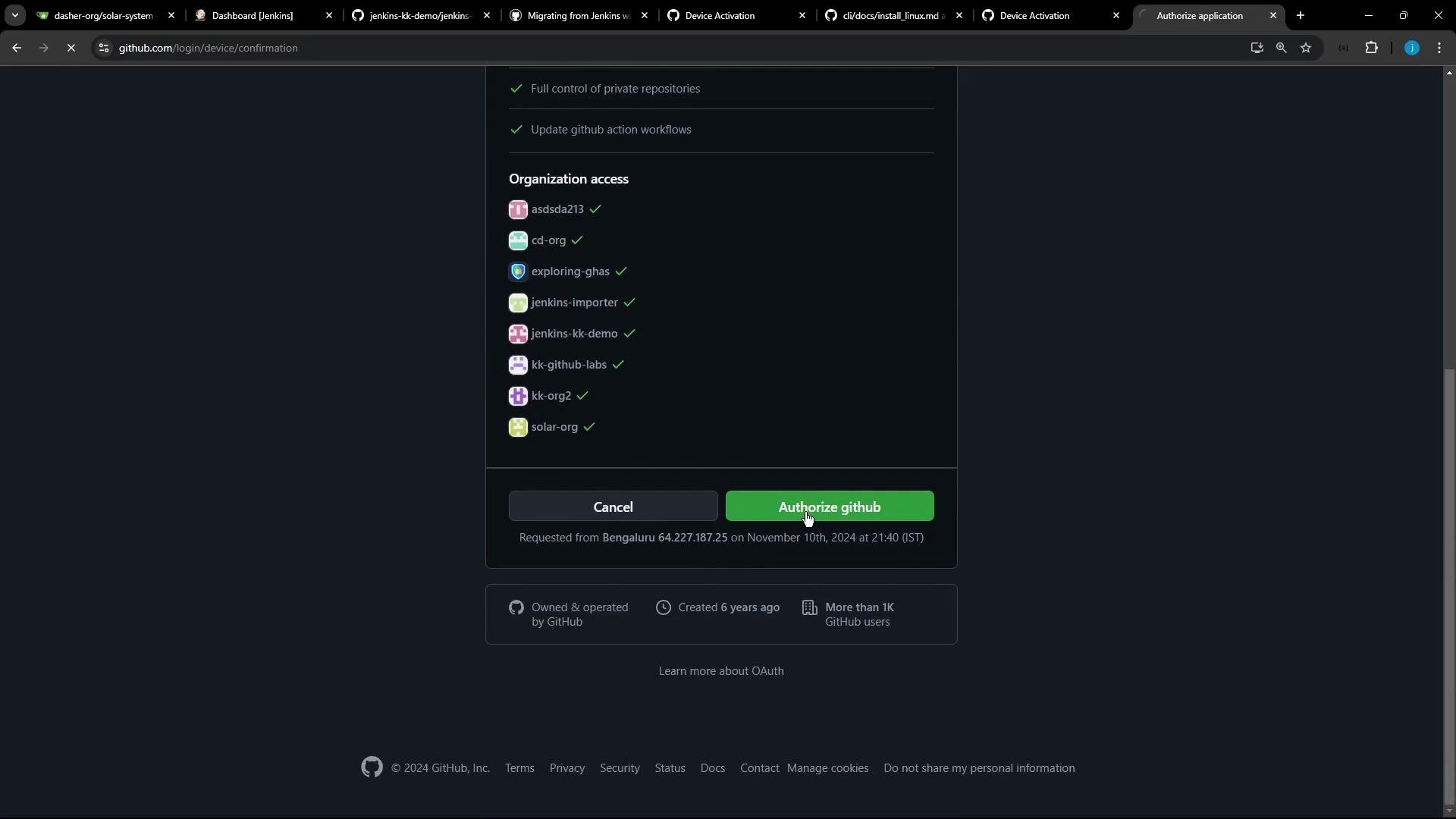
## Authenticate with `gh`
Log in and connect `gh` to your GitHub account:
```bash theme={null}
gh auth login
```
Follow the interactive prompts:
* Select `GitHub.com`.
* Use `HTTPS` for Git operations.
* Authenticate via browser (device/web flow).
After authorizing in the browser, `gh` will be linked to your account and allow the extension to push branches and create PRs.
Note: Keep access tokens secure — store them in a secrets manager or environment variables, not in plaintext inside repositories.
You will use the GitHub CLI (`gh`) plus the `gh-actions-importer` extension. The importer runs locally and calls both Jenkins and GitHub APIs, so it requires credentials for both systems (`JENKINS_USERNAME`, `JENKINS_ACCESS_TOKEN`, and a GitHub Personal Access Token with `workflow` scope).
## Install GitHub CLI and the Importer extension
Install GitHub CLI on Debian/Ubuntu (run as root or with `sudo`):
```bash theme={null}
# Install GitHub CLI on Debian/Ubuntu
(type -p wget >/dev/null || (sudo apt update && sudo apt-get install wget -y)) \
&& sudo mkdir -p -m 755 /etc/apt/keyrings \
&& wget -qO- https://cli.github.com/packages/githubcli-archive-keyring.gpg | sudo tee /etc/apt/keyrings/githubcli-archive-keyring.gpg \
&& sudo chmod go+r /etc/apt/keyrings/githubcli-archive-keyring.gpg \
&& echo "deb [arch=$(dpkg --print-architecture) signed-by=/etc/apt/keyrings/githubcli-archive-keyring.gpg] https://cli.github.com/packages stable main" | sudo tee /etc/apt/sources.list.d/github-cli.list > /dev/null \
&& sudo apt update \
&& sudo apt install gh -y
```
Install the GitHub Actions Importer extension:
```bash theme={null}
gh extension install github/gh-actions-importer
```
View the importer help:
```bash theme={null}
gh actions-importer -h
```
Sample (truncated) output:
```text theme={null}
Options:
-?, -h, --help Show help and usage information
Commands:
update Update to the latest version of GitHub Actions Importer.
version Display the version of GitHub Actions Importer.
configure Start an interactive prompt to configure credentials used to authenticate with your CI server(s).
audit Plan your CI/CD migration by analyzing your current CI/CD footprint.
forecast Forecast GitHub Actions usage from historical pipeline utilization.
dry-run Convert a pipeline to a GitHub Actions workflow and output its yaml file.
migrate Convert a pipeline and push a branch + create a pull request (see docs).
```
## Authenticate with `gh`
Log in and connect `gh` to your GitHub account:
```bash theme={null}
gh auth login
```
Follow the interactive prompts:
* Select `GitHub.com`.
* Use `HTTPS` for Git operations.
* Authenticate via browser (device/web flow).
After authorizing in the browser, `gh` will be linked to your account and allow the extension to push branches and create PRs.
 ## Configure GitHub Actions Importer credentials
Run the importer’s interactive configuration to store credentials used during migration:
```bash theme={null}
gh actions-importer configure
```
When prompted, provide:
* GitHub Personal Access Token (classic) — include `workflow` scope (and `repo` if needed).
* Jenkins username and Jenkins API token.
* Base URLs for GitHub (`https://github.com`) and your Jenkins instance.
How to get tokens
* Generate a GitHub token: Settings → Developer settings → Personal access tokens → Tokens (classic) → Generate new token (classic). See GitHub docs: [https://docs.github.com/en/authentication/keeping-your-account-and-data-secure/creating-a-personal-access-token](https://docs.github.com/en/authentication/keeping-your-account-and-data-secure/creating-a-personal-access-token).
* Generate a Jenkins API token: User → Configure → Add new API token in Jenkins. See Jenkins docs: [https://www.jenkins.io/doc/book/managing/creating-api-tokens/](https://www.jenkins.io/doc/book/managing/creating-api-tokens/). Copy tokens immediately — Jenkins shows API tokens only once.
## Configure GitHub Actions Importer credentials
Run the importer’s interactive configuration to store credentials used during migration:
```bash theme={null}
gh actions-importer configure
```
When prompted, provide:
* GitHub Personal Access Token (classic) — include `workflow` scope (and `repo` if needed).
* Jenkins username and Jenkins API token.
* Base URLs for GitHub (`https://github.com`) and your Jenkins instance.
How to get tokens
* Generate a GitHub token: Settings → Developer settings → Personal access tokens → Tokens (classic) → Generate new token (classic). See GitHub docs: [https://docs.github.com/en/authentication/keeping-your-account-and-data-secure/creating-a-personal-access-token](https://docs.github.com/en/authentication/keeping-your-account-and-data-secure/creating-a-personal-access-token).
* Generate a Jenkins API token: User → Configure → Add new API token in Jenkins. See Jenkins docs: [https://www.jenkins.io/doc/book/managing/creating-api-tokens/](https://www.jenkins.io/doc/book/managing/creating-api-tokens/). Copy tokens immediately — Jenkins shows API tokens only once.
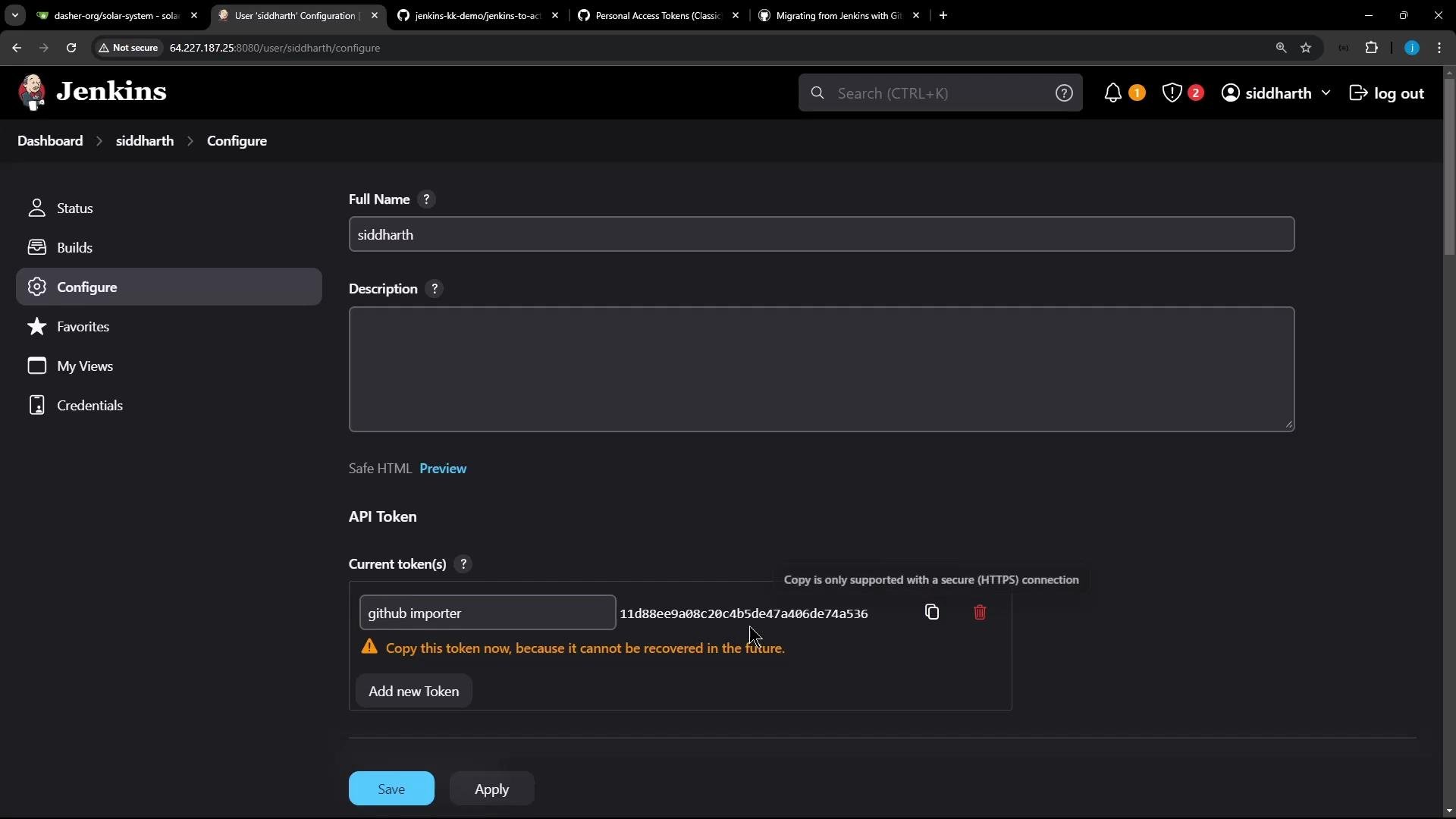 The `configure` command writes environment variables used by the importer (`JENKINS_USERNAME`, `JENKINS_ACCESS_TOKEN`, `GITHUB_TOKEN`, etc.), so subsequent commands can access Jenkins and GitHub.
## Update the importer image
Before running conversions, update the importer container image:
```bash theme={null}
gh actions-importer update
```
Expected output:
```text theme={null}
Updating ghcr.io/actions-importer/cli:latest...
ghcr.io/actions-importer/cli:latest up-to-date
```
## Audit and forecast (optional)
* `gh actions-importer audit` enumerates discovered Jenkins jobs and reports conversion readiness.
* `gh actions-importer forecast` estimates GitHub Actions runtime usage based on historical builds (Jenkins may need plugins to expose build history).
Example audit:
```bash theme={null}
gh actions-importer audit jenkins --output-dir tmp/audit
```
This walkthrough skips audit/forecast and proceeds to converting a job using `dry-run`.
## Dry-run: convert a Jenkins job to a workflow YAML
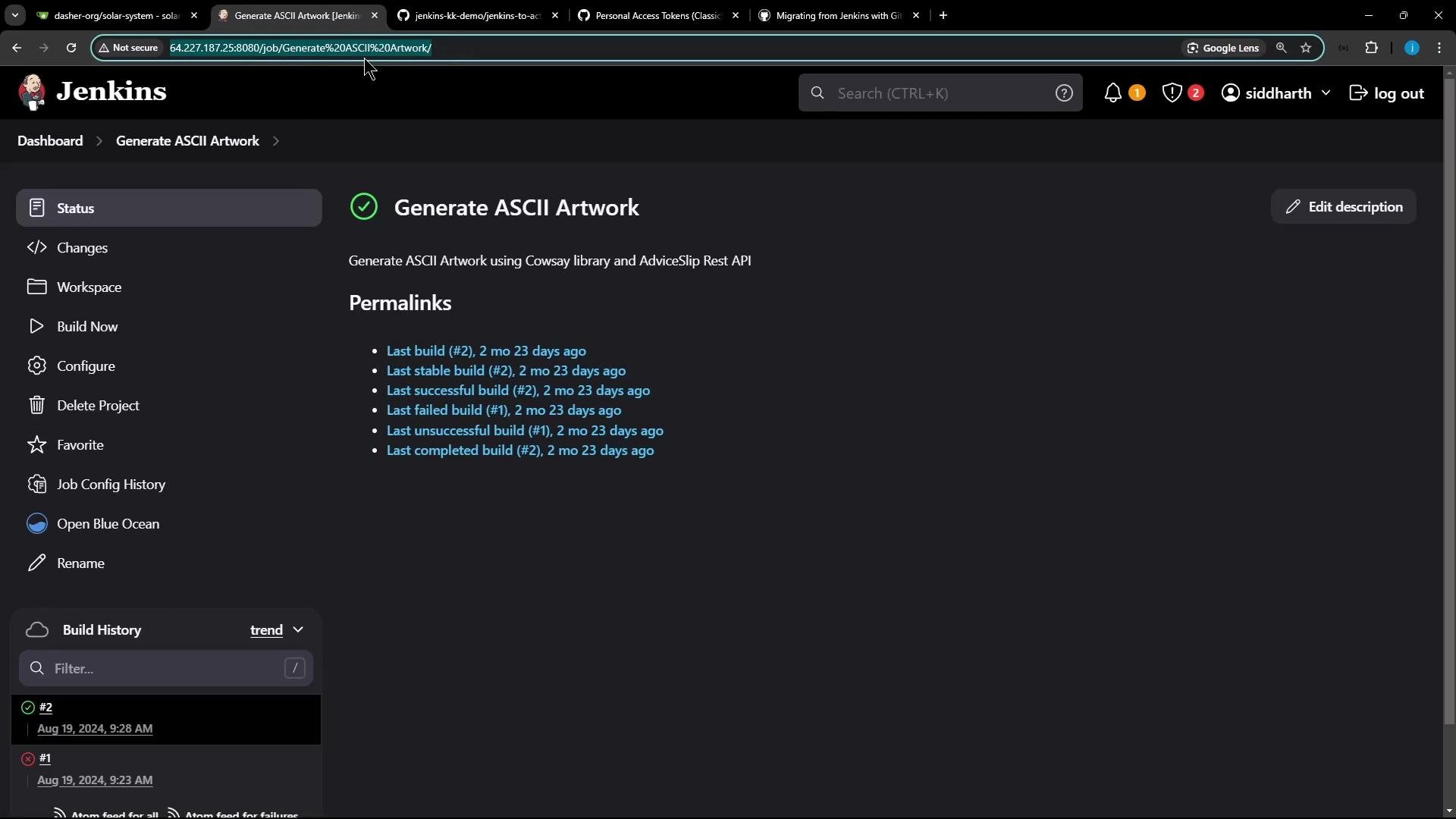
Use `dry-run` to convert a single Jenkins job and write the generated workflow YAML to a directory. Replace the `--source-url` with your Jenkins job URL:
```bash theme={null}
gh actions-importer dry-run jenkins \
--source-url "http://64.227.187.25:8080/job/Generate%20ASCII%20Artwork/" \
--output-dir tmp/dry-run
```
Authentication errors example:
```text theme={null}
There was an error extracting the Jenkins pipeline (http://64.227.187.25:8080/job/Generate%20ASCII%20Artwork/)
Message: Unable to fetch pipeline configuration for 'Generate ASCII Artwork'
Unable to authenticate. Please verify the `JENKINS_ACCESS_TOKEN` and `JENKINS_USERNAME` variables are set to values that have access to the jobs being converted.
(GET 401) Unauthorized: http://64.227.187.25:8080/job/Generate%20ASCII%20Artwork/config.xml
```
If you see authentication failures, re-generate or re-enter the Jenkins API token with `gh actions-importer configure` and retry.
Example of the generated workflow YAML from `dry-run` (excerpt):
```yaml theme={null}
name: Generate_ASCII_Artwork
on:
workflow_dispatch:
env:
# TimestamperBuildWrapper was not converted because the behavior is available by default in GitHub Actions and/or it is not configurable
jobs:
build:
runs-on:
- ubuntu-latest
steps:
- name: checkout
uses: actions/checkout@v4.1.0
- name: run command
shell: bash
run: |-
# Build a message by invoking ADVICESLIP API
curl -s https://api.adviceslip.com/advice > advice.json
cat advice.json
# Test to make sure the advice message has more than 5 words.
cat advice.json | jq -r .slip.advice > advice.message
[ $(wc -w < advice.message) -gt 5 ] && echo "Advice has more than 5 words" || (echo "Advice - $(cat advice.message) has 5 words or less" && exit 1)
# Deploy
sudo apt-get install cowsay -y
export PATH="$PATH:/usr/games:/usr/local/games"
cat advice.message | cowsay -f $(ls /usr/share/cowsay/cows | shuf -n 1)
```
This output shows:
* The importer created a workflow named `Generate_ASCII_Artwork`.
* It uses `workflow_dispatch` (manual run) and a `build` job on `ubuntu-latest`.
* The job includes `actions/checkout` and shell commands ported from the original Jenkins job.
## Migrate: create a branch and pull request in GitHub
To push the generated workflow into a repository and open a PR, use `migrate`. Provide the Jenkins source URL and the GitHub target repository:
```bash theme={null}
gh actions-importer migrate jenkins \
--source-url "http://64.227.187.25:8080/job/Generate%20ASCII%20Artwork/" \
--target-url "https://github.com/your-org/your-repo" \
--output-dir tmp/migrate
```
Successful example output:
```text theme={null}
[...]
Logs: 'tmp/migrate/log/actions-importer-20220916-014033.log'
Pull request: 'https://github.com/your-org/your-repo/pull/1'
```
What `migrate` does:
* Creates a branch.
* Commits `.github/workflows/.yml`.
* Opens a pull request in the target repository.
Representative diff created by the importer (excerpt):
```diff theme={null}
+ name: Generate_ASCII_Artwork
+ on:
+ workflow_dispatch:
+ env:
+ # TimestamperBuildWrapper was not converted because the behavior is available by default in
+ # GitHub Actions and/or it is not configurable
+ jobs:
+ build:
+ runs-on:
+ - ubuntu-latest
+ steps:
+ - name: checkout
+ uses: actions/checkout@v4.1.0
+ - name: run command
+ shell: bash
+ run: |-
+ # Build a message by invoking ADVICESLIP API
+ curl -s https://api.adviceslip.com/advice > advice.json
+ ...
```
Review the PR, make any necessary changes (see next section), and then merge the PR to add the workflow to the repository.
## Adjust the workflow if needed and run
Common adjustments after conversion:
* Remove or populate an empty `env:` block (empty `env:` can trigger YAML validation errors).
* Add triggers such as `push:` if you want the workflow to run automatically on push events.
* Install missing packages with `apt-get update` before `apt-get install` to avoid cache errors.
* Replace `sudo apt-get install cowsay -y` with an `apt-get update` + `apt-get install -y cowsay` sequence.
Example corrected workflow used in this walkthrough:
```yaml theme={null}
name: Generate_ASCII_Artwork
on:
push:
workflow_dispatch:
jobs:
build:
runs-on: ubuntu-latest
steps:
- name: checkout
uses: actions/checkout@v4.1.0
- name: run command
shell: bash
run: |
# Build a message by invoking ADVICESLIP API
curl -s https://api.adviceslip.com/advice > advice.json
cat advice.json
# Test to make sure the advice message has more than 5 words.
cat advice.json | jq -r .slip.advice > advice.message
[ $(wc -w < advice.message) -gt 5 ] && echo "Advice has more than 5 words" || (echo "Advice - $(cat advice.message) has 5 words or less" && exit 1)
# Deploy
sudo apt-get update
sudo apt-get install -y cowsay
export PATH="$PATH:/usr/games:/usr/local/games"
cat advice.message | cowsay -f $(ls /usr/share/cowsay/cows | shuf -n 1)
```
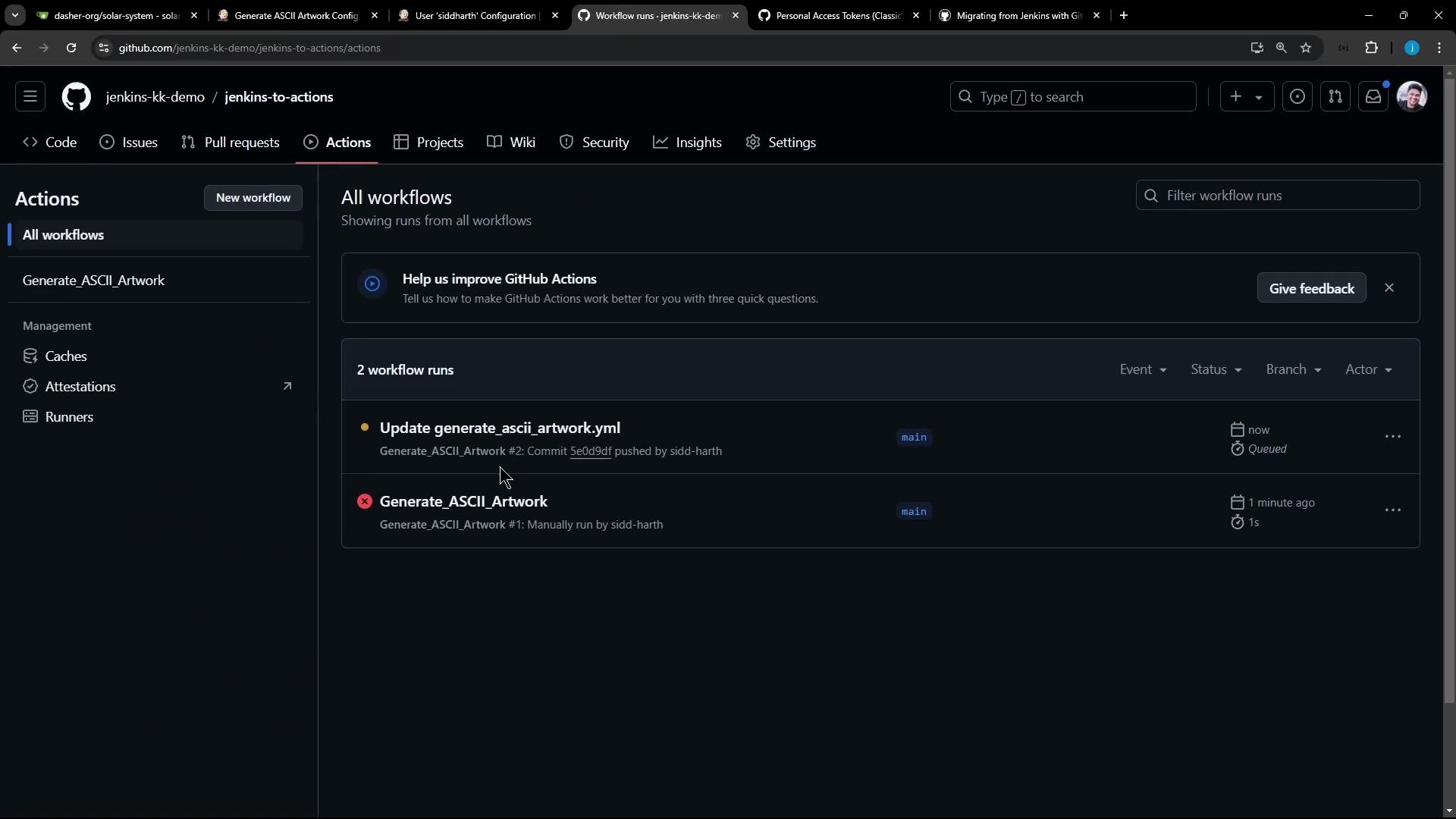
After merging and committing the final YAML:
* Trigger the workflow by pushing changes or using the Actions UI to run a `workflow_dispatch`.
* Monitor the run logs in the Actions tab.
The `configure` command writes environment variables used by the importer (`JENKINS_USERNAME`, `JENKINS_ACCESS_TOKEN`, `GITHUB_TOKEN`, etc.), so subsequent commands can access Jenkins and GitHub.
## Update the importer image
Before running conversions, update the importer container image:
```bash theme={null}
gh actions-importer update
```
Expected output:
```text theme={null}
Updating ghcr.io/actions-importer/cli:latest...
ghcr.io/actions-importer/cli:latest up-to-date
```
## Audit and forecast (optional)
* `gh actions-importer audit` enumerates discovered Jenkins jobs and reports conversion readiness.
* `gh actions-importer forecast` estimates GitHub Actions runtime usage based on historical builds (Jenkins may need plugins to expose build history).
Example audit:
```bash theme={null}
gh actions-importer audit jenkins --output-dir tmp/audit
```
This walkthrough skips audit/forecast and proceeds to converting a job using `dry-run`.
## Dry-run: convert a Jenkins job to a workflow YAML
Use `dry-run` to convert a single Jenkins job and write the generated workflow YAML to a directory. Replace the `--source-url` with your Jenkins job URL:
```bash theme={null}
gh actions-importer dry-run jenkins \
--source-url "http://64.227.187.25:8080/job/Generate%20ASCII%20Artwork/" \
--output-dir tmp/dry-run
```
Authentication errors example:
```text theme={null}
There was an error extracting the Jenkins pipeline (http://64.227.187.25:8080/job/Generate%20ASCII%20Artwork/)
Message: Unable to fetch pipeline configuration for 'Generate ASCII Artwork'
Unable to authenticate. Please verify the `JENKINS_ACCESS_TOKEN` and `JENKINS_USERNAME` variables are set to values that have access to the jobs being converted.
(GET 401) Unauthorized: http://64.227.187.25:8080/job/Generate%20ASCII%20Artwork/config.xml
```
If you see authentication failures, re-generate or re-enter the Jenkins API token with `gh actions-importer configure` and retry.
Example of the generated workflow YAML from `dry-run` (excerpt):
```yaml theme={null}
name: Generate_ASCII_Artwork
on:
workflow_dispatch:
env:
# TimestamperBuildWrapper was not converted because the behavior is available by default in GitHub Actions and/or it is not configurable
jobs:
build:
runs-on:
- ubuntu-latest
steps:
- name: checkout
uses: actions/checkout@v4.1.0
- name: run command
shell: bash
run: |-
# Build a message by invoking ADVICESLIP API
curl -s https://api.adviceslip.com/advice > advice.json
cat advice.json
# Test to make sure the advice message has more than 5 words.
cat advice.json | jq -r .slip.advice > advice.message
[ $(wc -w < advice.message) -gt 5 ] && echo "Advice has more than 5 words" || (echo "Advice - $(cat advice.message) has 5 words or less" && exit 1)
# Deploy
sudo apt-get install cowsay -y
export PATH="$PATH:/usr/games:/usr/local/games"
cat advice.message | cowsay -f $(ls /usr/share/cowsay/cows | shuf -n 1)
```
This output shows:
* The importer created a workflow named `Generate_ASCII_Artwork`.
* It uses `workflow_dispatch` (manual run) and a `build` job on `ubuntu-latest`.
* The job includes `actions/checkout` and shell commands ported from the original Jenkins job.
## Migrate: create a branch and pull request in GitHub
To push the generated workflow into a repository and open a PR, use `migrate`. Provide the Jenkins source URL and the GitHub target repository:
```bash theme={null}
gh actions-importer migrate jenkins \
--source-url "http://64.227.187.25:8080/job/Generate%20ASCII%20Artwork/" \
--target-url "https://github.com/your-org/your-repo" \
--output-dir tmp/migrate
```
Successful example output:
```text theme={null}
[...]
Logs: 'tmp/migrate/log/actions-importer-20220916-014033.log'
Pull request: 'https://github.com/your-org/your-repo/pull/1'
```
What `migrate` does:
* Creates a branch.
* Commits `.github/workflows/.yml`.
* Opens a pull request in the target repository.
Representative diff created by the importer (excerpt):
```diff theme={null}
+ name: Generate_ASCII_Artwork
+ on:
+ workflow_dispatch:
+ env:
+ # TimestamperBuildWrapper was not converted because the behavior is available by default in
+ # GitHub Actions and/or it is not configurable
+ jobs:
+ build:
+ runs-on:
+ - ubuntu-latest
+ steps:
+ - name: checkout
+ uses: actions/checkout@v4.1.0
+ - name: run command
+ shell: bash
+ run: |-
+ # Build a message by invoking ADVICESLIP API
+ curl -s https://api.adviceslip.com/advice > advice.json
+ ...
```
Review the PR, make any necessary changes (see next section), and then merge the PR to add the workflow to the repository.
## Adjust the workflow if needed and run
Common adjustments after conversion:
* Remove or populate an empty `env:` block (empty `env:` can trigger YAML validation errors).
* Add triggers such as `push:` if you want the workflow to run automatically on push events.
* Install missing packages with `apt-get update` before `apt-get install` to avoid cache errors.
* Replace `sudo apt-get install cowsay -y` with an `apt-get update` + `apt-get install -y cowsay` sequence.
Example corrected workflow used in this walkthrough:
```yaml theme={null}
name: Generate_ASCII_Artwork
on:
push:
workflow_dispatch:
jobs:
build:
runs-on: ubuntu-latest
steps:
- name: checkout
uses: actions/checkout@v4.1.0
- name: run command
shell: bash
run: |
# Build a message by invoking ADVICESLIP API
curl -s https://api.adviceslip.com/advice > advice.json
cat advice.json
# Test to make sure the advice message has more than 5 words.
cat advice.json | jq -r .slip.advice > advice.message
[ $(wc -w < advice.message) -gt 5 ] && echo "Advice has more than 5 words" || (echo "Advice - $(cat advice.message) has 5 words or less" && exit 1)
# Deploy
sudo apt-get update
sudo apt-get install -y cowsay
export PATH="$PATH:/usr/games:/usr/local/games"
cat advice.message | cowsay -f $(ls /usr/share/cowsay/cows | shuf -n 1)
```
After merging and committing the final YAML:
* Trigger the workflow by pushing changes or using the Actions UI to run a `workflow_dispatch`.
* Monitor the run logs in the Actions tab.
 Example run log excerpt (shows API response and cowsay output):
```text theme={null}
{"slip": {"id": 13, "advice": "If you're feeling tired or anxious, a pint of water will almost always make you feel better."}}
Advice has more than 5 words
...
Setting up cowsay (3.03+dfsg2-8) ...
...
/ If you're feeling tired or anxious, a \
| pint of water will almost always make |
\ you feel better. /
----------------------------------------
\
\ ,__,
(oo)\_______
(__)\ )\/\
||----w |
|| |
```
## Summary / Checklist
* Install `gh` and add the `gh-actions-importer` extension.
* Authenticate `gh` and configure the importer (`gh actions-importer configure`) with GitHub and Jenkins credentials.
* Use `gh actions-importer dry-run` to preview the generated workflow YAML before pushing changes.
* Use `gh actions-importer migrate` to create a branch and open a PR with `.github/workflows/.yml`.
* Review and adjust triggers, `env`, package installation steps, and replace any plugin-specific Jenkins steps with suitable Actions.
* Recreate Jenkins secrets as GitHub Secrets — the importer does not migrate secrets.
The importer cannot convert scripted Jenkins pipelines, Jenkins credentials/secrets, or steps that depend on custom/unknown plugins. Plan to re-create secrets in GitHub and manually validate plugin-dependent steps in the resulting workflow.
## Links and references
* GitHub CLI: [https://cli.github.com/](https://cli.github.com/)
* GitHub Actions Importer: [https://github.com/github/gh-actions-importer](https://github.com/github/gh-actions-importer)
* Create a GitHub Personal Access Token (classic): [https://docs.github.com/en/authentication/keeping-your-account-and-data-secure/creating-a-personal-access-token](https://docs.github.com/en/authentication/keeping-your-account-and-data-secure/creating-a-personal-access-token)
* Jenkins API tokens: [https://www.jenkins.io/doc/book/managing/creating-api-tokens/](https://www.jenkins.io/doc/book/managing/creating-api-tokens/)
That’s it — the GitHub Actions Importer streamlines converting declarative Jenkins pipelines and many freestyle jobs into GitHub Actions workflows, but expect to review and fine-tune converted workflows and recreate secrets in GitHub.
Example run log excerpt (shows API response and cowsay output):
```text theme={null}
{"slip": {"id": 13, "advice": "If you're feeling tired or anxious, a pint of water will almost always make you feel better."}}
Advice has more than 5 words
...
Setting up cowsay (3.03+dfsg2-8) ...
...
/ If you're feeling tired or anxious, a \
| pint of water will almost always make |
\ you feel better. /
----------------------------------------
\
\ ,__,
(oo)\_______
(__)\ )\/\
||----w |
|| |
```
## Summary / Checklist
* Install `gh` and add the `gh-actions-importer` extension.
* Authenticate `gh` and configure the importer (`gh actions-importer configure`) with GitHub and Jenkins credentials.
* Use `gh actions-importer dry-run` to preview the generated workflow YAML before pushing changes.
* Use `gh actions-importer migrate` to create a branch and open a PR with `.github/workflows/.yml`.
* Review and adjust triggers, `env`, package installation steps, and replace any plugin-specific Jenkins steps with suitable Actions.
* Recreate Jenkins secrets as GitHub Secrets — the importer does not migrate secrets.
The importer cannot convert scripted Jenkins pipelines, Jenkins credentials/secrets, or steps that depend on custom/unknown plugins. Plan to re-create secrets in GitHub and manually validate plugin-dependent steps in the resulting workflow.
## Links and references
* GitHub CLI: [https://cli.github.com/](https://cli.github.com/)
* GitHub Actions Importer: [https://github.com/github/gh-actions-importer](https://github.com/github/gh-actions-importer)
* Create a GitHub Personal Access Token (classic): [https://docs.github.com/en/authentication/keeping-your-account-and-data-secure/creating-a-personal-access-token](https://docs.github.com/en/authentication/keeping-your-account-and-data-secure/creating-a-personal-access-token)
* Jenkins API tokens: [https://www.jenkins.io/doc/book/managing/creating-api-tokens/](https://www.jenkins.io/doc/book/managing/creating-api-tokens/)
That’s it — the GitHub Actions Importer streamlines converting declarative Jenkins pipelines and many freestyle jobs into GitHub Actions workflows, but expect to review and fine-tune converted workflows and recreate secrets in GitHub.