> ## Documentation Index
> Fetch the complete documentation index at: https://notes.kodekloud.com/llms.txt
> Use this file to discover all available pages before exploring further.
# Pipeline Durability
> Explains Jenkins Pipeline durability modes, trade-offs between resumability and performance, configuration scopes, and recommendations for choosing maximum survivability or performance optimized
What is pipeline durability?
Pipeline durability in Jenkins determines how much in-memory execution state a Pipeline persists to disk during its run. This persisted state enables a Pipeline to resume after an unexpected Jenkins restart (resumability), but writing more state to disk increases disk I/O and can impact performance for Pipelines with many steps. Durability settings let you balance resumability against runtime throughput.
Pipeline durability affects whether a Pipeline can recover after an unclean shutdown. Choose settings based on the criticality of the job: production deployments typically favor durability, high-throughput workloads may favor performance.
Why this matters (SEO keywords): Jenkins pipeline durability, resumable pipelines, pipeline speed vs durability, Jenkins restart recovery.
Durability options
| Mode | Description | When to use |
| ----------------------- | -------------------------------------------------------------------------------------------------------------------------------------------------- | ------------------------------------------------------------------------------------------------------- |
| `PERFORMANCE_OPTIMIZED` | Minimizes disk I/O for better performance. May lose state on unclean shutdowns and the Pipeline cannot resume. | High-throughput feature branches or short-lived jobs where occasional restart loss is acceptable. |
| `SURVIVABLE_NON_ATOMIC` | Middle-ground. Preserves more state than performance-optimized while attempting to reduce I/O. | Typical development workflows that need some resiliency without the full cost of maximum survivability. |
| `MAX_SURVIVABILITY` | Most conservative: persists the most state to disk, giving the best chance of resuming after an unclean shutdown. Slower due to frequent disk I/O. | Critical pipelines (production deployments, infrastructure changes, long-running jobs). |
Where to change durability settings
You can configure durability in three scopes: global (affects all Pipelines by default), per-pipeline job, and per-branch for multibranch or organization folders.
| Scope | How to change | Notes |
| -------------------- | ------------------------------------------------------------------------------------------------------ | ----------------------------------------------------------------------------------------------------- |
| Global | Manage Jenkins → System → Pipeline Speed / Durability | Sets the default for new and existing Pipelines unless overridden. |
| Multibranch / Branch | Multibranch project or Organization folder → Configuration → Branch pipeline speed/durability override | Useful to set `main`/`master` to `MAX_SURVIVABILITY` and feature branches to `PERFORMANCE_OPTIMIZED`. |
| Pipeline job | Pipeline job configuration → Pipeline Speed / Durability | Job-level setting overrides the global default. |
Global setting
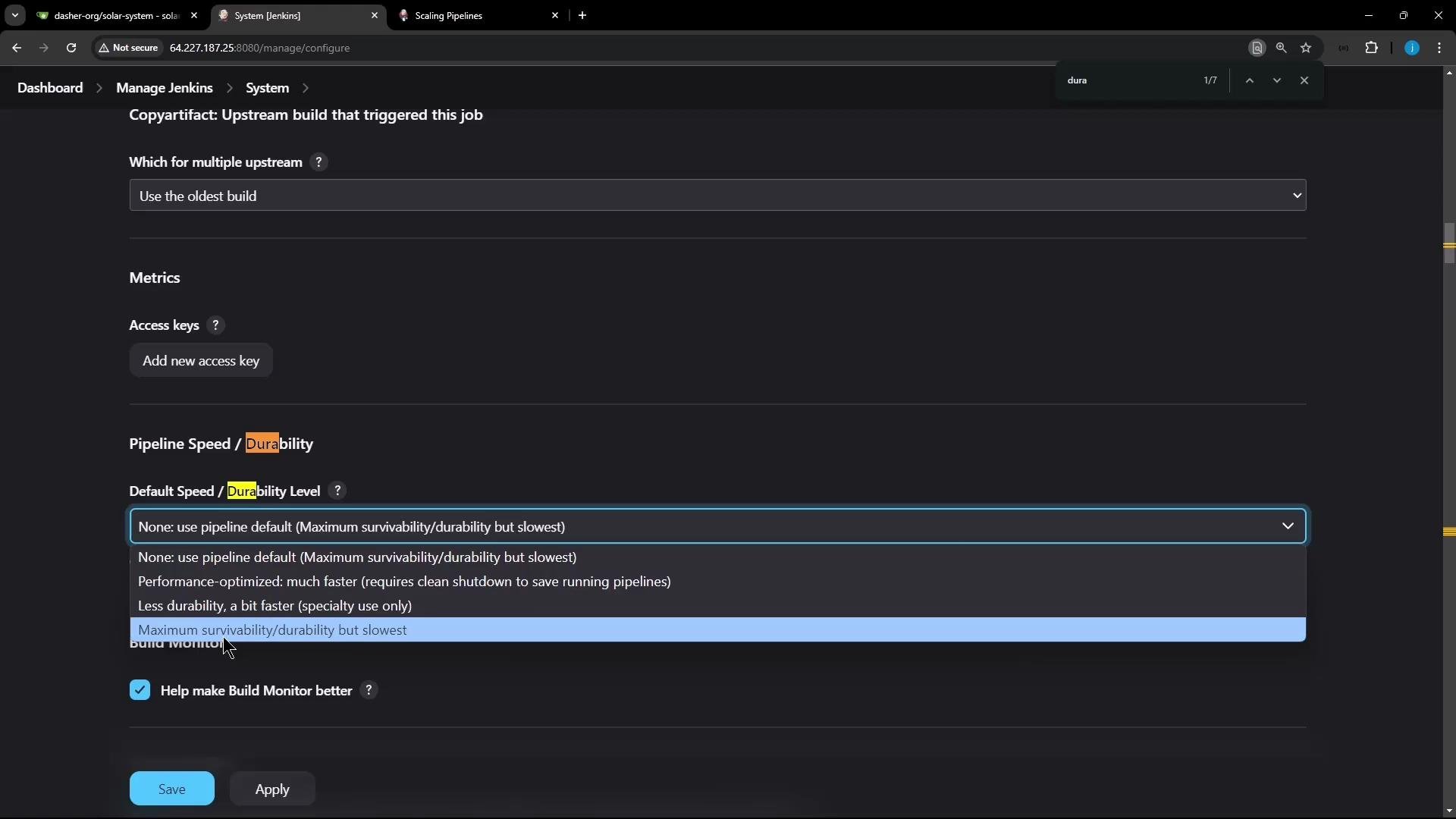
Change the default for all Pipelines in Jenkins via: Manage Jenkins → System → Pipeline Speed / Durability. The global default is `MAX_SURVIVABILITY`, but you can change it to `PERFORMANCE_OPTIMIZED` or `SURVIVABLE_NON_ATOMIC` as needed.
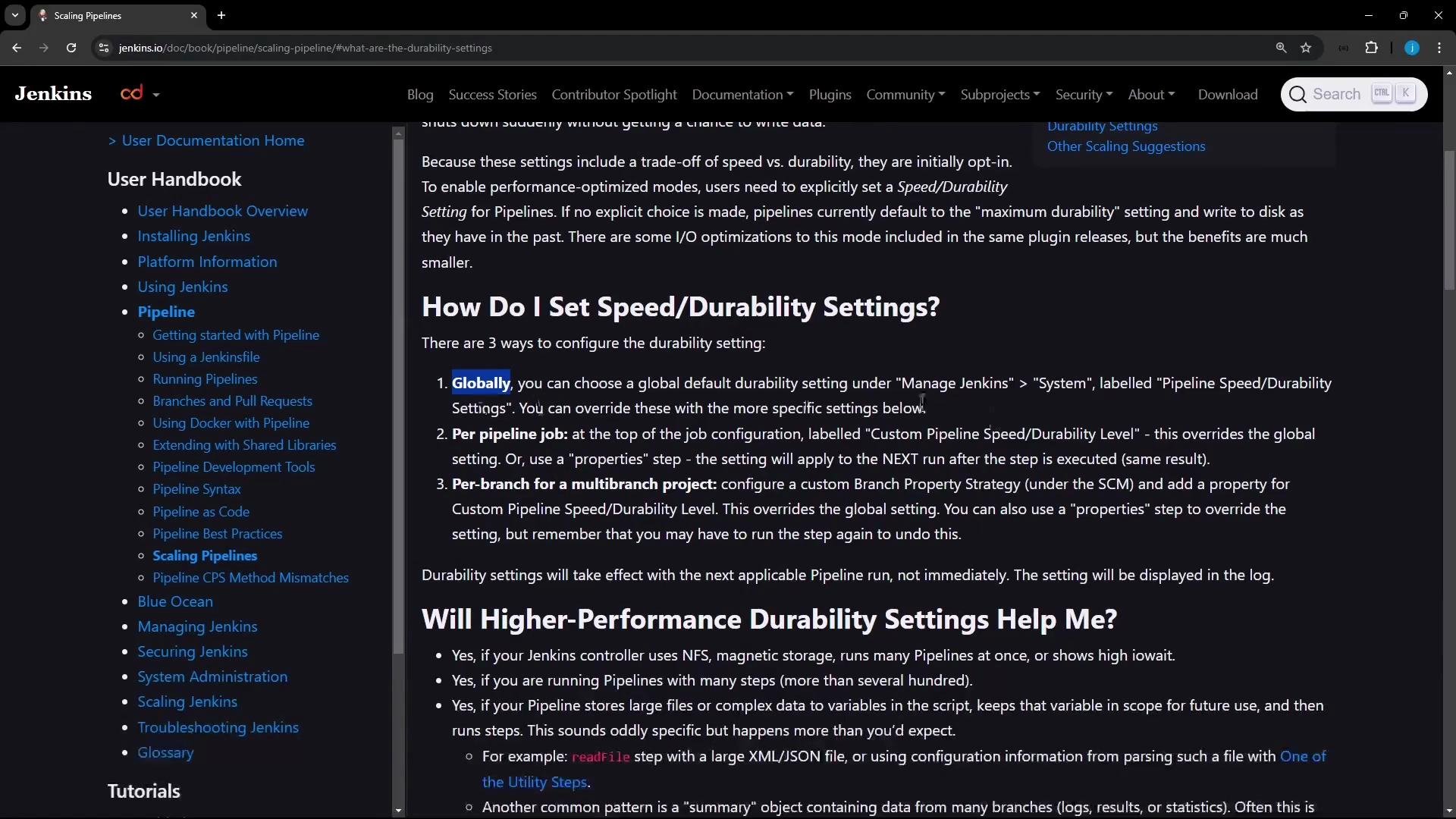 The global default can be changed from the dropdown in the System configuration.
 Multibranch / branch-level setting
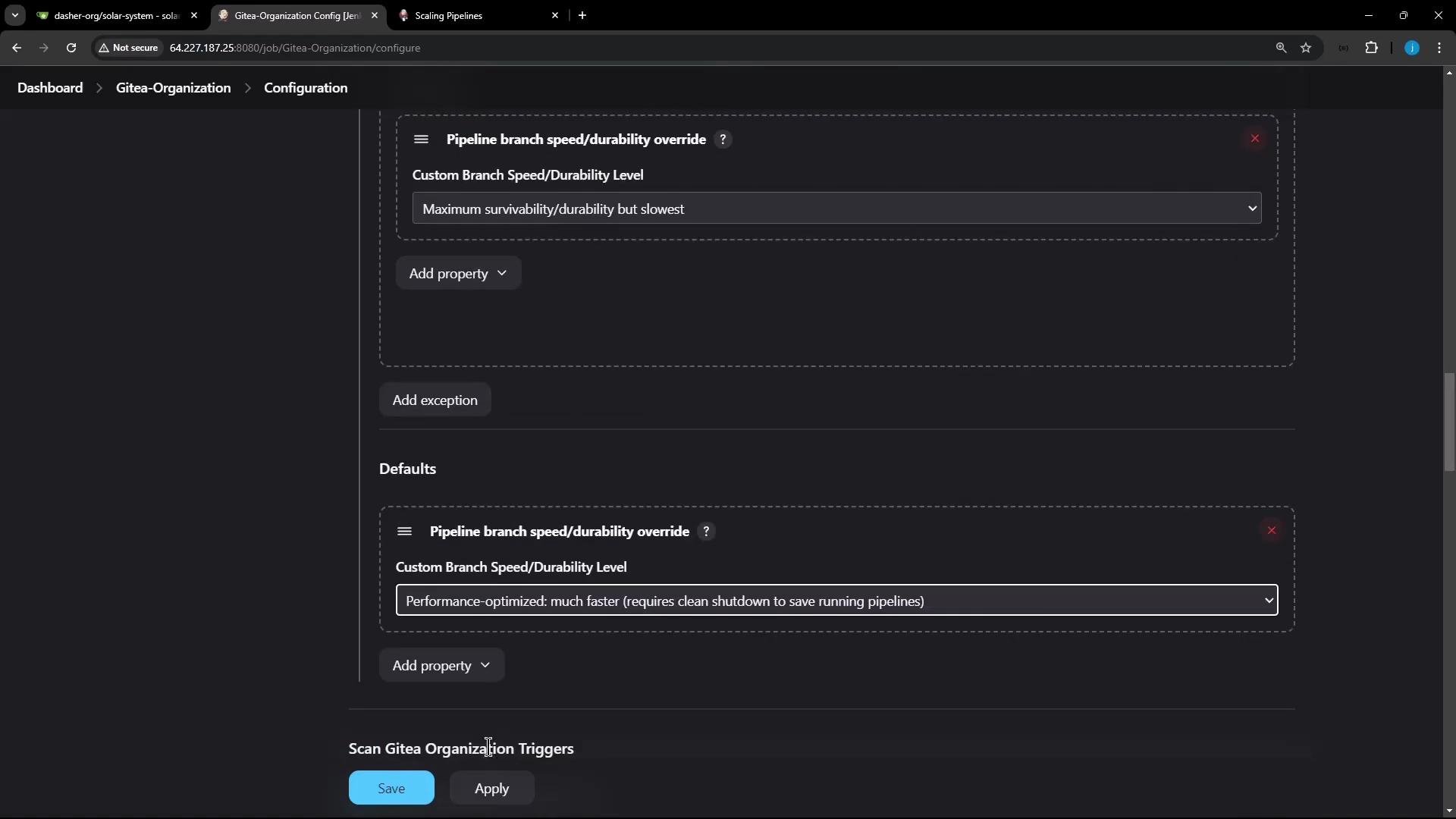
For multibranch projects or organization folders, you can override durability per branch. A common pattern is to set `main` or `master` to `MAX_SURVIVABILITY` while using `PERFORMANCE_OPTIMIZED` for short-lived feature branches.
Multibranch / branch-level setting
For multibranch projects or organization folders, you can override durability per branch. A common pattern is to set `main` or `master` to `MAX_SURVIVABILITY` while using `PERFORMANCE_OPTIMIZED` for short-lived feature branches.
 Pipeline job-level setting
You can also set durability per Pipeline job in the Pipeline configuration UI. This setting overrides the global default for that specific job — useful when individual jobs have differing resiliency requirements.
Example: durability test Pipeline
This simple Pipeline writes a number to a file once per second for 600 iterations. It's designed to demonstrate resumability behavior under different durability settings.
```groovy theme={null}
pipeline {
agent any
stages {
stage('For Loop - Durability Test') {
steps {
script {
sh 'touch numbers.txt'
for (int i = 0; i < 600; i++) {
sh "echo ${i + 1} >> numbers.txt"
sleep 1
}
}
}
}
}
}
```
Run the job with MAX\_SURVIVABILITY
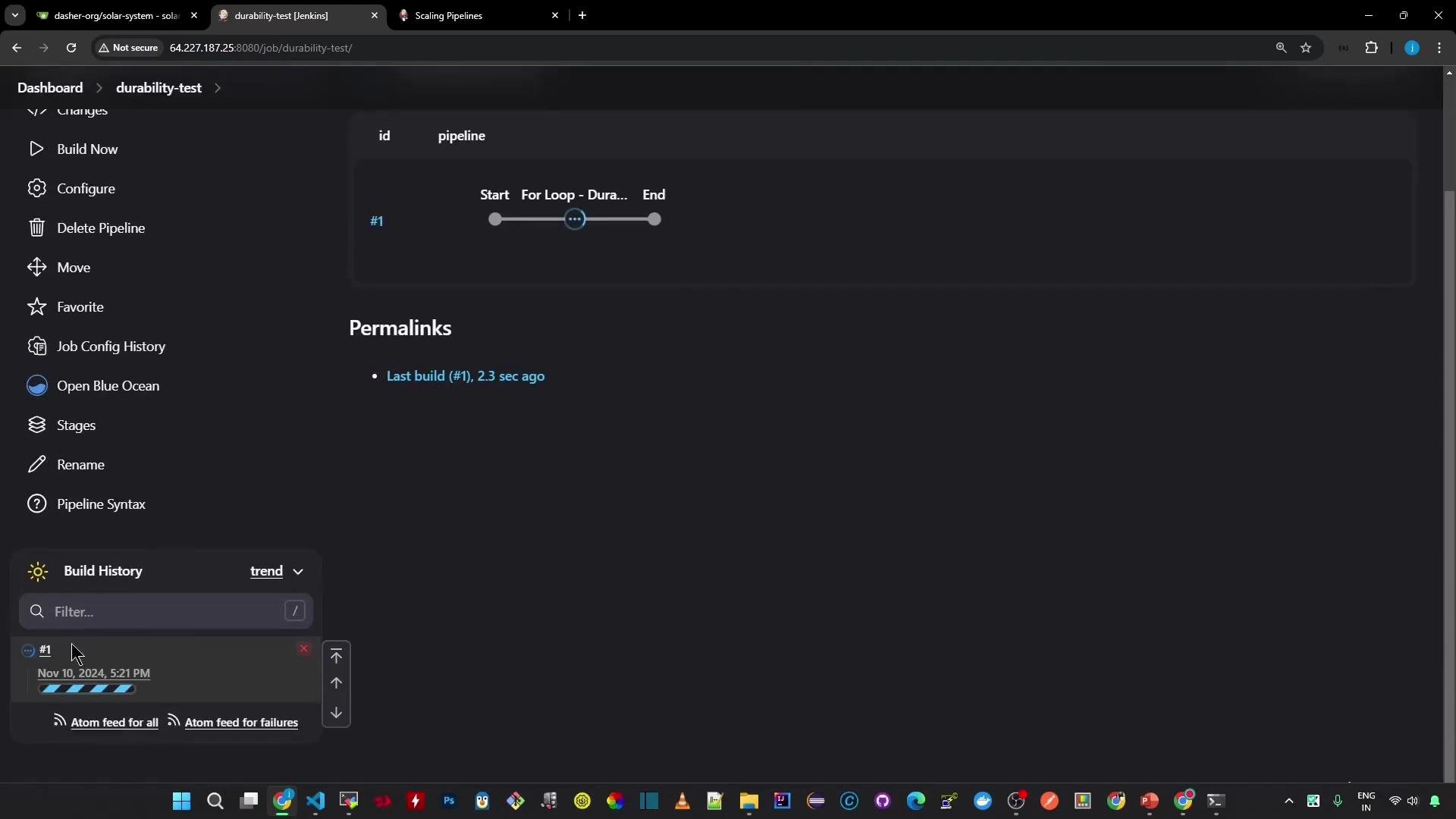
With the job set to Maximum survivability, Jenkins persists enough state for the Pipeline to resume after an unclean restart. Start the build, kill the Jenkins process, then restart Jenkins — the Pipeline should continue from where it left off.
Pipeline dashboard while running:
Pipeline job-level setting
You can also set durability per Pipeline job in the Pipeline configuration UI. This setting overrides the global default for that specific job — useful when individual jobs have differing resiliency requirements.
Example: durability test Pipeline
This simple Pipeline writes a number to a file once per second for 600 iterations. It's designed to demonstrate resumability behavior under different durability settings.
```groovy theme={null}
pipeline {
agent any
stages {
stage('For Loop - Durability Test') {
steps {
script {
sh 'touch numbers.txt'
for (int i = 0; i < 600; i++) {
sh "echo ${i + 1} >> numbers.txt"
sleep 1
}
}
}
}
}
}
```
Run the job with MAX\_SURVIVABILITY
With the job set to Maximum survivability, Jenkins persists enough state for the Pipeline to resume after an unclean restart. Start the build, kill the Jenkins process, then restart Jenkins — the Pipeline should continue from where it left off.
Pipeline dashboard while running:
 Example sequence for killing the Jenkins controller (run on the controller):
```bash theme={null}
# Find the Jenkins java process
ps aux | grep -i jenkins.war
# Kill the process (replace PID with the actual PID shown)
kill -9 1048864
# Check systemd status
systemctl status jenkins
```
On restart, console output typically shows the build resuming, for example:
```text theme={null}
Resuming build at Sun Nov 10 17:22:47 UTC 2024 after Jenkins restart
No need to sleep any longer
Ready to run at Sun Nov 10 17:22:48 UTC 2024
[Pipeline] sh
+ echo 40
[Pipeline] sleep
Sleeping for 1 sec
[Pipeline] sh
+ echo 41
```
Because `MAX_SURVIVABILITY` was selected, the Pipeline persisted the necessary FlowNode state and continued after the restart.
Run the same job with PERFORMANCE\_OPTIMIZED
Switch the job's durability to `PERFORMANCE_OPTIMIZED` and run it again. If Jenkins is killed and not shut down cleanly, the Pipeline will likely not be resumable. You may see output like:
```text theme={null}
Creating placeholder flownodes because failed loading originals.
ERROR: Cannot resume build because FlowNode 42 for FlowHead 1 could not be loaded. This is expected to happen when using the PERFORMANCE_OPTIMIZED durability setting and Jenkins is not shut down cleanly. Consider investigating to understand if Jenkins was not shut down cleanly or switching to the MAX_SURVIVABILITY durability setting which should prevent this issue in most cases.
[Gitea] do not publish assets due to build being non-Successfully
Finished: FAILURE
```
This demonstrates the trade-off: `PERFORMANCE_OPTIMIZED` improves throughput but risks losing resumability after unclean restarts.
If your Pipeline performs critical operations (production deploys, database migrations, infrastructure changes), prefer `MAX_SURVIVABILITY`. For ephemeral or highly parallel workloads where throughput matters more than resuming after crashes, `PERFORMANCE_OPTIMIZED` may be appropriate.
Summary
* Use `MAX_SURVIVABILITY` for critical, long-running, or deployment Pipelines where resumability is important.
* Use `PERFORMANCE_OPTIMIZED` for high-throughput Pipelines where occasional loss on unclean restarts is acceptable.
* `SURVIVABLE_NON_ATOMIC` is a compromise between the two.
* Configure durability at the global level, per-pipeline, or per-branch for multibranch projects depending on your operational needs.
Links and references
* [Jenkins: Pipeline Basics and Documentation](https://www.jenkins.io/doc/)
* [Jenkins Pipeline Plugin](https://plugins.jenkins.io/workflow-aggregator/)
* Jenkins durability settings are configurable at: Manage Jenkins → System → Pipeline Speed / Durability
Example sequence for killing the Jenkins controller (run on the controller):
```bash theme={null}
# Find the Jenkins java process
ps aux | grep -i jenkins.war
# Kill the process (replace PID with the actual PID shown)
kill -9 1048864
# Check systemd status
systemctl status jenkins
```
On restart, console output typically shows the build resuming, for example:
```text theme={null}
Resuming build at Sun Nov 10 17:22:47 UTC 2024 after Jenkins restart
No need to sleep any longer
Ready to run at Sun Nov 10 17:22:48 UTC 2024
[Pipeline] sh
+ echo 40
[Pipeline] sleep
Sleeping for 1 sec
[Pipeline] sh
+ echo 41
```
Because `MAX_SURVIVABILITY` was selected, the Pipeline persisted the necessary FlowNode state and continued after the restart.
Run the same job with PERFORMANCE\_OPTIMIZED
Switch the job's durability to `PERFORMANCE_OPTIMIZED` and run it again. If Jenkins is killed and not shut down cleanly, the Pipeline will likely not be resumable. You may see output like:
```text theme={null}
Creating placeholder flownodes because failed loading originals.
ERROR: Cannot resume build because FlowNode 42 for FlowHead 1 could not be loaded. This is expected to happen when using the PERFORMANCE_OPTIMIZED durability setting and Jenkins is not shut down cleanly. Consider investigating to understand if Jenkins was not shut down cleanly or switching to the MAX_SURVIVABILITY durability setting which should prevent this issue in most cases.
[Gitea] do not publish assets due to build being non-Successfully
Finished: FAILURE
```
This demonstrates the trade-off: `PERFORMANCE_OPTIMIZED` improves throughput but risks losing resumability after unclean restarts.
If your Pipeline performs critical operations (production deploys, database migrations, infrastructure changes), prefer `MAX_SURVIVABILITY`. For ephemeral or highly parallel workloads where throughput matters more than resuming after crashes, `PERFORMANCE_OPTIMIZED` may be appropriate.
Summary
* Use `MAX_SURVIVABILITY` for critical, long-running, or deployment Pipelines where resumability is important.
* Use `PERFORMANCE_OPTIMIZED` for high-throughput Pipelines where occasional loss on unclean restarts is acceptable.
* `SURVIVABLE_NON_ATOMIC` is a compromise between the two.
* Configure durability at the global level, per-pipeline, or per-branch for multibranch projects depending on your operational needs.
Links and references
* [Jenkins: Pipeline Basics and Documentation](https://www.jenkins.io/doc/)
* [Jenkins Pipeline Plugin](https://plugins.jenkins.io/workflow-aggregator/)
* Jenkins durability settings are configurable at: Manage Jenkins → System → Pipeline Speed / Durability