> ## Documentation Index
> Fetch the complete documentation index at: https://notes.kodekloud.com/llms.txt
> Use this file to discover all available pages before exploring further.
# Scripted Pipeline Initialize
> Guide to converting a Declarative Jenkins pipeline to a Scripted pipeline, showing NodeJS tool resolution, properties conversion, timestamper wrapper, and caching for installing dependencies
In this lesson we convert the caching portion of a Declarative Jenkins pipeline into a Scripted pipeline. The goals:
* Run a single stage: Installing Dependencies
* Enable timestamper output
* Disable concurrent builds (abort previous runs)
* Use the NodeJS tool configured in Jenkins
* Reuse the existing cache logic
Repository and branch
* Working repo: `solar-system`
* Current branch: `feature/advanced-demo`
Create a working branch for this lesson:
```bash theme={null}
git checkout -b pipeline/scripted
Switched to a new branch 'pipeline/scripted'
```
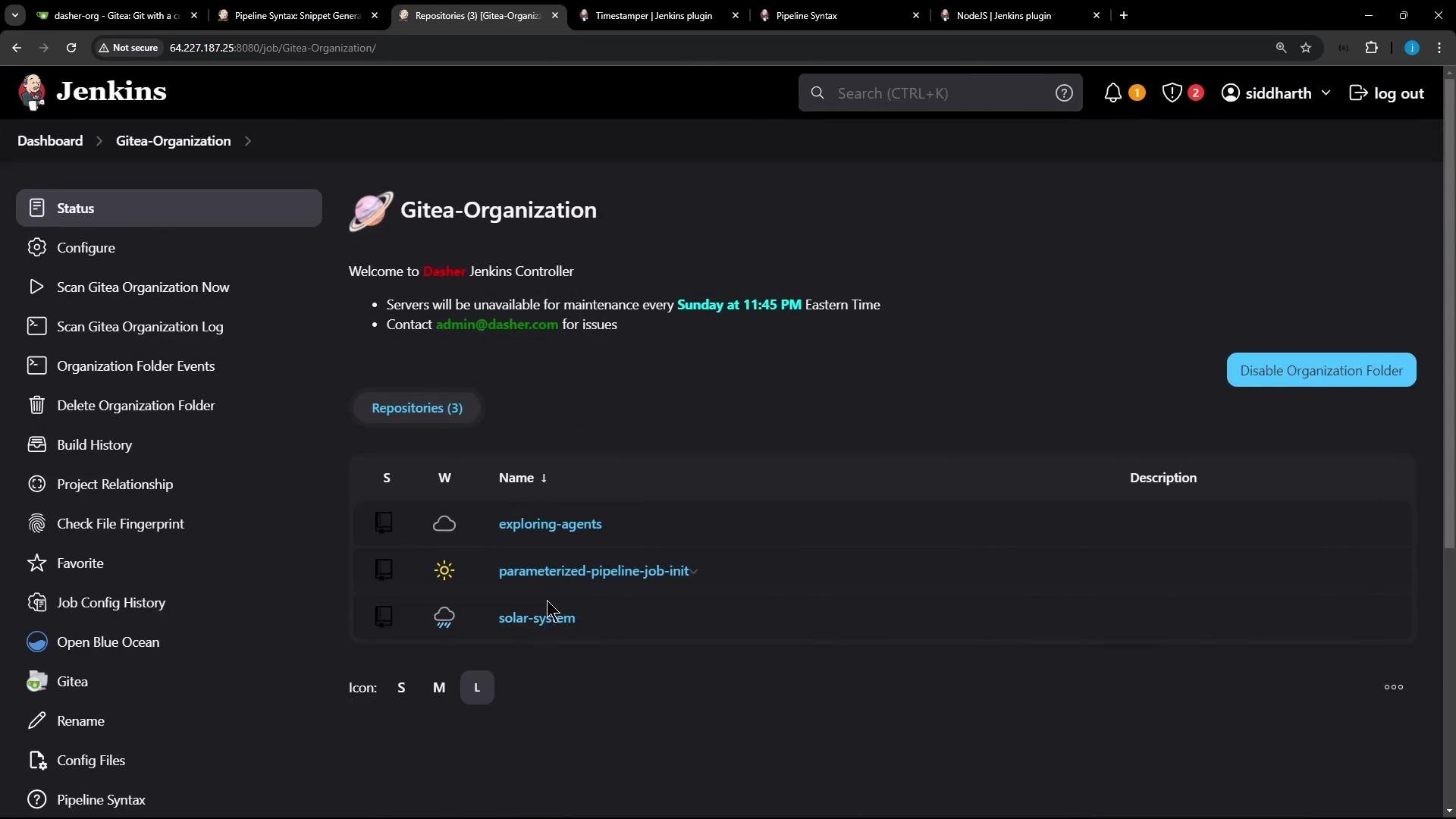
A Git-backed organization folder build may have been triggered automatically; you can cancel the initial run if the Jenkinsfile hasn't been pushed yet.
 Why Scripted differs from Declarative
* Declarative pipelines use a top-level `pipeline { ... }` block and many built-in directives.
* Scripted pipelines run inside `node { ... }` and require some Declarative-only features (for example `options { ... }`) to be expressed with `properties(...)` or appropriate wrappers.
Scripted pipelines always run inside `node { ... }`. Declarative-only directives (like `options`) must be converted to `properties(...)` or equivalent build wrappers when migrating to Scripted pipelines.
Quick mapping: Declarative → Scripted
| Declarative feature | Scripted equivalent | Example |
| ------------------------------------------ | -----------------------------------------------------: | ------------------------------------- |
| `pipeline { ... }` | `node { ... }` | Use `node` as the top-level block. |
| `tools { nodejs 'name' }` | `env.NODEJS_HOME = tool('name')` and update `env.PATH` | See code example below. |
| `options { disableConcurrentBuilds(...) }` | `properties([ disableConcurrentBuilds(...) ])` | Call `properties(...)` inside `node`. |
| `timestamps()` | `wrap([$class: 'TimestamperBuildWrapper']) { ... }` | Wrap stages to get timestamped logs. |
Converting NodeJS tool usage
* Declarative pipelines commonly declare tools via `tools { nodejs 'name' }`.
* In Scripted pipelines, resolve the tool with `tool(...)`, then export it to `env` and update `PATH` so `node`/`npm` become available.
Example:
```groovy theme={null}
node {
// Resolve the NodeJS installation configured in Jenkins
env.NODEJS_HOME = "${tool 'nodejs-22-6-0'}"
env.PATH = "${env.NODEJS_HOME}/bin:${env.PATH}"
sh 'node --version'
sh 'npm --version'
}
```
Using pipeline properties in Scripted pipelines
* Declarative `options` like `disableConcurrentBuilds(abortPrevious: true)` must be applied via `properties(...)` in Scripted pipelines.
* Call `properties(...)` once inside your `node` block (typically near the start of the Jenkinsfile).
Example:
```groovy theme={null}
properties([
disableConcurrentBuilds(abortPrevious: true)
])
```
Timestamper wrapper
* To enable timestamped console output in Scripted pipelines, use the `wrap` step with the Timestamper build wrapper:
```groovy theme={null}
wrap([$class: 'TimestamperBuildWrapper']) {
// stage(s) with timestamped logs
}
```
Final Scripted Jenkinsfile
Below is a compact, corrected Scripted Jenkinsfile that demonstrates the translated flow: resolve the NodeJS tool, apply properties to disable concurrent builds, perform SCM checkout, and run a timestamped Installing Dependencies stage that uses the same cache logic.
```groovy theme={null}
// Jenkinsfile (Scripted)
node {
// Resolve NodeJS tool (name configured in Jenkins global tools)
env.NODEJS_HOME = "${tool 'nodejs-22-6-0'}"
env.PATH = "${env.NODEJS_HOME}/bin:${env.PATH}"
// Convert Declarative options to properties in Scripted pipelines
properties([
disableConcurrentBuilds(abortPrevious: true)
])
stage('Checkout') {
checkout scm
}
wrap([$class: 'TimestamperBuildWrapper']) {
stage('Installing Dependencies') {
cache(maxCacheSize: 550, caches: [
arbitraryFileCache(
cacheName: 'npm-dependency-cache',
cacheValidityDecidingFile: 'package-lock.json',
files: ['node_modules']
)
]) {
// Use the resolved NodeJS and run npm install
sh 'node -v'
sh 'npm install --no-audit'
// Optionally stash artifacts for later stages
stash includes: '**', name: 'source-and-modules', useDefaultExcludes: false
}
}
}
}
```
Key notes about the example
* `env.NODEJS_HOME = "${tool 'nodejs-22-6-0'}"` resolves the NodeJS installation by name and updates `PATH` so `node` and `npm` are available.
* `properties([...])` is the Scripted equivalent for certain Declarative `options` (in this example, `disableConcurrentBuilds(abortPrevious: true)`).
* `wrap([$class: 'TimestamperBuildWrapper'])` enables timestamps for the wrapped stage(s).
* The `cache { ... }` block mirrors Declarative cache-plugin usage; adjust `files`/`cacheName` per your cache plugin configuration.
Selected console excerpts (cleaned and corrected)
* Checkout phase (shortened):
```text theme={null}
[Pipeline] checkout
The recommended git tool is: NONE
using credential gitea-server-creds
Cloning the remote Git repository
> git init /var/lib/jenkins/workspace/n_solar-system_pipeline_scripted # timeout=10
> git --version # 'git version 2.43.0'
> git fetch --no-tags --force --progress http://64.227.187.25:5555/dasher-org/solar-system.git +refs/heads/pipeline/scripted:refs/remotes/origin/pipeline/scripted # timeout=10
Checking out Revision b68ef5702edca1527d3b3a5db7eff98e1736b7e8 (pipeline/scripted)
Obtained Jenkinsfile from b68ef5702edca1527d3b3a5db7eff98e1736b7e8
```
* Cache restore/create messages:
```text theme={null}
[Cache for node_modules (npm-dependency-cache) with id 3ec03583f8eaec275cb2183db769ff47] Searching cache in job specific caches...
[Cache for node_modules (npm-dependency-cache) with id 3ec03583f8eaec275cb2183db769ff47] Skip restoring cache as no up-to-date cache exists
+ node -v
v22.6.0
+ npm install --no-audit
added 365 packages in 3s
[Pipeline] stash
Stashed 5036 file(s)
[Cache for node_modules (npm-dependency-cache) with id 3ec03583f8eaec275cb2183db769ff47] Creating cache...
[Cache for node_modules (npm-dependency-cache) with id 3ec03583f8eaec275cb2183db769ff47] got hash 5a15d94c8bab08a68882fddf4b8ef16c2 for cacheValidityDecidingFile(s): package-lock.json
[Cache for node_modules (npm-dependency-cache) with id 3ec03583f8eaec275cb2183db769ff47] cache created in 1633ms
```
Behavior of `disableConcurrentBuilds(abortPrevious: true)`
* When multiple builds for the same branch are triggered, earlier running builds will be interrupted and marked as superseded; the latest build proceeds. Console output may include:
```text theme={null}
Superseded by #3
Sending interrupt signal to process
18:20:17 + node -v
18:20:17 v22.6.0
18:20:18 + npm install --no-audit
18:20:20 up to date in 2s
Finished: NOT_BUILT
```
Summary: converting Declarative to Scripted (cheat-sheet)
* Wrap your pipeline steps in `node { ... }`.
* Resolve global tools via `tool(...)` and export to `env`.
* Convert Declarative `options` using `properties([ ... ])`.
* Use `wrap([$class: 'TimestamperBuildWrapper'])` to get timestamped logs.
* Keep existing cache and shell steps unchanged inside the Scripted flow.
Further reading and references
* [Jenkins Pipeline Syntax](https://www.jenkins.io/doc/book/pipeline/syntax/)
* [Timestamper Plugin](https://plugins.jenkins.io/timestamper/)
* [Jenkins Tools Configuration](https://www.jenkins.io/doc/book/managing/tools/)
* [Jenkins Pipeline: properties step](https://www.jenkins.io/doc/pipeline/steps/workflow-job/#properties-set-job-properties)
That's it for this lesson — you now have a compact Scripted pipeline that installs dependencies, enables timestamper output, disables concurrent builds, and leverages the NodeJS tool and your existing caching setup.
Why Scripted differs from Declarative
* Declarative pipelines use a top-level `pipeline { ... }` block and many built-in directives.
* Scripted pipelines run inside `node { ... }` and require some Declarative-only features (for example `options { ... }`) to be expressed with `properties(...)` or appropriate wrappers.
Scripted pipelines always run inside `node { ... }`. Declarative-only directives (like `options`) must be converted to `properties(...)` or equivalent build wrappers when migrating to Scripted pipelines.
Quick mapping: Declarative → Scripted
| Declarative feature | Scripted equivalent | Example |
| ------------------------------------------ | -----------------------------------------------------: | ------------------------------------- |
| `pipeline { ... }` | `node { ... }` | Use `node` as the top-level block. |
| `tools { nodejs 'name' }` | `env.NODEJS_HOME = tool('name')` and update `env.PATH` | See code example below. |
| `options { disableConcurrentBuilds(...) }` | `properties([ disableConcurrentBuilds(...) ])` | Call `properties(...)` inside `node`. |
| `timestamps()` | `wrap([$class: 'TimestamperBuildWrapper']) { ... }` | Wrap stages to get timestamped logs. |
Converting NodeJS tool usage
* Declarative pipelines commonly declare tools via `tools { nodejs 'name' }`.
* In Scripted pipelines, resolve the tool with `tool(...)`, then export it to `env` and update `PATH` so `node`/`npm` become available.
Example:
```groovy theme={null}
node {
// Resolve the NodeJS installation configured in Jenkins
env.NODEJS_HOME = "${tool 'nodejs-22-6-0'}"
env.PATH = "${env.NODEJS_HOME}/bin:${env.PATH}"
sh 'node --version'
sh 'npm --version'
}
```
Using pipeline properties in Scripted pipelines
* Declarative `options` like `disableConcurrentBuilds(abortPrevious: true)` must be applied via `properties(...)` in Scripted pipelines.
* Call `properties(...)` once inside your `node` block (typically near the start of the Jenkinsfile).
Example:
```groovy theme={null}
properties([
disableConcurrentBuilds(abortPrevious: true)
])
```
Timestamper wrapper
* To enable timestamped console output in Scripted pipelines, use the `wrap` step with the Timestamper build wrapper:
```groovy theme={null}
wrap([$class: 'TimestamperBuildWrapper']) {
// stage(s) with timestamped logs
}
```
Final Scripted Jenkinsfile
Below is a compact, corrected Scripted Jenkinsfile that demonstrates the translated flow: resolve the NodeJS tool, apply properties to disable concurrent builds, perform SCM checkout, and run a timestamped Installing Dependencies stage that uses the same cache logic.
```groovy theme={null}
// Jenkinsfile (Scripted)
node {
// Resolve NodeJS tool (name configured in Jenkins global tools)
env.NODEJS_HOME = "${tool 'nodejs-22-6-0'}"
env.PATH = "${env.NODEJS_HOME}/bin:${env.PATH}"
// Convert Declarative options to properties in Scripted pipelines
properties([
disableConcurrentBuilds(abortPrevious: true)
])
stage('Checkout') {
checkout scm
}
wrap([$class: 'TimestamperBuildWrapper']) {
stage('Installing Dependencies') {
cache(maxCacheSize: 550, caches: [
arbitraryFileCache(
cacheName: 'npm-dependency-cache',
cacheValidityDecidingFile: 'package-lock.json',
files: ['node_modules']
)
]) {
// Use the resolved NodeJS and run npm install
sh 'node -v'
sh 'npm install --no-audit'
// Optionally stash artifacts for later stages
stash includes: '**', name: 'source-and-modules', useDefaultExcludes: false
}
}
}
}
```
Key notes about the example
* `env.NODEJS_HOME = "${tool 'nodejs-22-6-0'}"` resolves the NodeJS installation by name and updates `PATH` so `node` and `npm` are available.
* `properties([...])` is the Scripted equivalent for certain Declarative `options` (in this example, `disableConcurrentBuilds(abortPrevious: true)`).
* `wrap([$class: 'TimestamperBuildWrapper'])` enables timestamps for the wrapped stage(s).
* The `cache { ... }` block mirrors Declarative cache-plugin usage; adjust `files`/`cacheName` per your cache plugin configuration.
Selected console excerpts (cleaned and corrected)
* Checkout phase (shortened):
```text theme={null}
[Pipeline] checkout
The recommended git tool is: NONE
using credential gitea-server-creds
Cloning the remote Git repository
> git init /var/lib/jenkins/workspace/n_solar-system_pipeline_scripted # timeout=10
> git --version # 'git version 2.43.0'
> git fetch --no-tags --force --progress http://64.227.187.25:5555/dasher-org/solar-system.git +refs/heads/pipeline/scripted:refs/remotes/origin/pipeline/scripted # timeout=10
Checking out Revision b68ef5702edca1527d3b3a5db7eff98e1736b7e8 (pipeline/scripted)
Obtained Jenkinsfile from b68ef5702edca1527d3b3a5db7eff98e1736b7e8
```
* Cache restore/create messages:
```text theme={null}
[Cache for node_modules (npm-dependency-cache) with id 3ec03583f8eaec275cb2183db769ff47] Searching cache in job specific caches...
[Cache for node_modules (npm-dependency-cache) with id 3ec03583f8eaec275cb2183db769ff47] Skip restoring cache as no up-to-date cache exists
+ node -v
v22.6.0
+ npm install --no-audit
added 365 packages in 3s
[Pipeline] stash
Stashed 5036 file(s)
[Cache for node_modules (npm-dependency-cache) with id 3ec03583f8eaec275cb2183db769ff47] Creating cache...
[Cache for node_modules (npm-dependency-cache) with id 3ec03583f8eaec275cb2183db769ff47] got hash 5a15d94c8bab08a68882fddf4b8ef16c2 for cacheValidityDecidingFile(s): package-lock.json
[Cache for node_modules (npm-dependency-cache) with id 3ec03583f8eaec275cb2183db769ff47] cache created in 1633ms
```
Behavior of `disableConcurrentBuilds(abortPrevious: true)`
* When multiple builds for the same branch are triggered, earlier running builds will be interrupted and marked as superseded; the latest build proceeds. Console output may include:
```text theme={null}
Superseded by #3
Sending interrupt signal to process
18:20:17 + node -v
18:20:17 v22.6.0
18:20:18 + npm install --no-audit
18:20:20 up to date in 2s
Finished: NOT_BUILT
```
Summary: converting Declarative to Scripted (cheat-sheet)
* Wrap your pipeline steps in `node { ... }`.
* Resolve global tools via `tool(...)` and export to `env`.
* Convert Declarative `options` using `properties([ ... ])`.
* Use `wrap([$class: 'TimestamperBuildWrapper'])` to get timestamped logs.
* Keep existing cache and shell steps unchanged inside the Scripted flow.
Further reading and references
* [Jenkins Pipeline Syntax](https://www.jenkins.io/doc/book/pipeline/syntax/)
* [Timestamper Plugin](https://plugins.jenkins.io/timestamper/)
* [Jenkins Tools Configuration](https://www.jenkins.io/doc/book/managing/tools/)
* [Jenkins Pipeline: properties step](https://www.jenkins.io/doc/pipeline/steps/workflow-job/#properties-set-job-properties)
That's it for this lesson — you now have a compact Scripted pipeline that installs dependencies, enables timestamper output, disables concurrent builds, and leverages the NodeJS tool and your existing caching setup.