> ## Documentation Index
> Fetch the complete documentation index at: https://notes.kodekloud.com/llms.txt
> Use this file to discover all available pages before exploring further.
# Introduction to Shared Libraries
> Explains Jenkins shared libraries and how to create, configure, and use reusable Groovy pipeline steps to centralize logic, reduce duplication, and simplify Jenkinsfile maintenance.
What are shared libraries in Jenkins?
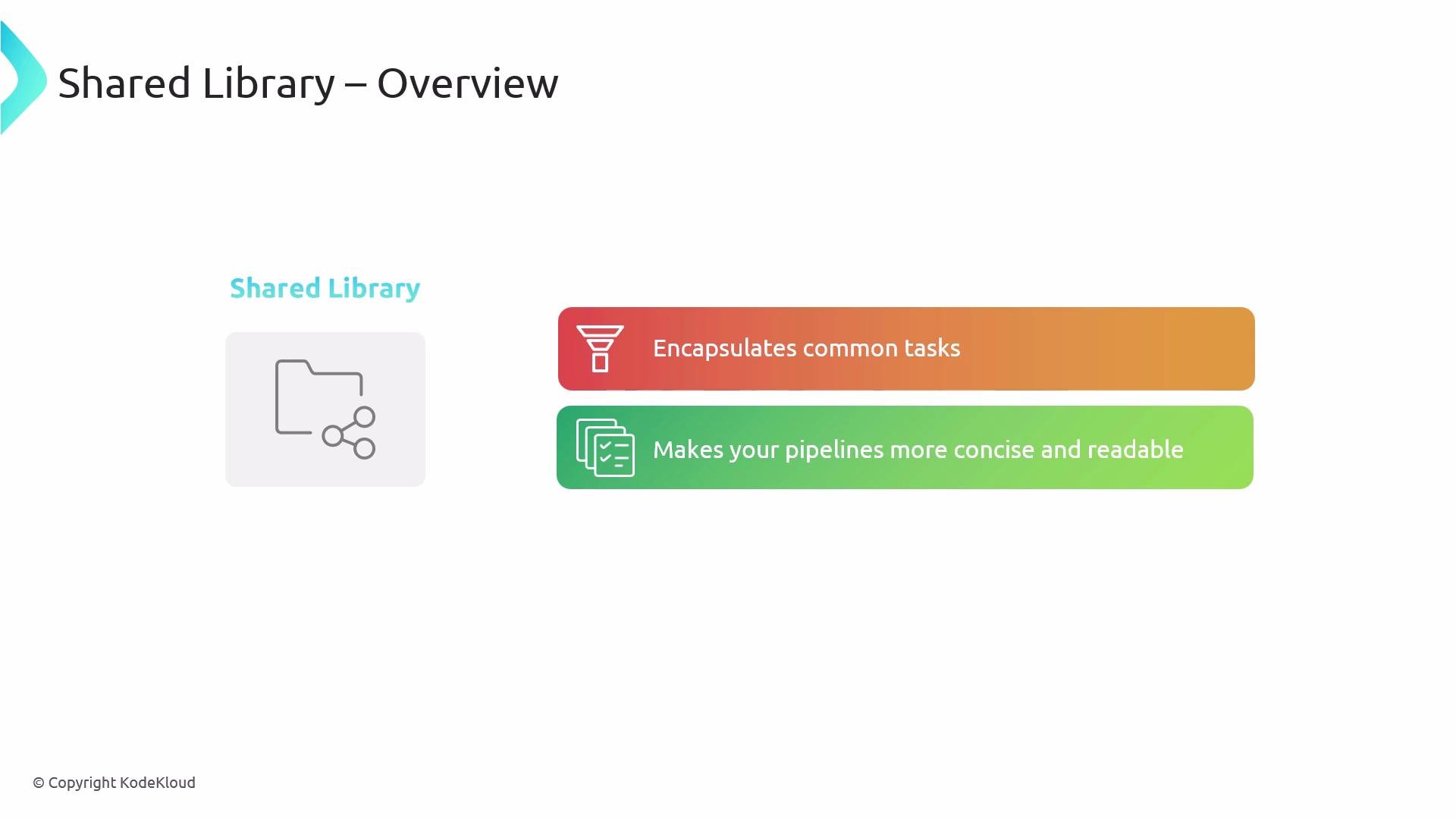
A shared library is a repository of Groovy scripts and classes that provide reusable steps, functions, and helpers for Jenkins Pipelines. By centralizing common pipeline logic, shared libraries make Jenkinsfiles shorter, easier to read, and simpler to maintain across many projects.
 Example: a simple Node.js pipeline
A typical Jenkinsfile that builds and tests a Node.js app might look like this:
```groovy theme={null}
pipeline {
agent any
stages {
stage('Build') {
steps {
sh 'npm install'
sh 'npm run build'
}
}
stage('Test') {
steps {
sh 'npm test'
}
}
}
}
```
If many repositories run the same build/test commands, copying these steps into each Jenkinsfile quickly causes duplication. That duplication leads to:
* A maintenance burden: updating the same logic across multiple files.
* Inconsistency: differing pipeline behavior across projects.
* Increased complexity: scattered changes that are hard to track.
Shared libraries follow the DRY (Don't Repeat Yourself) principle: implement the logic once and reuse it across pipelines.
Reusable helper example
A typical helper that lives in a shared library could be a notification helper. Put it under `vars/notifyBuild.groovy` in the shared library repository:
```groovy theme={null}
// vars/notifyBuild.groovy
def call(String buildStatus = 'STARTED') {
buildStatus = buildStatus ?: 'SUCCESS'
def color
def emoji
if (buildStatus == 'SUCCESS') {
color = '#47ec05'
emoji = ':white_check_mark:'
} else if (buildStatus == 'UNSTABLE') {
color = '#ffea00'
emoji = ':warning:'
} else if (buildStatus == 'FAILURE') {
color = '#ff4c4c'
emoji = ':x:'
} else {
color = '#cccccc'
emoji = ':information_source:'
}
// Example: send notification (implementation depends on your notifier)
echo "Build status: ${buildStatus} ${emoji} (color: ${color})"
}
```
Shared libraries are typically stored in source control (for example, Git) so Jenkins can fetch them. They make it easy to apply organization-wide changes from a single place.
Onboarding example: removing a hard-coded welcome message
A new DevOps team requires every pipeline to display a welcome message as the first stage. Initially, teams hard-code the message in each Jenkinsfile:
```groovy theme={null}
pipeline {
agent any
stages {
stage('Welcome') {
steps {
sh 'echo Welcome to DevOps team from Dash Organization'
}
}
stage('Build') {
steps {
// build steps ...
}
}
}
}
```
As the organization grows, dozens or hundreds of Jenkinsfiles may duplicate that message. If the organization renames from Dash to KodeKloud, every file needs editing.
Instead, create a shared-library step that prints the welcome message. Update the message once in the library and all pipelines using it will reflect the change.
High-level adoption steps
Example: a simple Node.js pipeline
A typical Jenkinsfile that builds and tests a Node.js app might look like this:
```groovy theme={null}
pipeline {
agent any
stages {
stage('Build') {
steps {
sh 'npm install'
sh 'npm run build'
}
}
stage('Test') {
steps {
sh 'npm test'
}
}
}
}
```
If many repositories run the same build/test commands, copying these steps into each Jenkinsfile quickly causes duplication. That duplication leads to:
* A maintenance burden: updating the same logic across multiple files.
* Inconsistency: differing pipeline behavior across projects.
* Increased complexity: scattered changes that are hard to track.
Shared libraries follow the DRY (Don't Repeat Yourself) principle: implement the logic once and reuse it across pipelines.
Reusable helper example
A typical helper that lives in a shared library could be a notification helper. Put it under `vars/notifyBuild.groovy` in the shared library repository:
```groovy theme={null}
// vars/notifyBuild.groovy
def call(String buildStatus = 'STARTED') {
buildStatus = buildStatus ?: 'SUCCESS'
def color
def emoji
if (buildStatus == 'SUCCESS') {
color = '#47ec05'
emoji = ':white_check_mark:'
} else if (buildStatus == 'UNSTABLE') {
color = '#ffea00'
emoji = ':warning:'
} else if (buildStatus == 'FAILURE') {
color = '#ff4c4c'
emoji = ':x:'
} else {
color = '#cccccc'
emoji = ':information_source:'
}
// Example: send notification (implementation depends on your notifier)
echo "Build status: ${buildStatus} ${emoji} (color: ${color})"
}
```
Shared libraries are typically stored in source control (for example, Git) so Jenkins can fetch them. They make it easy to apply organization-wide changes from a single place.
Onboarding example: removing a hard-coded welcome message
A new DevOps team requires every pipeline to display a welcome message as the first stage. Initially, teams hard-code the message in each Jenkinsfile:
```groovy theme={null}
pipeline {
agent any
stages {
stage('Welcome') {
steps {
sh 'echo Welcome to DevOps team from Dash Organization'
}
}
stage('Build') {
steps {
// build steps ...
}
}
}
}
```
As the organization grows, dozens or hundreds of Jenkinsfiles may duplicate that message. If the organization renames from Dash to KodeKloud, every file needs editing.
Instead, create a shared-library step that prints the welcome message. Update the message once in the library and all pipelines using it will reflect the change.
High-level adoption steps
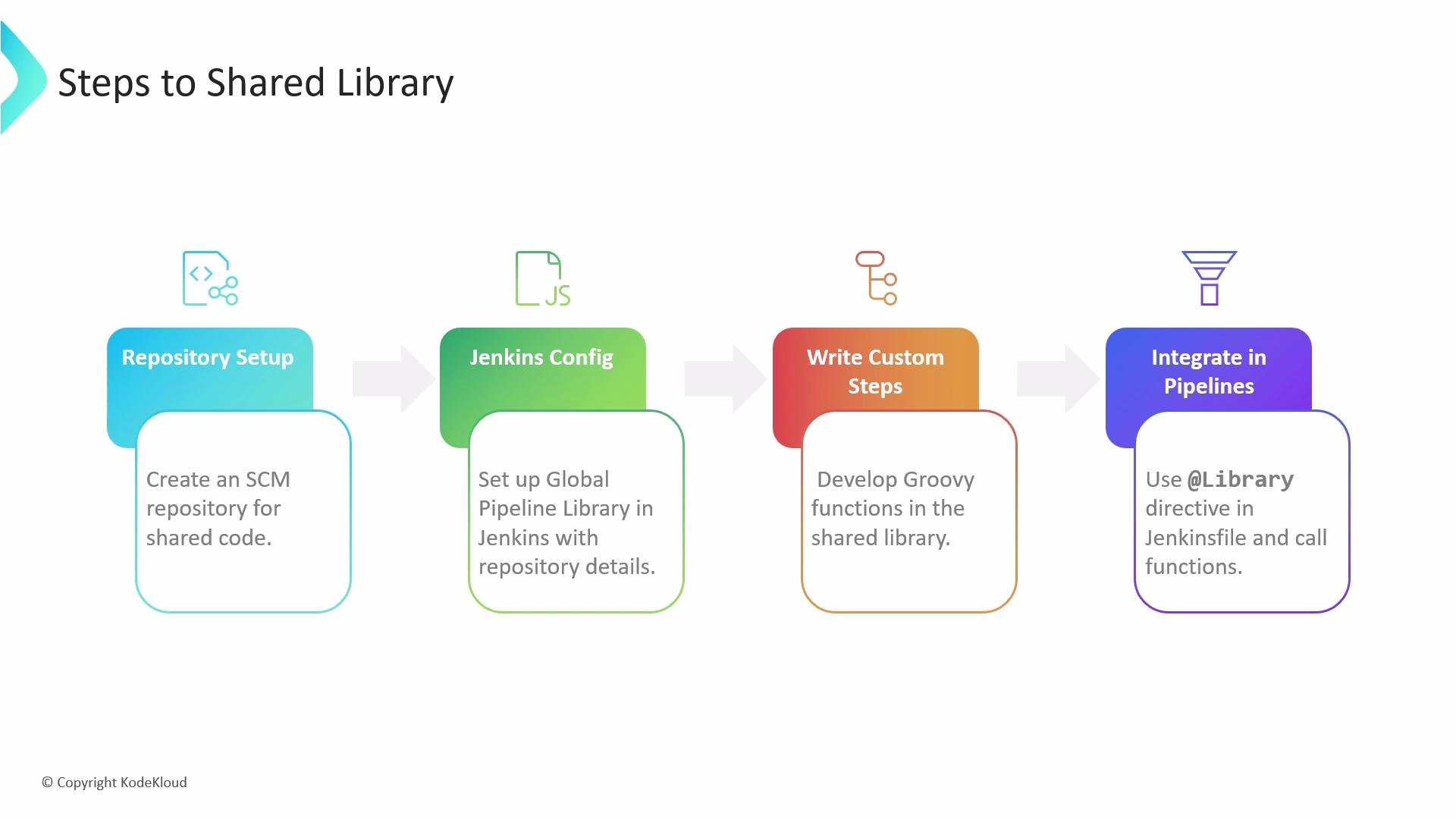 1. Create a dedicated SCM repository to store your shared library code.
2. Configure a Global Pipeline Library in Jenkins (see Manage Jenkins → Configure System → Global Pipeline Libraries and the official docs at [https://www.jenkins.io/doc/book/pipeline/shared-libraries/](https://www.jenkins.io/doc/book/pipeline/shared-libraries/)).
3. Develop reusable Groovy functions and classes in that repository.
4. Load and call the shared-library functions from Jenkinsfiles using the `@Library` annotation.
Recommended repository layout
A common layout for a Jenkins shared library repository:
```text theme={null}
root
├─ src # 📁 Groovy source files (optional; compiled classes)
│ └─ org
│ └─ foo
│ └─ Bar.groovy # 📄 for org.foo.Bar class
│
├─ vars
│ ├─ welcomeMessage.groovy # 📄 for global 'welcomeMessage' step
│ └─ welcomeMessage.txt # 📄 help/usage for 'welcomeMessage' (optional)
│
└─ resources # 📁 resource files (optional)
└─ org
└─ foo
└─ bar.json # 📄 static helper data for org.foo.Bar
```
Directory purposes (quick reference)
| Directory | Purpose | When to use |
| ----------- | -------------------------------------------------------- | -------------------------------------------------------------------------- |
| `src` | Compiled Groovy/Java classes on the Pipeline classpath | For complex logic or classes referenced by steps |
| `vars` | Global pipeline steps; each file defines a callable step | Required for simple, globally available functions (file name => step name) |
| `resources` | Non-Groovy files accessible with `libraryResource` | For static JSON, templates, or other assets used by steps |
Note: name files in `vars` using camelCase for multi-word step names (single word names are fine).
Example: welcome step in `vars`
Create `vars/welcome.groovy` in the shared library to centralize the welcome message:
```groovy theme={null}
// vars/welcome.groovy
def call() {
sh 'echo Welcome to DevOps team from Dash Organization'
}
```
Configuring the shared library in Jenkins
In Jenkins: Manage Jenkins → Configure System → Global Pipeline Libraries. Important settings:
* Library name: identifier used in `@Library`.
* Default version: branch (for example, `main`) used if pipelines don't specify a branch.
* Allow default version to be overridden: permits pipelines to test different library branches with `@Library`.
* Load implicitly: when enabled, the default branch is available without adding `@Library` to Jenkinsfiles.
* Retrieval method/SCM: configure Git (use Modern SCM for Git repositories).
Tip: Use a stable default branch (for example, `main`) for production-ready shared library code. Allow pipelines to override the default version to test library changes on feature branches before promoting them.
Using a shared library in a Jenkinsfile
Add the `@Library` annotation at the top of your Jenkinsfile (replace `shared-library` with the configured library name). The underscore after the annotation ensures the library is available to the scripted pipeline portion.
```groovy theme={null}
@Library('shared-library') _
pipeline {
agent any
stages {
stage('Welcome') {
steps {
// call the shared library step defined in vars/welcome.groovy
welcome()
}
}
stage('Build') {
steps {
// remaining pipeline steps...
}
}
}
}
```
This makes `welcome()` (the `call` method in `vars/welcome.groovy`) available, removing hard-coded messages from individual Jenkinsfiles.
Summary
Shared libraries allow you to:
* Centralize reusable pipeline logic (Groovy steps, classes, and resources).
* Reduce duplication across Jenkinsfiles and teams.
* Maintain consistent pipeline behavior by updating the library in one place.
* Enable teams to test library changes by overriding versions per pipeline.
For more details and advanced patterns, see the Jenkins documentation on Shared Libraries: [https://www.jenkins.io/doc/book/pipeline/shared-libraries/](https://www.jenkins.io/doc/book/pipeline/shared-libraries/) and consider organizing library changes with versioning and CI for the library itself (for example, unit tests on `src` classes or linting for `vars` steps).
1. Create a dedicated SCM repository to store your shared library code.
2. Configure a Global Pipeline Library in Jenkins (see Manage Jenkins → Configure System → Global Pipeline Libraries and the official docs at [https://www.jenkins.io/doc/book/pipeline/shared-libraries/](https://www.jenkins.io/doc/book/pipeline/shared-libraries/)).
3. Develop reusable Groovy functions and classes in that repository.
4. Load and call the shared-library functions from Jenkinsfiles using the `@Library` annotation.
Recommended repository layout
A common layout for a Jenkins shared library repository:
```text theme={null}
root
├─ src # 📁 Groovy source files (optional; compiled classes)
│ └─ org
│ └─ foo
│ └─ Bar.groovy # 📄 for org.foo.Bar class
│
├─ vars
│ ├─ welcomeMessage.groovy # 📄 for global 'welcomeMessage' step
│ └─ welcomeMessage.txt # 📄 help/usage for 'welcomeMessage' (optional)
│
└─ resources # 📁 resource files (optional)
└─ org
└─ foo
└─ bar.json # 📄 static helper data for org.foo.Bar
```
Directory purposes (quick reference)
| Directory | Purpose | When to use |
| ----------- | -------------------------------------------------------- | -------------------------------------------------------------------------- |
| `src` | Compiled Groovy/Java classes on the Pipeline classpath | For complex logic or classes referenced by steps |
| `vars` | Global pipeline steps; each file defines a callable step | Required for simple, globally available functions (file name => step name) |
| `resources` | Non-Groovy files accessible with `libraryResource` | For static JSON, templates, or other assets used by steps |
Note: name files in `vars` using camelCase for multi-word step names (single word names are fine).
Example: welcome step in `vars`
Create `vars/welcome.groovy` in the shared library to centralize the welcome message:
```groovy theme={null}
// vars/welcome.groovy
def call() {
sh 'echo Welcome to DevOps team from Dash Organization'
}
```
Configuring the shared library in Jenkins
In Jenkins: Manage Jenkins → Configure System → Global Pipeline Libraries. Important settings:
* Library name: identifier used in `@Library`.
* Default version: branch (for example, `main`) used if pipelines don't specify a branch.
* Allow default version to be overridden: permits pipelines to test different library branches with `@Library`.
* Load implicitly: when enabled, the default branch is available without adding `@Library` to Jenkinsfiles.
* Retrieval method/SCM: configure Git (use Modern SCM for Git repositories).
Tip: Use a stable default branch (for example, `main`) for production-ready shared library code. Allow pipelines to override the default version to test library changes on feature branches before promoting them.
Using a shared library in a Jenkinsfile
Add the `@Library` annotation at the top of your Jenkinsfile (replace `shared-library` with the configured library name). The underscore after the annotation ensures the library is available to the scripted pipeline portion.
```groovy theme={null}
@Library('shared-library') _
pipeline {
agent any
stages {
stage('Welcome') {
steps {
// call the shared library step defined in vars/welcome.groovy
welcome()
}
}
stage('Build') {
steps {
// remaining pipeline steps...
}
}
}
}
```
This makes `welcome()` (the `call` method in `vars/welcome.groovy`) available, removing hard-coded messages from individual Jenkinsfiles.
Summary
Shared libraries allow you to:
* Centralize reusable pipeline logic (Groovy steps, classes, and resources).
* Reduce duplication across Jenkinsfiles and teams.
* Maintain consistent pipeline behavior by updating the library in one place.
* Enable teams to test library changes by overriding versions per pipeline.
For more details and advanced patterns, see the Jenkins documentation on Shared Libraries: [https://www.jenkins.io/doc/book/pipeline/shared-libraries/](https://www.jenkins.io/doc/book/pipeline/shared-libraries/) and consider organizing library changes with versioning and CI for the library itself (for example, unit tests on `src` classes or linting for `vars` steps).