> ## Documentation Index
> Fetch the complete documentation index at: https://notes.kodekloud.com/llms.txt
> Use this file to discover all available pages before exploring further.
# AMIs and need of it
> Amazon Machine Images (AMIs) are pre-configured templates for launching virtual servers in AWS, enabling rapid environment replication.
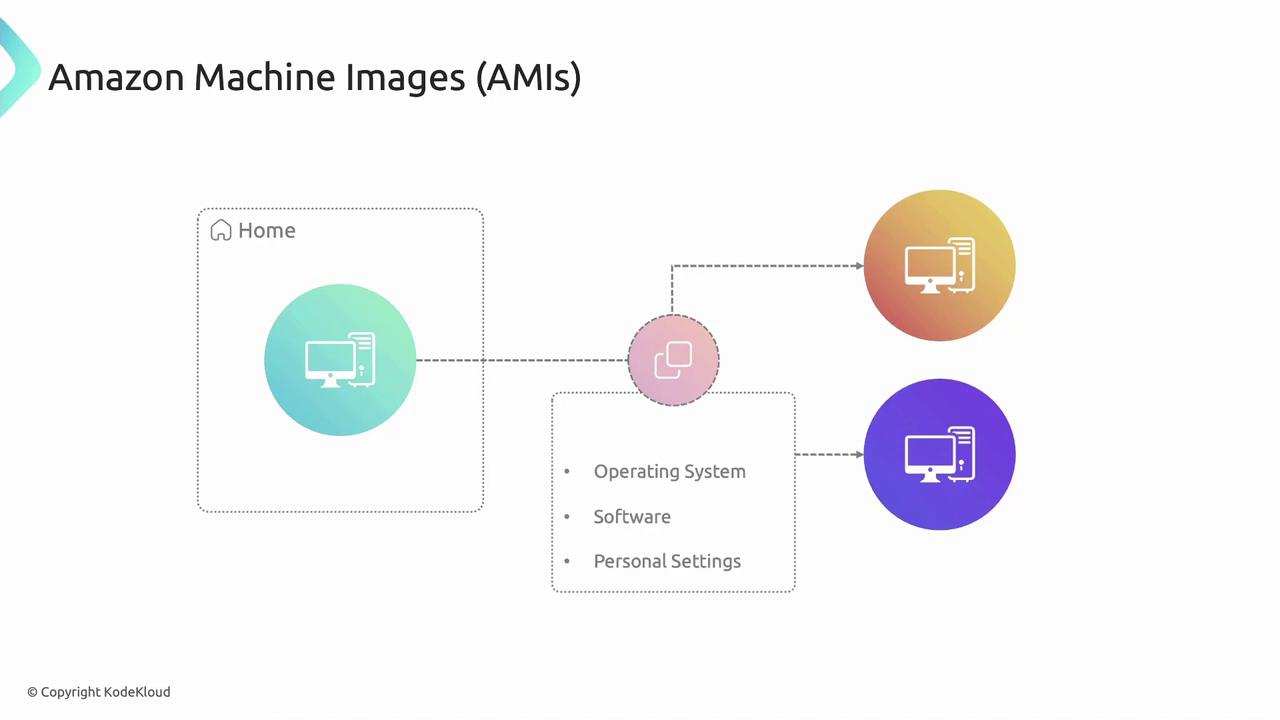
Amazon Machine Images (AMIs) are the foundation for launching virtual servers in AWS. An AMI is a pre-configured template that packages an operating system, application server, software, and even data—enabling you to replicate environments in seconds.
## How AMIs Work
When you create or select an AMI, you’re capturing:
* **Operating System** (e.g., Amazon Linux, Ubuntu, Windows Server)
* **Installed Software** and custom application packages
* **Application Server Configurations** (such as Nginx or Tomcat)
* **Block Device Mappings**, defining which volumes attach on launch
* **Data, Configuration Files**, and underlying EBS snapshots
Use your AMI to launch new Amazon EC2 instances with the exact same setup—no manual install steps required. AMIs come in two flavors:
* **Official AMIs** maintained by AWS (no additional cost)
* **Marketplace AMIs** provided by third parties (may incur charges)
Before sharing or publishing an AMI, remove any sensitive credentials or proprietary code. Any data included in the AMI becomes accessible to users you share it with.

## Key AMI Components
| Component | Description |
| ---------------------- | ----------------------------------------------------------- |
| Operating System | Base OS image (Linux, Windows, etc.) |
| Application Server | Pre-configured servers (e.g., Nginx, Apache, Tomcat) |
| Block Device Mappings | Volume attachments (EBS, instance store) |
| EBS Snapshots | Persistent storage snapshots for data durability |
| Custom Software & Data | Any installed applications, scripts, or configuration files |
## Advantages of AMIs
Leveraging AMIs streamlines your AWS deployments and ensures consistency across environments:
* **Easy Replication**\
Launch identical EC2 instances without repeating setup steps.
* **Faster Deployment**\
Instantly spin up servers with pre-installed OS and applications.
* **Configuration Consistency**\
Reduce configuration drift by standardizing on the same AMI.
* **Scalability**\
Auto-scale groups can use your custom AMI to meet traffic demands.
* **Versioning & Rollback**\
Maintain multiple AMI versions and revert to a previous state if needed.
Publishing an AMI publicly can expose internal configurations and data. Always review IAM permissions and share AMIs judiciously.

## Best Practices
* Regularly **update** your AMIs with security patches.
* **Automate** AMI creation using AWS CLI or Amazon EC2 Image Builder.
* **Tag** AMIs with version, date, and purpose for easy tracking.
## Links and References
* [AWS AMI Documentation](https://docs.aws.amazon.com/AWSEC2/latest/UserGuide/AMIs.html)
* [Amazon EC2 Image Builder](https://docs.aws.amazon.com/image-builder/latest/userguide/what-is-image-builder.html)
* [Amazon EBS Snapshots](https://docs.aws.amazon.com/AWSEC2/latest/UserGuide/EBSSnapshots.html)
| Resource | Use Case | Example CLI Command |
| -------------- | ------------------------------------ | ----------------------------------------------------------------------------- |
| Create AMI | Capture a running instance as an AMI | `aws ec2 create-image --instance-id i-1234567890abcdef0 --name "MyCustomAMI"` |
| List AMIs | View your AMIs | `aws ec2 describe-images --owners self` |
| Deregister AMI | Remove an outdated AMI | `aws ec2 deregister-image --image-id ami-0abcdef1234567890` |