> ## Documentation Index
> Fetch the complete documentation index at: https://notes.kodekloud.com/llms.txt
> Use this file to discover all available pages before exploring further.
# EC2 User data
> Explains EC2 user data, its execution behavior, constraints, examples for bootstrapping instances, retrieval methods, and best practices for one-time initialization.
In this lesson we cover EC2 user data: what it is, when and how it runs, and practical examples for bootstrapping instances automatically.
When you launch an Amazon EC2 instance you can supply "user data": a script or set of instructions that the instance executes during its initial boot. This is useful for one-time setup tasks such as installing packages, pulling configuration, bootstrapping services, or writing files so the instance is immediately ready to serve traffic.
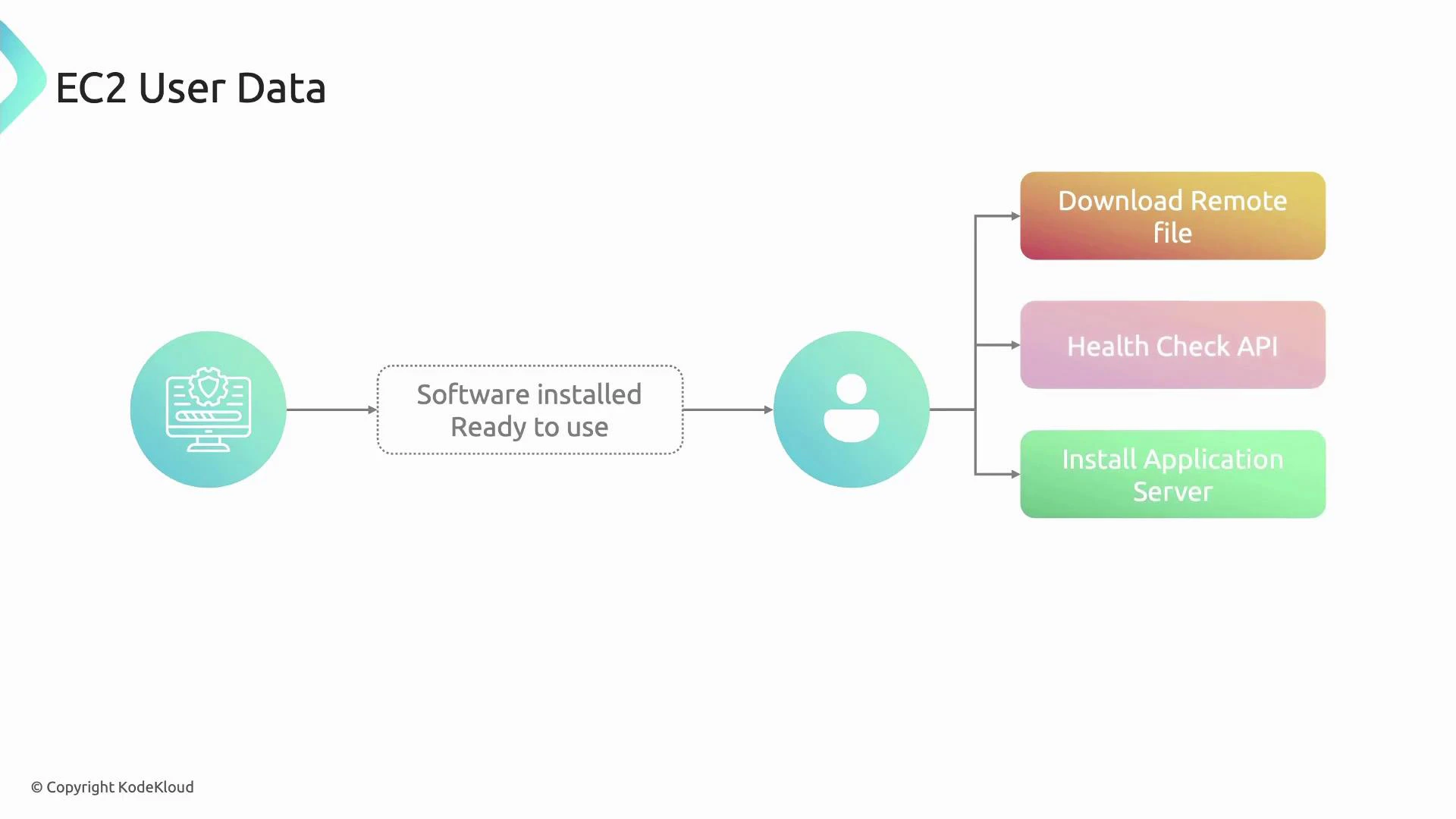 What user data does and important constraints
* User data is delivered to the instance at launch and interpreted by the instance (for example cloud-init on Linux or EC2Launch/EC2Config on Windows). EC2 treats the payload as opaque — it does not examine or validate the contents.
* The raw (pre-Base64) user data size limit is 16 KB.
* When launching via the AWS Console you can paste plain text; the console Base64-encodes it for you. When calling EC2 APIs or using SDKs, callers typically must provide Base64-encoded user data.
* When retrieved from the instance metadata service it is returned in decoded (human-readable) form. Some EC2 API responses (e.g., DescribeInstanceAttribute/UserData) return Base64-encoded user data that you must decode.
Summary table: common behaviors and their impact
| Behavior / Constraint | What it means | Notes / Action |
| --------------------------------- | -------------------------------------------------------------------------------- | -------------------------------------------------------------------------------------------------------------------------- |
| Runs only on initial launch | User data executes during the instance's first boot | For recurring boots, put scripts in per-boot hooks (cloud-init per-boot, systemd services, or OS-specific startup scripts) |
| Changing user data after creation | Modifying user data on a stopped instance does not cause it to run on next start | To apply new configuration, run scripts manually or bake new AMIs |
| Encoding requirements | Console handles Base64; API/SDK may require Base64 input | Check your SDK/CLI docs — AWS CLI or SDKs often accept plain text and encode for you, but the raw EC2 API expects Base64 |
| Size limit | 16 KB raw | Keep bootstrapping lightweight or use remote artifact downloads |
| Retrieval formats | Metadata service returns decoded text; some API responses return Base64 | Decode API responses before use |
User data is best for one-time bootstrapping: installing packages, placing configuration files, registering with a service, or making the instance ready for traffic. For recurring or per-boot tasks, use cloud-init per-boot hooks, OS startup scripts, or configuration management tools like Ansible, Chef, or Puppet.
Example: a minimal Linux user data script
* The following example updates packages, installs and starts Apache (httpd), ensures it is enabled at boot, and writes a simple index page. This is suitable for Amazon Linux/CentOS-based images that use yum and systemd:
```bash theme={null}
#!/bin/bash
# Update packages, install and start Apache (Amazon Linux/CentOS style)
yum update -y
yum install -y httpd
systemctl enable httpd
systemctl start httpd
# Write a simple web page
echo "Hello from $(hostname -f)" > /var/www/html/index.html
```
How to view user data from inside an instance
* IMDSv1 (not recommended for new deployments):
```bash theme={null}
curl http://169.254.169.254/latest/user-data
```
* IMDSv2 (recommended — requires a session token):
```bash theme={null}
TOKEN=$(curl -X PUT "http://169.254.169.254/latest/api/token" \
-H "X-aws-ec2-metadata-token-ttl-seconds: 21600")
curl -H "X-aws-ec2-metadata-token: $TOKEN" \
http://169.254.169.254/latest/user-data
```
Retrieve user data via the AWS CLI
* Many EC2 API outputs provide the user data Base64-encoded; decode it after retrieval:
```bash theme={null}
# Describe the instance attribute (userData) and decode the Base64 value
aws ec2 describe-instance-attribute \
--instance-id i-0123456789abcdef0 \
--attribute userData \
--query 'UserData.Value' \
--output text | base64 --decode
```
User data execution differs by OS and AMI:
* Linux AMIs: usually processed by cloud-init (which supports multiple formats and modules).
* Windows AMIs: processed by EC2Config or EC2Launch.
If you require a script to run on every boot, configure the appropriate per-boot mechanism (cloud-init per-boot hooks, systemd units, or Windows Scheduled Tasks/Startup scripts) rather than relying on the one-time user data execution.
Links and references
* AWS EC2 user data and metadata: [https://docs.aws.amazon.com/AWSEC2/latest/UserGuide/ec2-instance-metadata.html](https://docs.aws.amazon.com/AWSEC2/latest/UserGuide/ec2-instance-metadata.html)
* cloud-init documentation: [https://cloud-init.io/](https://cloud-init.io/)
* IMDSv2 (Instance Metadata Service Version 2): [https://docs.aws.amazon.com/AWSEC2/latest/UserGuide/configuring-instance-metadata-service.html](https://docs.aws.amazon.com/AWSEC2/latest/UserGuide/configuring-instance-metadata-service.html)
* AWS CLI: [https://docs.aws.amazon.com/cli/latest/userguide/cli-chap-welcome.html](https://docs.aws.amazon.com/cli/latest/userguide/cli-chap-welcome.html)
Further reading and patterns
* Use user data to fetch larger config or artifacts from S3, Git, or an artifact repository if your bootstrap exceeds the 16 KB limit.
* For immutable infrastructure, consider baking user data changes into a new AMI or using automation pipelines that rebuild instances with desired configuration.
What user data does and important constraints
* User data is delivered to the instance at launch and interpreted by the instance (for example cloud-init on Linux or EC2Launch/EC2Config on Windows). EC2 treats the payload as opaque — it does not examine or validate the contents.
* The raw (pre-Base64) user data size limit is 16 KB.
* When launching via the AWS Console you can paste plain text; the console Base64-encodes it for you. When calling EC2 APIs or using SDKs, callers typically must provide Base64-encoded user data.
* When retrieved from the instance metadata service it is returned in decoded (human-readable) form. Some EC2 API responses (e.g., DescribeInstanceAttribute/UserData) return Base64-encoded user data that you must decode.
Summary table: common behaviors and their impact
| Behavior / Constraint | What it means | Notes / Action |
| --------------------------------- | -------------------------------------------------------------------------------- | -------------------------------------------------------------------------------------------------------------------------- |
| Runs only on initial launch | User data executes during the instance's first boot | For recurring boots, put scripts in per-boot hooks (cloud-init per-boot, systemd services, or OS-specific startup scripts) |
| Changing user data after creation | Modifying user data on a stopped instance does not cause it to run on next start | To apply new configuration, run scripts manually or bake new AMIs |
| Encoding requirements | Console handles Base64; API/SDK may require Base64 input | Check your SDK/CLI docs — AWS CLI or SDKs often accept plain text and encode for you, but the raw EC2 API expects Base64 |
| Size limit | 16 KB raw | Keep bootstrapping lightweight or use remote artifact downloads |
| Retrieval formats | Metadata service returns decoded text; some API responses return Base64 | Decode API responses before use |
User data is best for one-time bootstrapping: installing packages, placing configuration files, registering with a service, or making the instance ready for traffic. For recurring or per-boot tasks, use cloud-init per-boot hooks, OS startup scripts, or configuration management tools like Ansible, Chef, or Puppet.
Example: a minimal Linux user data script
* The following example updates packages, installs and starts Apache (httpd), ensures it is enabled at boot, and writes a simple index page. This is suitable for Amazon Linux/CentOS-based images that use yum and systemd:
```bash theme={null}
#!/bin/bash
# Update packages, install and start Apache (Amazon Linux/CentOS style)
yum update -y
yum install -y httpd
systemctl enable httpd
systemctl start httpd
# Write a simple web page
echo "Hello from $(hostname -f)" > /var/www/html/index.html
```
How to view user data from inside an instance
* IMDSv1 (not recommended for new deployments):
```bash theme={null}
curl http://169.254.169.254/latest/user-data
```
* IMDSv2 (recommended — requires a session token):
```bash theme={null}
TOKEN=$(curl -X PUT "http://169.254.169.254/latest/api/token" \
-H "X-aws-ec2-metadata-token-ttl-seconds: 21600")
curl -H "X-aws-ec2-metadata-token: $TOKEN" \
http://169.254.169.254/latest/user-data
```
Retrieve user data via the AWS CLI
* Many EC2 API outputs provide the user data Base64-encoded; decode it after retrieval:
```bash theme={null}
# Describe the instance attribute (userData) and decode the Base64 value
aws ec2 describe-instance-attribute \
--instance-id i-0123456789abcdef0 \
--attribute userData \
--query 'UserData.Value' \
--output text | base64 --decode
```
User data execution differs by OS and AMI:
* Linux AMIs: usually processed by cloud-init (which supports multiple formats and modules).
* Windows AMIs: processed by EC2Config or EC2Launch.
If you require a script to run on every boot, configure the appropriate per-boot mechanism (cloud-init per-boot hooks, systemd units, or Windows Scheduled Tasks/Startup scripts) rather than relying on the one-time user data execution.
Links and references
* AWS EC2 user data and metadata: [https://docs.aws.amazon.com/AWSEC2/latest/UserGuide/ec2-instance-metadata.html](https://docs.aws.amazon.com/AWSEC2/latest/UserGuide/ec2-instance-metadata.html)
* cloud-init documentation: [https://cloud-init.io/](https://cloud-init.io/)
* IMDSv2 (Instance Metadata Service Version 2): [https://docs.aws.amazon.com/AWSEC2/latest/UserGuide/configuring-instance-metadata-service.html](https://docs.aws.amazon.com/AWSEC2/latest/UserGuide/configuring-instance-metadata-service.html)
* AWS CLI: [https://docs.aws.amazon.com/cli/latest/userguide/cli-chap-welcome.html](https://docs.aws.amazon.com/cli/latest/userguide/cli-chap-welcome.html)
Further reading and patterns
* Use user data to fetch larger config or artifacts from S3, Git, or an artifact repository if your bootstrap exceeds the 16 KB limit.
* For immutable infrastructure, consider baking user data changes into a new AMI or using automation pipelines that rebuild instances with desired configuration.