> ## Documentation Index
> Fetch the complete documentation index at: https://notes.kodekloud.com/llms.txt
> Use this file to discover all available pages before exploring further.
# EC2 static and dynamic IP address
> This guide explains how Amazon EC2 instances obtain public IP addresses, covering dynamic and static options for different workloads.
In this guide, you’ll learn how Amazon EC2 instances obtain public IP addresses—both dynamic and static—and when to choose each option for your workloads.
## Real-World Analogies
To understand EC2 public IP behavior, consider these everyday scenarios:
1. **Static allocation (phone number):**\
When you purchase a SIM card, your mobile provider assigns you a permanent phone number. People can reach you consistently using that number.
2. **Dynamic allocation (hotel room):**\
At a hotel, you get a room for the duration of your stay. Once you check out, the room returns to the pool and may be reassigned to someone else next time.
These maps neatly to AWS EC2’s public IP models:
* Static ⇨ Elastic IP
* Dynamic ⇨ Auto-assigned public IPv4 address
***
## Dynamic Public IP Addresses
### How Dynamic Public IPs Work
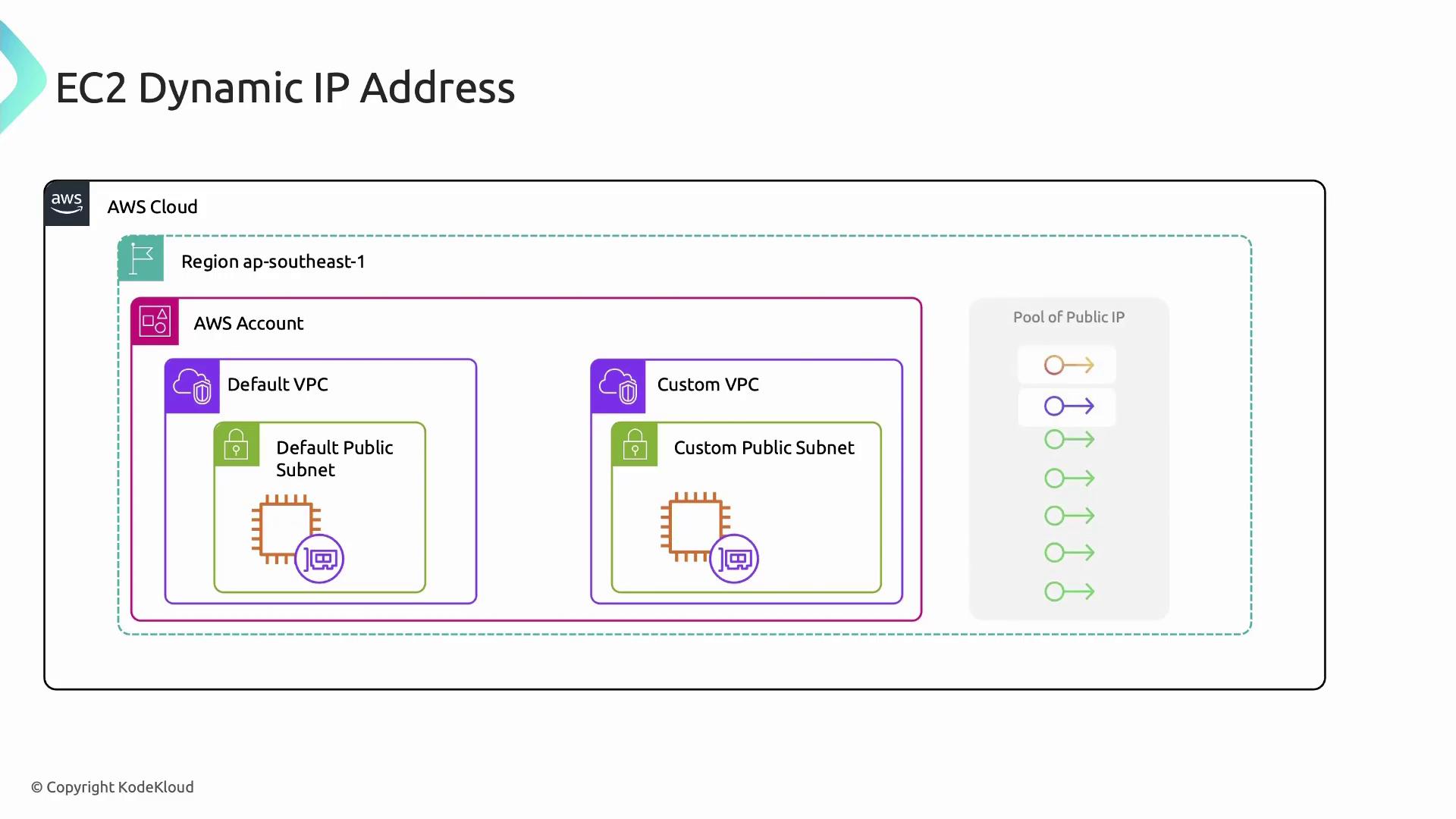
* **Default VPC:** EC2 instances launched in the default VPC receive a public IPv4 automatically.
* **Custom VPC:** Public IP assignment is disabled by default. Enable **Auto-assign public IPv4 address** on the subnet to grant instances a public IP on launch.
### Lifecycle and Limitations
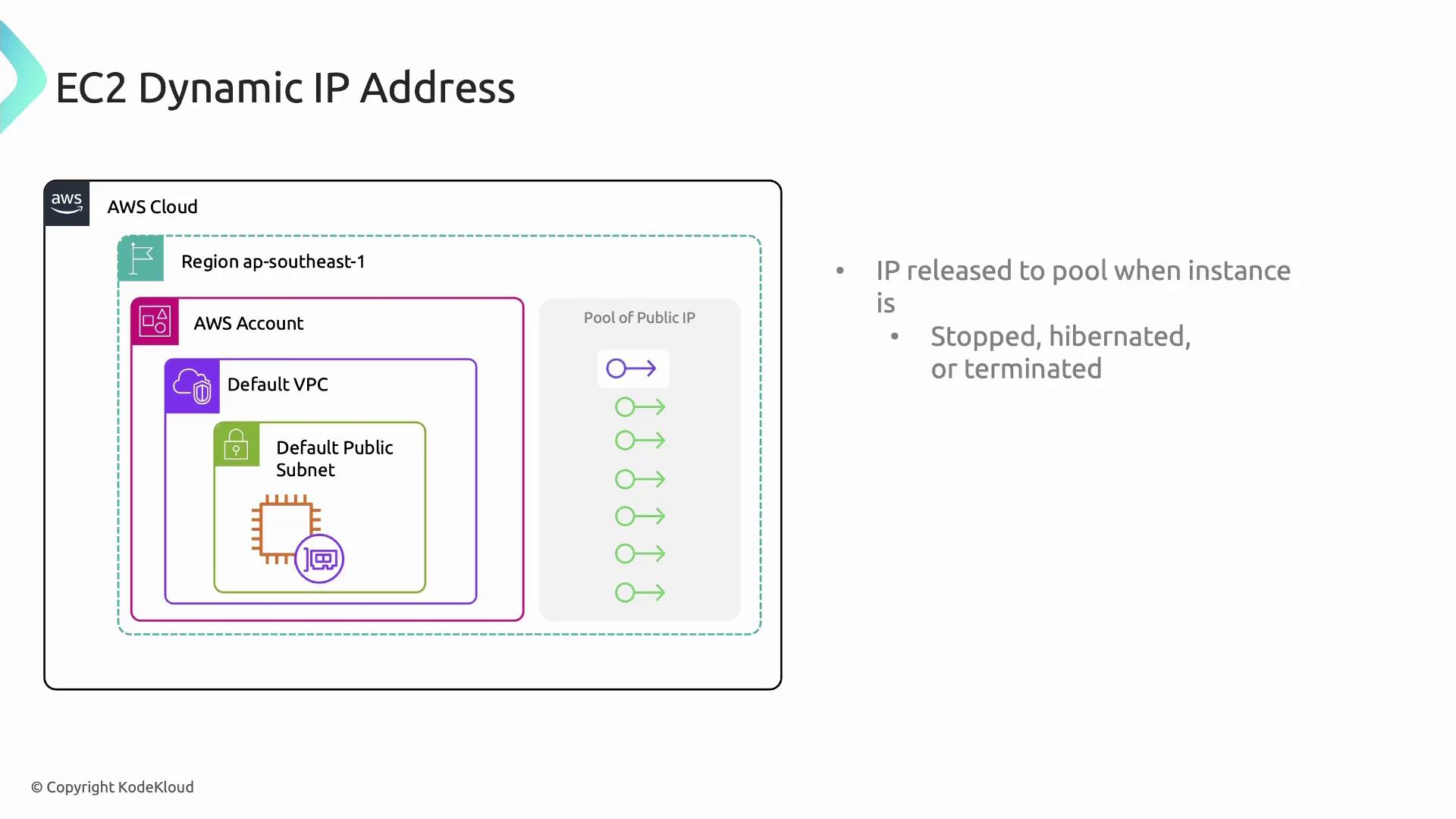
* When an instance is **stopped**, **hibernated**, or **terminated**, its public IPv4 address is released back to AWS’s global pool.
* Restarting a stopped instance assigns a **new** public IP.
* You **cannot** manually associate or disassociate an auto-assigned public IP.
* Frequent IP changes can disrupt services with static DNS records.
Dynamic DNS services may take up to 24 hours to propagate a new IP, risking temporary downtime. For production-grade stability, consider Elastic IPs.
Learn more in the [AWS EC2 addressing guide][ec2-ip-addresses].
***
## Elastic IP Addresses (Static)
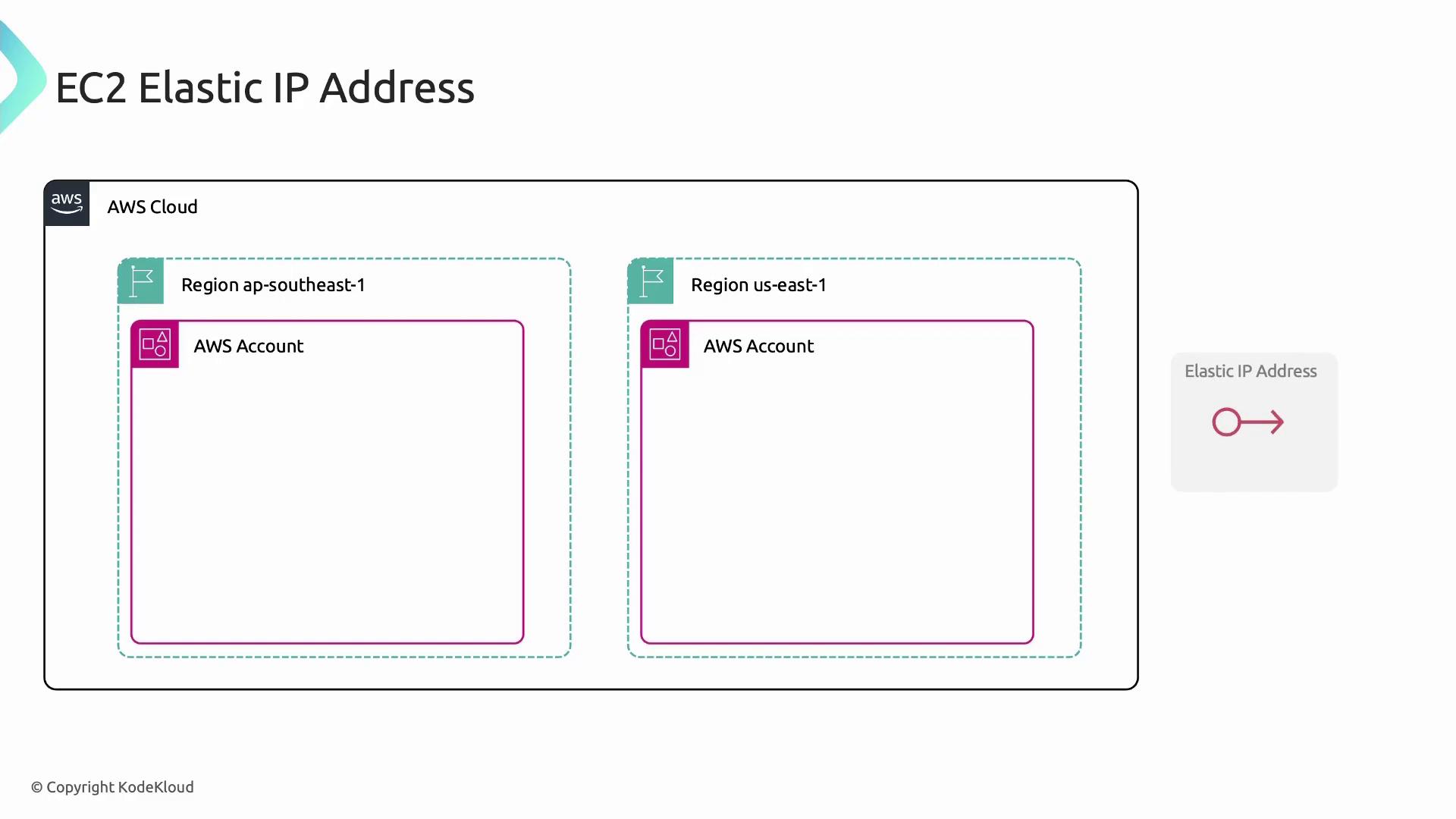
Elastic IPs are AWS’s solution for static, publicly routable IPv4 addresses—like owning a permanent phone number.
### Key Characteristics
1. **Region-bound:** You allocate an Elastic IP within a single AWS Region.
2. **Account-level allocation:** Once allocated, the address resides in your AWS account until you release it.
3. **Association:** Attaching to an EC2 instance binds the IP to eth0 (the primary network interface).
4. **Reassignment:** Disassociate and reattach to any eligible instance or network interface in the same region.
5. **Pricing:**
* **Free** when attached to a running instance.
* **Hourly charge** when allocated but not associated.
Unused Elastic IPs incur charges. Always release any Elastic IP you no longer need to avoid unexpected costs.
For full details, see [Elastic IP address documentation][elastic-ip-docs].
***
## Comparing Static vs. Dynamic Public IPs
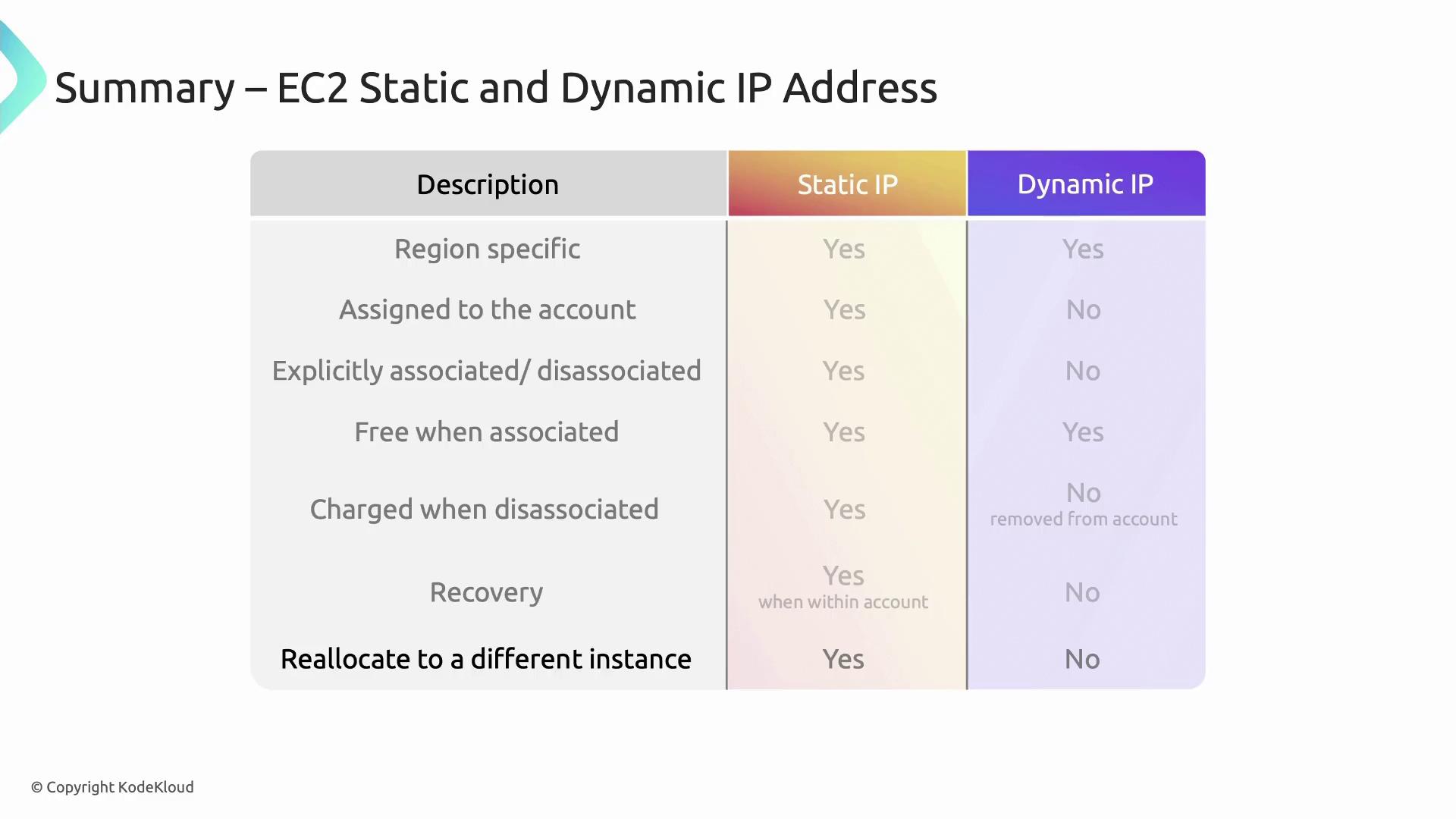
Below is a quick reference table summarizing the core differences between dynamic (auto-assigned) and static (Elastic) public IP addresses in EC2.
| Attribute | Dynamic Public IP | Elastic IP (Static) |
| ----------------- | ------------------------------------- | -------------------------------------- |
| Assignment | Auto-assigned on launch | Allocated to your AWS account |
| Lifetime | Exists only while instance is running | Persists until you release it |
| Manual Management | Not supported | You can associate/disassociate at will |
| DNS Stability | IP changes on stop/start | Fixed IP, no DNS propagation issues |
| Cost | Free while attached | Free when attached; charged when idle |
***
## Further Reading and References
* [AWS EC2 Public IPv4 Addresses][ec2-ip-addresses]
* [Amazon Elastic IP Addresses][elastic-ip-docs]
* [AWS EC2 Networking Concepts][ec2-networking]
[ec2-ip-addresses]: https://docs.aws.amazon.com/AWSEC2/latest/UserGuide/using-instance-addressing.html#public-ip-addresses
[elastic-ip-docs]: https://docs.aws.amazon.com/AWSEC2/latest/UserGuide/elastic-ip-addresses-eip.html
[ec2-networking]: https://docs.aws.amazon.com/AWSEC2/latest/UserGuide/ec2-networking.html