> ## Documentation Index
> Fetch the complete documentation index at: https://notes.kodekloud.com/llms.txt
> Use this file to discover all available pages before exploring further.
# EC2 Placement Groups
> AWS EC2 Placement Groups enable control over instance placement for performance and availability by grouping instances to achieve low-latency and high-throughput networking.
AWS EC2 Placement Groups let you control instance placement on the underlying hardware to meet performance and availability goals. By grouping instances, you can achieve low-latency, high-throughput networking or isolate workloads against rack-level failures.
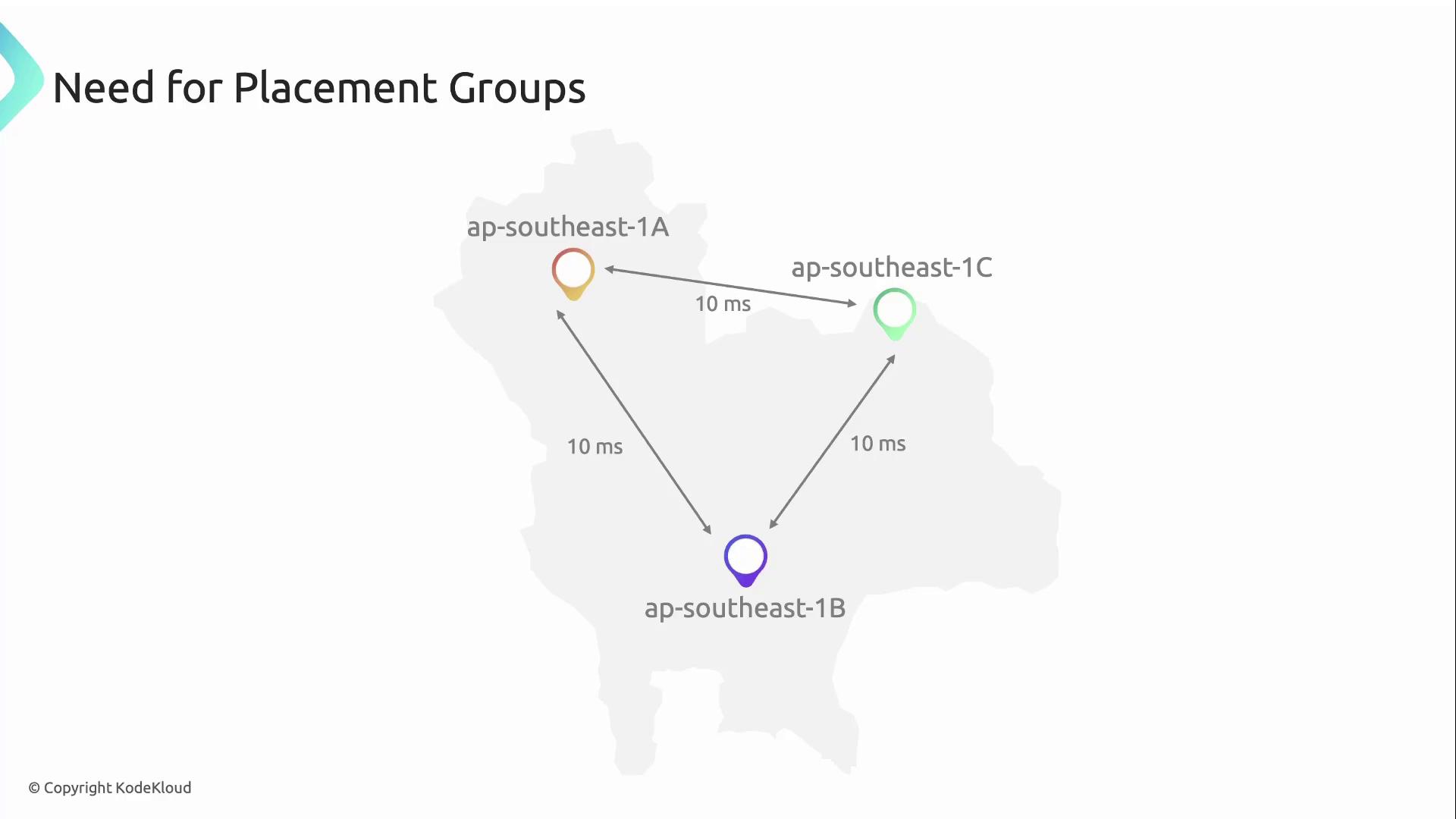
Suppose you deploy a Spark cluster in the Singapore region across multiple Availability Zones. Inter–AZ latency can reach up to 10 ms—too high for tightly coupled HPC workloads. Placement groups solve this by selecting optimal racks for your EC2 instances.
## What Is an AWS Placement Group?
An AWS Placement Group is a logical construct that influences the physical placement of EC2 instances to optimize for:
* Low network latency and high throughput
* Hardware-failure isolation
* Minimized blast radius for critical services
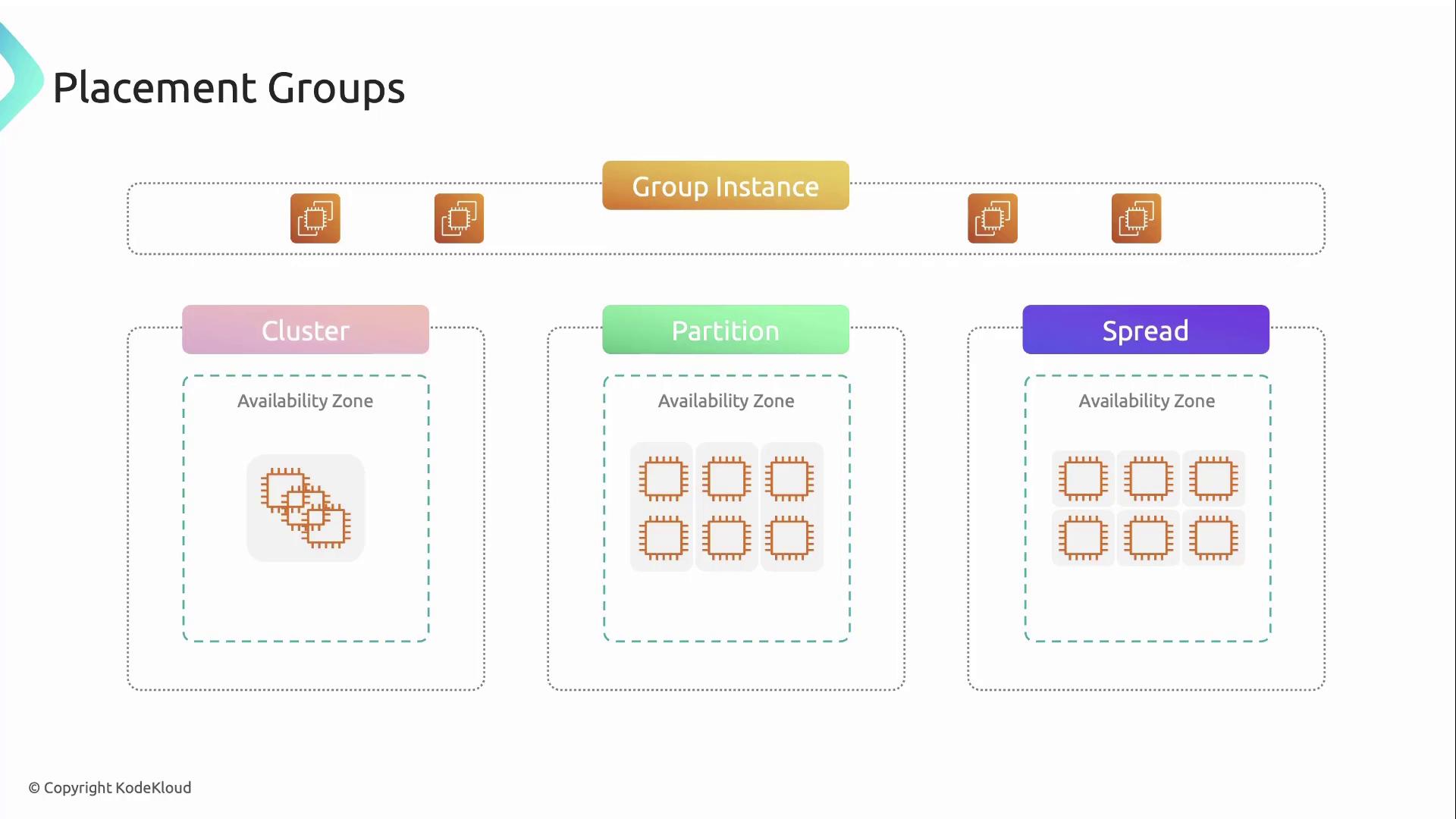
Choose from three placement group strategies:
| Strategy | Description | Best for |
| --------- | ------------------------------------------------------------------- | --------------------------------------------------- |
| Cluster | Packs instances closely in one AZ for low latency & high throughput | HPC, tightly coupled compute |
| Partition | Divides instances into partitions with separate racks | Large distributed systems requiring fault isolation |
| Spread | Distributes a small number of instances across racks or AZs | Critical components that need failure containment |
Below is an in-depth look at each placement group type.
## Cluster Placement Groups
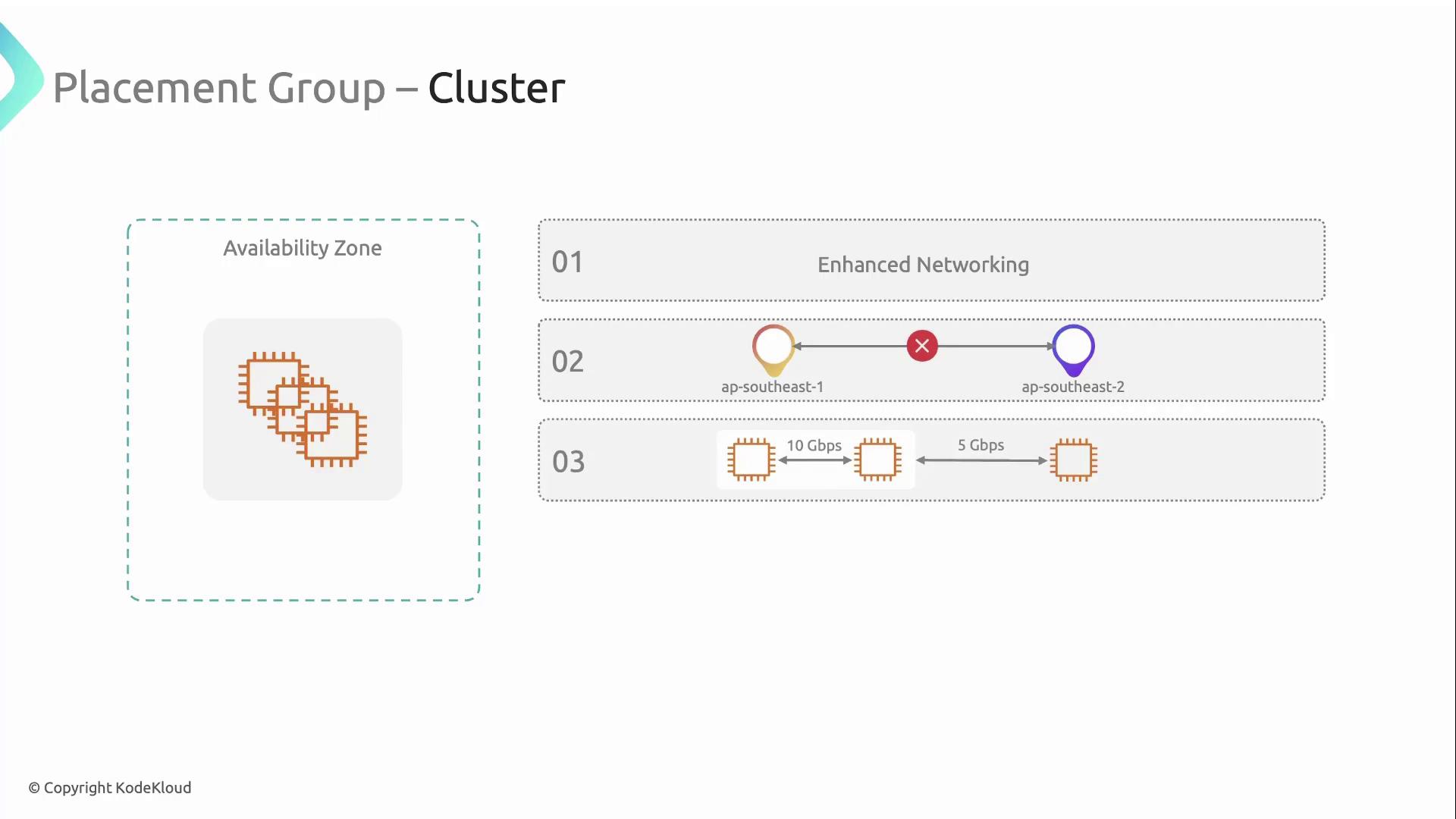
A **cluster placement group** co-locates instances within a single Availability Zone. This yields ultra-low latency and high network throughput, ideal for HPC clusters or big-data workloads.
Key requirements and benefits:
* Instances **must** support enhanced networking (`ENA` or `Elastic Fabric Adapter`)
* All instances reside in the same AZ (no cross-AZ placement)
* Network throughput can exceed **10 Gbps** on supported instance types
* Use the **same instance type** within the group for maximum performance
To leverage the highest network performance, ensure your AMI and instance types support the Elastic Network Adapter (ENA) or Elastic Fabric Adapter (EFA).
## Partition Placement Groups
A **partition placement group** segments your fleet into logical partitions. Each partition is mapped to its own set of racks with isolated power and network infrastructure, reducing the risk of simultaneous hardware failures.
Highlights:
* Can span **multiple Availability Zones** in a single region
* Up to **7 partitions per AZ**, each on separate racks
* Racks in different partitions do **not** share power or network gear
Do not exceed **7 partitions per Availability Zone**. If you need more partitions, consider multiple placement groups.
## Spread Placement Groups
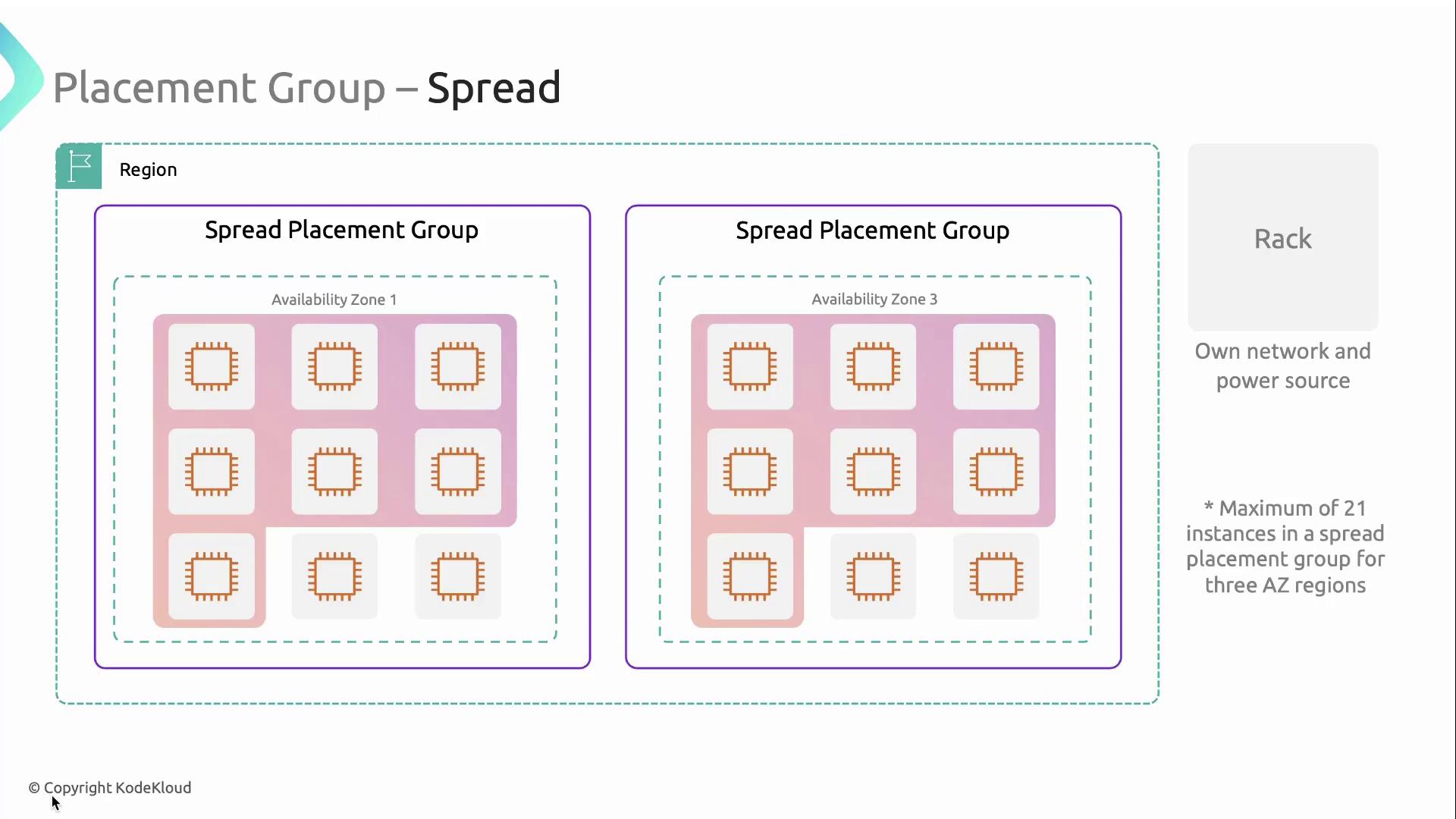
A **spread placement group** distributes a small number of instances across distinct racks, AZs, or both. This strategy minimizes the blast radius of hardware failures for critical application components.
Key limits:
* Can span multiple AZs within a region
* Maximum **7 running instances per AZ** per spread group
* In a region with 3 AZs, you can have up to **21 instances** in one spread group
## Links and References
* [AWS EC2 Placement Groups Documentation](https://docs.aws.amazon.com/AWSEC2/latest/UserGuide/placement-groups.html)
* [Enhanced Networking on Linux](https://docs.aws.amazon.com/AWSEC2/latest/UserGuide/enhanced-networking.html)
* [Elastic Fabric Adapter Overview](https://docs.aws.amazon.com/AWSEC2/latest/UserGuide/efa.html)