> ## Documentation Index
> Fetch the complete documentation index at: https://notes.kodekloud.com/llms.txt
> Use this file to discover all available pages before exploring further.
# EC2 Golden Image Pipeline
> This article discusses using golden AMIs in an immutable infrastructure approach to streamline EC2 instance management and address common operational challenges.
Cloud administrators often tackle scaling challenges that drive up costs and complexity. In this lesson, we follow Alex at Acme Corporation as he manages hundreds of EC2 instances across development, staging, and production. We’ll explore common pitfalls—like configuration drift and version upgrades—and demonstrate how an immutable infrastructure approach using golden AMIs can streamline operations.
***
## Case Study: Acme Corporation’s AWS Infrastructure
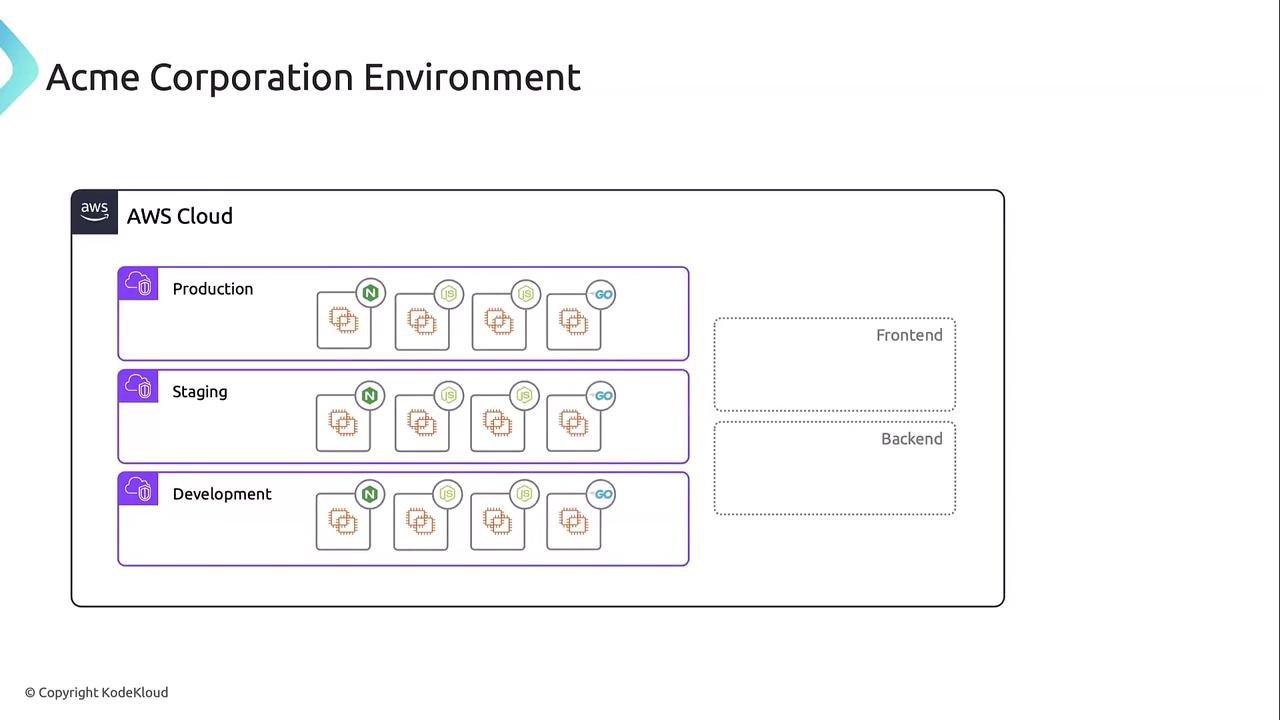
Acme operates three environments—development, staging, and production—each hosting front-end (Nginx) and back-end services (Node.js, Go). Rapid growth led to dual back-ends on some apps, increasing operational overhead.
| Environment | Front-end | Back-end |
| ----------- | --------- | ----------- |
| Development | Nginx | Node.js, Go |
| Staging | Nginx | Node.js, Go |
| Production | Nginx | Node.js, Go |
***
## Common Challenges
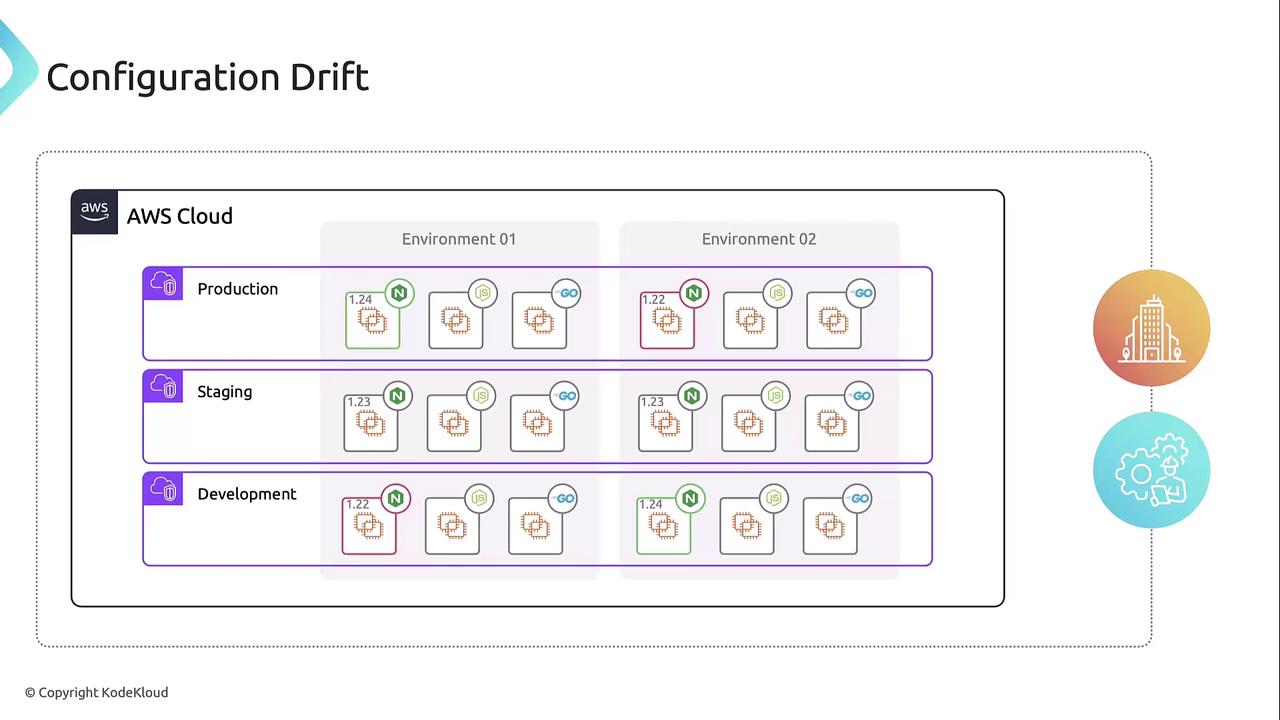
### 1. Configuration Drift
Over time, developers applied manual updates and installed varying software versions across environments. As a result, staging no longer mirrors production, making debugging unpredictable.
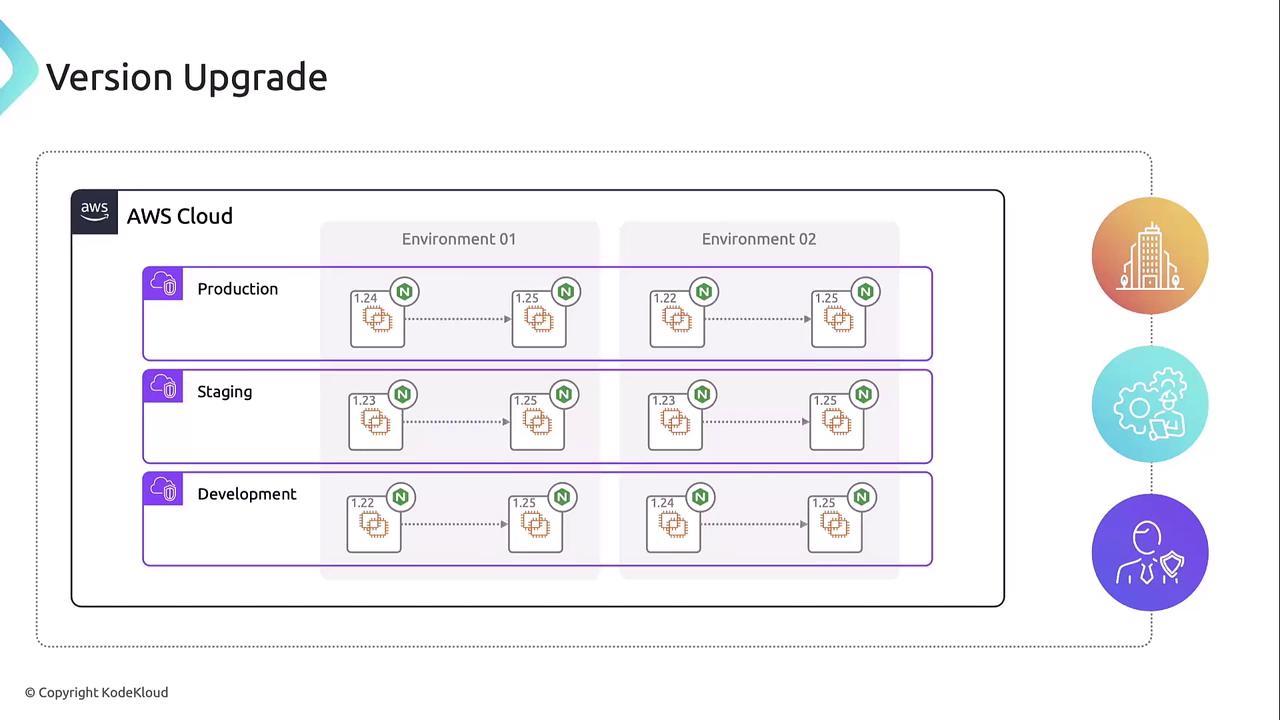
### 2. Version Upgrade Complexity
Compliance mandates a uniform Nginx version, but automating upgrades can fail in edge cases. Skipped releases or unexpected behavior complicate rollbacks and extend maintenance windows.
### 3. Security Vulnerability Remediation
A critical Node.js vulnerability forces Alex to:
1. Identify which environments run the affected version
2. Patch or upgrade them—risking compatibility issues if untested builds are deployed
Automation tools can scan and update instances, but handling live servers remains error-prone.
***
## Potential Approaches
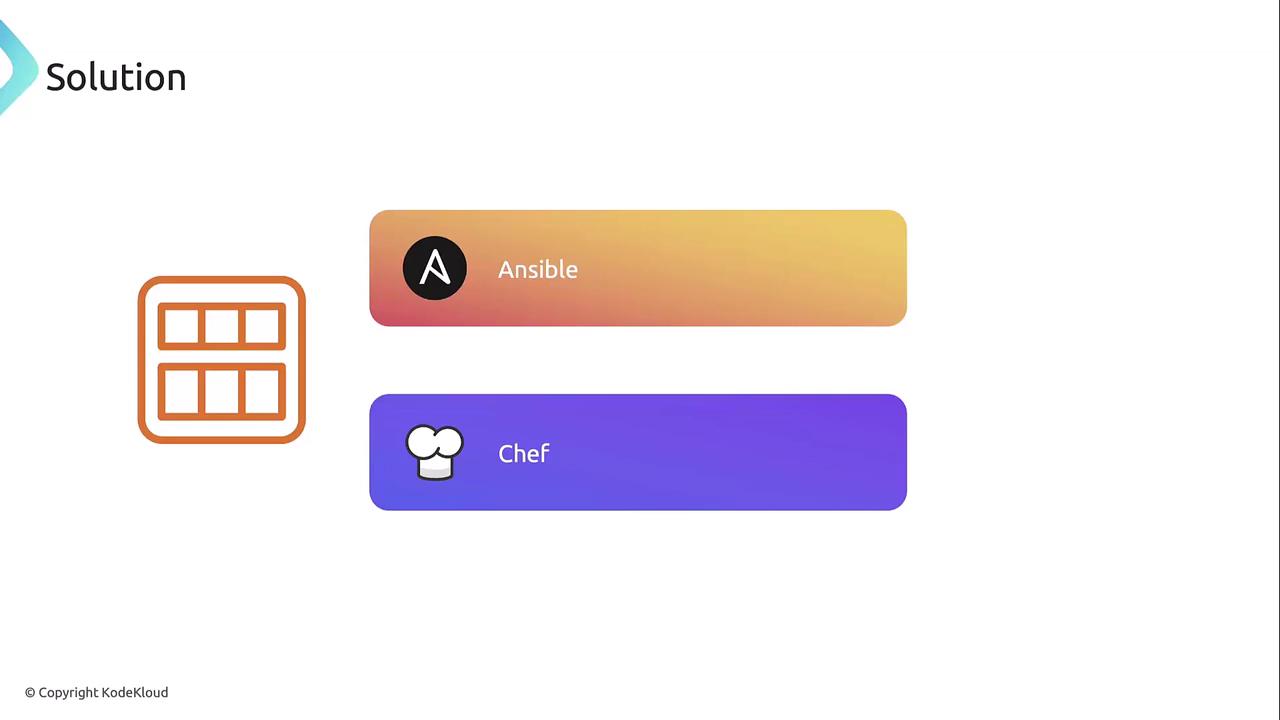
Traditional configuration management (Ansible, Chef) enforces state but often leads to lengthy runs and unpredictable outcomes on mutable servers. An immutable infrastructure pattern—where servers are replaced rather than modified—offers greater consistency and reliability.
***
## Golden AMI Solution
A **golden AMI** is a versioned, pre-configured image containing the OS, patches, monitoring agents, and application runtimes. By rebuilding these images via a pipeline, you eliminate drift, simplify upgrades, and accelerate vulnerability remediation.
Tag each AMI with metadata (version, build date, environment) and use [AWS Launch Templates](https://docs.aws.amazon.com/AWSEC2/latest/UserGuide/ec2-launch-templates.html) to ensure consistent instance provisioning.
### Image Building Pipeline
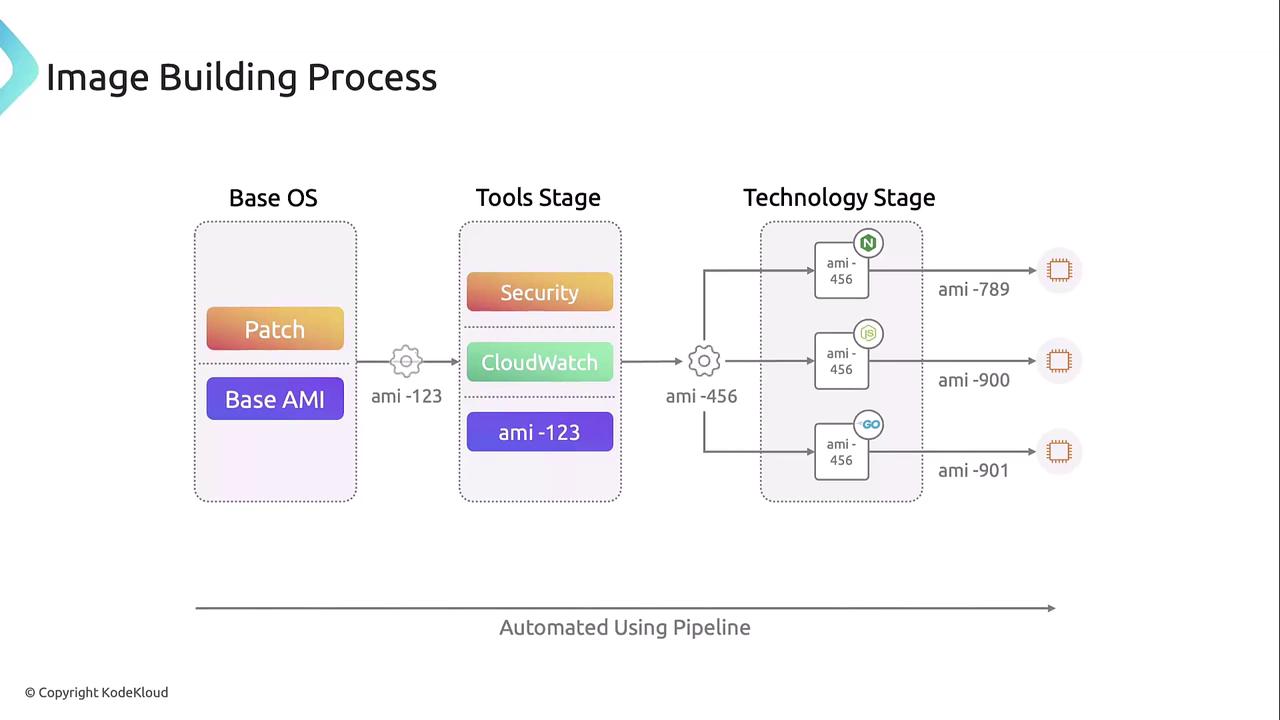
Each pipeline stage produces a new AMI, feeding into the next:
| Stage | Input AMI | Actions | Output AMI |
| ----- | -------------------------- | ------------------------------------------------------------ | -------------- |
| OS | Base AMI (AWS Marketplace) | Kernel updates, OS upgrades, security patches | OS-stage AMI |
| Tool | OS-stage AMI | Install monitoring agents (CloudWatch Agent), security tools | Tool-stage AMI |
| Tech | Tool-stage AMI | Install Nginx, Node.js, Go runtimes | Tech-stage AMI |
### Deployment Strategy
Once golden AMIs are built, roll them out in sequence:
| Environment | Trigger | Timing |
| ----------- | --------------------------- | --------------------- |
| Development | Successful Tech-stage build | Immediate |
| Staging | After 24 h of testing | Next day |
| Production | Post-staging validation | Scheduled maintenance |
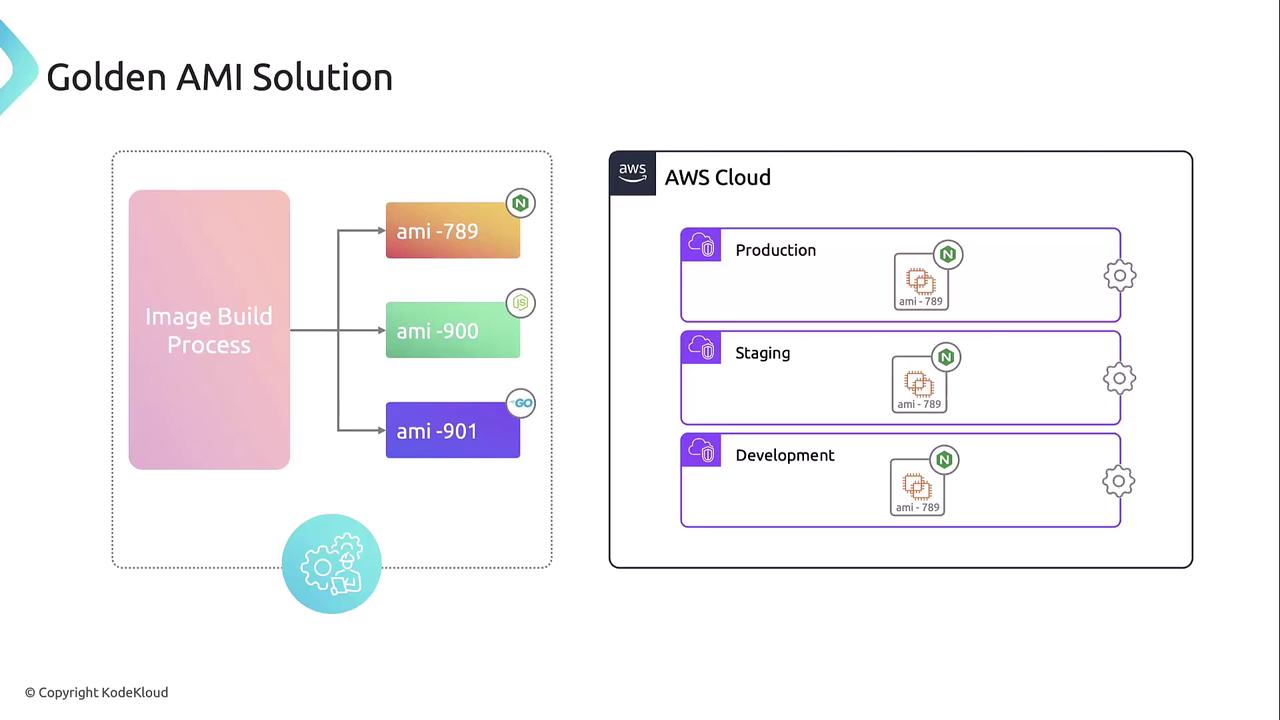
Automating image builds and progressive rollouts ensures consistent environments, simplifies version management, and accelerates security patches—addressing drift, upgrades, and vulnerabilities in one streamlined workflow.
***
## References
* [AWS EC2 AMIs](https://docs.aws.amazon.com/AWSEC2/latest/UserGuide/AMIs.html)
* [Immutable Infrastructure Patterns](https://martinfowler.com/bliki/ImmutableServer.html)
* [AWS Launch Templates](https://docs.aws.amazon.com/AWSEC2/latest/UserGuide/ec2-launch-templates.html)