> ## Documentation Index
> Fetch the complete documentation index at: https://notes.kodekloud.com/llms.txt
> Use this file to discover all available pages before exploring further.
# Immutable vs non immutable
> This article examines the differences between immutable and non-immutable infrastructures, highlighting workflows and benefits of immutable approaches for cloud-native deployments.
In modern cloud-native environments, managing infrastructure reliably and predictably is critical. This article examines the key differences between immutable and non-immutable (mutable) infrastructures, highlights their respective workflows, and demonstrates why immutable approaches are often the preferred choice for large‐scale deployments.
## Immutable Infrastructure
Immutable infrastructure treats every change as a brand-new deployment. Once you build an image, you never modify it in place—instead, you replace the entire environment with a fresh image.
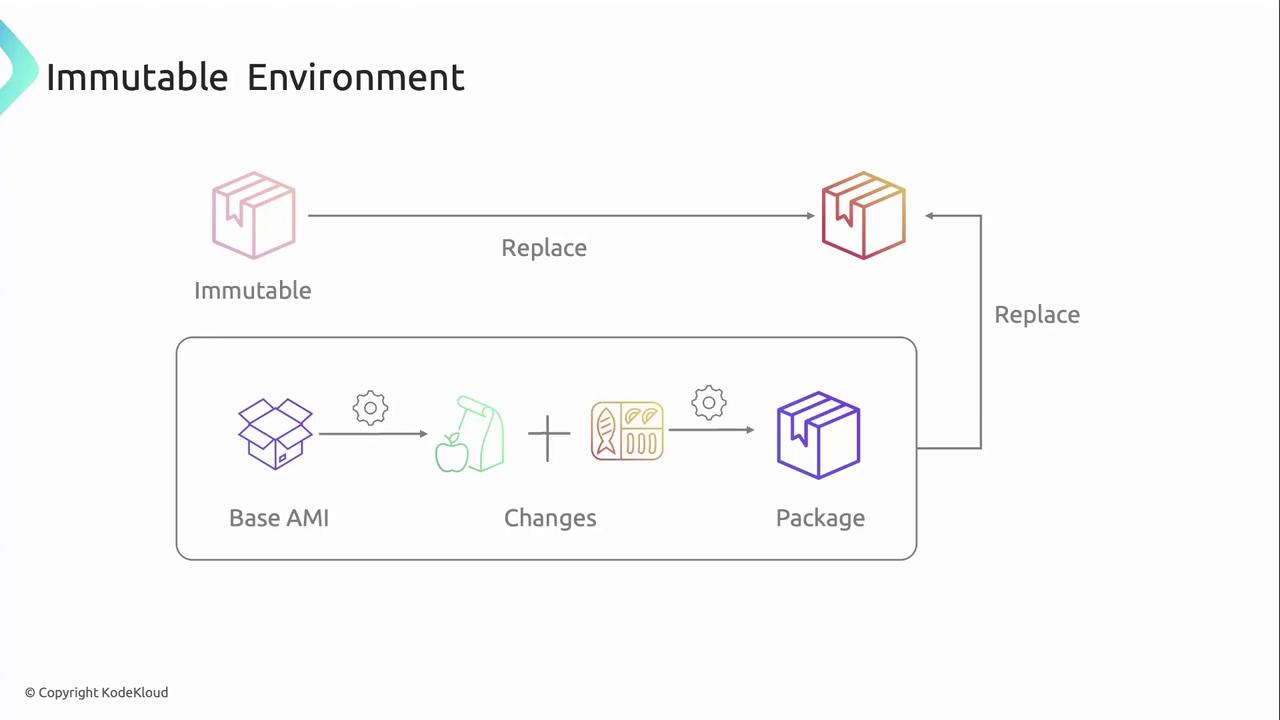
How it works:
1. **Base Image**\
Start from a golden AMI or container image template.
2. **Build Pipeline**\
Apply OS patches, configuration, and application code to produce a new image version.
3. **Deploy New Instances**\
Launch servers or containers from the freshly built image.
4. **Decommission Old Version**\
Once health checks pass, terminate legacy instances.
Key benefits:
* **Consistency:** Every deployment uses the same vetted image.
* **Reliability:** Zero configuration drift—environments remain identical.
* **Fast Rollback:** Switch back to a previous image version with minimal effort.
Immutable deployments integrate seamlessly with CI/CD pipelines and Infrastructure as Code (IaC) tools. Check out [Infrastructure as Code (IaC)](https://en.wikipedia.org/wiki/Infrastructure_as_code) for more.
## Non-Immutable (Mutable) Infrastructure
Mutable infrastructure updates running servers or containers in place. Over time, manual patches or ad‐hoc scripts can introduce inconsistencies across your fleet.
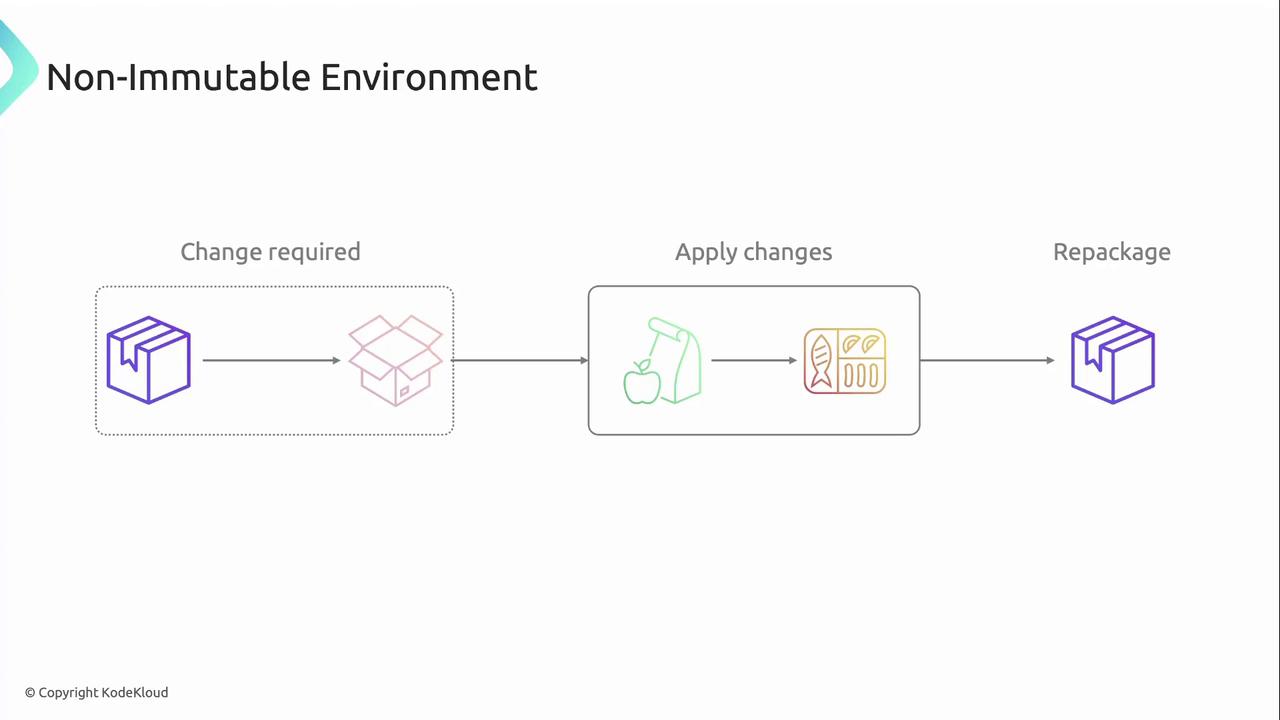
Typical workflow:
1. **Change Request**\
Identify a bug, patch, or configuration update.
2. **In-Place Update**\
SSH into servers or run configuration management tools (Ansible, Chef).
3. **Optional Repackage**\
Snapshot or bake a new image if desired.
4. **Continue Patching**\
Repeat for each environment.
Common drawbacks:
* Configuration drift leads to unpredictable behavior.
* In-place updates can cause unplanned downtime.
* Difficult to reproduce the exact state of an environment.
Untracked changes increase security risk. Regular audits are essential when using mutable infrastructure.
## Immutable vs Mutable: At a Glance
| Feature | Immutable Infrastructure | Mutable Infrastructure |
| ------------------------ | ------------------------------ | --------------------------------- |
| Change Method | Deploy new image | Update in place |
| Configuration Drift | Virtually zero | High risk |
| Rollback | Simple image version swap | Time‐consuming manual remediation |
| Automation Compatibility | Native IaC & CI/CD integration | Limited; requires extra scripting |
| Downtime | Minimal (blue/green, canary) | Possible during patching |
## ACME Corporation’s Immutable Deployment Pipeline
ACME Corporation standardized on an immutable approach to guarantee consistency across development, staging, and production.
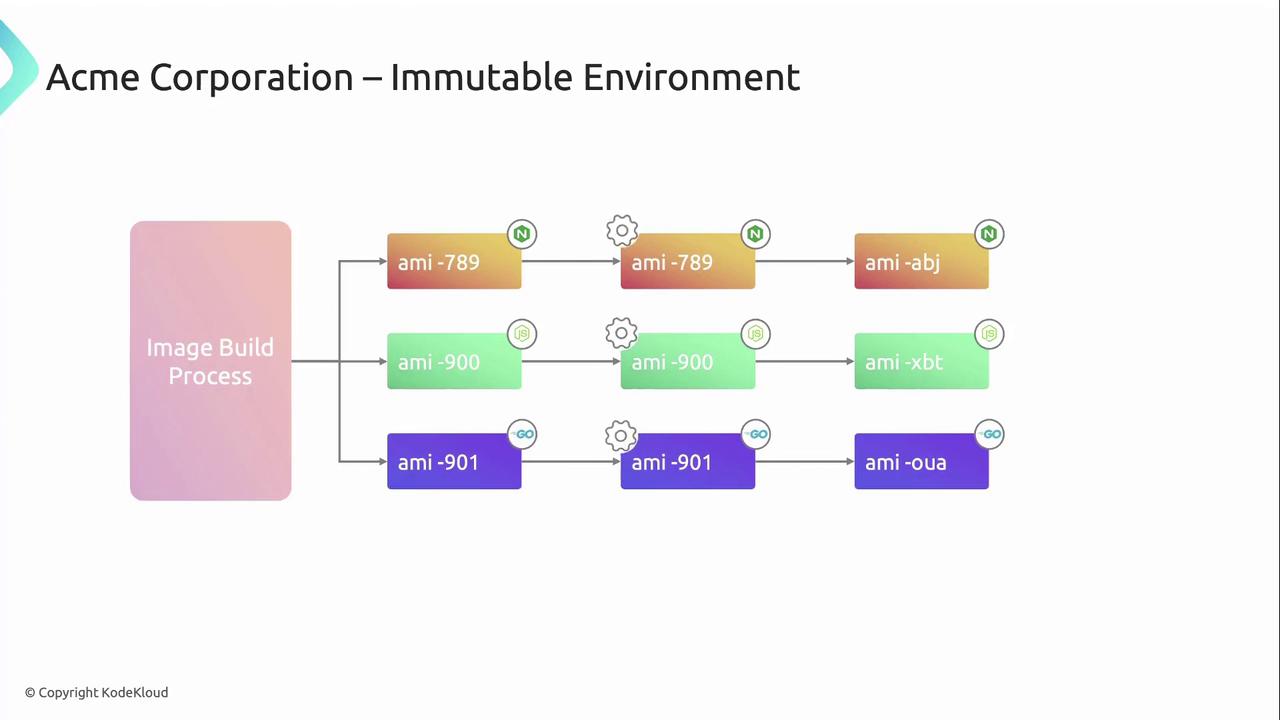
1. **Automated Image Build**\
A CI/CD job generates an EC2 AMI including base OS patches plus required services (Nginx, Node.js, Go).
2. **Development Testing**\
Deploy the new AMI in a dev environment for unit and integration tests.
3. **Staging Validation**\
Promote the same AMI to staging to ensure parity with production.
4. **Production Release**\
Roll out the identical AMI to production servers—no in-place changes allowed.
When a hotfix is needed, ACME simply creates a new AMI revision and reruns the pipeline. This approach eliminates patch drift and keeps all environments predictable.
## Additional Resources
* [AWS EC2: Create Image](https://docs.aws.amazon.com/cli/latest/reference/ec2/create-image.html)
* [Infrastructure as Code (IaC)](https://en.wikipedia.org/wiki/Infrastructure_as_code)
* [Docker Hub](https://hub.docker.com/)
* [Kubernetes Documentation](https://kubernetes.io/docs/)